
Unified Customer Communications for Australian Businesses: Email SMS and Push Notifications
Your customers don’t think in channels. They don’t care whether a message arrives via email, SMS, or push notification—they just want timely, relevant communication that respects their preferences.
Yet most Australian businesses manage these channels separately. Marketing sends emails. Operations sends SMS. The app team handles push notifications. The result? Customers receive duplicated messages, inconsistent branding, and the distinct impression that nobody is coordinating.
Unified customer communications fix this. By centralising how you message customers across all channels, you improve customer experience, reduce costs, and gain insights that siloed systems can’t provide.
This guide shows Australian SMBs how to build practical unified communications without enterprise budgets or complex integrations.
Why Unified Communications Matter
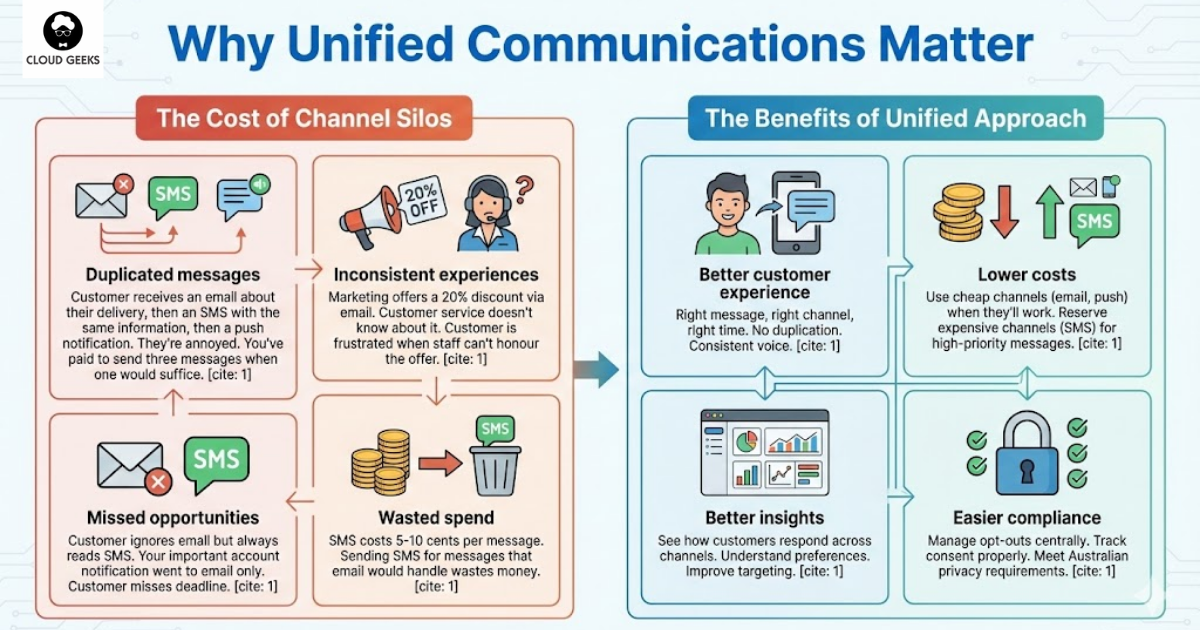
The Cost of Channel Silos
Duplicated messages: Customer receives an email about their delivery, then an SMS with the same information, then a push notification. They’re annoyed. You’ve paid to send three messages when one would suffice.
Inconsistent experiences: Marketing offers a 20% discount via email. Customer service doesn’t know about it. Customer is frustrated when staff can’t honour the offer.
Missed opportunities: Customer ignores email but always reads SMS. Your important account notification went to email only. Customer misses deadline.
Wasted spend: SMS costs 5-10 cents per message. Sending SMS for messages that email would handle wastes money.
The Benefits of Unified Approach
Better customer experience: Right message, right channel, right time. No duplication. Consistent voice.
Lower costs: Use cheap channels (email, push) when they’ll work. Reserve expensive channels (SMS) for high-priority messages.
Better insights: See how customers respond across channels. Understand preferences. Improve targeting.
Easier compliance: Manage opt-outs centrally. Track consent properly. Meet Australian privacy requirements.
Understanding Your Channels
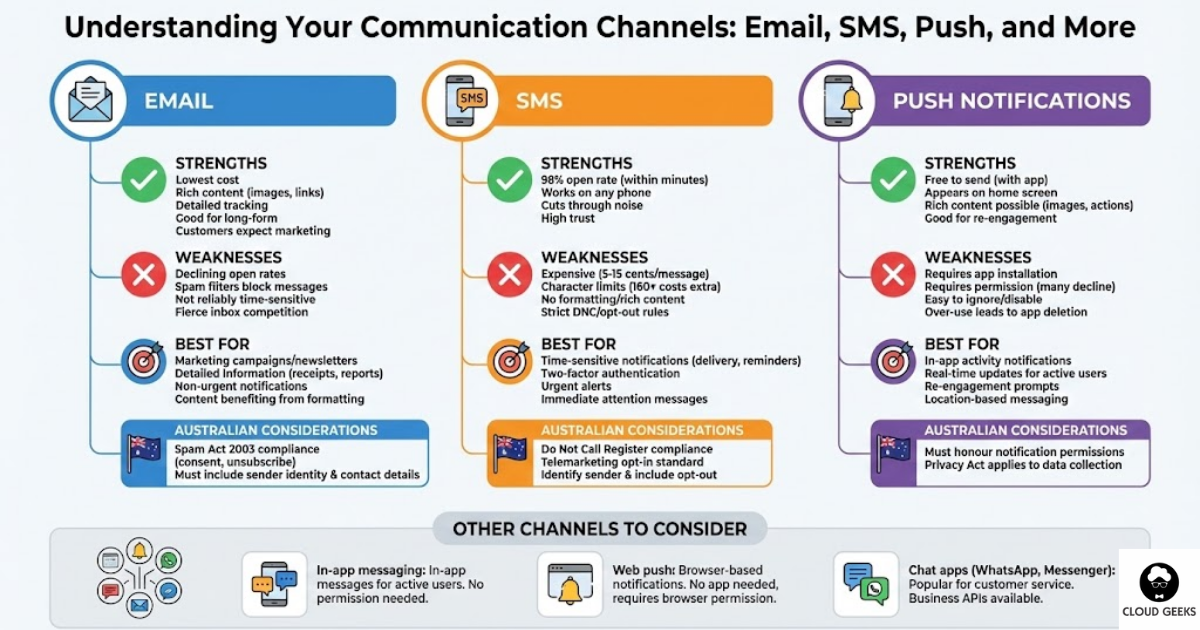
Each channel has distinct characteristics. Understanding them helps you use them appropriately.
Strengths:
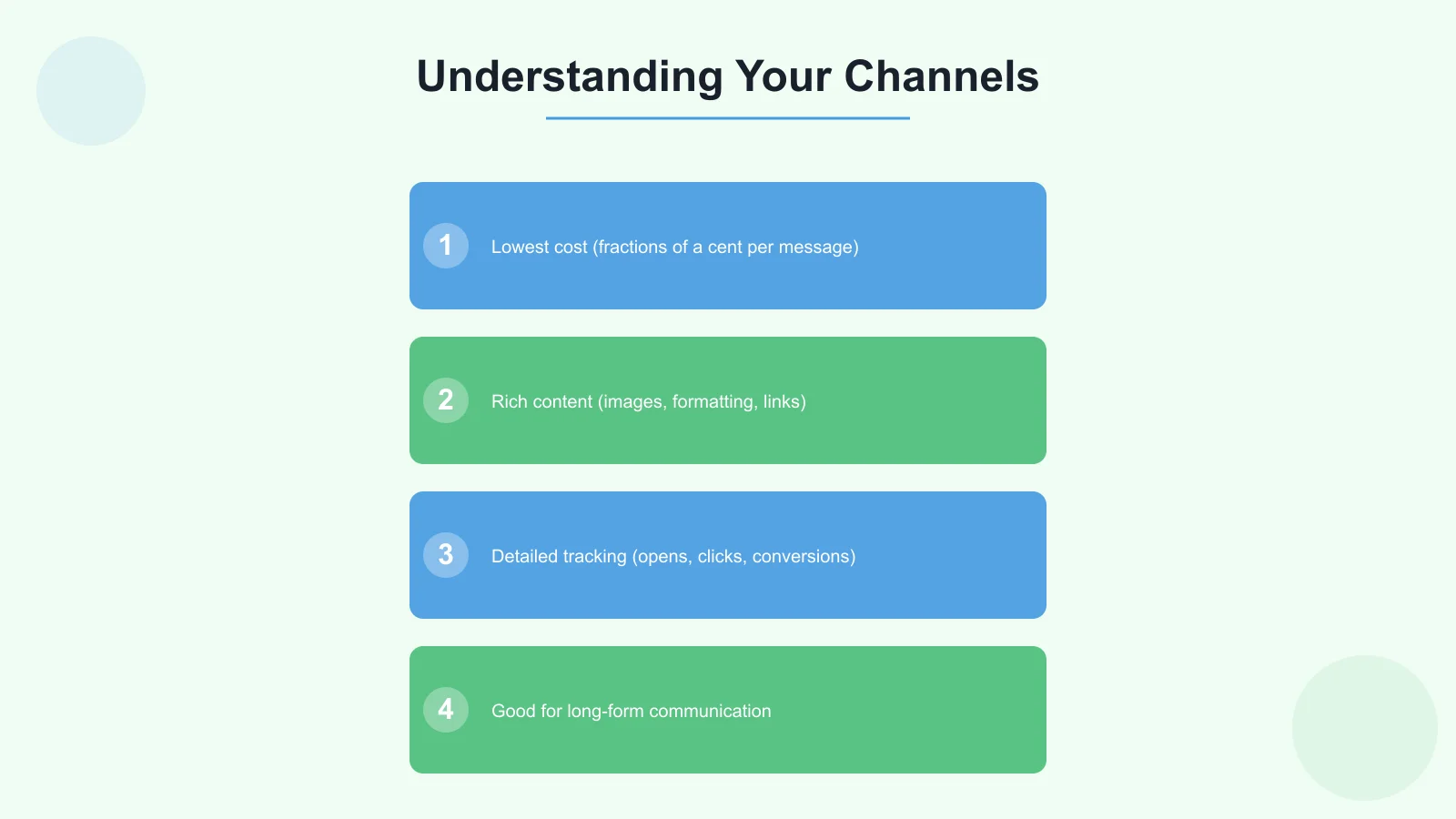
- Lowest cost (fractions of a cent per message)
- Rich content (images, formatting, links)
- Detailed tracking (opens, clicks, conversions)
- Good for long-form communication
- Customers expect marketing via email
Weaknesses:
- Open rates declining (20-25% typical for marketing)
- Spam filters can block legitimate messages
- Not reliably time-sensitive
- Inbox competition is fierce
Best for:
- Marketing campaigns and newsletters
- Detailed information (receipts, reports, documentation)
- Non-urgent notifications
- Content that benefits from formatting
Australian considerations:
- Spam Act 2003 requires consent and unsubscribe options
- Must include sender identity and contact details
SMS
Strengths:
- 98% open rate, usually within minutes
- Works on any phone (no app required)
- Cuts through noise effectively
- High trust (people don’t ignore SMS)
Weaknesses:
- Expensive (5-15 cents per message)
- Character limits (160 characters, more costs extra)
- No formatting or rich content
- Must respect DNC and opt-out requirements
Best for:
- Time-sensitive notifications (delivery updates, appointment reminders)
- Two-factor authentication
- Urgent alerts
- Messages needing immediate attention
Australian considerations:
- Do Not Call Register compliance required for marketing
- Telemarketing industry standard requires opt-in
- SMS must identify sender and include opt-out
Push Notifications
Strengths:
- Free to send (once app is built)
- Appears on device home screen
- Rich content possible (images, actions)
- Good for re-engagement
Weaknesses:
- Requires users to have app installed
- Requires notification permission (many decline)
- Easy to ignore or disable
- Over-use leads to app deletion
Best for:
- In-app activity notifications
- Real-time updates for active users
- Re-engagement prompts
- Location-based messaging
Australian considerations:
- Must honour notification permissions
- Privacy Act applies to data collection
Other Channels to Consider
In-app messaging: Messages shown when user is in your app. No permission needed, but only reaches active users.
Web push: Browser-based notifications. Works without an app but requires browser permission.
Chat apps (WhatsApp, Messenger): Popular for customer service. Business APIs available.
Building Your Unified Communications Strategy
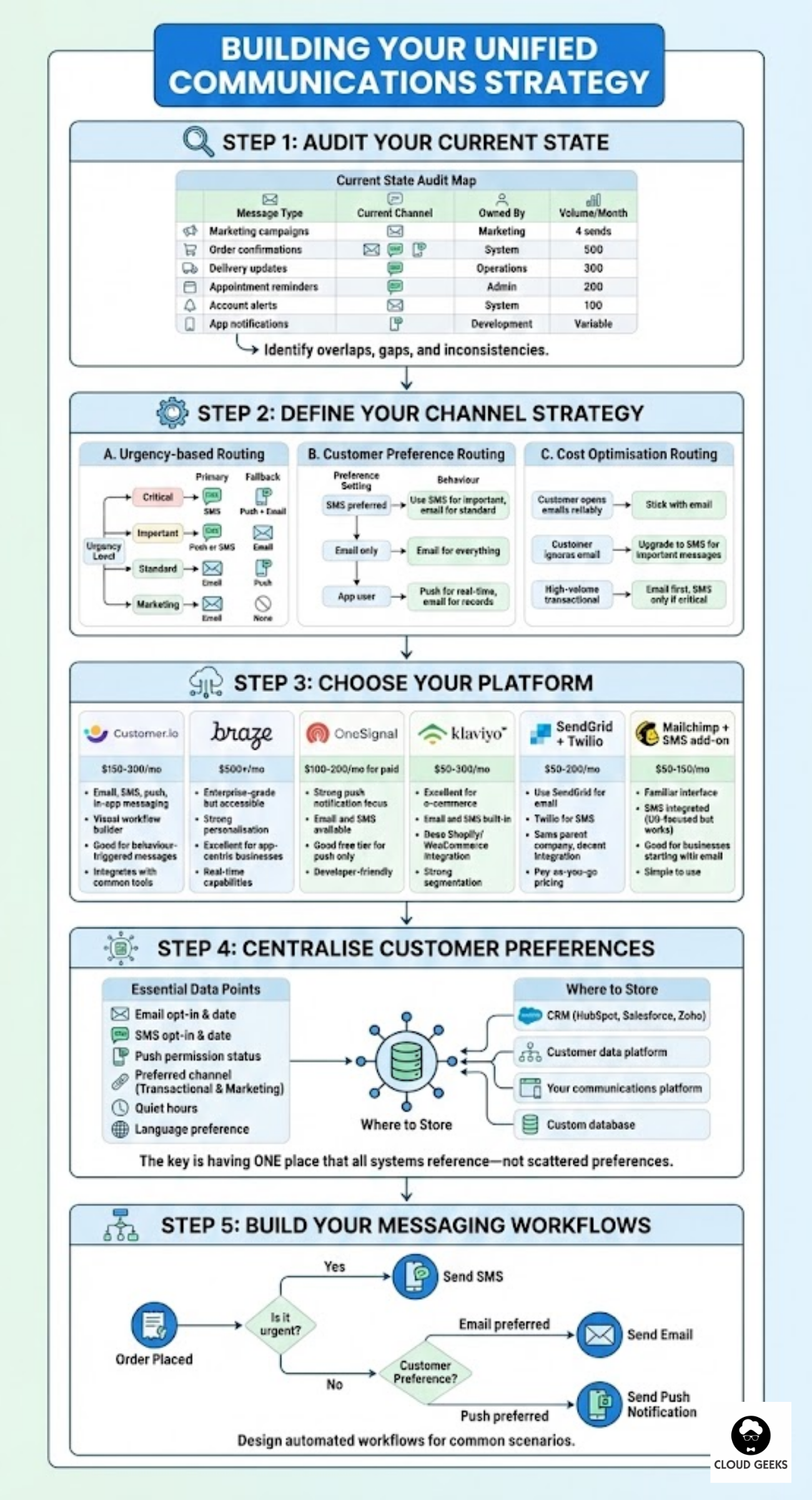
Step 1: Audit Your Current State
Map your existing communications:
| Message Type | Current Channel | Owned By | Volume/Month |
|---|---|---|---|
| Marketing campaigns | Marketing | 4 sends | |
| Order confirmations | System | 500 | |
| Delivery updates | SMS | Operations | 300 |
| Appointment reminders | SMS | Admin | 200 |
| Account alerts | System | 100 | |
| App notifications | Push | Development | Variable |
Identify overlaps, gaps, and inconsistencies.
Step 2: Define Your Channel Strategy
Create rules for which channel to use when:
Urgency-based routing:
| Urgency | Primary Channel | Fallback |
|---|---|---|
| Critical (immediate action needed) | SMS | Push + Email |
| Important (action needed soon) | Push or SMS | |
| Standard (informational) | Push | |
| Marketing (promotional) | None |
Customer preference routing:
| Preference Setting | Behaviour |
|---|---|
| SMS preferred | Use SMS for important, email for standard |
| Email only | Email for everything |
| App user | Push for real-time, email for records |
Cost optimisation routing:
| Scenario | Approach |
|---|---|
| Customer opens emails reliably | Stick with email |
| Customer ignores email | Upgrade to SMS for important messages |
| High-volume transactional | Email first, SMS only if critical |
Step 3: Choose Your Platform
For Australian SMBs, several platforms enable unified communications:
Customer.io ($150-300 AUD/month)
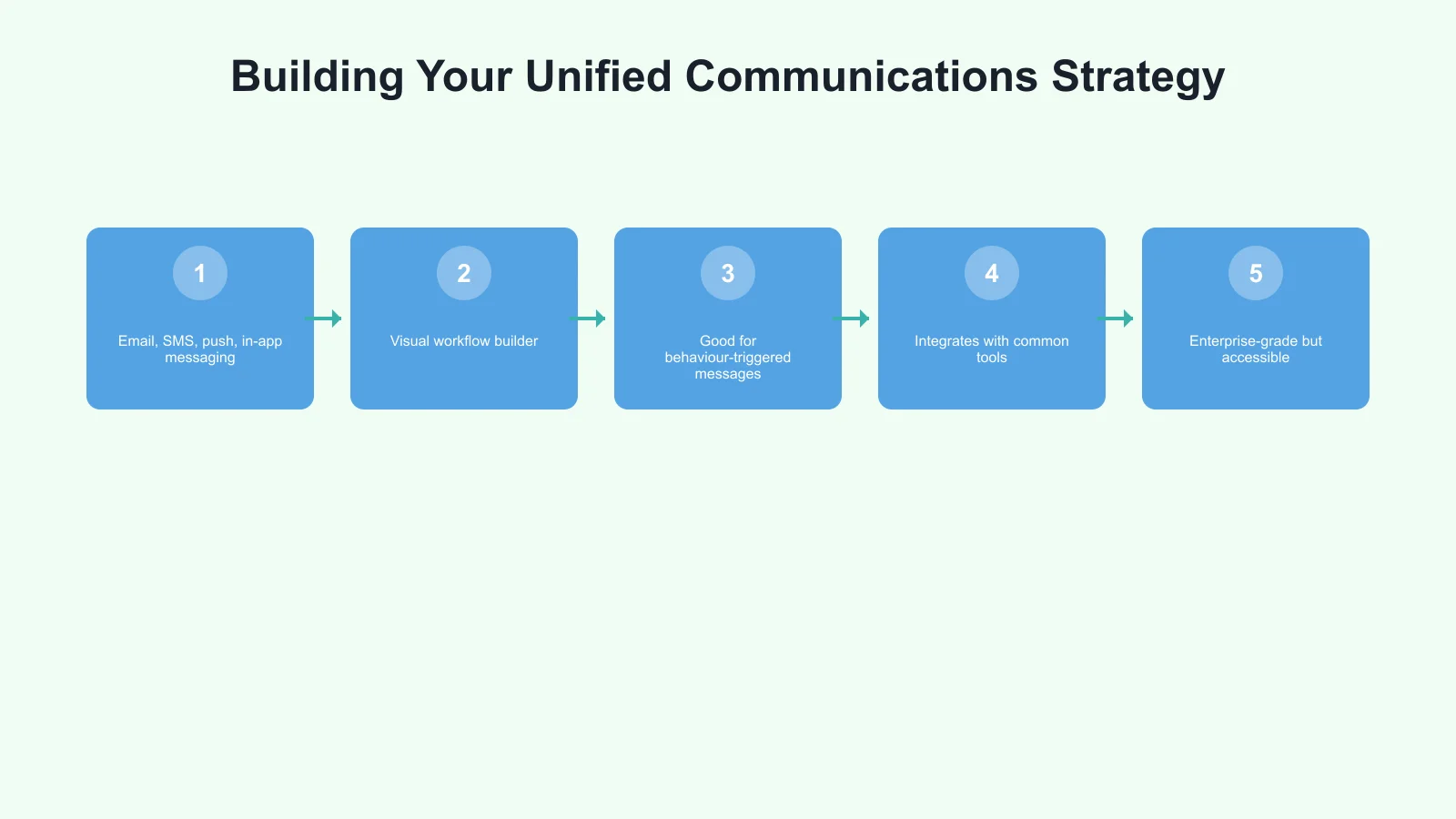
- Email, SMS, push, in-app messaging
- Visual workflow builder
- Good for behaviour-triggered messages
- Integrates with common tools
Braze ($500+ AUD/month)
- Enterprise-grade but accessible
- Strong personalisation
- Excellent for app-centric businesses
- Real-time capabilities
OneSignal ($100-200 AUD/month for paid)
- Strong push notification focus
- Email and SMS available
- Good free tier for push only
- Developer-friendly
Klaviyo ($50-300 AUD/month)
- Excellent for e-commerce
- Email and SMS built-in
- Deep Shopify/WooCommerce integration
- Strong segmentation
SendGrid + Twilio combination ($50-200 AUD/month)
- Use SendGrid for email
- Twilio for SMS
- Same parent company, decent integration
- Pay-as-you-go pricing
Mailchimp + SMS add-on ($50-150 AUD/month)
- Familiar interface
- SMS integrated (US-focused but works)
- Good for businesses starting with email
- Simple to use
Step 4: Centralise Customer Preferences
Create a single source of truth for communication preferences:
Essential data points:
- Email opt-in status and consent date
- SMS opt-in status and consent date
- Push notification permission status
- Preferred channel for transactional messages
- Preferred channel for marketing
- Quiet hours/do not disturb preferences
- Language preference
Where to store:
- CRM (HubSpot, Salesforce, Zoho)
- Customer data platform
- Your communications platform
- Custom database
The key is having one place that all systems reference—not scattered preferences across tools.
Step 5: Build Your Messaging Workflows
Design automated workflows for common scenarios:
Example: Order lifecycle
1. Order placed
   → Email: Order confirmation with details
   → Push (if app user): "Your order is confirmed!"

2. Order shipped
   → Email: Shipping confirmation with tracking
   → SMS: "Your order is on its way! Track: [link]"

3. Out for delivery
   → Push: "Your order will arrive today"
   → SMS (if no push delivered): "Delivery today"

4. Delivered
   → Email: Delivery confirmation
   → Push: "Your order has arrived!"

5. Review request (3 days later)
   → Email only: Request for review
Example: Appointment reminder sequence
1. Booking confirmed
   → Email: Full details with calendar invite

2. 24 hours before
   → SMS: "Reminder: Your appointment is tomorrow at [time]"
   → Push (if available): Same message

3. 2 hours before
   → SMS: "Your appointment starts in 2 hours. Reply C to confirm, R to reschedule"

4. No-show handling
   → Email: "We missed you today" with rebooking link
Step 6: Implement Consent Management
Australian law requires proper consent management.
For marketing messages:
- Record when and how consent was given
- Provide easy opt-out in every message
- Honour opt-outs within the required timeframe
- Don’t share contact lists without consent
Consent tracking template:
| Field | Example |
|---|---|
| Consent type | Marketing email |
| Given date | 2025-10-09 |
| Source | Website signup form |
| IP address | 203.x.x.x |
| Form text | ”Yes, send me offers and updates” |
| Opt-out date | (blank) |
Opt-out handling:
- Email: Process within 5 business days (law requires)
- SMS: Process immediately
- Single opt-out should respect preference (email opt-out doesn’t mean SMS opt-out unless specified)
Practical Implementation Tips
Start Simple
Don’t try to unify everything at once:
Phase 1: Consolidate email onto one platform Phase 2: Add SMS through the same platform Phase 3: Integrate push notifications Phase 4: Implement cross-channel workflows
Use Templates Consistently
Create message templates that maintain brand voice across channels:
Email subject: Your order #12345 has shipped! SMS version: Your order has shipped! Track at [short link]. Reply STOP to opt out. Push version: Order shipped! Tap to track your delivery.
Same information, adapted to channel constraints.
Monitor Cross-Channel Metrics
Track unified metrics, not just per-channel:
| Metric | What It Tells You |
|---|---|
| Message reach rate | % of customers who received at least one message |
| Cross-channel open rate | % who engaged via any channel |
| Optimal channel by segment | Which channel works best for each customer group |
| Duplicate message rate | How often customers get same message twice |
| Cost per engagement | Total spend divided by total engagements |
Respect Fatigue
More channels doesn’t mean more messages:
- Set maximum daily/weekly message limits
- Don’t duplicate the same message across channels
- Track unsubscribe rates as fatigue indicators
- Use suppression windows after purchases/interactions
Cost Analysis for Australian Businesses
Small Business (1,000 customers)
| Channel | Volume/Month | Cost |
|---|---|---|
| Email marketing | 4,000 sends | $20 |
| Transactional email | 2,000 sends | $5 |
| SMS notifications | 500 sends | $50 |
| Push notifications | 3,000 sends | Free |
| Platform fee | - | $50 |
| Total | $125/month |
Medium Business (10,000 customers)
| Channel | Volume/Month | Cost |
|---|---|---|
| Email marketing | 40,000 sends | $80 |
| Transactional email | 15,000 sends | $15 |
| SMS notifications | 3,000 sends | $300 |
| Push notifications | 20,000 sends | Free |
| Platform fee | - | $150 |
| Total | $545/month |
Cost Optimisation Strategies
Smart channel selection saves money:
- Email first for non-urgent messages (90% cheaper than SMS)
- SMS only when urgency justifies cost
- Push for engaged app users (free)
Example savings: If 30% of your SMS could be handled by email or push:
- 3,000 SMS x 30% = 900 messages
- 900 x $0.10 = $90/month saved
- Annual savings: $1,080
Common Mistakes to Avoid
Mistake 1: Channel Stuffing
Sending every message on every channel overwhelms customers. Choose the right channel, not all channels.
Mistake 2: Ignoring Preferences
Customers who prefer SMS shouldn’t get email-only critical notifications. Respect stated preferences.
Mistake 3: Inconsistent Timing
Marketing at 9am, transactional at 3am creates jarring experience. Establish consistent send windows.
Mistake 4: Separate Unsubscribe Handling
Customer opts out of email marketing but still gets SMS marketing. Unify preference management.
Mistake 5: No Testing Across Channels
Message looks great in email, terrible in SMS (truncated links, missing context). Test every channel.
Getting Started This Month
Week 1:
- Audit current communications (who sends what, via which channel)
- Document customer preference data locations
Week 2:
- Choose unified communications platform
- Import customer list with preferences
Week 3:
- Build first unified workflow (suggest: order confirmations)
- Test across all channels
Week 4:
- Launch first workflow
- Begin migrating other communications
Conclusion
Unified customer communications isn’t about using more channels—it’s about using the right channel for each message, with consistent branding and respect for customer preferences.
For Australian SMBs, the tools to do this well are now accessible and affordable. The platforms exist. The integration options work. The main requirement is the commitment to coordinate rather than silo.
Your customers will notice the difference. Messages that arrive at the right time, via their preferred channel, with consistent voice and no duplication. That’s the experience that builds loyalty and drives results.
Start with your most important customer touchpoints. Get those right. Expand from there.
Need help building unified communications for your Australian business? Contact CloudGeeks for advice on platforms, integrations, and implementation strategies tailored to your needs.
Related Articles
- AI Chatbots for Australian Customer Service: Implementation on a Budget
- Voice-Enabled Customer Service: A Guide for Australian SMBs
- AI Tools for Australian SMBs: Practical Guide with Real Case Studies
- Digital Transformation Roadmap: A 7-Step Guide for Australian SMBs
- Microsoft Copilot vs Google Gemini: The Battle for the Australian Office
A reliable cloud backend deserves a polished frontend. Our web development team at Cosmos Web Tech creates websites optimised for speed, SEO, and conversions.
This article is brought to you by Ganda Tech Services — Sydney’s complete digital solutions provider covering cloud, web, and mobile.