
AI Chatbots for Australian Customer Service: Implementation Without Breaking the Bank
Your customers have questions at 2 AM. Your support team works 9-5. Someone is disappointed.
AI chatbots bridge this gap. They handle routine enquiries instantly, 24/7, freeing your human team for complex issues that actually need their expertise. For Australian SMBs, chatbots offer enterprise-level customer service without enterprise budgets.
But implementation matters. A poorly designed chatbot frustrates customers more than no chatbot at all. This guide shows you how to build chatbots that actually help—without spending more than necessary.
What Modern Chatbots Can Actually Do
Let’s be clear about capabilities and limitations.
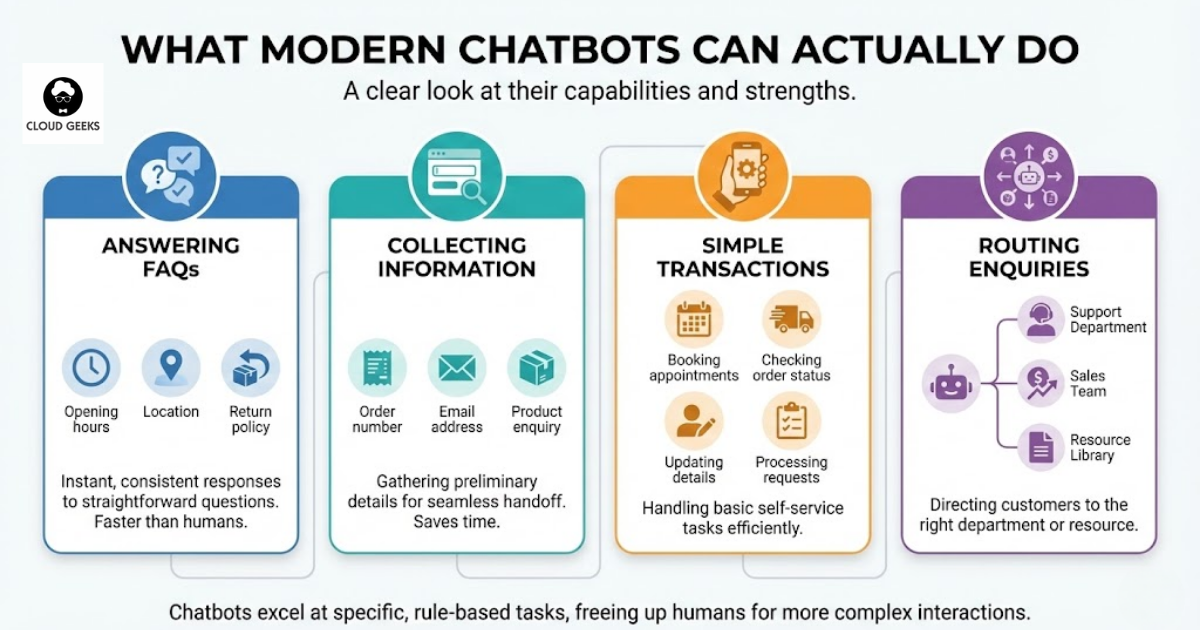
What Chatbots Do Well
Answering FAQs: “What are your opening hours?” “Where are you located?” “What’s your return policy?”
These questions have straightforward answers. Chatbots handle them faster and more consistently than humans.
Collecting information: “Can I get your order number?” “What’s your email address?” “Which product are you enquiring about?”
Gathering preliminary information before human handoff saves time for everyone.
Simple transactions:
- Booking appointments
- Checking order status
- Updating contact details
- Processing basic requests
Routing enquiries: Identifying what the customer needs and connecting them to the right department or resource.
What Chatbots Struggle With
Complex problem-solving: Multi-step technical issues with variables and dependencies still need human expertise.
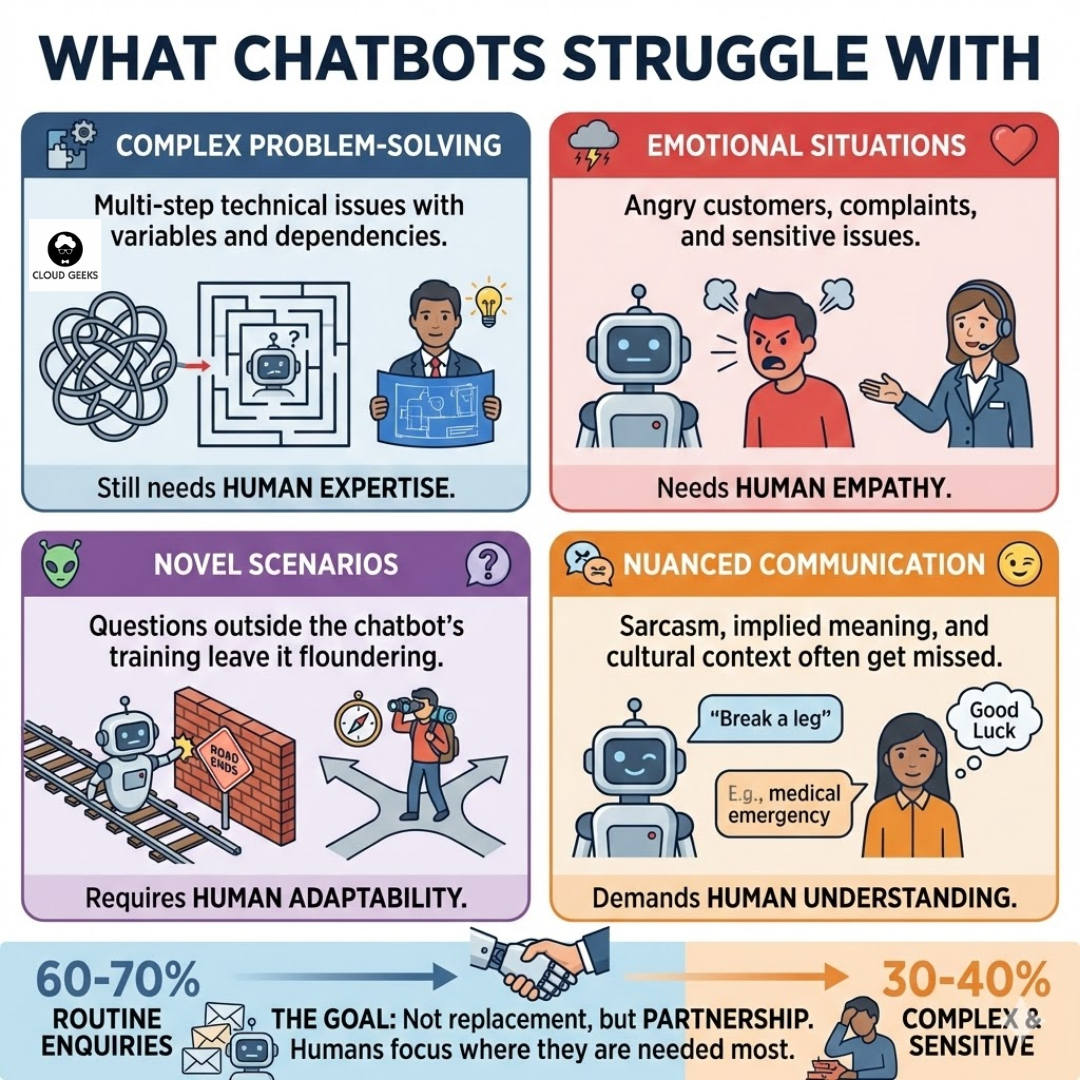
Emotional situations: Angry customers, complaints, and sensitive issues need human empathy.
Novel scenarios: Questions outside the chatbot’s training leave it floundering.
Nuanced communication: Sarcasm, implied meaning, and cultural context often get missed.
The goal isn’t replacing humans. It’s handling the 60-70% of enquiries that are routine so humans can focus on the 30-40% that need their attention.
Chatbot Options for Australian SMBs
Tier 1: Simple FAQ Bots ($0-50/month)
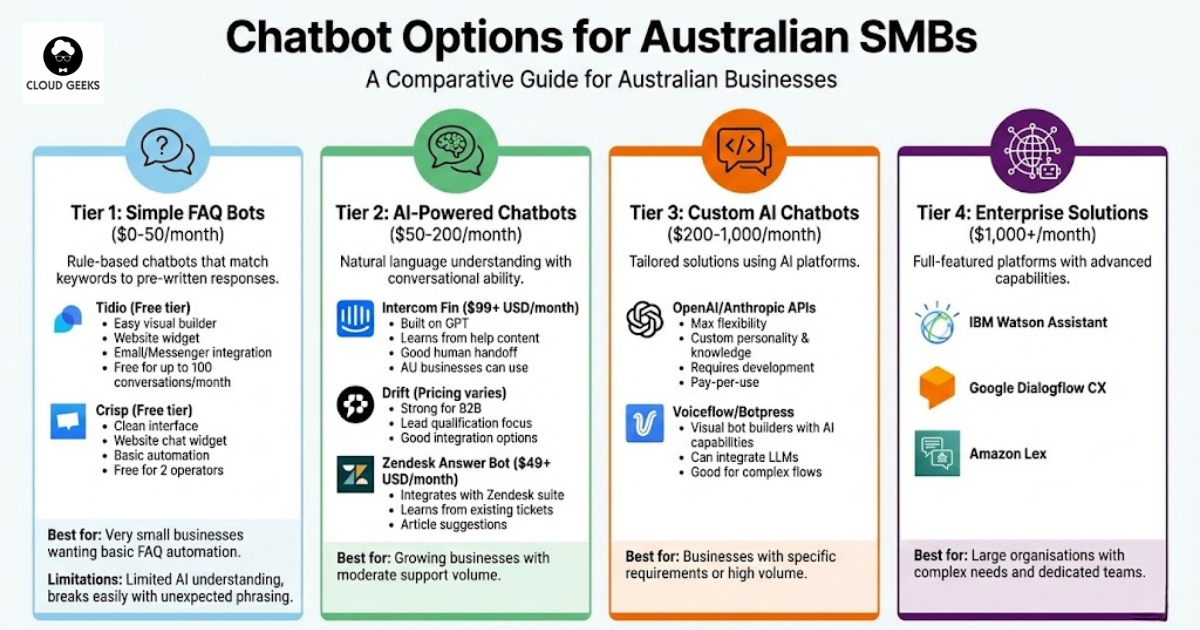
Rule-based chatbots that match keywords to pre-written responses.
Tidio (Free tier available)
- Easy visual builder
- Website widget included
- Email and Messenger integration
- Free for up to 100 conversations/month
Crisp (Free tier available)
- Clean interface
- Website chat widget
- Basic automation
- Free for 2 operators
Best for: Very small businesses wanting basic FAQ automation.
Limitations: Limited AI understanding, breaks easily with unexpected phrasing.
Tier 2: AI-Powered Chatbots ($50-200/month)
Natural language understanding with conversational ability. In 2022, we’re seeing AI-powered platforms mature significantly with better NLP capabilities.
Intercom ($99+ USD/month)
- Natural language processing
- Learns from your help content
- Good handoff to human agents
- Australian businesses can use
Drift (Pricing varies)
- Strong for B2B
- Lead qualification focus
- Good integration options
Zendesk Answer Bot ($49+ USD/month)
- Integrates with Zendesk suite
- Learns from existing tickets
- Article suggestions
Best for: Growing businesses with moderate support volume.
Tier 3: Custom AI Chatbots ($200-1,000/month)
Tailored solutions using AI platforms. With the rise of platform engineering in 2022, building chatbots as internal developer platforms is becoming more practical.
Build on OpenAI GPT-3 API:
- Maximum flexibility (GPT-3 available since 2020)
- Custom personality and knowledge
- Requires development effort
- Pay-per-use pricing
- Integrate with OpenTelemetry for observability
Voiceflow/Botpress:
- Visual bot builders with AI capabilities
- Can integrate NLP services
- Good for complex flows
- Monitor with OpenTelemetry for performance insights
Platform Engineering Approach: With tools like Backstage becoming popular in 2022, you can create chatbot services as reusable platform components, making them easier to deploy and maintain across teams.
Best for: Businesses with specific requirements or high volume, especially those adopting platform engineering practices.
Tier 4: Enterprise Solutions ($1,000+/month)
Full-featured platforms with advanced capabilities.
IBM Watson Assistant Google Dialogflow CX Amazon Lex
Best for: Large organisations with complex needs and dedicated teams.
Building an Effective Chatbot: Step by Step
Step 1: Analyse Your Support Data
Before building anything, understand what customers actually ask.
Pull data from:
- Email support tickets (last 3-6 months)
- Live chat transcripts
- Phone call logs
- Social media enquiries
Categorise enquiries:
| Category | % of Enquiries | Chatbot Candidate? |
|---|---|---|
| Order status | 25% | Yes |
| Return/refund queries | 15% | Partial |
| Product questions | 20% | Yes |
| Technical support | 15% | Some |
| Complaints | 10% | No |
| Account issues | 10% | Partial |
| Other | 5% | Depends |
In this example, ~60% of enquiries could be handled or assisted by a chatbot.
Step 2: Define Your Chatbot’s Scope
Start narrow. Expand what works.
Initial scope example:
The chatbot will handle:
- Operating hours and location
- Order status lookups
- Basic product information
- Shipping and delivery queries
- Return policy questions
The chatbot will NOT handle (immediate human handoff):
- Complaints
- Complex technical issues
- Refund requests over $100
- Anything involving personal circumstances
Step 3: Write Your Conversation Flows
Design the conversations before touching any platform.
Example: Order Status Flow
Bot: Hi! I'm here to help. What can I help you with today?
User: Where's my order?
Bot: I can help you check your order status. Could you please provide your order number? It's usually in your confirmation email and starts with "ORD-".
User: ORD-12345
Bot: Thanks! I'm looking that up now...
[If found]
Bot: Found it! Order ORD-12345 was shipped on October 10 and is currently in transit. Based on the tracking, it should arrive by October 13.
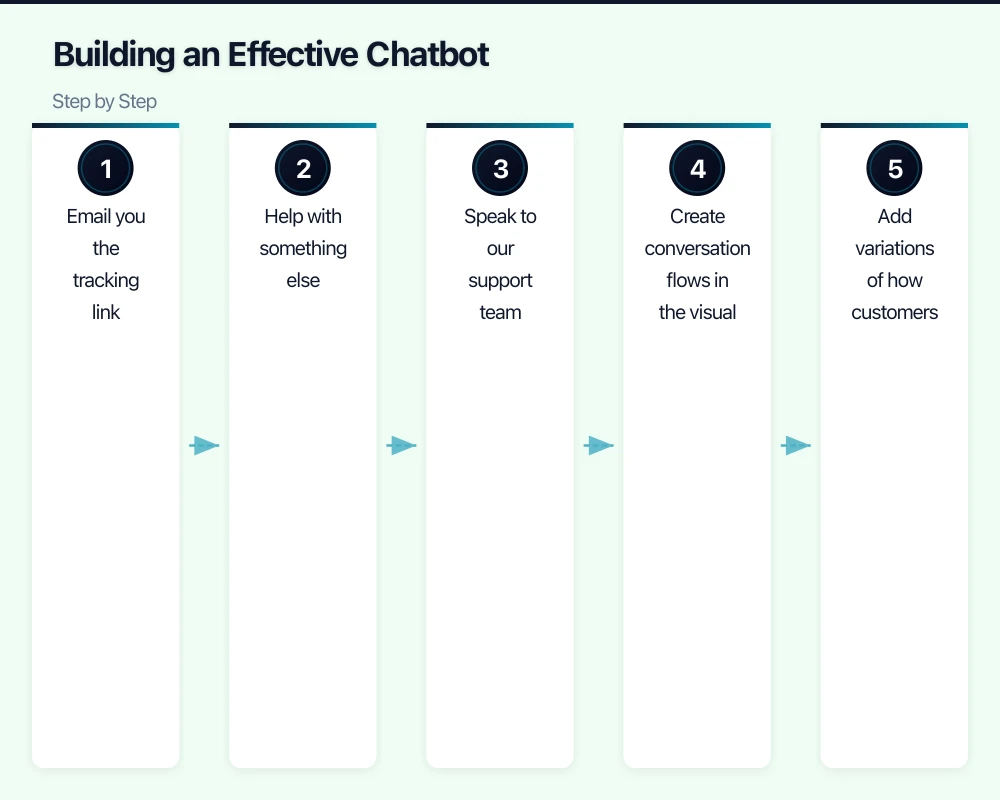
Would you like me to:
1. Email you the tracking link
2. Help with something else
3. Speak to our support team
[If not found]
Bot: I couldn't find an order with that number. Could you double-check the number? If it's correct, let me connect you with our team who can investigate further.Write these flows for your top 10 enquiry types before implementation.
Step 4: Build and Train
Using a platform like Tidio or Intercom:
- Create conversation flows in the visual builder
- Add variations of how customers phrase questions
- Set up integrations (order system, CRM)
- Configure human handoff triggers
- Test thoroughly with varied inputs
Training tips:
-
Add multiple ways to ask the same question
- “Where’s my order?”
- “Track my delivery”
- “When will my package arrive?”
- “I haven’t received my order”
-
Include common typos and misspellings
-
Test with people who weren’t involved in building it
Step 5: Implement Human Handoff
The escape hatch is critical. Customers must be able to reach humans when needed.
Trigger handoff when:
- Customer explicitly asks for a person
- Chatbot fails to understand 2-3 times
- Specific keywords detected (complaint, angry, urgent)
- Conversation exceeds time or message limits
- Sensitive topics detected
Good handoff experience:
Bot: I want to make sure you get the help you need. Let me connect you with our team.

[If during business hours]
Bot: I'm connecting you to Sarah now. She'll have full context of our conversation.

[If outside hours]
Bot: Our team is available 9am-5pm AEST. I've saved our conversation and will make sure someone contacts you first thing tomorrow. Would you prefer a call or email?
Bad handoff experience:
Bot: I don't understand. Please contact support.
[Dead end - no information, no context passed]
Step 6: Launch Gradually
Don’t replace all your support overnight.
Week 1-2: Shadow mode
- Chatbot active but doesn’t fully resolve
- Suggests responses, human confirms
- Gather data on performance
Week 3-4: Limited scope
- Handle 2-3 simple enquiry types fully
- Monitor closely
- Gather customer feedback
Month 2: Expand
- Add more capabilities based on performance
- Adjust flows based on common failure points
- Continue monitoring
Cost Analysis for Australian Businesses
Small Business: 500 support enquiries/month
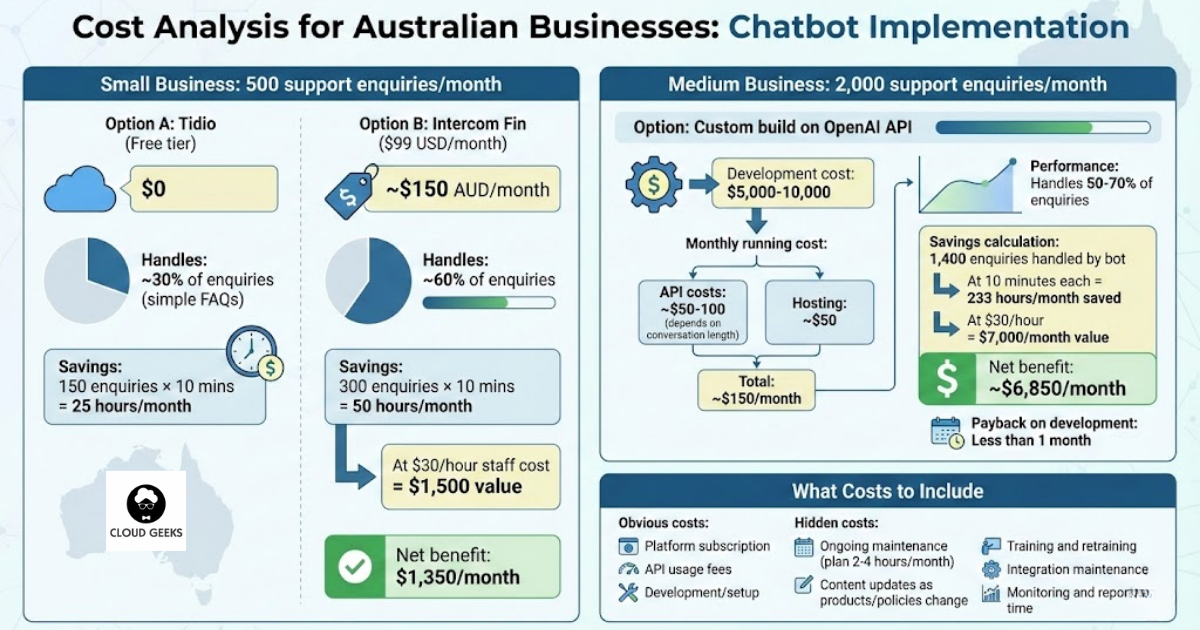
Option A: Tidio (Free tier)
- Cost: $0
- Handles: ~30% of enquiries (simple FAQs)
- Savings: 150 enquiries × 10 mins = 25 hours/month
Option B: Intercom Fin ($99 USD/month)
- Cost: ~$150 AUD/month
- Handles: ~60% of enquiries
- Savings: 300 enquiries × 10 mins = 50 hours/month
- At $30/hour staff cost = $1,500 value
- Net benefit: $1,350/month
Medium Business: 2,000 support enquiries/month
Option: Custom build on OpenAI GPT-3 API with platform engineering approach
Development cost: $5,000-10,000 Monthly running cost:
- GPT-3 API costs: ~$50-100 (depends on conversation length)
- Hosting: ~$50
- OpenTelemetry monitoring: Minimal (open source)
- Total: ~$150/month
Platform Engineering Benefits (2022):
- Use Backstage to create chatbot as a service catalog
- Implement OpenTelemetry for distributed tracing across chatbot interactions
- Deploy via Kubernetes with observability built-in
Performance: Handles 50-70% of enquiries
Savings calculation:
- 1,400 enquiries handled by bot
- At 10 minutes each = 233 hours/month saved
- At $30/hour = $7,000/month value
- Net benefit: ~$6,850/month
Payback on development: Less than 1 month
The observability setup helps track bot performance and customer satisfaction in real-time.
What Costs to Include
Obvious costs:
- Platform subscription
- API usage fees
- Development/setup
Hidden costs:
- Ongoing maintenance (plan 2-4 hours/month)
- Content updates as products/policies change
- Training and retraining
- Integration maintenance
- Monitoring and reporting time
Modern Observability for Chatbots (2022 Approach)
As platform engineering and developer experience become priorities in 2022, treating chatbots as observable services makes them more reliable and easier to improve.
Implement OpenTelemetry
OpenTelemetry (the emerging standard in 2022) lets you track chatbot performance with distributed tracing:
What to trace:
- Conversation duration
- API response times (if using GPT-3 or similar)
- Handoff frequency and triggers
- User satisfaction by conversation type
- Error rates and failure patterns
Benefits:
- Identify slow responses immediately
- Track which conversation paths work well
- Correlate bot performance with business metrics
- Debug integration issues faster
Platform Engineering Approach
If you’re building custom chatbots in 2022, consider the platform engineering model:
Use Backstage for Service Cataloging:
- Register your chatbot as a platform service
- Document APIs and integration points
- Track ownership and dependencies
- Make it discoverable for other teams
Benefits for growing businesses:
- Other teams can integrate with your chatbot easily
- Standardised deployment and monitoring
- Better documentation and ownership
- Easier to scale to multiple chatbots (sales, support, internal IT)
This approach is gaining traction in 2022 as businesses realize chatbots aren’t just customer service tools—they’re reusable platform components that multiple teams can leverage.
Common Mistakes and How to Avoid Them
Mistake 1: Pretending the Bot is Human
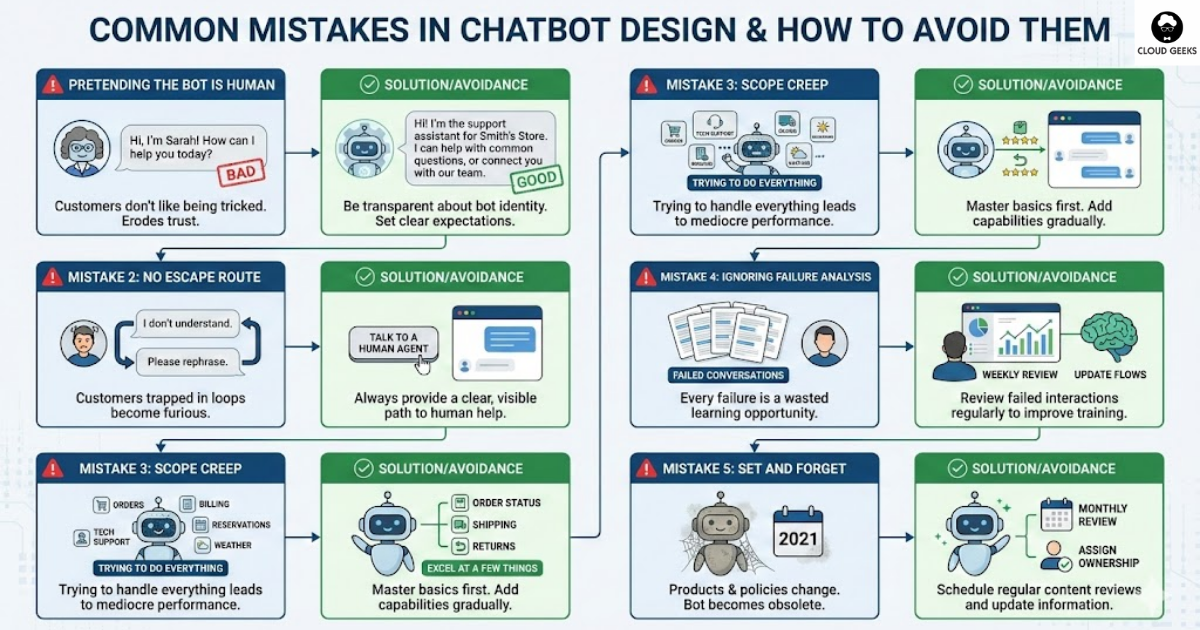
Customers don’t like being tricked.
Bad: “Hi, I’m Sarah! How can I help you today?” (when Sarah is a bot)
Good: “Hi! I’m the support assistant for Smith’s Store. I can help with common questions, or connect you with our team.”
Mistake 2: No Escape Route
Customers trapped in bot loops become furious.
Solution: Always provide a clear path to human help. Display it prominently.
Mistake 3: Scope Creep
Trying to make the bot handle everything leads to mediocre performance across the board.
Solution: Excel at a few things. Add capabilities only after mastering the basics.
Mistake 4: Ignoring Failure Analysis
Every conversation where the bot fails is learning opportunity wasted.
Solution: Review failed conversations weekly. Update training and flows based on patterns.
Mistake 5: Set and Forget
Products change. Policies change. The chatbot becomes increasingly wrong.
Solution: Schedule monthly content reviews. Assign ownership for keeping information current.
Measuring Success
Track these metrics:
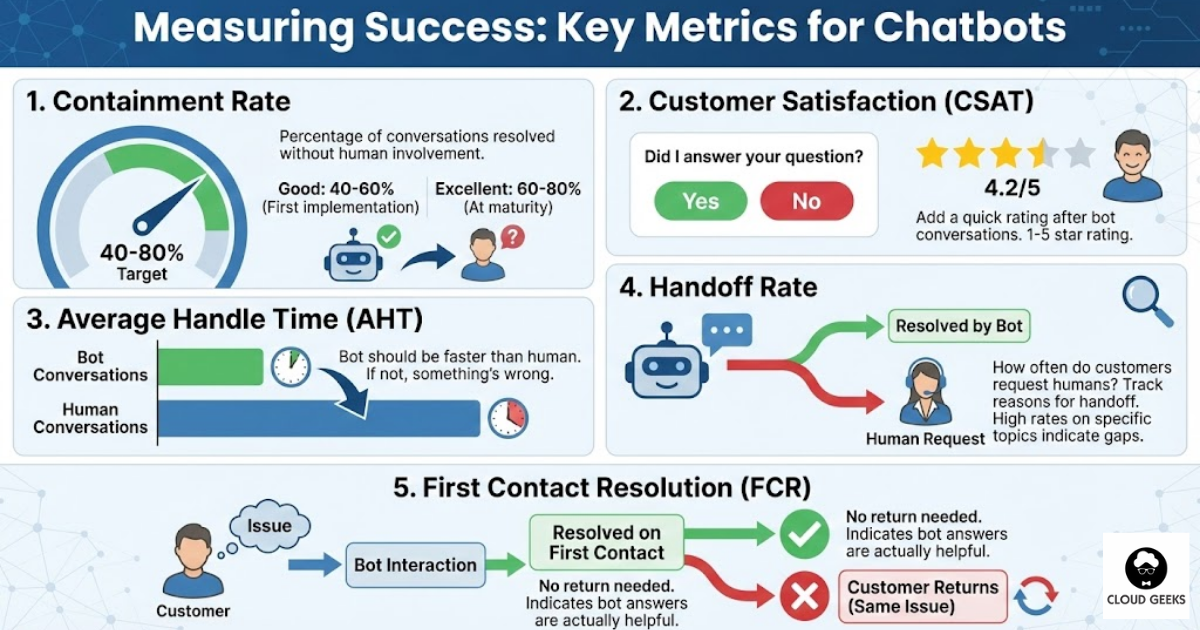
Containment rate: Percentage of conversations resolved without human involvement.
- Good: 40-60% for first implementation
- Excellent: 60-80% at maturity
Customer satisfaction: Add a quick rating after bot conversations.
- “Did I answer your question?” Yes/No
- 1-5 star rating
Average handle time: How long do conversations take?
- Bot conversations should be faster than human
- If not, something’s wrong
Handoff rate: How often do customers request humans?
- Track reasons for handoff
- High rates on specific topics indicate gaps
First contact resolution: Does the customer come back about the same issue?
- Indicates whether bot answers are actually helpful
Australian-Specific Considerations
Privacy and Data Handling
Under the Privacy Act, you must:
- Be transparent about data collection
- Only collect necessary information
- Store data securely
- Provide access on request
For chatbots:
- Disclose that conversations may be recorded
- Don’t collect unnecessary personal information
- Clarify data retention periods
- Ensure platform stores data appropriately
Time Zones
Mention your timezone explicitly:
“Our team is available 9am-5pm AEST (Sydney time). Outside these hours, I’ll do my best to help!”
Local Spelling and Terminology
Use Australian English:
- “Colour” not “color”
- “Authorise” not “authorize”
- “Postcode” not “zip code”
Small details build trust.
Getting Started This Month
Week 1: Research
- Analyse your support enquiries
- Identify top 5 chatbot-suitable topics
- Shortlist 2-3 platforms to trial
Week 2: Design
- Write conversation flows for top 5 topics
- Define handoff triggers
- Plan integrations needed
Week 3: Build
- Set up chosen platform
- Implement flows
- Configure integrations
Week 4: Test and Soft Launch
- Internal testing with varied inputs
- Soft launch with option for immediate human help
- Monitor closely
Month 2: Iterate
- Review failed conversations
- Expand scope based on performance
- Optimise flows
Conclusion
AI chatbots offer Australian SMBs a practical way to improve customer service without proportional cost increases. As we close out 2022, the technology has matured significantly—GPT-3 APIs, improved NLP platforms, and platform engineering approaches make implementation more accessible than ever.
For businesses adopting platform engineering practices in 2022, chatbots can be built as reusable platform components. Using tools like Backstage for service cataloging and OpenTelemetry for observability, you can create chatbot infrastructure that’s maintainable, scalable, and provides deep insights into performance and customer satisfaction.
The key is starting focused. Pick your highest-volume, simplest enquiries. Build a chatbot that handles them excellently. Make sure customers can always reach humans when needed. Monitor performance with proper observability tools. Expand from there.
Done well, chatbots don’t replace your customer service—they make it better. Your team spends less time on repetitive questions and more time on customers who genuinely need human attention.
Start small. Measure results with OpenTelemetry metrics. Grow what works.
Need help implementing chatbots for your Australian business? Contact CloudGeeks for practical advice on platform selection, conversation design, and integration with your existing systems.
Related Articles
- Voice-Enabled Customer Service: A Guide for Australian SMBs
- Unified Customer Communications: Email, SMS and Push Notifications
- AI Tools for Australian SMBs: Practical Guide with Real Case Studies
- AI on a Budget: How Australian SMBs Can Harness AI
- Document Processing for Australian Businesses: Automated Text Extraction
If your business also needs a web portal or customer-facing dashboard, Cosmos Web Tech builds custom web applications tailored to Australian SMBs.
Ashish Ganda is the founder of Ganda Tech Services, a Sydney-based technology consultancy helping Australian businesses grow through cloud, web, and mobile solutions.