
Implementing Voice-Enabled Customer Service: A Guide for Australian SMBs
Your customers are calling. The question is: who’s answering?
For many Australian SMBs, phone calls remain a critical customer touchpoint. But staffing a phone line during business hours—let alone after hours—is expensive. A single full-time receptionist costs $55,000-70,000 per year in salary alone, before you add superannuation, leave entitlements, and office space.
Voice-enabled customer service offers an alternative. Modern speech recognition and conversational AI can handle routine calls, answer common questions, and route complex issues to human staff—all without the overhead of additional headcount.
This guide walks Australian SMBs through practical voice AI implementation, from basic auto-attendants to sophisticated conversational systems.
The Voice AI Landscape in 2025
Voice technology has improved dramatically in recent years. Where early interactive voice response (IVR) systems frustrated callers with rigid menus and poor recognition, modern voice AI can:
- Understand natural speech, including Australian accents and colloquialisms
- Handle multi-turn conversations with context awareness
- Integrate with your existing business systems
- Transfer to humans when needed, with full conversation context
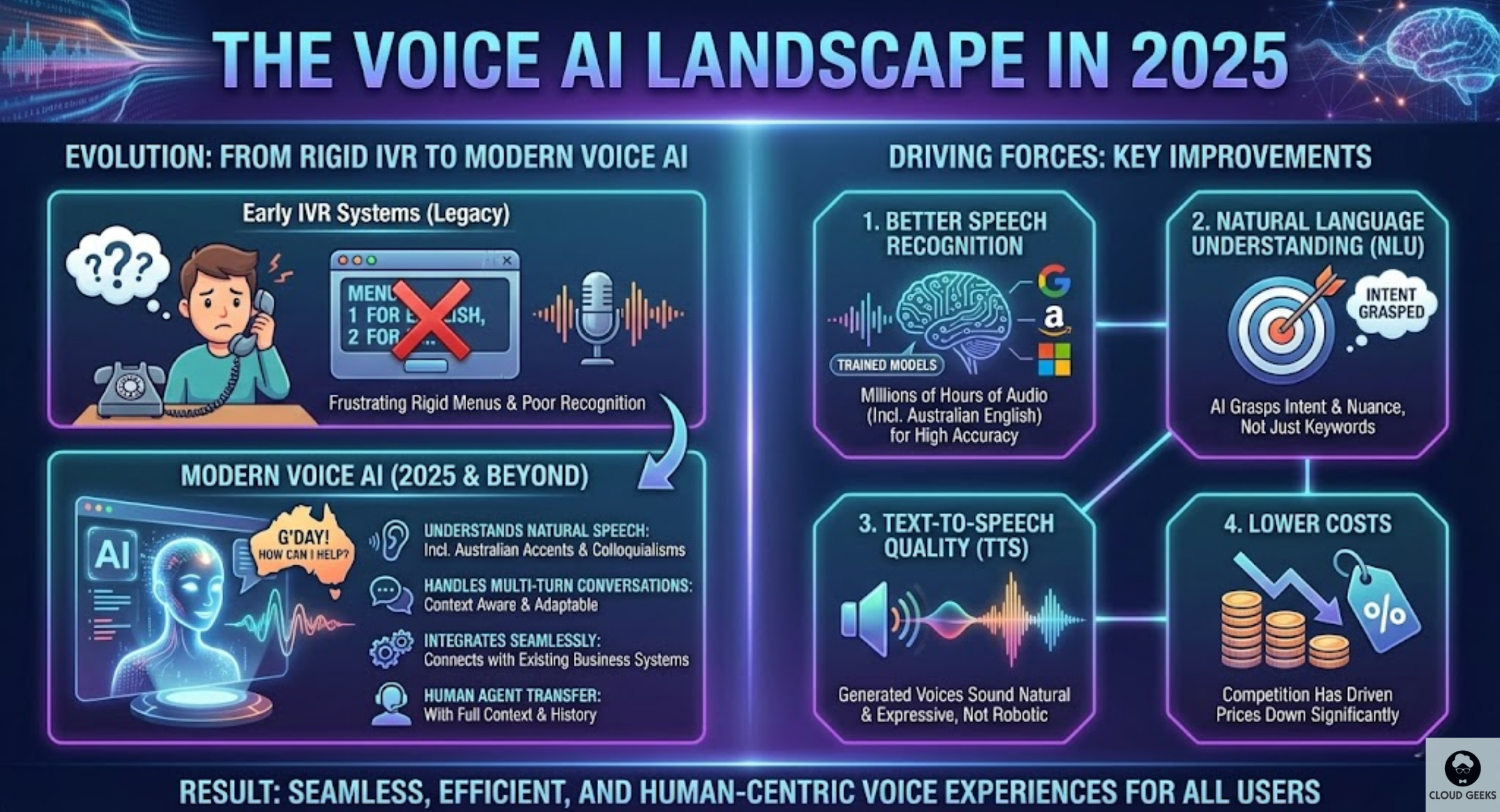
What’s driving these improvements:
- Better speech recognition: Google, Amazon, and Microsoft have trained models on millions of hours of audio, including Australian English
- Natural language understanding: AI can now grasp intent, not just keywords
- Text-to-speech quality: Generated voices sound natural, not robotic
- Lower costs: Competition has driven prices down significantly
For Australian businesses, this means voice automation is no longer just for large enterprises with big budgets.
Understanding Your Options
Voice customer service solutions fall into three categories, each suited to different needs and budgets:
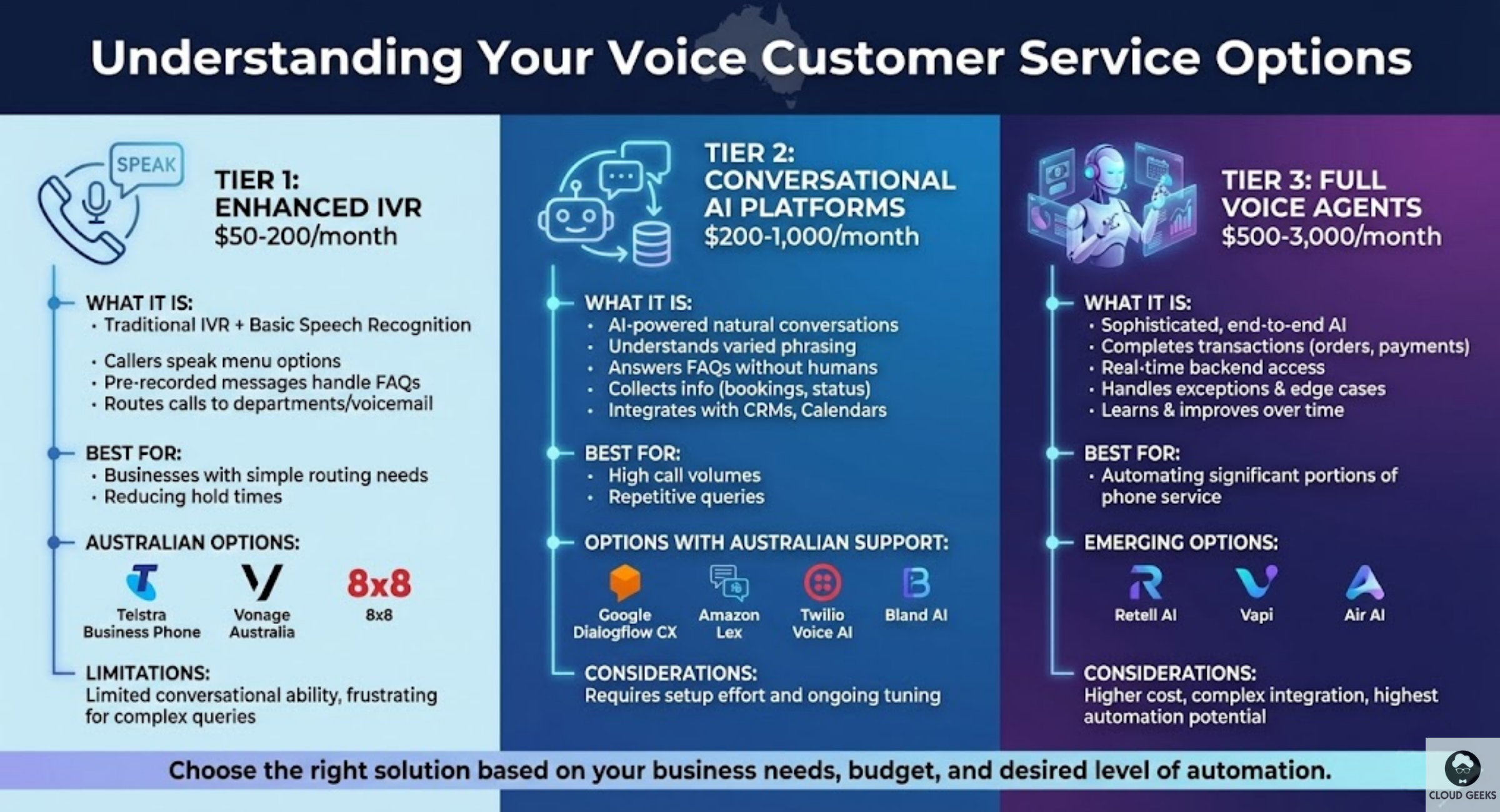
Tier 1: Enhanced IVR ($50-200/month)
Traditional IVR systems, upgraded with basic speech recognition:
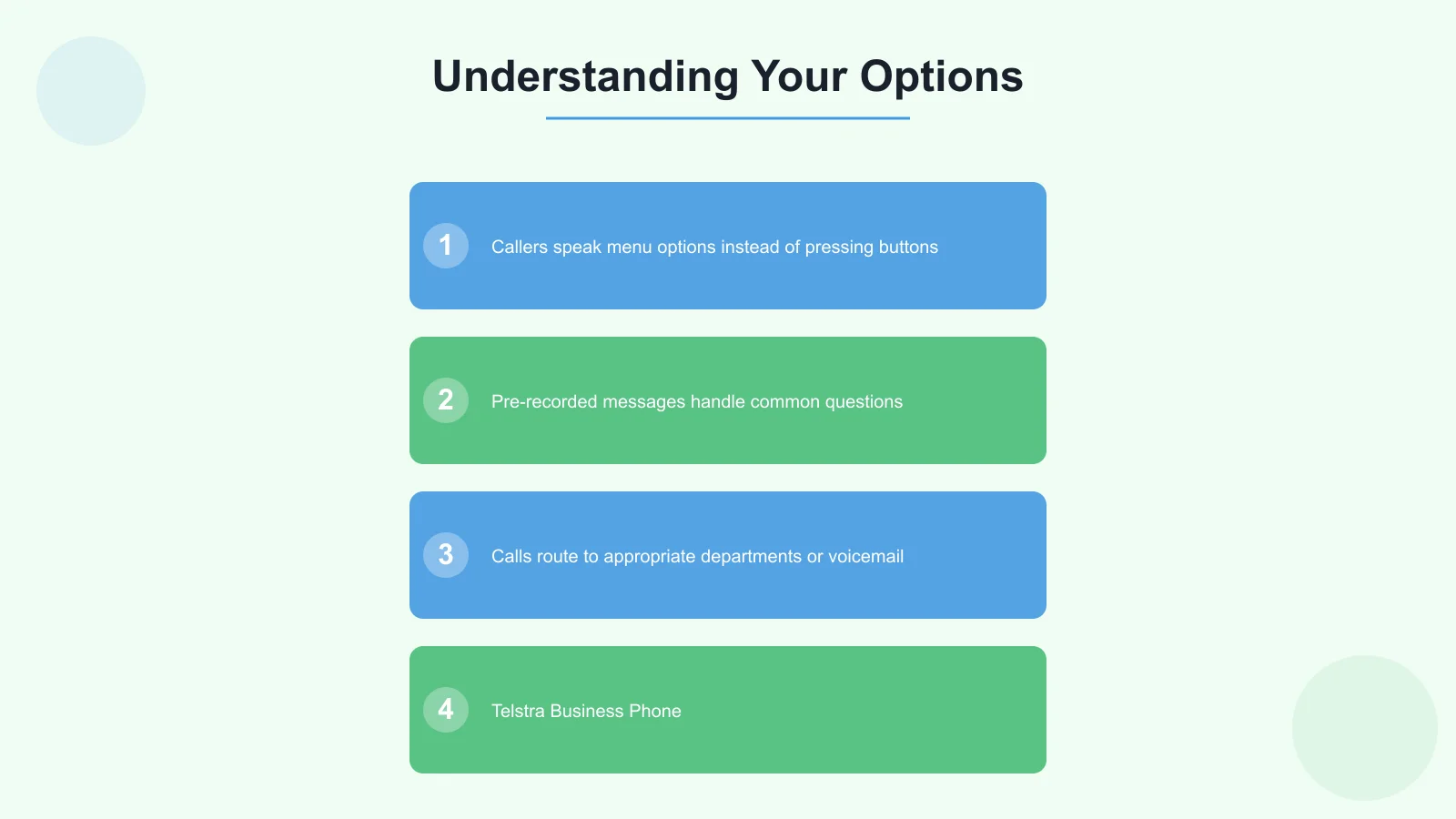
- Callers speak menu options instead of pressing buttons
- Pre-recorded messages handle common questions
- Calls route to appropriate departments or voicemail
Best for: Businesses with simple routing needs who want to reduce hold times.
Australian options:
- Telstra Business Phone
- Vonage Australia
- 8x8
Limitations: Limited conversational ability, frustrating for complex queries.
Tier 2: Conversational AI Platforms ($200-1,000/month)
AI-powered systems that handle natural conversations:
- Understand varied ways of asking the same question
- Answer FAQs without human intervention
- Collect information (appointment requests, order status lookups)
- Integrate with calendars, CRMs, and other systems
Best for: Businesses handling high call volumes with repetitive queries.
Options with Australian support:
- Google Dialogflow CX
- Amazon Lex
- Twilio Voice AI
- Bland AI
Considerations: Require setup effort and ongoing tuning.
Tier 3: Full Voice Agents ($500-3,000/month)
Sophisticated AI that can handle complex conversations end-to-end:
- Complete transactions (bookings, orders, payments)
- Access multiple backend systems in real-time
- Handle exceptions and edge cases
- Learn from interactions to improve over time
Best for: Businesses wanting to automate significant portions of phone-based customer service.
Emerging options:
- Retell AI
- Vapi
- Air AI
Considerations: Higher cost, more complex integration, but highest automation potential.
The Australian Accent Challenge
A critical consideration for Australian businesses: not all voice AI systems handle Australian accents well.
Why accents matter:
Speech recognition models are trained primarily on American and British English. Australian English has distinct characteristics:
- Vowel sounds differ significantly
- We use unique vocabulary (arvo, servo, ute)
- Place names can confuse US-trained models (Woolloomooloo, Mullumbimby)
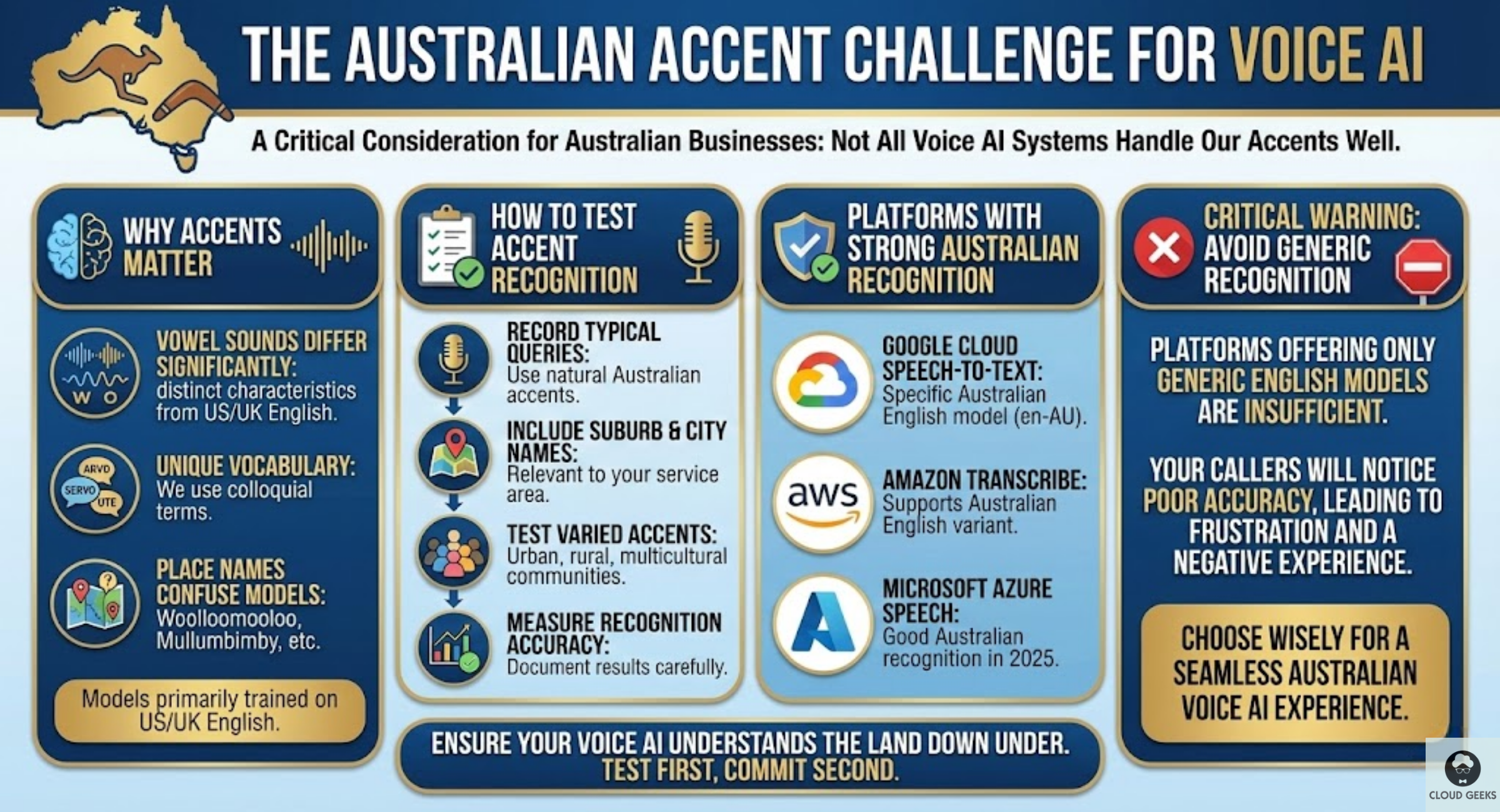
How to test accent recognition:
Before committing to any platform, run these tests:
- Record typical customer queries in Australian accents
- Include suburb and city names from your service area
- Test with various accents (urban, rural, multicultural communities)
- Measure recognition accuracy
Platforms with strong Australian recognition:
- Google Cloud Speech-to-Text: Has specific Australian English model (en-AU)
- Amazon Transcribe: Supports Australian English variant
- Microsoft Azure Speech: Good Australian recognition in 2025
Avoid platforms that only offer generic English recognition—your callers will notice.
Planning Your Voice AI Implementation
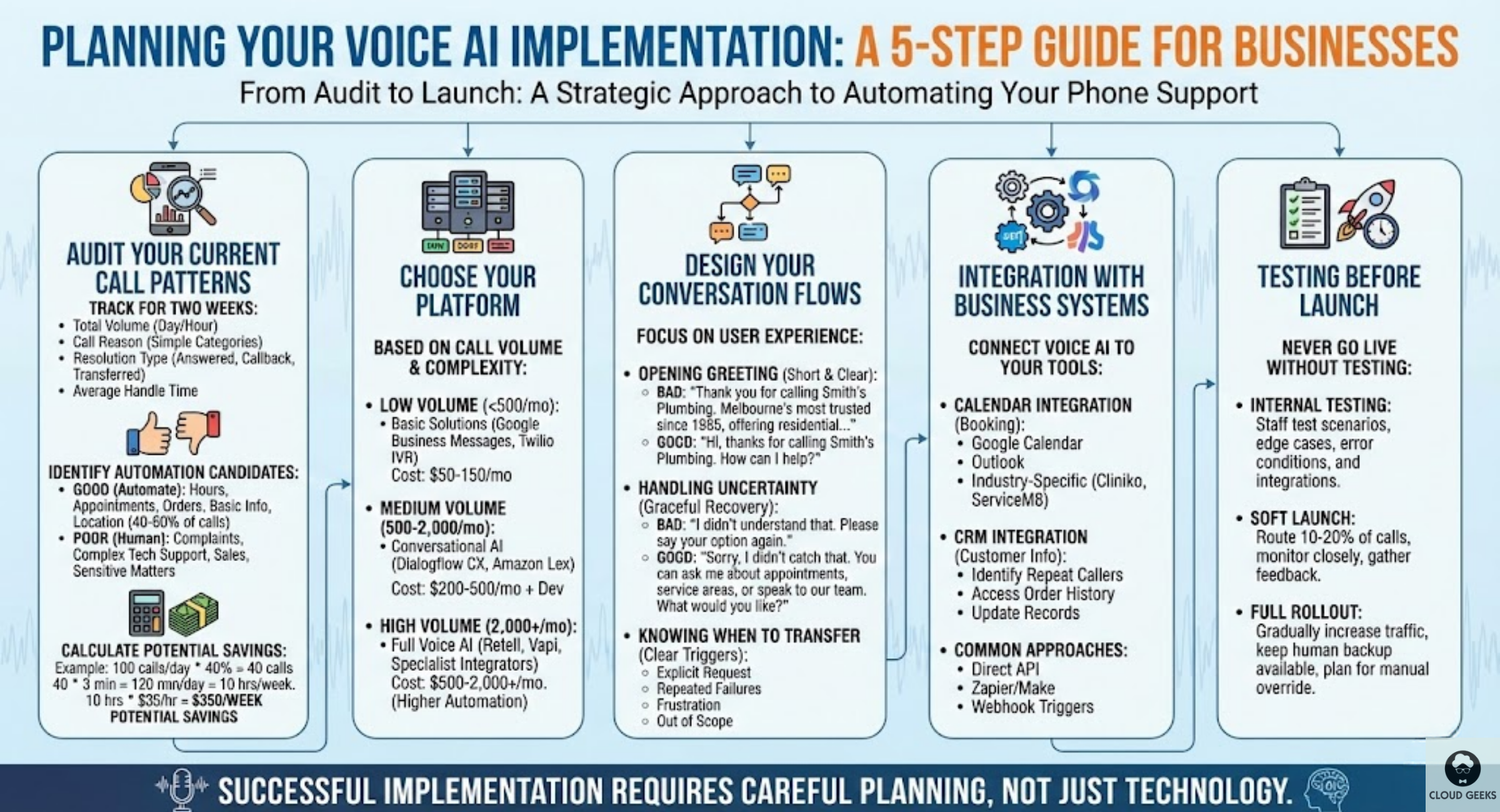
Step 1: Audit Your Current Call Patterns
Before implementing anything, understand your calls:
Track for two weeks:
- Total call volume by day and hour
- Reason for each call (use simple categories)
- Resolution type (answered immediately, callback required, transferred)
- Average handle time
Identify automation candidates:
Good candidates for voice automation:
- Operating hours enquiries (40-60% of calls for some businesses)
- Appointment scheduling and rescheduling
- Order status checks
- Basic product/service information
- Location and directions
Poor candidates (keep human-handled):
- Complaints requiring empathy
- Complex technical support
- Sales conversations requiring rapport
- Sensitive personal matters
Calculate potential savings:
If you identify that 40% of calls are automation candidates:
- 100 calls/day × 40% = 40 automatable calls
- Average handle time: 3 minutes
- Time saved: 120 minutes/day = 10 hours/week
- At $35/hour loaded cost = $350/week potential savings
Step 2: Choose Your Platform
Based on your call volume and complexity:
Low volume (under 500 calls/month): Start with a basic solution like Google Business Messages with voice capability, or a simple Twilio IVR. Monthly cost: $50-150.
Medium volume (500-2,000 calls/month): Dialogflow CX or Amazon Lex provide good balance of capability and cost. Monthly cost: $200-500 plus development effort.
High volume (2,000+ calls/month): Full voice AI platforms justify their cost. Consider Retell, Vapi, or working with a specialist integrator. Monthly cost: $500-2,000 but with higher automation rates.
Step 3: Design Your Conversation Flows
This is where many implementations fail. Good voice design requires thinking about:
Opening greeting: Don’t make it too long. Callers want to speak, not listen to a 30-second company overview.
Bad: “Thank you for calling Smith’s Plumbing, Melbourne’s most trusted plumber since 1985, offering residential and commercial plumbing services across the greater Melbourne area including emergency callouts…”
Good: “Hi, thanks for calling Smith’s Plumbing. How can I help?”
Handling uncertainty: When the AI doesn’t understand, recover gracefully:
Bad: “I didn’t understand that. Please say your option again.”
Good: “Sorry, I didn’t catch that. You can ask me about appointments, service areas, or speak to our team. What would you like?”
Knowing when to transfer: Set clear triggers for human handoff:
- Explicit request (“I want to speak to a person”)
- Repeated failures to understand
- Detected frustration or urgency
- Topics outside automation scope
Step 4: Integration with Business Systems
Voice AI becomes powerful when connected to your systems:
Calendar integration: For appointment booking, connect to:
- Google Calendar
- Microsoft Outlook
- Industry-specific booking systems (Cliniko for healthcare, ServiceM8 for trades)
CRM integration: Look up customer information during calls:
- Identify repeat callers by phone number
- Access order history
- Update records based on conversation
Common integration approaches:
- Direct API connections (most reliable)
- Zapier or Make for simpler integrations
- Webhook triggers for custom workflows
Step 5: Testing Before Launch
Never go live without thorough testing:
Internal testing:
- Staff make test calls covering all scenarios
- Test edge cases and error conditions
- Verify integrations work correctly
Soft launch:
- Route 10-20% of calls to the new system
- Monitor closely for issues
- Gather feedback from those callers
Full rollout:
- Gradually increase traffic
- Keep human backup readily available
- Plan for manual override if needed
Real Costs for Australian Businesses
Let’s break down actual costs for a typical implementation:
Example: Small Trades Business (50 calls/day)
One-time setup costs:
- Dialogflow CX setup: $2,000-4,000 (developer time or consultant)
- Phone number porting/setup: $200
- Integration with booking system: $1,000-2,000
Ongoing monthly costs:
- Dialogflow CX: $0.006/request = ~$10/month
- Twilio voice: $0.015/minute = ~$45/month for 100 hours
- Phone number: $5/month
Total monthly: ~$60
Savings:
- 40% of calls automated = 20 calls/day handled by AI
- Time saved: 40 minutes/day = 14 hours/month
- At $30/hour = $420/month value
ROI: ~$360/month net benefit after initial payback
Example: Medical Practice (150 calls/day)
One-time setup costs:
- Voice AI platform setup: $5,000-10,000
- EMR/practice management integration: $3,000-5,000
- Testing and compliance review: $2,000
Ongoing monthly costs:
- Voice AI platform: $400/month
- Telephony: $150/month
- Maintenance: $200/month
Total monthly: ~$750
Savings:
- Reception staff time reclaimed: 25 hours/week
- At $35/hour = $3,500/month value
- After-hours answering service replaced: $400/month saved
ROI: ~$3,150/month net benefit
Common Pitfalls and How to Avoid Them
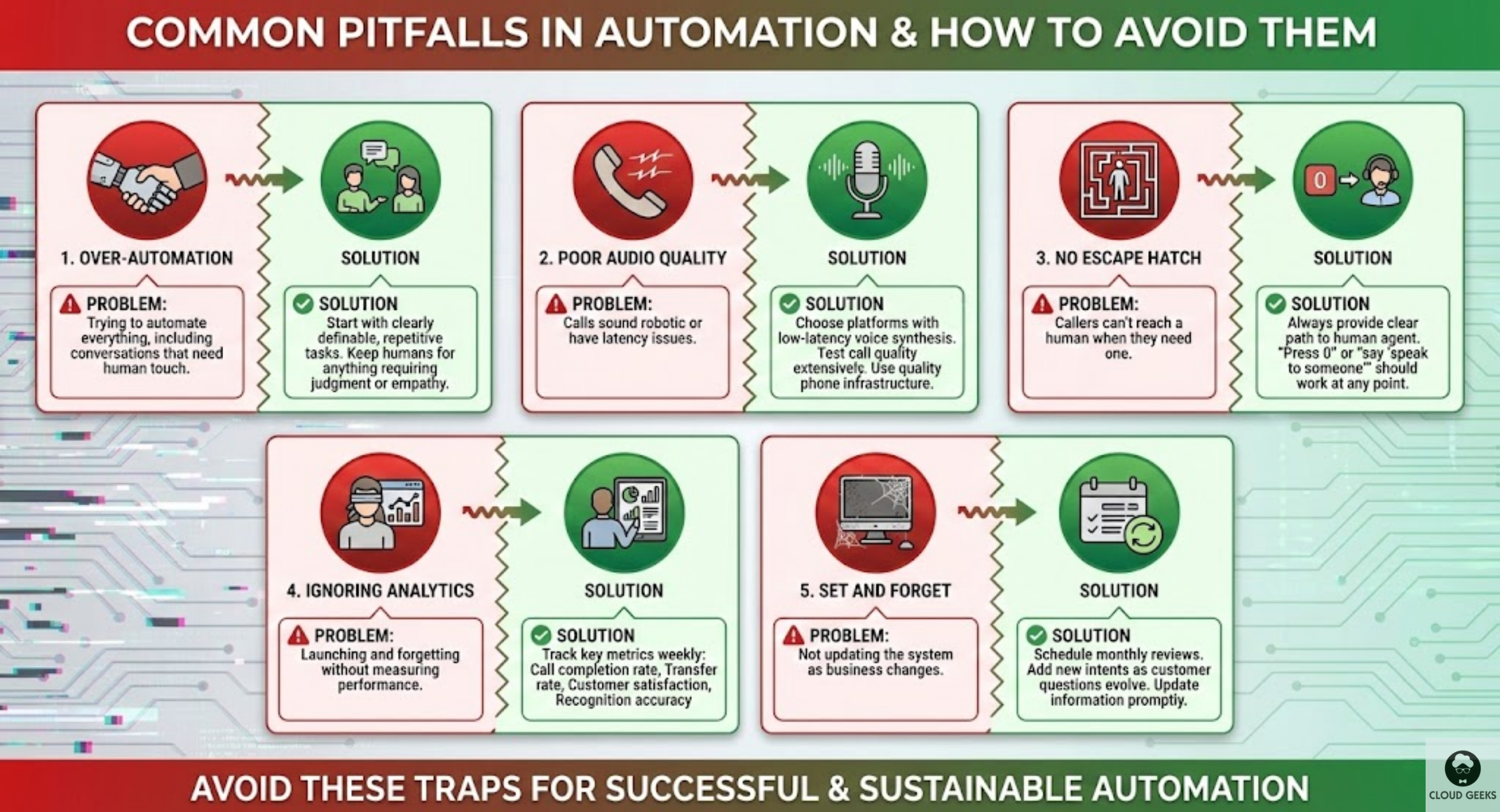
Pitfall 1: Over-Automation
Problem: Trying to automate everything, including conversations that need human touch.
Solution: Start with clearly definable, repetitive tasks. Keep humans for anything requiring judgment or empathy.
Pitfall 2: Poor Audio Quality
Problem: Calls sound robotic or have latency issues.
Solution: Choose platforms with low-latency voice synthesis. Test call quality extensively. Use quality phone infrastructure (not the cheapest VoIP).
Pitfall 3: No Escape Hatch
Problem: Callers can’t reach a human when they need one.
Solution: Always provide clear path to human agent. “Press 0” or “say ‘speak to someone’” should work at any point.
Pitfall 4: Ignoring Analytics
Problem: Launching and forgetting without measuring performance.
Solution: Track key metrics weekly:
- Call completion rate
- Transfer rate to humans
- Customer satisfaction (post-call survey)
- Recognition accuracy
Pitfall 5: Set and Forget
Problem: Not updating the system as business changes.
Solution: Schedule monthly reviews. Add new intents as customer questions evolve. Update information (hours, services, pricing) promptly.
Getting Started This Week
Here’s a practical path to voice-enabled customer service:
Week 1: Audit
- Track all calls for a week
- Categorise by reason and outcome
- Identify top 5 automation candidates
Week 2: Research
- Evaluate 2-3 platforms against your needs
- Request demos with Australian voice samples
- Get pricing quotes for your volume
Week 3: Pilot Design
- Design conversation flow for top use case
- Plan integration requirements
- Set success metrics
Week 4: Build
- Set up chosen platform
- Build initial conversation flow
- Test internally
Weeks 5-6: Soft Launch
- Route subset of calls to new system
- Monitor and iterate
- Gather feedback
Week 7+: Expand
- Increase traffic gradually
- Add additional use cases
- Optimise based on data
Conclusion
Voice-enabled customer service isn’t about replacing your team—it’s about helping them focus on conversations that matter. By automating routine enquiries, you free up staff time for complex issues that genuinely need human attention.
For Australian SMBs, the economics now work at almost any scale. A basic implementation costs less than a single day of receptionist time per month while handling calls 24/7, including weekends and holidays.
The technology handles Australian accents well, integrates with common business systems, and provides a better experience than holding for an available staff member.
Start small, measure results, and expand what works. Your customers—and your team—will thank you.
Ready to explore voice AI for your Australian business? Contact CloudGeeks for a free consultation on automating your customer service operations.
Related Articles
- AI Chatbots for Australian Customer Service: Implementation Without Breaking the Bank
- Unified Customer Communications: Email, SMS and Push Notifications
- AI Tools for Australian SMBs: Practical Guide with Real Case Studies
- AI on a Budget: How Australian SMBs Can Harness AI
- Document Processing for Australian Businesses: Automated Text Extraction
Pairing cloud infrastructure with a professional website amplifies your online presence. Cosmos Web Tech builds high-performance sites that make the most of solid hosting foundations.
This article is brought to you by Ganda Tech Services — Sydney’s complete digital solutions provider covering cloud, web, and mobile.