
Document Processing for Australian Businesses: Automated Text Extraction from PDFs
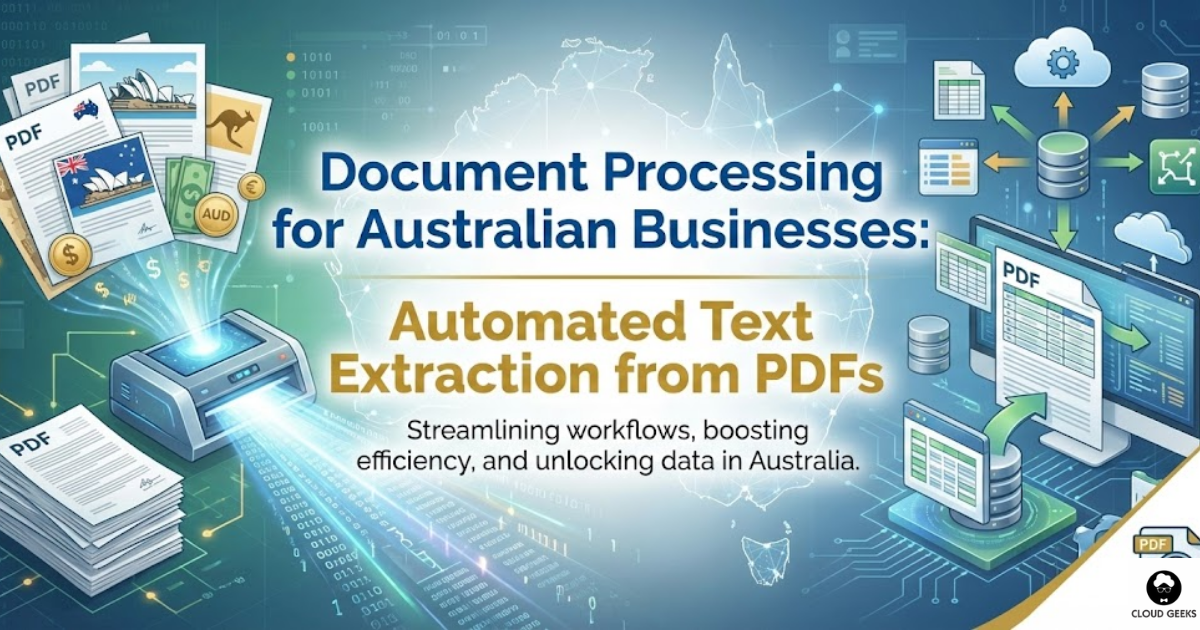
Every Australian business drowns in documents. Invoices from suppliers. Contracts from clients. Applications from customers. Receipts, forms, statements—an endless stream of PDFs that someone has to read, understand, and enter into systems.
Document processing automation changes this. Modern tools can extract text from PDFs, identify key information, and feed it directly into your business systems. What once took hours of manual data entry can happen in seconds.
This guide shows Australian SMBs how to implement practical document processing—from simple text extraction to intelligent document understanding.
The Document Processing Challenge
What Australian Businesses Deal With
High-volume documents:
- Supplier invoices (need to enter amounts, dates, ABNs)
- Customer applications (extract names, addresses, details)
- Receipts and expense reports (capture amounts for reconciliation)
- Contracts (identify key terms and dates)
The manual processing burden: A typical accounts payable clerk spends 10-15 minutes per invoice:
- Opening the PDF
- Finding the key fields
- Typing data into accounting software
- Filing the original document
At 50 invoices per week, that’s 8-12 hours of repetitive work. Annually: 400-600 hours.
The errors that creep in:
- Transcription mistakes (typing 1,250 as 12,50)
- Missed invoices
- Duplicate entries
- Wrong GL codes
Document automation addresses all of these.
Understanding Your Options
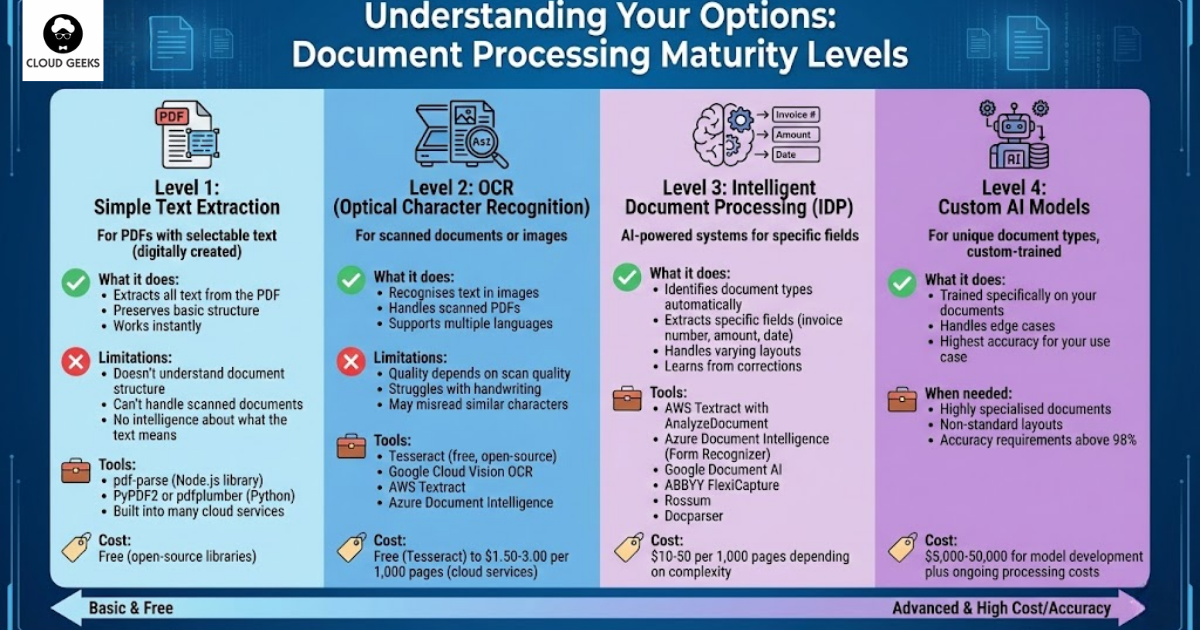
Level 1: Simple Text Extraction
For PDFs with selectable text (digitally created, not scanned), text extraction is straightforward.
What it does:
- Extracts all text from the PDF
- Preserves basic structure
- Works instantly
Limitations:
- Doesn’t understand document structure
- Can’t handle scanned documents
- No intelligence about what the text means
Tools:
- pdf-parse (Node.js library)
- PyPDF2 or pdfplumber (Python)
- Built into many cloud services
Cost: Free (open-source libraries)
Level 2: OCR (Optical Character Recognition)
For scanned documents or images, OCR converts images to text.
What it does:
- Recognises text in images
- Handles scanned PDFs
- Supports multiple languages
Limitations:
- Quality depends on scan quality
- Struggles with handwriting
- May misread similar characters
Tools:
- Tesseract (free, open-source)
- Google Cloud Vision OCR
- AWS Textract
- Azure Document Intelligence
Cost: Free (Tesseract) to $1.50-3.00 per 1,000 pages (cloud services)
Level 3: Intelligent Document Processing (IDP)
AI-powered systems that understand document structure and extract specific fields.
What it does:
- Identifies document types automatically
- Extracts specific fields (invoice number, amount, date)
- Handles varying layouts
- Learns from corrections
Tools:
- AWS Textract with AnalyzeDocument
- Azure Document Intelligence (Form Recognizer)
- Google Document AI
- ABBYY FlexiCapture
- Rossum
- Docparser
Cost: $10-50 per 1,000 pages depending on complexity
Level 4: Custom AI Models
For unique document types, custom-trained models can achieve highest accuracy.
What it does:
- Trained specifically on your documents
- Handles edge cases
- Highest accuracy for your use case
When needed:
- Highly specialised documents
- Non-standard layouts
- Accuracy requirements above 98%
Cost: $5,000-50,000 for model development plus ongoing processing costs
Practical Implementation: Invoice Processing
Let’s build a practical invoice processing system for an Australian business.
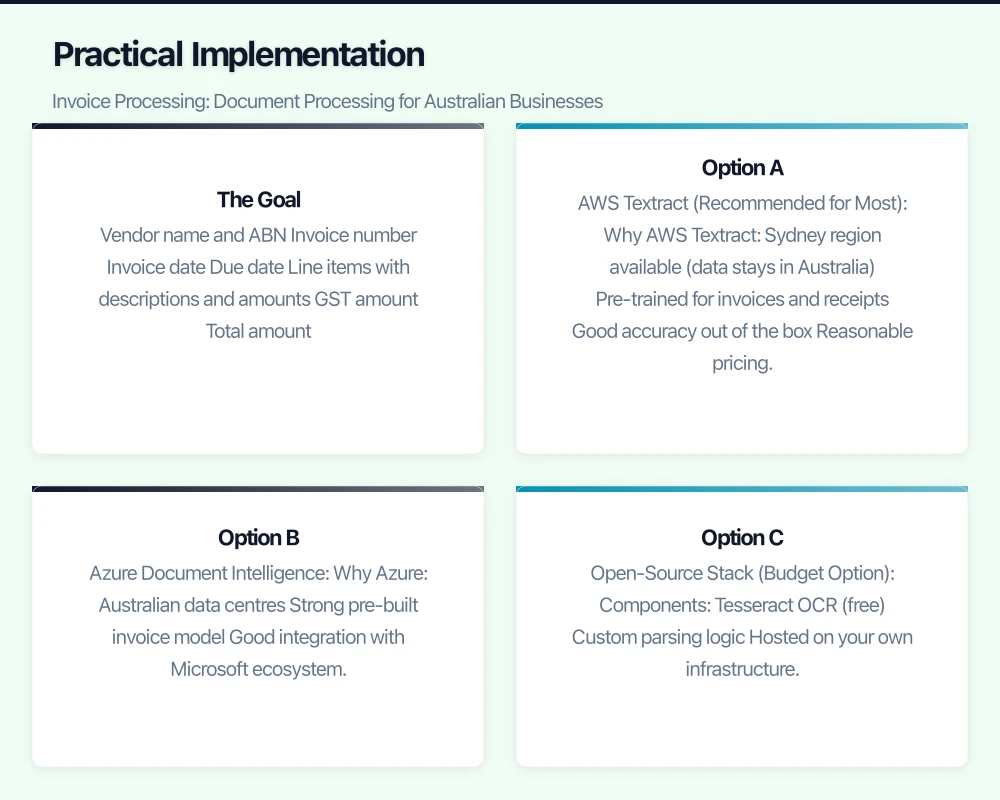
The Goal
Extract from supplier invoices:
- Vendor name and ABN
- Invoice number
- Invoice date
- Due date
- Line items with descriptions and amounts
- GST amount
- Total amount
Option A: AWS Textract (Recommended for Most)
Why AWS Textract:
- Sydney region available (data stays in Australia)
- Pre-trained for invoices and receipts
- Good accuracy out of the box
- Reasonable pricing
Setup:
const { TextractClient, AnalyzeExpenseCommand } = require('@aws-sdk/client-textract');
const client = new TextractClient({ region: 'ap-southeast-2' }); // Sydney
async function processInvoice(documentBytes) {
const command = new AnalyzeExpenseCommand({
Document: {
Bytes: documentBytes
}
});
const response = await client.send(command);
// Extract key fields
const invoice = {
vendorName: null,
vendorABN: null,
invoiceNumber: null,
invoiceDate: null,
dueDate: null,
subtotal: null,
gst: null,
total: null,
lineItems: []
};
for (const document of response.ExpenseDocuments) {
for (const field of document.SummaryFields) {
const type = field.Type?.Text;
const value = field.ValueDetection?.Text;
switch (type) {
case 'VENDOR_NAME':
invoice.vendorName = value;
break;
case 'VENDOR_ABN':
invoice.vendorABN = value;
break;
case 'INVOICE_RECEIPT_ID':
invoice.invoiceNumber = value;
break;
case 'INVOICE_RECEIPT_DATE':
invoice.invoiceDate = value;
break;
case 'DUE_DATE':
invoice.dueDate = value;
break;
case 'SUBTOTAL':
invoice.subtotal = parseFloat(value.replace(/[^0-9.]/g, ''));
break;
case 'TAX':
invoice.gst = parseFloat(value.replace(/[^0-9.]/g, ''));
break;
case 'TOTAL':
invoice.total = parseFloat(value.replace(/[^0-9.]/g, ''));
break;
}
}
// Extract line items
for (const group of document.LineItemGroups || []) {
for (const item of group.LineItems || []) {
const lineItem = {};
for (const field of item.LineItemExpenseFields) {
const type = field.Type?.Text;
const value = field.ValueDetection?.Text;
if (type === 'ITEM') lineItem.description = value;
if (type === 'QUANTITY') lineItem.quantity = parseFloat(value) || 1;
if (type === 'UNIT_PRICE') lineItem.unitPrice = parseFloat(value.replace(/[^0-9.]/g, ''));
if (type === 'PRICE') lineItem.amount = parseFloat(value.replace(/[^0-9.]/g, ''));
}
if (Object.keys(lineItem).length > 0) {
invoice.lineItems.push(lineItem);
}
}
}
}
return invoice;
}Cost calculation:
- AnalyzeExpense: $0.01 USD per page
- 500 invoices/month: ~$5 USD/month
- Annual cost:
$60 USD ($90 AUD)
Option B: Azure Document Intelligence
Why Azure:
- Australian data centres
- Strong pre-built invoice model
- Good integration with Microsoft ecosystem
Setup:
const { DocumentAnalysisClient, AzureKeyCredential } = require('@azure/ai-form-recognizer');

const client = new DocumentAnalysisClient(
  'https://your-resource.cognitiveservices.azure.com/',
  new AzureKeyCredential('your-key')
);

async function processInvoice(documentUrl) {
  const poller = await client.beginAnalyzeDocumentFromUrl(
    'prebuilt-invoice',
    documentUrl
  );

  const result = await poller.pollUntilDone();

  const invoice = {};

  for (const document of result.documents) {
    const fields = document.fields;

    invoice.vendorName = fields.VendorName?.content;
    invoice.vendorABN = fields.VendorTaxId?.content;
    invoice.invoiceNumber = fields.InvoiceId?.content;
    invoice.invoiceDate = fields.InvoiceDate?.content;
    invoice.dueDate = fields.DueDate?.content;
    invoice.subtotal = fields.SubTotal?.content;
    invoice.gst = fields.TotalTax?.content;
    invoice.total = fields.InvoiceTotal?.content;

    invoice.lineItems = (fields.Items?.values || []).map(item => ({
      description: item.properties.Description?.content,
      quantity: item.properties.Quantity?.content,
      unitPrice: item.properties.UnitPrice?.content,
      amount: item.properties.Amount?.content
    }));
  }

  return invoice;
}
Cost calculation:
- Pre-built invoice model: $0.01 USD per page
- Similar to AWS Textract
Option C: Open-Source Stack (Budget Option)
For businesses wanting to minimise ongoing costs:
Components:
- Tesseract OCR (free)
- Custom parsing logic
- Hosted on your own infrastructure
import pytesseract
from pdf2image import convert_from_path
import re

def extract_invoice_data(pdf_path):
    # Convert PDF to images
    images = convert_from_path(pdf_path)

    # OCR each page
    full_text = ''
    for image in images:
        text = pytesseract.image_to_string(image, lang='eng')
        full_text += text + '\n'

    # Extract fields with regex
    invoice = {}

    # ABN pattern (11 digits)
    abn_match = re.search(r'ABN[:\s]*(\d{2}\s?\d{3}\s?\d{3}\s?\d{3})', full_text)
    if abn_match:
        invoice['abn'] = abn_match.group(1).replace(' ', '')

    # Invoice number
    inv_match = re.search(r'Invoice\s*(?:No|Number|#)[:\s]*([A-Z0-9-]+)', full_text, re.I)
    if inv_match:
        invoice['invoice_number'] = inv_match.group(1)

    # Total amount
    total_match = re.search(r'Total[:\s]*\$?([\d,]+\.?\d*)', full_text, re.I)
    if total_match:
        invoice['total'] = float(total_match.group(1).replace(',', ''))

    # GST
    gst_match = re.search(r'GST[:\s]*\$?([\d,]+\.?\d*)', full_text, re.I)
    if gst_match:
        invoice['gst'] = float(gst_match.group(1).replace(',', ''))

    return invoice
Pros:
- No per-page costs
- Complete control over processing
- Data never leaves your servers
Cons:
- Lower accuracy than AI services
- More development effort
- Requires maintenance
Building a Complete Workflow
Architecture for Australian SMBs
[Document arrives]
       ↓
[Upload to S3/Azure Blob]
       ↓
[Trigger Lambda/Function]
       ↓
[Call Textract/Document AI]
       ↓
[Validate extracted data]
       ↓
[Human review if confidence low]
       ↓
[Send to accounting system]
Handling Low-Confidence Extractions
Not every extraction is perfect. Build in human review:
async function processWithReview(invoice, extractedData) {
  const confidenceThreshold = 0.85;

  // Check confidence of key fields
  const lowConfidenceFields = [];

  if (extractedData.totalConfidence < confidenceThreshold) {
    lowConfidenceFields.push('total');
  }
  if (extractedData.vendorConfidence < confidenceThreshold) {
    lowConfidenceFields.push('vendor');
  }

  if (lowConfidenceFields.length > 0) {
    // Queue for human review
    await queueForReview({
      invoiceId: invoice.id,
      extractedData,
      lowConfidenceFields,
      originalDocument: invoice.documentUrl
    });
    return { status: 'pending_review' };
  }

  // High confidence - process automatically
  await sendToAccountingSystem(extractedData);
  return { status: 'processed' };
}
Integration with Xero
Many Australian businesses use Xero. Here’s how to push extracted invoices:
const XeroClient = require('xero-node').XeroClient;

async function createXeroBill(invoice) {
  const xero = new XeroClient({
    clientId: process.env.XERO_CLIENT_ID,
    clientSecret: process.env.XERO_CLIENT_SECRET,
    // ... other config
  });

  const bill = {
    type: 'ACCPAY',
    contact: {
      name: invoice.vendorName,
      taxNumber: invoice.vendorABN
    },
    date: invoice.invoiceDate,
    dueDate: invoice.dueDate,
    reference: invoice.invoiceNumber,
    lineItems: invoice.lineItems.map(item => ({
      description: item.description,
      quantity: item.quantity,
      unitAmount: item.unitPrice,
      accountCode: '200', // Default expense account
      taxType: 'INPUT' // GST
    }))
  };

  const response = await xero.accountingApi.createInvoices(
    tenantId,
    { invoices: [bill] }
  );

  return response.body.invoices[0];
}
Accuracy Expectations
Be realistic about what automation can achieve:
| Document Type | Cloud AI Accuracy | Open-Source Accuracy |
|---|---|---|
| Digital invoices (native PDF) | 95-99% | 85-95% |
| Scanned invoices (good quality) | 90-95% | 75-85% |
| Scanned invoices (poor quality) | 70-85% | 50-70% |
| Handwritten notes | 60-80% | 40-60% |
What this means practically:
For 100 invoices with 95% accuracy:
- 95 processed correctly
- 5 need human review
That’s still massive time savings compared to manually processing all 100.
Australian-Specific Considerations
ABN Validation
Always validate extracted ABNs:
function validateABN(abn) {
  // Remove spaces and non-digits
  const cleaned = abn.replace(/\D/g, '');

  if (cleaned.length !== 11) return false;

  // ABN validation algorithm
  const weights = [10, 1, 3, 5, 7, 9, 11, 13, 15, 17, 19];
  let sum = 0;

  for (let i = 0; i < 11; i++) {
    let digit = parseInt(cleaned[i]);
    if (i === 0) digit -= 1; // Subtract 1 from first digit
    sum += digit * weights[i];
  }

  return sum % 89 === 0;
}
GST Handling
Australian invoices must separately show GST. Verify extracted totals:
function validateGSTCalculation(invoice) {
  const expectedGST = invoice.subtotal * 0.1;
  const tolerance = 0.02; // Allow 2 cents variance

  if (Math.abs(invoice.gst - expectedGST) > tolerance) {
    return {
      valid: false,
      message: `GST mismatch: expected $${expectedGST.toFixed(2)}, got $${invoice.gst.toFixed(2)}`
    };
  }

  const expectedTotal = invoice.subtotal + invoice.gst;
  if (Math.abs(invoice.total - expectedTotal) > tolerance) {
    return {
      valid: false,
      message: `Total mismatch: expected $${expectedTotal.toFixed(2)}, got $${invoice.total.toFixed(2)}`
    };
  }

  return { valid: true };
}
Data Residency
Ensure document processing happens in Australia when handling personal information:
- AWS Textract: Use ap-southeast-2 (Sydney)
- Azure Document Intelligence: Use Australia East region
- Google Document AI: Use australia-southeast1 (Sydney)
Cost-Benefit Analysis
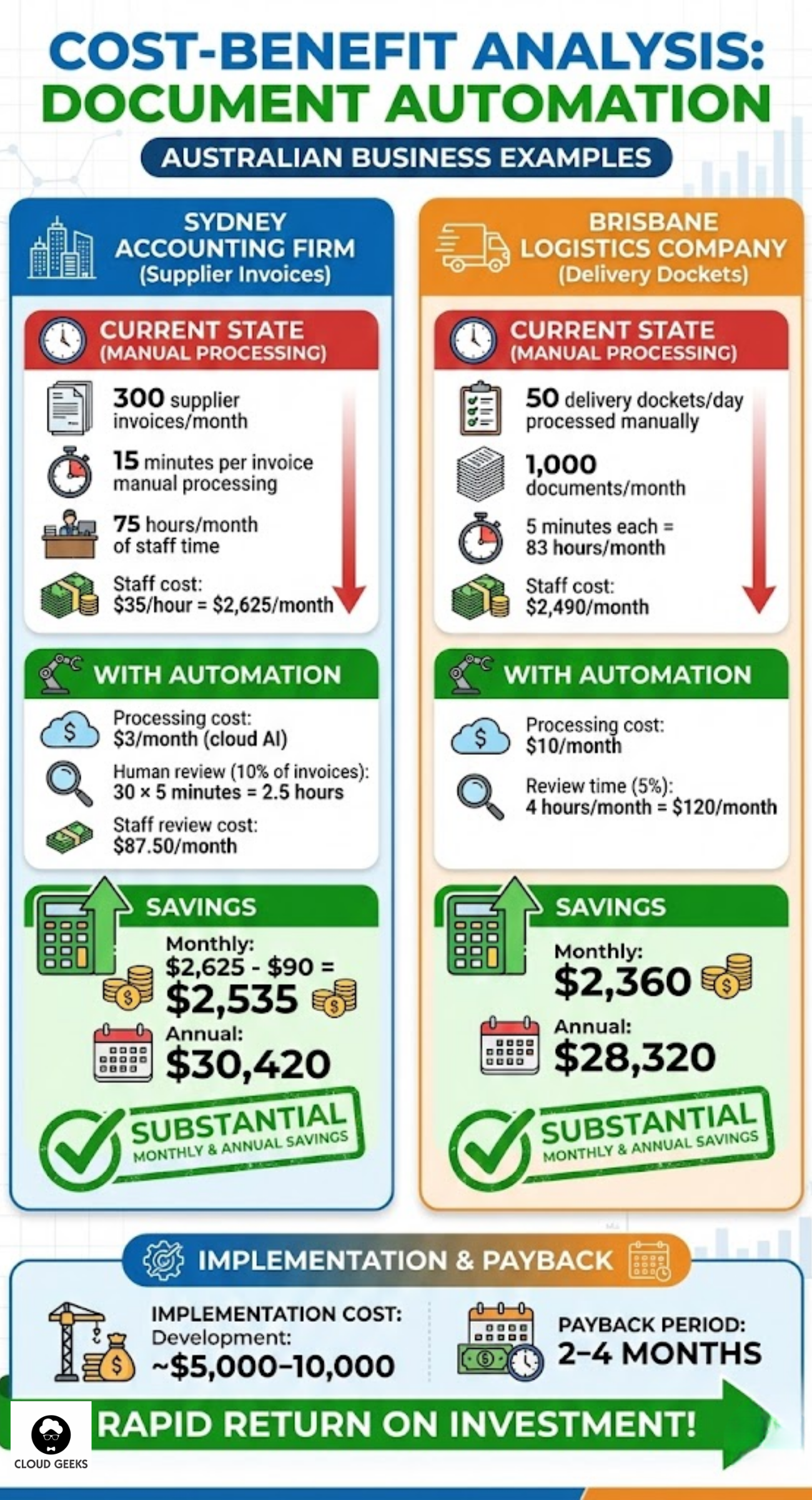
Example: Sydney Accounting Firm
Current state:
- 300 supplier invoices/month
- 15 minutes per invoice manual processing
- 75 hours/month of staff time
- Staff cost: $35/hour = $2,625/month
With automation:
- Processing cost: $3/month (cloud AI)
- Human review (10% of invoices): 30 × 5 minutes = 2.5 hours
- Staff review cost: $87.50/month
Savings:
- Monthly: $2,625 - $90 = $2,535
- Annual: $30,420
Implementation cost:
- Development: ~$5,000-10,000
- Payback period: 2-4 months
Example: Brisbane Logistics Company
Current state:
- 50 delivery dockets/day processed manually
- 1,000 documents/month
- 5 minutes each = 83 hours/month
- Staff cost: $2,490/month
With automation:
- Processing cost: $10/month
- Review time (5%): 4 hours/month = $120/month
Savings:
- Monthly: $2,360
- Annual: $28,320
Getting Started This Week
Day 1-2: Audit your documents
- Count document types and volumes
- Identify highest-value automation targets
- Gather sample documents
Day 3-4: Test cloud services
- Create AWS or Azure trial account
- Process 10 sample invoices
- Evaluate accuracy
Day 5: Build prototype
- Create basic extraction script
- Test integration with your systems
- Identify gaps
Week 2+: Iterate and expand
- Improve extraction rules
- Build human review workflow
- Deploy to production
Conclusion
Document processing automation is one of the highest-ROI investments an Australian business can make. The technology is mature, the costs are low, and the time savings are immediate.
Start with your highest-volume documents—usually invoices or receipts. Use cloud AI services for best accuracy with minimal development. Build in human review for edge cases. Measure your results.
The goal isn’t perfect automation. It’s spending less time on data entry and more time on work that actually matters.
Ready to automate document processing for your Australian business? Contact CloudGeeks for help evaluating tools, building workflows, and integrating with your existing systems.
Related Articles
- AI for Australian Small Business: Practical Knowledge Management
- AI in Healthcare Administration: Streamline Operations and Cut Costs
- Automating Your Australian Business Operations: CI/CD for Non-Technical Founders
- AI Tools for Australian SMBs: Practical Guide with Real Case Studies
- Meet JAX: How Xero’s AI Agent is Acting as a CFO for Small Businesses
Your clients expect mobile access. Awesome Apps specialises in building customer-facing mobile apps backed by reliable cloud infrastructure.
Cloud Geeks is the IT infrastructure division of Ganda Tech Services, providing managed cloud and cybersecurity solutions to Australian businesses.