
Automating Your Australian Business Operations: CI/CD for Non-Technical Founders

You’ve built a business. You’ve hired developers. Your software product is gaining traction. But every time you need to release an update, it takes your tech team hours of manual work—and sometimes things break.
There’s a better way. CI/CD (Continuous Integration and Continuous Deployment) automates the process of testing and releasing software. Your team pushes code, and the system handles everything else: running tests, checking for problems, and deploying to production.
This guide explains CI/CD in plain English for Australian founders who aren’t developers but want to understand what their tech team should be doing—and why it matters for the business.
What CI/CD Actually Means (In Plain English)
Let’s demystify the jargon.
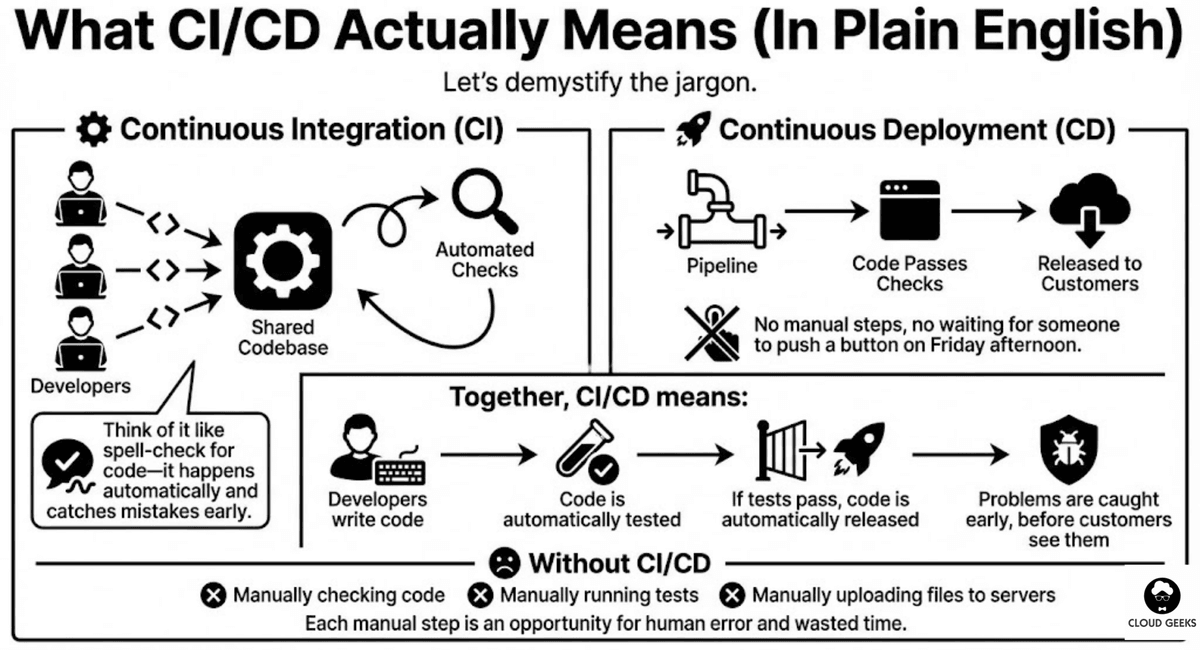
Continuous Integration (CI): When developers write code, they merge it frequently into a shared codebase. Each time they do, automated checks run to catch problems early. Think of it like spell-check for code—it happens automatically and catches mistakes before they become bigger issues.
Continuous Deployment (CD): Once code passes all checks, it automatically gets released to customers. No manual steps, no waiting for someone to push a button on Friday afternoon.
Together, CI/CD means:
- Developers write code
- Code is automatically tested
- If tests pass, code is automatically released
- Problems are caught early, before customers see them
Without CI/CD, your team is manually checking code, manually running tests, and manually uploading files to servers. Each manual step is an opportunity for human error and wasted time.
Why Australian Business Owners Should Care
Business Impact of CI/CD
Faster time to market: When deployment is automated, new features reach customers in hours instead of days. A Melbourne SaaS company we worked with went from weekly releases to multiple daily releases after implementing CI/CD.
Fewer production incidents: Automated testing catches bugs before they reach customers. The same Melbourne company reduced their production incidents by 70%.
Lower costs: Developer time spent on manual deployments is expensive. Automation frees that time for building features customers value.
Better team morale: Developers hate tedious manual work. CI/CD lets them focus on creative problem-solving instead of repetitive tasks.
The Cost of NOT Having CI/CD
Consider what happens without automation:
- Manual deployment takes 2-4 hours of senior developer time
- Weekly releases mean waiting 7 days for bug fixes to reach customers
- Human errors during manual deployment cause outages
- Fear of deployment leads to infrequent releases and larger, riskier changes
- Testing gaps mean bugs slip through to production
For a typical Australian startup, poor deployment practices can cost $50,000-100,000 annually in lost productivity and incident response.
The CI/CD Process: Step by Step
Here’s what a healthy CI/CD pipeline looks like in practice:
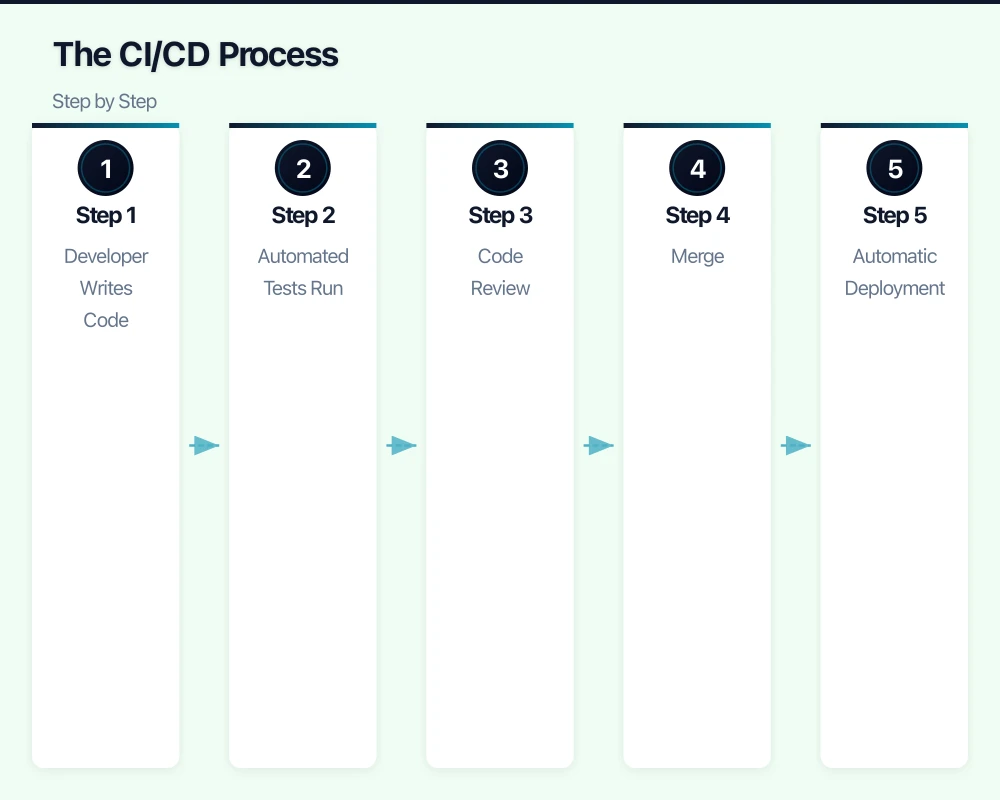
Step 1: Developer Writes Code
A developer finishes a new feature or bug fix. They commit their changes to the codebase (usually using Git) and create a “pull request”—a proposal to merge their changes into the main codebase.
Step 2: Automated Tests Run
The moment code is pushed, automated systems kick in:
- Unit tests: Check that individual pieces of code work correctly
- Integration tests: Check that different parts of the system work together
- Security scans: Look for known vulnerabilities
- Code quality checks: Ensure code follows team standards
This typically takes 5-30 minutes depending on the size of your codebase.
Step 3: Code Review
While automated checks run, another developer reviews the code. They’re looking at logic, architecture, and potential issues that automated tools might miss.
Step 4: Merge
Once automated checks pass and a human approves, the code is merged into the main codebase.
Step 5: Automatic Deployment
Merging triggers deployment:
- Code is packaged for deployment
- Systems are updated with new code
- Health checks confirm everything is working
- If problems occur, automatic rollback kicks in
Step 6: Monitoring
After deployment, automated monitoring watches for problems:
- Error rates
- Response times
- Customer-facing issues
If something goes wrong, alerts notify the team immediately.
What Good CI/CD Looks Like
Signs Your Team Has Good CI/CD
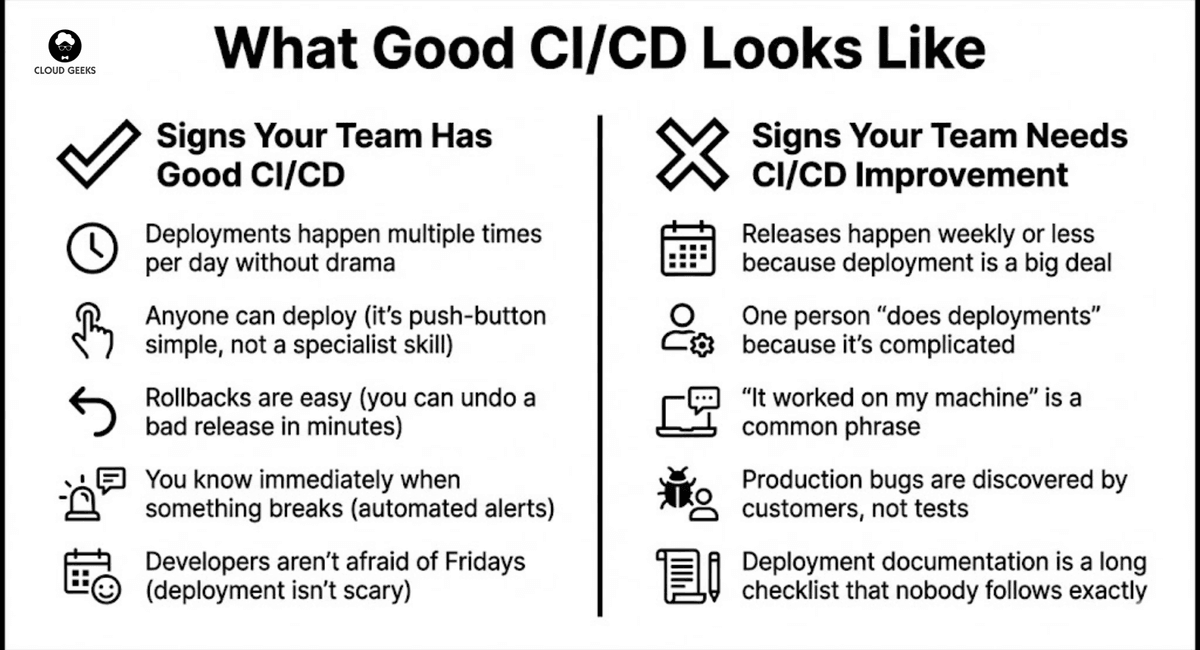
- Deployments happen multiple times per day without drama
- Anyone can deploy (it’s push-button simple, not a specialist skill)
- Rollbacks are easy (you can undo a bad release in minutes)
- You know immediately when something breaks (automated alerts)
- Developers aren’t afraid of Fridays (deployment isn’t scary)
Signs Your Team Needs CI/CD Improvement
- Releases happen weekly or less because deployment is a big deal
- One person “does deployments” because it’s complicated
- “It worked on my machine” is a common phrase
- Production bugs are discovered by customers, not tests
- Deployment documentation is a long checklist that nobody follows exactly
CI/CD Tools for Australian Startups
You don’t need enterprise-grade tools. Here are practical options at different price points:
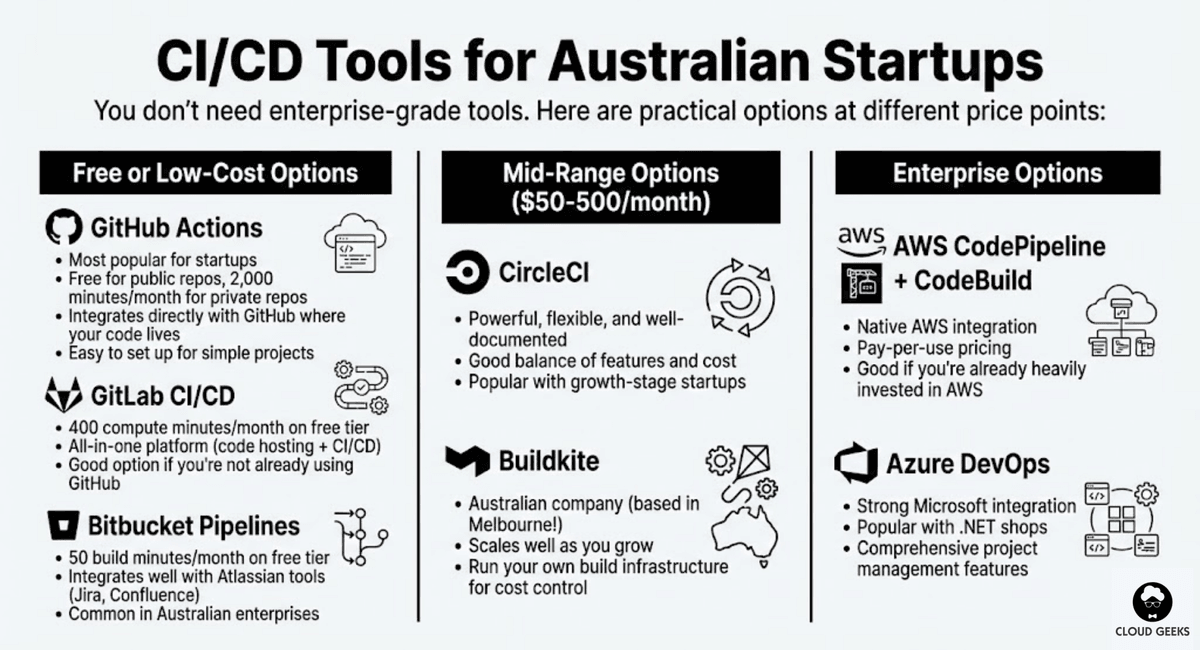
Free or Low-Cost Options
GitHub Actions (Most popular for startups)
- Free for public repos, 2,000 minutes/month for private repos
- Integrates directly with GitHub where your code lives
- Easy to set up for simple projects
GitLab CI/CD
- 400 compute minutes/month on free tier
- All-in-one platform (code hosting + CI/CD)
- Good option if you’re not already using GitHub
Bitbucket Pipelines
- 50 build minutes/month on free tier
- Integrates well with Atlassian tools (Jira, Confluence)
- Common in Australian enterprises
Mid-Range Options ($50-500/month)
CircleCI
- Powerful, flexible, and well-documented
- Good balance of features and cost
- Popular with growth-stage startups
Buildkite
- Australian company (based in Melbourne!)
- Scales well as you grow
- Run your own build infrastructure for cost control
Enterprise Options
AWS CodePipeline + CodeBuild
- Native AWS integration
- Pay-per-use pricing
- Good if you’re already heavily invested in AWS
Azure DevOps
- Strong Microsoft integration
- Popular with .NET shops
- Comprehensive project management features
Questions to Ask Your Tech Team
As a founder, you don’t need to understand the technical details. But you should be asking these questions:
About Current State
-
“How long does a deployment take, start to finish?” Good answer: “15-30 minutes, fully automated” Concerning answer: “A few hours, depending on who’s doing it”
-
“How often do we deploy to production?” Good answer: “Multiple times per day” or “Daily” Concerning answer: “Weekly” or “When we have a release ready”
-
“What percentage of our code is covered by automated tests?” Good answer: “70-80% of critical paths” Concerning answer: “We don’t really track that”
-
“If a deployment goes wrong, how quickly can we roll back?” Good answer: “Within 5 minutes, one command” Concerning answer: “It depends, we’d need to figure it out”
About Improvements
-
“What’s blocking us from deploying more frequently?” Listen for: test reliability, infrastructure limitations, process bottlenecks
-
“What would it cost to improve our CI/CD pipeline?” Expect: A few weeks of developer time, not months
-
“How does our deployment process compare to industry standards?” Good teams know where they stand and have improvement plans
Building CI/CD: A Realistic Timeline
If you’re starting from manual deployments, here’s what implementation looks like:
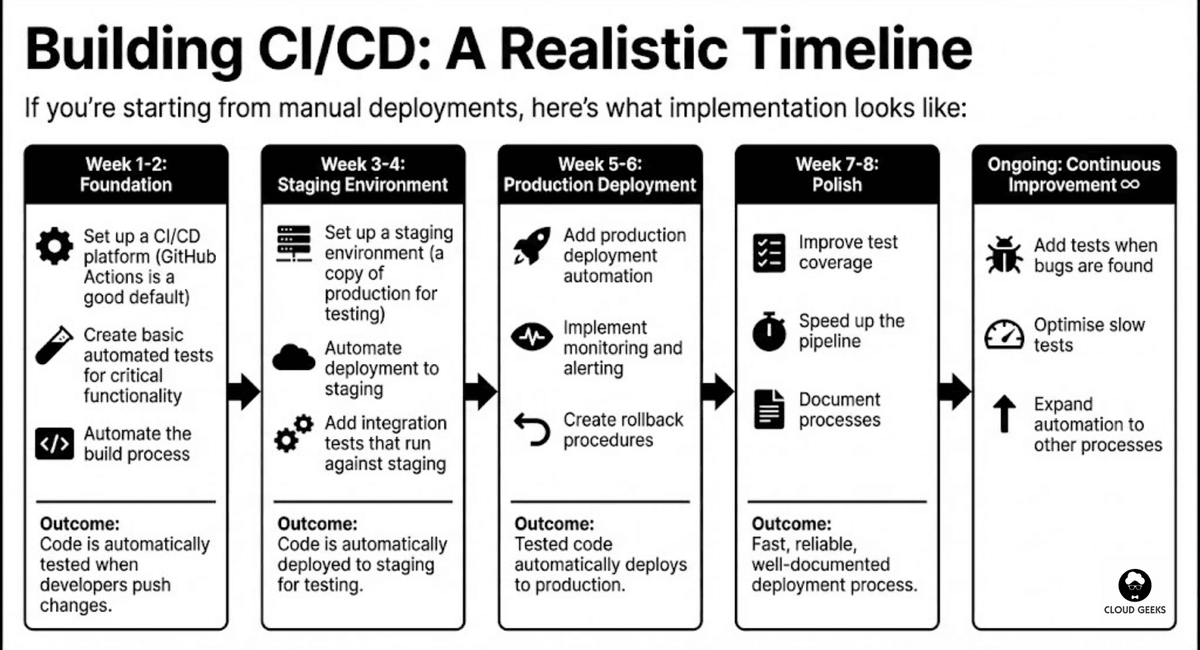
Week 1-2: Foundation
- Set up a CI/CD platform (GitHub Actions is a good default)
- Create basic automated tests for critical functionality
- Automate the build process
Outcome: Code is automatically tested when developers push changes.
Week 3-4: Staging Environment
- Set up a staging environment (a copy of production for testing)
- Automate deployment to staging
- Add integration tests that run against staging
Outcome: Code is automatically deployed to staging for testing.
Week 5-6: Production Deployment
- Add production deployment automation
- Implement monitoring and alerting
- Create rollback procedures
Outcome: Tested code automatically deploys to production.
Week 7-8: Polish
- Improve test coverage
- Speed up the pipeline
- Document processes
Outcome: Fast, reliable, well-documented deployment process.
Ongoing: Continuous Improvement
- Add tests when bugs are found
- Optimise slow tests
- Expand automation to other processes
Common CI/CD Mistakes to Avoid
Mistake 1: Tests That Don’t Test Anything Useful
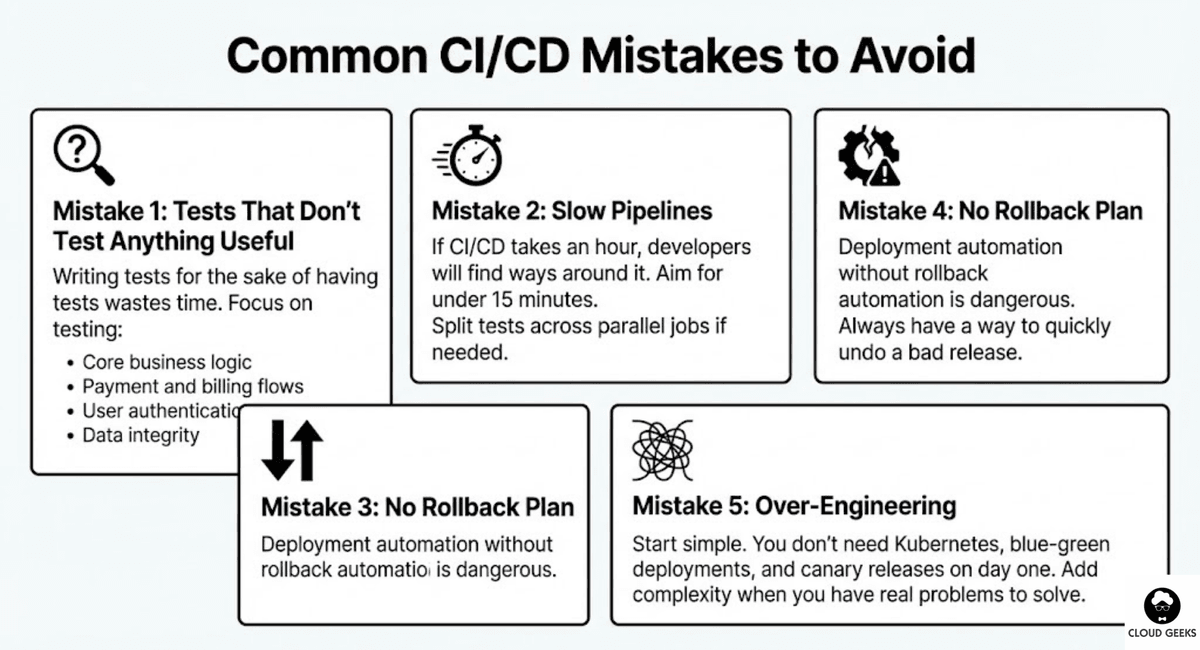
Writing tests for the sake of having tests wastes time. Focus on testing:
- Core business logic
- Payment and billing flows
- User authentication
- Data integrity
Mistake 2: Slow Pipelines
If CI/CD takes an hour, developers will find ways around it. Aim for under 15 minutes. Split tests across parallel jobs if needed.
Mistake 3: Ignoring Flaky Tests
Tests that sometimes pass and sometimes fail destroy trust in automation. Fix or remove them immediately.
Mistake 4: No Rollback Plan
Deployment automation without rollback automation is dangerous. Always have a way to quickly undo a bad release.
Mistake 5: Over-Engineering
Start simple. You don’t need Kubernetes, blue-green deployments, and canary releases on day one. Add complexity when you have real problems to solve.
The Business Case for CI/CD
When presenting CI/CD investment to stakeholders, focus on:
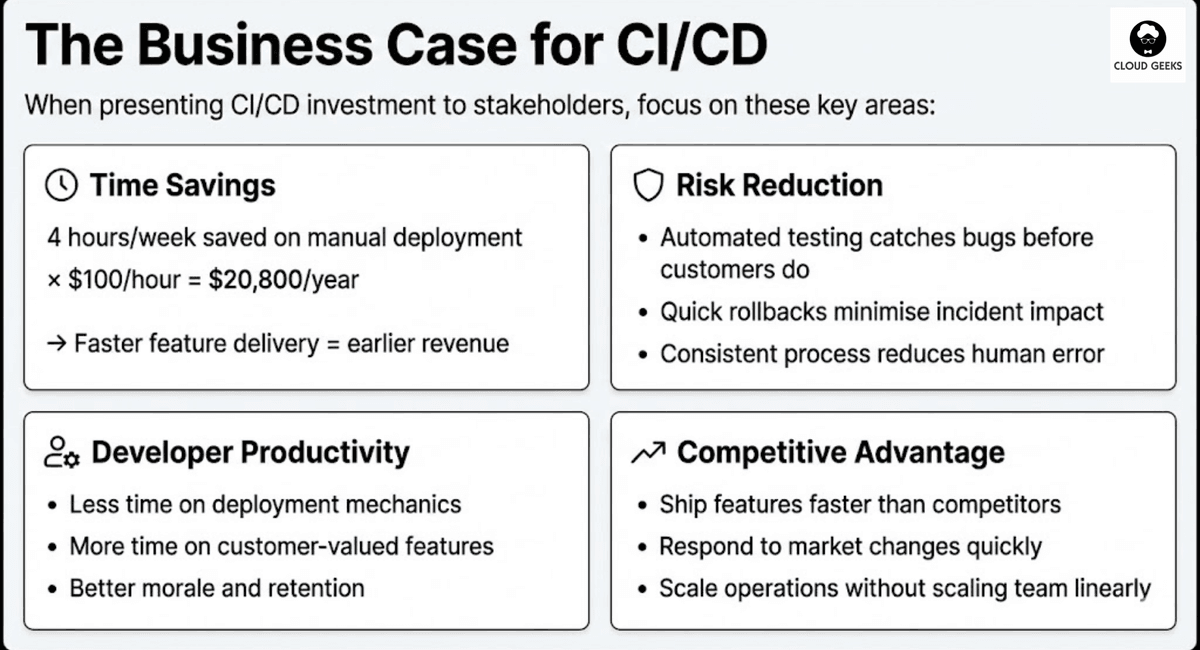
Time savings:
- 4 hours/week saved on manual deployment × $100/hour = $20,800/year
- Faster feature delivery = earlier revenue
Risk reduction:
- Automated testing catches bugs before customers do
- Quick rollbacks minimise incident impact
- Consistent process reduces human error
Developer productivity:
- Less time on deployment mechanics
- More time on customer-valued features
- Better morale and retention
Competitive advantage:
- Ship features faster than competitors
- Respond to market changes quickly
- Scale operations without scaling team linearly
Getting Started This Month
Here’s your action plan as a founder:
This week:
- Ask your tech lead how deployments currently work
- Ask what one improvement would have the biggest impact
- Review recent production incidents—were any deployment-related?
This month:
- Allocate time for CI/CD improvements (suggest 2 weeks of developer time)
- Set a target: “Deploy at least daily within 60 days”
- Establish deployment metrics to track improvement
This quarter:
- Implement basic CI/CD pipeline
- Achieve daily (or more frequent) deployments
- Measure and report on deployment frequency and failure rate
Conclusion
CI/CD isn’t just a technical concern—it’s a business enabler. Companies that ship frequently, safely, and confidently outcompete those stuck with manual, error-prone processes.
You don’t need to understand the technical implementation. But as a founder, you should ensure your team has the time and resources to build proper automation. The investment pays back quickly in faster delivery, fewer incidents, and happier developers.
Ask the questions. Set the expectations. Let your tech team execute. The results will speak for themselves.
Ready to improve your deployment processes? Contact CloudGeeks for a free assessment of your current development operations and practical recommendations for improvement.
Related Articles
- How Australian SMBs Can Save 50-70% on Cloud Development Costs
- Quality Assurance for Australian Software Projects: Testing on a Budget
- Digital Transformation Roadmap: 7-Step Guide for Australian SMBs
- AI for Australian Small Business: Practical Knowledge Management
- Document Processing for Australian Businesses: Automated Text Extraction
A reliable cloud backend deserves a polished frontend. Our web development team at Cosmos Web Tech creates websites optimised for speed, SEO, and conversions.
Part of the Ganda Tech Services family, Cloud Geeks delivers specialist IT and cloud solutions for Australian small and medium businesses.