
Microsoft 365 vs Google Workspace: Complete 2024 Comparison for Australian SMBs
Introduction
Choosing between Microsoft 365 and Google Workspace is one of the most consequential decisions Australian small businesses face when moving to cloud-based productivity tools. This isn’t just about email and documents—it’s about selecting the foundation for how your team communicates, collaborates, and operates daily.
Both platforms dominate the Australian SMB market for good reason. They’re mature, reliable, and comprehensive. But they take fundamentally different approaches to productivity, collaboration, and business operations. The right choice depends on your specific business context—your existing technology, team preferences, industry requirements, and growth trajectory.
For Australian businesses, this decision carries additional considerations. Data sovereignty requirements, GST implications, local support availability, and pricing in Australian dollars all influence the total cost and compliance picture. At CloudGeeks, we’ve helped hundreds of Australian SMBs navigate this decision and implement whichever platform best suits their needs.
This guide provides a comprehensive, practical comparison from an Australian business perspective, helping you make an informed decision based on your actual requirements rather than vendor marketing.
The Fundamental Difference in Philosophy
Before diving into feature comparisons, it’s essential to understand the core philosophical difference between these platforms—it influences everything else.
Microsoft 365: Desktop-First, Cloud-Enhanced
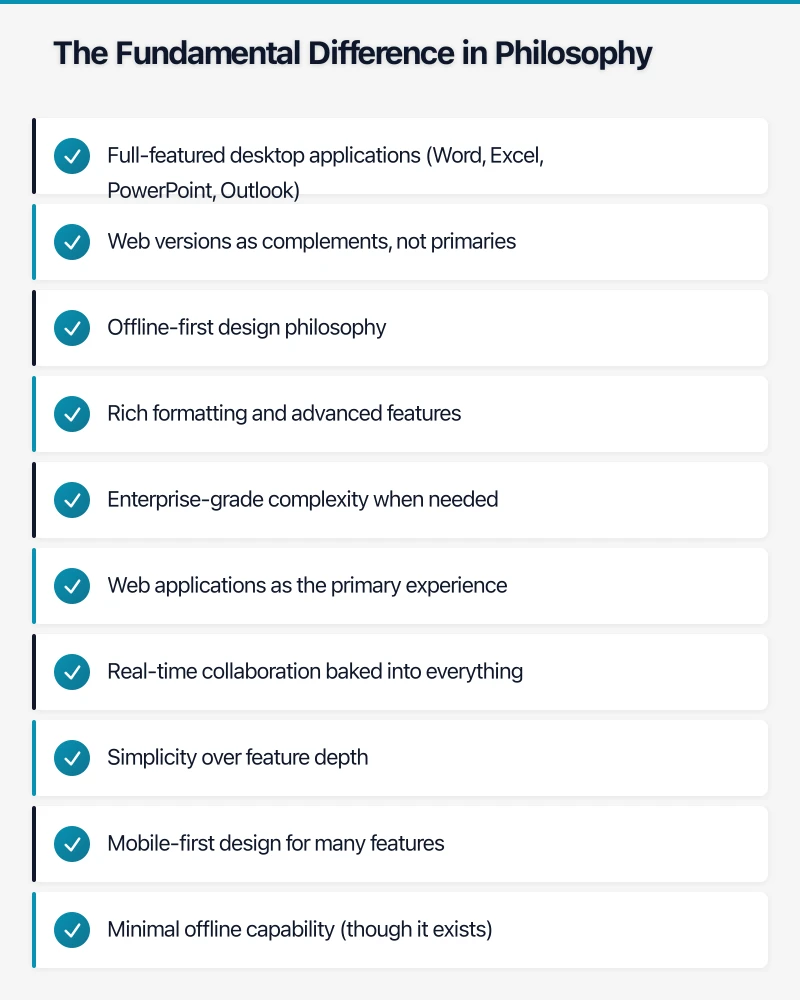
Microsoft built its empire on desktop software. Microsoft 365 brings that desktop heritage to the cloud:
- Full-featured desktop applications (Word, Excel, PowerPoint, Outlook)
- Web versions as complements, not primaries
- Offline-first design philosophy
- Rich formatting and advanced features
- Enterprise-grade complexity when needed
Google Workspace: Cloud-First, Collaborative by Default
Google built Workspace from the ground up as cloud software:
- Web applications as the primary experience
- Real-time collaboration baked into everything
- Simplicity over feature depth
- Mobile-first design for many features
- Minimal offline capability (though it exists)
This fundamental difference ripples through every aspect of these platforms. Teams accustomed to desktop Office often find Google Docs too simple. Teams used to Google’s real-time collaboration find Microsoft’s approach unnecessarily complex.
Neither philosophy is inherently better—but one likely fits your business better than the other.
Pricing Comparison: Australian Dollar Reality
Pricing structures differ significantly between platforms, and for Australian businesses, currency considerations and GST add complexity.
Microsoft 365 Business Plans (AUD, GST Inclusive)
Microsoft 365 Business Basic
- A$8.80 per user/month (annual commitment)
- Web and mobile apps only
- 50GB email storage
- 1TB OneDrive storage
- Microsoft Teams
- No desktop Office applications
Microsoft 365 Business Standard
- A$18.70 per user/month (annual commitment)
- Desktop Office apps included
- All Business Basic features
- Standard security features
- Best for most Australian SMBs
Microsoft 365 Business Premium
- A$31.20 per user/month (annual commitment)
- All Business Standard features
- Advanced security and device management
- Azure AD Premium P1
- Intune device management
- Worth it for businesses handling sensitive data
Google Workspace Plans (AUD, GST Inclusive)
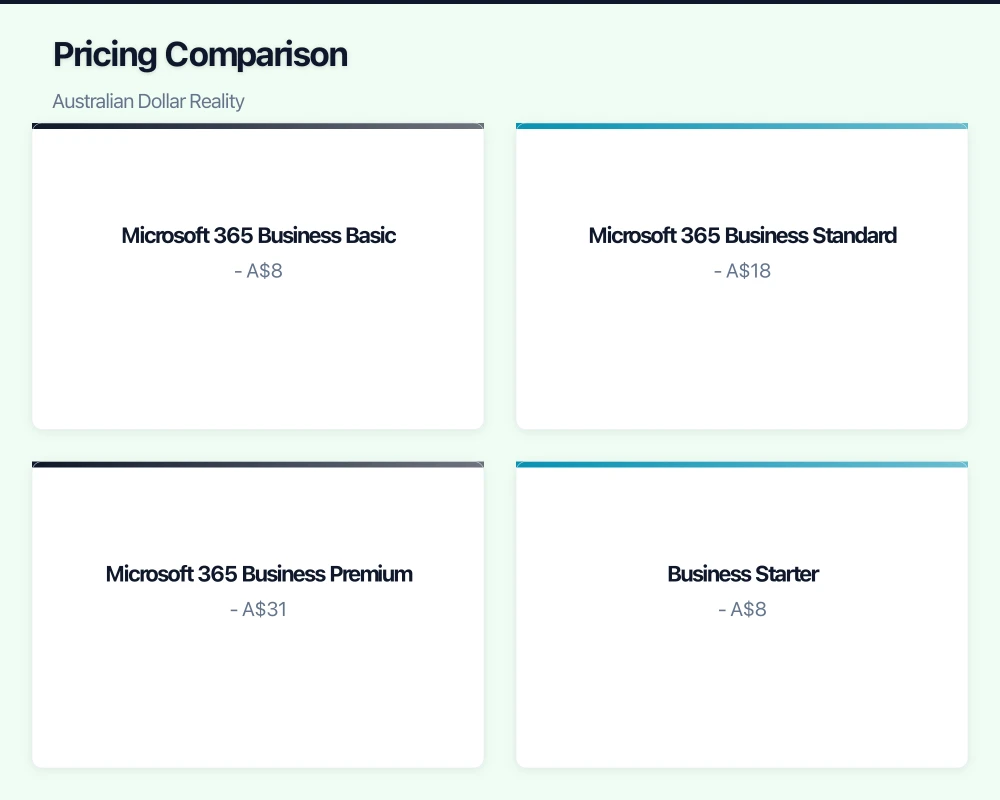
Business Starter
- A$8.50 per user/month (annual commitment)
- 30GB storage per user (combined email and Drive)
- Basic security features
- Standard support
- Video meetings up to 100 participants
Business Standard
- A$17 per user/month (annual commitment)
- 2TB storage per user
- Enhanced security features
- Video meetings up to 150 participants
- Recording and attendance tracking
- Best value for most businesses
Business Plus
- A$25.50 per user/month (annual commitment)
- 5TB storage per user
- Enhanced security and management
- Video meetings up to 500 participants
- eDiscovery and retention
- Vault for information governance
Real-World Cost Analysis
For a typical 15-person Australian SMB:
Microsoft 365 Business Standard: A$280.50/month (A$3,366/year) Google Workspace Business Standard: A$255/month (A$3,060/year)
The apparent savings with Google narrows when considering:
- Microsoft 365 includes desktop Office apps (worth A$10-15/user/month separately)
- Google requires third-party tools for some advanced features
- Microsoft 365 offers better hybrid benefits for businesses with existing licenses
- Training costs may differ based on team familiarity
Hidden Costs to Consider:
- Microsoft 365: May need third-party backup (A$3-5/user/month), advanced security features in Premium tier only
- Google Workspace: Limited desktop app functionality, may need add-ons for advanced collaboration, less built-in security in lower tiers
For most Australian businesses already invested in Microsoft (Windows, Office habits, Active Directory), Microsoft 365 Business Standard provides better value despite slightly higher headline pricing. Businesses starting fresh or operating primarily on mobile/web may find Google Workspace more cost-effective.
Feature Comparison: What You Actually Get
Email and Calendar
| Feature | Microsoft 365 | Google Workspace |
|---|---|---|
| Email Storage | 50GB (Basic/Standard) 100GB (Premium) | 30GB (Starter) 2TB (Standard) 5TB (Plus) |
| Mailbox Access | Outlook (desktop, web, mobile) | Gmail (web, mobile, via IMAP) |
| Email Organisation | Folders, categories, rules | Labels, filters, smart features |
| Calendar Sharing | Excellent, delegation support | Excellent, simpler interface |
| Room Booking | Resource mailboxes, Outlook | Calendar rooms, simpler setup |
| Shared Calendars | Full delegation capability | Easy sharing, limited delegation |
Verdict: Microsoft Outlook provides more power-user features and better delegation (essential for executive assistants). Gmail offers cleaner interface and better search. Both handle Australian time zones correctly.
Document Creation and Collaboration
| Feature | Microsoft 365 | Google Workspace |
|---|---|---|
| Word Processing | Word (desktop/web) | Google Docs |
| Spreadsheets | Excel (desktop/web) | Google Sheets |
| Presentations | PowerPoint (desktop/web) | Google Slides |
| Real-Time Co-Authoring | Available, less seamless | Native, excellent |
| Offline Access | Desktop apps excel | Limited, requires setup |
| Advanced Features | Extensive (Excel especially) | Simpler, sufficient for most |
| Mobile Editing | Good, sometimes clunky | Excellent, native feel |
| Templates | Extensive library | Growing library |
| Compatibility | Microsoft formats native | Import/export Microsoft formats |
Verdict: Microsoft Office provides significantly more advanced features, especially Excel for complex financial modeling. Google’s apps offer superior real-time collaboration and simplicity. For Australian accounting firms, engineering consultancies, or businesses with complex spreadsheet needs, Excel’s advantages are decisive. For marketing agencies, consultancies, or service businesses, Google’s collaboration benefits often outweigh feature limitations.
File Storage and Sharing
| Feature | Microsoft 365 | Google Workspace |
|---|---|---|
| Storage per User | 1TB (all plans) | 30GB to 5TB (plan dependent) |
| Desktop Sync | OneDrive (excellent) | Drive File Stream (good) |
| File Sharing | OneDrive, SharePoint | Google Drive |
| Permission Granularity | Very detailed | Simpler, adequate |
| Version History | Good (500 versions, 30 days) | Excellent (unlimited, 30 days+) |
| External Sharing | Flexible, can be complex | Simple, sometimes too simple |
| File Request | SharePoint requests | Google Forms integration |
Verdict: OneDrive sync is more mature and reliable. Google Drive’s interface is cleaner and sharing is simpler. Storage allocation favors Google on Standard/Plus tiers. Both handle Australian internet speeds reasonably well, with local data centers reducing latency.
Video Conferencing and Chat
| Feature | Microsoft 365 | Google Workspace |
|---|---|---|
| Video Platform | Microsoft Teams | Google Meet |
| Max Participants | 300 (Standard/Premium) | 100-500 (plan dependent) |
| Meeting Duration | No limit | 24 hours (longer tiers) |
| Recording | Yes (Premium required) | Yes (Standard and up) |
| Chat Platform | Teams Chat | Google Chat |
| Integration | Deep Office integration | Deep Workspace integration |
| Ease of Use | Steeper learning curve | Simpler, more intuitive |
| External Guests | Supported, can be complex | Supported, simpler |
| Phone System | Available (additional cost) | Available (additional cost) |
Verdict: Teams provides a more comprehensive collaboration hub but with complexity. Google Meet offers simpler, more reliable video with easier guest access. For Australian businesses with distributed teams or frequent external collaboration, Google Meet’s simplicity reduces friction. Teams suits businesses needing integrated chat, file sharing, and video in one platform.
Mobile Experience
Microsoft 365 Mobile
- Separate apps for each service (Outlook, OneDrive, Word, Excel, Teams)
- Good functionality, sometimes clunky
- Better on iOS than Android historically
- Offline access excellent
- Works well on Australian mobile networks
Google Workspace Mobile
- Integrated, consistent experience
- Native feel, especially on Android
- Simpler interfaces, easier touch navigation
- Good offline access (setup required)
- Optimized for mobile data efficiency
Verdict: Google Workspace provides a better native mobile experience, especially for Android users. Microsoft’s mobile apps are improving but feel more like desktop apps shrunk down. For Australian businesses with field teams (trades, sales, real estate), Google’s mobile advantage is significant.
Australian-Specific Considerations
Data Sovereignty and Compliance
Microsoft 365 Australian Data Residency
Microsoft operates data centers in Sydney and Melbourne:
- Core customer data stored in Australia for Australian tenants
- Configurable data location for eligible plans
- Commitment to Australian data residency
- IRAP (Information Security Registered Assessors Program) assessed
- Australian Government ISM compliance available
- Clear data handling commitments under Privacy Act 1988
Google Workspace Australian Data Residency
Google operates data centers in Sydney:
- Customer data generally stored in Australia
- Some metadata may be processed globally
- Data region selection available (Enterprise Plus)
- ISO 27001, ISO 27017, ISO 27018 certified
- Privacy Act 1988 compliance
- Less granular data location guarantees for SMB plans
Privacy Act and Notifiable Data Breach Compliance
Both platforms can be configured for Privacy Act compliance:
- Microsoft 365: Better audit trails, more granular controls (especially Premium tier), stronger eDiscovery
- Google Workspace: Simpler compliance configuration, adequate for most SMBs, Vault for retention (Standard and up)
For regulated industries (finance, healthcare, legal), Microsoft 365 Business Premium generally provides superior compliance capabilities. For typical SMBs, both platforms meet Australian privacy requirements when properly configured.
Australian Tax Considerations
GST Treatment
Both platforms charge GST on Australian subscriptions:
- Automatically included in published Australian pricing
- GST registered businesses can claim input tax credits
- Invoices clearly show GST component
- Simplifies expense claiming for Australian businesses
Tax Deductibility
Both subscriptions are fully tax-deductible business expenses:
- Claim as software/IT expense
- Monthly subscription model aids cash flow
- Consider timing of annual vs monthly payments for tax planning
Local Support and Time Zones
Microsoft Support for Australia
- Australian support phone numbers
- Business hours coverage (AEST/AEDT)
- Local Microsoft partners extensive
- FastTrack deployment support (qualifying customers)
- Community support active in Australian time zones
Google Support for Australia
- Australian support phone numbers (Standard and up)
- Business hours coverage (AEST/AEDT)
- Growing Australian partner network
- Email support (Starter), phone support (Standard and up)
- Community support available
Verdict: Microsoft has more established Australian partner ecosystem. Both provide adequate direct support during Australian business hours. Local IT consultants generally have more Microsoft 365 experience due to longer market presence.
Integration with Australian Business Tools
Accounting Software Integration
- Xero: Add-ons for both platforms, native Office 365 integration more mature
- MYOB: Better integration with Microsoft 365, limited Google Workspace support
- QuickBooks: Adequate integration with both
Australian Banking
- Both support Australian banks for payment processing
- Major banks support both for 2FA/MFA
- No significant differences for Australian banking integration
Government Portals
- myGov, ATO Business Portal work identically with both
- No compatibility advantages either way
- Both support required authentication standards
Migration Considerations
Migrating to Microsoft 365
From Google Workspace
Migration complexity: Moderate
- Email migrates cleanly via IMAP or Microsoft tools
- Google Docs must convert to Office formats (some formatting loss)
- Google Drive structure transfers to OneDrive/SharePoint
- Calendar migrates with some limitations
- Third-party migration tools recommended (BitTitan, Quest)
Estimated timeline for 15-user business: 2-4 weeks including planning
Australian migration partners: Many established partners (CloudGeeks, Brennan IT, SMS Management & Technology)
Migrating to Google Workspace
From Microsoft 365
Migration complexity: Moderate to Complex
- Email migrates via Google Workspace Migration tools
- Office documents convert to Google formats (formatting loss possible)
- Complex SharePoint structures may require manual recreation
- Teams chat doesn’t migrate cleanly
- OneDrive transfers to Google Drive reasonably well
Estimated timeline for 15-user business: 3-5 weeks including planning
Australian migration partners: Growing network (Agosto, Coolhead, CloudGeeks)
Migration Best Practices for Australian Businesses
- Plan around Australian holidays: Avoid EOFY (June 30), Christmas/New Year, Melbourne Cup
- Test with pilot group: 5-10 users across different roles
- Consider phased approach: Email first, then files, then advanced features
- Budget for training: A$500-2,000 for 15-person business
- Plan for overlap period: Keep old system accessible for 30 days
- Communicate clearly: Australian workers appreciate straightforward communication about changes
Use Case Scenarios: Which Platform for Your Business?
Choose Microsoft 365 When:
Professional Services (Legal, Accounting, Consulting)
- Complex document formatting required
- Excel for financial modeling essential
- Client expectation of Microsoft Office files
- Strong compliance and audit requirements
- Example: Melbourne accounting firm, 25 staff, heavy Excel use, client document exchange
Manufacturing and Engineering
- CAD/technical software integration with Microsoft ecosystem
- Complex Excel for inventory/production planning
- Windows-based operational software
- Example: Sydney engineering consultancy, 40 staff, AutoCAD users, Windows-based project management
Established Businesses with Microsoft Investment
- Existing Windows servers and Active Directory
- Staff trained on Microsoft Office
- Investment in Microsoft-based line-of-business apps
- Example: Brisbane retail chain, 50 staff, Windows-based POS system, existing Microsoft infrastructure
Healthcare and Regulated Industries
- Stringent compliance requirements
- Advanced eDiscovery needed
- Detailed audit trails required
- Example: Perth medical practice, 15 staff, patient data handling, Privacy Act compliance critical
Choose Google Workspace When:
Creative Agencies and Marketing
- Real-time collaboration essential
- Simple, clean document creation
- Mobile-first team
- External client collaboration frequent
- Example: Adelaide marketing agency, 12 staff, constant collaboration, client workshops
Technology Startups and Modern Businesses
- Cloud-native operations
- Distributed team
- Minimal desktop software requirements
- Fast-moving, collaborative culture
- Example: Sydney tech startup, 20 staff, remote-friendly, rapid document iteration
Education and Training
- Classroom collaboration needed
- Simple interface for non-technical users
- Strong video conferencing requirements
- Example: Melbourne training organization, 30 staff, online course delivery, frequent webinars
Field Services and Mobile-First Operations
- Staff primarily on mobile devices
- Simple data entry and access
- Real-time schedule updates
- Example: Brisbane trades business, 25 staff, field technicians, mobile scheduling
Hybrid Approaches for Australian Businesses
Some Australian businesses successfully use both:
- Microsoft 365 for corporate office (finance, legal, compliance)
- Google Workspace for creative/field teams (marketing, sales, field service)
This requires careful planning around:
- Identity management (single sign-on)
- Email interoperability
- File sharing between platforms
- Support complexity
- Training overhead
For most Australian SMBs under 50 employees, standardizing on one platform provides better value and simplicity.
Security Comparison for Australian Businesses
Built-in Security Features
Microsoft 365 Business Standard
- Basic anti-malware and anti-phishing
- Data loss prevention (basic)
- Mobile device management (basic)
- Encryption in transit and at rest
- Multi-factor authentication available
Microsoft 365 Business Premium
- Advanced threat protection
- Azure AD Premium P1
- Intune device management
- Advanced eDiscovery
- Information protection
- Conditional access policies
Google Workspace Business Standard
- Anti-phishing and anti-malware
- 2-step verification
- Endpoint management (basic)
- Encryption in transit and at rest
- Security key enforcement
Google Workspace Business Plus
- Vault for eDiscovery and retention
- Data loss prevention
- Enhanced endpoint management
- Security center and investigation tool
- Context-aware access (basic)
Security Posture for Australian SMBs
For typical Australian SMB security requirements:
- Microsoft 365 Business Premium provides more comprehensive security out-of-box
- Google Workspace Business Plus offers adequate security for most use cases
- Neither platform should be considered fully secure without proper configuration
Critical security steps for both platforms:
- Enable multi-factor authentication for all users (no exceptions)
- Configure external sharing restrictions
- Implement email security policies
- Enable audit logging
- Configure data retention policies
- Regular security reviews (quarterly minimum)
- Staff security awareness training
For Australian businesses in regulated industries or handling sensitive data, Microsoft 365 Business Premium’s advanced security features justify the higher cost. For typical SMBs, both platforms can be configured securely, but configuration matters more than platform choice.
Training and Change Management
Learning Curve Considerations
Microsoft 365
- Advantage: Many Australian workers already know Outlook and Office
- Challenge: New features (Teams, SharePoint) require training
- Training time: 2-4 hours per user for comprehensive overview
- Self-learning: Extensive resources, Microsoft Learn, YouTube tutorials
Google Workspace
- Advantage: Simpler, more intuitive interface
- Challenge: Users familiar with Microsoft need to unlearn habits
- Training time: 1-2 hours per user for basics
- Self-learning: Good resources, Google’s own training, community content
Training Resources for Australian Businesses
Microsoft 365
- Microsoft Partner training (many Australian providers)
- Online courses (LinkedIn Learning, Udemy)
- Microsoft’s own training materials
- Cost: A$50-150 per user for professional training
Google Workspace
- Google Cloud partner training
- Google’s training center (free)
- Online courses (Coursera, Udemy)
- Cost: A$30-100 per user for professional training
Realistic Training Investment for 15-User Business
- Microsoft 365: A$1,500-2,500 (higher due to complexity)
- Google Workspace: A$750-1,500 (lower due to simplicity)
Budget training into your migration project—it’s the difference between successful adoption and frustrated staff.
The Verdict: Making Your Decision
There’s no universal “better” choice between Microsoft 365 and Google Workspace for Australian SMBs. The right platform depends on your specific business context.
Choose Microsoft 365 Business Standard or Premium if:
- Your team is already comfortable with Microsoft Office
- You need advanced Excel functionality regularly
- You have existing Microsoft infrastructure (Windows Server, Active Directory)
- Complex document formatting is business-critical
- You’re in a regulated industry requiring advanced compliance features
- Desktop applications are essential for offline work
- You value feature depth over simplicity
Choose Google Workspace Business Standard or Plus if:
- Real-time collaboration is central to your work
- Your team is mobile-first or works primarily on the web
- You’re starting fresh without legacy Microsoft investment
- Simplicity and ease-of-use are priorities
- You want a cleaner, less complex admin experience
- Your workflows are straightforward and don’t need advanced features
- Lower cost is a significant factor
For Most Australian SMBs:
Microsoft 365 Business Standard remains the safer default choice because:
- Most Australian businesses already have Microsoft familiarity
- Desktop Office apps provide full functionality
- Better offline capability for unreliable internet areas
- Broader Australian partner ecosystem for support
- Greater compliance capability for regulated industries
However, Google Workspace Business Standard offers compelling advantages for:
- Modern, collaborative businesses
- Teams comfortable with web-based tools
- Mobile-first operations
- Businesses prioritizing simplicity over features
Making the Decision Process
- Assess your current state: What are staff using now? What’s the skill level?
- Identify must-have features: What’s non-negotiable for your business?
- Consider compliance requirements: What regulations apply to your industry?
- Calculate total cost: Include training, migration, add-ons, support
- Run a pilot: Test both platforms with 5-10 users for 2-4 weeks
- Gather team feedback: User adoption determines success more than features
- Make the call: Choose the platform that best fits your business reality
Conclusion: A Decision That Shapes Your Business
Choosing between Microsoft 365 and Google Workspace isn’t just a technology decision—it’s a choice that shapes how your Australian business operates, collaborates, and grows. Both platforms are mature, reliable, and capable of supporting SMB operations comprehensively.
Microsoft 365 brings power, depth, and enterprise-grade capabilities to small businesses. It’s the natural choice for businesses with Microsoft heritage, complex document needs, or stringent compliance requirements. The learning curve is steeper, but the capability ceiling is higher.
Google Workspace offers simplicity, seamless collaboration, and mobile-first design. It’s ideal for modern businesses prioritizing ease-of-use, real-time collaboration, and straightforward administration. The feature set is simpler, but sufficient for most business needs.
For Australian businesses specifically, consider:
- Data sovereignty: Both platforms keep Australian data in Australia
- Local support: Both offer Australian support during business hours
- Compliance: Microsoft 365 Premium edges ahead for regulated industries
- Ecosystem: Microsoft has more established Australian partner network
- Cost: Google often costs less upfront, but factor in training and add-ons
Our recommendation process at CloudGeeks:
We ask Australian SMBs three qualifying questions:
- Is Excel complexity essential to your business? (If yes, lean Microsoft)
- Is real-time collaboration your primary work mode? (If yes, lean Google)
- Do you have significant existing Microsoft investment? (If yes, lean Microsoft)
Most Australian SMBs with traditional business models find Microsoft 365 Business Standard the right fit. Modern, collaborative businesses often discover Google Workspace Business Standard better suits their needs.
The best choice is the one your team will actually use effectively. Don’t choose based on features you might need someday—choose based on how your business actually works today and how you want it to work tomorrow.
Ready to make your decision or need help with the comparison specific to your business? The CloudGeeks team specializes in helping Australian SMBs choose and implement the right productivity platform for their needs. Contact our productivity specialists to discuss your specific requirements and get tailored recommendations for your business.
Related Articles
- Microsoft 365 for Small Business: Getting the Setup Right
- Microsoft 365 Copilot: Australian SMB Readiness Guide
- Cloud Storage for Australian SMBs: OneDrive vs Google Drive 2023
- Microsoft Teams Optimisation: Australian SMB Guide 2023
- Email Security for Australian SMBs: Practical Guide
Want your team to manage cloud operations from their phones? Awesome Apps creates mobile dashboards and management tools for Australian SMBs.
Ganda Tech Services brings together cloud infrastructure, web development, and mobile app expertise to help Australian businesses thrive in the digital economy.