
Cloud Migration ROI: Calculating the Real Costs for Australian SMBs
“Move to the cloud and save money.” It’s a message Australian businesses hear constantly from vendors, consultants, and industry publications. But is it true?
The honest answer: sometimes yes, sometimes no, and it depends entirely on your specific situation.
Cloud migration can deliver genuine cost savings and business benefits. It can also result in higher costs than on-premises infrastructure if approached without proper analysis. This guide provides Australian SMBs with a realistic framework for calculating cloud migration ROI—including the costs vendors don’t mention.
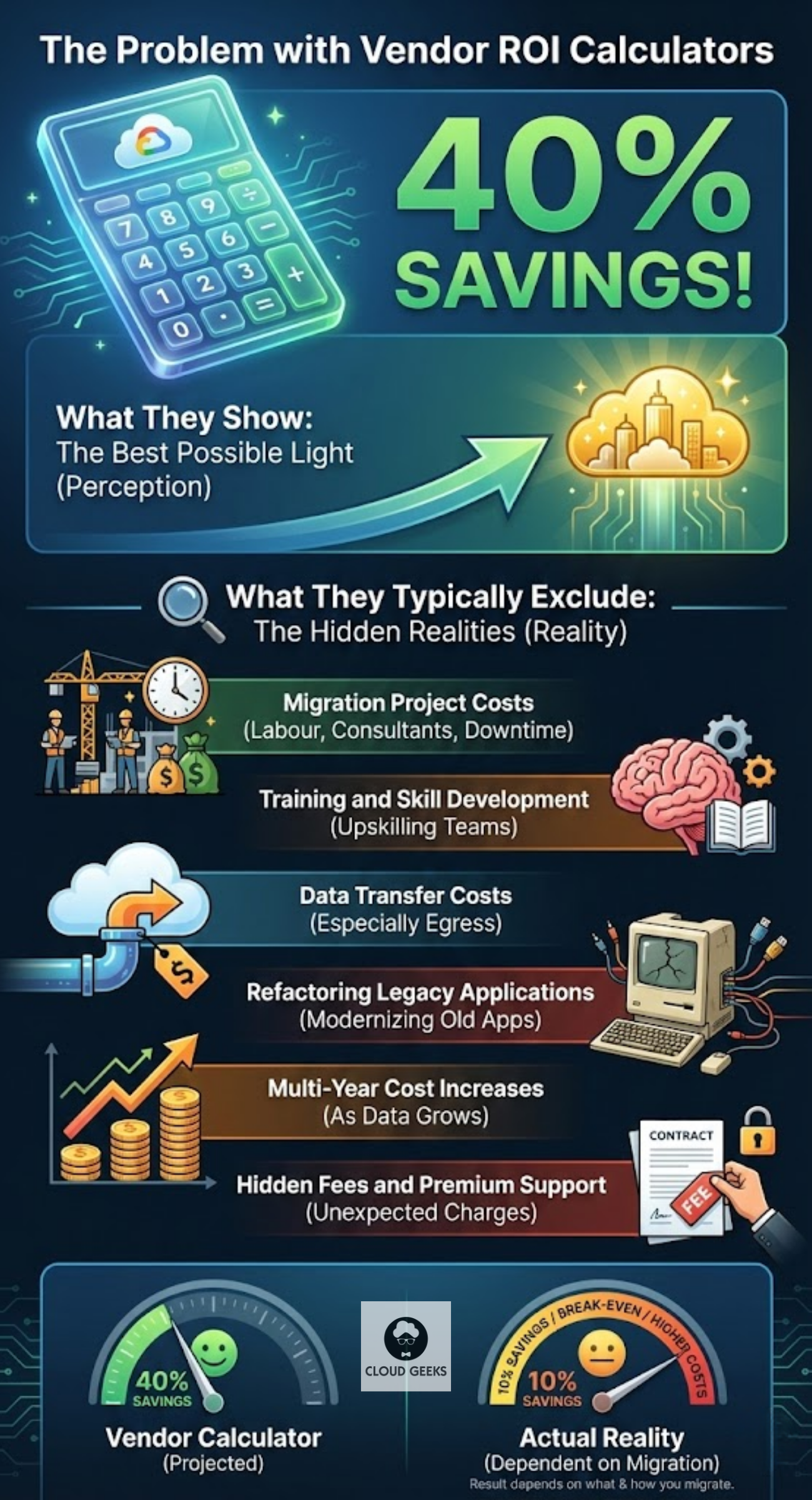
The Problem with Vendor ROI Calculators
Every cloud provider offers ROI calculators. They’re designed to show migration in the best possible light. What they typically exclude:
- Migration project costs (labour, consultants, downtime)
- Training and skill development
- Data transfer costs (especially egress)
- Refactoring legacy applications
- Multi-year cost increases as data grows
- Hidden fees and premium support
A vendor calculator might show 40% savings. Reality might be 10% savings, break-even, or even higher costs—depending on what you’re migrating and how.
A Realistic ROI Framework
Let’s build an honest calculation framework.
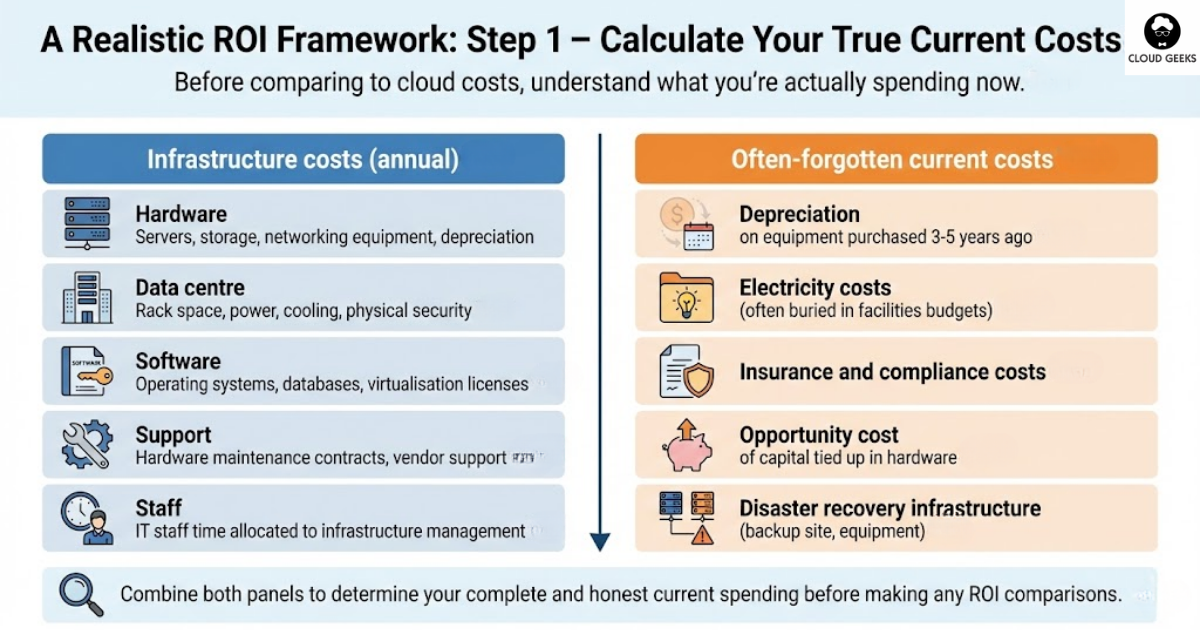
Step 1: Calculate Your True Current Costs
Before comparing to cloud costs, understand what you’re actually spending now.
Infrastructure costs (annual):
| Category | Include |
|---|---|
| Hardware | Servers, storage, networking equipment, depreciation |
| Data centre | Rack space, power, cooling, physical security |
| Software | Operating systems, databases, virtualisation licenses |
| Support | Hardware maintenance contracts, vendor support |
| Staff | IT staff time allocated to infrastructure management |
Often-forgotten current costs:
- Depreciation on equipment purchased 3-5 years ago
- Electricity costs (often buried in facilities budgets)
- Insurance and compliance costs
- Opportunity cost of capital tied up in hardware
- Disaster recovery infrastructure (backup site, equipment)
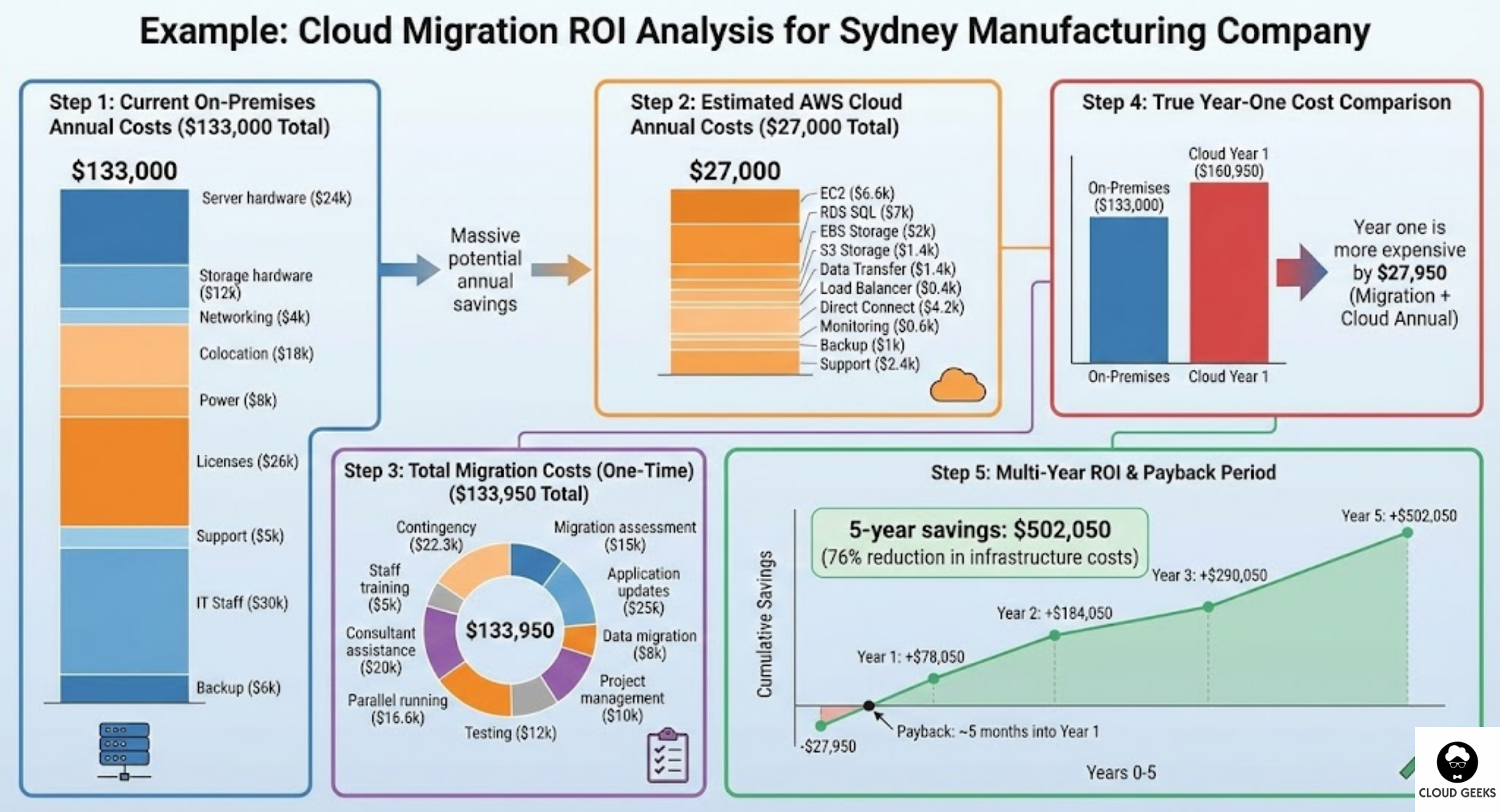
Example: Sydney manufacturing company
| Item | Annual Cost |
|---|---|
| Server hardware (5-year depreciation) | $24,000 |
| Storage hardware (5-year depreciation) | $12,000 |
| Networking equipment | $4,000 |
| Data centre colocation | $18,000 |
| Power costs | $8,000 |
| Windows Server licenses | $6,000 |
| SQL Server licenses | $12,000 |
| VMware licenses | $8,000 |
| Hardware support contracts | $5,000 |
| IT staff (30% of 1 FTE infrastructure work) | $30,000 |
| Backup infrastructure | $6,000 |
| Total | $133,000 |
That’s the baseline to beat—not just the obvious server costs.
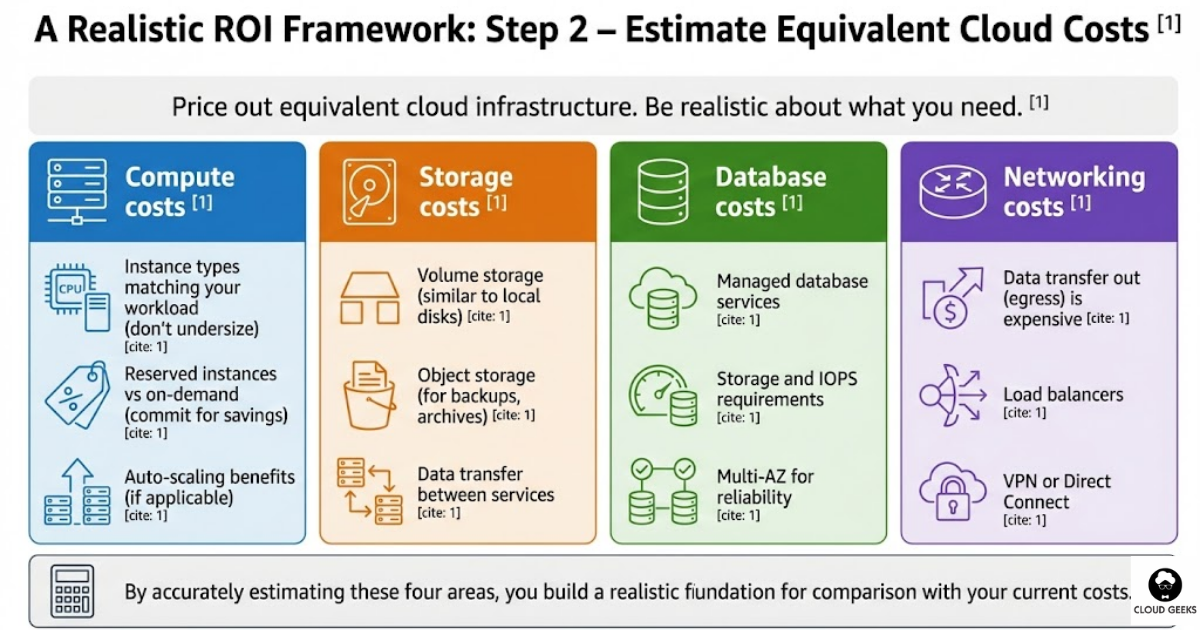
Step 2: Estimate Equivalent Cloud Costs
Now, price out equivalent cloud infrastructure. Be realistic about what you need.
Compute costs:
- Instance types matching your workload (don’t undersize)
- Reserved instances vs on-demand (commit for savings)
- Auto-scaling benefits (if applicable)
Storage costs:
- Volume storage (similar to local disks)
- Object storage (for backups, archives)
- Data transfer between services
Database costs:
- Managed database services
- Storage and IOPS requirements
- Multi-AZ for reliability
Networking costs:
- Data transfer out (egress) is expensive
- Load balancers
- VPN or Direct Connect
Example: Same Sydney manufacturing company on AWS
| Item | Monthly Cost | Annual Cost |
|---|---|---|
| EC2 instances (3x m5.xlarge reserved) | $550 | $6,600 |
| RDS SQL Server (db.m5.large reserved) | $580 | $6,960 |
| EBS storage (2TB gp3) | $170 | $2,040 |
| S3 storage (5TB) | $120 | $1,440 |
| Data transfer out (1TB/month) | $120 | $1,440 |
| Load balancer | $30 | $360 |
| Direct Connect (1Gbps) | $350 | $4,200 |
| CloudWatch monitoring | $50 | $600 |
| Backup storage | $80 | $960 |
| Support (Business tier) | $200 | $2,400 |
| Total | $2,250 | $27,000 |
Wait—$27,000 versus $133,000? That looks like massive savings! But we haven’t counted migration costs yet.
Step 3: Calculate Migration Costs
This is where many businesses get surprised.
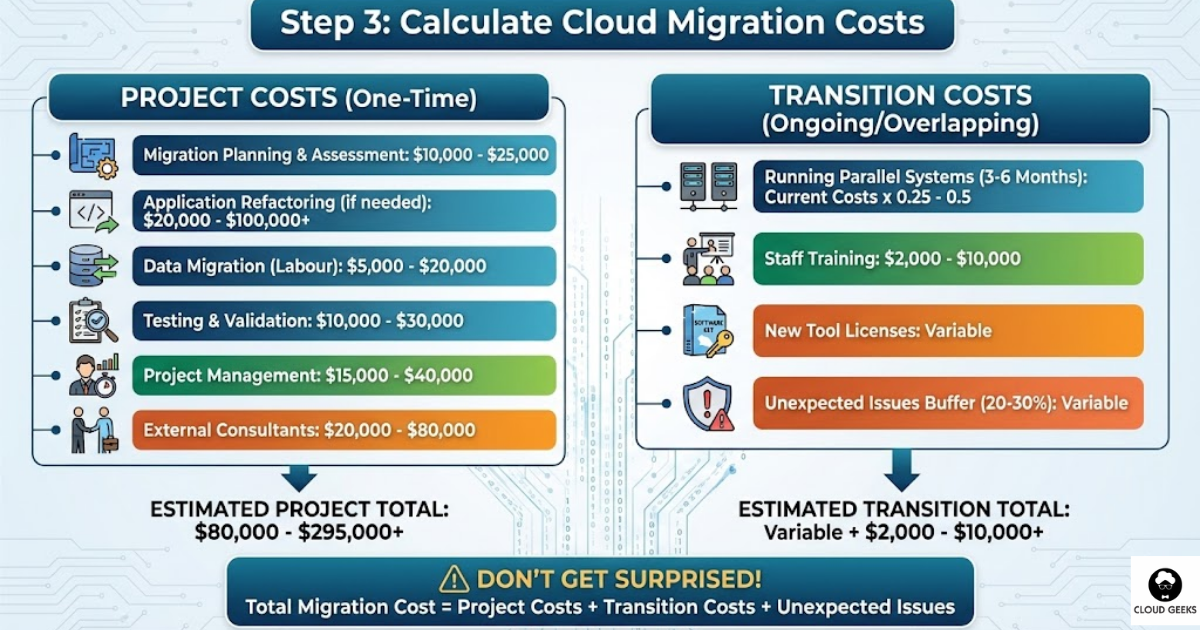
Project costs:
| Item | Cost |
|---|---|
| Migration planning and assessment | $10,000-25,000 |
| Application refactoring (if needed) | $20,000-100,000+ |
| Data migration (labour) | $5,000-20,000 |
| Testing and validation | $10,000-30,000 |
| Project management | $15,000-40,000 |
| External consultants | $20,000-80,000 |
Transition costs:
| Item | Cost |
|---|---|
| Running parallel systems (3-6 months) | Current costs x 0.25-0.5 |
| Staff training | $2,000-10,000 |
| New tool licenses | Variable |
| Unexpected issues buffer (20-30%) | Variable |
Example: Sydney manufacturing company migration
| Item | Cost |
|---|---|
| Migration assessment | $15,000 |
| Application updates | $25,000 |
| Data migration | $8,000 |
| Testing | $12,000 |
| Project management | $10,000 |
| Consultant assistance | $20,000 |
| Parallel running (3 months at 50% capacity) | $16,625 |
| Staff training | $5,000 |
| Contingency (20%) | $22,325 |
| Total Migration Cost | $133,950 |
Step 4: Calculate True Year-One Cost
Year one is always the most expensive year.
Year-One Total = Migration Costs + Cloud Annual Costs
For our example: $133,950 + $27,000 = $160,950
Compared to current annual cost of $133,000, year one is more expensive by $27,950.
Step 5: Calculate Multi-Year ROI
Cloud migration is a long-term investment. Calculate the payback period.
| Year | On-Premises Cost | Cloud Cost | Cumulative Savings |
|---|---|---|---|
| Year 0 | $133,000 | $160,950 | -$27,950 |
| Year 1 | $133,000 | $27,000 | +$78,050 |
| Year 2 | $133,000 | $27,000 | +$184,050 |
| Year 3 | $133,000 | $27,000 | +$290,050 |
| Year 5 | $133,000 | $27,000 | +$502,050 |
Payback period: ~5 months into Year 1
5-year savings: $502,050 (76% reduction in infrastructure costs)
This example shows strong ROI. But not every migration looks this good.
Scenarios Where Cloud Costs More
Let’s be honest about when cloud migration doesn’t make financial sense.
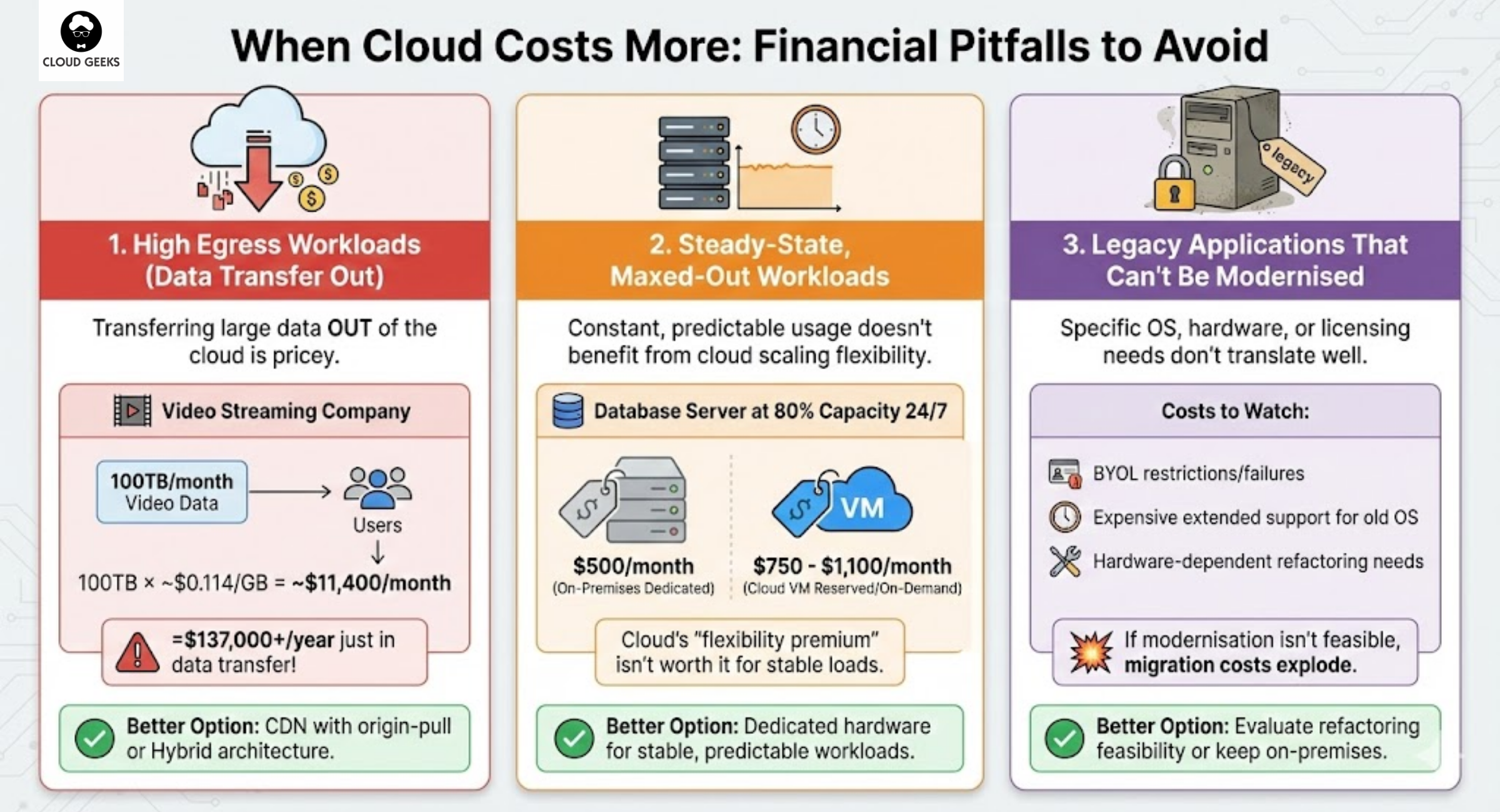
High Egress Workloads
Businesses that transfer large amounts of data out of the cloud pay dearly.
Example: Video streaming company
If you’re pushing 100TB/month of video to users:
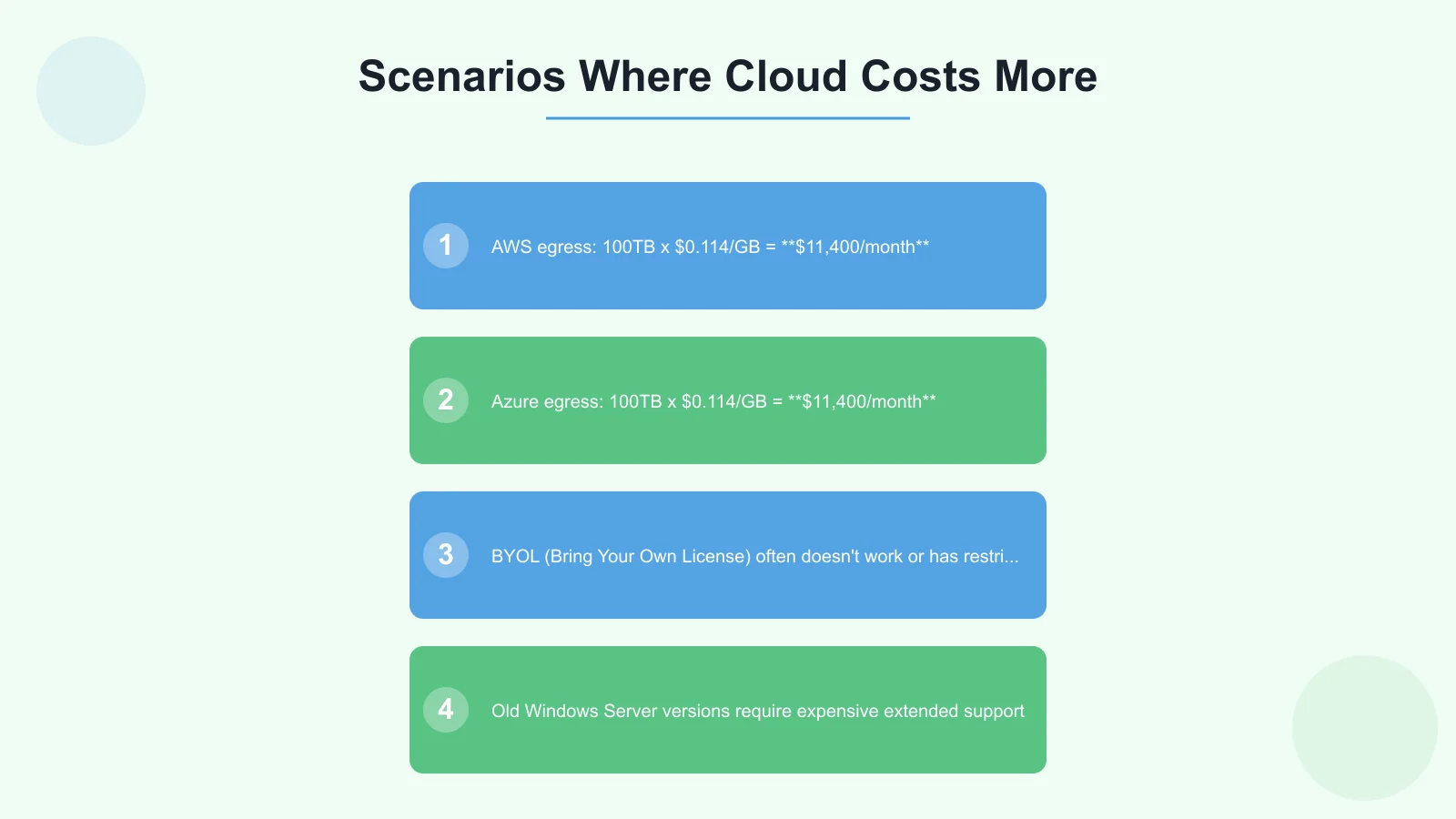
- AWS egress: 100TB x $0.114/GB = $11,400/month
- Azure egress: 100TB x $0.114/GB = $11,400/month
That’s $137,000/year just in data transfer—often more than dedicated infrastructure would cost.
Better option: CDN with origin-pull, or hybrid architecture with on-premises origin servers.
Steady-State, Maxed-Out Workloads
Cloud excels when you can scale up and down. If your workload is constant and predictable:
Example: Database server running at 80% capacity 24/7
Cloud pricing assumes variability. If you’re always using full capacity, dedicated hardware may be cheaper.
On-premises dedicated server: $500/month including support Equivalent cloud VM: $750/month (reserved), $1,100/month (on-demand)
For stable workloads, the flexibility premium of cloud may not be worth it.
Legacy Applications That Can’t Be Modernised
Some applications require specific operating systems, hardware, or licensing that cloud doesn’t support well.
Costs to watch:
- BYOL (Bring Your Own License) often doesn’t work or has restrictions
- Old Windows Server versions require expensive extended support
- Hardware-dependent applications need refactoring
If modernisation isn’t feasible, cloud migration costs explode.
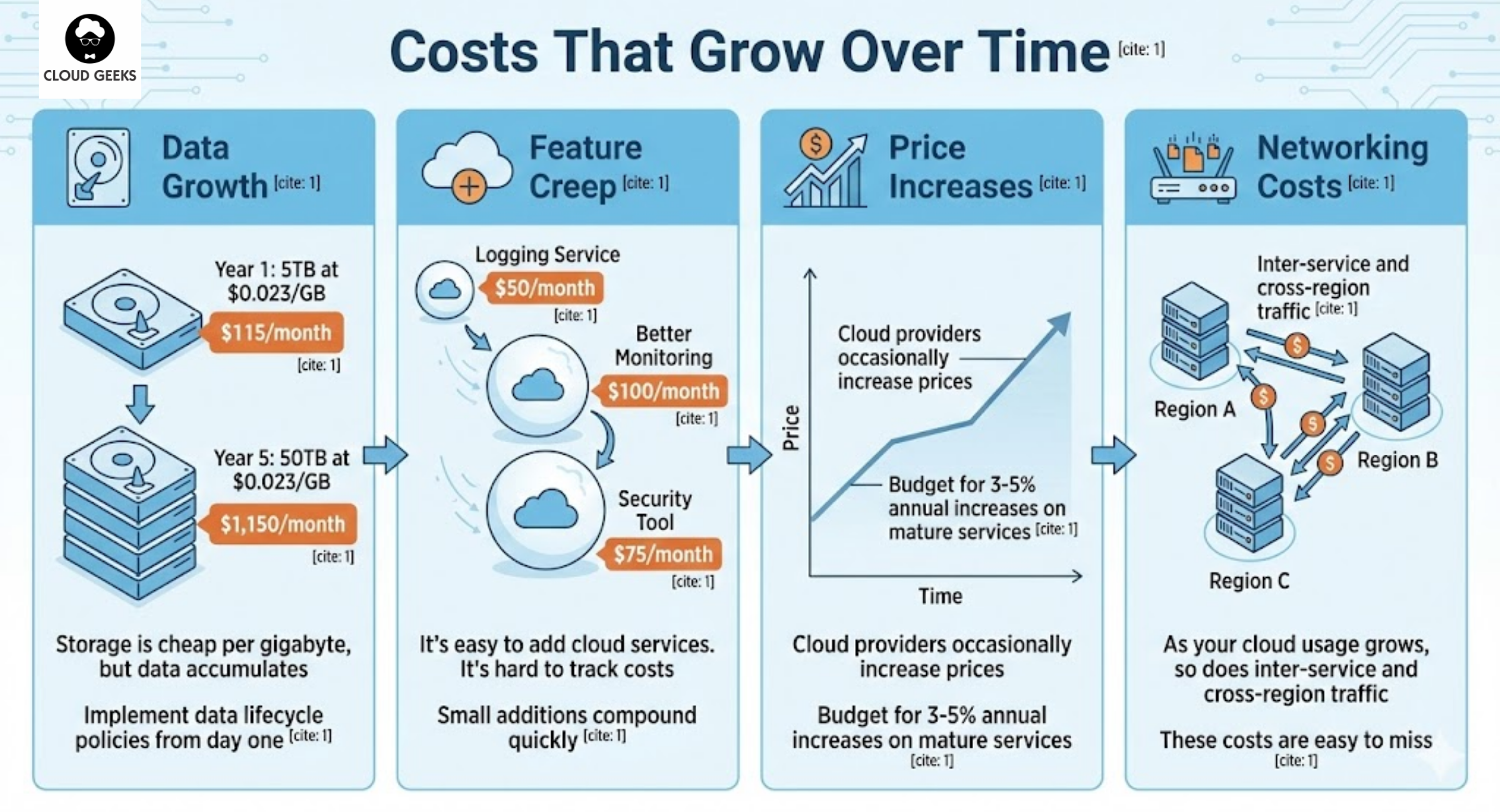
Costs That Grow Over Time
Your Year 1 cloud costs won’t be your Year 5 costs. Plan for:
Data Growth
Storage is cheap per gigabyte, but data accumulates:
- Year 1: 5TB at $0.023/GB = $115/month
- Year 5: 50TB at $0.023/GB = $1,150/month
Implement data lifecycle policies from day one.
Feature Creep
It’s easy to add cloud services. It’s hard to track costs:
- “Let’s add this logging service” ($50/month)
- “We need better monitoring” ($100/month)
- “Add this security tool” ($75/month)
Small additions compound quickly.
Price Increases
Cloud providers occasionally increase prices. Budget for 3-5% annual increases on mature services.
Networking Costs
As your cloud usage grows, so does inter-service and cross-region traffic. These costs are easy to miss.
The Non-Financial Benefits
ROI isn’t purely financial. Consider business benefits that don’t show up in spreadsheets:
Scalability
Can you handle 10x traffic tomorrow? Cloud lets you scale in minutes.
Value: Ability to capture unexpected opportunities without infrastructure delays
Disaster Recovery
Proper cloud DR is simpler and often cheaper than on-premises alternatives.
Value: Reduced risk of catastrophic data loss or extended downtime
Speed to Market
Provisioning a server in minutes instead of weeks accelerates projects.
Value: Faster delivery of new products and features
Reduced Operational Burden
Managed services mean less time patching, updating, and troubleshooting.
Value: IT staff focused on business value instead of infrastructure maintenance
Geographic Expansion
Deploying to new regions is simple in cloud. New data centre? A few clicks.
Value: Ability to serve customers in new markets quickly
Making the Decision
Calculate Your Specific Numbers
Use this framework with your actual costs:
- Document all current infrastructure costs (don’t undercount)
- Price equivalent cloud infrastructure (don’t undersize)
- Estimate migration costs (include contingency)
- Model 5-year TCO with growth projections
- Add non-financial benefits to the analysis
Consider Partial Migration
Not everything needs to move:
Good cloud candidates:
- Variable workloads (development, testing, seasonal)
- New applications (build cloud-native from the start)
- Disaster recovery (replicate to cloud cheaply)
- Data analytics (leverage cloud AI/ML tools)
May stay on-premises:
- Stable, predictable workloads at full utilisation
- High egress applications
- Legacy systems with complex dependencies
- Regulatory requirements for physical control
Get Expert Input
Cloud migration planning is complex. Consider:
- Cloud provider’s professional services
- Independent consultants (avoid conflicts of interest)
- Peer experiences from similar Australian businesses
A few thousand dollars on proper planning can save tens of thousands in execution.
Migration Approaches by Risk Tolerance
Conservative (Lower Risk, Slower)
- Keep core systems on-premises
- Move development/testing to cloud
- Build new applications cloud-native
- Gradually migrate as hardware reaches end-of-life
Timeline: 2-5 years Risk: Low Savings: Moderate
Balanced (Moderate Risk, Moderate Speed)
- Migrate non-critical systems first
- Develop cloud expertise
- Migrate critical systems with proven approach
- Maintain hybrid for specific workloads
Timeline: 1-2 years Risk: Moderate Savings: Good
Aggressive (Higher Risk, Faster)
- Full data centre exit within 12 months
- Lift-and-shift everything
- Optimise and modernise post-migration
- Accept temporary inefficiency for speed
Timeline: 6-12 months Risk: Higher Savings: Maximum long-term (if successful)
Conclusion
Cloud migration can deliver substantial ROI for Australian SMBs—but only with realistic planning and honest cost assessment. The vendors aren’t lying about potential savings, but they’re not telling the whole story either.
Before committing:
- Know your current costs completely—including hidden expenses
- Model cloud costs realistically—don’t undersize or forget data transfer
- Budget for migration properly—it’s a project, not a line item
- Think long-term—year one isn’t representative
- Consider what shouldn’t move—not everything belongs in cloud
The goal isn’t cloud adoption for its own sake. The goal is infrastructure that serves your business efficiently. Sometimes that’s cloud. Sometimes it’s hybrid. Occasionally it’s staying on-premises.
Make the decision based on your numbers, not vendor marketing.
Ready to calculate your cloud migration ROI? Contact CloudGeeks for an obligation-free assessment of your infrastructure costs and migration options. We provide honest advice—even if that means recommending you stay on-premises.
Related Articles
- The True ROI of Cloud Migration: A Complete Guide for Australian Businesses
- Multi-Cloud Strategy for Australian Businesses: AWS vs Azure vs GCP in 2025
- Azure vs AWS for Australian Businesses: Complete 2024 Comparison Guide
- Data Sovereignty 101: Keeping Your AI Australian
- Digital Transformation Roadmap: 7-Step Guide for Australian SMBs
Considering an online store backed by your cloud infrastructure? Cosmos Web Tech creates Shopify and WooCommerce stores optimised for the Australian market.
Ashish Ganda is the founder of Ganda Tech Services, a Sydney-based technology consultancy helping Australian businesses grow through cloud, web, and mobile solutions.