
Multi-Cloud Strategy for Australian Businesses: AWS vs Azure vs GCP in 2025

Australian businesses face a unique set of considerations when choosing cloud providers. With data sovereignty requirements, the need for low-latency connections to local customers, and compliance obligations under Australian law, the “best” cloud provider isn’t always straightforward.
In 2025, all three major providers—AWS, Microsoft Azure, and Google Cloud Platform (GCP)—have established Australian data centre regions. But which one is right for your business? And should you consider a multi-cloud approach?
This guide breaks down the practical differences that matter for Australian SMBs, helping you make informed decisions about your cloud strategy.
Understanding the Australian Cloud Landscape in 2025
Before comparing providers, let’s establish what’s available locally:
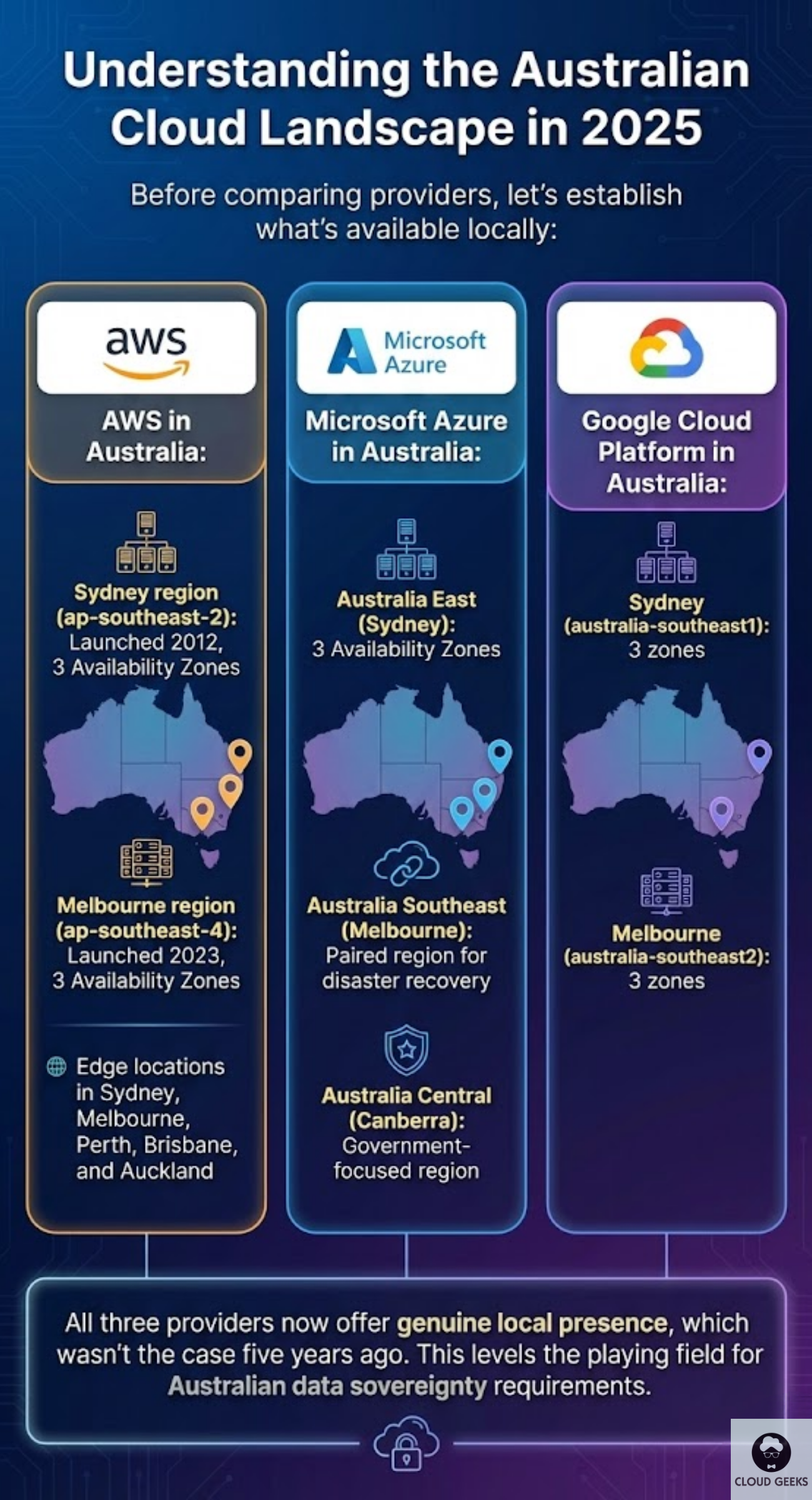
AWS in Australia:
- Sydney region (ap-southeast-2): Launched 2012, 3 Availability Zones
- Melbourne region (ap-southeast-4): Launched 2023, 3 Availability Zones
- Edge locations in Sydney, Melbourne, Perth, Brisbane, and Auckland
Microsoft Azure in Australia:
- Australia East (Sydney): 3 Availability Zones
- Australia Southeast (Melbourne): Paired region for disaster recovery
- Australia Central (Canberra): Government-focused region
Google Cloud Platform in Australia:
- Sydney (australia-southeast1): 3 zones
- Melbourne (australia-southeast2): 3 zones
All three providers now offer genuine local presence, which wasn’t the case five years ago. This levels the playing field for Australian data sovereignty requirements.
Cost Comparison: Real Numbers for Australian Businesses
Let’s compare actual costs for common workloads in Australian regions. Prices are in AUD and current as of September 2025.
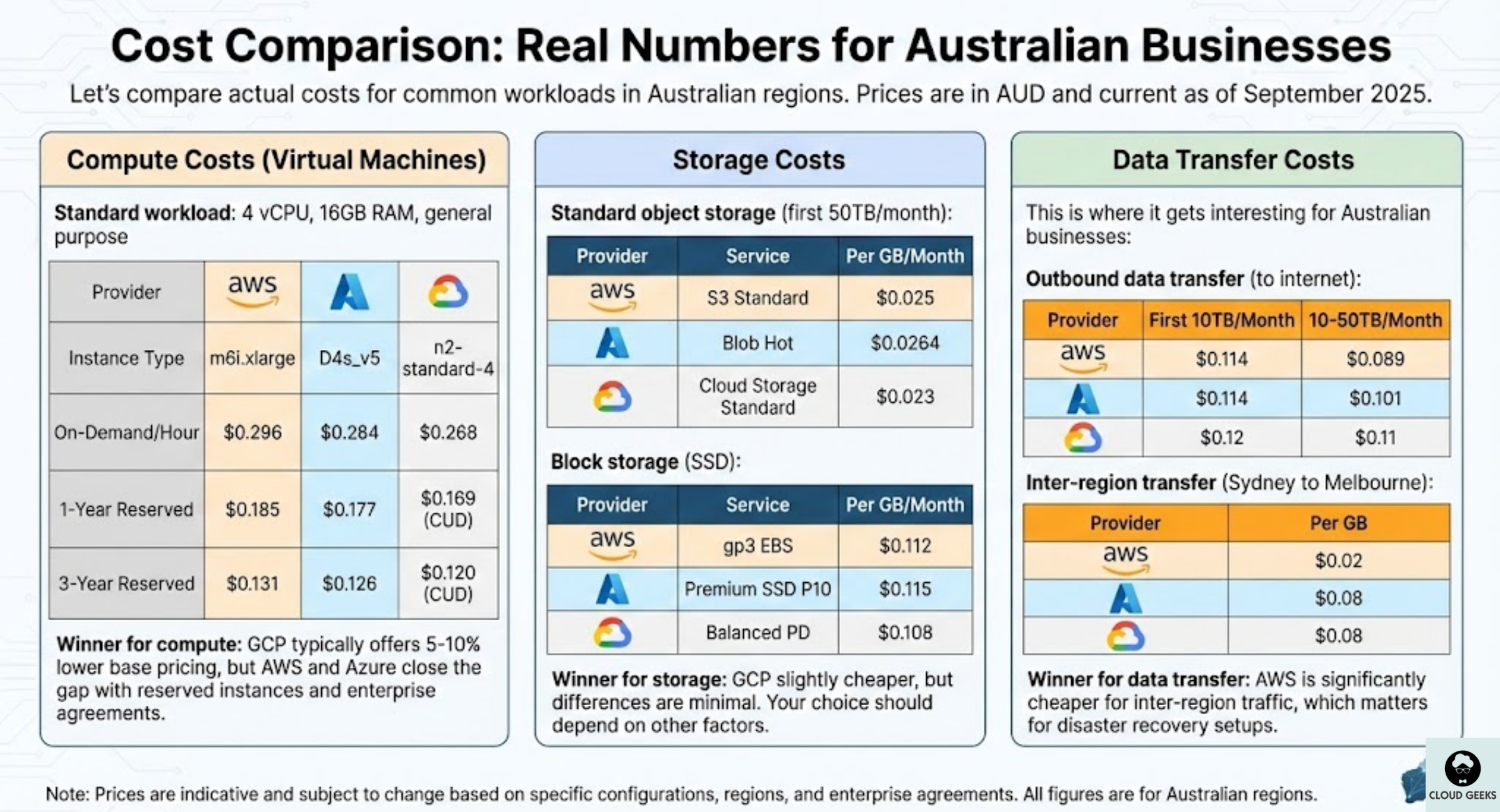
Compute Costs (Virtual Machines)
Standard workload: 4 vCPU, 16GB RAM, general purpose
| Provider | Instance Type | On-Demand/Hour | 1-Year Reserved | 3-Year Reserved |
|---|---|---|---|---|
| AWS | m6i.xlarge | $0.296 | $0.185 | $0.131 |
| Azure | D4s_v5 | $0.284 | $0.177 | $0.126 |
| GCP | n2-standard-4 | $0.268 | $0.169 (CUD) | $0.120 (CUD) |
Winner for compute: GCP typically offers 5-10% lower base pricing, but AWS and Azure close the gap with reserved instances and enterprise agreements.
Storage Costs
Standard object storage (first 50TB/month):
| Provider | Service | Per GB/Month |
|---|---|---|
| AWS | S3 Standard | $0.025 |
| Azure | Blob Hot | $0.0264 |
| GCP | Cloud Storage Standard | $0.023 |
Block storage (SSD):
| Provider | Service | Per GB/Month |
|---|---|---|
| AWS | gp3 EBS | $0.112 |
| Azure | Premium SSD P10 | $0.115 |
| GCP | Balanced PD | $0.108 |
Winner for storage: GCP slightly cheaper, but differences are minimal. Your choice should depend on other factors.
Data Transfer Costs
This is where it gets interesting for Australian businesses:
Outbound data transfer (to internet):
| Provider | First 10TB/Month | 10-50TB/Month |
|---|---|---|
| AWS | $0.114 | $0.089 |
| Azure | $0.114 | $0.101 |
| GCP | $0.12 | $0.11 |
Inter-region transfer (Sydney to Melbourne):
| Provider | Per GB |
|---|---|
| AWS | $0.02 |
| Azure | $0.08 |
| GCP | $0.08 |
Winner for data transfer: AWS is significantly cheaper for inter-region traffic, which matters for disaster recovery setups.
Strengths by Use Case
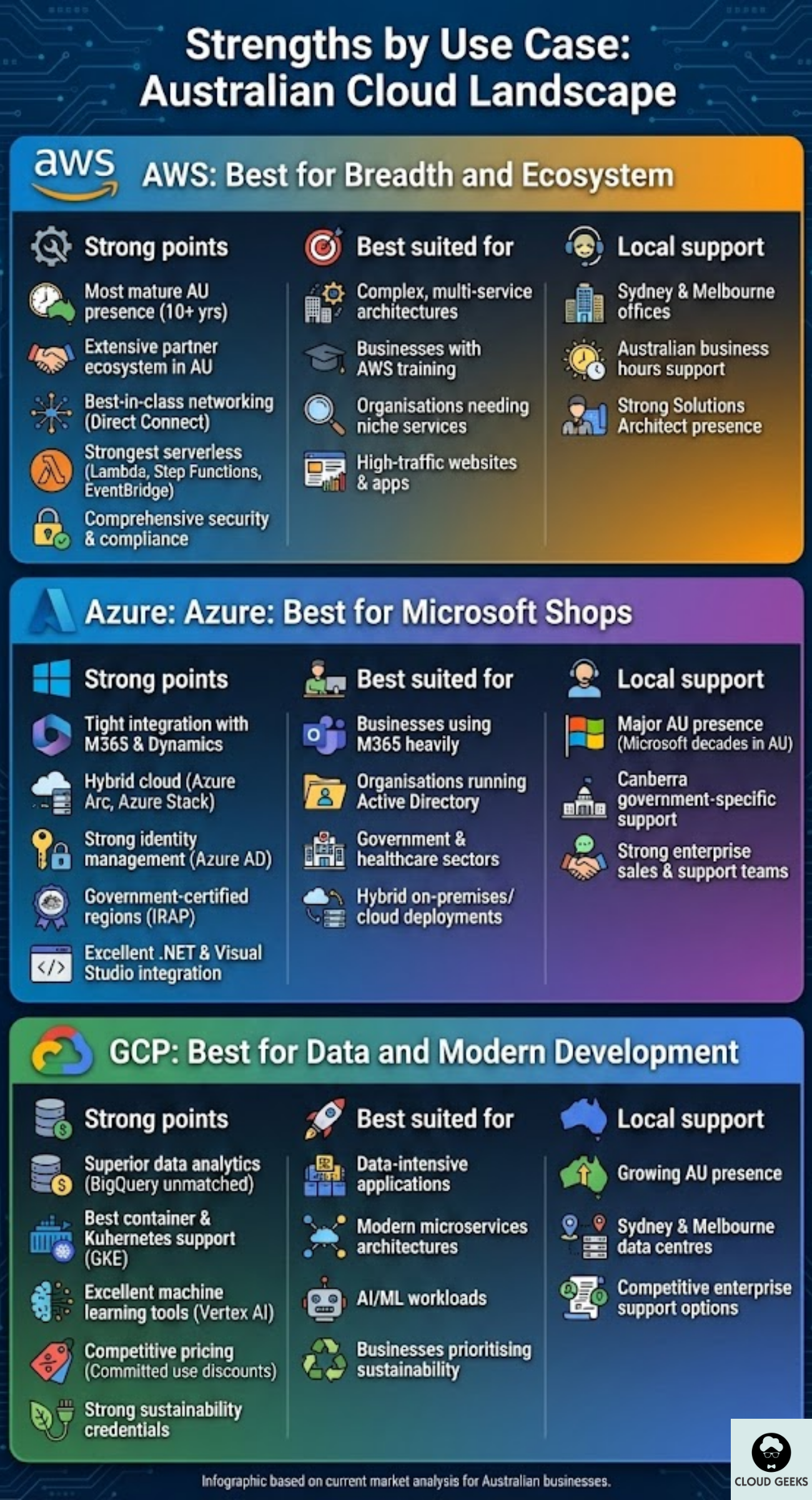
AWS: Best for Breadth and Ecosystem
AWS offers the widest range of services—over 200 at last count. For Australian businesses, key advantages include:
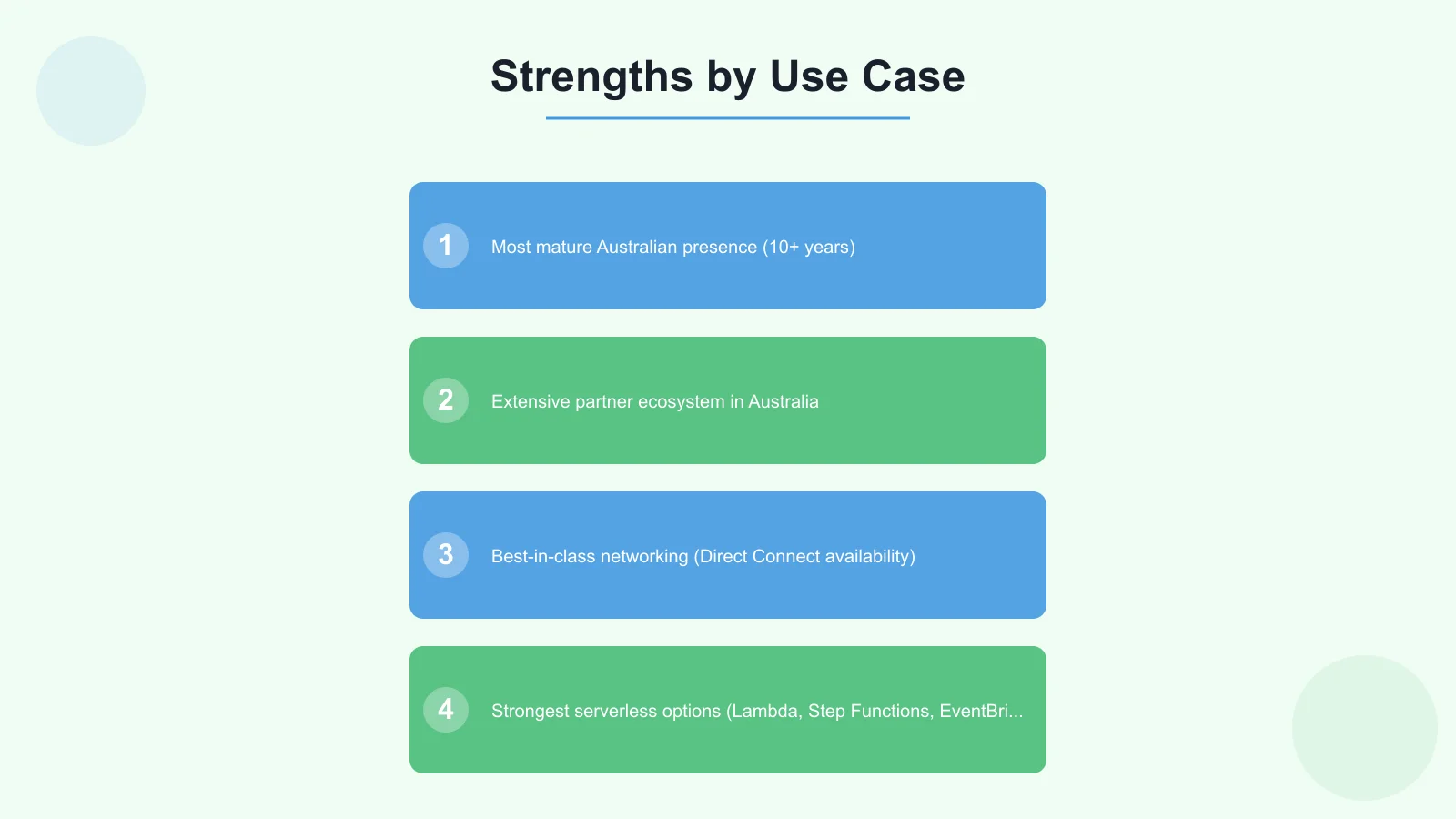
Strong points:
- Most mature Australian presence (10+ years)
- Extensive partner ecosystem in Australia
- Best-in-class networking (Direct Connect availability)
- Strongest serverless options (Lambda, Step Functions, EventBridge)
- Comprehensive security and compliance certifications
Best suited for:
- Complex, multi-service architectures
- Businesses already invested in AWS training
- Organisations needing specific niche services
- High-traffic websites and applications
Local support:
- Sydney and Melbourne offices
- Australian support available during business hours
- Strong Solutions Architect presence
Azure: Best for Microsoft Shops
If your business runs on Microsoft technologies, Azure is the natural choice:
Strong points:
- Tight integration with Microsoft 365 and Dynamics
- Hybrid cloud capabilities (Azure Arc, Azure Stack)
- Strong identity management (Azure AD)
- Government-certified regions (IRAP assessment)
- Excellent .NET and Visual Studio integration
Best suited for:
- Businesses using Microsoft 365 heavily
- Organisations running Active Directory
- Government and healthcare sectors
- Hybrid on-premises/cloud deployments
Local support:
- Major Australian presence (Microsoft has been here for decades)
- Canberra government-specific support
- Strong enterprise sales and support teams
GCP: Best for Data and Modern Development
Google’s cloud has matured significantly and offers compelling advantages:
Strong points:
- Superior data analytics (BigQuery is unmatched for price/performance)
- Best container and Kubernetes support (GKE)
- Excellent machine learning tools (Vertex AI)
- Competitive pricing, especially with committed use discounts
- Strong sustainability credentials
Best suited for:
- Data-intensive applications
- Modern microservices architectures
- AI/ML workloads
- Businesses prioritising sustainability
Local support:
- Growing Australian presence
- Sydney and Melbourne data centres
- Competitive enterprise support options
When Multi-Cloud Makes Sense
Multi-cloud—using two or more providers—is increasingly common but isn’t right for everyone. Here’s how to decide:
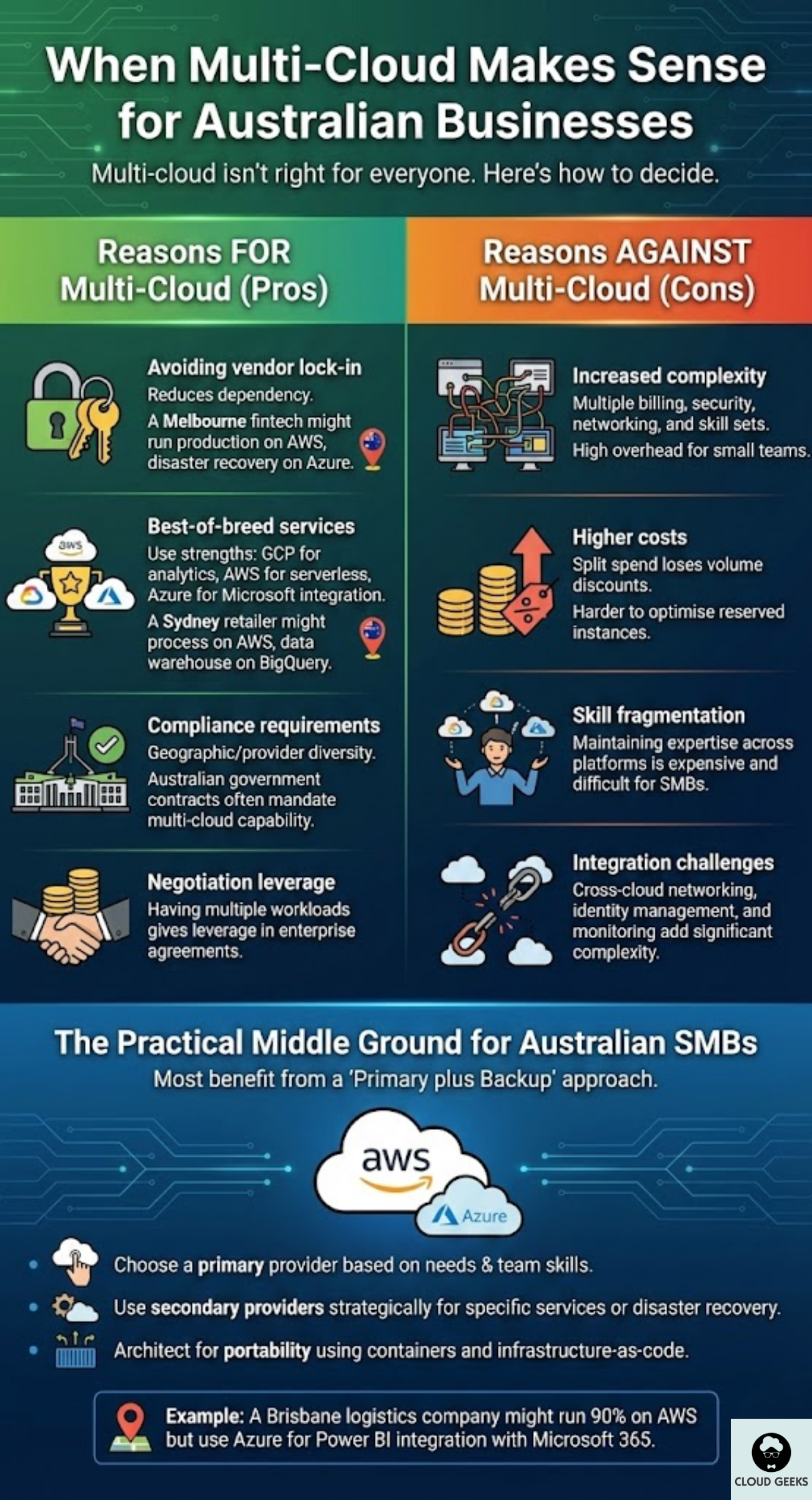
Reasons FOR Multi-Cloud
1. Avoiding vendor lock-in If you’re concerned about dependency on a single provider, spreading workloads reduces risk. A Melbourne fintech might run production on AWS but keep disaster recovery on Azure.
2. Best-of-breed services Use each provider’s strengths: GCP for analytics, AWS for serverless, Azure for Microsoft integration. A Sydney retailer might process transactions on AWS but run their data warehouse on BigQuery.
3. Compliance requirements Some industries require geographic or provider diversity. Australian government contracts often mandate multi-cloud capability.
4. Negotiation leverage Having workloads on multiple clouds gives you leverage when negotiating enterprise agreements.
Reasons AGAINST Multi-Cloud
1. Increased complexity Managing multiple providers means multiple billing systems, security configurations, networking setups, and skill requirements. For small teams, this overhead can outweigh benefits.
2. Higher costs You lose volume discounts by splitting spend. Reserved instance commitments become harder to optimise.
3. Skill fragmentation Your team needs to maintain expertise across multiple platforms, which is expensive and difficult for SMBs.
4. Integration challenges Cross-cloud networking, identity management, and monitoring add complexity.
The Practical Middle Ground
Most Australian SMBs benefit from a “primary plus backup” approach:
- Choose a primary provider based on your needs and team skills
- Use secondary providers strategically for specific services or disaster recovery
- Architect for portability using containers and infrastructure-as-code
Example: A Brisbane logistics company might run 90% of workloads on AWS but use Azure for Power BI integration with their Microsoft 365 setup.
Australian Compliance Considerations
Privacy Act and Data Sovereignty
The Privacy Act 1988 doesn’t explicitly require data to stay in Australia, but the Australian Privacy Principles (APPs) require organisations to take reasonable steps to protect personal information.
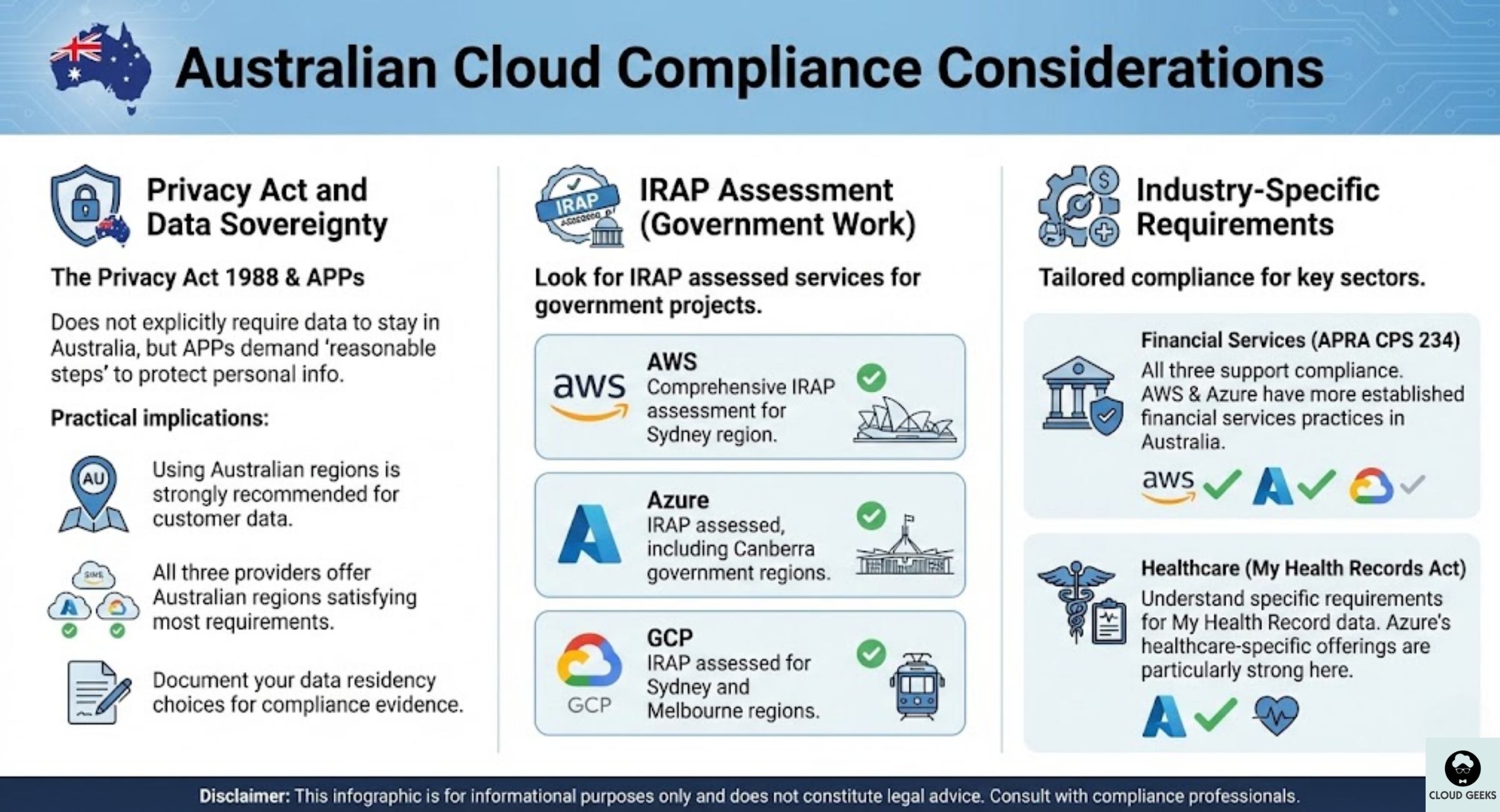
What this means practically:
- Using Australian regions is strongly recommended for customer data
- All three providers offer Australian regions that satisfy most requirements
- Document your data residency choices for compliance evidence
IRAP Assessment
For government work, look for IRAP (Information Security Registered Assessors Program) assessed services:
- AWS: Comprehensive IRAP assessment for Sydney region
- Azure: IRAP assessed, including Canberra government regions
- GCP: IRAP assessed for Sydney and Melbourne regions
Industry-Specific Requirements
Financial Services (APRA CPS 234): All three providers have controls that support CPS 234 compliance, but AWS and Azure have more established financial services practices in Australia.
Healthcare (My Health Records Act): If handling My Health Record data, ensure you understand the specific requirements. Azure’s healthcare-specific offerings are particularly strong here.
Making Your Decision: A Practical Framework
Step 1: Assess Your Starting Point
- Heavy Microsoft user? Start with Azure
- Already have AWS experience? Stick with AWS
- Data/analytics focus? Consider GCP
- Greenfield project? Evaluate all three
Step 2: Consider Your Team
Be honest about your team’s capabilities:
- What cloud experience do they have?
- What training budget is available?
- Can you hire for specific cloud skills?
The “best” cloud is the one your team can operate effectively.
Step 3: Estimate Real Costs
Don’t just compare list prices. Account for:
- Reserved instance commitments you can realistically make
- Data transfer costs based on your actual usage patterns
- Support tier costs
- Training and certification expenses
Step 4: Start Small and Validate
Before committing to a major migration:
- Run a pilot project on your chosen provider
- Measure actual costs against estimates
- Assess team productivity and learning curve
- Validate performance for your Australian customers
Step 5: Plan for Change
Cloud strategy isn’t set-and-forget:
- Review costs quarterly
- Reassess provider fit annually
- Keep architecture portable where practical
- Maintain awareness of new services and pricing changes
Cost Optimisation Strategies That Work
Regardless of which provider you choose, these strategies reduce costs:
1. Right-size instances Both AWS and Azure offer tools to identify oversized instances. Many businesses run 2x more compute than needed.
2. Use spot/preemptible instances For fault-tolerant workloads, spot instances offer 60-90% savings:
- AWS Spot Instances
- Azure Spot VMs
- GCP Preemptible VMs
3. Implement auto-scaling Don’t pay for peak capacity 24/7. All providers offer auto-scaling that adjusts to actual demand.
4. Optimise storage tiers Move infrequently accessed data to cheaper storage classes:
- AWS S3 Intelligent Tiering
- Azure Blob Access Tiers
- GCP Autoclass
5. Negotiate enterprise agreements If spending over $50K/year with any provider, negotiate. Discounts of 20-40% are common for committed spend.
Conclusion
For most Australian SMBs in 2025, the choice between AWS, Azure, and GCP comes down to three factors: your existing technology stack, your team’s skills, and your specific workload requirements.
All three providers now offer mature Australian regions with competitive pricing and compliance certifications. The days of AWS being the only serious option for Australian businesses are over.
Our recommendations:
- Microsoft-centric businesses: Start with Azure for the integration benefits
- Modern development teams: Consider GCP for its developer experience and pricing
- Complex enterprise requirements: AWS offers the broadest service selection
- Most SMBs: Pick one primary provider and master it before considering multi-cloud
The cloud decision matters, but it’s not irreversible. Start with a clear assessment of your needs, run a small pilot, and scale your cloud usage as you learn what works for your business.
Need help navigating the cloud landscape for your Australian business? Contact CloudGeeks for an obligation-free cloud strategy consultation. We help businesses across Sydney, Melbourne, Brisbane, and beyond make smart cloud decisions.
Related Articles
- Azure vs AWS for Australian Businesses: Complete 2024 Comparison Guide
- Cloud Migration ROI: Calculating the Real Costs for Australian SMBs
- Data Sovereignty 101: Keeping Your AI Australian
- Speed Up Your Australian Business Website: Caching and CDN Strategies
- AI-Powered Cloud Monitoring: Transforming Infrastructure Management
Considering an online store backed by your cloud infrastructure? Cosmos Web Tech creates Shopify and WooCommerce stores optimised for the Australian market.
Ganda Tech Services brings together cloud infrastructure, web development, and mobile app expertise to help Australian businesses thrive in the digital economy.