
VPN vs Zero Trust: Remote Work Security for Australian SMBs
Remote work isn’t going away. For Australian SMBs, the question isn’t whether to support remote access—it’s how to do it securely without enterprise budgets or dedicated security teams.
Two fundamentally different approaches dominate the conversation: VPNs and Zero Trust Network Access (ZTNA). Both provide secure remote access, but they do it in completely different ways, with different security implications, costs, and complexity.
This guide compares both approaches to help you choose what makes sense for your business.
Understanding the Security Models
The Traditional VPN Approach
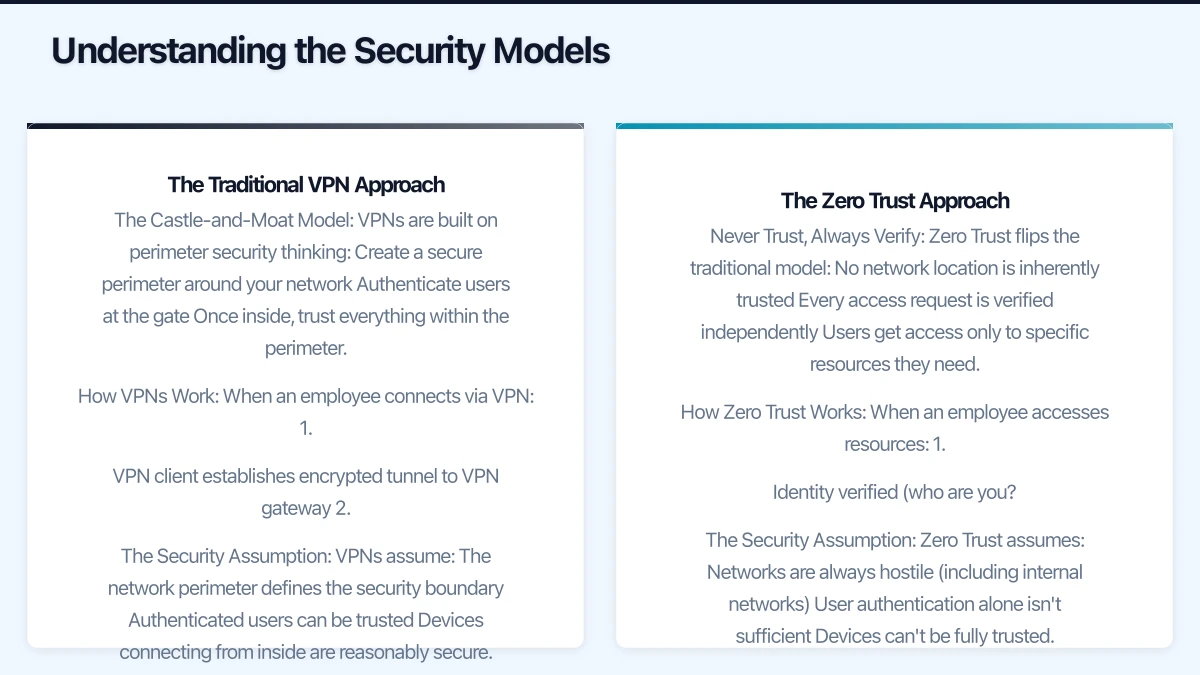
The Castle-and-Moat Model
VPNs are built on perimeter security thinking:
- Create a secure perimeter around your network
- Authenticate users at the gate
- Once inside, trust everything within the perimeter
- Encrypt the connection between remote users and the network
Think of it like a castle with a moat. If you have the drawbridge password, you’re in—and once you’re in, you can generally access everything inside the castle walls.
How VPNs Work
When an employee connects via VPN:
- VPN client establishes encrypted tunnel to VPN gateway
- User authenticates (username/password, sometimes MFA)
- Device receives internal IP address
- All traffic routes through the VPN tunnel
- User appears to be “on the network”
The Security Assumption
VPNs assume:
- The network perimeter defines the security boundary
- Authenticated users can be trusted
- Devices connecting from inside are reasonably secure
- Network segmentation handles different security levels
This worked well when most work happened in offices with controlled networks and managed devices.
The Zero Trust Approach
Never Trust, Always Verify
Zero Trust flips the traditional model:
- No network location is inherently trusted
- Every access request is verified independently
- Users get access only to specific resources they need
- Continuous verification throughout the session
There’s no castle and no perimeter. Every door requires its own authentication, every time.
How Zero Trust Works
When an employee accesses resources:
- Identity verified (who are you?)
- Device posture checked (is your device secure?)
- Context evaluated (where, when, how are you connecting?)
- Access granted to specific application only
- Session monitored for anomalies
- Re-verification at regular intervals
The Security Assumption
Zero Trust assumes:
- Networks are always hostile (including internal networks)
- User authentication alone isn’t sufficient
- Devices can’t be fully trusted
- Compromise is inevitable; contain the blast radius
This matches modern reality: work happens everywhere, threats are sophisticated, and breaches will occur.
VPN Strengths and Weaknesses
Where VPNs Excel
Simplicity of Concept
VPNs are straightforward:
- Connect to VPN, access everything you normally would
- Users understand the mental model
- IT teams have decades of experience
- Troubleshooting is well-documented
Wide Application Support
VPNs work with everything:
- Legacy applications that don’t support modern authentication
- Network file shares
- Internal web applications
- Databases and servers
- Network printers
If it works on your local network, it works over VPN.
Full Network Access
Sometimes you actually need broad network access:
- IT administrators managing infrastructure
- Developers accessing multiple internal services
- Support staff troubleshooting across systems
VPNs provide this naturally.
Mature Technology
VPN technology is proven:
- Established vendors
- Known security characteristics
- Clear implementation patterns
- Extensive documentation
VPN Limitations
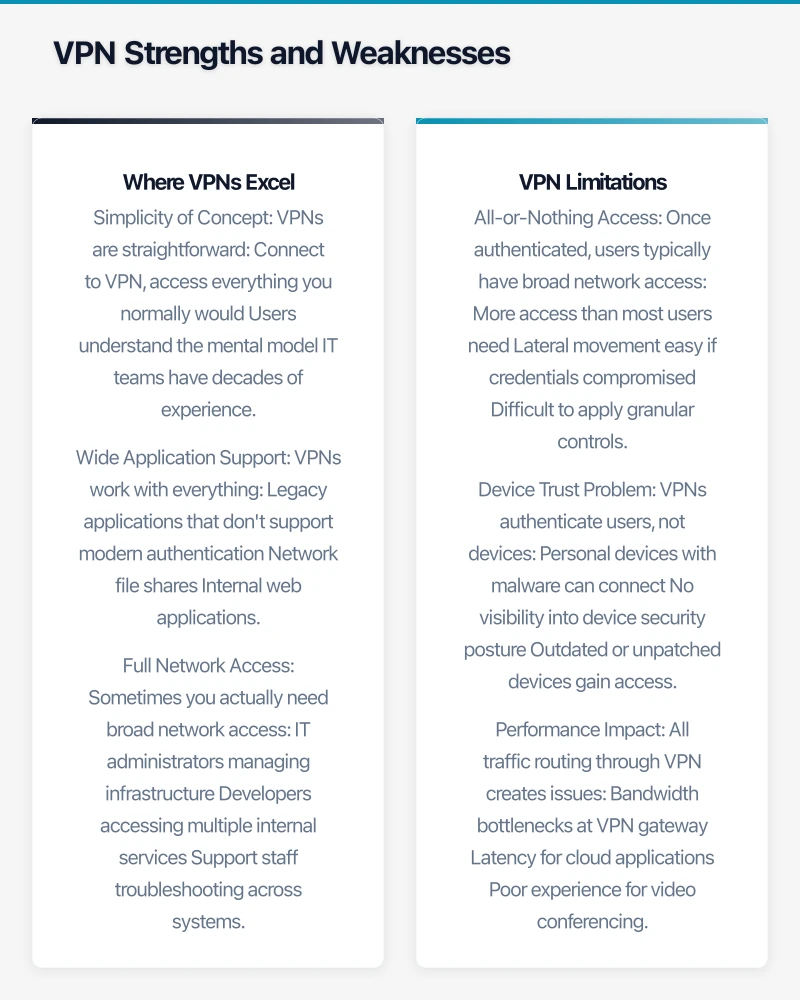
All-or-Nothing Access
Once authenticated, users typically have broad network access:
- More access than most users need
- Lateral movement easy if credentials compromised
- Difficult to apply granular controls
- Entire network exposed to compromised devices
A marketing employee probably doesn’t need access to accounting systems, but VPN typically grants it anyway.
Device Trust Problem
VPNs authenticate users, not devices:
- Personal devices with malware can connect
- No visibility into device security posture
- Outdated or unpatched devices gain access
- BYOD scenarios create risk
You’re trusting both the user and whatever device they’re using.
Performance Impact
All traffic routing through VPN creates issues:
- Bandwidth bottlenecks at VPN gateway
- Latency for cloud applications
- Poor experience for video conferencing
- Scaling requires more VPN infrastructure
Accessing Microsoft 365 from Sydney via VPN gateway in Melbourne adds unnecessary hops.
Split-Tunnel Dilemma
To address performance issues, you can enable split-tunneling:
- Only some traffic goes through VPN
- Better performance for cloud services
- But compromises security monitoring
- Complex to configure correctly
Management Overhead
VPN infrastructure requires ongoing work:
- Hardware or virtual appliances to maintain
- Certificates to manage
- Client software to deploy and update
- Capacity planning as users grow
- Monitoring and troubleshooting
For SMBs without dedicated IT staff, this adds up.
Zero Trust Strengths and Weaknesses
Where Zero Trust Excels
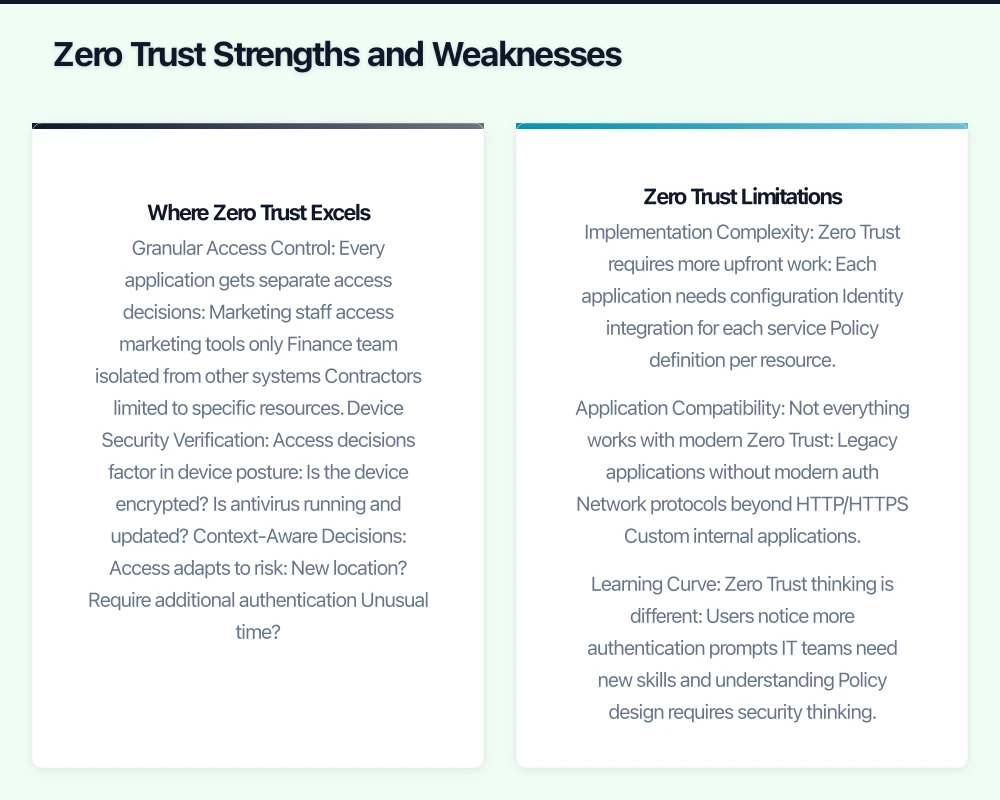
Granular Access Control
Every application gets separate access decisions:
- Marketing staff access marketing tools only
- Finance team isolated from other systems
- Contractors limited to specific resources
- Principle of least privilege enforced naturally
Compromised credentials grant access to one application, not everything.
Device Security Verification
Access decisions factor in device posture:
- Is the device encrypted?
- Is antivirus running and updated?
- Is the OS patched?
- Are risky configurations present?
Non-compliant devices get limited or no access until remediated.
Context-Aware Decisions
Access adapts to risk:
- New location? Require additional authentication
- Unusual time? Apply extra verification
- Risky behaviour detected? Terminate session
- Anomalous access pattern? Flag for review
Security matches the threat level.
Better for Cloud Services
Direct connections to cloud applications:
- No hair-pinning through corporate network
- Optimal performance for SaaS
- Scales naturally with cloud adoption
- No VPN capacity constraints
Users in Perth access Microsoft 365 directly through Azure’s Perth datacentre, not via your office.
Reduced Attack Surface
Applications aren’t exposed on the network:
- No open ports scanning reveals
- Services invisible until authenticated
- Lateral movement inherently difficult
- Compromised network doesn’t expose applications
Zero Trust Limitations
Implementation Complexity
Zero Trust requires more upfront work:
- Each application needs configuration
- Identity integration for each service
- Policy definition per resource
- Testing each access path
This isn’t plug-and-play like a traditional VPN.
Application Compatibility
Not everything works with modern Zero Trust:
- Legacy applications without modern auth
- Network protocols beyond HTTP/HTTPS
- Custom internal applications
- Older systems that can’t be modified
You may need hybrid approaches for these scenarios.
Learning Curve
Zero Trust thinking is different:
- Users notice more authentication prompts
- IT teams need new skills and understanding
- Policy design requires security thinking
- Troubleshooting follows different patterns
There’s genuine organisational change required.
Potential for User Friction
Stricter security can impact productivity:
- More frequent authentication challenges
- Denied access when device posture fails
- Confusion when context triggers additional verification
- Support tickets from users locked out
Getting the balance right takes iteration.
Cost Comparison for Australian SMBs
VPN Costs
Traditional VPN Appliance
Capital Expense:
- Hardware VPN gateway: $1,500-5,000
- Replacement every 3-5 years
- Additional for redundancy
Operating Expense:
- Support/maintenance: 15-20% of hardware cost annually
- Client licenses: Often included or minimal
- Internet bandwidth: Ensure adequate VPN gateway connectivity
- Management time: Ongoing configuration and monitoring
Example: 20-User SMB
- Initial: $3,000 gateway + $500 setup
- Ongoing: $600/year support + ~5 hours/month management
- 3-year total: ~$15,000 or ~$63/user/month
Cloud VPN Service
Operating Expense Only:
- Per-user pricing: $8-15/user/month
- No hardware to purchase
- Support included
- Easier scaling
Example: 20-User SMB
- Monthly: $10/user × 20 = $200/month
- Annual: $2,400
- 3-year total: $7,200 or $30/user/month
Cloud VPN is more predictable and lower total cost for most SMBs.
Zero Trust Costs
Cloud-Based ZTNA Services
Options vary significantly:
Entry-Level ZTNA:
- Products like Cloudflare Access, Twingate
- $5-10/user/month
- Core ZTNA functionality
- Good for straightforward use cases
Mid-Tier ZTNA:
- Products like Perimeter 81, Zscaler Private Access
- $15-25/user/month
- More advanced features
- Better for complex environments
Enterprise ZTNA:
- Products like Palo Alto Prisma Access
- $30-50+/user/month
- Comprehensive security stack
- Typically overkill for SMBs
Example: 20-User SMB
- Entry ZTNA: $8/user × 20 = $160/month = $1,920/year
- Mid-Tier: $20/user × 20 = $400/month = $4,800/year
- 3-year entry level: $5,760 or $24/user/month
Hidden Costs
Both approaches have non-obvious costs:
- Initial setup and configuration time
- User training and support
- Policy development and refinement
- Integration with existing tools
- Ongoing administration
Zero Trust typically has higher initial setup time but lower ongoing management burden once configured properly.
Microsoft-Centric Cost Advantage
If You Have Microsoft 365
Many Microsoft 365 licenses include Zero Trust capabilities:
Microsoft 365 Business Premium:
- Azure AD with Conditional Access
- Intune for device management
- Azure AD Application Proxy
- Basic ZTNA functionality included
Cost: Already included in ~$33/user/month subscription
Azure AD Premium P1:
- More sophisticated Conditional Access
- Better device compliance policies
- Application integration
Cost: Included with M365 Business Premium or ~$10/user/month standalone
For Microsoft-centric SMBs, Zero Trust capabilities may cost little or nothing additional beyond existing licensing.
Implementation Comparison
VPN Implementation
Typical Timeline: 1-2 Weeks
Phase 1 - Setup (1 week):
- Install and configure VPN gateway
- Configure authentication (AD/Azure AD integration)
- Set up network routing
- Configure firewall rules
- Test connectivity
Phase 2 - Deployment (1 week):
- Deploy VPN clients to devices
- Distribute credentials/certificates
- Train users on connection process
- Pilot with small group
- Full rollout
Skills Required:
- Network administration
- Firewall configuration
- Understanding of routing and subnetting
- Active Directory/Azure AD knowledge
Most IT professionals or MSPs handle this routinely.
Ongoing Effort:
- Certificate renewal (annual or periodic)
- Client updates as needed
- Capacity monitoring
- User support (connection issues)
- ~3-5 hours monthly for small deployments
Zero Trust Implementation
Typical Timeline: 4-8 Weeks
Phase 1 - Planning (1-2 weeks):
- Inventory applications requiring access
- Define user groups and access requirements
- Plan identity integration
- Design policy framework
- Choose ZTNA platform
Phase 2 - Foundation (1-2 weeks):
- Set up identity provider integration
- Configure device management (MDM/Intune)
- Define device compliance policies
- Set up user groups and attributes
- Test authentication flows
Phase 3 - Application Integration (2-3 weeks):
- Configure access to each application
- Set up connectors/agents as needed
- Define application-specific policies
- Test each application thoroughly
- Document access procedures
Phase 4 - Rollout (1-2 weeks):
- Pilot with power users
- Gather feedback and refine
- Gradual rollout to broader groups
- User training and documentation
- Support intensive period
Skills Required:
- Identity and access management (IAM)
- Understanding of modern authentication (SAML, OAuth, OIDC)
- Security policy design
- Application architecture knowledge
- Change management
Steeper learning curve; may benefit from professional services for initial setup.
Ongoing Effort:
- New application integration as needed
- Policy refinement based on usage patterns
- User provisioning/deprovisioning
- Monitoring and anomaly investigation
- ~2-4 hours monthly after stabilisation
Choosing the Right Approach
VPN Makes Sense When:
Your Environment Fits Traditional Patterns
- Primarily on-premises applications and file shares
- Small number of remote users
- All users need broad network access
- Legacy applications that can’t support modern auth
You Need Immediate Simplicity
- Limited IT expertise or time
- Quick remote access required
- Temporary solution while planning migration
- Budget constraints preclude monthly subscriptions
Network-Level Access Is Required
- IT administrators need full network access
- Network protocols beyond HTTP/HTTPS
- Applications that assume local network presence
Example Scenario: 10-person manufacturing firm with on-premises ERP system, network file shares, and occasional remote access needs. IT support via external MSP. VPN provides what’s needed without complexity.
Zero Trust Makes Sense When:
Modern Cloud-Forward Environment
- Primarily SaaS applications (Microsoft 365, Salesforce, etc.)
- Mix of personal and corporate devices
- Remote-first or hybrid workforce
- Security is a primary concern
Granular Control Is Valuable
- Different access requirements per user group
- Contractors and third parties need limited access
- Compliance requirements for access segregation
- Sensitive data requires additional protection
Growth and Scaling Planned
- Expanding workforce
- Adding locations
- Increasing cloud adoption
- Want scalable security model
Example Scenario: 25-person professional services firm with Microsoft 365, cloud-based practice management software, remote team across multiple cities. BYOD policy for flexibility. Zero Trust provides secure access without compromising user experience.
Hybrid Approach
Many SMBs run both:
Common Pattern:
- Zero Trust for cloud applications and general users
- VPN for legacy on-premises systems and administrators
- Gradual migration toward full Zero Trust as legacy systems modernise
Benefits:
- Security improvements without ripping everything out
- Time to learn and adapt
- Support for transition period
- Practical migration path
Considerations:
- Managing two systems adds complexity
- Clear policies on what uses which access method
- Ensure consistent security posture across both
- Plan timeline for full migration
Making the Transition
From VPN to Zero Trust
If you’re considering moving from VPN to Zero Trust:
Assessment Phase:
- Inventory all applications accessed via VPN
- Categorise by authentication support (modern vs legacy)
- Identify user groups and access patterns
- Document current pain points
- Define success criteria
Pilot Approach:
- Start with cloud applications only
- Pilot with tech-savvy user group
- Maintain VPN as fallback
- Gather feedback and refine
- Expand gradually
Common Challenges:
- User resistance to change
- Legacy applications requiring VPN workarounds
- Learning curve for IT team
- Policy definition complexity
Give yourself 3-6 months for full transition, longer for complex environments.
Starting Fresh
If building remote access from scratch:
Start with Zero Trust if:
- Primarily cloud applications
- Modern workforce expectations
- Building security culture from day one
- Want scalable foundation
Start with VPN if:
- Significant on-premises infrastructure
- Need remote access immediately
- Limited IT expertise available
- Plan to evolve over time
There’s no wrong choice—align with your current reality and near-term direction.
Security Considerations
VPN Security Best Practices
If running VPN, strengthen security:
Strong Authentication:
- Require MFA for all VPN connections
- Use certificate-based authentication where possible
- Regular credential rotation
- Disable legacy protocols
Network Segmentation:
- Don’t grant full network access by default
- Segment sensitive systems
- Apply firewall rules even for VPN users
- Monitor VPN user activity
Device Security:
- Require endpoint protection on connecting devices
- Consider device compliance checks before connection
- Separate personal and corporate devices
- Regular device audits
Monitoring:
- Log all VPN connections
- Alert on anomalies (unusual times, locations)
- Review access patterns regularly
- Quick incident response procedures
Zero Trust Security Advantages
Zero Trust inherently provides:
Continuous Verification:
- Not just at login
- Throughout session
- Based on risk signals
- Adaptive responses
Micro-Segmentation:
- Application-level access control
- Lateral movement prevention
- Blast radius containment
- Precise audit trails
Device Posture Integration:
- Real-time compliance checking
- Automated remediation triggers
- Risk-based access decisions
- Device health visibility
Identity-Centric Security:
- User and device identity verified
- Context-aware policies
- Behaviour analytics
- Anomaly detection
Getting Help
Whether implementing VPN or Zero Trust, professional guidance accelerates success and avoids costly mistakes.
At CloudGeeks, we help Australian SMBs design and implement remote access security that matches their actual needs and budget. We work with both approaches and can help you evaluate which makes sense for your specific situation.
From initial assessment through implementation and ongoing management, we ensure your remote workers have secure access without unnecessary complexity.
Conclusion
VPN and Zero Trust aren’t simply competing products—they represent fundamentally different security philosophies.
VPNs work well for traditional networks with on-premises applications and users who need broad access. They’re simpler to understand and implement but carry security limitations in modern environments.
Zero Trust better matches cloud-forward organisations with distributed workforces and diverse devices. Implementation requires more upfront effort but delivers stronger security and better long-term scalability.
For many Australian SMBs, the answer isn’t purely one or the other. A hybrid approach during transition, or complementary deployment for different use cases, often makes the most sense.
Evaluate based on your actual applications, workforce patterns, security requirements, and IT capabilities. The right answer is the one that provides secure access your users will actually use, at a cost your business can sustain.
Related Articles
- Remote Work Security Essentials for Australian SMBs
- Azure Virtual Desktop for Australian SMBs: When It Makes Sense
- Small Business Cybersecurity Basics: Australian Guide
How does cloud adoption fit your long-term business strategy? Ash Ganda explores technology leadership and digital maturity for growing businesses.
Ganda Tech Services brings together cloud infrastructure, web development, and mobile app expertise to help Australian businesses thrive in the digital economy.