
Remote Work Security Essentials for Australian SMBs
Introduction
Remote and hybrid work is no longer temporary. For Australian SMBs, this means permanently extending your security perimeter to home offices, cafés, and co-working spaces across the country.
The challenge is implementing proper security without the budget and IT teams that enterprises have. This guide covers practical measures that actually work for smaller organisations.
The Changed Threat Landscape
Before Remote Work
Traditional office security assumed:
- Company-owned network
- Physical access control
- Managed devices on premises
- Clear network perimeter
After Remote Work
Now you’re dealing with:
- Home networks with unknown security
- Personal devices mixing with work
- Public WiFi usage
- Data travelling across the internet
- No physical oversight
The attack surface expanded dramatically. Your security approach needs to match.
Secure Access Fundamentals
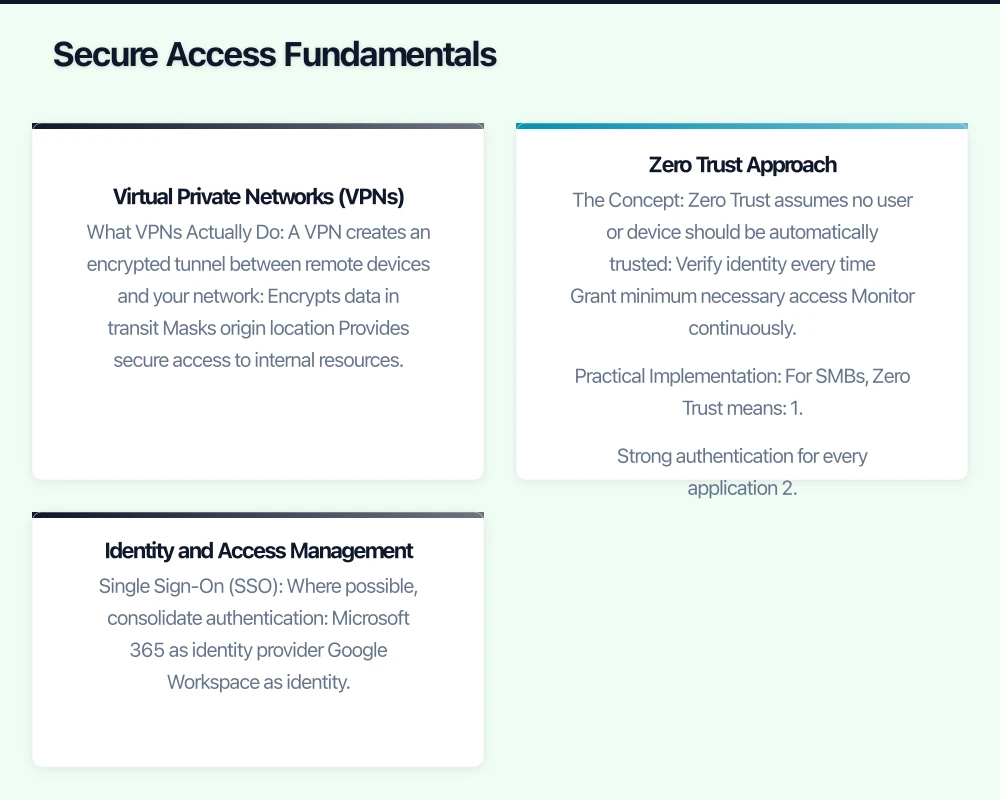
Virtual Private Networks (VPNs)
What VPNs Actually Do
A VPN creates an encrypted tunnel between remote devices and your network:
- Encrypts data in transit
- Masks origin location
- Provides secure access to internal resources
- Creates accountability through logging
When You Need a VPN
Essential if:
- You have on-premises servers or applications
- Staff access internal file shares
- You need network-level security
- Compliance requires encrypted connections
Less critical if:
- Everything is cloud-based (Microsoft 365, Google Workspace)
- All applications have their own encryption
- No internal resources to access
VPN Options for SMBs
Hardware VPN Appliances
Devices from Fortinet, SonicWall, or Ubiquiti:
- Install at office
- Provide VPN endpoint
- Often include firewall features
- Require some technical setup
Cloud VPN Services
Services like Perimeter 81 or NordLayer:
- No hardware required
- Managed service
- Per-user pricing
- Easier deployment
Built-in Options
Windows Server, or router-based VPN:
- Lower cost
- More technical expertise required
- May have limitations at scale
Zero Trust Approach
The Concept
Zero Trust assumes no user or device should be automatically trusted:
- Verify identity every time
- Grant minimum necessary access
- Monitor continuously
- Assume breach is possible
Practical Implementation
For SMBs, Zero Trust means:
- Strong authentication for every application
- Conditional access based on context
- Separate access for different resources
- Regular verification of access rights
You don’t need expensive tools to apply these principles.
Identity and Access Management
Single Sign-On (SSO)
Where possible, consolidate authentication:
- Microsoft 365 as identity provider
- Google Workspace as identity provider
- Connect applications via SAML/OAuth
Benefits:
- One password to manage
- Centralised access control
- Easier offboarding
- Better security visibility
Multi-Factor Authentication
Non-negotiable for remote work:
- Email and collaboration tools
- Cloud storage
- Financial systems
- VPN access
- Admin accounts
Device Security
Company-Owned Devices
If you provide devices, you have control.
Mobile Device Management (MDM)
Tools like Microsoft Intune, Jamf, or Kandji:
- Enforce security policies
- Push updates remotely
- Wipe lost or stolen devices
- Control app installation
- Encrypt storage
Minimum Security Configuration
Every company device should have:
- Full disk encryption
- Automatic screen lock
- Antivirus/endpoint protection
- Automatic updates enabled
- Strong password required
Bring Your Own Device (BYOD)
Personal devices are harder to secure.
BYOD Policy Requirements
If allowing personal devices:
- Minimum OS version requirements
- Screen lock requirement
- Encryption requirement
- Remote wipe consent for company data
- Separation of work and personal (containers)
Managed Apps Approach
Instead of managing the whole device:
- Use apps that have built-in security
- Microsoft 365 with app protection policies
- Work profile on Android
- Managed apps on iOS
When to Restrict BYOD
Consider requiring company devices if:
- Handling sensitive data
- Regulatory requirements
- High-risk industry
- Compliance audit concerns
Endpoint Protection
Beyond Basic Antivirus
Modern endpoint protection includes:
- Real-time threat detection
- Behavioural analysis
- Ransomware protection
- Web filtering
- USB device control
Options for SMBs
- Microsoft Defender for Business (included with M365 Business Premium)
- Bitdefender GravityZone
- CrowdStrike Falcon Go
- Sophos Intercept X
Microsoft Defender for Business offers excellent value if you’re already on M365.
Secure Communications
Email Security
Email remains the primary attack vector.
Essential Protections
- Spam and phishing filtering
- Attachment scanning
- Link protection
- External sender warnings
Microsoft 365 / Google Workspace
Both include solid email security. Consider advanced options:
- Microsoft Defender for Office 365
- Google Workspace additional security features
Collaboration Security
Microsoft Teams / Slack
Secure by default, but configure properly:
- Guest access policies
- External sharing limits
- Data retention settings
- App permissions
Video Conferencing
- Require passwords for meetings
- Enable waiting rooms
- Control screen sharing permissions
- Disable join before host (when appropriate)
File Sharing
Cloud Storage Security
OneDrive, SharePoint, Google Drive:
- External sharing policies
- Link expiration settings
- Download restrictions for sensitive files
- DLP policies if available
Avoid
- Email attachments for sensitive files
- Personal Dropbox/Google Drive
- USB drives between home and office
- Unsanctioned file sharing services
Network Considerations
Home Network Security
You can’t control home networks, but you can provide guidance.
Employee Recommendations
- Update router firmware regularly
- Use strong WiFi passwords (not defaults)
- Enable WPA3 or WPA2
- Separate IoT devices if possible
- Consider router-level security
What You Can Provide
- Basic security checklist
- Recommended router settings
- Optional: subsidised security routers
Public WiFi
The Risks
Café and hotel WiFi:
- No encryption
- Easy to intercept
- Potential for fake hotspots
- Unknown security
Mitigation
- Always use VPN on public networks
- Prefer mobile hotspot over unknown WiFi
- Verify network names before connecting
- Avoid sensitive transactions on public WiFi
Cloud Security Posture
Configuration Reviews
Regularly check:
- Microsoft 365 Security Centre
- Google Workspace Security settings
- Cloud storage permissions
- Third-party app connections
Common Misconfigurations
- Overly permissive sharing defaults
- Legacy protocols enabled
- Weak password policies
- Missing MFA enforcement
- Stale guest accounts
Incident Response
Remote-Specific Scenarios
Lost or Stolen Device
Have a clear process:
- Employee reports immediately
- Remote wipe initiated
- Password resets for accessible accounts
- Review access logs
- New device provisioning
Compromised Credentials
When credentials are stolen:
- Immediate password reset
- Session revocation
- Check for unauthorised access
- Review other accounts with same password
- Incident documentation
Communication During Incidents
Secure Channels
During a security incident:
- Don’t use potentially compromised channels
- Have backup communication methods
- Phone calls for critical coordination
- Pre-established signal for emergencies
Employee Awareness
Training Topics
Remote-Specific Threats
- Phishing while distracted at home
- Voice phishing (vishing) calls
- Social engineering via video calls
- Physical security of devices
Practical Guidance
- How to verify requests
- What to do if something seems wrong
- Who to contact with concerns
- Safe browsing habits
Regular Reinforcement
Keep Security Top of Mind
- Brief security tips in team meetings
- Simulated phishing exercises
- Quick security updates via Teams/Slack
- Recognition for security-conscious behaviour
Building Your Program
Priority Order
If starting from scratch:
- Multi-factor authentication - Biggest impact, relatively easy
- Endpoint protection - Essential for any remote device
- Cloud security configuration - Review and harden settings
- Password management - Solve the password problem
- VPN or Zero Trust access - If accessing internal resources
- Employee training - Build awareness over time
Budget Considerations
Using What You Have
Microsoft 365 Business Premium includes:
- Intune (MDM)
- Defender for Business
- Azure AD Premium P1
- Conditional Access
- Information Protection
This covers many SMB needs without additional purchases.
Where to Invest
Prioritise spending on:
- Business-grade password manager
- Advanced email protection (if not using M365 Premium)
- Security awareness training platform
- Backup solution with ransomware protection
Getting Help
Managed Security Services
MSPs offering security services can provide:
- Configuration and monitoring
- Incident response
- Expertise you don’t have internally
- 24/7 coverage
Consider if your team lacks security expertise or bandwidth.
Conclusion
Remote work security doesn’t require enterprise budgets. It requires applying sound principles consistently across your remote workforce.
Start with authentication and device basics. Build from there based on your actual risks. Perfect security isn’t achievable, but meaningful security is within reach for any SMB willing to invest the effort.
The hybrid work model is permanent. Your security model needs to be equally permanent—not a temporary patch on pre-pandemic assumptions.
Extend your cloud services to mobile devices. Awesome Apps builds Flutter and React Native apps that integrate seamlessly with AWS, Azure, and GCP backends.
Part of the Ganda Tech Services family, Cloud Geeks delivers specialist IT and cloud solutions for Australian small and medium businesses.