
Google Workspace vs Microsoft 365: 2026 Comparison for Australian SMBs
Introduction
The productivity suite landscape has transformed dramatically since our last comparison. With Microsoft Copilot now deeply embedded across the 365 ecosystem and Google’s Gemini reshaping Workspace, Australian SMBs face a more complex—and more exciting—choice than ever before.
This isn’t just about spreadsheets and documents anymore. The platform you choose in 2026 determines how your team collaborates, how AI augments your workflows, and how secure your business data remains. For Australian businesses specifically, factors like data sovereignty, local support, and compliance with the evolving Privacy Act amendments add extra weight to this decision.
At CloudGeeks, we’ve helped dozens of Australian SMBs navigate this choice over the past year. Here’s our comprehensive, practical comparison to help you make the right decision for your business.
The AI Revolution: Copilot vs Gemini
The biggest shift since 2024 is the maturation of AI assistants in both platforms. This is no longer experimental—it’s production-ready and increasingly essential.
Microsoft Copilot in 2026
Microsoft has integrated Copilot throughout the 365 suite:
What’s Working Well
- Excel Copilot: Genuinely transformative for data analysis. Natural language queries like “Show me Q3 sales by region compared to last year” now work reliably
- Word Copilot: Draft generation, rewriting, and summarisation have become genuinely useful for first drafts
- Teams Copilot: Meeting summaries and action item extraction save significant administrative time
- Outlook Copilot: Email drafting and inbox triage help manage communication overload
Pricing Reality
- Copilot requires Microsoft 365 Business Premium (A$33.10/user/month) plus Copilot add-on (A$44/user/month)
- Total: A$77.10/user/month for the full experience
- For a 15-person team, that’s A$1,156.50/month or A$13,878/year
Limitations to Consider
- Works best with Microsoft-native content—struggles with imported Google docs
- Requires quality data for quality outputs (garbage in, garbage out applies)
- Some features still feel like they’re searching for problems to solve
Google Gemini in Workspace
Google has similarly embedded Gemini throughout Workspace:
What’s Working Well
- Gemini in Docs: Strong for brainstorming and outline generation
- Gemini in Sheets: Formula generation and data insights improving monthly
- Gemini in Meet: Real-time translation and note-taking genuinely useful for international teams
- Gemini in Gmail: Smart compose and reply suggestions save time
Pricing Reality
- Gemini features require Workspace Business Standard (A$18.70/user/month) plus Gemini add-on (A$33/user/month)
- Total: A$51.70/user/month for full AI capability
- For a 15-person team, that’s A$775.50/month or A$9,306/year
Limitations to Consider
- Less powerful for complex data analysis compared to Copilot in Excel
- Real-time collaboration AI features occasionally conflict with multiple editors
- Integration depth varies across Workspace apps
The AI Verdict
For Australian SMBs with heavy spreadsheet and data analysis needs, Microsoft Copilot provides more mature, powerful capabilities—at a significant price premium. For businesses prioritising collaboration and communication, Google’s Gemini delivers solid value at lower cost.
Neither is essential to productivity in 2026—both platforms work perfectly well without AI features. But if you’re investing in AI assistance, choose based on where you spend most of your time.
Core Productivity Features: The 2026 Reality
Document Creation and Collaboration
Microsoft 365 in 2026
The web versions of Word, Excel, and PowerPoint have improved substantially:
- Near feature-parity with desktop apps for common tasks
- Real-time co-authoring now works smoothly (finally)
- Desktop apps remain superior for complex formatting and advanced features
- Excel continues to dominate for financial modeling and complex calculations
Google Workspace in 2026
Google’s approach remains cloud-first:
- Docs, Sheets, and Slides continue to excel at real-time collaboration
- Feature depth has improved—Sheets now handles more complex formulas
- Mobile experience remains superior
- Import/export from Microsoft formats improved but not perfect
Practical Assessment
For most Australian SMBs, both platforms handle day-to-day document creation adequately. The differences matter in specific scenarios:
- Complex financial modeling: Excel (Microsoft) remains the clear winner
- Real-time collaborative editing: Google Docs still smoother
- Mobile-first teams: Google Workspace provides better experience
- Traditional office workflows: Microsoft 365 feels more familiar
Email and Calendar
Microsoft Outlook 2026
- Focused Inbox improvements help manage email overload
- Calendar scheduling now integrates booking pages natively
- Search significantly improved (finally competitive with Gmail)
- Outlook on the web now nearly as capable as desktop app
Gmail 2026
- Smart categories and priority inbox remain excellent
- Calendar appointment scheduling simple and effective
- Search continues to be Gmail’s strongest feature
- Mobile app experience excellent
The Email Verdict
Both platforms handle email competently. Gmail’s search and smart features give it a slight edge for high-volume email users. Outlook’s integration with Calendar and Teams suits businesses preferring unified experiences.
Video Conferencing
Microsoft Teams 2026
- Meeting quality stable and reliable
- Transcription and meeting notes improved
- Teams Rooms integration mature
- Town hall and webinar features expanded
- Maximum 300 participants (Business plans)
Google Meet 2026
- Consistently reliable video quality
- Simpler interface, easier for external guests
- Live translation available
- Integration with Calendar seamless
- Maximum 500 participants (Business Plus)
Video Verdict
For internal team meetings, Teams provides deeper integration with Microsoft 365. For meetings with external clients and partners, Google Meet’s simplicity reduces friction. Both are production-ready for Australian business use.
Pricing Deep Dive: Australian Dollars, April 2026
Microsoft 365 Plans
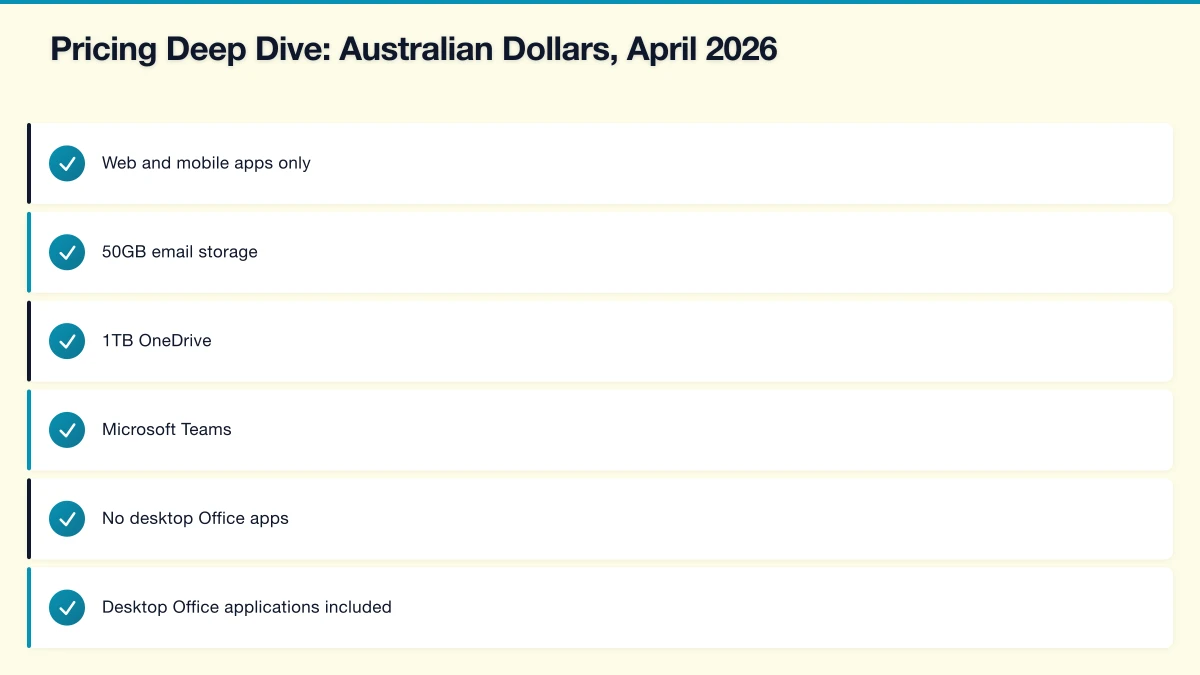
Business Basic: A$9.30/user/month
- Web and mobile apps only
- 50GB email storage
- 1TB OneDrive
- Microsoft Teams
- No desktop Office apps
Business Standard: A$19.80/user/month
- Desktop Office applications included
- All Business Basic features
- Most popular for Australian SMBs
Business Premium: A$33.10/user/month
- All Business Standard features
- Advanced security (Defender for Office 365)
- Intune device management
- Azure AD Premium P1
- Recommended for regulated industries
Copilot Add-on: A$44/user/month
- Requires Business Premium or Enterprise E3/E5
- Adds AI capabilities across all apps
Google Workspace Plans
Business Starter: A$9.20/user/month
- 30GB storage per user
- Video meetings up to 100 participants
- Basic security
Business Standard: A$18.70/user/month
- 2TB storage per user
- Video meetings up to 150 participants
- Enhanced security and management
Business Plus: A$27.50/user/month
- 5TB storage per user
- Video meetings up to 500 participants
- Advanced security and compliance
Gemini Add-on: A$33/user/month
- AI features across Workspace
- Available on Business Standard and above
Cost Comparison: 15-Person Business
| Configuration | Monthly | Annual |
|---|---|---|
| M365 Business Standard | A$297 | A$3,564 |
| M365 Business Premium | A$496.50 | A$5,958 |
| M365 Premium + Copilot | A$1,156.50 | A$13,878 |
| Workspace Business Standard | A$280.50 | A$3,366 |
| Workspace Business Plus | A$412.50 | A$4,950 |
| Workspace Standard + Gemini | A$775.50 | A$9,306 |
For Australian SMBs not requiring AI features, the core platforms are comparably priced. The significant cost difference emerges with AI add-ons, where Google’s Gemini provides a more affordable entry point.
Security and Compliance: Australian Context
Data Sovereignty
Microsoft 365
- Australian data centers in Sydney and Melbourne
- Core customer data stored in Australia by default
- Data residency commitments clearly documented
- IRAP assessed for government-adjacent work
Google Workspace
- Sydney data center operational
- Data region selection available
- Some metadata may be processed globally
- Suitable for most Australian compliance requirements
Both platforms meet Australian data sovereignty requirements for typical SMB use cases. For businesses handling government contracts or highly sensitive data, Microsoft’s more explicit data residency commitments provide additional assurance.
Privacy Act Compliance
The Privacy Act amendments taking effect this year increase obligations for Australian businesses. Both platforms support compliance when properly configured:
Essential Configurations
- Enable audit logging
- Configure data retention policies
- Implement access controls
- Enable security alerts
- Document data handling procedures
Microsoft 365 Business Premium provides more comprehensive compliance tools out of the box. For businesses subject to enhanced privacy obligations, this justifies the price premium.
Security Features Comparison
| Feature | M365 Business Standard | M365 Business Premium | Workspace Standard | Workspace Plus |
|---|---|---|---|---|
| MFA | Yes | Yes | Yes | Yes |
| Basic DLP | Limited | Yes | Limited | Yes |
| Advanced Threat Protection | No | Yes | Limited | Yes |
| eDiscovery | Limited | Yes | No | Yes (Vault) |
| Conditional Access | No | Yes | Limited | Yes |
| Device Management | Basic | Full (Intune) | Basic | Enhanced |
For Australian SMBs in regulated industries (finance, healthcare, legal), Microsoft 365 Business Premium delivers superior security and compliance capability. For typical SMBs, both Business Standard tiers provide adequate protection when properly configured.
Integration Ecosystem
Microsoft 365 Integrations
Strong native integration with:
- Windows operating system
- Azure cloud services
- Dynamics 365 CRM/ERP
- Power Platform (Power BI, Power Automate)
- LinkedIn (Microsoft-owned)
Australian business software:
- Xero: Good integration via add-ins
- MYOB: Strong Microsoft ecosystem alignment
- Salesforce: Well-supported connectors
Google Workspace Integrations
Strong native integration with:
- Android devices
- Google Cloud Platform
- Google Ads and Analytics
- Chrome browser and ChromeOS
Australian business software:
- Xero: Native Google Workspace app
- MYOB: Basic integration
- Salesforce: Solid integration available
Integration Verdict
If your business runs Windows devices and Microsoft infrastructure, Microsoft 365 provides smoother integration. If your team uses Android phones, Chrome browsers, and cloud-native tools, Google Workspace aligns better.
Migration Considerations
Moving to Microsoft 365
From Google Workspace
- Email migrates cleanly via Microsoft tools
- Google Docs require conversion (some formatting loss)
- Drive content transfers to OneDrive
- Plan 3-4 weeks for 15-person business
- Budget A$2,000-5,000 for professional assistance
Moving to Google Workspace
From Microsoft 365
- Email migrates via Google tools
- Office documents convert to Google formats
- SharePoint structures may need recreation
- Plan 4-6 weeks for 15-person business
- Budget A$2,500-6,000 for professional assistance
Australian Timing Considerations
Avoid migrations during:
- EOFY period (May-July)
- Christmas/New Year (December-January)
- School holidays (check your state)
- Major project deadlines
Best migration windows: February-April, August-November
Recommendation Framework
Choose Microsoft 365 When:
-
Your team knows Microsoft Office - Existing familiarity reduces training costs and adoption friction
-
Excel is business-critical - No other spreadsheet matches Excel’s depth for financial modeling and data analysis
-
You’re in a regulated industry - Healthcare, finance, legal, and government-adjacent businesses benefit from Premium’s compliance tools
-
You run Windows infrastructure - Active Directory, Windows servers, and Azure integrate seamlessly
-
You need advanced AI for data analysis - Copilot’s Excel capabilities lead the market
Choose Google Workspace When:
-
Real-time collaboration is core to your work - Creative agencies, consulting firms, and collaborative teams benefit from Google’s approach
-
Your team is mobile-first - Field workers, sales teams, and distributed staff appreciate Google’s mobile experience
-
You prioritise simplicity - Google’s cleaner interface reduces training requirements
-
Budget is a primary concern - Lower AI costs and comparable base pricing favour Google for cost-conscious businesses
-
You’re starting fresh - No legacy Microsoft investment means no switching costs
For Most Australian SMBs
Our default recommendation: Microsoft 365 Business Standard (A$19.80/user/month)
Why? Most Australian SMBs have some Microsoft familiarity, desktop apps provide flexibility, and the Australian partner ecosystem is more established. Add Business Premium (A$33.10/user/month) if you’re in a regulated industry or handle sensitive data.
Consider Google Workspace when your business is genuinely cloud-native, collaboration-heavy, or budget-constrained. Workspace Business Standard (A$18.70/user/month) provides excellent value for the right use cases.
Making Your Decision
Practical Evaluation Process
- Audit current usage: What apps do your team actually use daily?
- Identify critical features: What’s non-negotiable for your business?
- Calculate total cost: Include training, migration, and add-ons
- Run a pilot: Test with 5-10 users for 2-4 weeks
- Gather feedback: User adoption determines success
- Make the call: Choose based on your business reality, not features you might need someday
Questions to Ask Your IT Provider
- Which platform do most of your clients use?
- What’s your experience with migrations?
- What ongoing support do you provide for each platform?
- What’s the realistic total cost for our business?
- What security configurations should we implement?
Conclusion
Both Microsoft 365 and Google Workspace are mature, capable platforms that can support Australian SMB operations effectively. The AI revolution has added new dimensions to this choice, but the fundamentals remain: choose the platform that fits how your business actually works.
Microsoft 365 continues to suit businesses with traditional workflows, heavy spreadsheet use, and regulated industry requirements. Google Workspace excels for collaborative, mobile-first, cloud-native operations.
The “wrong” choice between these platforms won’t cripple your business—both are good options. The right choice will provide a smoother experience for your team and better value for your investment.
Need help evaluating which platform suits your Australian business? CloudGeeks provides obligation-free assessments to help you make an informed decision. Contact us to discuss your specific requirements.
Related Articles
- Microsoft Teams Optimization for Australian SMBs
- Google Workspace Setup Guide for Australian Small Business
- Cloud Storage Comparison: OneDrive vs Google Drive
- Email Security for Australian SMBs
Need a web presence to complement your cloud setup? Our web team at Cosmos Web Tech designs fast, secure websites for Australian businesses.
Cloud Geeks is the IT infrastructure division of Ganda Tech Services, providing managed cloud and cybersecurity solutions to Australian businesses.