
Endpoint Security for Australian SMBs: Best Practices Guide 2026
Introduction
Every device connecting to your business network—laptops, desktops, tablets, phones—represents both a productivity tool and a potential security vulnerability. For Australian SMBs, endpoint security has become one of the most critical areas of cybersecurity investment.
The statistics are sobering. The ACSC reports that Australian small businesses are increasingly targeted by cybercriminals, with compromised endpoints being the most common entry point. Ransomware attacks, data theft, and business email compromise often begin with a single unprotected or misconfigured device.
The good news? Effective endpoint security doesn’t require enterprise budgets. With the right approach, Australian SMBs can protect their devices without breaking the bank or overwhelming staff with complex security procedures.
This guide provides practical, implementable endpoint security advice tailored to Australian small business realities.
Understanding the Endpoint Security Landscape
What Counts as an Endpoint?
In a typical Australian SMB, endpoints include:
Company-Owned Devices
- Desktop computers
- Laptops
- Company mobile phones
- Tablets
- Point-of-sale systems
- Servers (on-premises)
Personal Devices (BYOD)
- Staff mobile phones accessing email
- Personal laptops used for work
- Home computers accessing company systems
IoT and Peripheral Devices
- Printers with network connectivity
- Security cameras
- Smart devices
- USB drives
Each category presents different security challenges and requires appropriate protection strategies.
The Threat Landscape for Australian SMBs
Current threats targeting endpoints include:
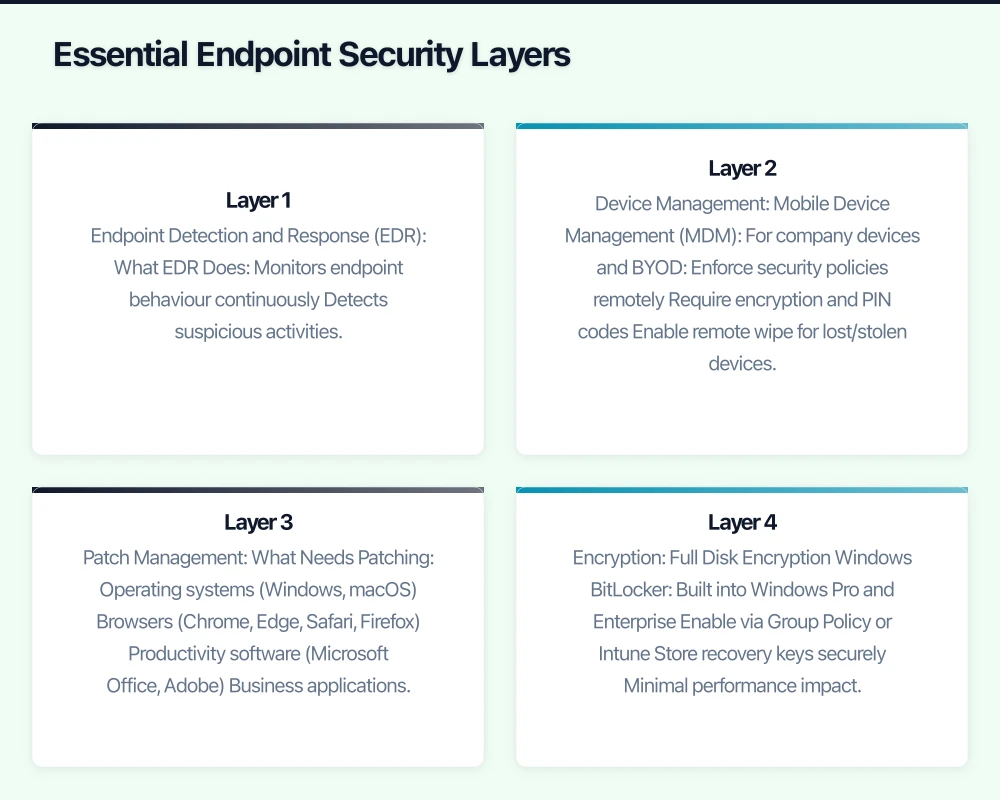
Ransomware
- Encrypts files and demands payment
- Often enters via phishing emails or unpatched software
- Average ransom demand for SMBs: A$50,000-200,000
- Recovery costs often exceed ransom even when paid
Business Email Compromise
- Attackers gain email access through compromised endpoints
- Intercept invoices and change payment details
- Cost Australian businesses millions annually
- Often undetected until money is gone
Data Theft
- Sensitive customer or business data stolen
- Privacy Act notification obligations triggered
- Reputational damage and potential fines
- Often happens gradually, undetected
Cryptojacking
- Devices used to mine cryptocurrency
- Slows systems, increases power costs
- Often goes unnoticed for months
- Less dramatic but still damaging
Why Traditional Antivirus Isn’t Enough
Traditional antivirus (signature-based detection) remains useful but insufficient:
- Only catches known threats
- Zero-day attacks bypass signature detection
- Fileless malware evades file-scanning
- Sophisticated attacks use legitimate tools maliciously
Modern endpoint protection requires additional layers beyond basic antivirus.
Essential Endpoint Security Layers
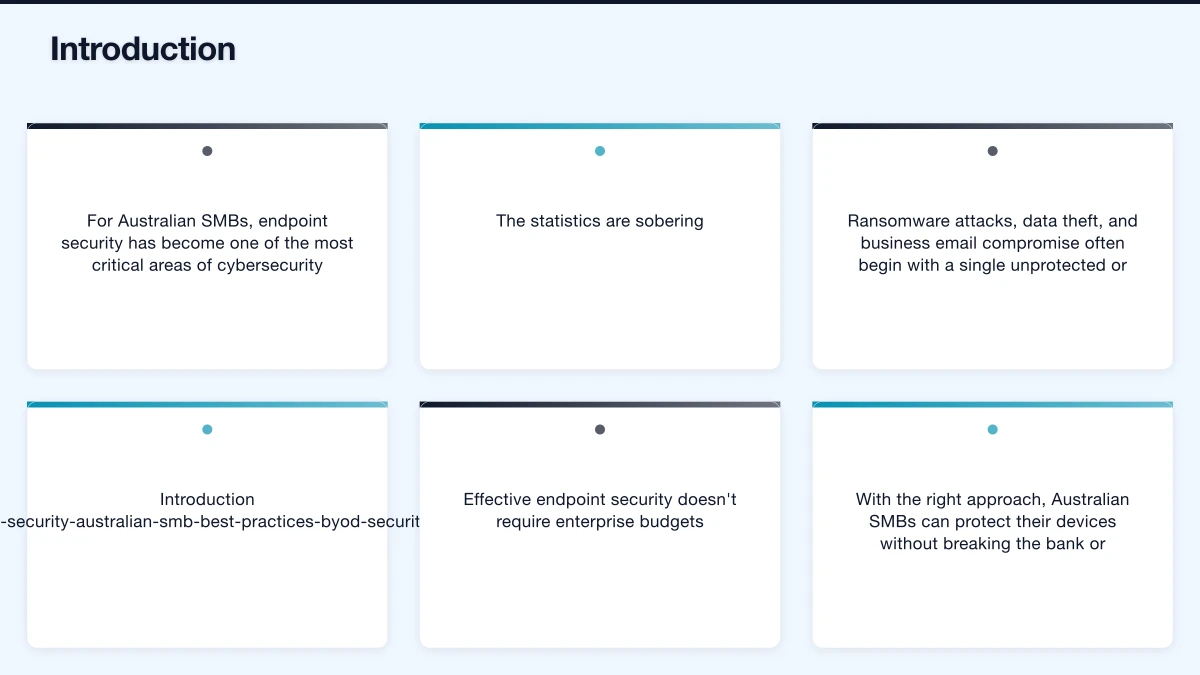
Layer 1: Endpoint Detection and Response (EDR)
EDR solutions have become accessible to SMBs and provide crucial protection:
What EDR Does
- Monitors endpoint behaviour continuously
- Detects suspicious activities, not just known malware
- Provides visibility into what’s happening on devices
- Enables rapid response to detected threats
- Records activity for investigation
EDR Options for Australian SMBs
Microsoft Defender for Business
- Included in Microsoft 365 Business Premium (A$33.10/user/month)
- Good integration with Microsoft ecosystem
- Adequate for most SMB needs
- Requires proper configuration
CrowdStrike Falcon Go
- Purpose-built for small business
- Approximately A$10-15/endpoint/month
- Strong detection capabilities
- Cloud-native, minimal infrastructure
SentinelOne Singularity
- Automated response capabilities
- Approximately A$8-12/endpoint/month
- Good for businesses without dedicated IT
- Strong ransomware protection
Trend Micro Worry-Free
- Established vendor with Australian presence
- Approximately A$5-8/endpoint/month
- Simpler management interface
- Good for less technical teams
Implementation Priority: High. EDR provides the visibility and response capability that basic antivirus lacks. For businesses handling sensitive data, this is essential.
Layer 2: Device Management
Controlling and securing devices requires management capability:
Mobile Device Management (MDM)
For company devices and BYOD:
- Enforce security policies remotely
- Require encryption and PIN codes
- Enable remote wipe for lost/stolen devices
- Control which apps can be installed
- Separate work and personal data
Options for Australian SMBs
Microsoft Intune
- Included in Microsoft 365 Business Premium
- Manages Windows, iOS, Android, macOS
- Tight Microsoft 365 integration
- Requires proper setup
Google Endpoint Management
- Included in Google Workspace Business Plus
- Good for Workspace-focused businesses
- Strong Android management
- Basic iOS support
Jamf Fundamentals
- Specialised for Apple devices
- Approximately A$6/device/month
- Essential for Mac-heavy businesses
- Strong Apple ecosystem integration
Implementation Priority: Medium-High. Essential if you have remote workers or BYOD. Even basic MDM (screen lock, encryption enforcement) significantly reduces risk.
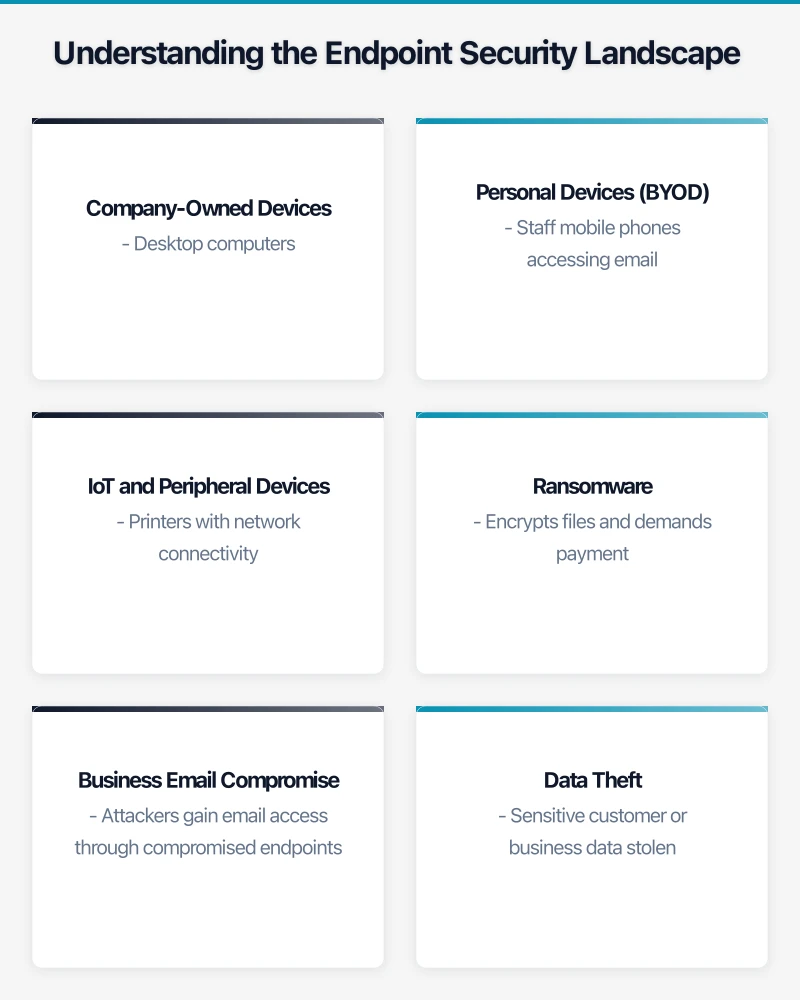
Layer 3: Patch Management
Unpatched software is one of the most common attack vectors:
What Needs Patching
- Operating systems (Windows, macOS)
- Browsers (Chrome, Edge, Safari, Firefox)
- Productivity software (Microsoft Office, Adobe)
- Business applications
- Firmware (BIOS, network equipment)
Patching Strategies
Automatic Updates
- Enable automatic updates where possible
- Windows Update for Business (configure via Intune or Group Policy)
- macOS automatic updates
- Browser auto-updates (don’t disable)
Managed Patching
- IT provider or MSP manages patch deployment
- Testing before widespread deployment
- Reporting on patch status
- Forced updates for critical patches
Third-Party Patch Management
- Tools like NinjaOne, Automox, or PDQ Deploy
- Manage non-Microsoft application updates
- Provide visibility into patch status
- Automate routine patching
Implementation Priority: High. Patching is foundational. Most successful attacks exploit known vulnerabilities with available patches.
Layer 4: Encryption
Protecting data on devices, especially laptops:
Full Disk Encryption
Windows BitLocker
- Built into Windows Pro and Enterprise
- Enable via Group Policy or Intune
- Store recovery keys securely
- Minimal performance impact
macOS FileVault
- Built into macOS
- Enable and escrow recovery keys
- Essential for any Mac in business use
- Automatic on modern Macs
Why Encryption Matters
- Lost or stolen laptops don’t mean data breach
- Privacy Act notification may not be required if data encrypted
- No meaningful performance impact on modern hardware
- Should be mandatory for all business laptops
Implementation Priority: High. Encryption is non-negotiable for laptops. Simple to implement, dramatic risk reduction.
Layer 5: Network Protection
Even protected endpoints need network-level security:
DNS Filtering
- Block access to known malicious sites
- Prevent phishing site access
- Reduce malware download risk
- Options: Cloudflare Gateway, Cisco Umbrella, DNSFilter
Firewall Configuration
- Enable built-in firewalls (Windows Defender Firewall, macOS firewall)
- Configure network firewalls appropriately
- Segment networks where possible
- Review and maintain firewall rules
VPN for Remote Access
- Secure connection to company resources
- Protect data in transit on untrusted networks
- Options: Built-in Microsoft Always On VPN, Tailscale, NordVPN Teams
Implementation Priority: Medium. Network protection complements endpoint security and prevents many threats from reaching endpoints.
BYOD Security: Balancing Access and Risk
The BYOD Reality
Most Australian SMBs have some BYOD:
- Staff checking email on personal phones
- Contractors using their own laptops
- Directors accessing documents from home computers
Complete prohibition often isn’t practical. The goal is managed, secure BYOD rather than uncontrolled access.
BYOD Security Framework
Tier 1: Basic Access (Email/Calendar)
For personal phones accessing email only:
- Require MDM enrollment (can be lightweight)
- Enforce screen lock (minimum 6-digit PIN)
- Enable remote email wipe capability
- No full device wipe required
- Use Microsoft Outlook or Gmail apps (containerized)
Tier 2: Extended Access (Documents/Apps)
For devices accessing sensitive business data:
- Full MDM enrollment required
- Enforce device encryption
- Require up-to-date operating system
- Enable full remote wipe
- Container work data separately from personal
- May require security software installation
Tier 3: Full Access
For devices used extensively for work:
- Treat similarly to company devices
- Full security software required
- Regular compliance checking
- Consider company contribution to device cost
- Clear policies on device inspection
BYOD Policy Essentials
Your BYOD policy should address:
Device Requirements
- Minimum OS version supported
- Security features required (encryption, PIN)
- Prohibited device types (jailbroken, rooted)
Access Levels
- What resources can be accessed from personal devices
- Different levels for different device compliance
Security Requirements
- MDM enrollment requirements
- Security software requirements
- Update/patch requirements
Privacy and Monitoring
- What the company can see on personal devices
- Limits on company access to personal data
- Staff consent requirements
Incident Response
- Lost/stolen device procedures
- Remote wipe circumstances
- Staff obligations to report
Exit Procedures
- MDM unenrollment process
- Data removal confirmation
- Account access revocation
BYOD Tools for Australian SMBs
Microsoft 365 + Intune MAM
- App protection policies without full device management
- Containerise Outlook, Teams, OneDrive
- Selective wipe removes only company data
- Good balance of security and privacy
Google Workspace Endpoint Management
- Basic protection for Workspace-accessing devices
- Enforce screen lock, encryption
- Remote account wipe
- Simpler but adequate for email/calendar access
Australian Compliance Considerations
Privacy Act Requirements
The Privacy Act 1988 (as amended) requires reasonable security measures for personal information. For endpoints, this means:
Reasonable Steps Include
- Encryption on devices storing personal information
- Access controls (authentication required)
- Security software to prevent malware
- Patch management to address vulnerabilities
- Policies governing device use
Notifiable Data Breach Scheme
- If a device with unencrypted personal information is lost/stolen, notification may be required
- Encrypted devices generally don’t trigger notification (data not accessible)
- Incident response plans should address endpoint scenarios
Essential Eight Alignment
The ACSC Essential Eight provides a framework for endpoint security:
Application Control (Maturity Level 1)
- Prevent execution of unapproved programs
- Microsoft Defender Application Control or AppLocker
- Block common malware execution paths
Patch Applications (Maturity Level 1)
- Patch high-risk applications within timeframe
- Focus on browsers, Office, PDF readers
- Automated patching where possible
Configure Microsoft Office Macro Settings (Maturity Level 1)
- Block macros from the internet
- Allow only signed macros where needed
- Significant reduction in malware risk
User Application Hardening (Maturity Level 1)
- Disable unneeded features (Flash, Java in browsers)
- Configure browsers for security
- Block ads that can deliver malware
Restrict Administrative Privileges (Maturity Level 1)
- Users don’t run as administrators
- Separate admin accounts for IT tasks
- Reduce malware installation capability
Patch Operating Systems (Maturity Level 1)
- Keep operating systems current
- Automatic updates where possible
- Retire unsupported OS versions
Multi-Factor Authentication (Maturity Level 1)
- Require MFA for all remote access
- Require MFA for privileged accounts
- Preferably for all user accounts
Regular Backups (Maturity Level 1)
- Backup important data
- Test backup restoration
- Protect backups from ransomware
For most Australian SMBs, achieving Essential Eight Maturity Level 1 across endpoint-related controls provides a solid security foundation.
Implementation Roadmap
Phase 1: Foundation (Month 1)
Week 1-2: Assessment
- Inventory all endpoints
- Identify current security tools
- Assess gaps against best practices
- Document BYOD situation
Week 3-4: Quick Wins
- Enable MFA on all accounts
- Enable encryption on all laptops (BitLocker/FileVault)
- Verify automatic updates enabled
- Review and strengthen passwords
Phase 2: Core Protection (Month 2-3)
Deploy EDR Solution
- Select appropriate EDR for your environment
- Deploy to all company endpoints
- Configure alerting and response
- Establish monitoring routine
Implement MDM
- Choose MDM platform
- Define security policies
- Enroll company devices
- Create BYOD enrollment process
Establish Patch Management
- Configure Windows Update for Business or equivalent
- Implement third-party patching if needed
- Create patching schedule
- Establish emergency patching process
Phase 3: Maturity (Month 4-6)
BYOD Program
- Finalise BYOD policy
- Communicate to staff
- Implement enrollment process
- Monitor compliance
Advanced Controls
- Application control for high-risk endpoints
- DNS filtering for all endpoints
- Enhanced email security
- Security awareness training
Process Development
- Incident response procedures
- Regular security reviews
- Compliance documentation
- Vendor management
Measuring Endpoint Security Effectiveness
Key Metrics to Track
Deployment Coverage
- Percentage of endpoints with EDR deployed
- Percentage of laptops with encryption enabled
- Percentage of devices compliant with MDM policy
Patch Status
- Percentage of endpoints fully patched
- Average time to deploy critical patches
- Number of endpoints with critical vulnerabilities
Incident Metrics
- Number of malware detections
- Number of blocked attacks
- Incident response times
- Mean time to remediation
User Metrics
- MFA adoption rate
- Security awareness training completion
- Policy compliance rates
- Reported security concerns
Regular Review Process
Weekly
- Check EDR dashboard for alerts
- Review critical patch status
- Address any compliance issues
Monthly
- Comprehensive security metrics review
- Patch status report
- Incident review
- Policy compliance check
Quarterly
- Endpoint security assessment
- Tool effectiveness review
- Policy and procedure updates
- Budget and planning review
Conclusion
Endpoint security for Australian SMBs requires a layered approach: EDR for detection and response, device management for control, patching for vulnerability management, encryption for data protection, and network security for perimeter defense.
The investment required is modest compared to the potential cost of a security incident. For a 15-person business, comprehensive endpoint security might cost A$300-600/month—a fraction of the cost of a single ransomware attack or data breach.
Start with the high-priority items: MFA, encryption, and EDR. Build from there based on your risk profile and regulatory requirements. Perfect security isn’t achievable, but significantly reducing risk is both practical and affordable.
Need help assessing your endpoint security posture or implementing these protections? CloudGeeks provides practical cybersecurity assistance for Australian SMBs. Contact us for an obligation-free security discussion.
Related Articles
- Essential Eight Implementation for Australian Businesses
- Remote Work Security: VPN, MFA, and Endpoint Protection
- Email Security and Phishing Protection
- Cybersecurity Insurance Guide for Australian SMBs
Mobile apps thrive on solid cloud foundations. Awesome Apps can build a companion app that leverages your existing cloud setup.
Ganda Tech Services brings together cloud infrastructure, web development, and mobile app expertise to help Australian businesses thrive in the digital economy.