
Choosing Business Software: The Australian SMB Evaluation Guide
Choosing business software is deceptively difficult. The options are overwhelming, sales teams are persuasive, and switching costs after a wrong choice are painful. Many Australian SMBs end up with expensive software they barely use, or cheap software that doesn’t meet their needs.
This guide provides a practical framework for evaluating and selecting business software without getting burned.
Why Software Selection Matters
The Cost of Wrong Choices
Direct Costs
- Subscriptions for unused software
- Implementation and training time wasted
- Data migration effort when switching
- Potential contract penalties
Indirect Costs
- Staff frustration and resistance
- Workarounds and manual processes
- Reduced productivity during transition
- Opportunity cost of delayed capability
A medium-sized Australian SMB might waste $20,000-50,000+ on a poor software choice when you account for subscription costs, implementation time, and eventual switching costs.
The Overwhelming Market
For most business functions, dozens of options exist:
- Accounting: Xero, MYOB, QuickBooks, FreshBooks, Wave…
- CRM: Salesforce, HubSpot, Pipedrive, Zoho, Monday…
- Project Management: Asana, Monday, ClickUp, Notion, Basecamp…
- HR: Employment Hero, Rippling, BambooHR, Deputy…
How do you choose sensibly?
The Evaluation Framework
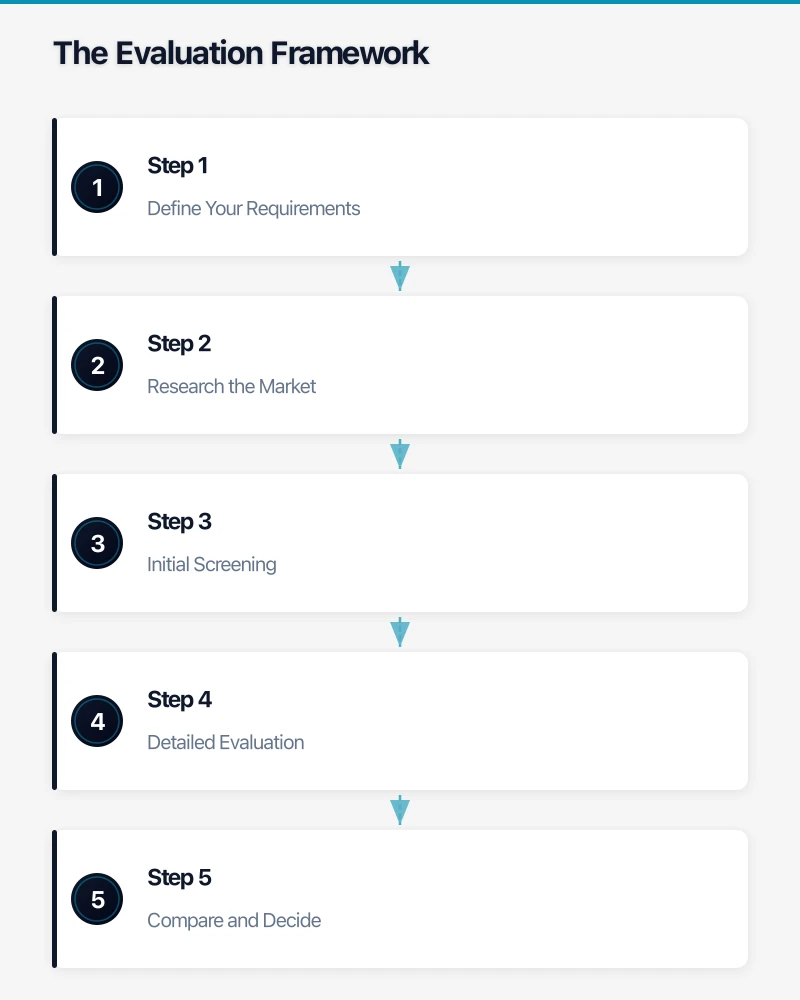
Step 1: Define Your Requirements
Before looking at any software, clarify what you actually need.
Must-Have Features What’s essential for your business to function?
- Specific integrations (bank feeds, payroll, email)
- Compliance requirements (industry regulations, tax compliance)
- Capacity (number of users, records, transactions)
- Functionality you cannot work around
Should-Have Features What would significantly improve your operations?
- Automation capabilities
- Reporting and analytics
- Mobile access
- Collaboration features
Nice-to-Have Features What would be beneficial but isn’t critical?
- Advanced customisation
- AI features
- Additional integrations
- Aesthetic preferences
Requirements Exercise
Interview stakeholders:
- Who will use this software daily?
- What do they need to accomplish?
- What frustrations exist with current tools?
- What would make their work easier?
Document answers before reviewing any vendor.
Step 2: Research the Market
Start with Category Research
Don’t start with specific vendors—understand the category:
- What capabilities are standard vs. premium?
- What’s the typical price range?
- What are common strengths/weaknesses?
- What Australian-specific considerations exist?
Sources for Research
- G2, Capterra, Software Advice: User reviews and comparisons
- Industry associations: Often have software recommendations
- Peer networks: Other business owners’ experiences
- Accountant/bookkeeper: For financial software specifically
Create a Long List
Identify 5-10 potential options based on initial research.
Step 3: Initial Screening
Narrow your long list to 3-4 candidates for detailed evaluation.
Screening Criteria
Australian Suitability
- AUD pricing (not USD requiring conversion)
- GST handling for financial software
- Australian data residency if required
- Local support hours
- Australian customer base
Pricing Fit
- Does pricing align with your budget?
- Hidden costs (implementation, training, add-ons)?
- Contract terms (monthly vs. annual, cancellation terms)?
- Pricing for your user count and growth?
Credibility Check
- Company stability (how long in business, funding, growth)
- Customer reviews (G2, Capterra, Google)
- Case studies in your industry
- Known customers of similar size
Technical Compatibility
- Integrations with your existing systems
- Browser/device support
- Security certifications if relevant
- API availability if needed
Step 4: Detailed Evaluation
For your 3-4 finalists, go deep.
Structured Demos
Request demos, but structure them around your needs:
- Prepare specific scenarios to walk through
- Have actual users attend, not just decision-makers
- Ask questions about gaps between their demo and your needs
- Request to see specific features, not just their standard presentation
Trial with Real Work
Free trials exist for a reason—use them properly:
- Test with real data (not just sample data)
- Have actual users perform actual tasks
- Test integrations with your other systems
- Push boundaries—what happens at edge cases?
Reference Checks
Ask vendors for customer references:
- Similar size business
- Similar use case
- Australian customers if possible
Questions for references:
- How long have you used it?
- What’s worked well?
- What’s been frustrating?
- How is their support?
- Would you choose it again?
Step 5: Compare and Decide
Create a Comparison Matrix
| Criteria | Weight | Option A | Option B | Option C |
|---|---|---|---|---|
| Must-have features | - | Yes/No | Yes/No | Yes/No |
| Core functionality fit | 25% | 8/10 | 7/10 | 9/10 |
| Ease of use | 20% | 7/10 | 9/10 | 6/10 |
| Integration capability | 15% | 9/10 | 6/10 | 8/10 |
| Australian suitability | 15% | 10/10 | 7/10 | 8/10 |
| Support quality | 10% | 7/10 | 8/10 | 7/10 |
| Price/value | 10% | 7/10 | 8/10 | 6/10 |
| Company stability | 5% | 8/10 | 9/10 | 7/10 |
| Weighted Score | 100% | 7.8 | 7.5 | 7.4 |
Eliminate any option that doesn’t meet all must-have criteria, regardless of score.
Final Validation
Before committing:
- Final stakeholder sign-off
- Contract review (legal for larger purchases)
- Implementation planning
- Rollback plan if it doesn’t work out
Common Evaluation Mistakes
Choosing Based on Price Alone
Cheapest isn’t best:
- Lower prices often mean fewer features or worse support
- Time lost to limitations costs more than subscription differences
- “Free” often has hidden costs (time, limitations, eventual paid conversion)
Evaluate total cost of ownership, not just subscription price.
Over-Buying Capability
Enterprise software for SMB needs:
- Features you’ll never use
- Complexity that slows adoption
- Higher prices without proportional value
- Implementation burden beyond your capacity
Choose software sized for your needs, not your aspirations.
Demo Seduction
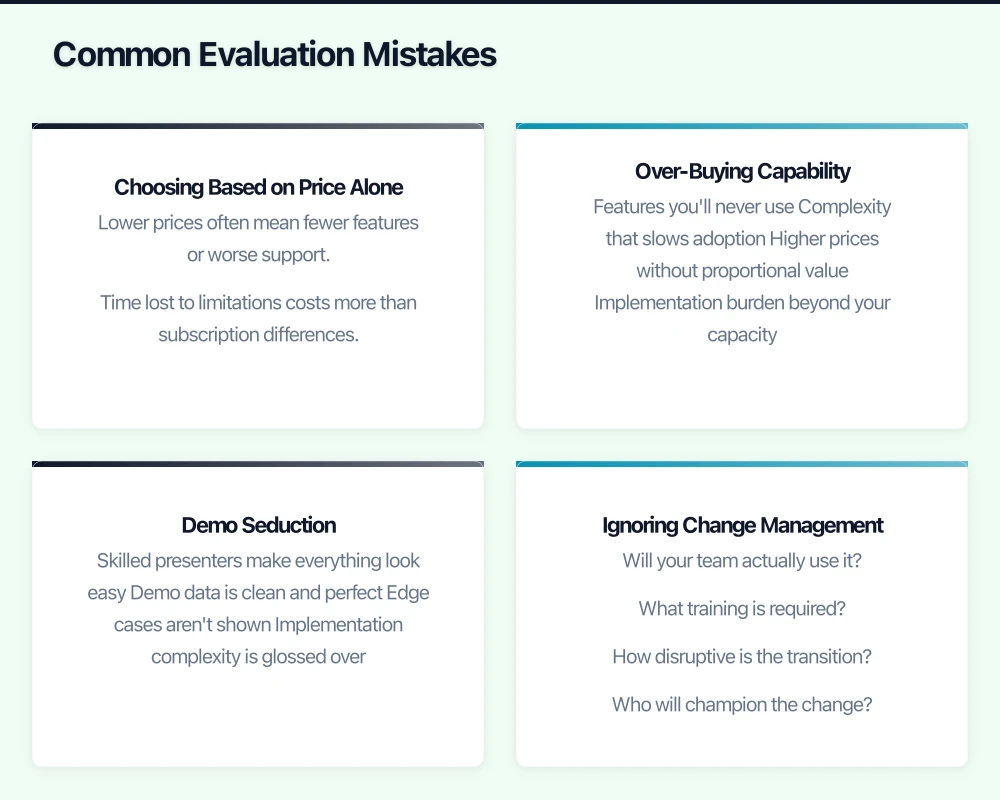
Demos are designed to impress:
- Skilled presenters make everything look easy
- Demo data is clean and perfect
- Edge cases aren’t shown
- Implementation complexity is glossed over
Trust your trial experience more than demos.
Ignoring Change Management
Software is only as good as its adoption:
- Will your team actually use it?
- What training is required?
- How disruptive is the transition?
- Who will champion the change?
The best software unused is worthless.
Skipping References
Vendor-provided information is biased:
- Marketing materials show best cases
- Sales teams are incentivised to close
- Customer references provide reality check
- Reviews include negative experiences
Always verify claims with actual users.
Category-Specific Considerations
Accounting Software
Australian Requirements
- ATO Single Touch Payroll integration
- GST reporting and BAS preparation
- Australian bank feed support
- Superannuation integration
Key Questions
- How does your accountant access it?
- What’s included vs. add-on (payroll, inventory)?
- How does it handle multiple business structures?
CRM Software
Scale Appropriateness
- Enterprise CRMs (Salesforce) often overkill for SMBs
- Simpler options (HubSpot free, Pipedrive) may suffice
- Integration with email and calendar essential
Key Questions
- How much customisation do you actually need?
- What’s the mobile experience?
- How does it handle Australian phone numbers and addresses?
Project Management
Team Adoption
- Simplicity often beats features
- Teams won’t use overly complex tools
- Consider existing workflows
Key Questions
- What methodology do you follow?
- Who needs visibility vs. who needs to work in it?
- How does it integrate with communication tools?
HR and Payroll
Australian Compliance
- Award interpretation
- Leave calculations
- STP reporting
- Superannuation
Key Questions
- Does it handle your specific awards?
- What’s included vs. add-on?
- How does it integrate with accounting?
After Selection: Implementation Success
Plan the Transition
Data Migration
- What data needs to move?
- Who will clean and prepare it?
- How will historical data be handled?
Training
- Who needs training?
- What format (self-service, live, documentation)?
- How long before they’re productive?
Change Management
- Who are champions?
- How will resistance be addressed?
- What’s the communication plan?
Run Parallel Systems
For critical software (accounting, payroll):
- Run new and old systems in parallel briefly
- Verify results match
- Identify issues before fully switching
Set Success Metrics
Define what success looks like:
- User adoption rates
- Time savings achieved
- Error reduction
- Goal achievement
Review at 30, 60, and 90 days.
When to Get Help
Consider professional guidance for:
- Critical systems (accounting, core operations)
- Complex requirements (multiple integrations)
- Significant investment (large user counts, high subscription costs)
- Limited internal expertise
The cost of expert advice is often less than the cost of a wrong choice.
At CloudGeeks, we help Australian SMBs evaluate and implement business software. Whether you need help defining requirements, shortlisting options, or managing implementation, we can guide you to the right choice for your business.
Related Articles
- Microsoft 365 Copilot: Is Your Australian SMB Ready?
- Digital Transformation Roadmap: A 7-Step Guide for Australian SMBs
- Cloud Migration ROI: Calculating Real Costs for Australian SMBs
Strong cloud infrastructure is the foundation — a great website is the shopfront. Cosmos Web Tech helps Australian businesses turn technical capability into online growth.
Cloud Geeks operates under the Ganda Tech Services umbrella, delivering end-to-end technology solutions for Australian businesses.