
Business Continuity Planning for Australian SMBs: Practical Guide
Introduction
When a ransomware attack encrypted files at a Melbourne accounting firm during tax season last year, they were back online within hours. Their competitor across town, hit the same week, took three weeks to recover. The difference? The first firm had a tested business continuity plan. The second was making it up as they went.
Business continuity planning (BCP) isn’t about preparing for apocalyptic scenarios—it’s about ensuring your business can survive and recover from the disruptions that actually happen: cyberattacks, equipment failures, natural disasters, key staff departures, or supplier failures.
For Australian SMBs, where resources are limited and every disruption has outsized impact, practical business continuity planning is essential. This guide provides a step-by-step framework you can implement without enterprise budgets or dedicated staff.
Understanding Business Continuity
What Is Business Continuity Planning?
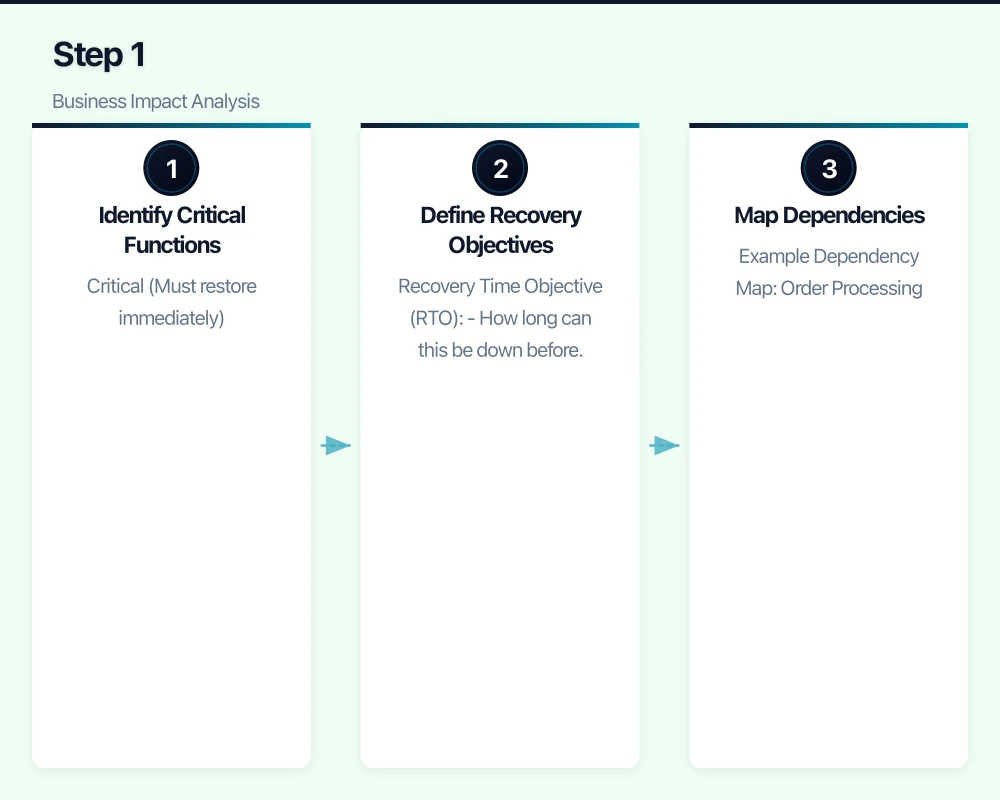
BCP is the process of:
- Identifying what could disrupt your business
- Determining what you need to keep operating
- Creating strategies to maintain or restore operations
- Documenting and testing those strategies
It’s not just about IT disaster recovery—though that’s a critical component. It covers all aspects of keeping your business functioning.
Why Australian SMBs Need BCP
The Statistics
- 60% of small businesses that suffer a major data loss close within 6 months
- Average cost of downtime for SMBs: A$10,000-50,000 per day
- 93% of businesses without disaster recovery that suffer a major disruption fail within one year
- Cyber incidents are increasing, with SMBs increasingly targeted
Real Scenarios Affecting Australian Businesses
Technology Failures
- Server crash destroys financial records
- Ransomware encrypts customer database
- Internet outage stops operations for a day
- Cloud provider has extended outage
Natural Events
- Flooding damages office and equipment
- Bushfire forces evacuation
- Storm causes extended power outage
- COVID-style event forces remote work
People Issues
- Key staff member leaves suddenly
- Principal falls ill during critical period
- Entire team exposed to illness simultaneously
External Dependencies
- Critical supplier goes out of business
- Bank system outage prevents payments
- Landlord issues force sudden relocation
Step 1: Business Impact Analysis
Before planning recovery, understand what matters most:
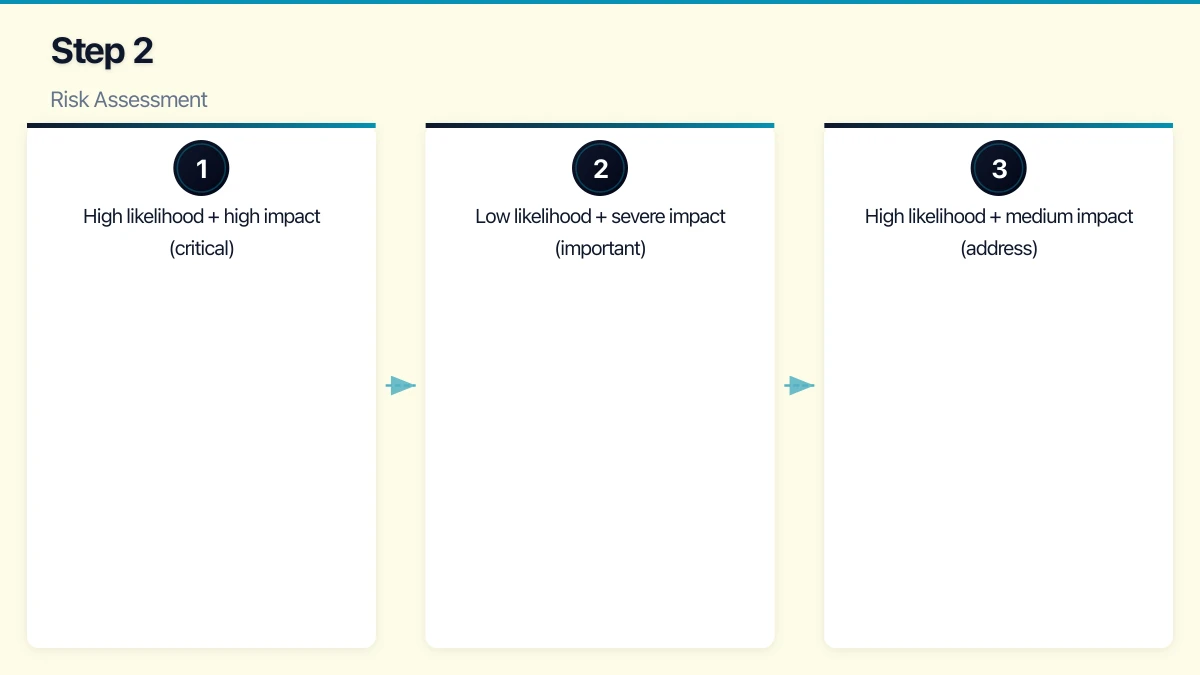
Identify Critical Functions
List everything your business does, then prioritise:
Critical (Must restore immediately)
- Functions where hours of downtime cause major harm
- Revenue-generating activities
- Regulatory compliance activities
- Customer-facing services
Important (Restore within days)
- Supporting functions for critical activities
- Internal operations
- Administrative tasks
Deferrable (Can wait)
- Nice-to-have activities
- Development work
- Non-urgent projects
Define Recovery Objectives
For each critical function, define:
Recovery Time Objective (RTO)
- How long can this be down before unacceptable harm?
- Example: “Order processing must be restored within 4 hours”
Recovery Point Objective (RPO)
- How much data loss is acceptable?
- Example: “We can’t lose more than 1 hour of transactions”
Example for Professional Services Firm
| Function | RTO | RPO | Notes |
|---|---|---|---|
| Email access | 4 hours | 24 hours | Critical for client communication |
| Client files | 8 hours | 1 hour | Core work product |
| Accounting system | 24 hours | 4 hours | Can operate briefly without |
| Phone system | 4 hours | N/A | Client accessibility |
| Website | 48 hours | N/A | Important but not critical |
| Internal wiki | 1 week | 24 hours | Reference only |
Map Dependencies
For each critical function, identify:
- Technology required (systems, applications, data)
- People required (skills, minimum staff)
- External dependencies (suppliers, services, utilities)
- Facilities required (office, internet, power)
Example Dependency Map: Order Processing
Order Processing
├── Technology
│   ├── E-commerce platform (Shopify)
│   ├── Inventory system (TradeGecko)
│   ├── Payment gateway (Stripe)
│   └── Email (Microsoft 365)
├── People
│   ├── Order processor (1 minimum)
│   └── Warehouse staff (2 minimum)
├── External
│   ├── Shipping carrier (Australia Post)
│   ├── Internet connection
│   └── Payment processor
└── Facilities
    ├── Warehouse access
    └── Internet connectivity
Step 2: Risk Assessment
Identify what could go wrong and how likely it is:
Common Risks for Australian SMBs
Technology Risks
| Risk | Likelihood | Impact | Priority |
|---|---|---|---|
| Ransomware attack | Medium-High | Severe | Critical |
| Server/hardware failure | Medium | High | High |
| Cloud provider outage | Low | High | Medium |
| Internet outage | Medium | High | High |
| Data corruption | Low | High | Medium |
Natural Risks (Location-Dependent)
| Risk | Likelihood | Impact | Priority |
|---|---|---|---|
| Flooding | Varies | Severe | High (if applicable) |
| Bushfire | Varies | Severe | High (if applicable) |
| Storm/power outage | Medium | Medium | Medium |
| Heatwave (equipment) | Low | Medium | Low |
People Risks
| Risk | Likelihood | Impact | Priority |
|---|---|---|---|
| Key person unavailable | Medium | High | High |
| Mass illness (team) | Low | High | Medium |
| Sudden departure | Medium | Medium | Medium |
| Industrial action | Low | Medium | Low |
External Risks
| Risk | Likelihood | Impact | Priority |
|---|---|---|---|
| Supplier failure | Low | Medium-High | Medium |
| Utility disruption | Low | High | Medium |
| Pandemic/lockdown | Low | Severe | Medium |
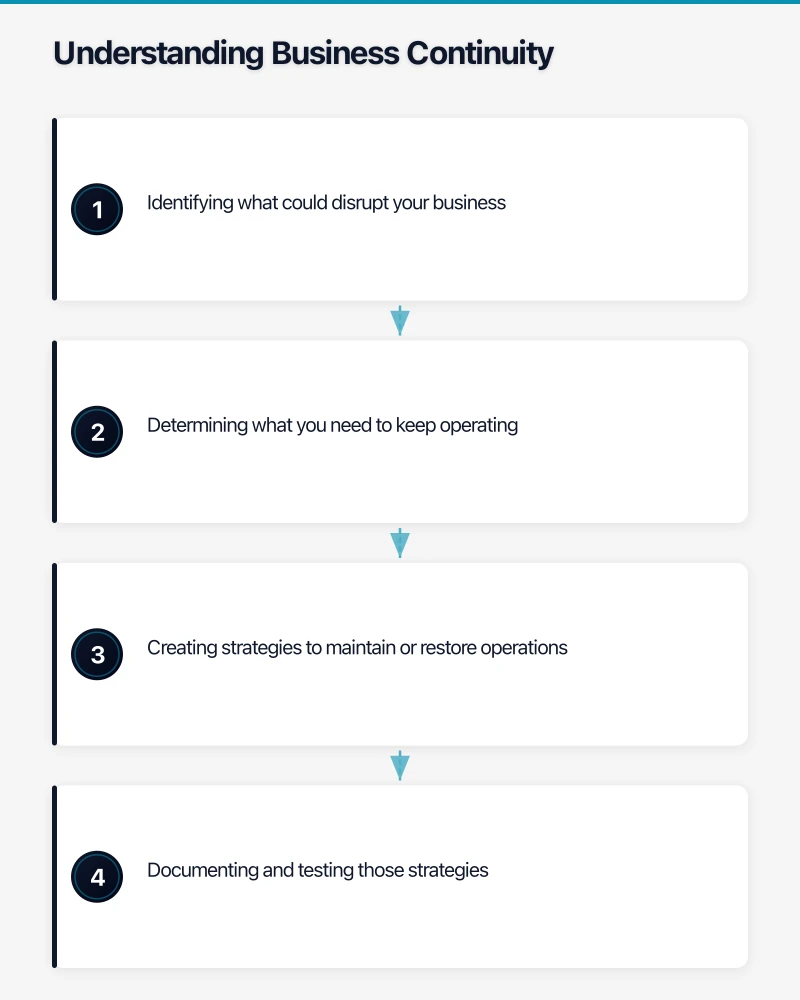
Prioritise Risks
Focus planning on:
- High likelihood + high impact (critical)
- Low likelihood + severe impact (important)
- High likelihood + medium impact (address)
Low likelihood + low impact can often be accepted without specific planning.
Step 3: Develop Recovery Strategies
For each priority risk, develop specific strategies:
Technology Recovery Strategies
Data Backup and Recovery
The 3-2-1 Rule
- 3 copies of important data
- 2 different storage types
- 1 copy offsite/cloud
Implementation for Australian SMBs
| Data Type | Local Backup | Cloud Backup | Retention |
|---|---|---|---|
| Business files | Daily (NAS/server) | Daily (Azure/AWS/Backblaze) | 90 days |
| Databases | Daily (local) | Daily (cloud) | 30 days, weekly for 1 year |
| Email (M365/Google) | SaaS backup solution | Included | 90 days |
| System images | Weekly | Monthly | 3 versions |
Cost Estimate
- Cloud backup: A$50-200/month depending on data volume
- Local NAS: A$500-2,000 one-time
- SaaS backup: A$3-5/user/month
System Recovery Options
For Servers/Infrastructure
| Approach | RTO | Cost | Best For |
|---|---|---|---|
| Restore from backup | 4-24 hours | Low | Most SMBs |
| Standby systems | 1-4 hours | Medium | Critical systems |
| Cloud failover | Minutes-1 hour | Higher | Very critical |
| Rebuild from scratch | Days | Low | Non-critical |
For Cloud Services
Most cloud services (Microsoft 365, Google Workspace) have built-in redundancy. Focus on:
- Alternative access methods (mobile apps, web access)
- Local copies of critical documents
- Alternative communication methods
Ransomware-Specific Recovery
- Isolated, immutable backups (can’t be encrypted by ransomware)
- Tested restoration procedures
- Segmented networks (limit spread)
- Incident response plan (who does what)
People Recovery Strategies
Key Person Dependency
Documentation
- Document critical processes (not just in someone’s head)
- Cross-train staff on essential functions
- Maintain password and access records securely
- Document vendor relationships and contacts
Redundancy
- Ensure at least two people can perform critical functions
- Relationship backup for key client contacts
- Authority delegation for financial and legal matters
Mass Absence Planning
- Remote work capability for all essential staff
- Clear communication protocols
- Prioritised function list (what can stop, what can’t)
- Temporary staff arrangements with agencies
Facilities Recovery Strategies
Alternate Work Locations
- Remote work infrastructure (VPN, cloud access)
- Coworking space arrangements (emergency access)
- Staff home office requirements
- Essential equipment portability
Power Continuity
- UPS for critical equipment (servers, network)
- Generator consideration (if power-critical)
- Mobile hotspot backup for internet
External Dependency Strategies
Supplier Backup
- Identify alternative suppliers for critical inputs
- Don’t single-source critical services
- Maintain relationships with backups
- Document alternative ordering procedures
Utility Backup
- Mobile internet backup
- Alternate premises options
- Key services accessible from anywhere
Step 4: Document the Plan
Plan Structure
Section 1: Plan Overview
- Purpose and scope
- Plan activation criteria
- Key contacts
- Plan maintenance schedule
Section 2: Business Impact Summary
- Critical functions and RTOs/RPOs
- Dependency maps
- Priority order for recovery
Section 3: Recovery Procedures
For each risk scenario:
- Immediate response steps
- Communication procedures
- Recovery procedures
- Resource requirements
- Responsible parties
Section 4: Contact Information
- Internal contacts (staff, management)
- External contacts (IT provider, insurers, suppliers)
- Emergency services
- Regulatory contacts if applicable
Section 5: Resources
- Technology inventory
- Backup locations and access
- Alternate facility information
- Insurance policy details
Document Accessibility
The plan is useless if you can’t access it during a disaster:
- Physical copies in multiple locations
- Digital copies in cloud storage (accessible without office)
- Key contacts on phones (not just in system)
- Summary cards for immediate reference
Step 5: Communication Plan
Internal Communication
During Incident
- How will staff be notified?
- What information will be shared?
- Who is authorised to communicate?
- What channels will be used?
Communication Tree
- Incident identified → notify BCP coordinator
- Coordinator assesses → activates plan if warranted
- Coordinator notifies management
- Management notifies all staff
- Regular updates via designated channel
Channels
- Primary: Mobile phone calls/SMS
- Secondary: Personal email
- Tertiary: Social media/messaging apps (WhatsApp group)
External Communication
Clients
- Template communications ready
- Honest, timely updates
- Alternative contact methods
- Expected impact and timeline
Suppliers
- Notify of any delivery/payment impacts
- Request flexibility if needed
- Maintain relationship focus
Regulators (if applicable)
- Know notification requirements
- Prepare notification templates
- Document all communications
Step 6: Test the Plan
An untested plan is a hypothesis, not a plan.
Testing Approaches
Desktop Exercise (Annually)
- Walk through scenarios verbally
- Identify gaps in procedures
- Update contacts and information
- Low effort, good value
Component Testing (Quarterly)
- Test backup restoration
- Verify alternative access works
- Confirm contacts are current
- Check equipment functionality
Simulation Exercise (Annually)
- Simulate actual incident
- Follow procedures in real-time
- Identify practical issues
- Time the recovery
Testing Schedule
| Test Type | Frequency | Duration | Participants |
|---|---|---|---|
| Contact verification | Quarterly | 30 minutes | Admin |
| Backup restoration | Monthly | 1-2 hours | IT |
| Desktop exercise | Annually | 2-4 hours | Key staff |
| Full simulation | Annually | 4-8 hours | All critical staff |
After Each Test
Document:
- What worked well
- What didn’t work
- Changes needed
- Lessons learned
Update the plan based on findings.
Step 7: Maintain the Plan
Regular Updates
Trigger-Based Updates
- New staff or departures
- New systems or applications
- Office relocation
- Supplier changes
- Significant business changes
Scheduled Reviews
- Quarterly: Contact information review
- Annually: Full plan review
- After any incident: Lessons learned review
Ownership
Assign clear ownership:
- Plan owner (usually business owner or senior manager)
- IT recovery coordinator (IT manager or MSP contact)
- Communications coordinator (office manager or senior admin)
Practical Templates
Incident Response Checklist
Immediate (First Hour)
- Assess situation and confirm incident
- Activate BCP if warranted
- Notify key contacts
- Contain damage if possible
- Begin documentation
Short-Term (First Day)
- Communicate to all staff
- Notify clients if affected
- Begin recovery procedures
- Engage external support if needed
- Regular status updates
Recovery (First Week)
- Execute recovery procedures
- Verify systems restored
- Confirm data integrity
- Resume normal operations
- Document lessons learned
Contact Card (Keep in Wallet/Phone)
BUSINESS CONTINUITY CONTACTS

BCP Coordinator: [Name] [Mobile]
IT Provider: [Company] [Emergency Line]
Insurance: [Company] [Claim Line]
Police (non-emergency): 131 444
ACSC (cyber): 1300 292 371

Cloud Backup: [Provider] [Access URL]
Email: [Webmail URL]
Critical Files: [Cloud location]
Cost Summary for Australian SMBs
Minimum Viable BCP Investment
One-Time Costs
- Plan development: 8-16 hours internal time
- UPS for critical equipment: A$300-1,000
- Documentation: Internal time
Ongoing Costs
- Cloud backup: A$50-200/month
- SaaS backup (email/M365): A$75-150/month (15 users)
- Annual testing: 4-8 hours internal time
- Plan maintenance: 2-4 hours quarterly
Total Annual Cost: A$2,000-5,000 for basic BCP capability
Enhanced BCP Investment
Additional One-Time
- Professional BCP development: A$3,000-8,000
- Standby equipment: A$2,000-5,000
- Generator (if needed): A$3,000-10,000
Additional Ongoing
- Managed disaster recovery: A$200-500/month
- Coworking emergency access: A$100-200/month
- Enhanced testing: A$1,000-3,000/year (professional facilitation)
Total Annual Cost: A$8,000-15,000 for enhanced capability
Conclusion
Business continuity planning isn’t about predicting the future—it’s about being prepared for disruption. For Australian SMBs, where a single incident can threaten business survival, investing time in BCP is investing in resilience.
Start simple:
- Identify your critical functions
- Ensure you have working backups
- Document basic recovery procedures
- Test that your backups actually restore
- Build from there
The businesses that recover quickly from disruption aren’t lucky—they’re prepared. Your business continuity plan doesn’t need to be perfect; it needs to exist, be tested, and be accessible when you need it.
Need help developing or testing your business continuity plan? CloudGeeks provides practical BCP assistance for Australian SMBs, from initial assessment to ongoing maintenance. Contact us for an obligation-free discussion.
Related Articles
- Cloud Backup Strategy: The 3-2-1 Rule for Australian SMBs
- Data Backup and Recovery Complete Guide
- Cybersecurity Insurance Guide
- Essential Eight Implementation
Need mobile access to your cloud systems? Our app development team at Awesome Apps builds iOS and Android apps for Australian businesses.
Ganda Tech Services brings together cloud infrastructure, web development, and mobile app expertise to help Australian businesses thrive in the digital economy.