
Data Backup and Recovery: Complete Guide for Australian SMBs
Every Australian small business faces the same nightmare scenario: critical data lost, operations grinding to a halt, customers unable to be served. According to recent industry research, 60% of SMBs that experience major data loss shut down within six months. Yet many Australian businesses still operate without comprehensive backup and recovery plans.
The good news? Implementing proper data protection doesn’t require enterprise-level budgets or dedicated IT teams. This guide walks you through building a robust backup and recovery system that protects your business while fitting SMB constraints.
Why Backup and Recovery Matters for Australian SMBs
The risks facing Australian small businesses are real and growing. Ransomware attacks targeting SMBs have increased 150% over the past year. Hardware failures happen without warning. Human error remains the leading cause of data loss. Natural disasters, from floods to bushfires, threaten physical infrastructure.
Consider the actual costs:
- Average downtime cost for Australian SMBs: $8,000-$15,000 per hour
- Average ransomware payment demanded: $50,000-$200,000
- Data recovery services for failed drives: $1,500-$5,000 (with no guarantee of success)
Beyond immediate costs, data loss impacts customer trust, regulatory compliance, and business continuity. Australian businesses handling customer information face Privacy Act obligations. Industries like healthcare, finance, and legal services have stricter requirements. Losing critical data can mean regulatory penalties, legal liability, and permanent reputation damage.
The Australian Cyber Security Centre’s Essential Eight framework includes regular backups as a fundamental security control. It’s not optional—it’s a baseline requirement for protecting your business.
Understanding the 3-2-1 Backup Rule
The 3-2-1 rule provides a straightforward framework for backup strategy that balances protection with practicality. Here’s what it means:
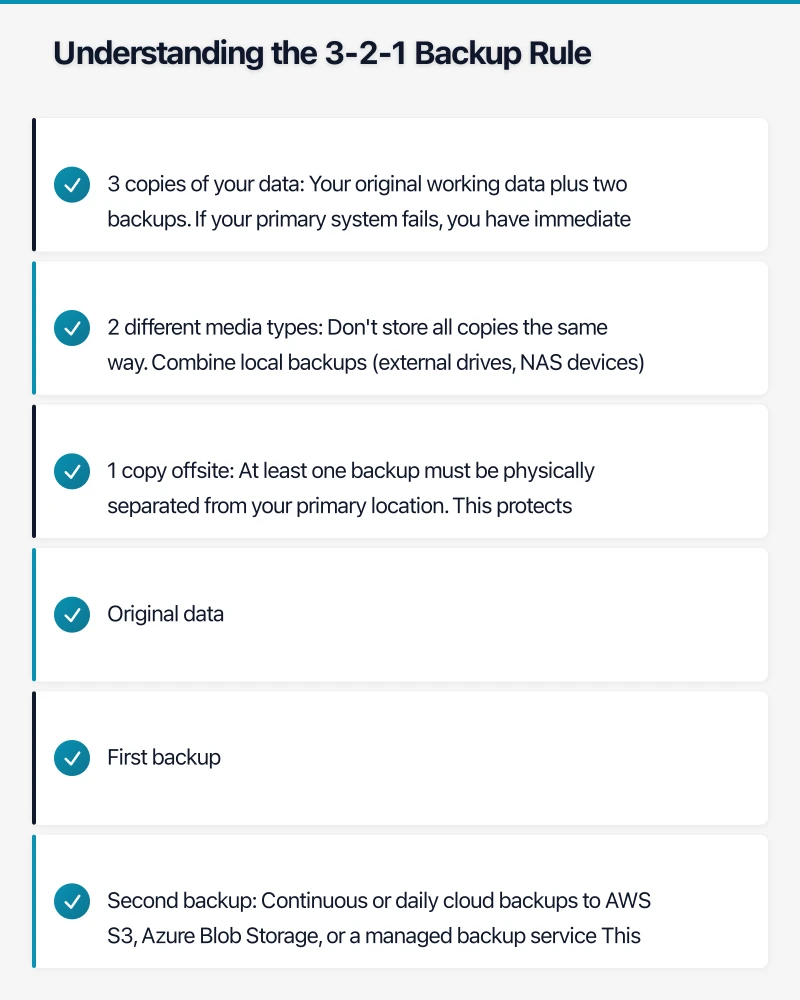
3 copies of your data: Your original working data plus two backups. If your primary system fails, you have immediate alternatives. If one backup is corrupted or unavailable, a second backup exists.
2 different media types: Don’t store all copies the same way. Combine local backups (external drives, NAS devices) with cloud backups. This protects against media-specific failures. If ransomware encrypts your local drives, cloud backups remain safe. If your internet connection fails, local backups keep you operational.
1 copy offsite: At least one backup must be physically separated from your primary location. This protects against fire, flood, theft, or other site-wide disasters. For most Australian SMBs, cloud storage provides the most practical offsite solution.
Practical Implementation for SMBs
A typical Australian small business might implement 3-2-1 like this:
Original data: Your working files on computers and servers First backup: Daily backups to a local NAS device or external drive Second backup: Continuous or daily cloud backups to AWS S3, Azure Blob Storage, or a managed backup service
This setup costs roughly $200-$500 monthly depending on data volume, providing comprehensive protection without enterprise pricing.
Choosing Your Backup Solution
Australian SMBs have several viable options, each with distinct advantages.
Cloud Backup Services
Cloud backup offers the most straightforward implementation. Services like Backblaze ($7 AUD per computer monthly), Acronis Cyber Protect ($50-$150 monthly for SMBs), and CrashPlan handle backups automatically with minimal configuration.
Advantages: Automatic offsite storage, no hardware to maintain, scalable pricing, accessible from anywhere Considerations: Requires reliable internet, ongoing subscription costs, restore times depend on connection speed
For Australian businesses, choose providers with Australian data centers for faster transfers and data sovereignty compliance. AWS Sydney, Azure Australia East, and Australian-specific providers like Vault Cloud offer local options.
Network Attached Storage (NAS)
A NAS device provides centralized local backup for multiple computers and servers. Synology and QNAP offer SMB-friendly options starting around $500-$1,500.
Advantages: Fast local restore, one-time hardware cost, supports multiple backup strategies Considerations: Still on-site (needs cloud backup companion), requires setup and maintenance, limited by network speed
Hybrid Solutions
Combining local NAS for quick restores with cloud backup for offsite protection gives you the best of both approaches. Many NAS devices include built-in cloud sync to services like AWS S3 Glacier for economical offsite storage.
Advantages: Fast local recovery, comprehensive offsite protection, flexible restore options Considerations: Higher initial cost, more complex setup, requires managing two systems
Platform-Specific Solutions
Microsoft 365 and Google Workspace include backup capabilities for email and documents. These work well as part of your overall strategy but shouldn’t be your only backup—they primarily protect against user error, not service failures or account compromises.
What to Back Up (and What You Can Skip)
Not all data requires the same protection level. Prioritize your backups based on business impact.
Critical (Daily or Continuous Backup)
- Customer databases and CRM data
- Financial records and accounting files
- Active project files and documents
- Email archives and communications
- Business-critical applications and configurations
- Intellectual property and proprietary materials
Important (Weekly or Daily Backup)
- Employee documents and shared files
- Historical project archives
- Non-critical application data
- Internal communications and documentation
- Marketing materials and assets
Can Skip or Backup Less Frequently
- Software installers (re-downloadable)
- Cached or temporary files
- Duplicate copies of shared resources
- Personal employee files (their responsibility)
For Australian businesses, remember that Privacy Act compliance requires protecting personal information with appropriate security. Customer data falls into your critical backup category with specific retention requirements.
Backup Testing: The Most Neglected Critical Task
Having backups means nothing if you can’t restore from them. Industry studies show that 30% of backups fail when actually needed—often because they were never tested.
Establish Regular Testing Schedule
Monthly: Restore a random selection of files from cloud and local backups. Verify file integrity, check that restored data opens correctly, confirm all expected files are present.
Quarterly: Perform a complete system restore test in an isolated environment. Restore a full server or workstation image, verify all applications function, document the restore time, identify any issues or gaps.
Annually: Conduct a disaster recovery drill simulating complete site loss. Restore business operations using only offsite backups, test employee access and workflow resumption, document lessons learned, update recovery procedures.
Document Your Results
Create a simple testing log tracking:
- Date of test
- What was restored
- Time required for restore
- Any issues encountered
- Actions taken to resolve issues
This documentation proves compliance for insurance, audits, and regulatory requirements. It also provides your recovery time baseline—critical information when an actual disaster occurs.
Common Testing Failures
Watch for these frequent issues Australian SMBs encounter:
Incomplete backups: Not all folders or databases included in backup scope Corrupted backups: Backup completes but files are damaged or unreadable Missing credentials: Encryption keys, passwords, or access credentials not documented Version incompatibility: Backup software version different from restore environment Dependency gaps: Application restored but required databases or configurations missing
Finding these issues during testing, not during an emergency, makes all the difference.
Recovery Planning: Beyond Just Backups
Backups enable recovery, but you need a documented plan for actually executing restoration under pressure.
Define Recovery Objectives
Recovery Time Objective (RTO): How quickly must each system be restored? Critical systems might need restoration within 4 hours. Less critical systems might tolerate 24-48 hours.
Recovery Point Objective (RPO): How much data can you afford to lose? Financial systems might require RPO of 1 hour (losing at most 1 hour of transactions). Other systems might tolerate losing a day’s work.
These objectives drive your backup frequency and technology choices. A 4-hour RTO requires fast local backups or high-speed internet for cloud restores. A 1-hour RPO requires continuous or hourly backup intervals.
Document Step-by-Step Procedures
Your recovery plan should include:
-
Initial assessment: Who determines that recovery is needed? What triggers the recovery process?
-
Communication plan: Who gets notified? What do you tell customers? How do employees stay informed?
-
Recovery sequence: Which systems restore first? What dependencies exist? Who performs each step?
-
Verification steps: How do you confirm restored data is complete and accurate? What tests prove systems are functioning?
-
Return to normal: When do you transition from recovered systems back to primary operations?
Document these procedures assuming the person executing them is under stress and may not have deep technical expertise. Include specific commands, account credentials (stored securely), and contact information for vendors or support resources.
Store Plans Appropriately
Your recovery documentation does no good if it’s only stored on systems that are down. Keep copies:
- Printed in a physical binder at your office
- Stored in cloud storage accessible via mobile devices
- With key employees who can access it remotely
- Updated quarterly or whenever procedures change
Australian Compliance Considerations
Australian businesses face specific regulatory requirements affecting backup and recovery.
Privacy Act Obligations
If you hold personal information (customer names, addresses, financial details), the Privacy Act requires reasonable steps to protect it. This explicitly includes:
- Securing data against loss or unauthorized access
- Having processes to recover lost or corrupted data
- Destroying personal information securely when no longer needed
Your backup system forms part of demonstrating compliance. Document your backup procedures, retention policies, and destruction processes.
Industry-Specific Requirements
Healthcare: Health records require specific retention periods and security controls under Australian health privacy laws Financial services: APRA-regulated entities have detailed backup and recovery requirements Legal: Client information has professional obligation requirements and litigation hold considerations Government contractors: May require Australian-only data storage and specific security controls
Data Sovereignty
Storing Australian customer data offshore creates potential legal and compliance risks. The Australian Privacy Commissioner recommends keeping Australian personal information in Australian jurisdiction when practical.
Major cloud providers offer Australian regions:
- AWS: Sydney (ap-southeast-2)
- Azure: Australia East (Sydney), Australia Southeast (Melbourne)
- Google Cloud: Sydney (australia-southeast1)
Using Australian regions ensures faster access and clearer legal jurisdiction, though it may cost 10-15% more than US regions.
Cost Planning for Australian SMBs
Implementing comprehensive backup and recovery requires investment, but it’s scalable to SMB budgets.
Typical Cost Ranges
Basic setup (10-20 users, cloud-only backup):
- Monthly: $200-$400
- Setup: $500-$1,000
- Annual total: $3,000-$5,000
Intermediate setup (20-50 users, hybrid local/cloud):
- Monthly: $400-$800
- Setup: $2,000-$4,000 (includes NAS hardware)
- Annual total: $7,000-$12,000
Advanced setup (50+ users, comprehensive DR):
- Monthly: $1,000-$2,000
- Setup: $5,000-$10,000
- Annual total: $15,000-$30,000
Budget-Friendly Approaches
If budget is tight, prioritize in phases:
Phase 1 (Immediate): Implement cloud backup for critical data only. Cost: $100-$200 monthly.
Phase 2 (Within 3 months): Add local NAS backup for faster recovery. Cost: $1,000 setup plus $50 monthly.
Phase 3 (Within 6 months): Expand to comprehensive backup coverage and documented recovery procedures. Cost: Additional $200-$300 monthly.
This phased approach spreads costs while immediately protecting your most critical data.
ROI Justification
Compare backup costs to potential losses:
- One day of downtime: $64,000-$120,000 (8-hour workday at typical SMB downtime costs)
- Ransomware attack without backup: $50,000-$200,000 ransom plus recovery costs
- Complete data loss: Potentially business-ending
Even conservative backup systems pay for themselves if they prevent a single serious incident.
Getting Started: Your 30-Day Implementation Plan
Week 1: Assess and Plan
- Inventory all business data and systems
- Identify critical vs. important vs. optional data
- Define RTO and RPO for each system
- Calculate current data volumes
Week 2: Select and Purchase
- Choose backup solution based on requirements and budget
- Purchase necessary hardware (NAS if going hybrid)
- Set up cloud storage accounts
- Document credentials securely
Week 3: Implement and Configure
- Install and configure backup software
- Set up automated backup schedules
- Configure retention policies
- Test initial backups complete successfully
Week 4: Document and Test
- Write recovery procedures
- Perform first restore test
- Train relevant staff on recovery process
- Schedule ongoing testing calendar
Conclusion
Data backup and recovery isn’t glamorous, but it’s fundamental business protection. Australian SMBs face genuine threats—from ransomware to natural disasters—that make comprehensive backup strategies essential, not optional.
The good news is that implementing proper data protection doesn’t require enterprise resources. The 3-2-1 rule provides a proven framework. Cloud services make offsite backup affordable and automatic. Local NAS devices enable fast recovery. Regular testing ensures your backups actually work when needed.
Start with your most critical data. Implement basic cloud backup today. Expand to comprehensive coverage over the next quarter. Document your procedures. Test regularly. Adjust as your business grows.
The Australian businesses that survive major data incidents are those that planned for them. Don’t wait until disaster strikes to discover your backups don’t work or don’t exist. Protect your business now—your future self will thank you.
Need help implementing backup and recovery for your Australian business? CloudGeeks provides practical IT solutions for SMBs across Australia. We’ll assess your needs, recommend appropriate solutions, and help you implement reliable data protection that fits your budget.
Thinking about the big picture? Ash Ganda shares strategic insights on digital transformation, AI, and technology leadership for Australian businesses.
Cloud Geeks is the IT infrastructure division of Ganda Tech Services, providing managed cloud and cybersecurity solutions to Australian businesses.