
AI for Australian Small Business: Practical Knowledge Management Without the Complexity
Every small business has valuable knowledge trapped in employees’ heads, scattered documents, old emails, and forgotten conversations. When Sarah from accounts goes on leave, suddenly nobody knows the process for handling GST on international invoices. When your best salesperson leaves, years of customer relationships walk out the door.
Knowledge management has always been important. But for most Australian small businesses, traditional approaches—wikis, documentation systems, complex databases—have been too time-consuming to maintain and too difficult to search.
AI changes this equation. Modern AI tools can capture, organise, and retrieve business knowledge in ways that finally make sense for small teams. This guide shows you practical approaches that work without requiring technical expertise or enterprise budgets.
The Knowledge Problem in Small Business
Before diving into solutions, let’s acknowledge the real challenges:
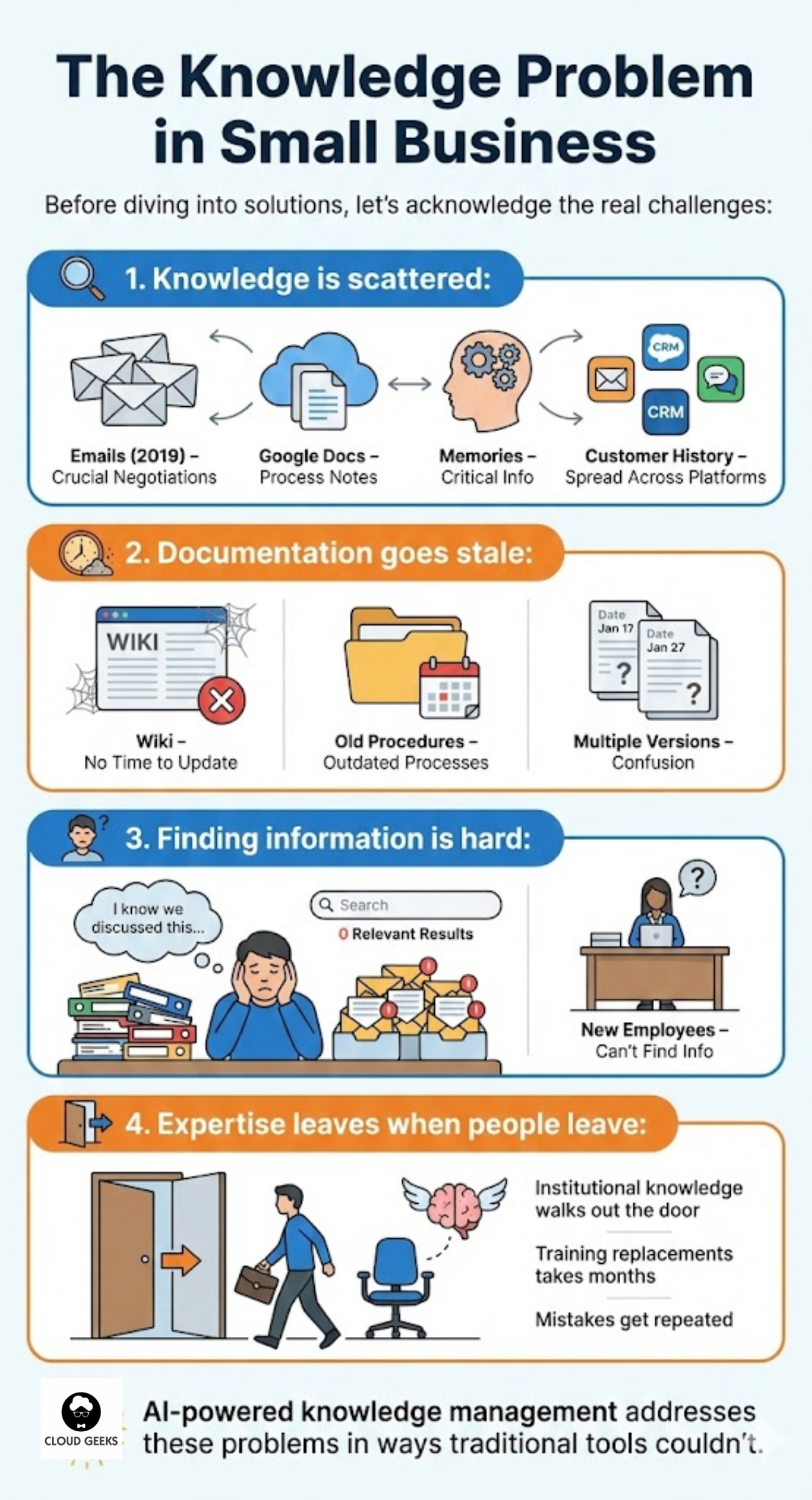
Knowledge is scattered:
- Emails from 2019 contain crucial supplier negotiations
- Process notes live in various team members’ Google Docs
- Critical information exists only in people’s memories
- Customer history is spread across email, CRM, and chat logs
Documentation goes stale:
- Nobody has time to update the wiki
- Old procedures stay documented long after processes change
- Multiple versions of documents create confusion
Finding information is hard:
- “I know we discussed this somewhere…”
- Searching email yields hundreds of irrelevant results
- New employees can’t find what they need
Expertise leaves when people leave:
- Institutional knowledge walks out the door
- Training replacements takes months
- Mistakes get repeated that veterans would avoid
AI-powered knowledge management addresses these problems in ways traditional tools couldn’t.
What AI Brings to Knowledge Management
Modern AI offers three capabilities that change what’s possible:
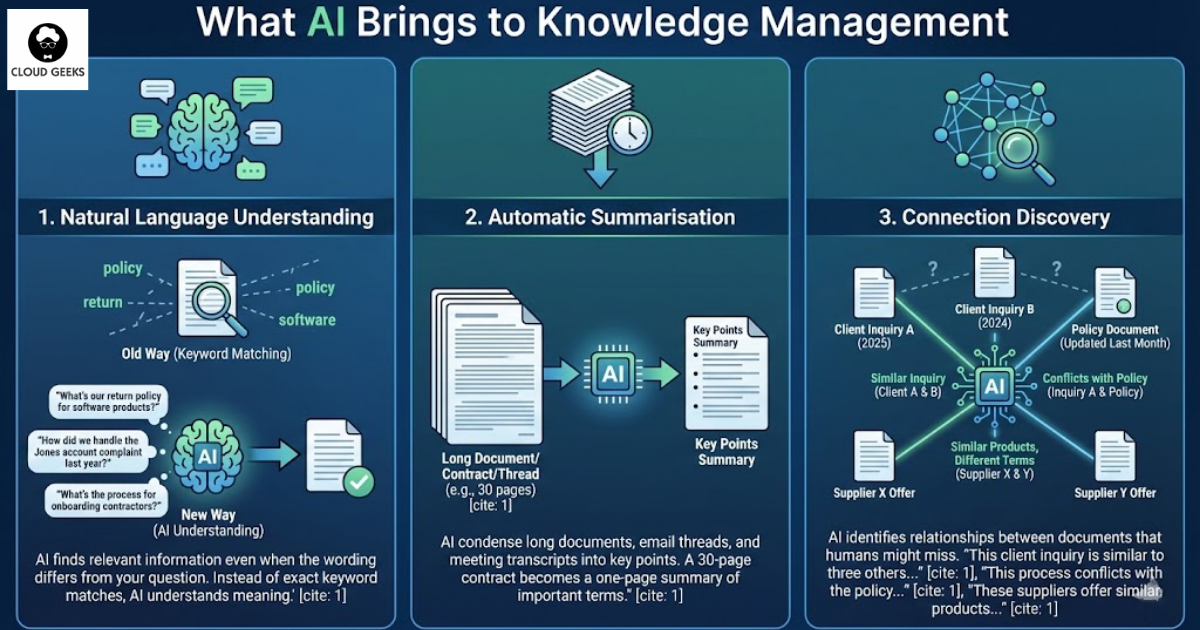
1. Natural Language Understanding
Instead of relying on exact keyword matches, AI understands meaning. You can ask:
- “What’s our return policy for software products?”
- “How did we handle the Jones account complaint last year?”
- “What’s the process for onboarding contractors?”
AI finds relevant information even when the wording differs from your question.
2. Automatic Summarisation
AI can condense long documents, email threads, and meeting transcripts into key points. A 30-page contract becomes a one-page summary of important terms.
3. Connection Discovery
AI identifies relationships between documents that humans might miss:
- “This client inquiry is similar to three others we handled in 2024”
- “This process conflicts with the policy updated last month”
- “These suppliers offer similar products at different terms”
Practical AI Knowledge Tools for Australian SMBs
Let’s look at specific tools that Australian small businesses can implement today.
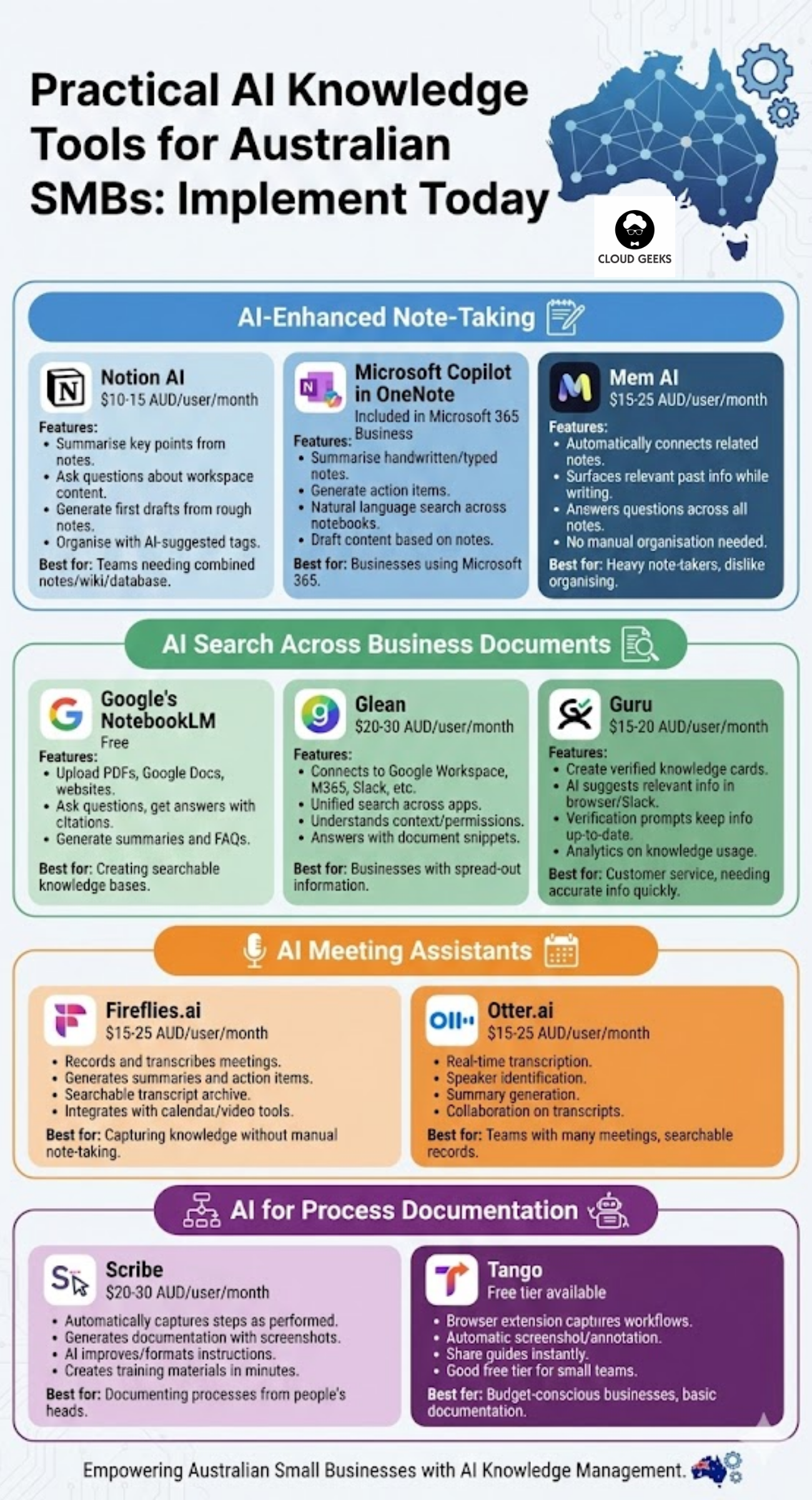
AI-Enhanced Note-Taking
Notion AI ($10-15 AUD/user/month)
What it does:
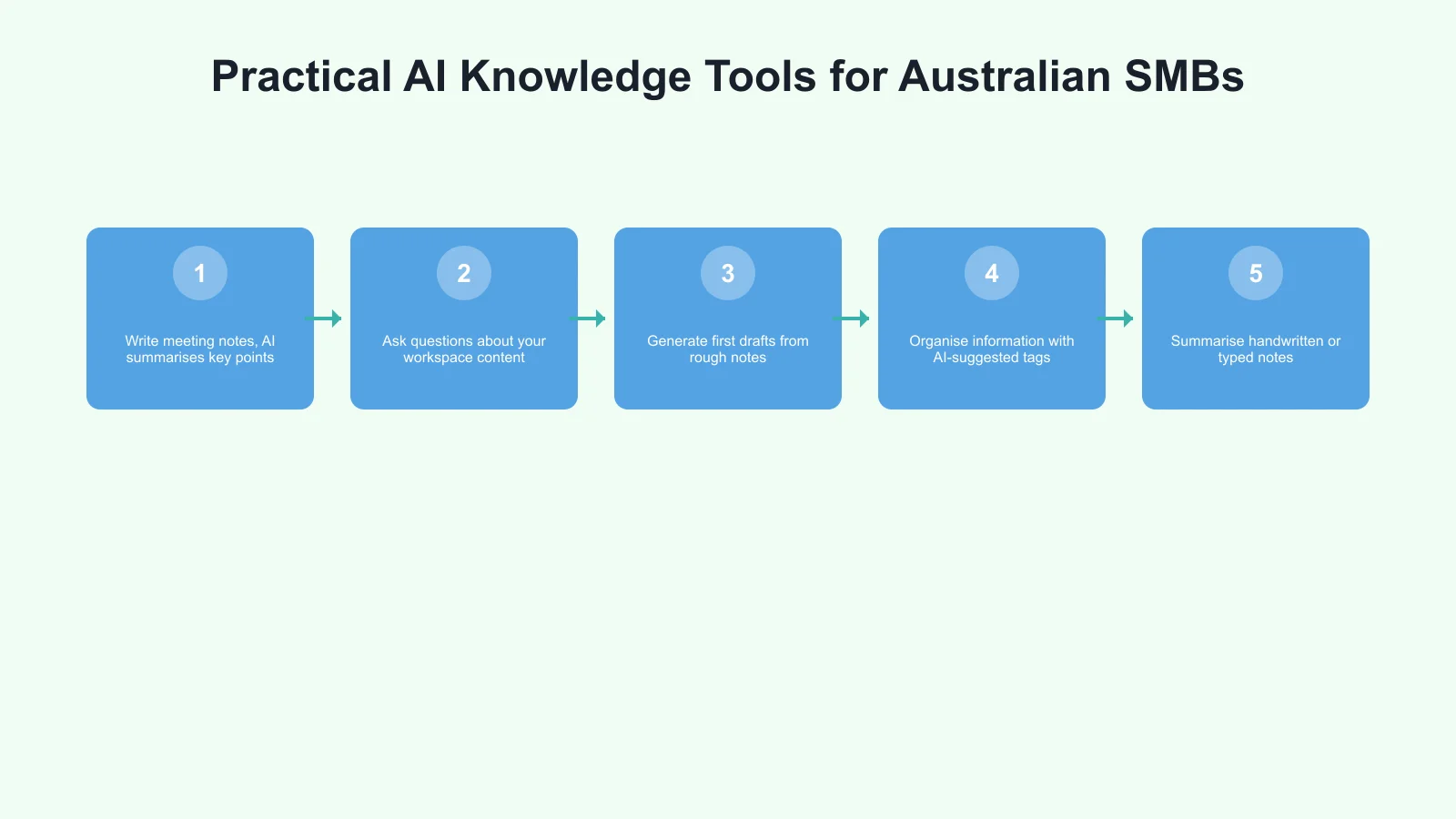
- Write meeting notes, AI summarises key points
- Ask questions about your workspace content
- Generate first drafts from rough notes
- Organise information with AI-suggested tags
Best for: Teams already using Notion or wanting a combined notes/wiki/database solution.
Microsoft Copilot in OneNote (included in Microsoft 365 Business)
What it does:
- Summarise handwritten or typed notes
- Generate action items from meeting notes
- Search across all your notebooks with natural language
- Draft content based on existing notes
Best for: Businesses already using Microsoft 365.
Mem AI ($15-25 AUD/user/month)
What it does:
- Automatically connects related notes
- Surfaces relevant past information when you’re writing
- Answers questions across all your notes
- No manual organisation required
Best for: Knowledge workers who take lots of notes and hate organising them.
AI Search Across Business Documents
Google’s NotebookLM (Free)
What it does:
- Upload documents (PDFs, Google Docs, websites)
- Ask questions and get answers with citations
- Generate summaries and FAQs from your documents
- Great for research and policy documentation
Best for: Creating searchable knowledge bases from existing documents.
Glean ($20-30 AUD/user/month)
What it does:
- Connects to Google Workspace, Microsoft 365, Slack, and more
- Unified search across all business applications
- Understands context and permissions
- Answers questions with relevant document snippets
Best for: Businesses with information spread across many tools.
Guru ($15-20 AUD/user/month)
What it does:
- Create verified knowledge cards
- AI suggests relevant information in browser and Slack
- Keeps information up-to-date with verification prompts
- Analytics show what knowledge is being used
Best for: Customer service teams and anyone needing quick access to accurate information.
AI Meeting Assistants
Fireflies.ai ($15-25 AUD/user/month)
What it does:
- Records and transcribes meetings
- Generates summaries and action items
- Searchable transcript archive
- Integrates with calendar and video tools
Best for: Capturing knowledge from meetings without manual note-taking.
Otter.ai ($15-25 AUD/user/month)
What it does:
- Real-time transcription
- Speaker identification
- Summary generation
- Collaboration on transcripts
Best for: Teams with lots of meetings who want searchable records.
AI for Process Documentation
Scribe ($20-30 AUD/user/month)
What it does:
- Automatically captures steps as you perform tasks
- Generates documentation with screenshots
- AI improves and formats the instructions
- Creates training materials in minutes
Best for: Documenting processes that exist only in people’s heads.
Tango (Free tier available)
What it does:
- Browser extension captures workflows
- Automatic screenshot and annotation
- Share guides instantly
- Good free tier for small teams
Best for: Budget-conscious businesses needing basic process documentation.
Implementing AI Knowledge Management: A Practical Plan
Phase 1: Start with Meeting Capture (Week 1-2)
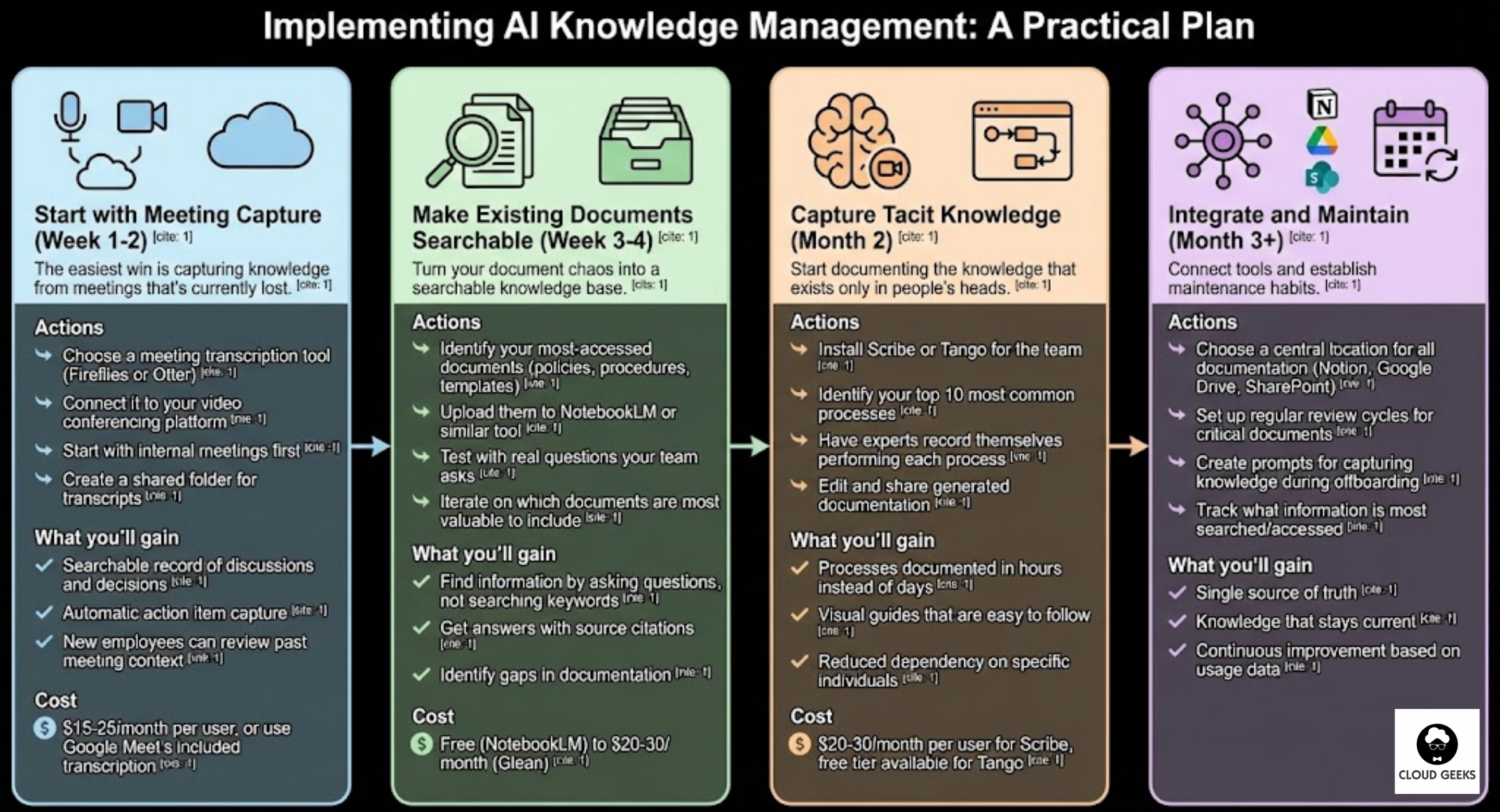
The easiest win is capturing knowledge from meetings that’s currently lost.
Actions:
- Choose a meeting transcription tool (Fireflies or Otter)
- Connect it to your video conferencing platform
- Start with internal meetings first
- Create a shared folder for transcripts
What you’ll gain:
- Searchable record of discussions and decisions
- Automatic action item capture
- New employees can review past meeting context
Cost: $15-25/month per user, or use Google Meet’s included transcription
Phase 2: Make Existing Documents Searchable (Week 3-4)
Turn your document chaos into a searchable knowledge base.
Actions:
- Identify your most-accessed documents (policies, procedures, templates)
- Upload them to NotebookLM or similar tool
- Test with real questions your team asks
- Iterate on which documents are most valuable to include
What you’ll gain:
- Find information by asking questions, not searching keywords
- Get answers with source citations
- Identify gaps in documentation
Cost: Free (NotebookLM) to $20-30/month (Glean)
Phase 3: Capture Tacit Knowledge (Month 2)
Start documenting the knowledge that exists only in people’s heads.
Actions:
- Install Scribe or Tango for the team
- Identify your top 10 most common processes
- Have experts record themselves performing each process
- Edit and share generated documentation
What you’ll gain:
- Processes documented in hours instead of days
- Visual guides that are easy to follow
- Reduced dependency on specific individuals
Cost: $20-30/month per user for Scribe, free tier available for Tango
Phase 4: Integrate and Maintain (Month 3+)
Connect tools and establish maintenance habits.
Actions:
- Choose a central location for all documentation (Notion, Google Drive, SharePoint)
- Set up regular review cycles for critical documents
- Create prompts for capturing knowledge during offboarding
- Track what information is most searched/accessed
What you’ll gain:
- Single source of truth
- Knowledge that stays current
- Continuous improvement based on usage data
Real Examples from Australian Businesses
Melbourne Accounting Firm (8 staff)
Challenge: Tax procedures spread across partner knowledge, old emails, and inconsistent documentation. New hires took 6 months to become productive.
Solution:
- Scribe to document tax return procedures (40+ processes captured)
- NotebookLM loaded with ATO guides and firm policies
- Fireflies for client meeting transcripts
Results:
- New hire productive in 6 weeks instead of 6 months
- 60% reduction in “how do I do this?” interruptions
- Partners’ knowledge captured before semi-retirement
Monthly cost: ~$150 for the whole firm
Brisbane Construction Company (25 staff)
Challenge: Site managers had knowledge that office staff couldn’t access. Safety procedures existed but weren’t followed. High staff turnover meant constant retraining.
Solution:
- Tango for safety procedure documentation with photos
- Voice-to-text for site managers to capture notes
- Guru for quick-access safety and process cards
Results:
- Safety compliance improved 40%
- Training time for new site workers cut by half
- Office staff can answer site questions without calling managers
Monthly cost: ~$400 across relevant staff
Sydney Marketing Agency (12 staff)
Challenge: Client history lived in account managers’ heads. Campaign learnings weren’t shared across the team. Same mistakes repeated on different accounts.
Solution:
- Notion AI for campaign documentation
- Meeting transcription for client calls
- Weekly AI-generated summaries of learnings
Results:
- Any team member can pick up any account
- Campaign performance improved 25% from applied learnings
- Client satisfaction increased (they noticed better continuity)
Monthly cost: ~$200
Common Mistakes to Avoid
Mistake 1: Trying to Document Everything
Start with high-value, frequently-needed information. Perfect documentation of rarely-used processes wastes time.
Better approach: Track what questions people actually ask. Document those answers first.
Mistake 2: No Maintenance Plan
Knowledge management systems decay without attention. Information goes stale, tools get abandoned.
Better approach: Assign ownership for key documents. Schedule quarterly reviews. Remove outdated content aggressively.
Mistake 3: Tool Overload
Using five different AI tools creates its own chaos.
Better approach: Start with one tool. Master it. Add another only when you hit clear limitations.
Mistake 4: Ignoring Privacy Concerns
AI tools process your business information. Understand what data goes where.
Better approach: Review privacy policies. Choose tools with Australian or configurable data residency. Be careful with sensitive client information.
Mistake 5: Expecting Magic
AI improves knowledge management; it doesn’t create knowledge from nothing. You still need people to capture and share information.
Better approach: Focus on reducing friction. Make sharing knowledge easier than hoarding it.
Measuring Success
Track these metrics to know if your AI knowledge management is working:
Quantitative:
- Time to answer common questions (should decrease)
- New employee time-to-productivity (should decrease)
- Support tickets or interruptions (should decrease)
- Documents created/updated per month (should increase initially)
Qualitative:
- Team confidence in finding information
- Stress level when key people are absent
- Quality of work from newer team members
- Consistency of processes across the team
Getting Started This Week
Here’s your immediate action plan:
Today:
- List your top 5 most-asked questions in the business
- Identify where answers currently live (or don’t)
- Pick one AI tool to trial (NotebookLM is free, low commitment)
This week:
- Upload 10-20 key documents to your chosen tool
- Test by asking real questions
- Share with one other team member for feedback
This month:
- Expand to meeting transcription
- Document 3-5 critical processes with Scribe/Tango
- Establish a home for all this captured knowledge
Conclusion
Knowledge management has always been valuable. AI has finally made it practical for small businesses. The tools are affordable, the learning curve is gentle, and the benefits are immediate.
Your business already has valuable knowledge. It’s in emails, documents, conversations, and especially in your team’s heads. AI tools help capture that knowledge, make it searchable, and ensure it doesn’t walk out the door when people leave.
Start small. Pick one problem—meeting capture, document search, or process documentation. Solve it with one tool. Expand from there.
The businesses that manage knowledge well operate more efficiently, train new staff faster, make fewer repeated mistakes, and provide better customer service. AI makes that possible for any Australian small business willing to invest a few hours getting started.
Need help implementing AI-powered knowledge management for your business? Contact CloudGeeks for practical advice tailored to your team’s needs and budget.
Related Articles
- AI Tools for Australian SMBs: Practical Guide with Real Case Studies
- Document Processing for Australian Businesses: Automated Text Extraction
- Automating Your Australian Business Operations: CI/CD for Non-Technical Founders
- AI on a Budget: How Australian SMBs Can Harness AI
- The Human-in-the-Loop: A Governance Framework for Aussie SMBs
Your cloud setup handles the heavy lifting — now make sure your website delivers. Cosmos Web Tech provides web design and SEO services for businesses across Sydney and Western Sydney.
Part of the Ganda Tech Services family, Cloud Geeks delivers specialist IT and cloud solutions for Australian small and medium businesses.