
Cloud Backup Strategy for Australian SMBs: Beyond the Basics
Every Australian business owner knows they should back up their data. Most have some form of backup in place. Yet when ransomware hits or hardware fails catastrophically, many discover their backups aren’t as robust as they thought.
The difference between a minor inconvenience and a business-ending disaster often comes down to backup strategy details that seem unimportant—until they’re critical.
Why SMB Backup Often Fails When Needed
Common Backup Failures
“We had backups, but…”
- “…they were on the same server that failed”
- “…ransomware encrypted them too”
- “…we hadn’t tested restoring for two years”
- “…the backup drive was unplugged”
- “…it was backing up the wrong folders”
- “…it stopped working three months ago and no one noticed”
These aren’t edge cases. They’re the stories we hear regularly from businesses seeking help after data loss.
The 3-2-1 Rule Revisited
The foundational backup principle:
- 3 copies of your data
- 2 different storage types
- 1 copy offsite
This rule predates cloud computing but remains relevant. Modern implementation might look like:
- Primary data: Your working files on local servers or cloud services
- Local backup: On-premises backup to NAS or dedicated backup device
- Cloud backup: Offsite copy in geographically separate cloud storage
Each layer protects against different failure modes:
- Local backup handles accidental deletion and quick recovery
- Cloud backup handles fire, flood, theft, and ransomware
Building a Modern Backup Strategy
Understanding What Needs Protection
Not all data is equal. Classify your data:
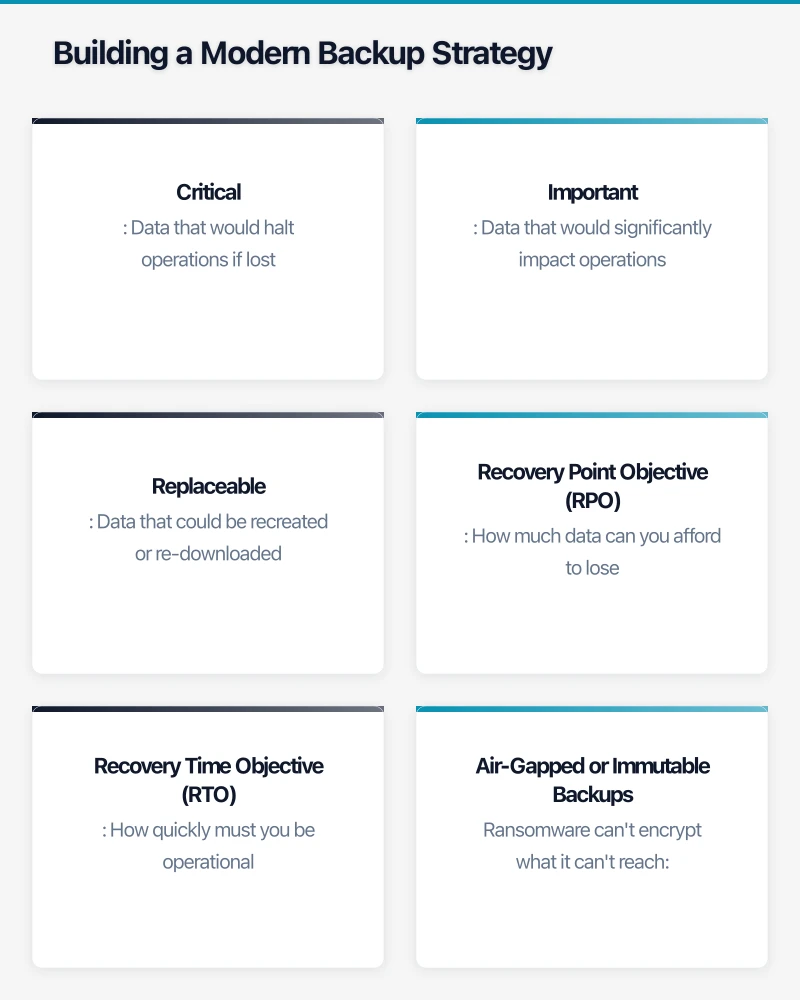
Critical: Data that would halt operations if lost
- Customer databases
- Financial records
- Active project files
- Email (often underestimated)
Important: Data that would significantly impact operations
- Historical records
- Templates and processes
- Marketing assets
- Configuration documentation
Replaceable: Data that could be recreated or re-downloaded
- Software installers
- Publicly available resources
- Temporary working files
Your backup strategy should prioritise accordingly: critical data needs the most robust protection with fastest recovery; replaceable data might not need backup at all.
Recovery Time and Recovery Point Objectives
Two metrics define backup requirements:
Recovery Point Objective (RPO): How much data can you afford to lose?
- Daily backups = up to 24 hours of potential data loss
- Hourly backups = up to 60 minutes of potential data loss
- Continuous backup = minimal data loss
Recovery Time Objective (RTO): How quickly must you be operational?
- Hours: Acceptable for non-critical systems
- Minutes: Required for customer-facing services
- Seconds: Mission-critical applications
For most SMBs:
- Critical data: RPO of 1-4 hours, RTO of 4-8 hours
- Important data: RPO of 24 hours, RTO of 24-48 hours
These objectives drive technology and cost decisions.
Ransomware-Resilient Backup
Modern ransomware specifically targets backups. Protection requires:
Air-Gapped or Immutable Backups
Ransomware can’t encrypt what it can’t reach:
- Cloud backups with separate credentials (not domain-joined)
- Immutable storage that prevents deletion or modification
- Offline backup copies rotated regularly
Backup Isolation
Your backup system should not be accessible from regular user workstations:
- Dedicated backup credentials not stored on production systems
- Network segmentation between backup infrastructure and user networks
- Cloud backup services that require separate authentication
Retention Beyond Infection Window
Ransomware may lurk in systems for weeks before activating:
- Maintain backup versions going back 30-90 days minimum
- Test restoration from older backups periodically
- Have process to identify clean restoration points
Cloud Backup Options for Australian SMBs
Microsoft 365 Backup
Contrary to common belief, Microsoft’s native retention is not backup:
- Deleted items have limited retention windows
- No protection against account compromise
- Microsoft recommends third-party backup
Options for M365 backup:
- Veeam for Microsoft 365: Comprehensive, enterprise-grade
- Acronis Cyber Protect: Backup plus security features
- Backupify: Cloud-to-cloud backup solution
- CloudAlly: Cost-effective for smaller deployments
Server and Workstation Backup
For on-premises infrastructure:
- Veeam Backup & Replication: Industry leader, free tier for small deployments
- Acronis Cyber Protect: Combined backup and security
- Datto: Purpose-built for MSP-delivered backup
- Azure Backup: Native for Azure-connected environments
Cloud Storage Integration
Most backup solutions can target:
- AWS S3: Flexible, scalable, multiple storage tiers
- Azure Blob Storage: Good for Microsoft-centric environments
- Backblaze B2: Cost-effective, simpler pricing
- Wasabi: Hot storage pricing competitive with cold storage
Australian Data Residency Considerations
For some businesses, data must remain in Australia:
Regulatory Requirements
- Health records under the Privacy Act
- Financial data under APRA guidelines
- Government contracts with data sovereignty clauses
Provider Options with Australian Storage
- Microsoft Azure: Sydney and Melbourne regions
- AWS: Sydney region
- Google Cloud: Sydney region
- Backblaze: No Australian region (consider implications)
Always verify actual storage location, not just provider’s regional presence.
Implementation Guide
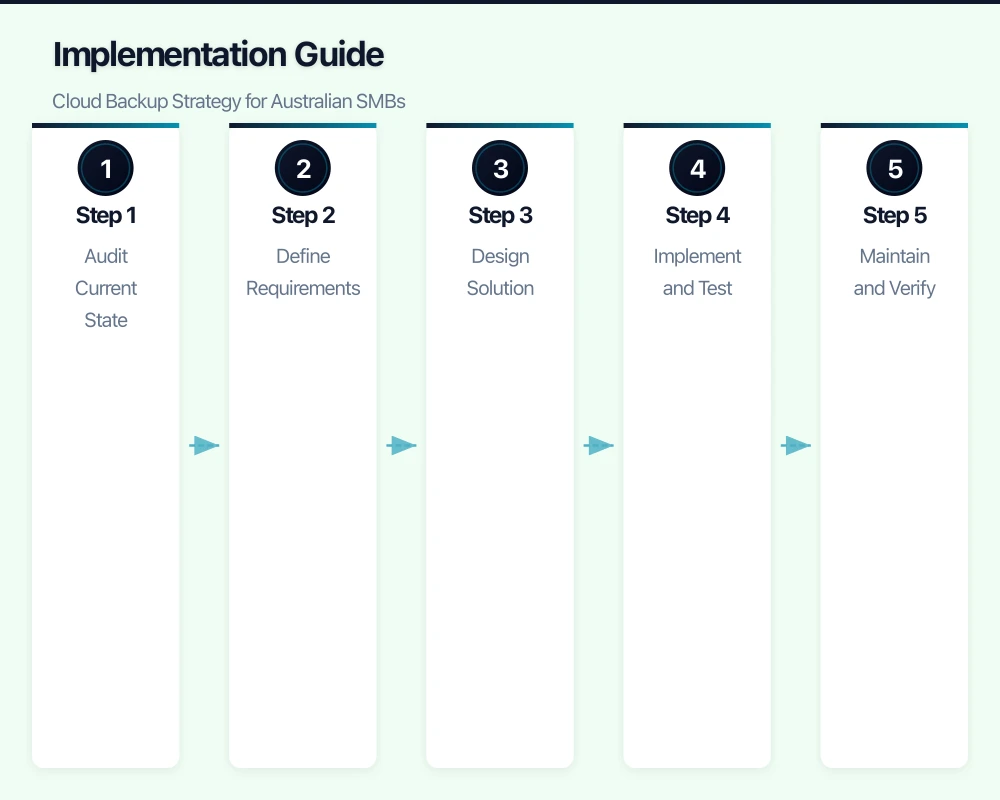
Step 1: Audit Current State
Before building new backup strategy, understand current reality:
What’s Currently Backed Up?
- List all data sources: servers, workstations, cloud services
- Identify what’s included in existing backups
- Note what’s not covered
How Often?
- Frequency of each backup job
- Last successful backup date for each
- Historical success rate
Where To?
- Local backup destinations
- Offsite/cloud destinations
- Physical security of backup storage
Can You Restore?
- When did you last test restoration?
- How long would full restoration take?
- Who knows how to perform restoration?
Step 2: Define Requirements
Based on audit and business analysis:
Data Classification Document which data is critical, important, or replaceable.
RPO and RTO Targets Set specific targets for each data classification.
Compliance Requirements Identify any regulatory requirements affecting backup.
Budget Parameters Determine acceptable monthly cost for data protection.
Step 3: Design Solution
Match technology to requirements:
Local Backup Component
- NAS device for small offices
- Dedicated backup server for larger environments
- Rotation schedule for offline copies
Cloud Backup Component
- Service selection based on requirements
- Storage tier selection (hot vs. cold)
- Retention policy configuration
Monitoring and Alerting
- Backup success/failure notifications
- Storage capacity monitoring
- Regular reporting schedule
Step 4: Implement and Test
Staged Implementation
- Start with critical data
- Verify successful backup before adding more
- Document configuration thoroughly
Restoration Testing
- Test file-level restoration
- Test full system restoration if applicable
- Verify data integrity after restoration
Document and Train
- Create runbooks for common restoration scenarios
- Train relevant staff on procedures
- Store documentation in accessible location (not only in backed-up systems!)
Step 5: Maintain and Verify
Regular Testing Schedule
- Monthly: Restore sample files
- Quarterly: Test restoration of full system/service
- Annually: Comprehensive disaster recovery test
Monitoring and Response
- Daily backup success verification
- Alert response procedures
- Escalation paths for failures
Regular Review
- Quarterly review of backup scope
- Annual review of strategy alignment
- Updates when infrastructure changes
Cost Considerations
Calculating True Cost
Backup costs include:
- Software licensing (often per-device or per-capacity)
- Storage costs (local hardware and cloud)
- Management time
- Testing and verification effort
Example: 20-person SMB
Scenario: 2TB of critical data, 10TB total data
Local Component
- NAS device: ~$2,000 one-time
- Replacement drives (3-year): ~$500
Cloud Backup Software
- Backup software: ~$50-200/month
- Cloud storage (2TB hot): ~$50-100/month
Estimated Total
- Year 1: ~$4,500-6,000
- Ongoing: ~$1,500-4,000/year
Compare to Cost of Data Loss
- Average SMB data breach cost: $100,000+
- Ransomware average payment: $170,000
- Business interruption: Varies, often substantial
Backup is insurance. The premium should reflect the risk.
Cost Optimisation Strategies
Tiered Storage
- Frequently accessed data in hot storage
- Older backups in cold/archive storage
- Significant savings for long retention
Compression and Deduplication
- Reduce storage requirements substantially
- Most backup software includes these features
- Test restoration to verify data integrity
Retention Optimisation
- Daily backups kept for 7-30 days
- Weekly backups kept for 4-12 weeks
- Monthly backups kept for 12-24 months
- Balance protection against storage costs
Getting Started
Immediate Actions
- Verify current backups are working: Check last successful backup date today
- Test a restoration: Can you actually recover files?
- Identify gaps: What critical data isn’t backed up?
- Check ransomware resilience: Can backups be encrypted by compromised workstation?
This Week
- Complete data classification exercise
- Define RPO/RTO requirements for critical data
- Audit current backup coverage against requirements
This Month
- Select and implement any missing components
- Configure monitoring and alerting
- Document procedures
- Perform comprehensive restoration test
Need Help?
Backup strategy that actually protects your business requires careful planning and ongoing attention. At CloudGeeks, we help Australian SMBs design, implement, and maintain data protection strategies that work when they’re needed most.
Whether you need a comprehensive backup review, help implementing a specific solution, or ongoing managed backup services, we can help you sleep better knowing your data is protected.
Related Articles
- Cloud Security Fundamentals for Australian Small Business
- Microsoft 365 Copilot: Is Your Australian SMB Ready?
For executive-level thinking on technology investment and digital strategy, explore Ash Ganda’s blog on enterprise innovation.
This article is brought to you by Ganda Tech Services — Sydney’s complete digital solutions provider covering cloud, web, and mobile.