
The AI Content Pipeline That Writes, Optimises, and Publishes Blog Posts Automatically
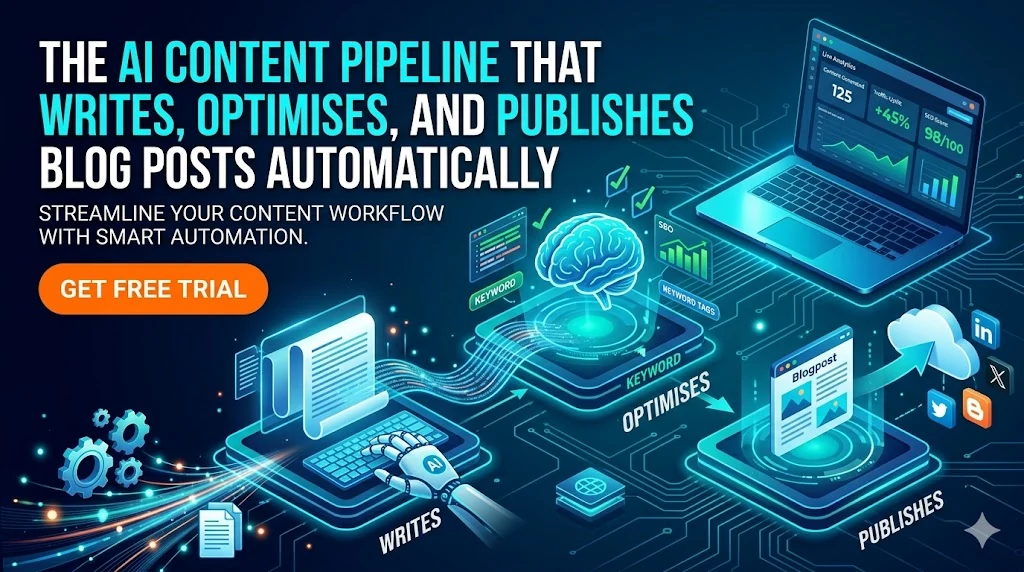
The AI Content Pipeline That Writes, Optimises, and Publishes Blog Posts Automatically
Content teams face a structural problem that grows harder as brands scale.
A single brand needs consistent publishing — two to four posts per week, each SEO-optimised, properly cross-linked, with a hero image and correct metadata. Multiply that across a brand family — seven sites in our case — and you have 22+ posts per month across sites that each serve a different audience, use a different brand voice, and target non-overlapping keyword territories.
At that volume, manual content creation is not a creative bottleneck. It is a capacity bottleneck. The question is not whether to automate — it is how to automate without losing quality control.
We built the answer over twelve months. This is the architecture, the workflow, and the lessons we learned.
The Core Insight: Content Automation Is a Pipeline Problem
Most teams approach content automation by automating individual steps: “We use AI for first drafts” or “We have a tool that handles meta descriptions.” That is process assistance, not process automation.
The goal we aimed for was different: given a topic title, produce a published blog post without any human in the loop.
That requires a pipeline — a sequence of steps where the output of each step feeds the input of the next, and every step has quality gates that stop bad output from propagating forward.
CONTENT PIPELINE OVERVIEW
──────────────────────────────────────────────────────────
  Input: Topic from content calendar
         ("Cloud Run min-instances budget trap", site: cloudgeeks)

  Step 1  →  Draft generation
             Full blog post, brand voice, keyword targets, word count

  Step 2  →  SEO / GEO / AEO pass
             Meta description, keyword placement, FAQ schema,
             How-To schema, structured data, featured snippet optimisation

  Step 3  →  Cross-link injection
             Internal links to sister brands, backlink to parent site

  Step 4  →  Image generation
             Hero image (1920×1080), OG image (1200×630)

  Step 5  →  Quality gate
             Word count, frontmatter completeness, image size check,
             error pattern detection

  Step 6  →  Assembly and publish
             MDX frontmatter assembly, Git commit, Git push,
             Cloudflare Pages auto-deploy (~60 seconds)

  Output: Live blog post, fully SEO-complete, 8–12 minutes later
──────────────────────────────────────────────────────────
Every step is automated. Every step has a failure mode that stops the pipeline rather than publishing bad content.
Step 1: The Content Calendar as the Single Source of Intent
The pipeline is pull-based, not push-based. Content does not exist until it is scheduled. The calendar is the authority on what gets written and when.
Each calendar entry carries everything the pipeline needs to make good decisions:
Content calendar entry structure:

  id:             2026-04-15-cloudgeeks-1
  site:           cloudgeeks
  topic:          Cloud Run min-instances budget trap
  scheduledDate:  2026-04-15 (Wednesday — cloudgeeks publishes Wednesdays)
  keywords:       [cloud run cost, gcp cost optimisation,
                   cloud run min-instances, australia cloud]
  pillar:         Cloud Architecture
  wordCount:      1500–2500 (cloudgeeks range)
  status:         pending
Before generating, the pipeline runs two checks:
Duplicate check: The topic is hashed against all published content across all seven sites using Jaccard similarity. If a published post is more than 70% similar on keywords or title, the topic is flagged for human review. This prevents keyword cannibalization — the single biggest risk when running multi-brand content automation.
Silo check: Each brand owns specific keyword territories. cloudgeeks owns cloud/IT/cybersecurity. cosmos owns web design/WordPress/SEO. A cloudgeeks topic that strays into cosmos territory is flagged. This keeps each site building authority in its own lane rather than competing with its sister brands.
Step 2: Generating the Draft
The draft generation step is where brand voice, tone, and topical expertise are enforced.
Each site has a style guide that feeds into the generation prompt:
Style guide parameters (cloudgeeks example):

  Tone:            Professional yet approachable
  Audience:        Australian SMB tech decision makers
  Perspective:     Written from direct project experience
  Code policy:     Pseudocode only — no implementation specifics
  Evidence style:  Concrete numbers and timelines over vague claims
  Local context:   Reference Australian market, GCP Sydney region
  Word count:      1,500–2,500 words

  Mandatory elements:
    - Real project that prompted this knowledge
    - Concrete problem or incident
    - Measured outcome / saving / improvement
    - Actionable next step for the reader
The draft is written in MDX format with frontmatter pre-populated from the calendar entry. The generation step outputs the full post — body, title, description, tags, and reading time estimate.
Step 3: The SEO / GEO / AEO Pass
A dedicated SEO optimisation step runs on the draft before anything else. This step does not rewrite the content — it validates and enhances it:
SEO pass checks and enhancements:

Validation:
  □ Primary keyword in H1 title
  □ Primary keyword in meta description
  □ Keyword density in acceptable range (0.5–1.5%)
  □ Meta description 140–160 characters
  □ At least 2 internal links (cross-links + parent site)

Schema markup (added if appropriate):
  □ Article schema (always)
  □ FAQ schema (if post contains Q&A sections)
  □ HowTo schema (if post contains numbered step sequences)
  □ LocalBusiness schema (for locally-targeted content)

GEO (Generative Engine Optimisation):
  □ Clear definitions for entities mentioned
  □ Explicit answers to likely questions (for AI answer engines)
  □ Key facts extracted to highlighted summary blocks

AEO (Answer Engine Optimisation):
  □ Direct, concise answer to the primary question in first 3 paragraphs
  □ Structured data formatted for featured snippet extraction
The GEO and AEO layers are increasingly important as more search intent is satisfied by AI-generated overviews (Google AI Overviews, Bing Copilot, ChatGPT Search) rather than direct page visits. Posts optimised for these surfaces get cited in AI answers — which drives brand visibility even when the click never comes.
Step 4: Cross-Link Injection
Cross-linking between the seven sites in the brand constellation is one of the highest-value activities in the content strategy — and one of the most commonly skipped in manual publishing workflows.
When you are rushing to ship a post, you do not stop to check whether the cloudgeeks article should link to the cosmos article on web security or the ashganda piece on cloud strategy. You just publish and move on.
The pipeline does not skip this.
Cross-link injection logic:

For each post being published:
  1. Identify key topics mentioned in the post
  2. Query the content index across all 7 sites
     for published posts on those topics
  3. Match opportunities to sister brand domains
     (using the silo map — no linking to competing silo)
  4. Inject contextual anchor text links
     at natural mention points in the post
  5. Add mandatory GTS parent link
     (every post links back to g-t-s.com.au)
  6. Validate no duplicate links to same URL
  7. Confirm all links are dofollow
     (never nofollow between own properties)
After 12 months, the internal link graph across the seven sites is dense and intentional. Every new post adds to it automatically.
Step 5: The Quality Gate
Before any post is assembled for publishing, it passes through a centralised quality gate. Every threshold is defined in one constants file — not in documentation, not in comments, not hardcoded in individual functions.
This lesson came from hard experience. We published two posts at 300 words (the minimum is 1,200) because the word count gate was a “log warning and proceed” rather than a real gate. The incident led us to redesign the quality layer entirely. (See: Quality Gate Drift — the full post-mortem.)
Quality gate — current checks:

Word count:
  □ Post exceeds site minimum (1,200–1,800 depending on site)
  □ Fail → mark calendar entry failed, alert, stop pipeline

Frontmatter completeness:
  □ All 8 required fields present:
    title, description, date, author, tags,
    image, readingTime, keywords
  □ Fail → mark failed, alert, stop

Image validation:
  □ Hero image file exists and is >10 KB
  □ (< 10 KB indicates generation failure or XML error response)
  □ Fail → mark failed, alert, stop

Content error detection:
  □ Post does not start with "Error:", "I cannot", "I'm sorry"
  □ Post does not contain "rate limit" or "timed out"
  □ Fail → mark failed, alert, stop
A failed gate does not mean the post is abandoned. It means the job is marked failed in the calendar, an alert fires, and a human reviews before any resubmission.
The Content Calendar in Practice
The calendar currently holds 70–80 scheduled topics across the seven sites. Topics are added three ways:
Manual scheduling: For topics we specifically want to cover — client case studies, product announcements, responses to industry events.
Batch generation: “Generate 12 topics for cloudgeeks for the next quarter, targeting IT support and cloud migration keywords, no overlap with these existing posts.” The AI generates and checks; a human reviews before adding to the calendar.
Trending scan: Weekly automated scan of Google Trends and news APIs for topics gaining search momentum in each site’s keyword territory. New trending topics are surfaced for human review before scheduling.
The pipeline never chooses what to write. Humans curate the topic queue. The pipeline executes.
What the Numbers Look Like After 12 Months
Publishing cadence:
  Target:   22 posts/month across 7 sites
  Achieved: 20–24 posts/month (pipeline failures average 1–2/month)

Quality metrics:
  SEO pass rate:        100% (enforced by pipeline)
  Cross-linking rate:   100% (enforced by pipeline)
  Image completeness:   98% (2% image generation failures)
  Word count compliance: 99% (quality gate catches the 1%)

Time investment:
  Topic curation:    ~2 hours/month
  Quality review:    ~1 hour/month (reviewing flagged failures)
  Manual edits:      ~3 hours/month (high-value posts get human polish)
  Total content ops: ~6 hours/month

Comparable manual effort for same output:
  Writing 22 posts @ 2–3 hours each: 44–66 hours
  SEO pass per post @ 30 min:        11 hours
  Cross-linking per post @ 20 min:   7 hours
  Total: 62–84 hours/month

  Automation saving: 56–78 hours/month
The Honest Limitations
Automated content is not the same as expert-written content. Content teams considering this approach should be clear-eyed about what automation does and does not do well:
What automation does well:
  ✓ Consistent brand voice from the style guide
  ✓ Complete SEO metadata every time
  ✓ Correct cross-linking structure
  ✓ Publishing cadence even during busy periods
  ✓ Informational and how-to content at volume

What automation does less well:
  ✗ Original research with primary sources
  ✗ Client case studies with proprietary data
  ✗ Nuanced opinion and thought leadership
  ✗ Breaking news or time-sensitive commentary
  ✗ Highly technical content requiring deep expertise
Our model is hybrid: automation handles 85–90% of the content volume. The remaining 10–15% is manually written — thought leadership pieces, case studies, and posts on topics where genuine expertise is the differentiator.
The automated content builds the SEO foundation. The manual content builds the authority.
Starting Your Own Pipeline
If you are a content team, agency, or multi-brand publisher considering content automation, the minimum viable pipeline has three components:
Minimum viable content pipeline:

1. Topic queue (spreadsheet, Notion, or dedicated tool)
   → Humans add topics
   → Pipeline pulls from queue in order

2. Generation + quality gate
   → AI writes to a template with quality checks
   → Failed posts quarantined for human review

3. Publishing integration
   → CMS API push, Git commit, or webhook to your platform
   → Track publish status back to topic queue

Start small: one site, one post per week, manual review of every output.
Scale after the quality gate is working reliably.
Never scale before the quality gate exists.
If you would like to understand how a pipeline like this could work for your content operation — whether you are a single-brand publisher or managing a multi-site portfolio — the ContentSage team can walk you through the architecture and the realistic time investment to build and maintain it.
Related: How We Built an AI Blog Factory: 22 Posts Per Month Across 7 Sites — the full technical architecture on Ash Ganda’s blog.