
Understanding Cloud Computing Costs for Australian Business
Understanding Cloud Computing Costs for Australian Business
Cloud computing promises cost savings, but the reality is more nuanced. Without careful planning and ongoing management, cloud costs can exceed what you spent on on-premises infrastructure. The pricing models are complex, the bills are detailed, and hidden charges can catch businesses off guard.
This guide demystifies cloud computing costs for Australian SMBs, helping you understand what you will pay, where the surprises hide, and how to keep spending under control.
Cloud Pricing Models
Cloud services fall into three broad categories, each with different pricing approaches:
Software as a Service (SaaS)
SaaS applications charge a fixed monthly fee per user. This is the simplest and most predictable model.
Examples and typical Australian pricing:
- Microsoft 365 Business Standard: $18.70 per user per month
- Google Workspace Business Standard: $16.80 per user per month
- Xero Standard: $50 per organisation per month
- Salesforce Essentials: $35 per user per month
- HubSpot CRM Starter: $68 per month (2 users)
SaaS costs are easy to budget because they are fixed and predictable. The main risk is subscription creep — accumulating tools you no longer need.
Infrastructure as a Service (IaaS)
IaaS charges are based on consumption — you pay for the compute, storage, and networking resources you use. This is where complexity and surprise costs arise.
Key cost components:
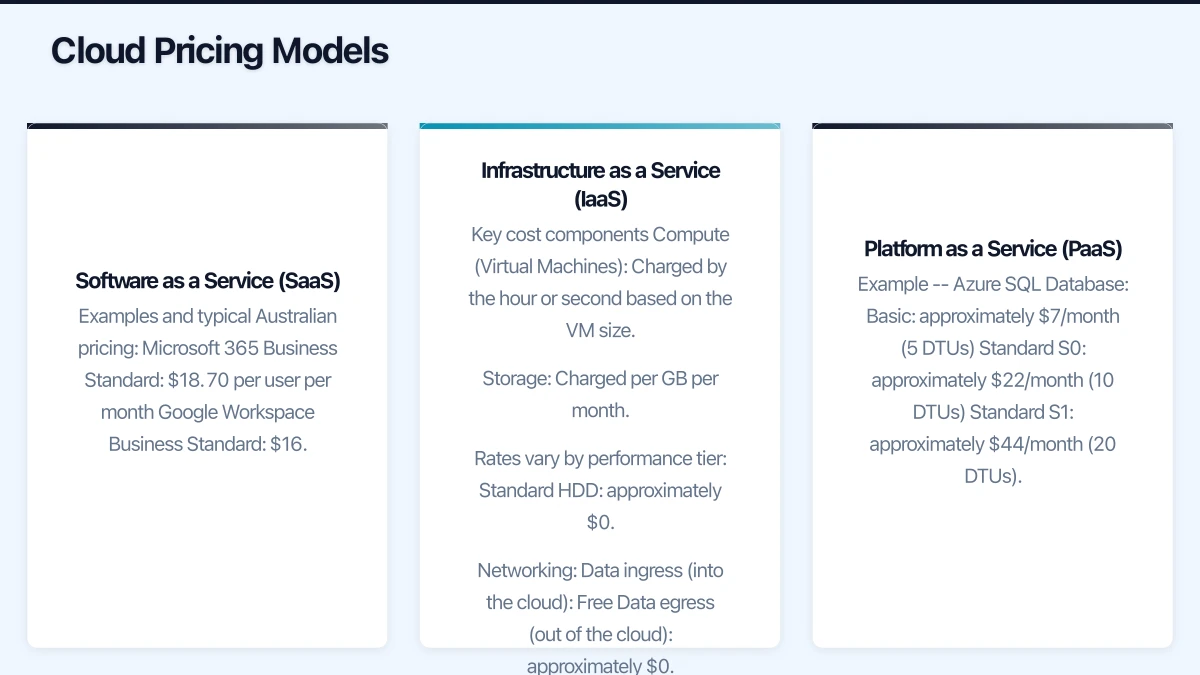
Compute (Virtual Machines): Charged by the hour or second based on the VM size. In Azure Australia East:
- B2s (2 vCPUs, 4 GB RAM): approximately $55/month
- D2s v3 (2 vCPUs, 8 GB RAM): approximately $120/month
- D4s v3 (4 vCPUs, 16 GB RAM): approximately $240/month
Storage: Charged per GB per month. Rates vary by performance tier:
- Standard HDD: approximately $0.06/GB/month
- Standard SSD: approximately $0.10/GB/month
- Premium SSD: approximately $0.20/GB/month
- Blob Storage (Hot): approximately $0.028/GB/month
Networking:
- Data ingress (into the cloud): Free
- Data egress (out of the cloud): approximately $0.114/GB for the first 5 TB/month
- Within the same region: Free or low cost
- Between regions: $0.08 to $0.16/GB
Platform as a Service (PaaS)
PaaS services (managed databases, application platforms) charge based on the tier and consumption. Pricing sits between the simplicity of SaaS and the variability of IaaS.
Example — Azure SQL Database:
- Basic: approximately $7/month (5 DTUs)
- Standard S0: approximately $22/month (10 DTUs)
- Standard S1: approximately $44/month (20 DTUs)
Hidden Costs to Watch
The headline price of a cloud VM is just the starting point. Australian businesses regularly encounter these additional charges:
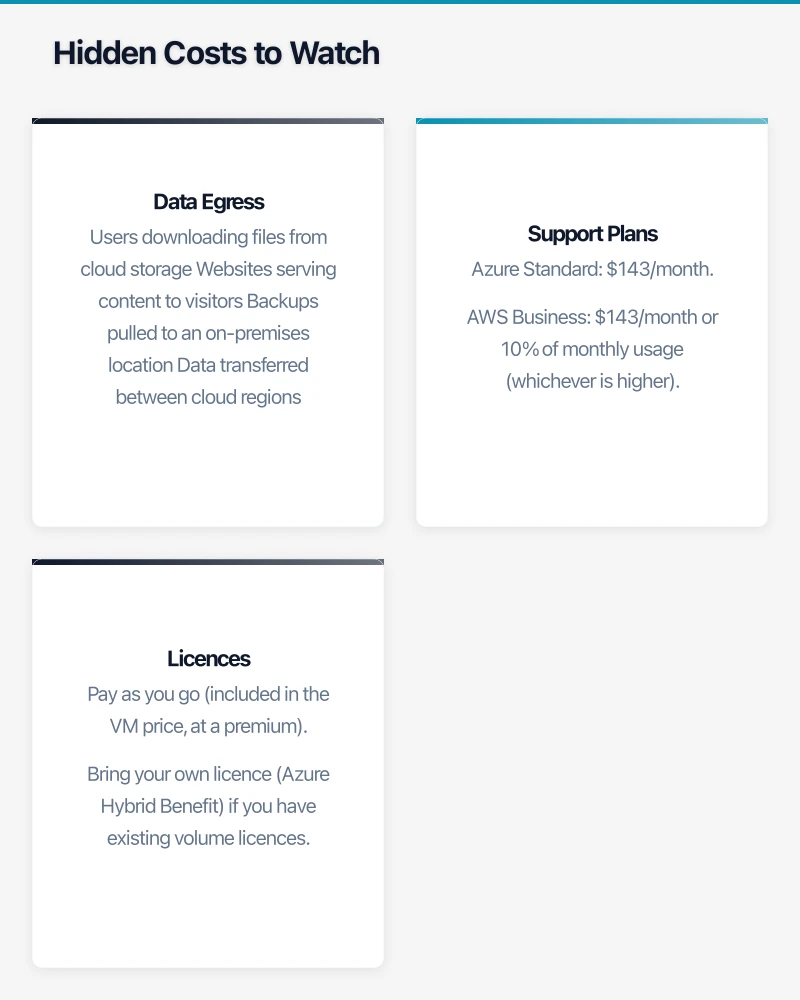
Data Egress
Every GB of data that leaves the cloud incurs a charge. This adds up quickly for:
- Users downloading files from cloud storage
- Websites serving content to visitors
- Backups pulled to an on-premises location
- Data transferred between cloud regions
For a business serving 500 GB of data per month to users outside the cloud, egress charges alone could be $50 to $60.
Support Plans
Basic cloud support is limited to documentation and community forums. For phone or chat support with reasonable response times, paid plans are required:
- Azure Standard: $143/month
- AWS Business: $143/month or 10% of monthly usage (whichever is higher)
Licences
Running Windows Server or SQL Server VMs in the cloud requires licences. You can either:
- Pay as you go (included in the VM price, at a premium)
- Bring your own licence (Azure Hybrid Benefit) if you have existing volume licences
The difference can be substantial. A Windows Server VM without licence portability costs 30% to 40% more than the same VM with the Azure Hybrid Benefit.
Managed Services Add-Ons
Services like Azure Active Directory Premium, Microsoft Defender for Cloud, and advanced monitoring tools each add to the monthly bill. Individually they are modest, but collectively they can add 20% to 40% to your base infrastructure cost.
IP Addresses
Static public IP addresses incur charges, typically $4 to $5 per month per address. If you have several services each requiring a public IP, this adds up.
Idle Resources
A VM that is stopped (deallocated) does not incur compute charges but still incurs storage charges. Resources created for testing and forgotten about continue to generate charges. This is one of the most common sources of cloud waste.
Cost Comparison: Cloud vs On-Premises
For an Australian SMB evaluating a move to cloud infrastructure, here is a realistic comparison for a small server environment:
Scenario: 2 servers, 20 users
On-premises (3-year cost):
- Server hardware (2 units): $12,000
- Windows Server licences: $3,000
- CALs (20 users): $1,200
- UPS and rack: $2,000
- Annual maintenance/warranty: $3,600 (3 years)
- Power and cooling: $2,400 (3 years)
- Backup solution: $5,400 (3 years)
- Total 3-year cost: approximately $29,600
Cloud IaaS (3-year cost):
- 2 Azure VMs (D2s v3): $86,400 ($2,400/month x 36 months — pay-as-you-go)
- With 3-year reserved instances: approximately $37,800
- Storage (500 GB Premium SSD): $3,600
- Backup: $2,160
- Support plan: $5,148
- Total 3-year cost (reserved): approximately $48,708
At first glance, cloud is more expensive. But the comparison is incomplete without considering:
- Eliminated costs: No server room, power, cooling, or physical maintenance.
- Reduced risk: Cloud infrastructure includes built-in redundancy.
- Flexibility: Scale resources as needed, add capacity in minutes.
- Remote access: Cloud infrastructure is accessible from anywhere.
- Reduced IT management: Less hardware to maintain.
For some businesses, the cloud is cheaper. For others, on-premises is. The right answer depends on your specific circumstances, which is why the analysis matters.
Cost Optimisation Strategies
1. Right-Size Your Resources
The most common cloud waste is oversized resources. A VM provisioned with 16 GB of RAM that consistently uses only 4 GB is wasting money.
Action: Review resource utilisation monthly. Both Azure and AWS provide recommendations for right-sizing. Downsize VMs that are consistently underutilised.
2. Use Reserved Instances
If a workload will run continuously for one or three years, reserved instances offer savings of 30% to 60% compared to pay-as-you-go pricing.
Action: Identify workloads that will be persistent (domain controllers, database servers, application servers) and purchase reservations. Pay upfront for the best discount, or choose monthly payments for lower cash flow impact.
3. Shut Down Non-Production Resources
Development, testing, and staging environments do not need to run 24/7. Schedule them to shut down outside business hours.
Action: Use Azure Automation or AWS Instance Scheduler to automatically start and stop non-production VMs. Running a VM only during business hours (50 hours per week versus 168) reduces compute costs by 70%.
4. Use the Right Storage Tier
Not all data needs premium storage. Archive data that is rarely accessed to cool or cold storage tiers.
Azure example:
- Hot: $0.028/GB/month — for frequently accessed data
- Cool: $0.014/GB/month — for data accessed less than once per month
- Archive: $0.003/GB/month — for data accessed less than once per year
Moving 1 TB of archival data from hot to archive storage saves approximately $25 per month.
5. Set Budget Alerts
Configure budget alerts so you are notified before costs exceed expectations. Both Azure Cost Management and AWS Budgets allow you to set dollar thresholds and receive email notifications.
Action: Set alerts at 50%, 75%, 90%, and 100% of your expected monthly spend.
6. Tag Everything
Apply tags to all cloud resources indicating the owner, project, environment (production, development), and purpose. Tags enable you to:
- Track spending by project or department
- Identify orphaned resources
- Allocate costs accurately
7. Review Monthly
Cloud cost management is an ongoing discipline, not a one-time task. Schedule a monthly review to:
- Analyse the previous month’s bill
- Identify cost anomalies
- Check for unused resources
- Evaluate right-sizing recommendations
- Update budget forecasts
Budgeting for Cloud Costs
For Australian SMBs moving to the cloud, here are practical budgeting tips:
- Start with a proof of concept: Run a small workload in the cloud for a month to understand real costs before committing to a full migration.
- Use pricing calculators: Both Azure and AWS offer detailed pricing calculators. Input your expected workloads to generate cost estimates.
- Add a buffer: Cloud cost estimates are often 15% to 25% lower than actual costs due to data transfer, support, and add-on services. Budget accordingly.
- Plan for currency: Azure and AWS bill in AUD for Australian customers, but exchange rate fluctuations can affect USD-based services.
- Review quarterly: Adjust your budget based on actual usage patterns.
Getting Started
If you are evaluating cloud costs for the first time:
- Document your current IT costs — hardware, software, power, support, and staff time.
- Identify candidate workloads for cloud migration.
- Use a pricing calculator to estimate cloud costs for those workloads.
- Factor in hidden costs — egress, support, licences, and management overhead.
- Compare the total cost of ownership, not just headline prices.
Cloud computing can be cost-effective for Australian SMBs, but only with deliberate planning and ongoing management. The businesses that benefit most are those that treat cloud cost management as a continuous practice, not a one-time decision.
How does cloud adoption fit your long-term business strategy? Ash Ganda explores technology leadership and digital maturity for growing businesses.
Ashish Ganda is the founder of Ganda Tech Services, a Sydney-based technology consultancy helping Australian businesses grow through cloud, web, and mobile solutions.