
Scale-to-Zero vs Always-On: What Serverless Redis Actually Changed
The pitch for serverless caching is that you pay for what you use. The honest version is that you pay for what you use and accept a latency profile you did not have before.
We made that trade on a production service — a retrieval-augmented generation backend running on Google Cloud Run — as part of a broader cost pass. This post is what each change actually did, in the order we made them, including the one that made the service measurably slower.
Prefer to watch? The eight-minute version covers the same five changes.
The starting position
The service is a FastAPI backend doing vector search and streaming LLM responses over server-sent events. Redis was doing two jobs: rate limiting and multi-turn chat session state. Neither is heavy. Both were sitting on an always-on instance.
That is the shape most small services end up in, and it is worth naming why: you provision Redis on day one because you need a cache, size it for a load you have not got yet, and it quietly bills every hour for the next two years.
We had already learned this lesson expensively on the same service. An earlier
min-instances=1 setting on Cloud Run cost roughly $150 a month in idle charges
across three billing cycles before anyone noticed — we
wrote that up separately, and
it is the reason this pass happened at all.
Change 1: always-on Redis → serverless Redis
We moved to Upstash, which bills per request rather than per hour. We have written up that specific migration before — the Memorystore line items, the client changes and the cutover are in Stop Paying for Idle Redis. This post is the wider pass: Redis was one of five changes, and on its own it was not the largest.
Why it fits this workload: rate-limit counters and session keys are small, bursty and idle most of the day. A managed always-on instance charges for the 22 hours nobody is using it. A per-request model charges for the two that they are.
When it does not fit: if your cache is genuinely hot — hundreds of operations a second, sustained — per-request pricing crosses over and an always-on instance is cheaper. The crossover is real and you should estimate it rather than assume serverless is always the answer. Take your operations per month, multiply by the per-request rate, and compare against the monthly instance price. It is a five-minute calculation that decides the architecture.
The latency change: serverless Redis is reached over the public internet with TLS rather than a private network hop. For a rate-limit check on an endpoint already waiting on an LLM, the added milliseconds are noise. For a hot path doing multiple sequential cache reads per request, they compound. Ours does one.
Change 2: min-instances=0
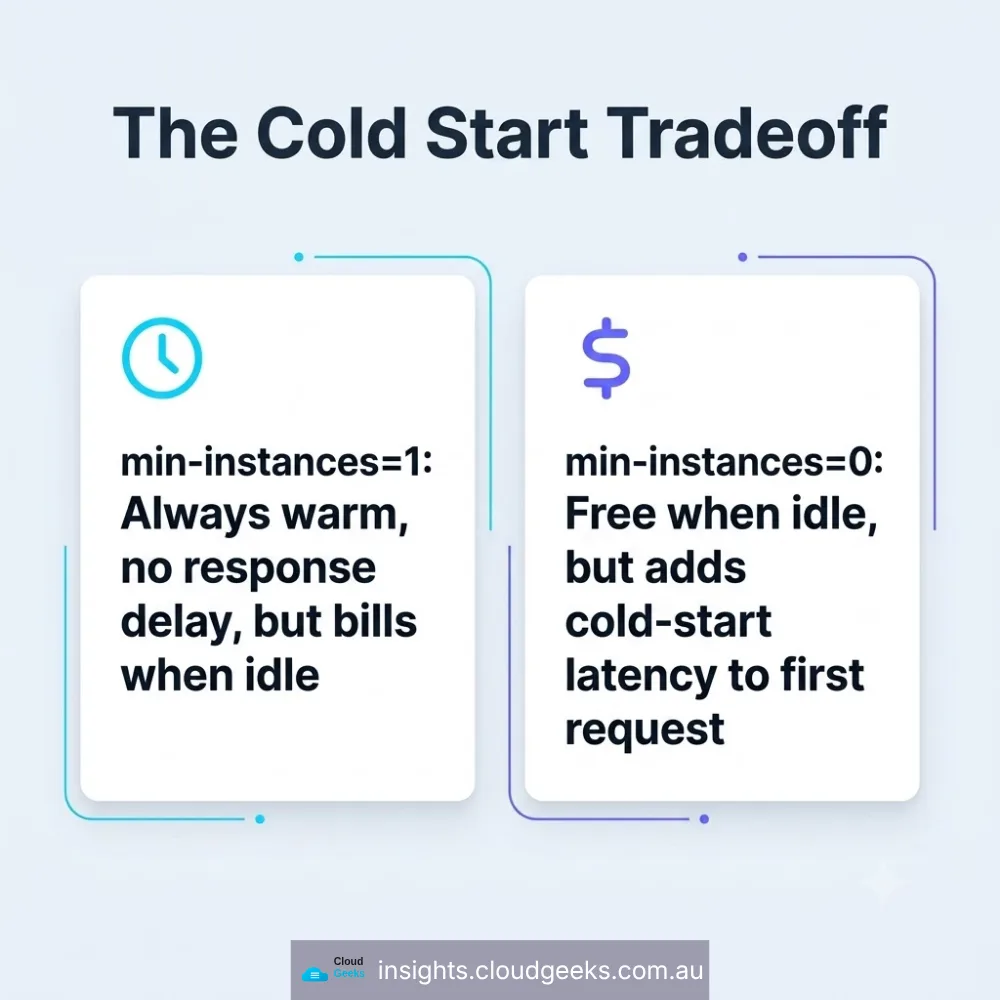
Cloud Run’s min-instances keeps warm containers alive. At 1, you always have a
container running — and you always pay for it, including the hours with no traffic.
Setting it to 0 means the service scales to nothing when idle.
The cost this removes is not small and not obvious, because it is a flat charge that never spikes and never triggers a billing alert. It looks like the floor of your bill rather than a line item.
The cost this adds is a cold start, and on this service that has a specific, user-visible shape: the endpoints stream tokens over SSE, so a cold start delays the first token. The user watches a blank response for the duration of the container boot.
We accepted it. That is a real decision with a real downside, and the reason it was acceptable is that this service has bursty, human-paced traffic where a cold start lands on one request in a session rather than every request.
If your endpoint is a synchronous API that something else depends on — a
checkout, a webhook consumer, anything with a timeout upstream — min-instances=0
is the wrong call and the warm container is worth paying for.
Change 3: right-sizing to 1Gi / 1 CPU
Cloud Run bills on allocated memory and CPU for the duration a container is alive. Over-allocating is the easiest money to waste because nothing breaks — the service simply costs more than it needs to, forever.
We took the service to 1Gi memory and 1 CPU. The discipline here is to measure actual peak usage under load and add headroom, rather than picking a number that feels safe. “Feels safe” is how a service ends up at 4Gi to run a process that peaks at 600MB.
Change 4: removing the VPC connector
The service had a Serverless VPC Access connector, originally there so Cloud Run could reach the private Redis instance.
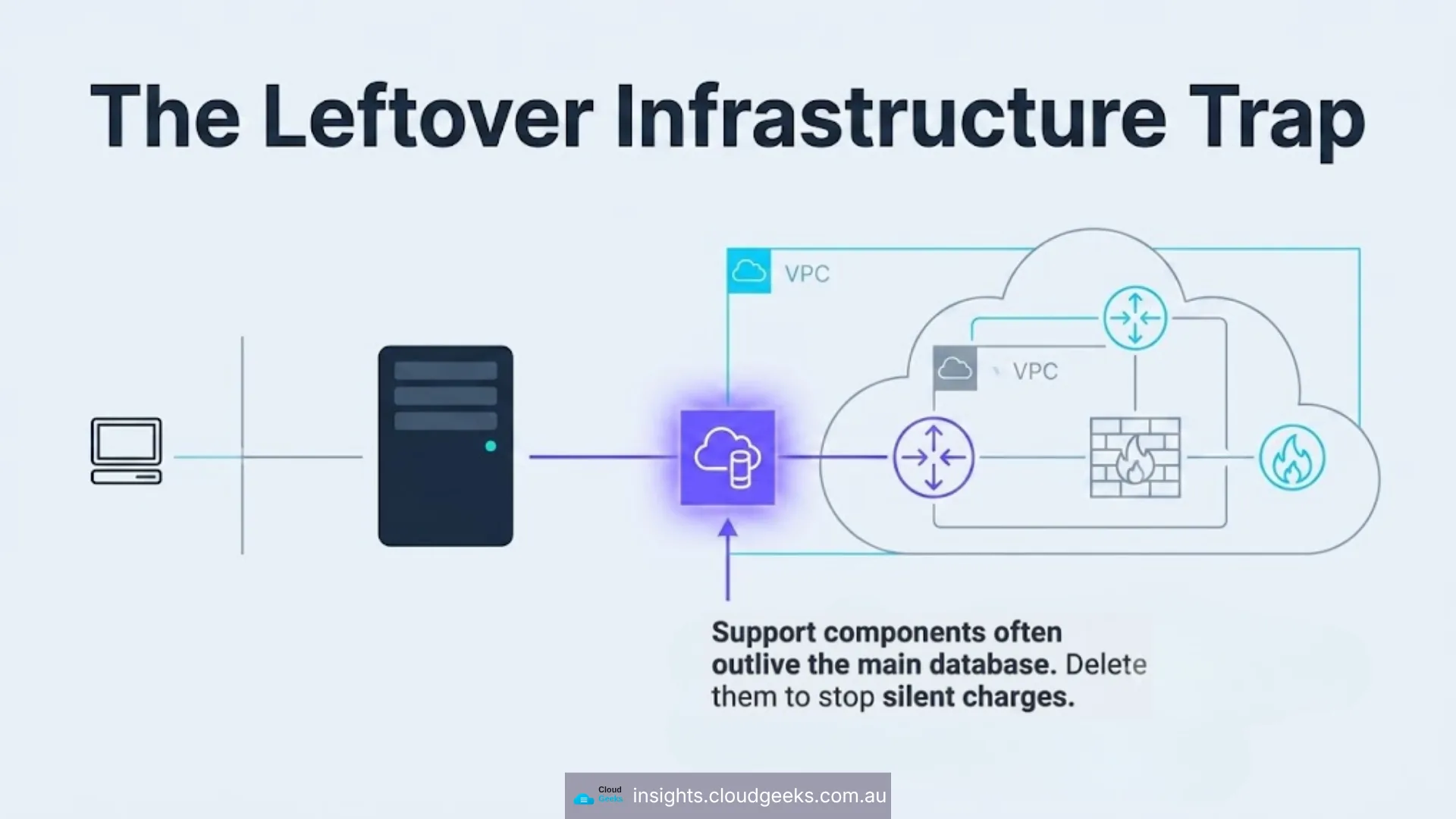
Once Redis moved to a public TLS endpoint, the connector had no remaining job — and a VPC connector bills for its provisioned instances whether or not anything routes through it.
This is the pattern worth internalising: infrastructure added to support a component often outlives the component. The connector was not wrong when it was created. It became waste the moment Redis moved, and nothing in the system announces that.
When you remove a dependency, go and look for what was provisioned to support it.
Change 5: pruning the container image registry
Every deploy pushes a container image, and every image sits in Artifact Registry billing for storage until someone deletes it. After a year of deploys that is a quietly growing line on the bill for images nobody will ever run again.
We added a pruning step to the build that keeps the five most recent images and deletes the rest — running as a non-fatal step, so a build never fails because there was nothing to prune.
Small money. But it is compounding small money, and it costs one build step.
What we would not have done
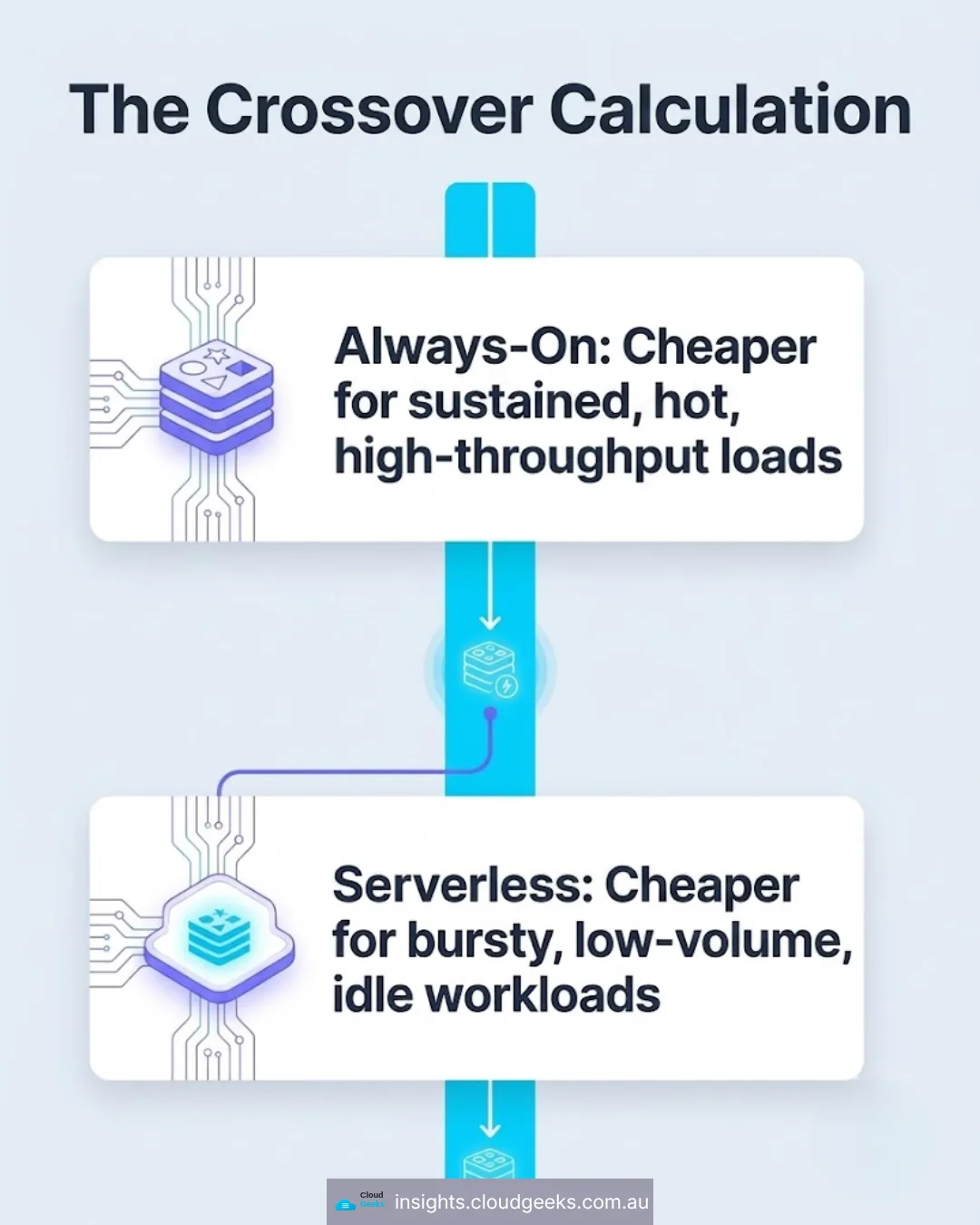
We would not have moved Redis if the workload were hot. Serverless caching suits bursty and idle. Sustained high-throughput caching is exactly the workload per-request pricing punishes.
We would not have set min-instances=0 on a synchronous, latency-sensitive endpoint. The saving is real and so is the cold start. A checkout API that occasionally takes an extra few seconds is not a cost optimisation, it is a conversion problem you have moved to a different budget line.
We would not treat any of this as a substitute for knowing where the money goes. The $150/month min-instances charge survived three billing cycles not because it was hidden, but because nobody was reading the bill by line item.
A short checklist
If you run a small service on Cloud Run, Lambda, or Container Apps:
- Is anything provisioned always-on that is used bursty? Cache, queue, small database — these are the usual suspects.
- What is your min-instances, and did you choose it? Defaults and copy-pasted deploy scripts are how it gets set to 1.
- What is your allocated memory versus your measured peak? Not your guess — your measured peak.
- What was provisioned to support something you have since removed? VPC connectors, NAT gateways, static IPs, private endpoints.
- Is anything accumulating storage forever? Container images, build artefacts, old backups, logs with no retention policy.
- Do you read the bill by line item monthly? If not, start there — it is free and it finds more than any of the above.
Frequently Asked Questions
Is serverless Redis always cheaper than always-on?
No. It is cheaper for bursty, low-to-moderate volume workloads and more expensive for sustained high throughput. Estimate your monthly operation count, multiply by the per-request rate, and compare with the instance price before deciding.
What does min-instances=0 actually cost me?
A cold start on the first request after an idle period. How much that matters depends entirely on your endpoint: for a streaming response it delays the first token visibly; for a background job it is irrelevant; for a synchronous API with an upstream timeout it can cause a failure.
How much can a small business realistically save?
It depends on what is over-provisioned, which is why the audit matters more than any
single change. On this service, a single mis-set min-instances was costing roughly
$150 a month on its own. The pattern — a flat charge that never spikes — is what
makes these costs survive so long.
Should I do this myself or get help?
The checklist above is genuinely self-serviceable and worth an hour of your time. Where it gets harder is knowing which always-on components are load-bearing and which are leftovers — removing the wrong one causes an outage rather than a saving.
Do you offer cloud cost reviews?
Yes. Managed services sit between $500 and $5,000 a month depending on headcount and how much of your stack is already cloud-hosted, and a cost review is part of onboarding rather than a separate engagement.
Talk to us
We are at U608/8 Elizabeth Macarthur Drive, Bella Vista NSW 2153, on 0433 309 677. If your cloud bill has a floor you cannot explain, that floor is usually one or two always-on components — and finding them is a short conversation.
If the same question applies to your website’s hosting rather than your application infrastructure — Cosmos Web Tech handles the web side for Australian small businesses.
Ash Ganda writes on cloud architecture and the economics of AI-era infrastructure.
Part of the Ganda Tech Services family, Cloud Geeks delivers managed IT, cloud and cybersecurity for Australian small and medium businesses.