
Planning Your 2024 IT Budget: Guide for Australian Business
Planning Your 2024 IT Budget: Guide for Australian Business
December is budget season for many Australian businesses. Whether your financial year runs with the calendar year or the Australian financial year (July to June), the end of December is a natural planning point for IT investment.
IT budgeting for Australian SMBs has become more complex as businesses shift from capital-heavy on-premises infrastructure to a mix of subscriptions, cloud services, and managed services. The good news is that this shift makes costs more predictable. The challenge is ensuring you account for everything and allocate resources to the initiatives that deliver the most value.
This guide provides a framework for building your 2024 IT budget.
IT Budget as a Percentage of Revenue
As a starting benchmark, Australian SMBs typically spend 3 to 6 percent of revenue on IT. This varies significantly by industry:
- Professional services (legal, accounting, consulting): 4 to 7 percent
- Financial services: 5 to 8 percent
- Healthcare: 3 to 5 percent
- Retail: 2 to 4 percent
- Manufacturing: 2 to 4 percent
- Technology companies: 7 to 12 percent
These percentages include all IT costs: hardware, software, cloud services, personnel, support, and security. If your spending is significantly below your industry benchmark, you may be under-investing, which creates risk and limits growth. If significantly above, look for optimisation opportunities.
Budget Categories
1. Cloud and SaaS Subscriptions
For most Australian SMBs, this is now the largest IT budget category. Calculate your annual cloud and SaaS costs:
Microsoft 365 licensing:
| Plan | Monthly per user | Annual per user | 30 users annual |
|---|---|---|---|
| Business Standard | AUD 19 | AUD 228 | AUD 6,840 |
| Business Premium | AUD 33 | AUD 396 | AUD 11,880 |
Additional cloud services:
- Azure infrastructure (VMs, storage, backup): varies widely. Review current Azure spending and project 2024 needs.
- Cloud phone system: AUD 15 to 35 per user per month
- CRM (e.g., Salesforce, HubSpot): AUD 25 to 150 per user per month
- Accounting (Xero, MYOB): AUD 50 to 80 per month
- Help desk platform: AUD 15 to 50 per agent per month
- Password manager: AUD 5 to 10 per user per month
- Other SaaS subscriptions: audit all current subscriptions
New for 2024:
- Microsoft 365 Copilot: USD 30 per user per month (approximately AUD 45 to 50). Budget for pilot users initially.
- Any new SaaS tools you plan to adopt
Budget tip: Conduct a full SaaS audit before budgeting. Many Australian businesses are paying for subscriptions they no longer use or have duplicate tools serving the same purpose.
2. Cybersecurity
Cybersecurity spending should be 10 to 15 percent of your total IT budget. For a business spending AUD 150,000 annually on IT, that means AUD 15,000 to 22,500 on security.
Key security investments for 2024:
- Endpoint protection (EDR): AUD 3 to 8 per endpoint per month. Microsoft Defender for Business is included in Business Premium; standalone EDR from CrowdStrike or SentinelOne is an alternative.
- Email security: AUD 2 to 5 per user per month (if not adequately covered by Microsoft 365 built-in protection)
- Managed Detection and Response (MDR): AUD 15 to 50 per endpoint per month for 24/7 monitoring
- Security awareness training: AUD 15 to 30 per user per year
- Penetration testing: AUD 5,000 to 15,000 annually for external testing
- Cyber insurance: AUD 2,000 to 10,000 annually depending on coverage and risk profile
- MFA hardware keys (for admins): AUD 50 to 100 per key
Budget tip: If you are on Microsoft 365 Business Basic or Standard, upgrading to Business Premium (additional AUD 14 per user per month) adds Intune, Conditional Access, and Defender for Business. This is often more cost-effective than purchasing these capabilities separately.
3. Hardware
Even in a cloud-first world, hardware investment is necessary. Key categories:
Laptop refresh:
- Identify devices due for replacement (4 or more years old, end of warranty, performance issues)
- Budget AUD 1,400 to 2,000 per general business laptop with 3-year warranty
- Include accessories: docking station (AUD 300), monitor (AUD 350), headset (AUD 200)
- For a staggered refresh (replacing 25 percent of fleet annually), a 40-device fleet requires 10 replacements per year: approximately AUD 20,000 to 28,000
Network infrastructure:
- Firewall refresh (if current device is more than 5 years old or end of support): AUD 1,500 to 5,000
- WiFi access point upgrades: AUD 200 to 2,000 per unit
- Switch upgrades: AUD 300 to 1,500 per switch
- UPS replacement (batteries degrade after 3 to 5 years): AUD 200 to 800
Meeting room technology:
- Video conferencing hardware for meeting rooms: AUD 2,000 to 10,000 per room
- Upgraded webcams and headsets for hybrid workers: AUD 100 to 500 per person
Budget tip: Plan hardware purchases in Q1 or Q2 to avoid end-of-year supply constraints. Many vendors offer discounts in January and February when demand is lower.
4. IT Support and Managed Services
If you outsource IT support to a managed service provider (MSP):
Managed IT services: AUD 80 to 200 per user per month, typically covering:
- Help desk support
- Server and network monitoring
- Patch management
- Backup monitoring
- Basic security monitoring
- Vendor management
For a 30-person business: AUD 2,400 to 6,000 per month (AUD 28,800 to 72,000 per year)
If you have in-house IT staff:
- IT Manager: AUD 100,000 to 140,000 per year (total employment cost)
- IT Support Officer: AUD 60,000 to 85,000 per year (total employment cost)
- Factor in training, tools, and professional development: AUD 3,000 to 5,000 per person per year
Budget tip: Many Australian SMBs use a hybrid model: one or two in-house IT staff for day-to-day operations, supplemented by an MSP for after-hours support, specialist projects, and additional capacity.
5. Projects and Initiatives
Budget separately for one-off projects that will improve your IT capabilities in 2024:
Common projects for Australian SMBs in 2024:
- Cloud migration completion: Migrating remaining on-premises workloads. AUD 10,000 to 50,000 depending on scope.
- Microsoft 365 Copilot pilot: Licence costs plus training and data governance preparation. AUD 5,000 to 15,000 for a pilot.
- Zero Trust implementation: Conditional Access, Intune deployment, device compliance policies. AUD 5,000 to 20,000 if using an MSP for implementation.
- WiFi upgrade: Modern cloud-managed WiFi infrastructure. AUD 3,000 to 15,000 depending on office size.
- Business continuity improvements: Disaster recovery testing, improved backup solutions. AUD 3,000 to 10,000.
- Compliance projects: Security assessments, policy documentation, audit preparation. AUD 5,000 to 20,000.
Budget tip: Prioritise projects that address security gaps and compliance requirements first. Growth-enabling projects come second. Nice-to-have improvements come third.
6. Internet Connectivity
Do not overlook connectivity costs, especially if cloud services are expanding:
- Primary internet (NBN Business or enterprise): AUD 100 to 500 per month per site
- Backup connection (4G/5G): AUD 50 to 150 per month per site
- SD-WAN (multi-site businesses): AUD 200 to 1,000 per month
7. Training and Development
Invest in your team’s ability to use technology effectively:
- IT staff training: AUD 3,000 to 5,000 per person for certifications and courses
- End-user training: AUD 200 to 500 per person for Microsoft 365 or new tool training
- Security awareness training: Included in the security budget above
Budget Template
Here is a summary template for a 30-person Australian business:
| Category | Monthly | Annual |
|---|---|---|
| Microsoft 365 Business Premium | $990 | $11,880 |
| Other SaaS subscriptions | $500 | $6,000 |
| Azure infrastructure | $300 | $3,600 |
| Cybersecurity tools | $500 | $6,000 |
| Cyber insurance | $250 | $3,000 |
| Security awareness training | - | $600 | | Penetration testing | - | $8,000 | | Managed IT services | $4,000 | $48,000 | | Hardware refresh (10 devices) | - | $22,000 | | Network infrastructure | - | $5,000 | | Internet connectivity | $400 | $4,800 | | Projects | - | $25,000 | | Training | - | $4,000 | | Contingency (10%) | - | $14,788 | | Total | | $162,668 |
This equates to approximately AUD 5,422 per user per year or AUD 452 per user per month. Adjust based on your specific needs, industry, and risk profile.
Budget Prioritisation
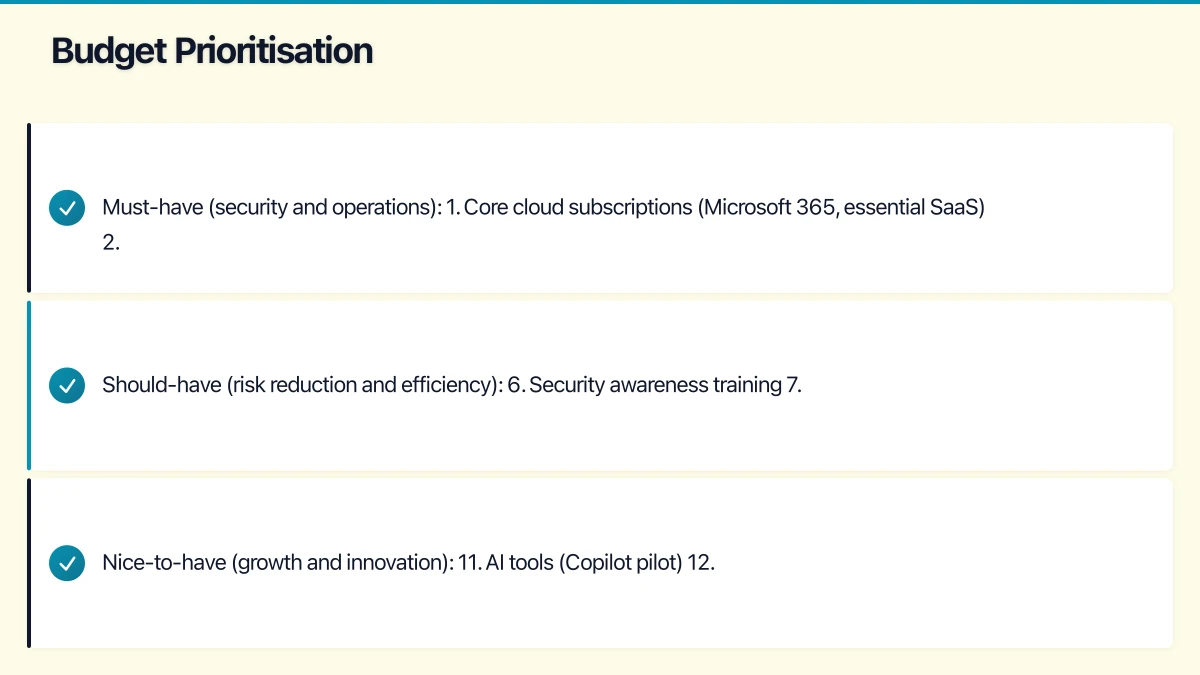
If your budget is constrained, prioritise in this order:
Must-have (security and operations):
- Core cloud subscriptions (Microsoft 365, essential SaaS)
- Cybersecurity tools and insurance
- IT support (MSP or staff)
- Internet connectivity
- Critical hardware replacements
Should-have (risk reduction and efficiency): 6. Security awareness training 7. Penetration testing 8. Hardware refresh for ageing devices 9. Network upgrades if experiencing issues 10. Business continuity improvements
Nice-to-have (growth and innovation): 11. AI tools (Copilot pilot) 12. Advanced collaboration tools 13. Meeting room upgrades 14. Advanced analytics and reporting tools
Presenting the Budget
When presenting your IT budget to business leadership:
Frame it as business investment, not cost:
- “This security investment reduces our risk of a data breach that could cost AUD 100,000 or more”
- “This hardware refresh ensures our team maintains productivity and reduces help desk calls”
- “This cloud migration eliminates AUD 15,000 per year in server maintenance costs”
Use benchmarks:
- Compare your IT spending as a percentage of revenue to industry benchmarks
- Show how proposed spending compares to the prior year
- Highlight areas where you have found savings to offset new investments
Include risk context:
- What are the risks of not investing? (Data breach, downtime, compliance failure)
- What are the most impactful investments for risk reduction?
- What does your cyber insurance provider require?
Be specific about outcomes:
- What will each investment deliver in business terms?
- When will each initiative be completed?
- How will you measure success?
Managing the Budget Through the Year
An IT budget is not a set-and-forget exercise:
- Monthly: Review cloud and subscription spending against budget
- Quarterly: Review project progress and spending. Adjust priorities if needed.
- Mid-year: Formal budget review. Identify any additional funding needs or savings opportunities.
- Year-end: Review actual vs budget. Document lessons for next year’s planning.
Track IT spending in a simple spreadsheet or use your accounting software’s project tracking features. The visibility this provides prevents surprises and supports data-driven decisions.
Getting Started
- Audit your current IT spending (all categories) for the past 12 months
- Identify commitments that carry into 2024 (contracts, subscriptions, lease payments)
- List planned initiatives and their estimated costs
- Identify hardware that needs replacement
- Review security posture and identify investment needs
- Build the budget using the template above
- Add a 10 percent contingency for unexpected needs
- Present to leadership with clear business justification
A well-planned IT budget ensures your Australian business has the technology foundation it needs to operate securely, efficiently, and competitively in 2024. The time you invest in planning now pays dividends throughout the year.
Strong cloud infrastructure is the foundation — a great website is the shopfront. Cosmos Web Tech helps Australian businesses turn technical capability into online growth.
Part of the Ganda Tech Services family, Cloud Geeks delivers specialist IT and cloud solutions for Australian small and medium businesses.