
Password Management for Australian SMBs: Security Without Complexity
If your team is still using “Password123” or keeping credentials in a shared spreadsheet, you’re not alone—but you are at risk. Password-related breaches remain one of the most common entry points for cybercriminals targeting Australian small and medium businesses. The good news? Implementing proper password management doesn’t require an enterprise IT budget or a dedicated security team.
For Australian SMBs, password security sits at the intersection of compliance requirements (Privacy Act, Essential Eight), practical business operations, and employee productivity. The challenge isn’t just choosing strong passwords—it’s managing dozens or hundreds of them across multiple platforms without creating friction that makes your team want to work around the system.
Why Password Management Matters for Australian SMBs
The statistics tell a concerning story. According to the Australian Cyber Security Centre’s 2024 Annual Cyber Threat Report, compromised credentials were involved in 67% of successful cyber incidents affecting Australian businesses. For SMBs, the average cost of a data breach now sits at $3.35 million—a figure that can be catastrophic for businesses with 20-200 employees.
Beyond financial impact, Australian businesses face regulatory obligations under the Privacy Act 1988. If customer data is compromised due to poor password practices, your business could face investigations from the Office of the Australian Information Commissioner (OAIC) and potential fines. The Essential Eight framework, while not mandatory for all businesses, has become the de facto security standard referenced by cyber insurance providers.
The traditional approach—asking employees to remember complex, unique passwords for every system—simply doesn’t work in practice. Research from the Australian Cyber Security Centre shows that when forced to create “complex” passwords without tools to manage them, employees resort to predictable patterns: Summer2024!, Winter2024!, Spring2024!. These meet technical complexity requirements but are easily cracked by modern attacks.
Comparing Password Managers for Australian SMBs
Let’s cut through the marketing and look at the three most practical options for Australian SMBs: 1Password, Bitwarden, and LastPass. Each has strengths depending on your business size, technical capability, and budget.
1Password: Premium Experience with Business Features
1Password has become increasingly popular among Australian SMBs, particularly those in professional services and creative industries. The user experience is polished, making employee adoption significantly easier than more technical alternatives.
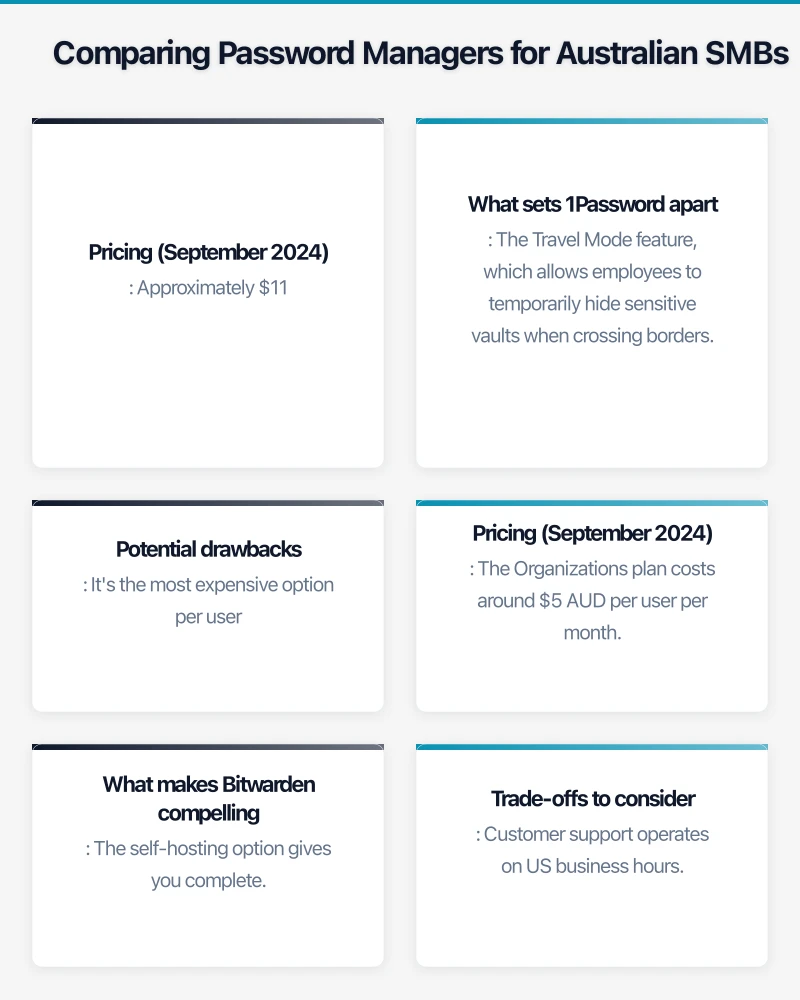
Pricing (September 2024): Approximately $11.99 AUD per user per month for the Business plan. For a 25-person team, that’s around $3,600 annually. The Family plan at $7.99 AUD per month per family covers up to 5 people, which can work for very small teams.
What sets 1Password apart: The Travel Mode feature, which allows employees to temporarily hide sensitive vaults when crossing borders, is particularly useful for Australian businesses with staff who frequently travel to Asia-Pacific regions. The breach monitoring service actively scans for compromised credentials and alerts you before they become problems.
Implementation is straightforward. You can deploy 1Password across Mac, Windows, iOS, and Android devices with minimal IT support. The browser extensions work reliably across Chrome, Safari, Firefox, and Edge—important when your team uses different platforms. Single sign-on (SSO) integration supports Azure AD and Google Workspace, which most Australian SMBs already use.
Potential drawbacks: It’s the most expensive option per user. For budget-conscious businesses or those with 50+ employees, the annual cost can approach $10,000+. There’s no free tier for business use, so you’re committed to paid licensing from day one.
Bitwarden: Open Source and Cost-Effective
Bitwarden has gained traction among Australian SMBs who want enterprise-grade security without enterprise pricing. Being open source means the code is publicly auditable—a significant advantage for businesses in regulated industries like healthcare or finance.
Pricing (September 2024): The Organizations plan costs around $5 AUD per user per month, roughly half the cost of 1Password. For that same 25-person team, you’re looking at approximately $1,500 annually. There’s also a free tier for smaller teams, though it lacks crucial business features like user management and event logs.
What makes Bitwarden compelling: The self-hosting option gives you complete control over your data. While most Australian SMBs will use Bitwarden’s cloud service, having the option to host on Australian infrastructure addresses data sovereignty concerns for businesses handling sensitive information. The Essential Eight framework’s emphasis on data location makes this particularly relevant.
Core functionality matches 1Password: secure password generation, sharing between team members, emergency access, and two-factor authentication support. The interface is more utilitarian—think functional rather than beautiful—but it gets the job done without friction.
Trade-offs to consider: Customer support operates on US business hours, which means overnight response times for Australian businesses. The user interface, while improved in recent updates, isn’t as intuitive as 1Password. Expect to spend more time on initial employee training and onboarding.
LastPass: Established but Transitioning
LastPass was once the default recommendation for SMBs, but recent security incidents have prompted many Australian businesses to reconsider. In December 2022 and August 2022, LastPass disclosed security breaches involving customer vault data. While the vaults themselves remained encrypted, the incidents raised concerns about infrastructure security.
Pricing (September 2024): Business plans start at approximately $9 AUD per user per month. Pricing sits between Bitwarden and 1Password, but the value proposition has weakened following the security concerns.
Current state: LastPass still offers robust features including advanced multi-factor authentication, federated login support, and comprehensive admin controls. The platform works well for businesses already using it who have properly implemented master password policies. However, for new implementations in 2024, most Australian IT consultants are recommending 1Password or Bitwarden instead.
If you’re currently using LastPass, there’s no immediate need to panic—especially if you’ve enforced strong master passwords and enabled multi-factor authentication. But it’s worth evaluating alternatives during your next security review.
Implementation Strategy for Australian SMBs
Rolling out a password manager successfully requires more than just purchasing licenses. Here’s a practical approach that works for Australian SMBs without dedicated IT teams.
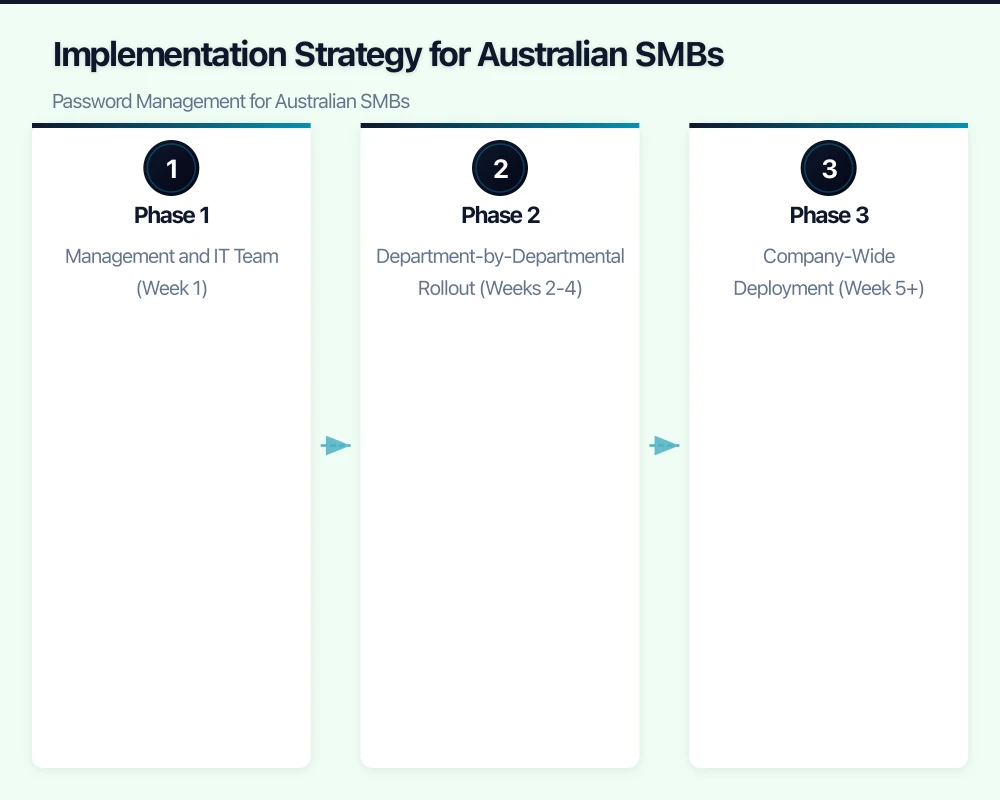
Phase 1: Management and IT Team (Week 1)
Start with your leadership team and any IT staff. This serves two purposes: it identifies problems before rolling out to all staff, and it creates internal champions who can help colleagues during the wider deployment.
Set up the admin console, configure security policies (master password requirements, two-factor authentication), and integrate with your existing systems. If you’re using Microsoft 365 or Google Workspace, enable SSO—it reduces password fatigue by allowing employees to access the password manager with their existing work credentials.
Create your first shared vaults for critical business systems: accounting software (Xero, MYOB), cloud storage (Microsoft OneDrive, Google Drive), social media accounts, and website management. Document who has access to what—this audit trail is valuable for compliance and onboarding/offboarding.
Phase 2: Department-by-Departmental Rollout (Weeks 2-4)
Deploy to one department at a time rather than the entire company simultaneously. Start with the most tech-savvy team—usually sales or marketing—to build momentum. Schedule 30-minute training sessions covering:
- Installing the browser extension and mobile app
- Importing existing passwords (from browser-saved passwords)
- Generating strong passwords for new accounts
- Sharing credentials with team members
- Using the password manager on mobile devices
Provide a simple one-page quick reference guide. Australian employees respond better to practical “here’s how you do it” instructions than lengthy security policy documents.
Phase 3: Company-Wide Deployment (Week 5+)
Extend to all remaining staff with the same training approach. Schedule sessions during work hours—asking employees to complete training outside their normal schedule significantly reduces adoption.
Set a deadline for migrating all work-related passwords into the password manager. Two weeks is realistic. After that date, implement the policy that any password reset requests must be stored in the password manager—this naturally enforces compliance without being heavy-handed.
Creating Effective Password Policies
A password manager is only as secure as the policies governing its use. Here’s what works for Australian SMBs.
Master Password Requirements
The master password—the one password employees must remember—needs to be both strong and memorable. Rather than requiring complex gibberish like “Tr$9mK!pL2#q”, encourage passphrases: four or more random words combined with a number or symbol. “Kangaroo-Sunset-Coffee-Keyboard-47” is far more secure than traditional “complex” passwords and easier to remember.
Require at least 16 characters for master passwords. Enable two-factor authentication for all users—preferably using authenticator apps like Microsoft Authenticator or Google Authenticator rather than SMS, which can be intercepted.
Shared Password Protocols
Establish clear rules for sharing credentials. Create shared vaults by function (Marketing Team, Finance Team, Website Management) rather than sharing individual passwords ad-hoc. This makes it easier to manage access when team members change roles or leave the company.
For highly sensitive accounts—banking, payroll systems, domain registrars—restrict access to specific individuals and enable the password manager’s audit logging. Both 1Password and Bitwarden provide detailed logs showing who accessed what and when.
Regular Security Audits
Schedule quarterly reviews of your password manager usage:
- Check for reused passwords using the built-in security audit tools
- Review who has access to shared vaults and remove unnecessary access
- Verify that departed employees have been fully offboarded
- Check for compromised credentials using the breach monitoring features
- Update any passwords that haven’t been changed in 12+ months for critical systems
These audits typically take 1-2 hours per quarter—minimal overhead for significant security improvement.
Employee Training That Actually Works
The biggest implementation challenge isn’t technical—it’s getting employees to consistently use the password manager instead of reverting to old habits.
Make It Easier Than the Alternative
Configure the browser extensions to auto-fill credentials and auto-save new passwords. When using the password manager is more convenient than remembering passwords or typing them manually, adoption happens naturally. Most Australian employees, once they’ve experienced the convenience of auto-fill across devices, become advocates rather than resistors.
Address Common Concerns Directly
“What if I forget my master password?” Establish a clear recovery process. Both 1Password and Bitwarden offer emergency access features where designated administrators can grant access after a waiting period. Document this process in your onboarding materials.
“Is it safe to store everything in one place?” This is the most common objection. Explain that password managers use industry-standard AES-256 encryption—the same encryption used by banks and government agencies. The vault is encrypted locally before syncing to the cloud, meaning even the password manager company cannot access the contents.
“What about the recent LastPass breach?” If employees raise this (and they will, because news coverage was extensive), acknowledge it directly. Explain that proper implementation with strong master passwords and two-factor authentication protected customers even in that scenario, and this is why your organization has chosen [Bitwarden/1Password] and enforces these additional protections.
Provide Ongoing Support
Designate a “password champion” in each department—someone who’s comfortable with the technology and willing to help colleagues. This distributed support model works well for Australian SMBs where formal IT support might be limited or outsourced.
Create a Slack channel or Teams group specifically for password manager questions. Quick answers to “How do I share this login with my colleague?” prevent frustration that leads to workarounds.
Australian Compliance and Data Considerations
For Australian SMBs, password management intersects with several regulatory and compliance frameworks.
Essential Eight Alignment
The Essential Eight’s “Multi-factor Authentication” and “Restrict Administrative Privileges” strategies are directly supported by proper password manager implementation. When seeking cyber insurance or responding to client security questionnaires, demonstrating centralized password management with MFA provides concrete evidence of security controls.
Privacy Act Obligations
Under the Privacy Act 1988, businesses must take reasonable steps to protect personal information. Using a password manager with appropriate policies represents a “reasonable step” that demonstrates compliance. Conversely, if a breach occurs and investigations reveal passwords were stored in spreadsheets or sticky notes, that becomes difficult to defend as reasonable protection.
Data Sovereignty
For businesses in sensitive sectors—legal, healthcare, finance—consider where password data is stored. Both 1Password and Bitwarden offer cloud hosting in multiple regions. While encrypted vault data is protected regardless of location, some compliance frameworks or client requirements specify Australian data storage. Bitwarden’s self-hosting option provides complete control for businesses with these requirements.
Cost-Benefit Analysis: What You’re Really Paying For
Let’s put the investment in perspective for a typical Australian SMB with 30 employees.
Annual costs:
- 1Password Business: ~$4,300 AUD
- Bitwarden Organizations: ~$1,800 AUD
- LastPass Business: ~$3,240 AUD
Cost of a single breach: According to IBM’s 2024 Cost of a Data Breach Report, the average cost for Australian SMBs is $3.35 million, with compromised credentials being the leading cause. Even a minor incident requiring notification under the Privacy Act can cost $50,000+ in incident response, forensics, and notification obligations.
Time savings: The average employee spends 10.9 hours per year on password-related activities (resets, recovery, searching for credentials). At a modest $40/hour loaded cost, that’s $436 per employee annually—$13,080 for your 30-person team. A good password manager recovers most of this time.
Reduced help desk burden: Password resets consume 20-30% of help desk tickets for typical SMBs. Even if you’re using an outsourced IT provider, reducing password-related calls saves on support costs and frees up time for strategic IT initiatives.
The ROI becomes clear: you’re spending $1,800-$4,300 to mitigate a risk measured in hundreds of thousands or millions of dollars, while recovering thousands in productivity.
Getting Started This Week
You don’t need to wait for the next budget cycle or security incident to implement password management. Here’s your practical next-step checklist:
This week:
- Choose your platform based on your budget and technical comfort level (Bitwarden for cost-conscious, 1Password for ease of use)
- Sign up for a trial—both offer 14-30 day trials for business plans
- Set up accounts for yourself and 2-3 IT-savvy team members
- Migrate your own critical passwords and test the workflow
Next week:
- Configure security policies (master password requirements, 2FA)
- Create shared vaults for critical business systems
- Schedule training sessions for department rollout
- Prepare your one-page quick reference guide
Within 30 days:
- Complete company-wide rollout with all employees using the password manager
- Conduct first security audit using built-in tools
- Update your IT security documentation
- Review with cyber insurance provider for potential premium reductions
Password management for Australian SMBs isn’t about achieving perfect security—it’s about implementing practical protections that significantly reduce your risk without disrupting operations. Whether you choose 1Password’s polished experience, Bitwarden’s cost-effective approach, or even stick with LastPass while implementing proper safeguards, the key is taking action now rather than waiting for a breach to force the decision.
The best password manager is the one your team will actually use. Start with a trial, involve your employees in the decision, and build the security culture that protects your business and your customers.
Need help implementing password management or broader cybersecurity strategies for your Australian SMB? CloudGeeks provides practical IT security consulting that fits SMB budgets and timelines. We help businesses across Australia implement the Essential Eight and build security practices that work in the real world.
Extend your cloud services to mobile devices. Awesome Apps builds Flutter and React Native apps that integrate seamlessly with AWS, Azure, and GCP backends.
Part of the Ganda Tech Services family, Cloud Geeks delivers specialist IT and cloud solutions for Australian small and medium businesses.