
The og:image Gap: Why Half the Web Shares Its Pages With No Preview Card (And How to Audit Yours in 30 Seconds)

Over the past fortnight, three different sites we run — a web-design agency, a founder personal-brand site, and an unrelated travel-content project — all shipped commits with the same one-line description: “add the missing og:image — shares had no preview card.” Three different codebases, three different frameworks, three different owners, one identical failure. Which suggests it is not a bug specific to any of them. It is a class of web-development hygiene error that a lot of sites are quietly shipping in 2026. This post is the 30-second audit that surfaces it on any site, the two-line fix, and the fallback pattern that makes it impossible for any future page to ship without a preview card again.
What “og:image Gap” Actually Looks Like
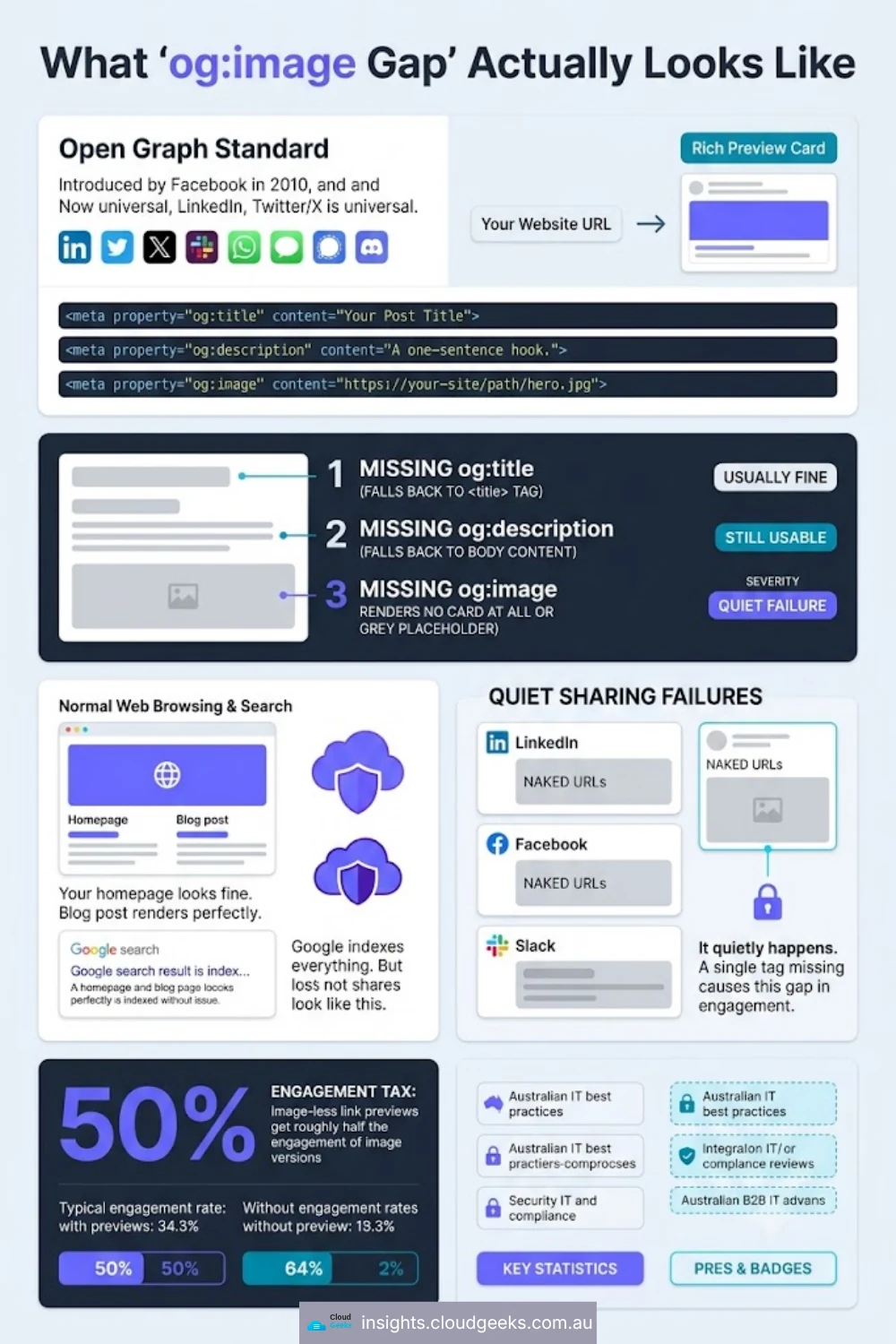
Open Graph (og:* meta tags) is the standard Facebook introduced in 2010 that LinkedIn, Twitter/X, Slack, WhatsApp, iMessage, Signal, Discord, and every other platform now uses to render the “preview card” you see when someone shares a URL. Three tags do the load-bearing work:
<meta property="og:title"       content="Your Post Title">
<meta property="og:description" content="A one-sentence hook.">
<meta property="og:image"       content="https://your-site/path/hero.jpg">
If any one of these is missing, the preview card degrades:
- No
og:title→ most platforms fall back to the<title>tag (usually fine). - No
og:description→ most platforms fall back to the meta description or the first paragraph of body content (still usable). - No
og:image→ almost every platform renders no card at all, or a text-only link with a grey placeholder.
That last failure is the one that quietly happens. Your homepage looks fine. The blog post renders perfectly. Google indexes everything without complaint. But every LinkedIn share, every Facebook post, every message in a Slack channel where someone paste-links to your page shows up as a naked URL with no visual. In the LinkedIn feed specifically, image-less link previews are known to get roughly half the engagement of image-preview versions. That is the tax.
Why This Ships So Often
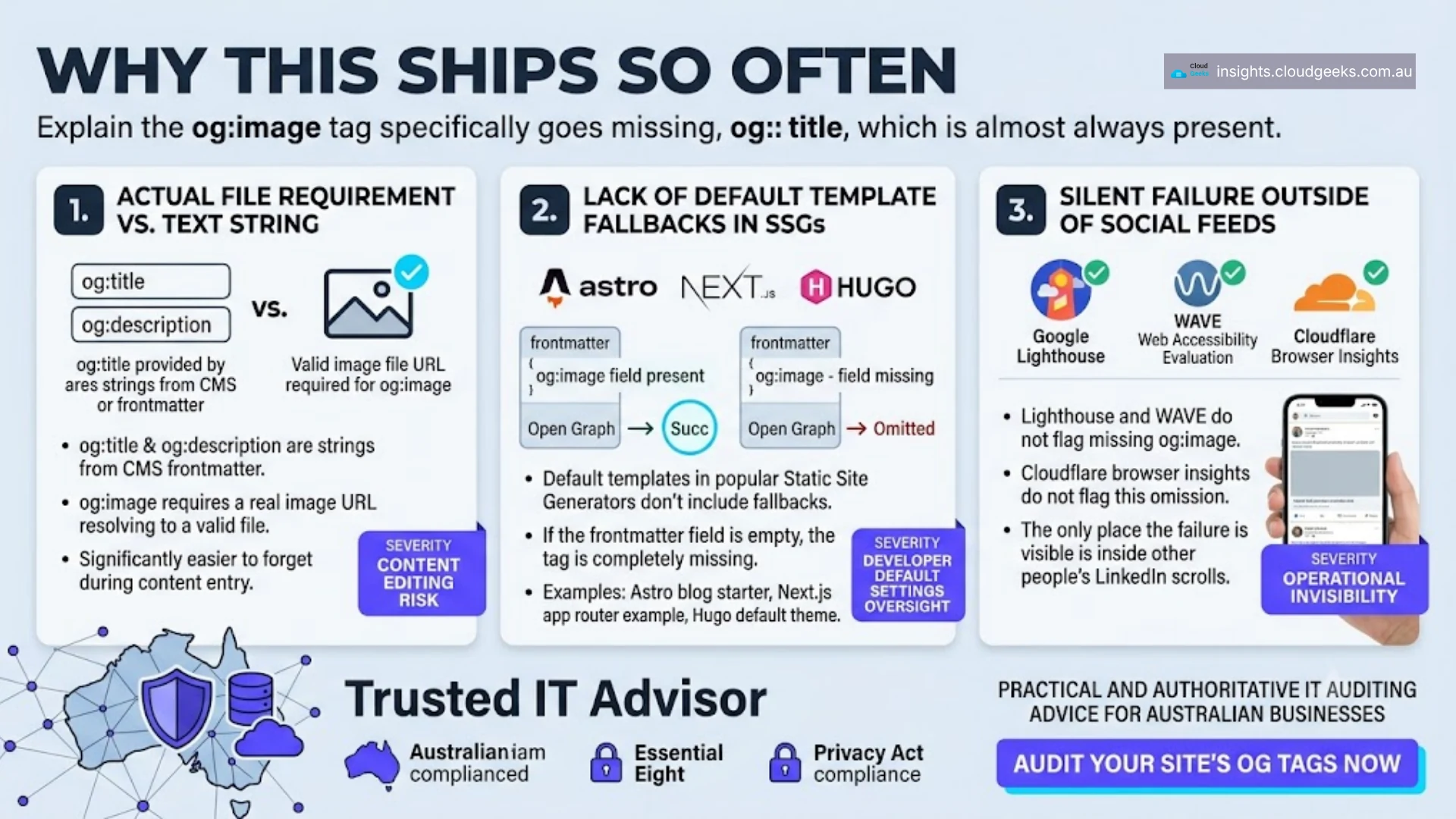
The reason og:image is the specific tag that goes missing (as opposed to og:title, which almost always is present) traces to three overlapping factors:
1. It requires an actual file, not just text. og:title and og:description are strings the site’s frontmatter or CMS almost always provides. og:image requires a real image URL that resolves to a real image. It is easier to forget.
2. The default templates in most SSGs do not include a fallback. Astro’s blog starter, Next.js’s app router example, Hugo’s default theme — none of them auto-generate a default og:image for pages that don’t specify one. If the frontmatter is missing the field, the tag is missing entirely.
3. The failure is silent everywhere except social feeds. Lighthouse does not flag missing og:image. WAVE does not. Cloudflare’s browser insights do not. The only place the failure is visible is where you cannot see it — inside other people’s LinkedIn scrolls.
The 30-Second Audit
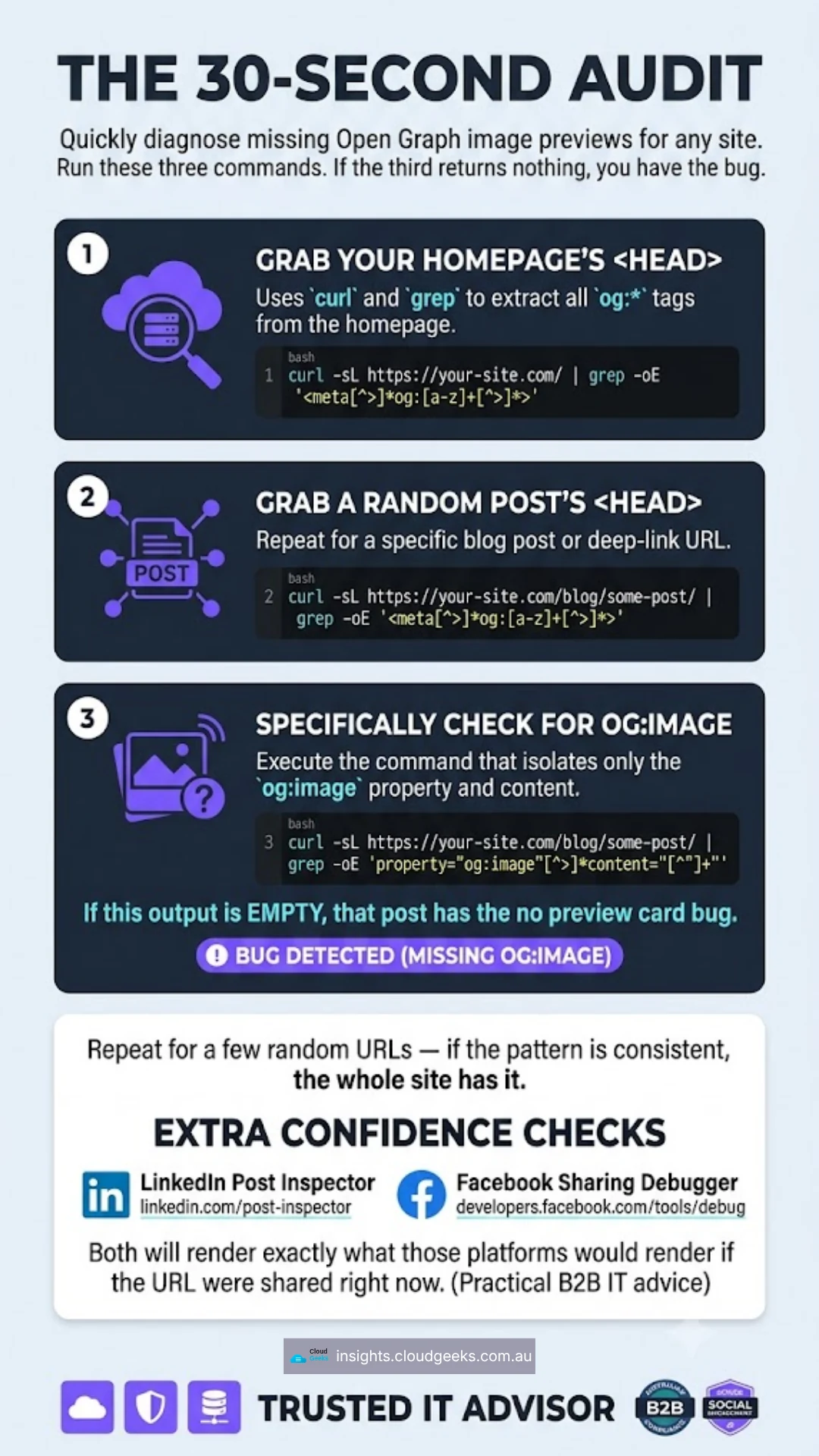
For any site you run, run these three commands. If the third one returns nothing, you have the bug.
# 1. Grab your homepage's <head>
curl -sL https://your-site.com/ | grep -oE '<meta[^>]*og:[a-z]+[^>]*>'

# 2. Grab a random blog post's <head>
curl -sL https://your-site.com/blog/some-post/ | grep -oE '<meta[^>]*og:[a-z]+[^>]*>'

# 3. Specifically check for og:image
curl -sL https://your-site.com/blog/some-post/ | grep -oE 'property="og:image"[^>]*content="[^"]+"'
If output 3 is empty, that post is shipping with no preview card. Repeat for a few random URLs — if the pattern is consistent, the whole site has it.
For extra confidence, run the URL through LinkedIn’s official Post Inspector (linkedin.com/post-inspector) and Facebook’s Sharing Debugger (developers.facebook.com/tools/debug). Both will render exactly what those platforms would render if the URL were shared right now.
The Fix in Two Steps
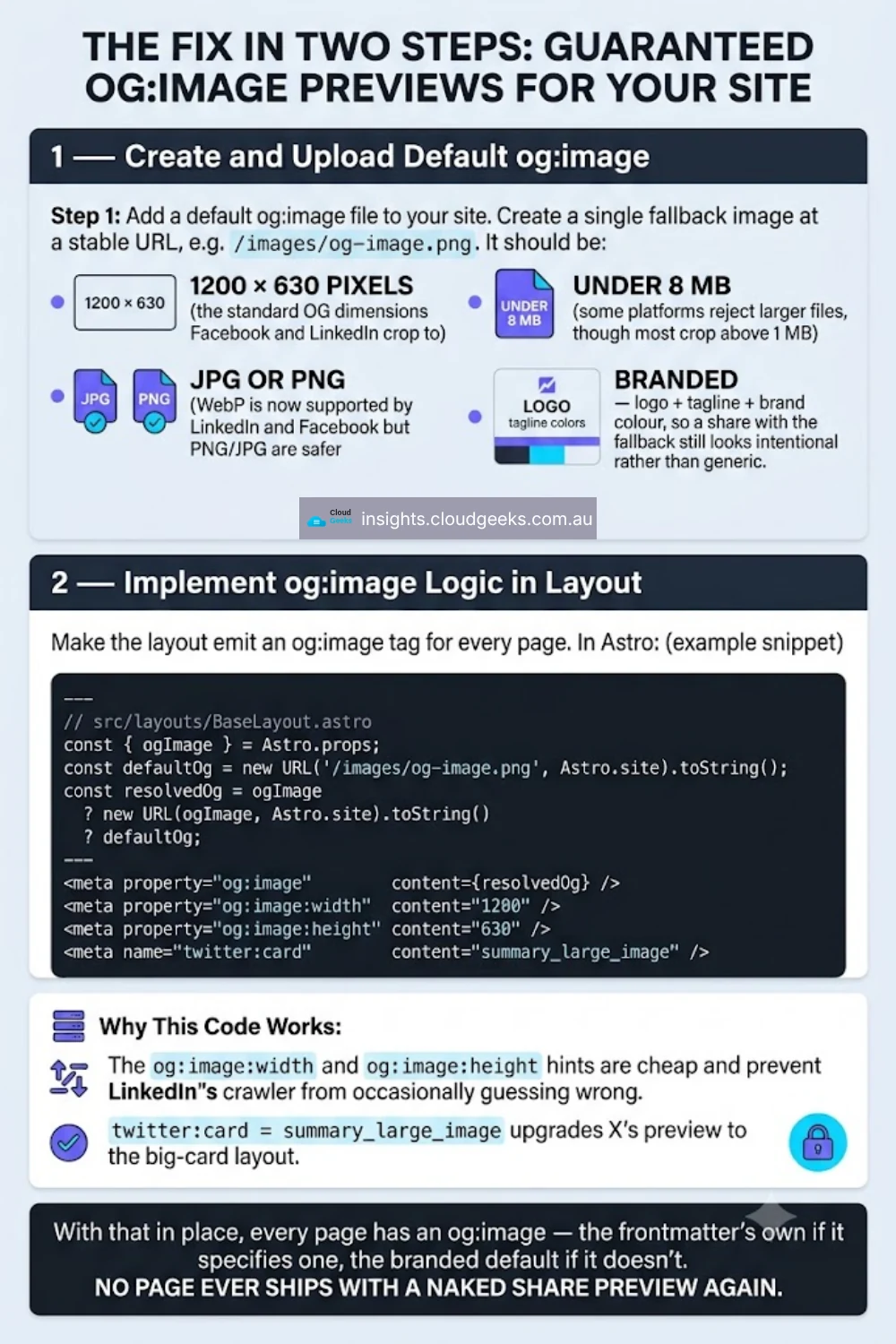
Step 1 — Add a default og:image file to your site. Create a single fallback image at a stable URL, e.g. /images/og-image.png. It should be:
- 1200 × 630 pixels (the standard OG dimensions Facebook and LinkedIn crop to).
- Under 8 MB (some platforms reject larger files, though most crop above 1 MB).
- JPG or PNG (WebP is now supported by LinkedIn and Facebook but PNG/JPG are safer for cross-platform).
- Branded — logo + tagline + brand colour, so a share with the fallback still looks intentional rather than generic.
Step 2 — Make the layout emit an og:image tag for every page. In Astro:
---
// src/layouts/BaseLayout.astro
const { ogImage } = Astro.props;
const defaultOg = new URL('/images/og-image.png', Astro.site).toString();
const resolvedOg = ogImage
  ? new URL(ogImage, Astro.site).toString()
  : defaultOg;
---
<meta property="og:image"          content={resolvedOg} />
<meta property="og:image:width"    content="1200" />
<meta property="og:image:height"   content="630" />
<meta name="twitter:card"          content="summary_large_image" />
The og:image:width and og:image:height hints are cheap and prevent LinkedIn’s crawler from occasionally guessing wrong. twitter:card = summary_large_image upgrades X’s preview to the big-card layout.
With that in place, every page has an og:image — the frontmatter’s own if it specifies one, the branded default if it doesn’t. No page ever ships with a naked share preview again.
What Cloudflare Pages Adds (And What It Doesn’t)
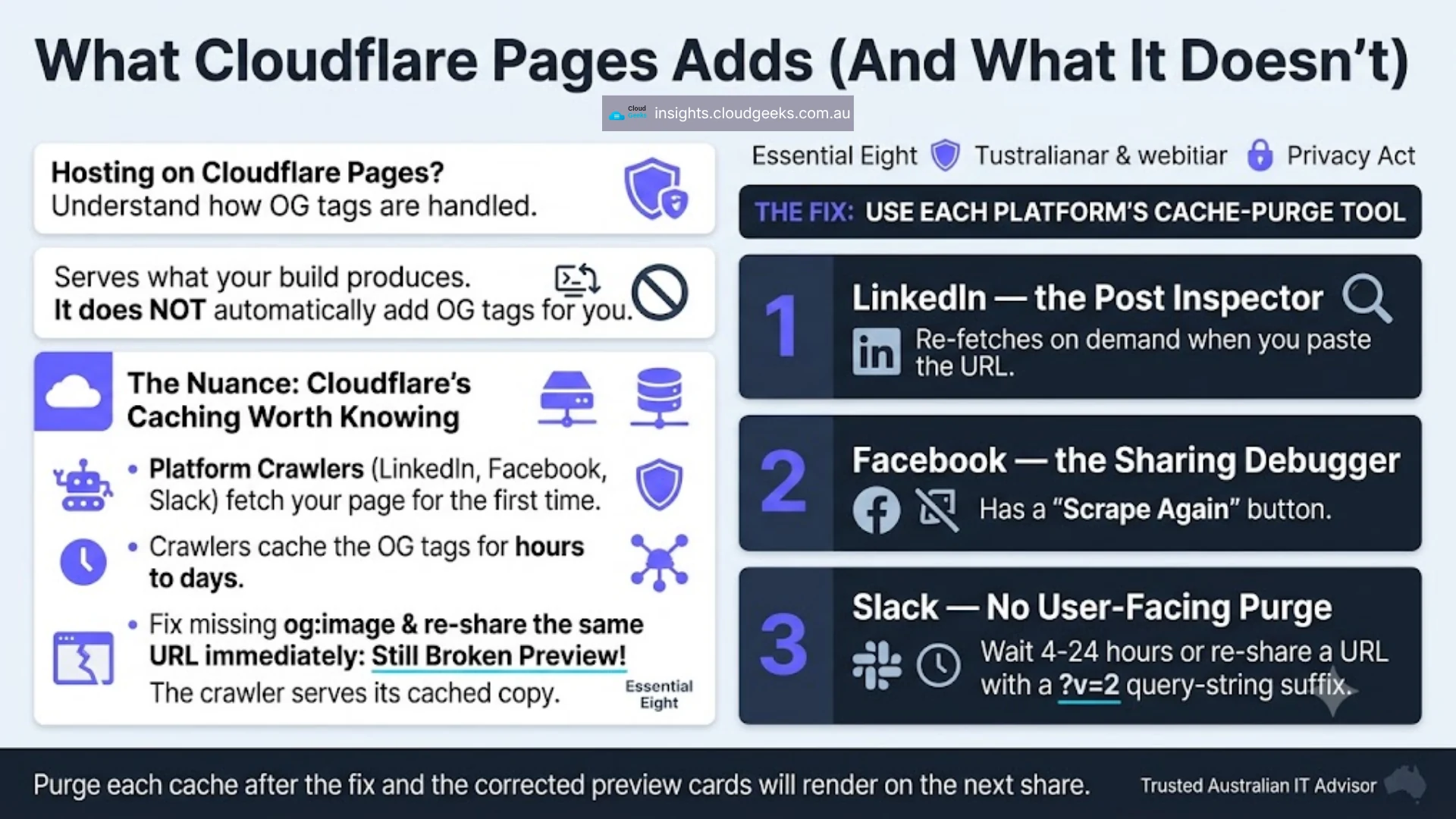
If you host on Cloudflare Pages (as three of the constellation sites do), the platform does not automatically add OG tags for you. It serves what your build produces. But Cloudflare’s caching does add one nuance worth knowing:
When a platform’s crawler (LinkedIn’s, Facebook’s, Slack’s) fetches your page for the first time, it caches the OG tags for hours to days. If you fix the missing og:image and re-share the same URL immediately, the preview card may still show as broken because the crawler is serving its cached copy.
The fix is to use each platform’s cache-purge tool:
- LinkedIn — the Post Inspector re-fetches on demand when you paste the URL.
- Facebook — the Sharing Debugger has a “Scrape Again” button.
- Slack — no user-facing purge; wait 4-24 hours or re-share a URL with a
?v=2query-string suffix.
Purge each cache after the fix and the corrected preview cards will render on the next share.
Add This to CI and Never Ship It Again
A single check in your CI pipeline prevents this class of bug forever:
# In .github/workflows/deploy.yml
- name: Verify og:image on rendered pages
  run: |
    for url in "/" "/blog/latest-post/" "/about/"; do
      count=$(curl -sL "https://your-site.com${url}" | grep -c 'property="og:image"')
      if [ "$count" -eq 0 ]; then
        echo "FAIL: no og:image tag on ${url}"
        exit 1
      fi
    done
Eight lines, one exit code. Catches the failure before deploy, forever. Every static-site pipeline should have this or something equivalent.
Related: The Broader Class of Silent Web Hygiene Failures
Missing og:image sits in a small family of failures that ship silently because the normal deploy pipeline does not notice them:
- Missing canonical URL — every page canonicalizes to itself instead of the “primary” version. See our post on canonical-domain drift on a live Astro site for the incident write-up.
- Missing
alttext on images — silent accessibility regression and a modest SEO cost. - Broken JSON-LD
schema.orgmarkup — parses cleanly in JavaScript, invalid to Google’s Rich Results parser. Costs you featured-snippet eligibility. - Missing
X-Robots-Tagfor staging domains — search engines index your staging site alongside production. Devastating for canonical signal.
Each of these has the same shape: shipped silently, invisible to your normal QA, expensive over months. The pattern for all of them is the same as this post: a 30-second audit script + a CI check.
The unglamorous work of web hygiene is doing the “obvious” checks that no framework catches for you. This one costs less than a minute of setup and prevents a slow bleed of half your social-share engagement.