
Microsoft 365 vs Google Workspace: Which Suits Your Australian Business

Microsoft 365 vs Google Workspace: Which Suits Your Australian Business
Choosing between Microsoft 365 and Google Workspace is one of the most common decisions Australian SMBs face when setting up or upgrading their productivity tools. Both platforms offer email, document collaboration, video conferencing, and cloud storage — but they take different approaches, and the right choice depends on your business needs.
Having helped hundreds of Australian businesses evaluate and deploy both platforms, here is an honest comparison to help you make the right call.
The Basics: What You Get
Microsoft 365 (formerly Office 365)
Microsoft 365 is the cloud version of the Microsoft Office suite, plus a growing collection of collaboration and business tools. The key components include:
- Outlook: Email and calendar
- Word, Excel, PowerPoint: The familiar desktop applications, plus web and mobile versions
- Teams: Chat, video conferencing, and collaboration hub
- OneDrive: Personal cloud storage
- SharePoint: Team sites and document management
- Exchange Online: Business email hosting
Google Workspace (formerly G Suite)
Google Workspace is Google’s suite of cloud-first productivity tools. Core components include:
- Gmail: Email
- Google Docs, Sheets, Slides: Web-based document editing
- Google Meet: Video conferencing
- Google Drive: Cloud storage
- Google Calendar: Scheduling
- Google Chat: Messaging
Pricing Comparison for Australian Businesses
As of January 2021, here is how the plans compare for Australian businesses. Note that both platforms bill per user per month.
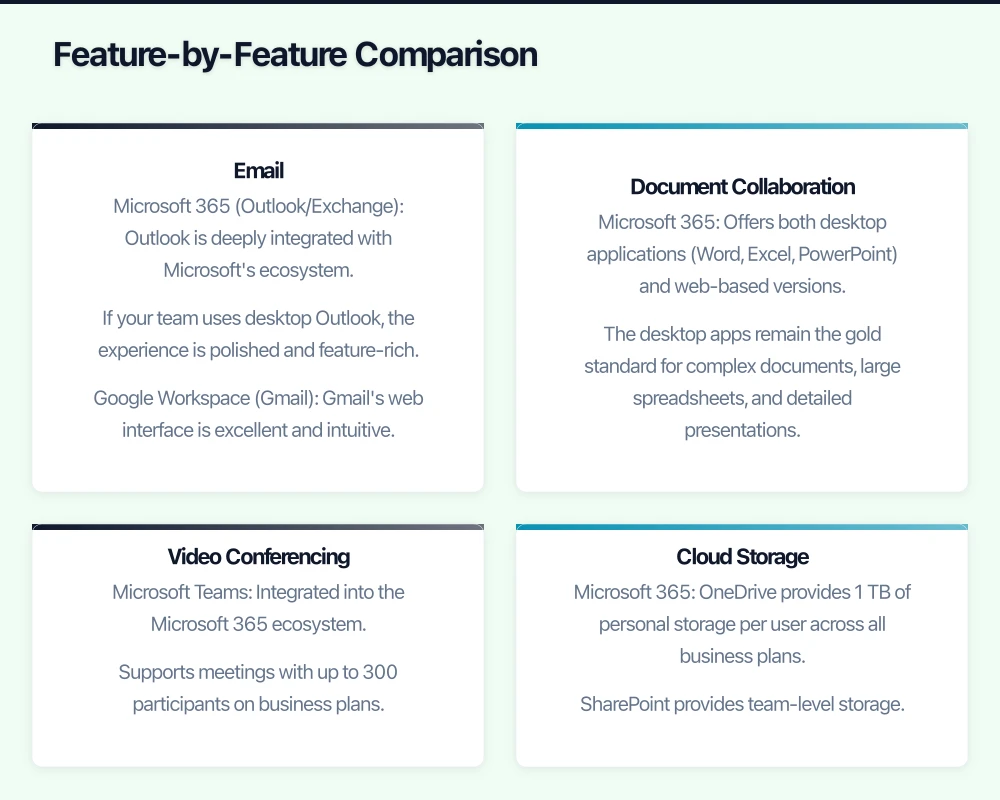
Microsoft 365 Business Plans
- Microsoft 365 Business Basic: AUD $7.50/user/month — Web and mobile apps, 1 TB OneDrive storage, Teams, Exchange email.
- Microsoft 365 Business Standard: AUD $18.70/user/month — Everything in Basic plus desktop Office apps.
- Microsoft 365 Business Premium: AUD $30.00/user/month — Everything in Standard plus advanced security features including Intune and Azure AD Plan 1.
Google Workspace Plans
- Business Starter: AUD $8.40/user/month — 30 GB storage per user, Gmail, Meet (up to 100 participants), basic security.
- Business Standard: AUD $16.80/user/month — 2 TB storage per user, Meet (up to 150 participants), enhanced security.
- Business Plus: AUD $25.20/user/month — 5 TB storage per user, Meet (up to 250 participants), advanced security and compliance.
At first glance, the pricing is comparable. But the devil is in the details, particularly around what is included at each tier.
Feature-by-Feature Comparison
Both platforms offer reliable business email with custom domain support.
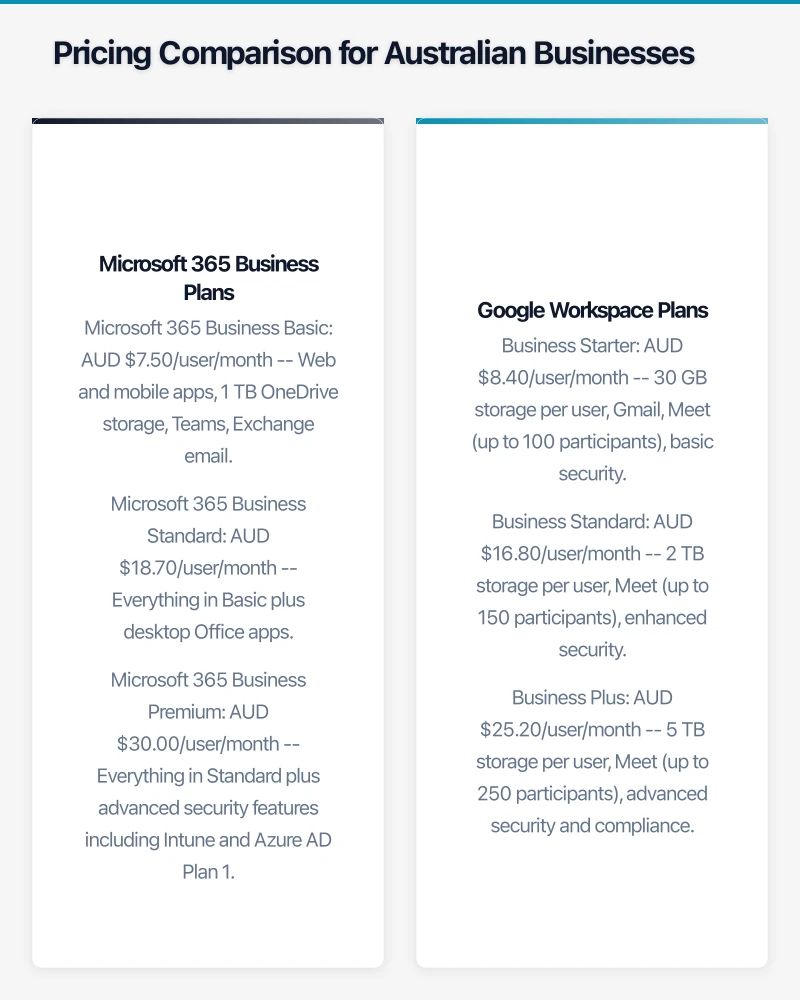
Microsoft 365 (Outlook/Exchange): Outlook is deeply integrated with Microsoft’s ecosystem. If your team uses desktop Outlook, the experience is polished and feature-rich. Exchange Online offers robust server-side rules, shared mailboxes, and large mailbox sizes (50 GB at the Basic tier).
Google Workspace (Gmail): Gmail’s web interface is excellent and intuitive. It handles search exceptionally well, which is no surprise given Google’s heritage. Gmail business accounts get 30 GB of storage at the Starter tier (shared with Drive), scaling up at higher tiers.
Verdict: If your team is accustomed to Outlook and uses features like shared mailboxes, calendar delegation, and distribution groups extensively, Microsoft 365 has the edge. If your team prefers a clean web-based email experience, Gmail is hard to beat.
Document Collaboration
This is where the platforms differ most significantly.
Microsoft 365: Offers both desktop applications (Word, Excel, PowerPoint) and web-based versions. The desktop apps remain the gold standard for complex documents, large spreadsheets, and detailed presentations. Real-time co-authoring works in both web and desktop versions, though the web versions have fewer features.
Google Workspace: Google Docs, Sheets, and Slides are web-first. They excel at real-time collaboration — multiple people editing the same document simultaneously is seamless. However, they lack some of the advanced features found in Microsoft’s desktop applications, particularly in spreadsheets.
Verdict: If you need advanced spreadsheet functionality, complex document formatting, or work with external parties who send you Office files, Microsoft 365 is the safer choice. If your team values simple, fast collaboration and most of your documents are straightforward, Google Workspace is excellent.
Video Conferencing
Both platforms have invested heavily in video conferencing, driven by the surge in remote work during 2020.
Microsoft Teams: Integrated into the Microsoft 365 ecosystem. Supports meetings with up to 300 participants on business plans. Offers features like breakout rooms, Together Mode, and background effects. Teams has become a comprehensive collaboration hub, not just a meeting tool.
Google Meet: Clean, simple video conferencing integrated with Google Calendar and Gmail. Business Standard supports up to 150 participants. Features include noise cancellation and tiled layouts. Google Meet is straightforward and easy to use, though it has fewer features than Teams.
Verdict: Microsoft Teams is more feature-rich but also more complex. Google Meet is simpler and easier to get started with. For businesses that need a full collaboration hub (chat, channels, file sharing, and meetings in one place), Teams has a clear advantage.
Cloud Storage
Microsoft 365: OneDrive provides 1 TB of personal storage per user across all business plans. SharePoint provides team-level storage. The integration with Windows File Explorer makes OneDrive feel like a local drive.
Google Workspace: Storage varies by plan — 30 GB at Starter, 2 TB at Standard, and 5 TB at Plus. Google Drive works well through the web interface and the Drive for Desktop application.
Verdict: Microsoft 365 offers more storage at the entry-level tier. Google Workspace offers more at the mid and upper tiers. Both integrate well with their respective operating systems.
Security and Compliance
Microsoft 365 Business Premium: Includes Microsoft Intune for device management, Azure Active Directory Premium Plan 1, Microsoft Defender for Office 365 (anti-phishing, safe attachments, safe links), and data loss prevention policies.
Google Workspace Business Plus: Includes Vault for archiving and eDiscovery, advanced endpoint management, and enhanced security controls.
Verdict: Microsoft 365 Business Premium offers more comprehensive security features, particularly for device management and threat protection. This is a significant consideration for Australian businesses subject to the Notifiable Data Breaches scheme.
Australian-Specific Considerations
Data Residency
Both Microsoft and Google operate data centres in Australia (Sydney and Melbourne). For Microsoft 365, Australian tenants have their core data stored in Australian data centres by default. Google Workspace also offers data region policies on certain plans, allowing you to specify where your data is stored at rest.
For businesses in regulated industries or those handling sensitive personal information under the Australian Privacy Act, confirming data residency is essential.
Local Support
Microsoft has a strong partner network in Australia, with many managed IT services providers certified to deploy and support Microsoft 365. Google’s partner ecosystem in Australia is smaller but growing.
If you want hands-on local support, Microsoft 365 currently offers more options through the Australian IT channel.
Compatibility with Australian Business Software
Consider how each platform integrates with other tools common in Australian businesses:
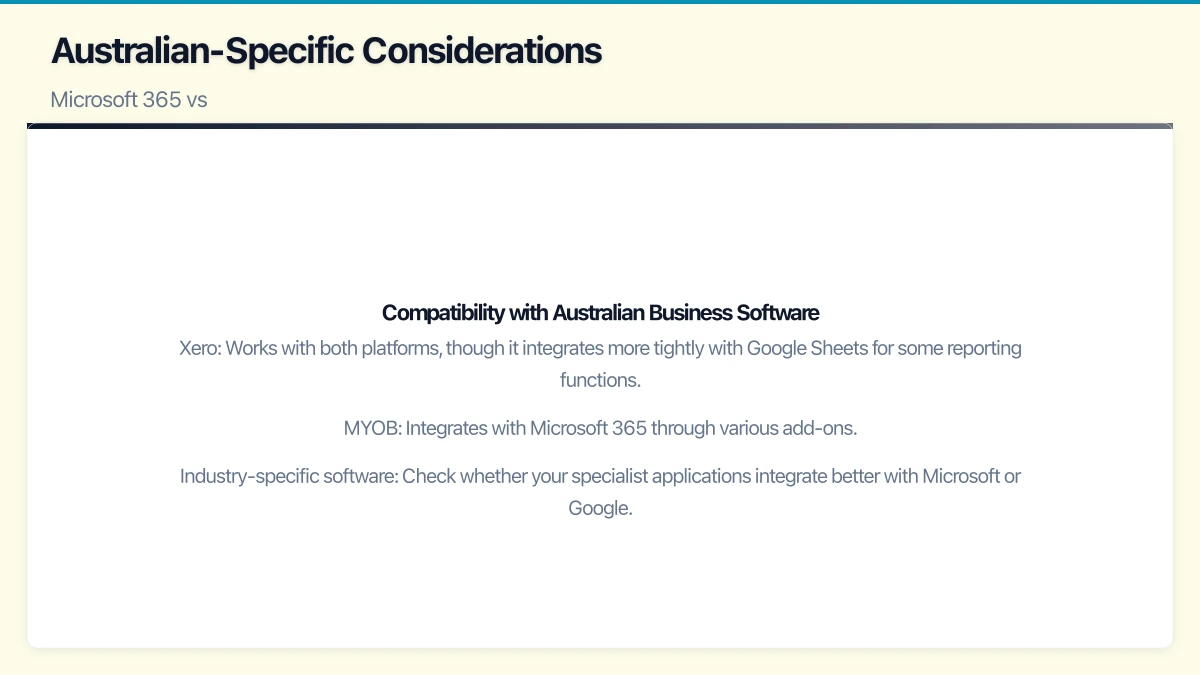
- Xero: Works with both platforms, though it integrates more tightly with Google Sheets for some reporting functions.
- MYOB: Integrates with Microsoft 365 through various add-ons.
- Industry-specific software: Check whether your specialist applications integrate better with Microsoft or Google.
Which Platform Suits Your Business?
Choose Microsoft 365 If:
- Your team is already familiar with Outlook, Word, Excel, and PowerPoint.
- You need advanced spreadsheet capabilities (macros, pivot tables, complex formulas).
- You work with external parties who predominantly use Microsoft Office formats.
- You want a comprehensive collaboration hub (Teams).
- Security and compliance features are a high priority.
- You use Windows-based line-of-business applications that integrate with Active Directory.
Choose Google Workspace If:
- Your team prefers simple, web-based tools.
- Real-time document collaboration is a daily need.
- You are a newer business without legacy Microsoft dependencies.
- Your team primarily uses Chrome or Chromebooks.
- You value simplicity and a clean user experience.
- Budget is a primary concern and your needs are straightforward.
Consider a Hybrid Approach
Some businesses use both — for example, Google Workspace for email and basic collaboration, with standalone Microsoft Office licences for staff who need advanced desktop applications. However, this adds complexity and cost, so it is best suited to businesses with specific requirements that neither platform alone can meet.
Migration Considerations
Whichever platform you choose, plan your migration carefully:
- Email migration: Both platforms offer migration tools, but moving large mailboxes takes time. Schedule migrations outside business hours.
- File migration: Moving files from on-premises servers or another cloud platform requires careful planning to preserve folder structures and permissions.
- Training: Budget time and resources for staff training. Even tech-savvy employees need time to adjust to new tools.
- DNS changes: Updating your domain’s DNS records is a critical step. Get this wrong and email stops working.
Our Recommendation
For most Australian SMBs in 2021, Microsoft 365 Business Standard or Business Premium represents the best overall value. The combination of familiar desktop applications, Teams for collaboration, and strong security features at the Premium tier makes it a well-rounded choice.
That said, Google Workspace is an excellent platform, and businesses that value simplicity and web-first collaboration will find it a perfect fit.
The most important thing is to make a deliberate choice rather than letting it happen by default. Evaluate your needs, trial both platforms (both offer free trials), and make an informed decision that supports your business goals.
Your cloud setup handles the heavy lifting — now make sure your website delivers. Cosmos Web Tech provides web design and SEO services for businesses across Sydney and Western Sydney.
Part of the Ganda Tech Services family, Cloud Geeks delivers specialist IT and cloud solutions for Australian small and medium businesses.