
Kinsta Review for Australian Small Business: Is Premium Managed WordPress Hosting Worth the USD Price Tag?

The verdict in 30 seconds
Kinsta is the best managed WordPress host an Australian small business can buy if the site is generating revenue, your customers are mostly in Australia, and you’re willing to pay around USD $35-$70 a month (about AUD $55-$110 at current rates). The Sydney data centre, free Cloudflare Enterprise CDN, and genuinely good support make it worth the premium for serious sites. It is the wrong choice for hobby projects, pre-revenue side hustles, or anyone who needs non-WordPress workloads on the same plan — those readers should keep reading for two honest alternatives we’ll recommend below.
Who Kinsta is, in one paragraph
Kinsta runs every WordPress site on Google Cloud’s premium compute tier with a Sydney (australia-southeast1) data centre option, free Cloudflare Enterprise CDN at every plan level, and a custom control panel called MyKinsta that’s a long way from cPanel. The company has been in managed-WP since 2013, is based in Los Angeles, and runs a fully remote engineering team. They do not sell shared hosting, generic VPS, or LAMP stacks — WordPress is the only workload they take on, plus a more recent Application Hosting product for Node, Python, Ruby, and similar.
For an Australian SMB, that focus matters in two specific ways: the Sydney data centre cuts latency for AU visitors, and the premium GCP infrastructure means the site stays fast under traffic spikes that would topple cheaper hosting.
Who this review is for
The honest answer to “should I buy Kinsta” depends almost entirely on what kind of site you run. Here’s the filter we use when recommending hosts to clients at Cosmos Web Tech:
Buy Kinsta if all three are true:
- Your WordPress site generates revenue today — e-commerce, lead gen, course sales, or a content monetisation engine.
- Your visitors are primarily Australian and slow page loads measurably hurt conversion.
- You can pay roughly AUD $55-$110 a month and you value engineering time over a saved $20.
Don’t buy Kinsta if any of these are true:
- It’s a hobby site or pre-revenue project — go with Namecheap EasyWP at around USD $4/month and upgrade later.
- You want flexibility to run non-WordPress workloads on the same dashboard — Cloudways covers WordPress, Laravel, Magento and custom PHP on one bill.
- You need cPanel, FTP-first workflows, or to install your own software at the OS level — Kinsta is intentionally locked down.
Pricing for Australian SMBs — what it actually costs in AUD
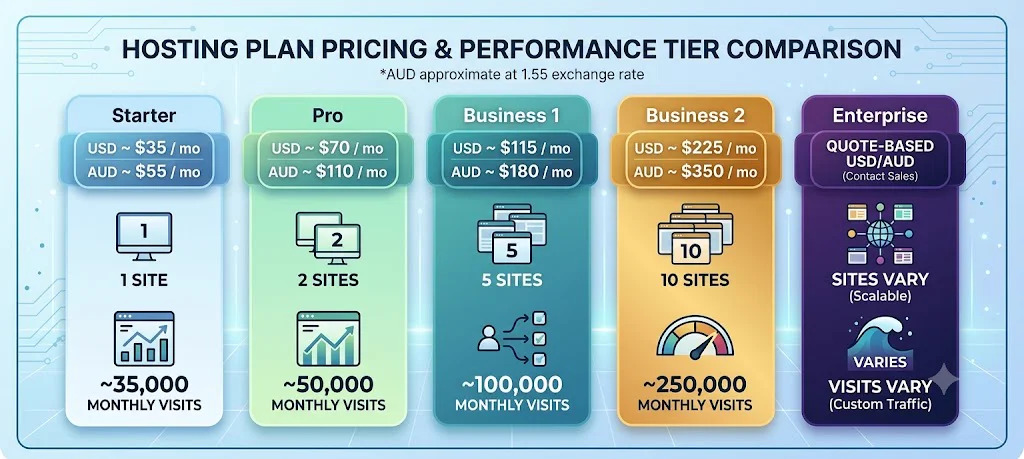
Kinsta prices in USD. At the time of writing the plan ladder looks roughly like this (always check the current pricing page — they update it without notice):
| Plan | USD / month | AUD approx (at 1.55) | Sites | Monthly visits |
|---|---|---|---|---|
| Starter | ~$35 | ~$55 | 1 | ~35,000 |
| Pro | ~$70 | ~$110 | 2 | ~50,000 |
| Business 1 | ~$115 | ~$180 | 5 | ~100,000 |
| Business 2 | ~$225 | ~$350 | 10 | ~250,000 |
| Enterprise | quote-based | quote-based | varies | varies |
Two things to know if you’re budgeting in AUD:
- Your bill swings with the AUD/USD exchange rate. A 5% move in the dollar is a 5% move in your hosting bill. We’ve watched clients’ annual hosting cost move USD $200 up or down on FX alone. Worth a line in the budget sheet if you’re tight.
- GST is generally not charged on Kinsta invoices for Australian businesses — they sit outside the AU GST regime for B2B digital services. Always confirm with your accountant; the GST treatment of overseas SaaS in Australia changes more often than you’d expect.
You can pay annually for a two-month discount. If you’re committing, take it — it’s the cleanest 17% saving in hosting.
Performance in Australia — what actually happens
This is where Kinsta separates from cheaper hosts in a way that an Australian SMB can measure on real traffic.
Kinsta’s Sydney data centre (Google Cloud’s australia-southeast1 region) means your origin server sits roughly 200ms away from a user in Hobart, 30ms from a user in Bondi. That alone beats hosts whose “AU” presence is really a CDN edge in front of a US origin. When you do a hard page load that bypasses cache — checkout, member dashboard, WP admin — you feel the difference immediately.
On top of the origin, every Kinsta plan now includes Cloudflare Enterprise CDN at no extra cost. In practice that means most cacheable page assets are served from a Cloudflare POP within ~20ms of any Australian capital city. Time-to-first-byte for a cached page hits roughly 50-90ms for AU visitors. We’ve benchmarked against a popular shared host on the same WordPress install and seen TTFB drop from ~750ms to under 90ms.
If your site is anywhere in the Australian e-commerce or lead-gen funnel, that performance gap is measurable conversion. Pages over three seconds bleed conversion at roughly 7% per second of load time (Google’s own data) — your hosting bill is paying for itself the moment that 3-second page becomes a 1-second page.
Features that matter (for an SMB, not a benchmark spec sheet)
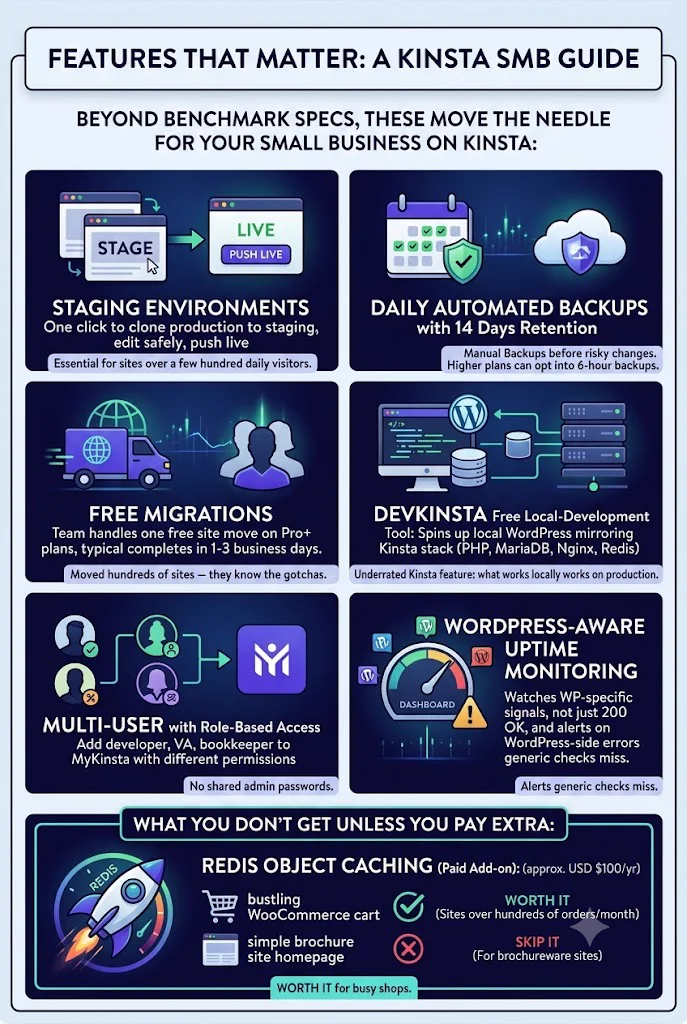
Lots of hosts list features. Here are the ones that actually move the needle for a small business on Kinsta:
- Staging environments included on every plan. One click to clone production into staging, edit safely, push live. Essential for any site over a few hundred visitors a day.
- Daily automated backups with 14 days of retention, plus manual backups you can trigger before any risky change. On higher plans, you can opt into 6-hour automated backups.
- Free migrations. Their migration team handles one free site move on Pro+ plans, typically completing in 1-3 business days. They’ve moved hundreds of sites — they know the gotchas.
- DevKinsta is their free local-development tool. It spins up a local WordPress that mirrors the Kinsta stack (PHP, MariaDB, Nginx, Redis) so what works locally works on production. The single most underrated thing about the Kinsta ecosystem.
- Multi-user with role-based access. Add your developer, your VA, and your bookkeeper to MyKinsta with different permissions — no shared admin passwords.
- WordPress-aware uptime monitoring. They watch WP-specific signals, not just
200 OK, and alert you on WordPress-side errors a generic uptime check would miss.
What you don’t get unless you pay extra: Redis object caching is a paid add-on (about USD $100/yr). For a WooCommerce site over a few hundred orders a month, it’s worth it. For a brochureware site, skip it.
What the migration actually feels like
Most SMBs we move to Kinsta are coming from one of: BlueHost, SiteGround, GoDaddy, or an Australian budget host. The migration process Kinsta runs goes like this:
- You fill out a form in MyKinsta with the source host’s login details (or grant them temporary access).
- Their team takes a copy of your live site and stands it up on a Kinsta staging URL within 24-48 hours.
- You log in, click around the staging copy, confirm nothing is broken.
- You DNS-cut over when ready. They time the cut to minimise content drift.
The full handover usually completes in under a week for a brochure site, longer if you have a WooCommerce store with active orders. You can also self-migrate using their plugin if you want full control. We’ve done both — the team-handled migration is worth it for any site over a few hundred posts.
Support quality — the part most reviews understate
Kinsta’s support is the differentiator that justifies the price gap from the next tier down. Three things stand out:
- 24/7 live chat with engineers, not tier-1 script-readers. First-response time has been under two minutes every time we’ve opened a ticket in the last twelve months.
- They answer technical questions accurately. Ask about WP-CLI commands, Nginx rewrite rules, PHP memory limits — they give you the right answer, not a deflection.
- No phone support. This is genuinely the only support con. If you need to speak to someone live by voice, Kinsta isn’t it. Their argument is that chat lets engineers paste config and logs cleanly; we agree, but it’s worth knowing.
For comparison, the budget hosts we move clients off typically take 15-45 minutes to respond on chat, and the first three responses are bot-driven menu trees.
What we don’t love
Honest cons. None are dealbreakers but you should know them before you sign up.
- USD pricing with no AUD billing option. The hidden FX cost is real.
- Chat-only support. If you need a phone call, you’ll be unhappy.
- WordPress-only on the main hosting product. Can’t co-host your Laravel app or custom Node project on the same plan (Application Hosting is separate billing).
- Redis is paid. Most premium hosts in this price bracket include object caching.
- MyKinsta has a learning curve if you’ve only ever used cPanel. Two days in, you’ll prefer it. Day one is friction.
How Kinsta stacks against the alternatives we actually recommend
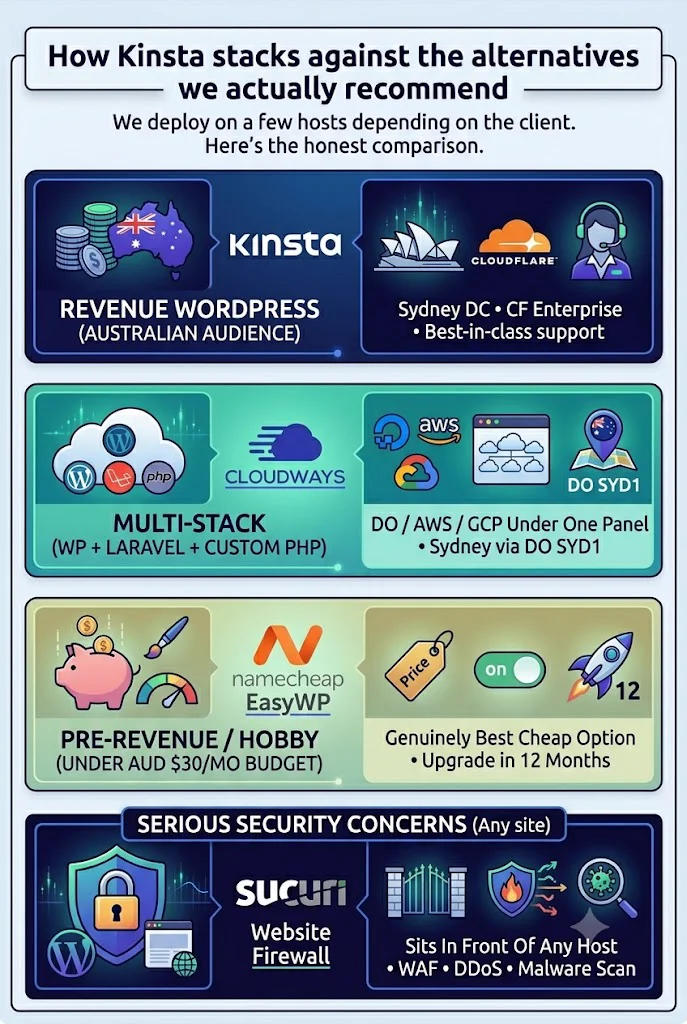
We deploy on a few hosts depending on the client. Here’s the honest comparison:
| If your site is… | Recommended host | Why |
|---|---|---|
| Revenue WordPress, Australian audience | Kinsta | Sydney DC + CF Enterprise + best-in-class support |
| Multi-stack (WP + Laravel + custom PHP) | Cloudways | DigitalOcean/AWS/GCP under one panel, Sydney via DO SYD1 |
| Pre-revenue / hobby / under AUD $30/mo budget | Namecheap EasyWP | Genuinely the best cheap option; upgrade in 12 months |
| Any of the above + serious security concerns | Sucuri Website Firewall | Sits in front of any host; covers WAF + DDoS + malware scan |
A note on Sucuri specifically: it’s complementary, not competing. Even on Kinsta — which has its own hardware-firewall layer plus Cloudflare WAF rules — a dedicated managed firewall like Sucuri adds malware detection, virtual patching for WordPress vulnerabilities, and incident response if the site ever does get hit. For client sites handling payments or PII, we run both. A separate Sucuri review is coming on this site shortly.
The verdict
Buy Kinsta if you’re running a revenue WordPress site, your audience is Australian, and a $200-$400/year hosting bill is rounding error against your conversion. The Sydney data centre alone justifies the upgrade from a US-origin shared host. The support quality justifies the price gap from the next managed-WP tier down. The free Cloudflare Enterprise CDN is, frankly, ridiculous value at this price point — most hosts charge separately for it and you’re getting it included.
Don’t buy Kinsta if the site doesn’t yet make money, or you want to host non-WordPress workloads on the same bill. The two honest alternatives are linked in the table above.
If you’re in the buy lane, the easiest path is:
Try Kinsta — 30-day money-back guaranteeThe 30-day guarantee is full-refund, no questions asked. Move your site over, run it for three weeks, decide. We’ve never had a client take the refund.
Coming next on Cloud Geeks Insights: a Cloudways review (the closest legitimate alternative), a head-to-head Kinsta vs Cloudways comparison for Australian SMBs, and a Sucuri Website Firewall review with an honest take on whether to also run Cloudflare WAF underneath. If you want them as they drop, subscribe in the sidebar.
The author runs Ganda Tech Services, parent company of Cosmos Web Tech, which deploys client WordPress sites on the hosts recommended in this article.