
IT Change Management Processes for Growing Businesses
IT Change Management Processes for Growing Businesses
In the early days of a business, the IT person just makes changes. A server needs a patch, they apply it. A firewall rule needs updating, they update it. A new application needs deploying, they deploy it. No forms, no approvals, no waiting.
This works when you have one IT person managing a small environment. It stops working when:
- A change breaks something and nobody knows what was changed or when
- Two IT staff make conflicting changes simultaneously
- A critical system goes down because a patch was applied during business hours
- An auditor asks for evidence of your change control process and you have nothing to show
- A configuration change introduces a security vulnerability that is not detected for weeks
IT change management is the practice of controlling modifications to your IT environment so that changes deliver value without creating unnecessary risk. For growing Australian businesses, it is a maturity milestone that separates reactive IT from proactive, professional IT operations.
What Is IT Change Management?
Change management is a structured process for evaluating, approving, scheduling, implementing, and reviewing changes to IT systems and infrastructure. It answers four fundamental questions:
- What is being changed?
- Why is it being changed?
- When will the change happen?
- What happens if it goes wrong?
The goal is not to slow things down. It is to ensure that changes are made deliberately, with appropriate review, at appropriate times, with a plan for recovery if something goes wrong.
Types of IT Changes
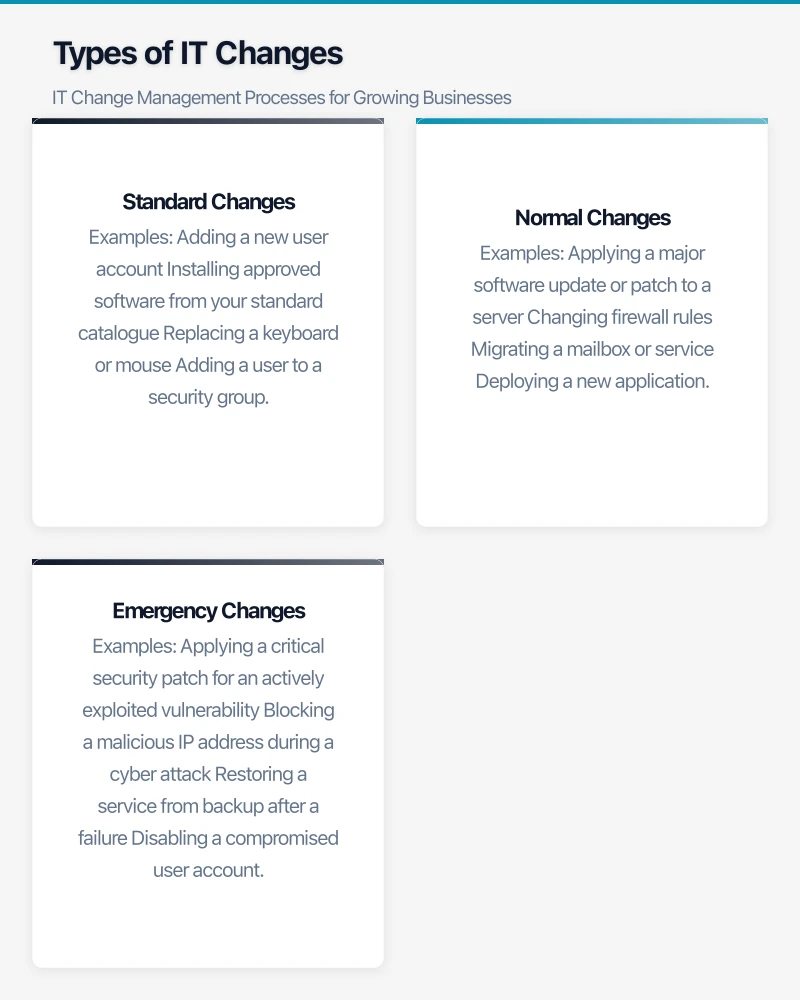
Standard Changes
Pre-approved, low-risk changes that follow a documented procedure. These do not need individual approval because the process has already been validated.
Examples:
- Adding a new user account
- Installing approved software from your standard catalogue
- Replacing a keyboard or mouse
- Adding a user to a security group
- Routine password resets
Normal Changes
Changes that require assessment, approval, and scheduling. Most changes fall into this category.
Examples:
- Applying a major software update or patch to a server
- Changing firewall rules
- Migrating a mailbox or service
- Deploying a new application
- Modifying network configurations
- Updating security policies
Emergency Changes
Changes that must be implemented urgently to resolve an incident or prevent imminent impact. The normal approval process is expedited, but the change is still documented.
Examples:
- Applying a critical security patch for an actively exploited vulnerability
- Blocking a malicious IP address during a cyber attack
- Restoring a service from backup after a failure
- Disabling a compromised user account
Building a Change Management Process
Step 1: Change Request
Every change starts with a documented request. This does not need to be bureaucratic. A simple form or help desk ticket capturing the following information is sufficient:
- Description: What is being changed?
- Reason: Why is this change needed? (Business benefit, security fix, compliance requirement)
- Impact: What systems and users will be affected?
- Risk assessment: What could go wrong? What is the likelihood and impact?
- Implementation plan: Step-by-step procedure for making the change
- Rollback plan: How to reverse the change if it causes problems
- Testing plan: How will you verify the change was successful?
- Proposed schedule: When should the change be implemented?
Step 2: Assessment and Approval
For normal changes, someone other than the person making the change should review and approve. This provides a second pair of eyes and prevents well-intentioned but risky changes from proceeding without scrutiny.
For small IT teams (1 to 3 people):
- The IT manager or a senior team member reviews and approves
- For significant changes, involve the business owner or relevant department head
- A weekly change review meeting (even 15 minutes) keeps everyone aligned
For larger IT teams (4 or more people):
- Establish a Change Advisory Board (CAB) that meets weekly
- The CAB reviews upcoming changes, assesses risk, and approves or defers
- CAB members should include IT staff and representatives from affected business areas
Step 3: Scheduling
Changes should be scheduled to minimise business impact:
Maintenance windows: Define standard maintenance windows when changes are permitted with minimal business impact:
- Weekday evenings (after business hours)
- Weekend mornings
- Public holidays (for major changes)
Blackout periods: Define periods when no changes are permitted:
- End of financial year (EOFY) processing periods
- Peak business seasons
- During major business events or presentations
Communication: Notify affected users before scheduled changes:
- Minor changes: Email notification 24 hours in advance
- Major changes: Email notification one week in advance with reminders
- Emergency changes: Immediate notification through available channels
Step 4: Implementation
Implement the change following the documented plan:
- Follow the implementation steps as documented
- Test after each major step to verify success
- Document any deviations from the plan
- If issues arise, assess whether to proceed or roll back
- Record the start and end times
Step 5: Review and Closure
After the change is implemented:
- Verify success: Confirm the change achieved its intended outcome
- Monitor: Watch for unexpected side effects for an appropriate period (24 to 72 hours for significant changes)
- Document: Record the outcome, any issues encountered, and lessons learned
- Close: Mark the change request as completed
For changes that caused problems, conduct a post-change review to identify what went wrong and how to prevent similar issues in future.
Change Management Tools
For Small Teams
You do not need specialised software to start. Simple tools include:
- Microsoft Lists or SharePoint list: Create a change log with columns for each field (description, risk, schedule, status). Accessible to all IT team members.
- Help desk ticket: If you use a ticketing system (Freshservice, Jira), create a “Change Request” ticket type.
- Shared calendar: A dedicated Microsoft 365 calendar for planned changes, visible to all IT staff.
For Growing Teams
As your IT operations mature, dedicated tools provide more structure:
- Freshservice: ITIL-aligned change management module with workflows, approvals, and CAB support
- Jira Service Management: Change management integrated with the Atlassian ecosystem
- ServiceNow: Enterprise-grade change management (typically for larger organisations)
Change Management Calendar
Maintain a visible change calendar that shows:
- All scheduled changes with dates and times
- Maintenance windows
- Blackout periods
- Change owners and contact information
This calendar should be accessible to all IT staff and ideally to business stakeholders. A shared Microsoft 365 calendar works well for small teams.
Risk Assessment Framework
For each change, assess risk using a simple matrix:
Likelihood of Failure
- Low: Well-tested, previously successful change with clear procedure
- Medium: New change type or involving multiple systems
- High: Complex change, untested, or involving critical systems with no redundancy
Business Impact if Change Fails
- Low: Single user affected, no data loss risk, easy to roll back
- Medium: Department affected, potential for short service disruption
- High: Business-wide impact, potential data loss, extended downtime possible
Combine likelihood and impact:
| Low Impact | Medium Impact | High Impact | |
|---|---|---|---|
| Low Likelihood | Low Risk | Low Risk | Medium Risk |
| Medium Likelihood | Low Risk | Medium Risk | High Risk |
| High Likelihood | Medium Risk | High Risk | Critical Risk |
Low risk: Standard approval, implement during next maintenance window.
Medium risk: Requires IT manager approval, implement during maintenance window with rollback plan tested.
High risk: Requires IT manager and business stakeholder approval, implement during extended maintenance window with full rollback plan and additional IT staff on standby.
Critical risk: Requires senior management approval, comprehensive planning, off-hours implementation with full team available, and explicit rollback criteria defined in advance.
Common Change Management Mistakes
Being Too Rigid
A change management process that requires three weeks of approvals for a minor configuration change will be bypassed. Scale the process to the risk: standard changes should flow quickly, and only significant changes need detailed review.
Not Having a Rollback Plan
Every change should have a documented way to reverse it. “We cannot roll back” is never acceptable for a planned change. If you truly cannot roll back, the change is high risk and needs additional scrutiny.
Skipping Post-Implementation Review
After a successful change, it is tempting to move on. But reviewing what went well and what could be improved makes your next change smoother and your process more mature.
Emergency Change Abuse
If everything is an “emergency change,” your process is not working. Track the ratio of emergency to normal changes. If emergency changes consistently exceed 10 to 15 percent, investigate why planned changes are not being submitted in advance.
Not Communicating
Affected users and stakeholders should know about upcoming changes. Surprised users generate help desk tickets and frustration. A simple email notification prevents this.
Compliance Benefits
For Australian businesses in regulated industries, change management supports compliance:
- APRA CPS 234: Requires regulated entities to maintain information security controls, which includes managing changes that could affect security posture.
- Privacy Act: Taking “reasonable steps” to protect personal information includes controlling changes to systems that process personal data.
- Essential Eight: Patching (one of the Essential Eight) is itself a change management activity. Tracking patch deployment through your change process provides compliance evidence.
- ISO 27001: Clause A.12.1.2 specifically addresses change management for IT operations.
Even if your business is not in a regulated industry, documented change management provides evidence of professional IT governance that is valuable for client assurance, cyber insurance applications, and business growth.
Getting Started
You do not need to implement a full ITIL change management framework on day one. Start simple:
- Week 1: Create a change log (spreadsheet or SharePoint list) and begin documenting all changes
- Week 2: Define your standard changes that do not need individual approval
- Week 3: Establish a maintenance window schedule
- Week 4: Start requiring rollback plans for all normal changes
- Month 2: Introduce a weekly change review meeting (15 minutes)
- Month 3: Review and refine the process based on experience
Within three months, you will have a working change management process that reduces outages, improves visibility, and supports compliance. As your IT operations grow, the process grows with you. The foundation you build now will serve your Australian business well as it scales.
For executive-level thinking on technology investment and digital strategy, explore Ash Ganda’s blog on enterprise innovation.
Part of the Ganda Tech Services family, Cloud Geeks delivers specialist IT and cloud solutions for Australian small and medium businesses.