
Google Cloud Platform for Australian SMBs: Getting Started Guide
For Australian SMBs evaluating cloud platforms in 2024, Google Cloud Platform (GCP) offers a compelling alternative to AWS and Azure. While it’s the third-largest cloud provider globally, GCP brings unique strengths: cutting-edge data analytics, machine learning capabilities, and Google’s expertise in infrastructure that powers services like Search and YouTube.
But is GCP right for your Australian business? This guide cuts through the marketing noise to help you understand what GCP actually offers, how it compares for SMB use cases, and whether the Sydney region meets your needs for performance and data sovereignty.
Understanding Google Cloud Platform: What Makes It Different
Google Cloud Platform isn’t just another cloud provider—it’s built on the same infrastructure Google uses for its own services. This brings some distinct advantages for Australian SMBs.
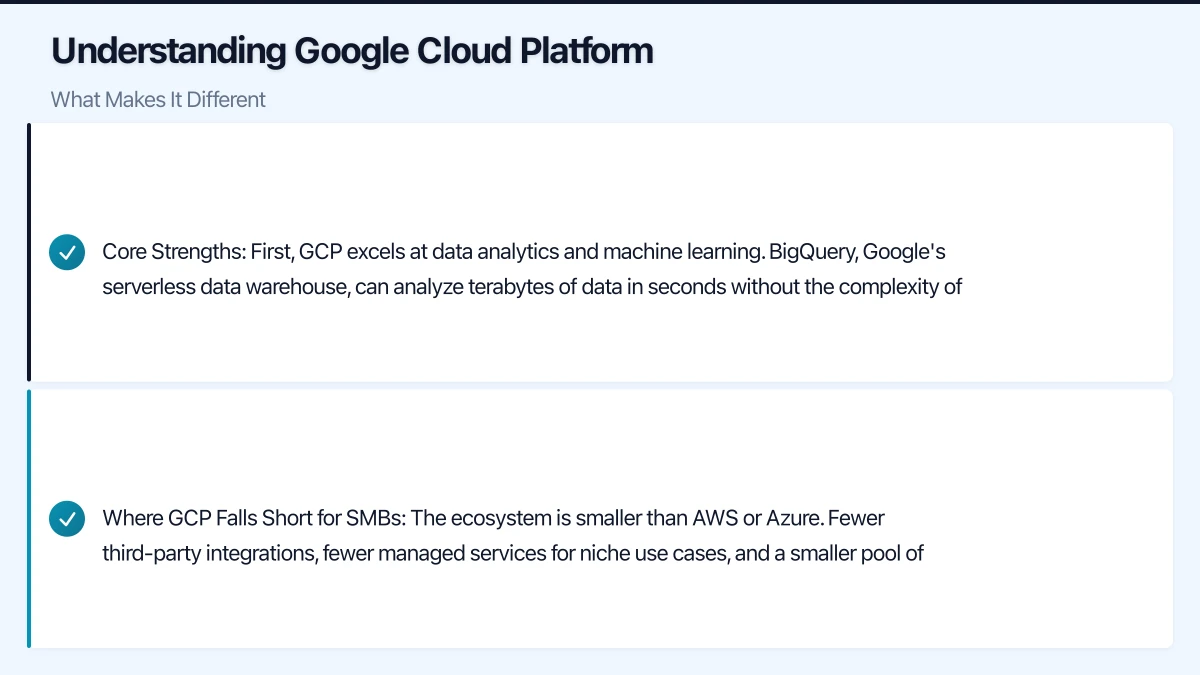
Core Strengths:
First, GCP excels at data analytics and machine learning. BigQuery, Google’s serverless data warehouse, can analyze terabytes of data in seconds without the complexity of traditional database management. For SMBs collecting customer data, website analytics, or operational metrics, this is genuinely transformative. A Melbourne retail business we worked with reduced their quarterly reporting time from three days to two hours by moving to BigQuery.
Second, Kubernetes-native operations set GCP apart. Google invented Kubernetes, and Google Kubernetes Engine (GKE) remains the most sophisticated managed Kubernetes service available. If your development team is building containerized applications or microservices, GKE offers the smoothest experience.
Third, innovative pricing models can significantly reduce costs. GCP’s sustained use discounts apply automatically—run a virtual machine for 25% of the month, and you get a discount with no upfront commitment. Preemptible VMs cost up to 80% less than regular instances, perfect for batch processing or non-critical workloads.
Where GCP Falls Short for SMBs:
The ecosystem is smaller than AWS or Azure. Fewer third-party integrations, fewer managed services for niche use cases, and a smaller pool of Australian consultants and managed service providers with GCP expertise. If you’re running Microsoft workloads (Active Directory, SQL Server), Azure’s integration is superior. For the broadest service catalog, AWS still leads.
Core GCP Services Australian SMBs Actually Use
Let’s focus on the services that matter for typical SMB workloads, not the hundreds of specialized offerings you’ll likely never touch.
Compute Engine: Virtual Machines
Compute Engine provides Linux and Windows VMs in the Sydney region. You get predictable performance, custom machine types (choose exactly how much CPU and RAM you need), and automatic discounts for sustained use.
Practical SMB Use Cases:
- Application servers (web apps, CRMs, business software)
- Development and testing environments
- Database servers (when managed databases aren’t suitable)
Pricing Example: An e2-medium instance (2 vCPUs, 4GB RAM) in Sydney costs approximately AUD $45/month with sustained use discounts. Comparable to AWS t3.medium but with simpler pricing.
Cloud Storage: Object Storage
Cloud Storage is GCP’s equivalent to AWS S3. It stores unstructured data—backups, documents, images, videos—with 99.999999999% (11 nines) durability.
Storage Classes:
- Standard: Hot data, frequent access (~AUD $0.023/GB/month)
- Nearline: Monthly access (~AUD $0.013/GB/month)
- Coldline: Quarterly access (~AUD $0.006/GB/month)
- Archive: Annual access (~AUD $0.0015/GB/month)
For a typical SMB storing 500GB of business documents with monthly backups, expect around AUD $12-20/month depending on access patterns.
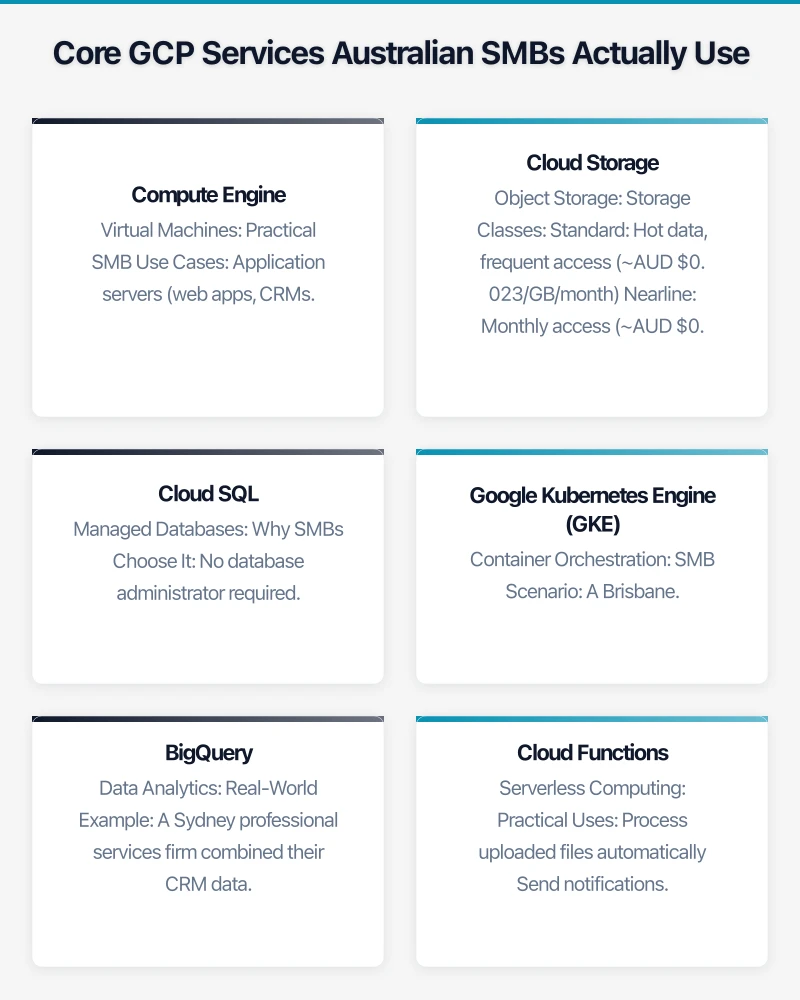
Cloud SQL: Managed Databases
Cloud SQL provides fully managed MySQL, PostgreSQL, and SQL Server databases. Google handles backups, replication, patches, and updates—you focus on your application.
Why SMBs Choose It: No database administrator required. Automated backups to Cloud Storage, point-in-time recovery, and read replicas for scaling. High availability configuration automatically fails over to a standby instance in a different zone.
Pricing: A db-n1-standard-1 instance (1 vCPU, 3.75GB RAM) with 10GB storage costs approximately AUD $80/month in Sydney. Add 30% for high availability configuration.
Google Kubernetes Engine (GKE): Container Orchestration
If your team builds modern applications using Docker containers, GKE simplifies deployment and scaling. It’s overkill for simple web hosting but essential for complex microservices architectures.
SMB Scenario: A Brisbane SaaS startup uses GKE to run their application across multiple containers. GKE automatically scales from 3 nodes during quiet periods to 12 nodes during peak usage, controlling costs while maintaining performance.
BigQuery: Data Analytics
BigQuery is GCP’s secret weapon for SMBs drowning in data. Load your CSV files, connect your databases, or stream real-time data, then query it using SQL without managing servers.
Real-World Example: A Sydney professional services firm combined their CRM data, project management data, and financial system data in BigQuery. They built custom dashboards showing client profitability, resource utilization, and revenue forecasting. Total monthly cost: AUD $45 for 500GB storage and 5TB query processing.
Cloud Functions: Serverless Computing
Cloud Functions runs code in response to events without managing servers. Perfect for automation, webhooks, and API integrations.
Practical Uses:
- Process uploaded files automatically
- Send notifications when database records change
- Integrate third-party APIs
- Run scheduled tasks (daily reports, cleanup jobs)
Pricing: First 2 million invocations per month are free. A typical SMB rarely exceeds this.
GCP’s Sydney Region: What You Need to Know
For Australian businesses, the australia-southeast1 region in Sydney is your primary deployment target. Launched in 2017, it’s mature and feature-complete.
Benefits:
Low latency: Sub-10ms response times for most Australian users. Compare this to 150-200ms when serving from Singapore or US regions. For customer-facing applications, this matters.
Data sovereignty: Keep customer data within Australian borders, simplifying compliance with the Privacy Act 1988 and industry-specific regulations. Financial services, healthcare, and government contractors often require Australian data residency.
Full service availability: All major GCP services are available in Sydney—Compute Engine, Cloud Storage, Cloud SQL, GKE, BigQuery. No compromise on functionality.
Considerations:
The Sydney region typically costs 10-15% more than US regions. This is standard across all cloud providers due to local operating costs. Factor this into your budget estimates.
GCP also operates a Melbourne region (australia-southeast2), launched in 2021. This provides in-country redundancy—run your primary workload in Sydney with disaster recovery in Melbourne.
Setting Up Your GCP Account: Step-by-Step for Australian SMBs
Let’s walk through the actual setup process, including Australian business considerations.
Step 1: Create Your Account
Visit cloud.google.com and sign up with your business email address. Google offers a $300 USD (approximately $450 AUD) free trial valid for 90 days. This is genuine credit—run real workloads, test services, and get comfortable with the platform.
Important: You’ll need a credit card for verification, but you won’t be charged during the trial period unless you explicitly upgrade to a paid account.
Step 2: Set Up Billing with Australian Business Details
Navigate to Billing > Account Management and configure your billing profile:
- Business name and Australian Business Number (ABN)
- Australian billing address
- Payment method (credit card or bank account via direct debit)
GCP bills in USD, but your credit card or bank processes the conversion. Consider using a business credit card that offers favorable foreign exchange rates.
Step 3: Create Your First Project
GCP organizes resources into projects. Think of a project as a container for everything related to a specific application or environment.
Create projects for:
- Production: Your live environment serving customers
- Staging: Pre-production testing environment
- Development: Developer sandbox
This separation prevents accidental changes to production and makes cost tracking clearer.
Step 4: Configure IAM (Identity and Access Management)
Don’t share admin credentials. Set up individual accounts for team members with appropriate permissions:
- Owner: Full control (use sparingly)
- Editor: Can modify resources
- Viewer: Read-only access
- Service-specific roles: Compute Admin, Storage Admin, etc.
For an IT manager, assign Project Editor. For finance team members reviewing costs, assign Billing Account Viewer.
Step 5: Enable Necessary APIs
GCP services are accessed via APIs that must be enabled per project. Enable what you need:
Compute Engine API
Cloud SQL Admin API
Cloud Storage API
BigQuery API
This happens automatically when you first use a service through the console, but enabling them upfront speeds up deployment.
Step 6: Set Up Budget Alerts
Prevent bill shock by configuring budget alerts:
- Navigate to Billing > Budgets & alerts
- Create a budget (e.g., AUD $500/month)
- Set alert thresholds (50%, 75%, 90%, 100%)
- Add email recipients (yourself, finance team)
You’ll receive emails when spending reaches each threshold, giving you time to investigate unexpected costs.
Step 7: Deploy Your First Resource in Sydney
Let’s create a simple VM in the Sydney region:
- Navigate to Compute Engine > VM instances
- Click “Create Instance”
- Name:
test-vm-sydney - Region:
australia-southeast1 (Sydney) - Zone:
australia-southeast1-a - Machine type:
e2-micro(free tier eligible) - Boot disk: Ubuntu 22.04 LTS
- Click “Create”
Within 60 seconds, you have a running Linux server in Sydney. SSH directly from your browser using the built-in console.
Understanding GCP Pricing for Australian SMBs
GCP’s pricing can feel complex, but the underlying principles are straightforward. Here’s what actually matters for your budget.
Compute Pricing: Pay for what you use, billed per second (minimum 1 minute). A VM running for 30 seconds costs half what it costs for 60 seconds. Sustained use discounts apply automatically—run an instance for the full month, and you save up to 30%.
Preemptible VMs: Up to 80% cheaper but can be terminated by Google with 30 seconds notice. Perfect for batch jobs, data processing, or development environments. Not suitable for production databases or customer-facing services.
Storage Pricing: Cloud Storage charges separately for storage ($), operations (requests), and network egress (data transfer out). Storing 1TB costs around AUD $30/month, but downloading that 1TB to users costs approximately AUD $150 in network charges. Use Cloud CDN to reduce egress costs for frequently accessed content.
Database Pricing: Cloud SQL bills for instance size, storage, and backups. A production PostgreSQL database (2 vCPUs, 7.5GB RAM, 100GB storage, high availability) costs approximately AUD $300/month in Sydney.
Network Pricing: Traffic within GCP (between VMs, to Cloud Storage) is free within the same region. Traffic out to the internet is charged per GB, approximately AUD $0.15/GB from Sydney. Traffic from GCP to your Australian users costs the same as traffic to international users—there’s no preferential pricing for local delivery.
Cost Management Tools:
The Pricing Calculator (cloud.google.com/products/calculator) provides accurate estimates. Input your expected usage and get monthly cost projections.
Cloud Billing Reports show actual spending broken down by service, project, and resource. Export this data to BigQuery for custom analysis or set up scheduled reports emailed to your finance team.
When GCP Makes Sense for Your Australian SMB
Not every SMB should choose GCP. Here’s honest guidance on when it’s the right fit.
Choose GCP if:
You’re data-driven and need powerful analytics. BigQuery, Looker (Google’s BI tool), and data pipeline services are industry-leading. If you’re building dashboards, analyzing customer behavior, or making data-informed decisions, GCP excels.
You’re building modern applications with containers and microservices. GKE provides the best Kubernetes experience, and Cloud Run offers simple container deployment without Kubernetes complexity.
You value innovation and Google’s technology. Early access to AI/ML capabilities, natural language processing, computer vision, and other advanced services. Google’s AI research feeds directly into GCP products.
You have Google Workspace (formerly G Suite) and want integration. Cloud Identity connects GCP access to your existing Google accounts. Easily share BigQuery datasets with colleagues via Gmail addresses.
Choose AWS if:
You need the largest service catalog and ecosystem. AWS offers more managed services, more third-party integrations, and more Australian consulting partners.
You’re running enterprise applications with specific AWS integrations or following AWS best practices from global headquarters.
Choose Azure if:
You’re heavily invested in Microsoft technologies. Active Directory integration, seamless SQL Server licensing, Windows-centric tooling.
You use Microsoft 365 and want a unified Microsoft environment.
Hybrid Approach:
Many SMBs use multiple clouds. Run your application on AWS but use BigQuery for analytics. Store backups in Google Cloud Storage for geographic diversity. There’s no requirement for cloud monogamy.
Next Steps: Your GCP Journey
Starting with GCP doesn’t require a massive migration project. Here’s a practical path forward for Australian SMBs.
Week 1: Explore and Learn
Use your $300 USD free trial to experiment. Deploy a test VM, upload files to Cloud Storage, load a dataset into BigQuery. Break things—that’s the point. You won’t be charged during the trial, and everything can be deleted.
Google’s documentation is excellent. The “Quickstarts” for each service provide step-by-step tutorials in 10-15 minutes.
Week 2-4: Pilot Project
Identify a non-critical workload to migrate:
- Development environment
- Internal tool or dashboard
- Data analytics project
- Backup storage
This gives your team hands-on experience without risking production systems.
Month 2: Production Planning
If the pilot succeeds, plan a production migration:
- Document your current infrastructure
- Map services to GCP equivalents
- Estimate costs using the pricing calculator
- Define success metrics (performance, cost, reliability)
Month 3: Execute Migration
For most SMBs, a staged migration works best:
- Migrate non-critical systems first
- Run production alongside old infrastructure
- Gradually shift traffic
- Decommission old infrastructure once stable
Get Help When Needed
GCP’s complexity means most SMBs benefit from external expertise, at least initially. Google’s partner directory (cloud.google.com/partners) lists Australian consulting firms with GCP expertise.
For basic questions, Google’s community forums and Stack Overflow are surprisingly helpful. The GCP community is smaller than AWS but more collaborative.
Moving Forward with Confidence
Google Cloud Platform offers Australian SMBs a powerful, innovative cloud platform with strong data analytics, modern application capabilities, and competitive pricing. The Sydney region ensures low latency and data sovereignty, addressing the key concerns for local businesses.
Start small, experiment during the free trial, and make informed decisions based on your actual experience, not marketing promises. Whether GCP becomes your primary cloud, a specialized analytics platform, or part of a multi-cloud strategy, understanding its capabilities positions your business for technology decisions ahead.
The cloud isn’t one-size-fits-all. GCP might be perfect for your needs, or AWS or Azure might be better fits. The important thing is making an informed choice based on your specific requirements, not following the crowd.
Need help evaluating GCP for your Australian business? Cloud Geeks provides practical cloud consulting for SMBs across Australia. We’ll assess your needs, estimate costs, and guide your cloud journey without vendor bias—get in touch for a no-obligation consultation.
Want your team to manage cloud operations from their phones? Awesome Apps creates mobile dashboards and management tools for Australian SMBs.
Ganda Tech Services brings together cloud infrastructure, web development, and mobile app expertise to help Australian businesses thrive in the digital economy.