
EngageBay vs Salesforce vs Mautic vs SendFox vs Salesflare vs Twenty CRM: Honest Comparison for Australian Small Business 2026
Most Australian small businesses do not set out to build a messy tech stack. It happens gradually. You sign up for a free email marketing tool. A few months later you need a proper CRM, so you add another subscription. Then a client support request falls through the cracks and you bolt on a helpdesk. Before long, you are paying for three or four separate tools, none of which talk to each other properly, and your staff are copying contact details between tabs.
If that sounds familiar, you are not alone. It is one of the most common pain points we hear from Australian SMBs — the hidden cost of tool fragmentation. Not just the monthly subscription fees, but the time spent on manual data entry, the missed leads, the incomplete reporting, and the frustration of never having a single view of the customer.
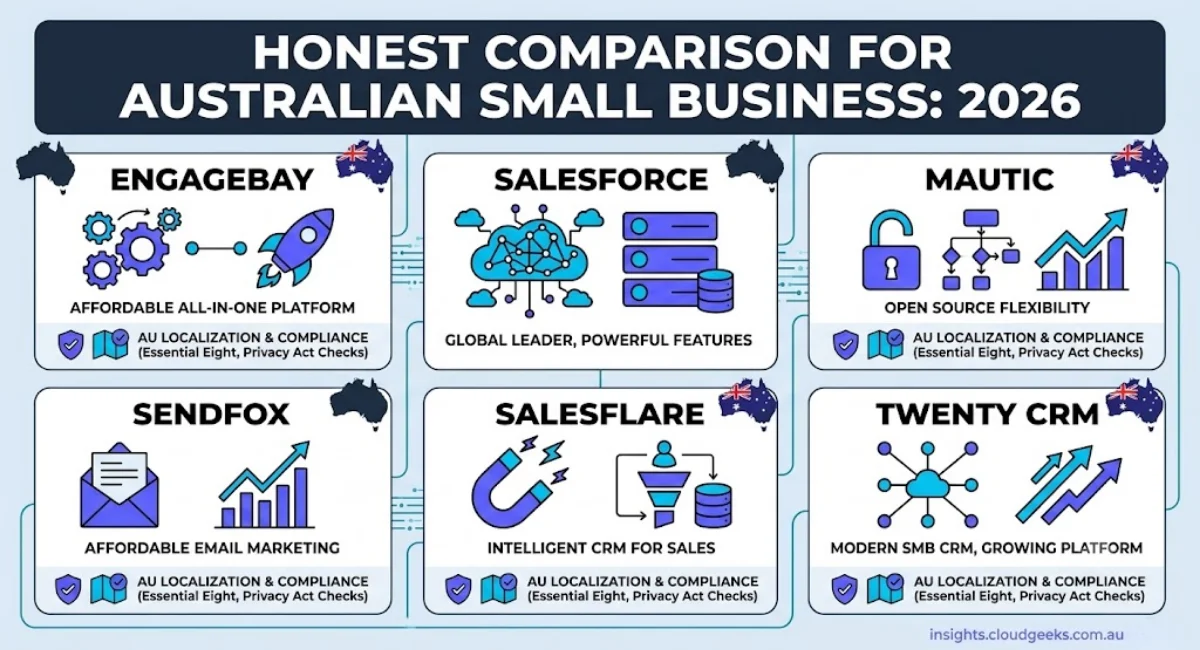
This article compares four tools that sit in the CRM and email marketing space: EngageBay CRM, Mautic, SendFox, and Salesflare. We use three of them ourselves. We will tell you what each one is genuinely good at, where each one falls short, and which one is right for your situation — including why EngageBay CRM for Australian small business is the answer for most SMBs that want to consolidate without breaking the budget.
At a Glance: Feature Comparison
| Feature | EngageBay | Salesforce | Mautic | SendFox | Salesflare | Twenty |
|---|---|---|---|---|---|---|
| CRM (contact management) | Yes | Yes (enterprise-grade) | Basic | No | Yes (B2B focus) | Yes (open source) |
| Email marketing campaigns | Yes | Add-on ($$$) | Yes | Yes | No | No |
| Marketing automation | Yes | Add-on ($$$) | Yes | Basic | No | No |
| Sales pipeline | Yes | Yes (core feature) | No | No | Yes (core feature) | Yes |
| Helpdesk / ticketing | Yes | Add-on ($$$) | No | No | No | No |
| Live chat | Yes | Add-on ($$$) | No | No | No | No |
| Landing pages | Yes | Add-on ($$$) | Yes | Yes (Smart Pages) | No | No |
| Lead scoring | Yes | Yes (AI-powered) | Yes | No | No | No |
| Self-hosted option | No | No | Yes | No | No | Yes (core model) |
| Free plan | Yes (250 contacts) | 30-day trial only | Yes (open source) | No | No | Yes (self-host) |
| Starting price (AUD/month) | ~AUD $23/user | ~AUD $40/user (Starter) | ~AUD $20-50 (server) | ~AUD $28 | ~AUD $45/user | Free (+ server cost) |
| Technical difficulty | Low | High (requires admin) | High | Very low | Low | High (self-hosted) |
| Best for | SMBs wanting one platform | Large enterprises | Technical teams | Simple newsletters | B2B sales pipelines | Tech teams wanting open-source CRM |
EngageBay CRM: The All-in-One Platform for Australian SMBs
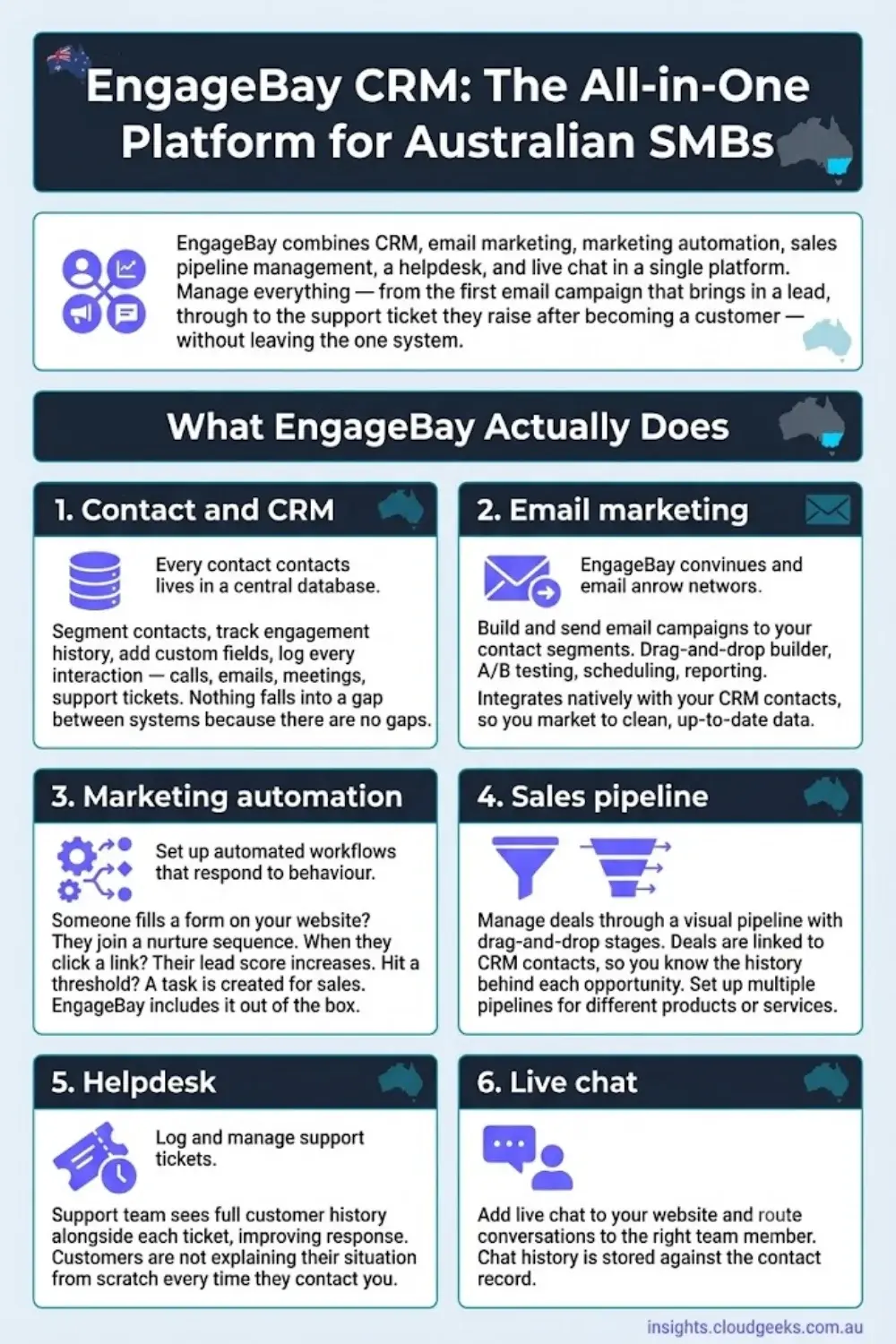
EngageBay is the tool on this list that most directly addresses the fragmentation problem described above. It combines CRM, email marketing, marketing automation, sales pipeline management, a helpdesk, and live chat in a single platform. You manage everything — from the first email campaign that brings in a lead, through to the support ticket they raise after becoming a customer — without leaving the one system.
What EngageBay Actually Does
Contact and CRM management: Every contact lives in a central database. You can segment contacts, track engagement history, add custom fields, and log every interaction — calls, emails, meetings, support tickets. Nothing falls into a gap between systems because there are no gaps.
Email marketing: Build and send email campaigns to your contact segments. EngageBay includes a drag-and-drop email builder, A/B testing, scheduling, and reporting. It integrates natively with your CRM contacts, so you are always marketing to clean, up-to-date data.
Marketing automation: Set up automated workflows that respond to contact behaviour. When someone fills in a form on your website, they are added to a nurture sequence. When they click a specific link, their lead score increases. When they hit a threshold, a task is created for your sales team. This kind of automation typically requires a separate tool like Mautic or ActiveCampaign — EngageBay includes it out of the box.
Sales pipeline: Manage deals through a visual pipeline with drag-and-drop stages. Deals are linked to your CRM contacts, so you always know the history behind each opportunity. You can set up multiple pipelines for different products or services.
Helpdesk: Log and manage support tickets. Your support team sees the full customer history alongside each ticket, which dramatically improves response quality. Customers are not explaining their situation from scratch every time they contact you.
Live chat: Add live chat to your website and route conversations to the right team member. Chat history is stored against the contact record.
EngageBay Pricing in Australian Dollars
EngageBay pricing is set in USD and billed annually. The AUD equivalents below are approximate at a 1.55 exchange rate.
| Plan | USD (per user/month) | AUD (per user/month) | Contacts included |
|---|---|---|---|
| Free | $0 | $0 | 250 |
| Basic | $14.99 | ~$23 | 500 |
| Growth | $46.99 | ~$73 | 5,000 |
| Pro | $79.99 | ~$124 | Unlimited |
The Free plan is genuinely functional — it is not a crippled trial. For a very small business just getting started, 250 contacts and access to the core CRM and email features is enough to evaluate the platform properly before committing.
The Basic plan at roughly AUD $23 per user per month is competitive with standalone email marketing tools, and it includes the CRM, sales pipeline, and basic automations on top of email. When you consider that you might otherwise be paying separately for a CRM, an email tool, and a helpdesk, the value proposition becomes clear.
Who EngageBay Suits
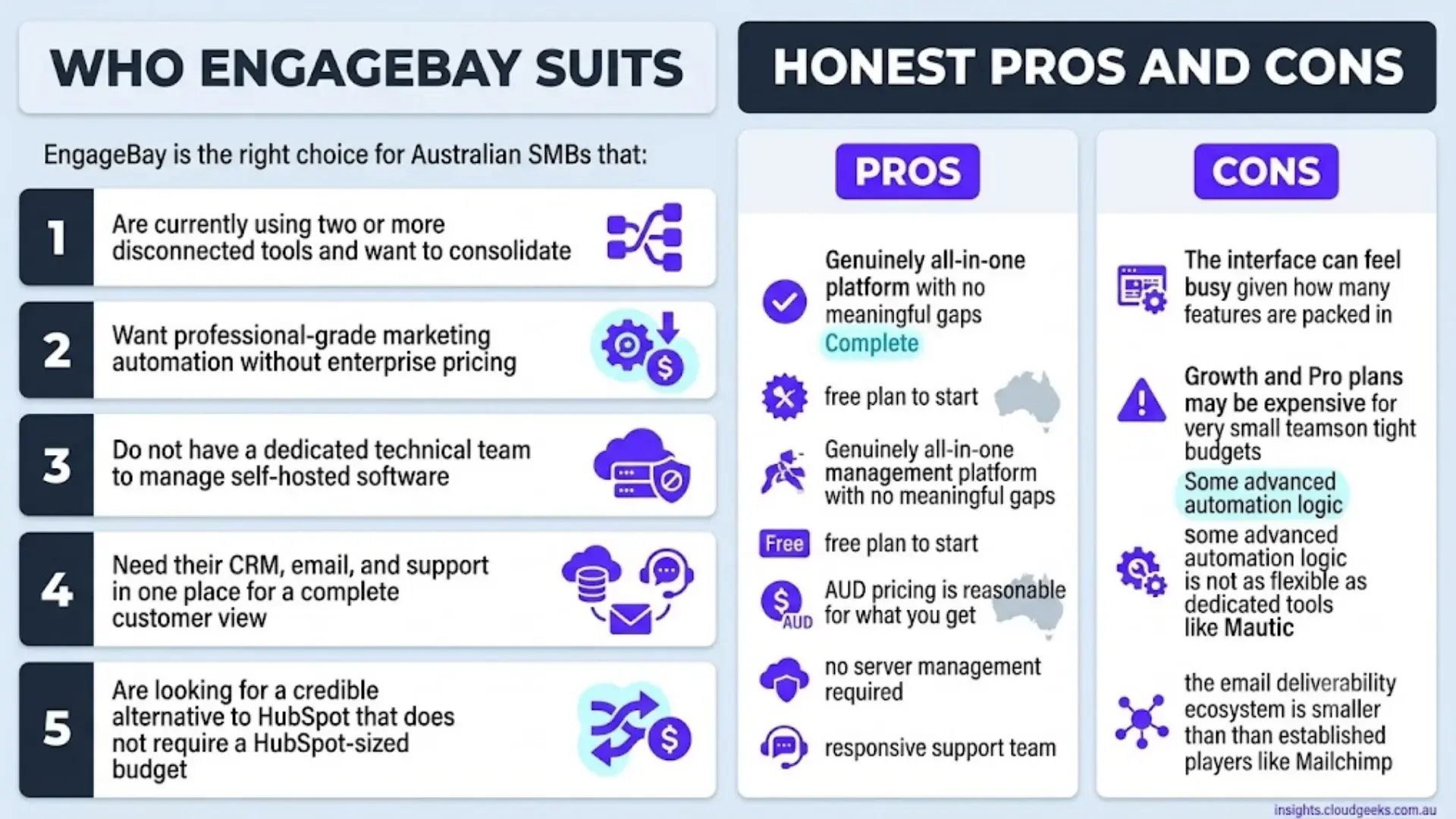
EngageBay is the right choice for Australian SMBs that:
- Are currently using two or more disconnected tools and want to consolidate
- Want professional-grade marketing automation without enterprise pricing
- Do not have a dedicated technical team to manage self-hosted software
- Need their CRM, email, and support in one place for a complete customer view
- Are looking for a credible alternative to HubSpot that does not require a HubSpot-sized budget
Honest Pros and Cons
Pros: Genuinely all-in-one platform with no meaningful gaps; free plan to start; AUD pricing is reasonable for what you get; no server management required; responsive support team.
Cons: The interface can feel busy given how many features are packed in; Growth and Pro plans may be expensive for very small teams on tight budgets; some advanced automation logic is not as flexible as dedicated tools like Mautic; the email deliverability ecosystem is smaller than established players like Mailchimp.
Mautic: Open-Source Power for Technical Teams
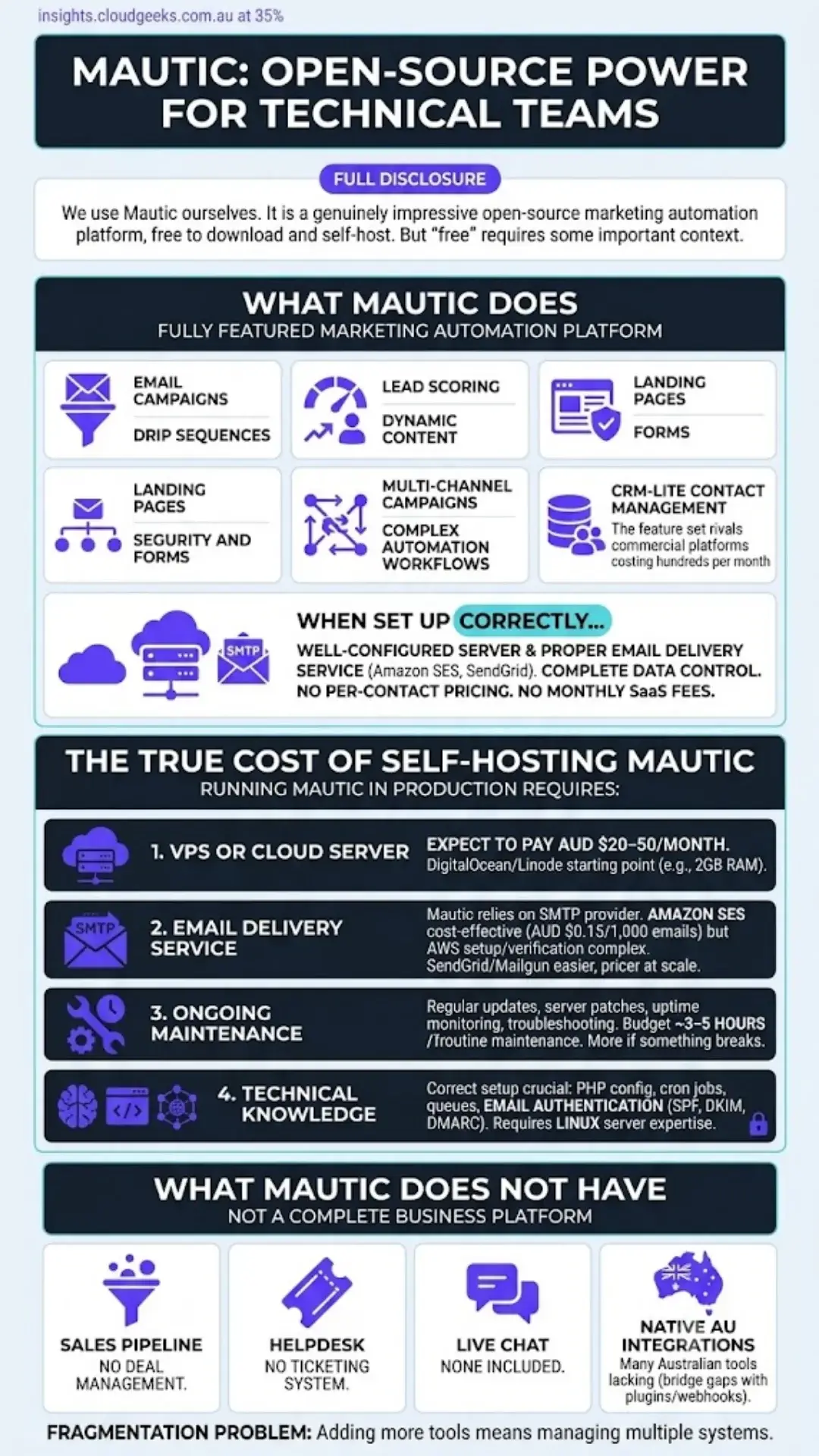
Full disclosure: we use Mautic ourselves. It is a genuinely impressive open-source marketing automation platform, and it is free to download and self-host. But “free” requires some important context.
What Mautic Does
Mautic is a fully featured marketing automation platform. It handles email campaigns, drip sequences, lead scoring, landing pages, forms, dynamic content, CRM-lite contact management, multi-channel campaigns, and complex automation workflows. The feature set rivals commercial platforms that cost hundreds of dollars per month.
When your Mautic instance is set up correctly on a well-configured server with a proper email delivery service (such as Amazon SES or SendGrid), it is an excellent tool. You have complete control over your data, no per-contact pricing, and no monthly SaaS fees beyond your server costs.
The True Cost of Self-Hosting Mautic
Here is what the marketing does not always make clear. Running Mautic in production requires:
A VPS or cloud server: Expect to pay AUD $20–50 per month for a server that can handle a modest contact list comfortably. A DigitalOcean or Linode VPS with 2GB RAM is a reasonable starting point.
An email delivery service: Mautic does not send email itself — it relies on an SMTP provider. Amazon SES is cost-effective (roughly AUD $0.15 per 1,000 emails), but it requires AWS account setup and domain verification. SendGrid and Mailgun are easier to configure but cost more at scale.
Ongoing maintenance: Mautic releases regular updates. You need to apply them, manage your server’s security patches, monitor uptime, and occasionally troubleshoot configuration issues. Budget roughly 3–5 hours per month for routine maintenance. More if something breaks.
Technical knowledge: Setting up Mautic correctly — PHP configuration, cron jobs, queue processing, email authentication (SPF, DKIM, DMARC) — requires someone comfortable working in a Linux server environment.
What Mautic Does Not Have
It is worth being clear about what Mautic is not. It is a marketing automation tool, not a complete business platform. It does not include:
- A proper sales pipeline or deal management
- A helpdesk or ticketing system
- Live chat
- Native integrations with many Australian business tools (though plugins and webhooks can bridge some gaps)
If you need those features alongside Mautic, you are adding more tools — which brings you back to the fragmentation problem.
Who Mautic Suits
Mautic is the right choice for:
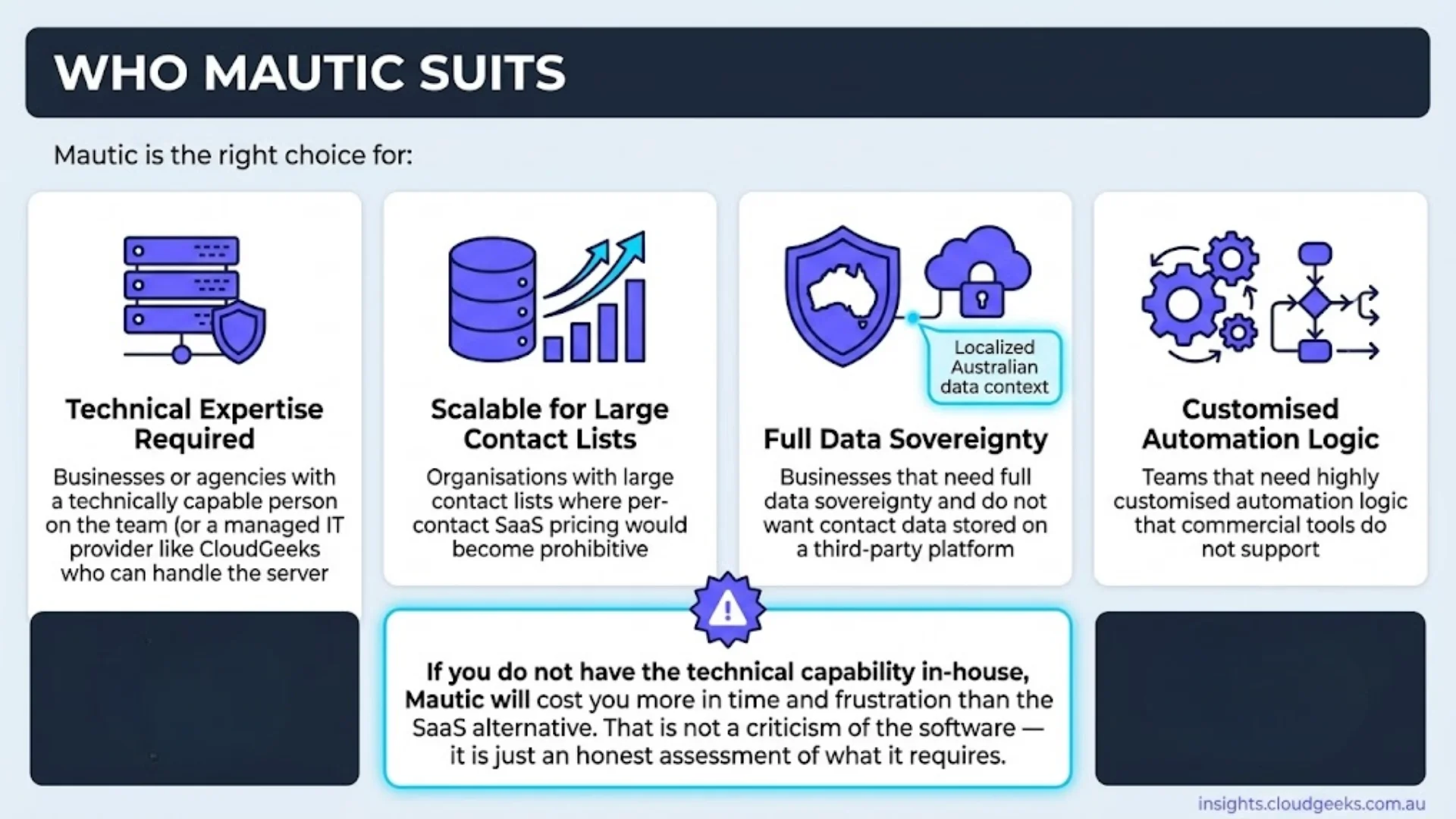
- Businesses or agencies with a technically capable person on the team (or a managed IT provider like CloudGeeks who can handle the server side)
- Organisations with large contact lists where per-contact SaaS pricing would become prohibitive
- Businesses that need full data sovereignty and do not want contact data stored on a third-party platform
- Teams that need highly customised automation logic that commercial tools do not support
If you do not have the technical capability in-house, Mautic will cost you more in time and frustration than the SaaS alternative. That is not a criticism of the software — it is just an honest assessment of what it requires.
SendFox: Simple, Affordable Email for Creators and Small Lists
We also use SendFox. It is a simple email marketing tool built by the Sumo Group, designed specifically for content creators, newsletters, and small businesses that do not need the complexity of a full marketing automation platform.
What SendFox Does Well
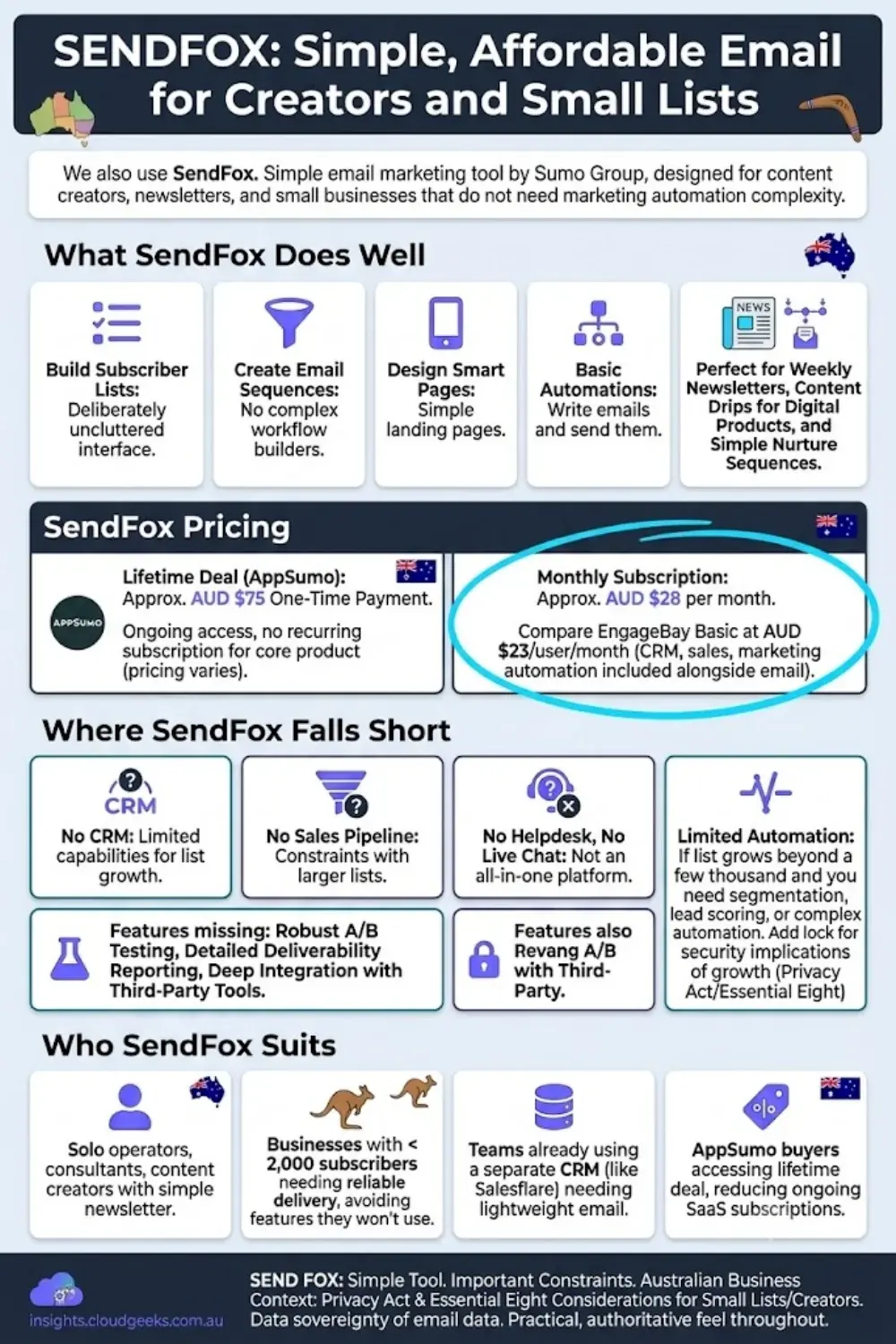
SendFox handles the basics of email marketing cleanly. You can build subscriber lists, create email sequences, design simple landing pages (Smart Pages), and set up basic automations. The interface is deliberately uncluttered — there are no complex workflow builders, no lead scoring modules, no CRM tabs to navigate. You write your emails and send them.
The platform is particularly well-suited to weekly newsletters, content drip sequences for digital products, and simple nurture sequences where the goal is maintaining regular contact with a small, engaged list.
SendFox Pricing
SendFox is available via a lifetime deal through AppSumo at approximately AUD $75 as a one-time payment (pricing varies; check AppSumo for current availability). This is how we use it — one payment, ongoing access, no recurring subscription for the core product.
The regular monthly subscription is approximately AUD $28 per month. For what the tool does, this is reasonable — but it is worth comparing against EngageBay’s Basic plan at AUD $23 per user per month, which includes CRM, sales pipeline, and marketing automation alongside email.
Where SendFox Falls Short
SendFox is not trying to be an all-in-one platform, and it should not be evaluated as one. It has no CRM, no sales pipeline, no helpdesk, no live chat, and limited automation capabilities. If your email list grows beyond a few thousand subscribers and you need segmentation, lead scoring, or complex automation, SendFox will become a constraint.
The tool also lacks some features that competitors take for granted, including robust A/B testing, detailed deliverability reporting, and deep integration with third-party tools.
Who SendFox Suits
SendFox is the right choice for:
- Solo operators, consultants, or content creators with a simple newsletter
- Businesses with under 2,000 subscribers who need reliable email delivery without paying for features they will never use
- Teams already using a separate CRM (like Salesflare) who need a lightweight email tool to sit alongside it
- AppSumo buyers who can access the lifetime deal and want to reduce ongoing SaaS subscriptions
Salesflare: The B2B Sales CRM That Runs Itself
We have a lifetime deal subscription to Salesflare as well. It occupies a very specific and valuable niche: it is a B2B sales CRM that is genuinely good at what it does.
What Makes Salesflare Different
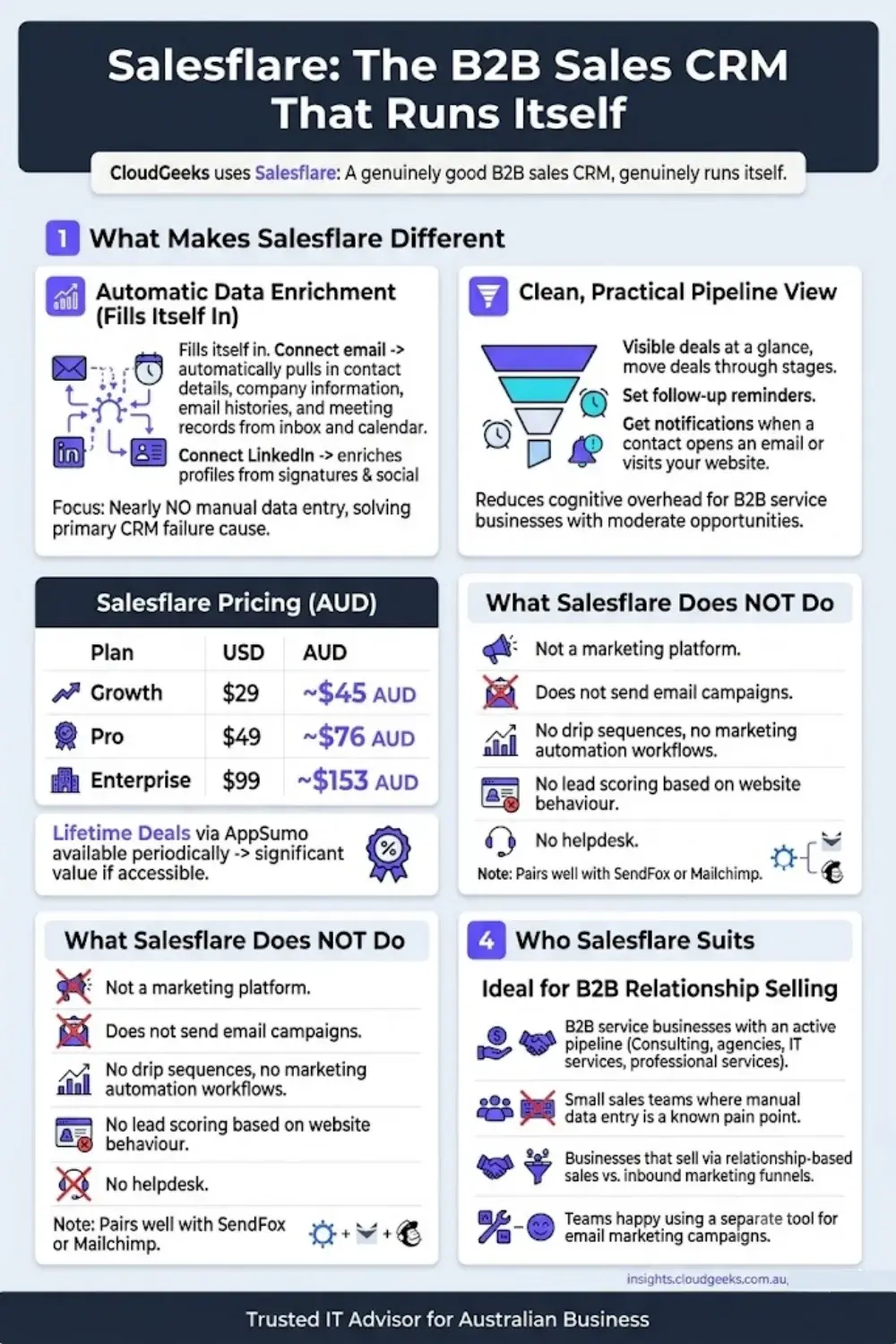
Salesflare’s defining feature is that it fills itself in. Connect your email account, and Salesflare automatically pulls in contact details, company information, email histories, and meeting records from your inbox and calendar. Connect LinkedIn and it enriches contact profiles from signatures and social data. The result is a CRM that requires almost no manual data entry — which is the primary reason most CRM implementations fail.
The sales pipeline view is clean and practical. You can see all your deals at a glance, move them through stages, set follow-up reminders, and get notified when a contact opens an email or visits your website. For a B2B service business managing a moderate number of active opportunities, Salesflare reduces the cognitive overhead of keeping track of where every deal stands.
Salesflare Pricing in Australian Dollars
| Plan | USD (per user/month) | AUD (per user/month) |
|---|---|---|
| Growth | $29 | ~$45 |
| Pro | $49 | ~$76 |
| Enterprise | $99 | ~$153 |
Lifetime deals via AppSumo have been available periodically and represent significant value if you can access them.
What Salesflare Does Not Do
Salesflare is a sales CRM. It is not a marketing platform. It does not send email campaigns, run drip sequences, manage marketing automation workflows, score leads based on website behaviour, or provide a helpdesk. If you need email marketing alongside Salesflare, you are adding a separate tool — which is why many Salesflare users pair it with something like SendFox or Mailchimp.
Who Salesflare Suits
Salesflare is the right choice for:
- B2B service businesses with an active sales pipeline (consulting, agencies, IT services, professional services)
- Small sales teams where manual CRM data entry is a known pain point
- Businesses that primarily sell via relationship-based sales rather than inbound marketing funnels
- Teams that do not need email marketing campaigns and are happy using a separate tool for that
Salesforce: The Enterprise Giant That Most Australian SMBs Should Not Buy
Salesforce is the world’s most widely used CRM platform. It powers the sales operations of companies ranging from global banks to ASX-listed manufacturers. It is also, for the vast majority of Australian small businesses, overkill — and expensive overkill at that.
We include it here because it comes up constantly in conversations with Australian business owners. A team of eight people running a professional services firm will mention that they looked at Salesforce. A café owner who attended a business conference will have heard it mentioned. Salesforce’s marketing machine is so effective that many SMB owners assume “proper CRM” means Salesforce, when in reality the platform was built for a fundamentally different kind of organisation.
What Salesforce Is Genuinely Good At
Salesforce excels at enterprise sales operations: complex multi-stage deals managed by large sales teams, deep integration with ERP systems, sophisticated territory management, AI-powered forecasting, and a vast ecosystem of third-party apps (the Salesforce AppExchange has over 7,000 apps). If you are managing a sales team of 50+ people, running a national field sales operation, or need to connect your CRM into an existing SAP or Oracle infrastructure, Salesforce is a legitimate choice.
The platform’s customisability is unmatched. You can model almost any business process inside Salesforce with enough configuration — or enough code. The trade-off is that this flexibility comes with enormous complexity, and that complexity requires someone who knows what they are doing.
The Real Cost of Salesforce for an Australian SMB
Here is where the picture changes for most Australian small businesses.
| Plan | USD (per user/month) | AUD (per user/month) | What’s actually included |
|---|---|---|---|
| Starter Suite | $25 | ~$39 | Basic CRM only — very limited |
| Pro Suite | $100 | ~$155 | Sales + service + marketing basics |
| Enterprise | $165 | ~$256 | Full customisation + APIs |
| Unlimited | $330 | ~$511 | Full platform + support |
The Starter Suite at AUD $39 per user per month looks affordable until you discover how limited it is — no workflow automation, restricted API access, no custom objects. To get a Salesforce implementation that actually does what you need, most Australian SMBs end up on the Pro Suite at roughly AUD $155 per user per month.
For a five-person team, that is AUD $775 per month before you add any of the features that Salesforce holds back for higher tiers — or before you pay for the Salesforce-certified consultant you will need to set it up and maintain it. Implementation projects for Australian SMBs commonly run to AUD $10,000–$30,000 in consulting fees on top of licensing. And that is before you reach for the marketing automation (Marketing Cloud) or helpdesk (Service Cloud), both of which are separate products with separate pricing.
What Salesforce Does Not Include Out of the Box
The comparison table above notes that many Salesforce features are add-ons — here is what that means in practice. The core Salesforce CRM (Sales Cloud) does not include:
- Email marketing or campaign management — that is Marketing Cloud Engagement (formerly ExactTarget), priced separately
- Helpdesk and ticketing — that is Service Cloud, priced separately
- Live chat — that is part of Service Cloud
- Landing pages — that is Marketing Cloud Account Engagement (formerly Pardot), priced separately
A business that needs all of those features in one place would be building a technology stack costing hundreds of Australian dollars per user per month, plus admin overhead, plus ongoing consulting. EngageBay’s Pro plan, which includes all of those features, is roughly AUD $124 per user per month.
Who Should Actually Consider Salesforce
Salesforce is the right choice for Australian businesses that:
- Have 30 or more people in sales or customer-facing roles
- Have an existing Salesforce-certified admin or can afford to hire one
- Need deep integration with enterprise systems (SAP, Oracle, Netsuite)
- Have complex sales processes that genuinely require enterprise-grade customisation
- Are at the stage where budget is less of a constraint than capability
For the other 95% of Australian small businesses — a five-person trades firm, a ten-person professional services practice, a growing e-commerce brand — Salesforce is the wrong tool at the wrong price, and there are better options at every price point.
Twenty: The Open-Source CRM You Run on Your Own Server
Twenty is a modern open-source CRM that we run on one of our own servers. It is positioned explicitly as an open-source alternative to Salesforce — not in terms of feature parity (it is not there yet), but in terms of giving businesses a self-hosted CRM with a contemporary interface and genuine data ownership.
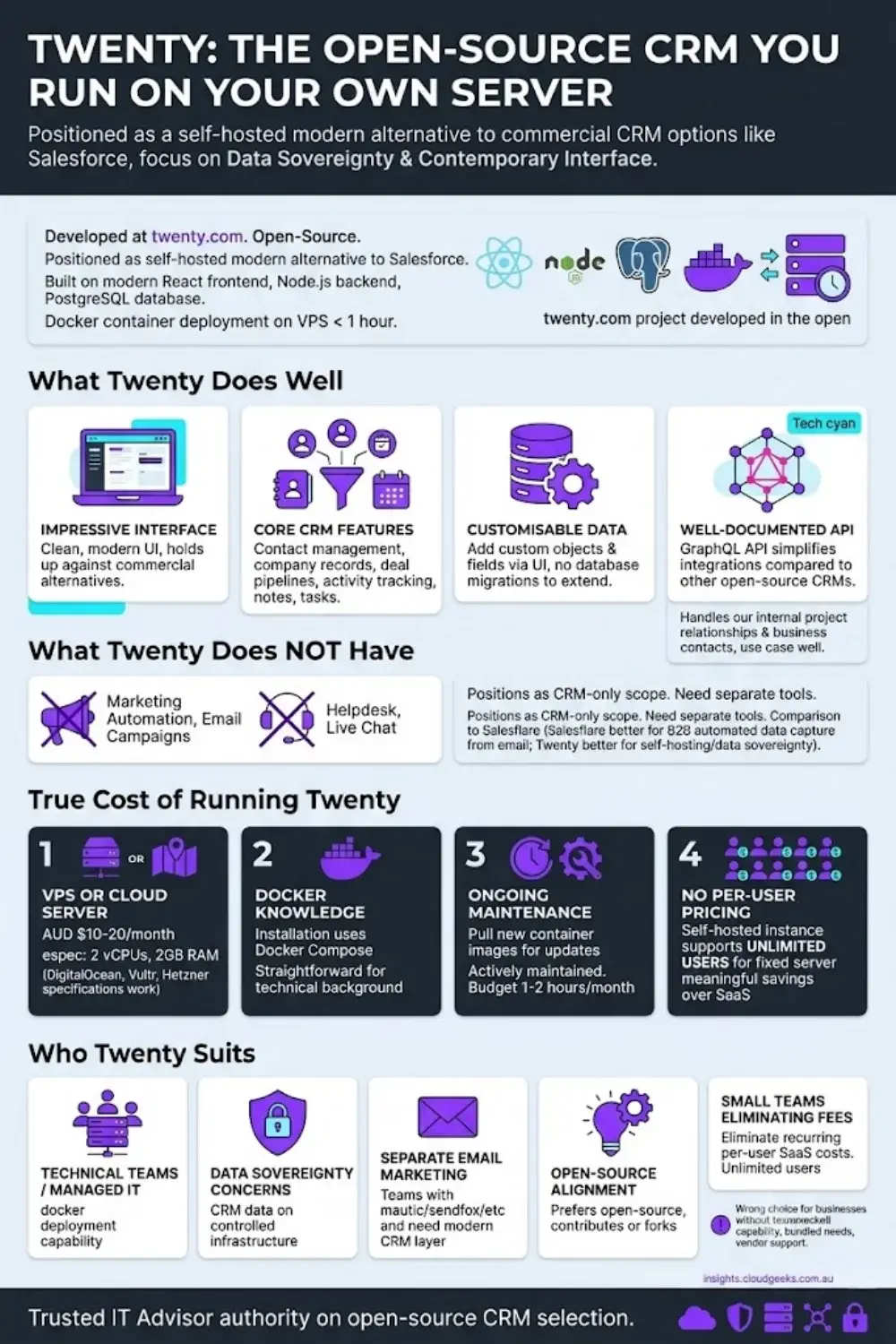
The project is developed in the open at twenty.com and is built on a React frontend with a Node.js backend and PostgreSQL database. If you are comfortable standing up a Docker container on a VPS, you can have a running Twenty instance in under an hour.
What Twenty Does Well
Twenty’s interface is genuinely impressive for an open-source project. Unlike older self-hosted CRMs that can feel dated, Twenty has a clean, modern UI that holds up against commercial alternatives. The core CRM features — contact management, company records, deal pipelines, activity tracking, notes, and tasks — are well-implemented and easy to navigate.
The data model is designed to be customised: you can add custom objects and fields through the interface without writing code, which is a significant step up from some self-hosted alternatives that require database migrations to extend. The API is well-documented (it uses GraphQL), which makes integration with other tools more straightforward than many open-source CRMs.
We run it as an internal CRM for tracking our own project relationships and business contacts, and it handles that use case well.
What Twenty Does Not Have
Twenty is a CRM. It is not a marketing automation platform, an email campaign tool, a helpdesk, or a live chat system. The comparison table above reflects this accurately — if you need email marketing alongside your CRM, you are adding a separate tool. If you need helpdesk ticketing, you are adding another.
This positions Twenty alongside Salesflare in terms of scope (CRM-only), but with different strengths: Salesflare’s auto-data-capture from email is better for B2B sales teams, while Twenty’s self-hosted model is better for businesses with data sovereignty requirements or a preference for open-source software.
The True Cost of Running Twenty
Like Mautic, Twenty is free to download but not free to run. You will need:
A VPS or cloud server: A modest VPS (2 vCPUs, 2GB RAM) from DigitalOcean, Vultr, or Hetzner costs roughly AUD $10–20 per month. Twenty’s Docker setup works well on this specification for a small team.
Docker knowledge: Installation uses Docker Compose, which is straightforward if your team has any technical background. If not, it is a half-day learning exercise.
Ongoing maintenance: You will need to pull new container images as Twenty releases updates. The project is actively maintained, with regular releases. Budget 1–2 hours per month for maintenance — significantly less than Mautic.
No per-user pricing: Unlike SaaS CRMs that charge per seat, a self-hosted Twenty instance supports unlimited users for the fixed server cost. For teams of five or more, this can represent meaningful savings over per-user SaaS alternatives.
Who Twenty Suits
Twenty is the right choice for:
- Technical teams or businesses with a managed IT partner (like CloudGeeks) who can handle a Docker-based server deployment
- Businesses with genuine data sovereignty concerns who want their CRM data on infrastructure they control
- Teams that already have email marketing handled separately (via Mautic, SendFox, or a similar tool) and need a clean, modern CRM layer
- Organisations philosophically aligned with open-source software who want to contribute to or fork the platform
- Small teams that would otherwise be paying per-user SaaS CRM fees and want to eliminate that recurring cost
Twenty is the wrong choice for businesses without any technical capability in-house, those who need email marketing or helpdesk features bundled in, or those who want vendor-supported software with an SLA.
Head-to-Head: Which Tool Is Right for Your Situation?
Rather than declare one winner across the board, the honest answer is that each tool is built for a different situation. Here is how to decide.
”I am a solo consultant managing B2B client relationships”
Recommended: Salesflare
If your primary need is tracking active deals, following up at the right time, and maintaining relationship history with a manageable number of B2B clients, Salesflare is purpose-built for you. The automatic data capture from email means your CRM stays current without disciplined manual entry. Pair it with SendFox for a simple newsletter if needed.
”I send a weekly newsletter to around 2,000 subscribers and do not need much else”
Recommended: SendFox
If your email list is your primary marketing channel and you are not running complex automations or managing a sales pipeline, SendFox is simple, affordable, and does the job. The lifetime deal via AppSumo is particularly good value. You are not paying for features you will never use.
”I want full control of my marketing data and have a technical team (or a managed IT provider)”
Recommended: Mautic
If data sovereignty matters, your contact list is large enough that per-contact SaaS pricing would be punishing, and you have the technical capability to manage a self-hosted environment (or a partner like CloudGeeks who can handle this for you), Mautic is the most powerful and cost-effective option at scale. Just go in with realistic expectations about setup complexity and ongoing maintenance.
”I want one tool that does CRM, email marketing, automation, and support without managing servers”
Recommended: EngageBay
This is the scenario where EngageBay wins clearly. If you are currently running multiple disconnected tools and want to consolidate, or if you are starting fresh and want a platform that covers the full customer lifecycle without enterprise pricing, EngageBay is the right choice. It is the closest thing to a genuine HubSpot alternative that Australian SMBs can actually afford.
”My board or management team is pushing for Salesforce because it is what they used at their previous employer”
Recommended: EngageBay (with a business case ready)
This is an extremely common situation in Australian SMBs with staff who have come from larger organisations. Salesforce is familiar, has brand recognition, and feels like a “serious” choice. The problem is that the platform was designed for the scale and budget of those larger organisations — not for a 5–30 person Australian business.
The practical response: EngageBay’s Growth or Pro plan covers everything Salesforce Sales Cloud does for a small team, plus marketing automation and helpdesk that Salesforce would charge separately for. The total annual saving for a ten-person team comparing EngageBay Growth against Salesforce Pro Suite is typically AUD $30,000–$50,000 per year when you account for licensing and implementation. That is a compelling business case.
If the stakeholder’s genuine concern is integration with enterprise systems — an ERP, a financial system, a legacy database — then revisit whether Salesforce’s AppExchange ecosystem is genuinely required. If it is, Salesforce may be the right call. If it is not (and for most Australian SMBs it is not), the familiarity argument does not justify the cost.
”I want data sovereignty and am happy to manage my own infrastructure — but just need a clean CRM, not a full marketing platform”
Recommended: Twenty
If your team has the technical capability to deploy and maintain a Docker-based application, and your primary need is a modern, well-designed contact and pipeline CRM with no per-user fees, Twenty is worth evaluating seriously. The interface is clean, the data model is extensible, and you have complete control over where the data lives.
Pair it with Mautic on the same server if you need marketing automation, or with SendFox for a simple newsletter layer. You can build a capable, self-hosted marketing and sales stack for the combined server cost of roughly AUD $20–40 per month.
Our Honest Recommendation
We will be transparent: we currently use a combination of Mautic, SendFox, and Salesflare — and we run Twenty CRM on our own server for internal relationship tracking. That setup works for us because we have the technical background to manage self-hosted applications, our email marketing needs are relatively straightforward, and our sales process is relationship-based B2B.
But if you asked us to start fresh and build a marketing and sales stack for a typical Australian small business — a 5–20 person team running services or e-commerce, without a dedicated IT person — we would recommend EngageBay without hesitation.
Here is why: the hidden cost of tool fragmentation is real, and most businesses underestimate it. When your CRM does not talk to your email tool, you are doing manual work. When your support team cannot see a customer’s email history, they are providing worse service. When your reporting pulls from three different dashboards, you are making decisions on incomplete data. EngageBay eliminates all of that in a single subscription at a price that competes with what most businesses already spend on separate tools.
On Salesforce: it is a genuinely powerful platform — but it is built for organisations that have Salesforce administrators, large sales teams, and enterprise budgets. For a ten-person Australian services business, Salesforce Pro Suite at AUD $155 per user per month (plus implementation costs) is spending that could be redirected to marketing budget, staff, or growth. EngageBay at AUD $73 per user per month covers the same core use case and then some.
On Twenty: if data sovereignty is a genuine business requirement and you have the technical capability to run Docker on a VPS, Twenty is worth a serious evaluation as a self-hosted CRM layer. We use it. But be clear-eyed: it is a CRM only, and you will be adding other tools around it for marketing automation and helpdesk. The total-cost-of-ownership calculation needs to account for your team’s time, not just the server bill.
The Free plan is a legitimate starting point — try EngageBay at no cost and evaluate it properly before committing. The Basic plan at roughly AUD $23 per user per month is where most small teams will land, and it delivers genuine value at that price point.
For businesses with more complex needs or larger teams, the Growth plan at AUD $73 per user per month unlocks the full automation suite, and it still compares favourably with HubSpot Professional, which can run to AUD $1,000 or more per month for comparable functionality.

For cloud infrastructure, server management, and hosting your self-hosted Mautic installation on a VPS — Cloud Geeks sets up and manages VPS environments and cloud servers for Australian small businesses.
Ash Ganda covers the strategic side of CRM selection and MarTech stack consolidation for Australian SMEs — including when the total cost of tool fragmentation exceeds what an all-in-one platform would cost.
Part of the Ganda Tech Services family, Cloud Geeks provides practical IT support and cloud services for Australian small and medium businesses.
Frequently Asked Questions
Is EngageBay available in Australia?
Yes. EngageBay is a cloud-based platform available to businesses anywhere in the world, including Australia. There is no Australia-specific version — you simply sign up online and access the platform through your browser. The servers are based in the United States, which is worth noting if your business has strict data residency requirements. For most Australian SMBs, this is not a barrier. Support is available via live chat and email.
How much does EngageBay cost in Australian dollars?
EngageBay publishes pricing in USD. At an approximate exchange rate of 1.55 AUD to 1 USD, the plans work out as follows: the Free plan is AUD $0 (up to 250 contacts); the Basic plan is roughly AUD $23 per user per month billed annually; the Growth plan is roughly AUD $73 per user per month; and the Pro plan is roughly AUD $124 per user per month. Note that exchange rates fluctuate, so the actual charge in AUD will vary depending on your bank’s conversion rate at the time of billing. EngageBay does not charge GST separately — you should factor GST obligations into your business accounting if applicable.
Is Mautic free to use?
Mautic itself is free and open-source — you can download and install it at no cost. However, running it in production is not free. You need a server to host it (typically AUD $20–50 per month for a VPS), an email delivery service (Amazon SES, SendGrid, or similar, with costs depending on email volume), and the time or expertise to set it up and maintain it. A managed Mautic hosting service can reduce the technical burden but adds to the monthly cost. For a business without technical staff, the total cost of ownership often exceeds what a comparable SaaS platform like EngageBay would cost.
Can I migrate from SendFox to EngageBay?
Yes. EngageBay supports contact imports via CSV file, which is the standard format for exporting subscribers from SendFox. The migration process involves exporting your subscriber list from SendFox (including any custom fields and tags), cleaning and formatting the CSV if needed, and importing it into EngageBay’s contact database. Existing email sequences in SendFox would need to be rebuilt in EngageBay’s automation builder — they do not transfer automatically. This is straightforward for most small lists and is a one-time process. If you have a large, complex SendFox setup with many sequences, allow a few hours for the rebuild work.
Is EngageBay better than HubSpot for small business?
For most Australian small businesses, yes — primarily on cost. HubSpot’s free tier is useful for getting started, but the jump to HubSpot Professional (which unlocks meaningful marketing automation) is significant: AUD $1,000 or more per month depending on your contact volume and team size. EngageBay’s Growth plan at roughly AUD $73 per user per month covers comparable functionality — email marketing, marketing automation, CRM, sales pipeline, helpdesk, and live chat — at a fraction of that cost. The trade-off is that HubSpot has a larger ecosystem of native integrations, a more polished interface in some areas, and a larger community of consultants and documentation. For businesses that genuinely need the HubSpot ecosystem, the price difference may be justified. For the majority of Australian SMBs, EngageBay delivers what they actually need at a price that makes sense.
Is Salesforce worth it for an Australian small business?
For most Australian small businesses, no. Salesforce is an enterprise CRM built for organisations with large sales teams, dedicated Salesforce administrators, and significant technology budgets. The pricing reflects this: the minimum plan worth implementing for a small business (Pro Suite) costs roughly AUD $155 per user per month, and implementation typically adds AUD $10,000–$30,000 in consulting fees. Features that EngageBay or HubSpot include out of the box — email marketing, helpdesk, live chat — require separate Salesforce cloud products at additional cost. If you are a growing business with 30+ people in customer-facing roles, complex integration requirements, or a board mandate to use enterprise software, Salesforce deserves evaluation. For the typical Australian SMB, it is a costly and complex solution to a problem that cheaper tools solve more effectively.
What is Twenty CRM and is it suitable for Australian businesses?
Twenty (twenty.com) is an open-source CRM with a modern interface, designed as an alternative to enterprise CRM platforms. You install and host it yourself — typically using Docker on a cloud VPS — which means your data stays on infrastructure you control. We run it on one of our own servers. The core features cover contact management, company records, deal pipelines, tasks, and notes. It is a CRM only: there is no built-in email marketing, marketing automation, or helpdesk. It suits Australian businesses that have a technical person on the team (or a managed IT provider like CloudGeeks who can handle the server side), have genuine data residency or sovereignty requirements, and are happy to pair a CRM-only tool with separate solutions for email and support. For a business without technical staff, or one that needs all functions under one roof, EngageBay is the more practical choice.