
Endpoint Security Solutions for Australian SMBs
Endpoint Security Solutions for Australian SMBs
Every laptop, desktop, and mobile device connected to your business network is an endpoint — and a potential entry point for attackers. Traditional antivirus software, which relies on signature databases to detect known threats, is no longer sufficient against modern attack techniques. Today’s threats use fileless malware, zero-day exploits, and living-off-the-land techniques that bypass signature-based detection entirely.
For Australian SMBs, choosing the right endpoint security solution means understanding the difference between traditional antivirus, modern endpoint protection platforms (EPP), and endpoint detection and response (EDR). This guide breaks down the options and helps you choose the right level of protection.
Understanding the Terminology
Antivirus (AV)
Traditional antivirus scans files against a database of known malware signatures. When it finds a match, it blocks or quarantines the file.
Limitation: It can only detect threats it already knows about. New or modified malware (which attackers create constantly) slips through.
Endpoint Protection Platform (EPP)
EPP builds on antivirus by adding behavioural analysis, machine learning, and exploit prevention. Instead of just matching signatures, EPP analyses how software behaves to detect suspicious activity.
Example: An EPP might detect that a Word document is trying to execute PowerShell commands — a common attack technique that traditional AV would not flag if the PowerShell script itself is not in the signature database.
Endpoint Detection and Response (EDR)
EDR adds continuous monitoring, threat hunting, and incident investigation capabilities. It records activity on endpoints and provides tools to investigate and respond to threats.
Key difference from EPP: EPP focuses on prevention. EDR focuses on detection and response, assuming that some threats will get through prevention. The best solutions combine both.
Managed Detection and Response (MDR)
MDR adds a human element — a team of security analysts who monitor your endpoints 24/7, investigate alerts, and respond to threats on your behalf. This is endpoint security as a service.
Key benefit for SMBs: You get enterprise-grade security operations without building an in-house security team.
Solution Comparison
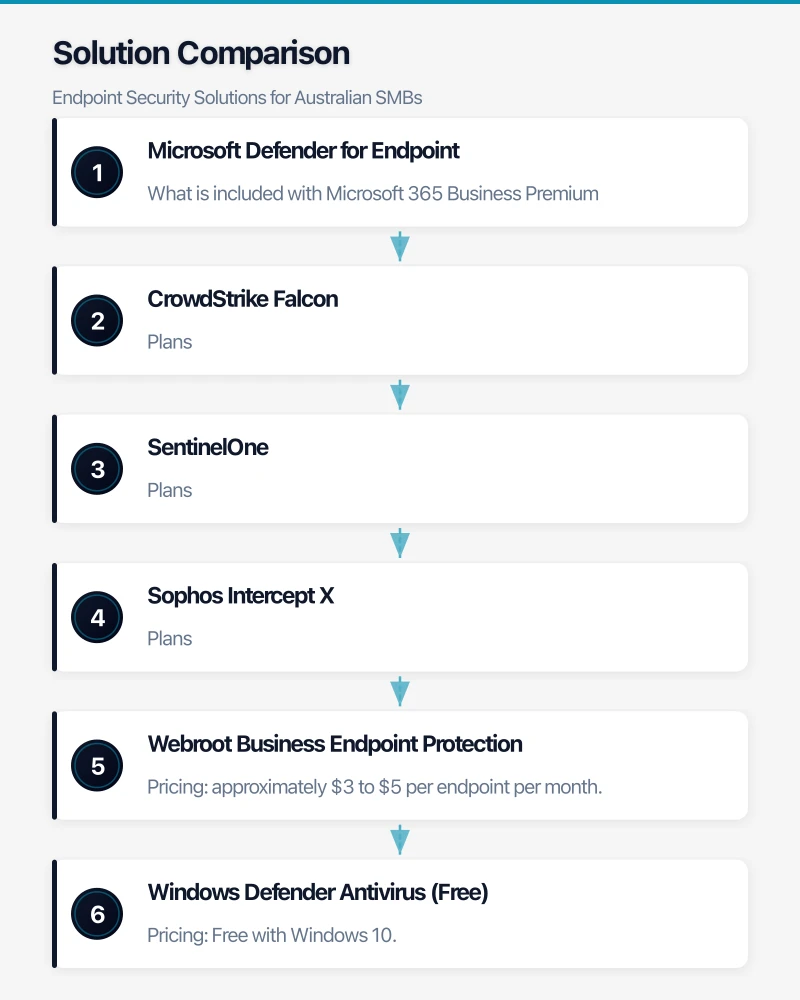
Microsoft Defender for Endpoint
Microsoft’s enterprise endpoint security solution is available to SMBs through Microsoft 365 Business Premium.
What is included with Microsoft 365 Business Premium:
- Next-generation antivirus (Microsoft Defender Antivirus)
- Attack surface reduction rules
- Device control
- Web protection
- Network protection
- Endpoint detection and response (simplified)
Pricing: Included in Microsoft 365 Business Premium at $30 per user per month (which also includes the full Office suite, Teams, and other services).
Strengths: Deeply integrated with Windows and Microsoft 365. No additional agent to install on Windows devices. Centralised management through the Microsoft 365 security centre. Very cost-effective if you are already on Business Premium.
Considerations: Most features are Windows-focused. macOS support is available but less mature. The Business Premium version is a simplified version of the full Defender for Endpoint (which requires enterprise licensing).
CrowdStrike Falcon
CrowdStrike is a cloud-native endpoint security platform that has become a market leader for its detection capabilities.
Plans:
- Falcon Go (AV + device control): approximately $8 per endpoint per month
- Falcon Pro (adds threat intelligence): approximately $15 per endpoint per month
- Falcon Enterprise (full EDR): approximately $25 per endpoint per month
Strengths: Excellent detection rates. Lightweight agent with minimal performance impact. Strong cloud-native architecture. Cross-platform support (Windows, macOS, Linux). Threat intelligence from CrowdStrike’s global visibility.
Considerations: Higher cost than some alternatives. Best value when combined with their Falcon Complete MDR service, which adds another $15 to $25 per endpoint per month.
SentinelOne
SentinelOne offers autonomous endpoint protection with strong EDR capabilities.
Plans:
- Singularity Core: approximately $6 per endpoint per month
- Singularity Control: approximately $10 per endpoint per month
- Singularity Complete: approximately $15 per endpoint per month
Strengths: Automated response — the platform can contain threats without waiting for human intervention. Storyline technology reconstructs the full attack chain. Cross-platform support. Ransomware rollback capability.
Considerations: The autonomous nature can occasionally generate false positives that require tuning. Smaller threat intelligence network compared to CrowdStrike.
Sophos Intercept X
Sophos has a strong presence in the Australian SMB market, partly through its channel partner network.
Plans:
- Intercept X Advanced: approximately $5 per endpoint per month
- Intercept X Advanced with EDR: approximately $8 per endpoint per month
- Intercept X Advanced with MTR (managed threat response): approximately $15 per endpoint per month
Strengths: Good balance of price and protection. Strong anti-ransomware technology (CryptoGuard). Managed threat response option brings 24/7 monitoring. Well-established Australian partner network.
Considerations: The console can feel cluttered compared to newer platforms. Some advanced features require higher-tier licences.
Webroot Business Endpoint Protection
A lightweight, cloud-managed antivirus solution popular with MSPs for its low cost and minimal system impact.
Pricing: approximately $3 to $5 per endpoint per month.
Strengths: Very lightweight agent. Low cost. Easy central management for MSPs. Fast scans. Minimal impact on system performance.
Considerations: Primarily an antivirus/EPP solution, not a full EDR platform. Detection capabilities are a step below CrowdStrike, SentinelOne, or Sophos. Best suited as a baseline solution for budget-conscious businesses.
Windows Defender Antivirus (Free)
The built-in antivirus in Windows 10 has improved significantly and performs respectably in independent tests.
Pricing: Free with Windows 10.
Strengths: No additional cost. Always up to date through Windows Update. Decent detection rates. Low system impact.
Considerations: No centralised management (unless paired with Intune through Microsoft 365 Business Premium). No EDR capabilities. Limited to Windows. No dedicated support. Suitable as a bare minimum but not recommended for business use without additional management capabilities.
What Level of Protection Does Your Business Need?
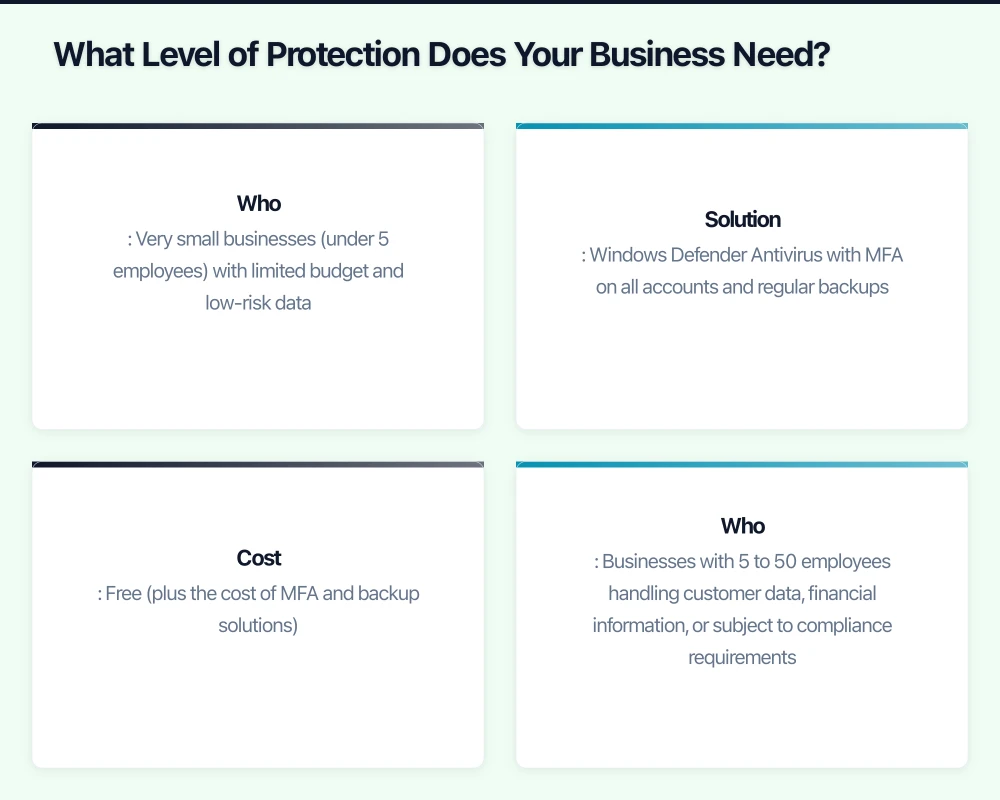
Basic Protection (Minimum Viable Security)
Who: Very small businesses (under 5 employees) with limited budget and low-risk data. Solution: Windows Defender Antivirus with MFA on all accounts and regular backups. Cost: Free (plus the cost of MFA and backup solutions).
Standard Protection (Recommended for Most SMBs)
Who: Businesses with 5 to 50 employees handling customer data, financial information, or subject to compliance requirements. Solution: A managed EPP solution like Sophos Intercept X Advanced, SentinelOne Core, or Microsoft Defender for Endpoint (via M365 Business Premium). Cost: $5 to $15 per endpoint per month, managed by your MSP.
Advanced Protection (For High-Risk Businesses)
Who: Businesses handling sensitive data (healthcare, financial services, legal), those subject to strict compliance requirements, or those that have previously experienced incidents. Solution: Full EDR with managed detection and response — CrowdStrike Falcon with Falcon Complete, SentinelOne Vigilance, or Sophos MTR. Cost: $20 to $40 per endpoint per month.
Deployment Best Practices
Centralised Management
Whatever solution you choose, ensure it can be centrally managed. Your IT team or MSP needs to:
- Deploy and update agents across all devices
- Monitor alerts and respond to threats
- Generate reports on security status
- Enforce policies consistently
Cloud-managed solutions are strongly preferred for SMBs as they require no on-premises management server.
Coverage
Protect every endpoint, not just some:
- Windows desktops and laptops
- macOS devices
- Mobile devices (iOS and Android)
- Servers (on-premises and cloud)
A single unprotected device is an entry point that negates the investment in protecting everything else.
Integration with Other Security Layers
Endpoint security is one layer in a defence-in-depth strategy. It works best alongside:
- Email security (blocking threats before they reach endpoints)
- Network security (firewall, DNS filtering)
- Identity security (MFA, conditional access)
- Backup and recovery (last resort if defences fail)
Testing
Before deploying to all devices:
- Test on a small group of devices across different hardware and software configurations.
- Monitor for false positives — legitimate software being blocked.
- Create exclusions for known business applications that trigger false alerts.
- Verify that performance impact is acceptable.
Staff Communication
Let staff know what endpoint security does and what it means for them:
- It runs in the background and should not affect daily work.
- It may occasionally block or quarantine a file — if this happens to a legitimate file, contact IT.
- It is not monitoring their personal activity (clarify this to build trust).
Making Your Decision
For most Australian SMBs, the decision comes down to:
- Are you on Microsoft 365 Business Premium? If yes, start with Microsoft Defender for Endpoint — it is included and well-integrated.
- Do you have an MSP? Ask what they recommend and support. An MSP-managed endpoint security solution is almost always better than a self-managed one, because the MSP provides the monitoring and response capability that makes the technology effective.
- What is your budget? At $5 to $15 per endpoint per month for a managed solution, endpoint security is one of the most cost-effective security investments you can make.
- What is your risk profile? If you handle sensitive data or operate in a regulated industry, invest in EDR with managed response.
The technology you choose matters less than whether it is properly deployed, managed, and monitored. A well-managed $5 solution is more effective than a poorly managed $25 solution. Invest in the management capability as much as the technology itself.
Looking for a website that matches your enterprise-grade infrastructure? Cosmos Web Tech specialises in responsive web design and SEO for Australian businesses.
Cloud Geeks is the IT infrastructure division of Ganda Tech Services, providing managed cloud and cybersecurity solutions to Australian businesses.