
Email Security Best Practices for Australian Businesses
Email Security Best Practices for Australian Businesses
Email remains the number one attack vector for Australian businesses. The Australian Cyber Security Centre consistently identifies phishing, business email compromise (BEC), and email-delivered malware as top threats. Despite advances in security technology, attackers continue to find success through email because it exploits the most unpredictable element of any security system: people.
Securing your business email requires a layered approach combining technical controls, authentication protocols, and human awareness. This guide covers the essential practices every Australian business should implement.
The Threat Landscape
Understanding the threats helps you prioritise your defences.
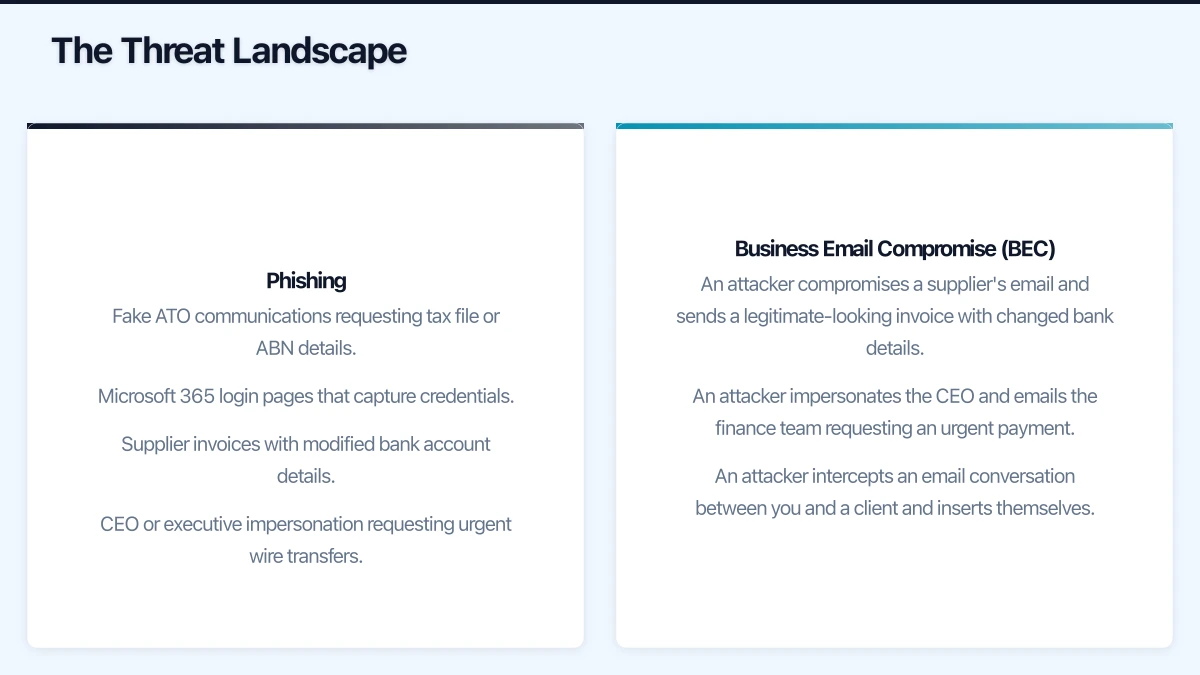
Phishing
Phishing emails impersonate trusted entities to trick recipients into revealing credentials, clicking malicious links, or opening infected attachments. Modern phishing campaigns are increasingly sophisticated, often targeting specific individuals (spear phishing) with personalised, researched messages.
Common phishing scenarios targeting Australian businesses:
- Fake ATO communications requesting tax file or ABN details
- Microsoft 365 login pages that capture credentials
- Supplier invoices with modified bank account details
- CEO or executive impersonation requesting urgent wire transfers
Business Email Compromise (BEC)
BEC is a targeted attack where criminals either compromise or impersonate a legitimate business email account to facilitate fraudulent transactions. The ACSC reported that BEC caused the highest financial losses of any cybercrime category for Australian businesses in their 2019-2020 annual report.
Typical BEC scenarios:
- An attacker compromises a supplier’s email and sends a legitimate-looking invoice with changed bank details.
- An attacker impersonates the CEO and emails the finance team requesting an urgent payment.
- An attacker intercepts an email conversation between you and a client and inserts themselves.
Ransomware and Malware Delivery
Email remains the most common delivery mechanism for ransomware and other malware. Malicious attachments (Word documents with macros, PDFs, ZIP files) and links to download pages are the primary methods.
Technical Security Controls
1. Email Authentication: SPF, DKIM, and DMARC
These three protocols work together to prevent email spoofing — criminals sending emails that appear to come from your domain.
SPF (Sender Policy Framework): A DNS record that specifies which mail servers are authorised to send email on behalf of your domain. When a receiving server gets an email from your domain, it checks the SPF record to verify the sending server is authorised.
DKIM (DomainKeys Identified Mail): Adds a digital signature to outgoing emails. The receiving server can verify this signature to confirm the email has not been tampered with and genuinely came from your domain.
DMARC (Domain-based Message Authentication, Reporting, and Conformance): Builds on SPF and DKIM by telling receiving servers what to do with emails that fail authentication checks (none, quarantine, or reject) and provides reporting on authentication results.
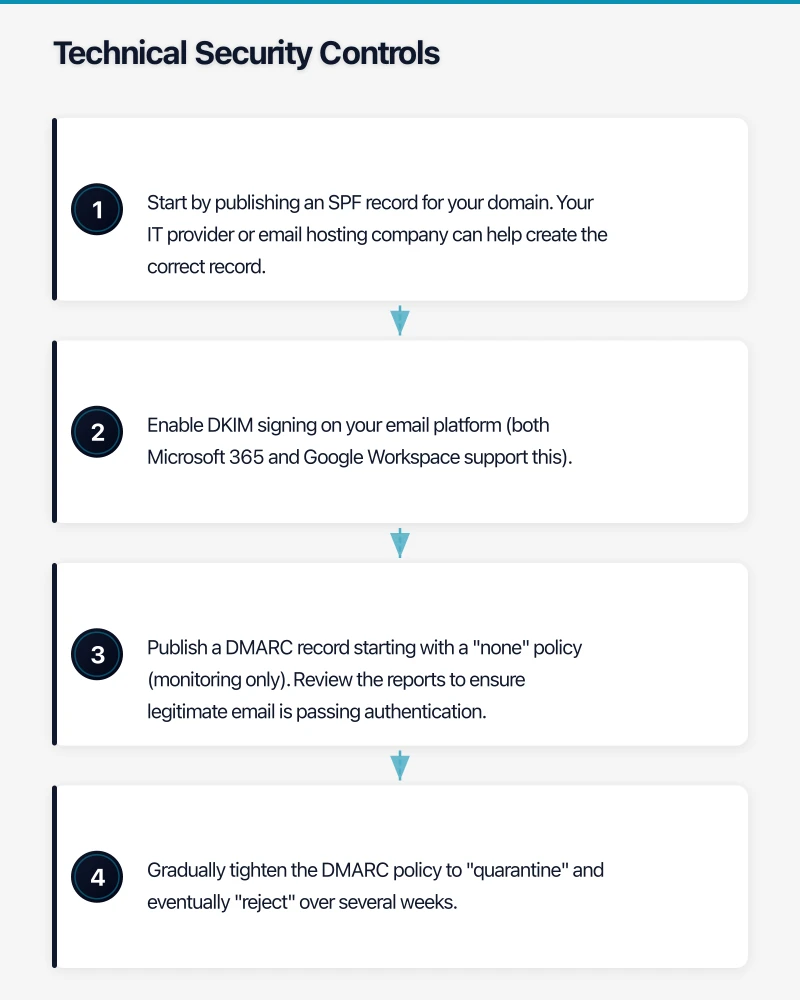
Implementation steps:
- Start by publishing an SPF record for your domain. Your IT provider or email hosting company can help create the correct record.
- Enable DKIM signing on your email platform (both Microsoft 365 and Google Workspace support this).
- Publish a DMARC record starting with a “none” policy (monitoring only). Review the reports to ensure legitimate email is passing authentication.
- Gradually tighten the DMARC policy to “quarantine” and eventually “reject” over several weeks.
2. Advanced Threat Protection
Both Microsoft 365 and Google Workspace offer built-in email security, but dedicated threat protection adds significant value.
Microsoft Defender for Office 365 (included in Microsoft 365 Business Premium):
- Safe Attachments: Scans email attachments in a sandbox environment before delivery.
- Safe Links: Checks URLs at the time of click, not just at delivery.
- Anti-phishing policies: Detects impersonation attempts targeting your organisation and users.
Google Workspace security:
- Built-in machine learning for spam and phishing detection.
- Security sandbox for attachment scanning (available on Enterprise plans).
- Enhanced pre-delivery message scanning.
If you are on a basic email plan that does not include advanced protection, consider a third-party email security gateway such as Mimecast, Proofpoint, or Barracuda.
3. Multi-Factor Authentication
MFA on email accounts is non-negotiable. Even if credentials are stolen through phishing, MFA prevents the attacker from accessing the account.
Enable MFA for:
- Every user in your email platform
- All administrative accounts (these should use the strongest MFA methods — hardware keys or authenticator apps, not SMS)
- Any account with access to sensitive data or financial systems
4. Conditional Access Policies
If you use Microsoft 365 Business Premium (which includes Azure AD Premium P1), configure conditional access policies to add intelligent access controls:
- Block logins from countries where you do not do business
- Require MFA when logging in from unfamiliar devices or locations
- Block legacy authentication protocols (which do not support MFA)
- Require compliant devices for access to email
5. External Email Warnings
Configure your email system to flag emails from external senders with a visible warning banner. This simple measure helps staff identify potential impersonation attempts.
In Microsoft 365, this can be configured through Exchange Online mail flow rules. In Google Workspace, external sender warnings can be enabled in the admin console.
6. Disable Auto-Forwarding to External Addresses
Attackers who compromise an email account often set up auto-forwarding rules to quietly copy all incoming email to an external address. Disable the ability for users to create auto-forwarding rules to external domains.
In Microsoft 365, this can be controlled through Exchange Online policies. In Google Workspace, use the admin console to restrict email forwarding.
7. Email Encryption
For sensitive communications, email encryption ensures that only the intended recipient can read the message.
Microsoft 365 Message Encryption: Available on Business Premium and higher plans. Allows users to send encrypted emails to any recipient, regardless of their email platform.
S/MIME: Certificate-based encryption available on both platforms. More complex to set up but offers end-to-end encryption.
TLS encryption: Both Microsoft 365 and Google Workspace use TLS to encrypt email in transit by default. This protects against interception but does not protect the content if an account is compromised.
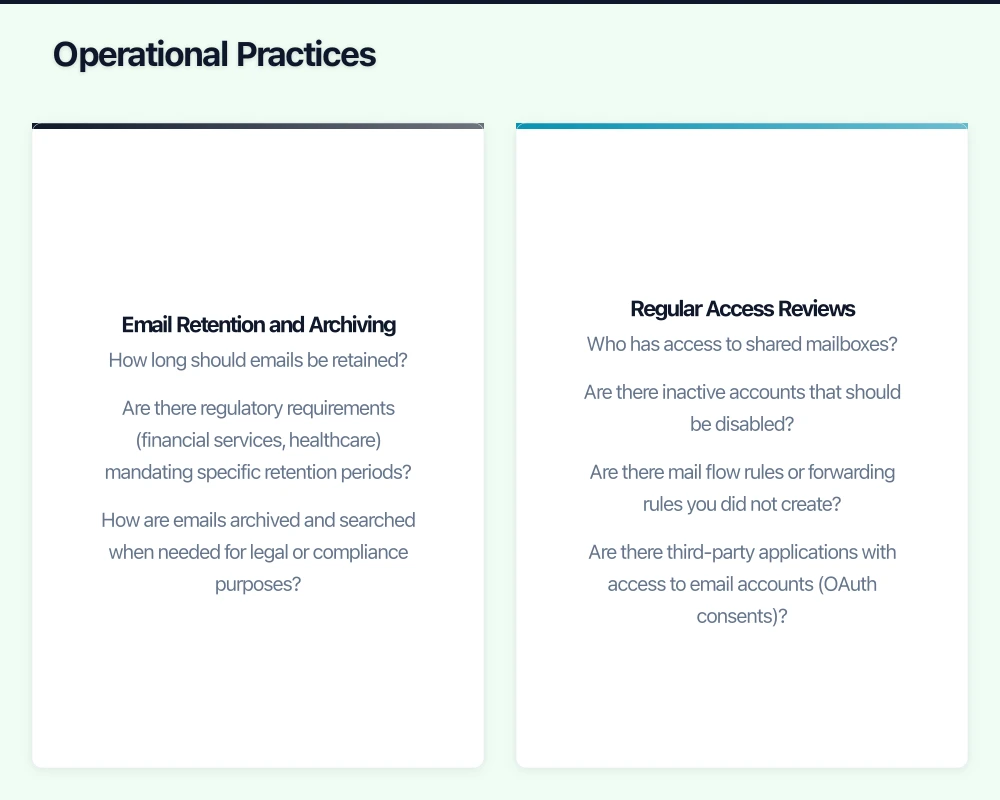
Operational Practices
Email Retention and Archiving
Establish clear policies for email retention:
- How long should emails be retained?
- Are there regulatory requirements (financial services, healthcare) mandating specific retention periods?
- How are emails archived and searched when needed for legal or compliance purposes?
Microsoft 365 offers litigation hold and in-place archiving. Google Workspace offers Vault for archiving and eDiscovery.
Regular Access Reviews
Periodically review:
- Who has access to shared mailboxes?
- Are there inactive accounts that should be disabled?
- Are there mail flow rules or forwarding rules you did not create?
- Are there third-party applications with access to email accounts (OAuth consents)?
Incident Response for Email Compromise
Have a documented process for when an email account is compromised:
- Contain: Reset the password immediately. Revoke all active sessions. Disable any suspicious mail flow rules or forwarding.
- Assess: Check the sent folder for fraudulent emails. Review login history for unusual activity. Check if the attacker created mail flow rules.
- Notify: Alert anyone who may have received fraudulent emails from the compromised account. If personal data was exposed, consider your obligations under the Notifiable Data Breaches scheme.
- Remediate: Investigate how the compromise occurred. Strengthen controls to prevent recurrence.
- Report: Report significant incidents to the ACSC via ReportCyber.
Human-Layer Security
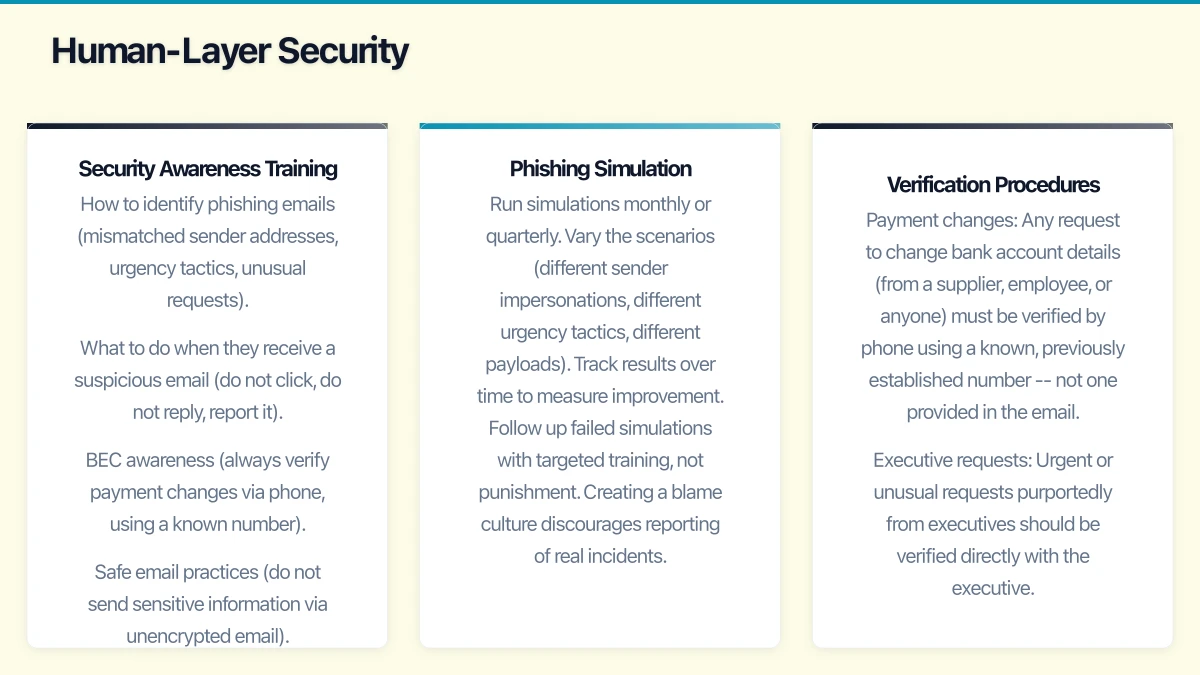
Technical controls are essential but insufficient. Staff remain the final line of defence — and the most commonly exploited vulnerability.
Security Awareness Training
Implement ongoing security awareness training that covers:
- How to identify phishing emails (mismatched sender addresses, urgency tactics, unusual requests)
- What to do when they receive a suspicious email (do not click, do not reply, report it)
- BEC awareness (always verify payment changes via phone, using a known number)
- Safe email practices (do not send sensitive information via unencrypted email)
Training platforms like KnowBe4, Proofpoint Security Awareness, and Mimecast Awareness Training offer automated programs with simulated phishing campaigns to test and reinforce learning.
Phishing Simulation
Regular simulated phishing campaigns test your staff’s ability to identify threats in a safe environment. Key practices:
- Run simulations monthly or quarterly.
- Vary the scenarios (different sender impersonations, different urgency tactics, different payloads).
- Track results over time to measure improvement.
- Follow up failed simulations with targeted training, not punishment. Creating a blame culture discourages reporting of real incidents.
Verification Procedures
Establish procedures for verifying sensitive requests received by email:
- Payment changes: Any request to change bank account details (from a supplier, employee, or anyone) must be verified by phone using a known, previously established number — not one provided in the email.
- Executive requests: Urgent or unusual requests purportedly from executives should be verified directly with the executive.
- Data requests: Requests for sensitive data (employee records, customer information) should follow a defined approval process.
Compliance Considerations for Australian Businesses
Notifiable Data Breaches Scheme
If an email account containing personal information is compromised, you may have obligations under the NDB scheme. Consider:
- What personal information was accessible in the compromised account?
- Was any data actually accessed or exfiltrated?
- Is serious harm to individuals likely?
If the answer to the last question is yes, you must notify the OAIC and affected individuals.
Record Keeping
Certain industries (financial services, healthcare, legal) have specific requirements for email retention and record-keeping. Ensure your email archiving and retention policies meet your regulatory obligations.
Implementation Priority
If you need to prioritise, implement these measures in this order:
- Enable MFA on all email accounts — immediate, high impact.
- Configure SPF, DKIM, and DMARC — prevents your domain from being spoofed.
- Enable external email warnings — simple visual cue for staff.
- Disable external auto-forwarding — closes a common exfiltration channel.
- Deploy advanced threat protection — catches what basic filtering misses.
- Start security awareness training — builds the human firewall.
- Implement conditional access policies — adds intelligent access controls.
- Establish verification procedures — protects against BEC.
Each step builds on the previous one, creating layers of defence that make your email environment significantly more resilient to attack.
Getting Started
Email security is not a one-time project — it requires ongoing attention. Start with MFA and email authentication today. Build from there, adding layers over the coming weeks and months. And invest in your staff’s ability to recognise threats, because the most sophisticated technical controls in the world cannot stop a user who willingly hands over their credentials to a convincing phishing page.
Your IT provider or MSP should be able to implement all of the technical measures described in this guide. If they cannot, that is a sign you may need a more capable provider.
Looking beyond the technical to the strategic? Ash Ganda writes about how CTOs and business leaders can drive digital transformation.
Cloud Geeks operates under the Ganda Tech Services umbrella, delivering end-to-end technology solutions for Australian businesses.