
Email Archiving for Australian Compliance: A Complete SMB Guide

If you’re running an Australian small or medium business, there’s a good chance you haven’t given much thought to email archiving. Most business owners assume that keeping emails in their inbox or folders is enough. Unfortunately, that assumption could land you in serious trouble if the ATO comes knocking, a legal dispute arises, or you need to demonstrate compliance with industry regulations.
Email archiving isn’t just about backing up messages—it’s about maintaining a legally defensible, searchable, tamper-proof record of your business communications. With Australians sending and receiving billions of emails every year and remote work becoming the norm, getting this right has never been more important.
Why Email Archiving Matters for Australian Businesses
The reality is that email remains the primary communication channel for most businesses. Contracts are negotiated, agreements are confirmed, instructions are given, and decisions are documented—all via email. This creates a legal and regulatory obligation to preserve these records.
Legal Requirements You Need to Know
Australian businesses face several compliance requirements that affect email retention:
Tax Records (ATO Requirements): The Australian Taxation Office requires businesses to keep records for five years from the date you lodge your tax return. This includes invoices, receipts, and yes—emails that document business transactions. If the ATO audits your business and you can’t produce relevant emails, you could face penalties or adverse findings.
Privacy Act 1988: If you collect personal information about customers, suppliers, or employees, you have obligations under the Privacy Act. This includes being able to locate and produce records about how you’ve handled personal information. The recent strengthening of the Notifiable Data Breaches scheme makes this even more critical.
Industry-Specific Regulations: Financial services businesses face ASIC record-keeping requirements. Healthcare providers must comply with specific retention periods for patient records. Legal and accounting firms have professional body requirements. Many of these explicitly or implicitly include email communications.
Employment Records: Fair Work requires employers to keep employee records for seven years. Given that so many employment-related communications now happen via email, this effectively extends to email records.
The Risk of Non-Compliance
Let’s put this in practical terms. Imagine you’re involved in a commercial dispute with a former supplier. They claim you agreed to certain terms via email two years ago. Without proper archiving, you might have:
- Deleted the original email thread
- Lost access when an employee left and their mailbox was closed
- Had the email buried in backup tapes that would cost thousands to restore
In litigation, courts can draw adverse inferences if you can’t produce emails that should have been retained. That’s a position no business owner wants to be in.
What Makes Good Email Archiving?
Not all archiving solutions are created equal. For Australian businesses, an effective email archiving system should include:
Tamper-Proof Storage
Archived emails should be stored in a way that prevents modification or deletion. This is crucial for legal defensibility—you need to prove that the email you’re presenting is exactly what was sent or received at that time. Look for solutions that use WORM (Write Once, Read Many) storage or similar technology.
Comprehensive Capture
Your archiving solution should capture all emails—sent, received, and internal. It should include attachments, calendar items, and ideally other communication channels like instant messages. Nothing should slip through the cracks.
Search and E-Discovery
When you need to find specific emails, you need to find them quickly. Modern archiving solutions provide powerful search across millions of emails, filtering by date, sender, recipient, keywords, and more. This is essential for responding to legal discovery requests or regulatory inquiries.
Retention Policy Automation
Different types of emails may need different retention periods. A good archiving solution lets you set automated retention policies—for example, keeping financial emails for seven years while general correspondence might be kept for five years.
Australian Data Residency
Here’s a critical point for Australian businesses: your archived emails should be stored in Australia. This isn’t just good practice—for some industries, it’s a legal requirement. Even when it’s not mandatory, storing data locally reduces risk and simplifies compliance with Australian privacy laws.
Email Archiving Solutions for Australian SMBs
Let’s look at the practical options available to Australian businesses right now:
Microsoft 365 Archiving
If you’re using Microsoft 365 (and a significant percentage of Australian SMBs are), you have several archiving options built into the platform:
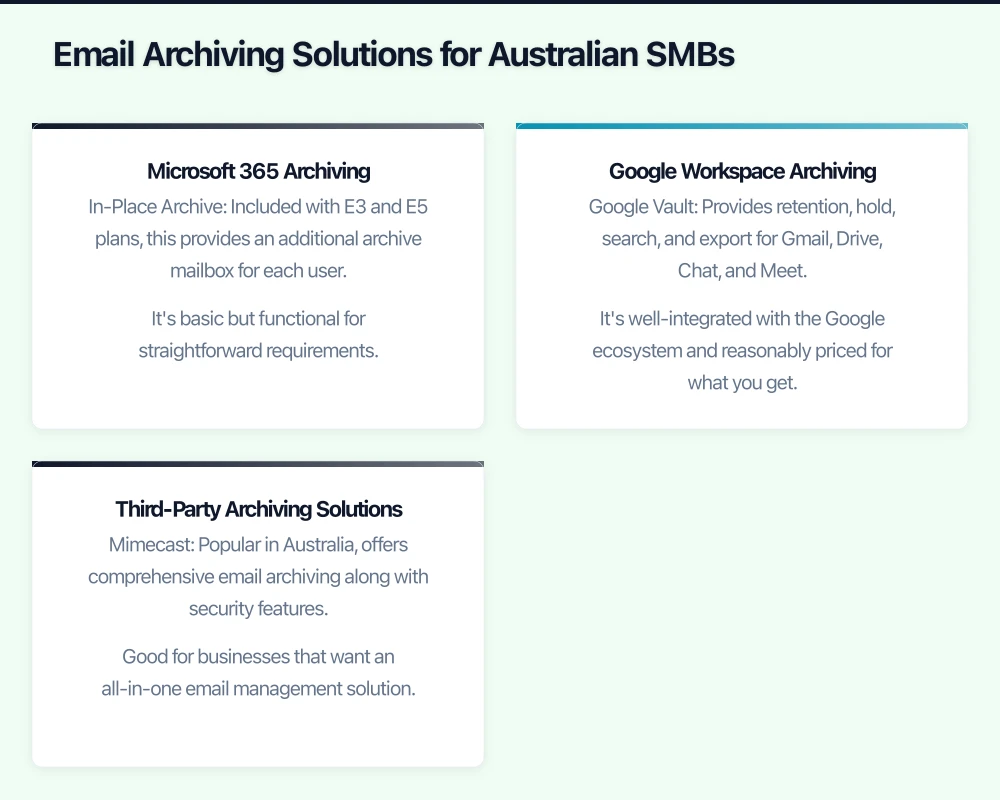
In-Place Archive: Included with E3 and E5 plans, this provides an additional archive mailbox for each user. It’s basic but functional for straightforward requirements.
Litigation Hold: Available in Business Premium and above, this preserves mailbox content indefinitely, preventing users from deleting emails even when they try.
Microsoft 365 Compliance Centre: The more advanced compliance features, including retention policies, e-discovery, and data loss prevention, are available in E5 or with Compliance add-ons. For businesses with serious compliance needs, this is worth the investment.
For most Australian SMBs, upgrading to Microsoft 365 Business Premium (around $30-35 per user per month) provides a good balance of archiving capabilities and value.
Google Workspace Archiving

Google Workspace (formerly G Suite) users have Google Vault available as part of Business Plus and Enterprise plans, or as an add-on for other tiers:
Google Vault: Provides retention, hold, search, and export for Gmail, Drive, Chat, and Meet. It’s well-integrated with the Google ecosystem and reasonably priced for what you get.
The main limitation is that Vault requires Google Workspace—if you’re on the basic Gmail, you’ll need to upgrade.
Third-Party Archiving Solutions
For businesses needing more sophisticated capabilities or those with hybrid environments, third-party solutions offer additional features:
Mimecast: Popular in Australia, offers comprehensive email archiving along with security features. Good for businesses that want an all-in-one email management solution. Australian data centres available.
Barracuda Essentials: Combines backup, archiving, and security. Reasonably priced and includes unlimited storage, which can be attractive for growing businesses.
Proofpoint Essentials: Another solid option with strong security integration. Particularly popular with businesses in regulated industries.
AvePoint: Specialises in Microsoft 365 backup and compliance. Good choice if you’re heavily invested in the Microsoft ecosystem.
Pricing for third-party solutions typically ranges from $3-10 per user per month depending on features and contract terms.
Implementing Email Archiving: A Practical Approach
Moving from theory to practice, here’s how to implement email archiving in your business:
Step 1: Assess Your Requirements
Before choosing a solution, understand what you need:
- How many users need archiving?
- What retention periods do your compliance obligations require?
- Do you need to archive historical emails, or only going forward?
- What search and e-discovery capabilities do you need?
- Where must data be stored (Australian data residency)?
Document these requirements—they’ll guide your solution selection.
Step 2: Audit Your Current State
Understanding where you are now is crucial:
- What email platform are you using?
- Do you have any existing archiving or backup in place?
- How much historical email data exists?
- Are there any compliance gaps you need to address immediately?
Step 3: Choose Your Solution
Based on your requirements and current state, select the solution that fits:
- If you’re on Microsoft 365, seriously consider their built-in compliance features
- If you’re on Google Workspace, Google Vault is the natural choice
- If you have complex requirements or hybrid environments, evaluate third-party options
Step 4: Plan the Implementation
A careful implementation plan should include:
Retention Policy Definition: Work with your legal or compliance advisors to define appropriate retention periods for different email types.
Historical Data Migration: If you have existing emails that need to be archived, plan how to migrate them. This can be time-consuming for large mailboxes.
User Communication: Let your team know what’s changing. Explain that emails are being archived for compliance purposes.
Testing: Before going live, test search, hold, and export capabilities to ensure they work as expected.
Step 5: Ongoing Management
Email archiving isn’t set-and-forget. Ongoing management includes:
- Regular reviews of retention policies
- Periodic testing of search and recovery
- Management of legal holds when disputes arise
- User training for new employees
Cost Considerations for Australian SMBs
Let’s talk dollars. For a typical 20-person Australian SMB, here’s what email archiving might cost:
Microsoft 365 Business Premium route: Assuming you’re upgrading from Basic, that’s roughly $15-20 per user per month additional, or $3,600-4,800 per year for the company. This gives you archiving plus a lot of other features.
Google Workspace Business Plus: If moving from Business Starter, the uplift is around $10-12 per user per month, or $2,400-2,880 per year.
Third-party solutions: At $5 per user per month average, that’s $1,200 per year—but remember to factor in your underlying email platform costs too.
Compare these costs to the potential cost of non-compliance: ATO penalties can run to thousands of dollars, and legal costs for discovery disputes can quickly exceed $50,000. Archiving is good insurance.
Common Mistakes to Avoid
Based on what we see with Australian SMBs, here are the mistakes to avoid:
Relying on PST files: Outlook PST files are not a compliant archiving solution. They can be modified, corrupted, and are difficult to search. Don’t rely on them.
Employee-managed archiving: Leaving archiving to individual employees is a recipe for inconsistency. Archiving must be automated and centralised.
Ignoring historical data: Compliance obligations often extend to existing emails, not just new ones. Plan to archive historical data.
Forgetting mobile devices: Emails on mobile devices should be captured by your archiving solution. Ensure your platform handles this.
No regular testing: An archive you can’t search or restore from isn’t much use. Test your capabilities quarterly.
Taking Action
Email archiving might not be the most exciting topic, but it’s foundational to operating a compliant, well-protected business. The good news is that solutions are now accessible and affordable for businesses of all sizes.
If you haven’t already, now is the time to assess your email archiving capabilities. Start by understanding your compliance requirements, evaluate your current state, and choose a solution that provides the protection your business needs.
For most Australian SMBs, the investment in proper email archiving will pay for itself many times over—whether through avoiding compliance penalties, winning legal disputes, or simply being able to find that critical email when you need it most.
Need help implementing email archiving for your Australian business? We help SMBs across Australia design and deploy compliance-ready email solutions. Get in touch to discuss your requirements.
Extend your cloud services to mobile devices. Awesome Apps builds Flutter and React Native apps that integrate seamlessly with AWS, Azure, and GCP backends.
This article is brought to you by Ganda Tech Services — Sydney’s complete digital solutions provider covering cloud, web, and mobile.