
Cybersecurity Basics Every Australian SMB Needs to Know
Cybersecurity Basics Every Australian SMB Needs to Know
If you think your small business is too small to be a target for cybercriminals, think again. The Australian Cyber Security Centre (ACSC) has reported a significant increase in cyber incidents targeting Australian businesses of all sizes. In fact, small and medium businesses are often preferred targets because they tend to have weaker defences than larger organisations.
The good news is that you do not need an enterprise-level security budget to protect your business. Most successful cyberattacks exploit basic weaknesses that are straightforward and affordable to fix. This guide covers the essential cybersecurity measures every Australian SMB should have in place.
The Threat Landscape for Australian SMBs
Understanding what you are defending against is the first step. The most common threats facing Australian small businesses include:
Phishing Attacks
Phishing remains the number one attack vector. Criminals send emails that appear to come from legitimate sources — your bank, the ATO, a supplier, or even a colleague — to trick recipients into clicking malicious links, opening infected attachments, or revealing sensitive information.
These attacks have become increasingly sophisticated. Gone are the days of obvious spelling errors and Nigerian prince stories. Modern phishing emails can be nearly indistinguishable from legitimate communications.
Ransomware
Ransomware encrypts your files and demands payment (usually in cryptocurrency) for the decryption key. For a small business without proper backups, a ransomware attack can be devastating. The ACSC has warned that ransomware attacks on Australian businesses are increasing in both frequency and severity.
Business Email Compromise (BEC)
BEC attacks involve criminals gaining access to or impersonating a business email account to trick staff or customers into making fraudulent payments. A common scenario: a supplier’s email is compromised, and your accounts team receives a legitimate-looking email requesting a change to the supplier’s bank details. The next payment goes to the criminals.
Credential Theft
Stolen usernames and passwords are a commodity on the dark web. If your staff reuse passwords across services, a breach at one service can compromise your business accounts.
Essential Security Measures
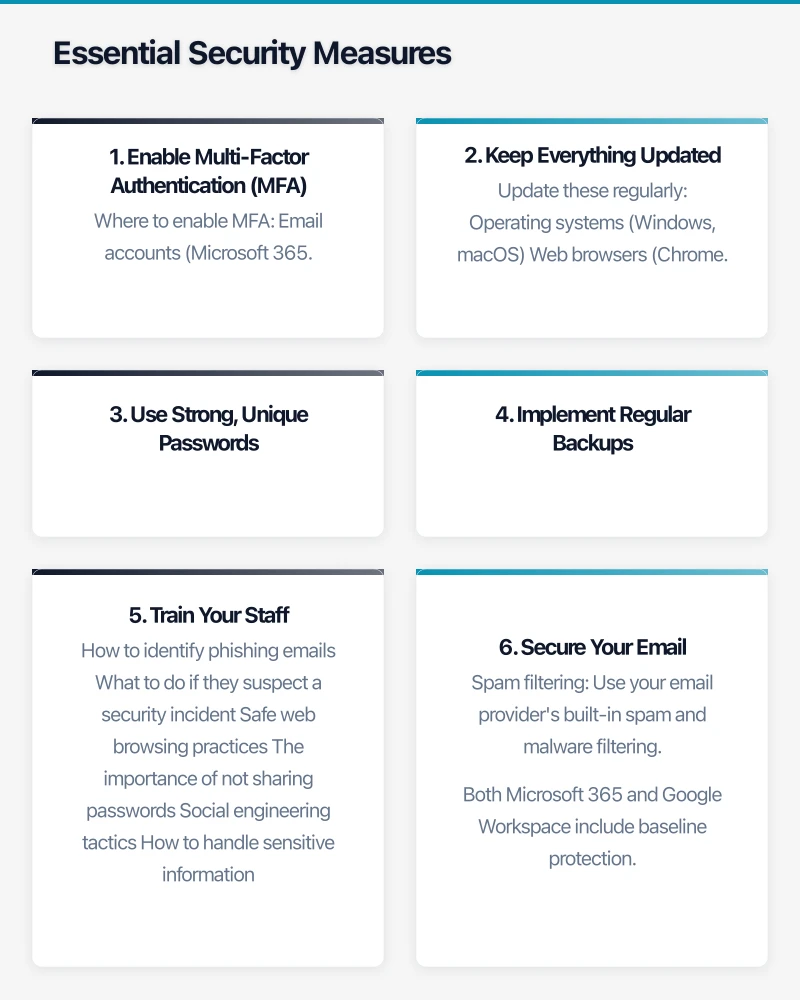
1. Enable Multi-Factor Authentication (MFA)
If you implement only one security improvement this year, make it MFA. Multi-factor authentication requires a second form of verification beyond a password — typically a code from a mobile app or a push notification.
MFA blocks the vast majority of account compromise attempts. Even if a password is stolen, the attacker cannot access the account without the second factor.
Where to enable MFA:
- Email accounts (Microsoft 365, Google Workspace)
- Banking and financial services
- Cloud services and administrative portals
- Remote access tools (VPN, Remote Desktop)
- Social media accounts
- Any system containing sensitive data
Microsoft and Google both offer built-in MFA at no additional cost for their business plans. There is no excuse not to enable it.
2. Keep Everything Updated
Software updates frequently include security patches for newly discovered vulnerabilities. Delaying updates leaves your systems exposed to known attack methods.
Update these regularly:
- Operating systems (Windows, macOS)
- Web browsers (Chrome, Edge, Firefox)
- Microsoft Office and other productivity software
- Antivirus and security software
- Firmware on routers, firewalls, and other network devices
- Any business applications
Where possible, enable automatic updates. For business-critical systems where you need to test updates before deployment, establish a regular patching schedule — monthly at minimum.
3. Use Strong, Unique Passwords
Password policies should require:
- A minimum of 12 characters
- A mix of upper and lower case letters, numbers, and symbols
- Unique passwords for every service (no reuse)
Expecting staff to remember dozens of complex, unique passwords is unrealistic. This is where a password manager comes in. Tools like 1Password or LastPass allow staff to use strong, unique passwords for every service while only needing to remember one master password.
4. Implement Regular Backups
Backups are your last line of defence against ransomware and data loss. Follow the 3-2-1 rule:
- 3 copies of your data
- On 2 different types of storage media
- With 1 copy stored offsite (or in the cloud)
Test your backups regularly. A backup that cannot be restored is not a backup — it is a false sense of security.
Ensure your backups are isolated from your network. Ransomware is designed to encrypt everything it can reach, including backup drives connected to the network.
5. Train Your Staff
Your staff are both your greatest vulnerability and your strongest defence. Regular security awareness training should cover:
- How to identify phishing emails
- What to do if they suspect a security incident
- Safe web browsing practices
- The importance of not sharing passwords
- Social engineering tactics
- How to handle sensitive information
Training should be ongoing, not a one-off event. Short, regular sessions (monthly or quarterly) are more effective than annual marathon training days.
6. Secure Your Email
Email is the primary attack vector for most businesses. Essential email security measures include:
- Spam filtering: Use your email provider’s built-in spam and malware filtering. Both Microsoft 365 and Google Workspace include baseline protection.
- SPF, DKIM, and DMARC: These email authentication standards help prevent criminals from sending emails that appear to come from your domain. Your IT provider can configure these for you.
- External email warnings: Configure your email system to flag emails from external senders, making it harder for impersonation attacks to succeed.
7. Secure Your Network
For office-based businesses:
- Firewall: Ensure you have a business-grade firewall at your network perimeter. Consumer-grade routers are not sufficient.
- Separate guest WiFi: Keep visitors on a separate network from your business systems.
- Disable unused ports and services: Reduce your attack surface by turning off what you do not need.
- Encrypt your WiFi: Use WPA3 (or WPA2 at minimum) with a strong password.
8. Control Access
Apply the principle of least privilege: give staff access only to the systems and data they need to do their jobs.
- User accounts: Every staff member should have their own account. No shared logins.
- Admin accounts: Restrict administrative access to IT staff. Regular users should not have admin rights on their computers.
- Remove access promptly: When someone leaves the business, disable their accounts immediately.
The Australian Context
Notifiable Data Breaches Scheme
Under the Privacy Act 1988, Australian businesses with annual turnover of over $3 million (and some others) must notify the Office of the Australian Information Commissioner (OAIC) and affected individuals of eligible data breaches. An eligible breach is one that is likely to result in serious harm to any of the individuals whose data is involved.
Even if your business is not legally required to comply, the scheme reflects good practice that all businesses should follow.
ACSC Essential Eight
The Australian Cyber Security Centre publishes the Essential Eight — a set of baseline mitigation strategies. While originally designed for government agencies, these strategies are increasingly relevant for all businesses:
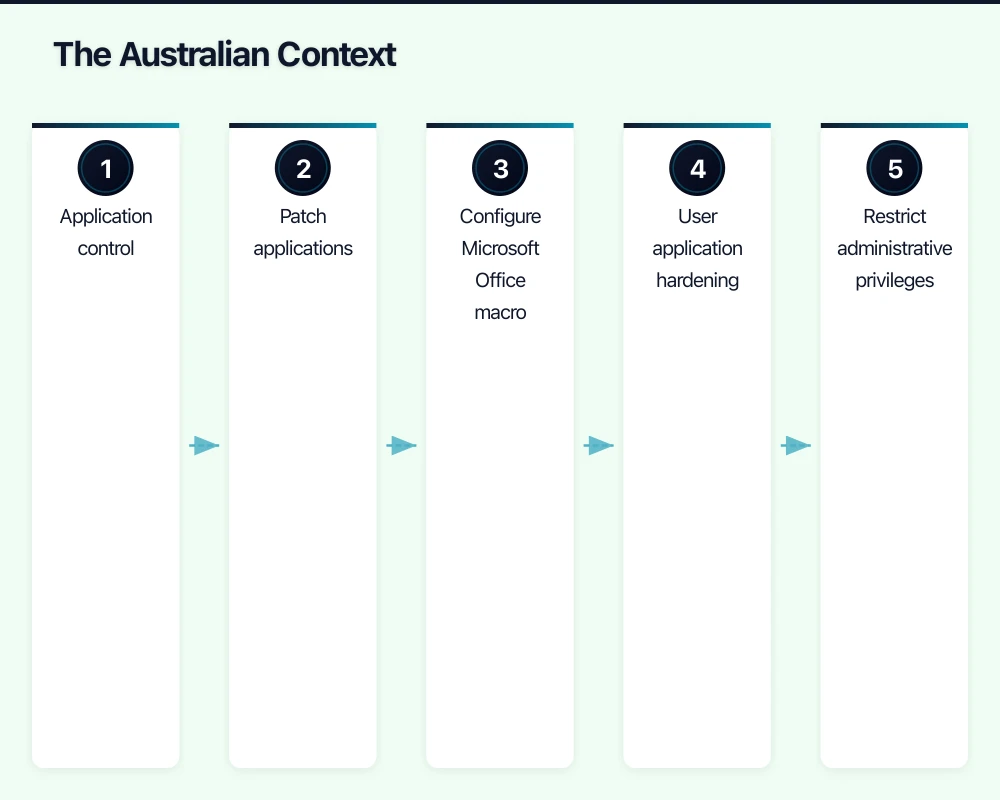
- Application control
- Patch applications
- Configure Microsoft Office macro settings
- User application hardening
- Restrict administrative privileges
- Patch operating systems
- Multi-factor authentication
- Regular backups
You do not need to implement all eight at the highest maturity level immediately. Start with MFA, patching, and backups — these three alone will dramatically reduce your risk.
Cyber Security for Small Business Resources
The ACSC provides free resources specifically for small businesses at cyber.gov.au. These include:
- A Small Business Cyber Security Guide
- Step-by-step guides for common security tasks
- Alerts about current threats targeting Australian businesses
- A tool for reporting cyber incidents
Creating a Security Culture
Technology alone is not enough. Cybersecurity needs to be part of your business culture. This starts at the top — if business owners and managers take security seriously, staff will follow.
Practical steps to build a security culture:
- Lead by example: Ensure leadership follows the same security practices expected of staff.
- Make reporting easy: Staff should feel comfortable reporting suspicious emails or potential incidents without fear of blame.
- Celebrate good catches: When someone identifies and reports a phishing attempt, acknowledge it.
- Include security in onboarding: Make cybersecurity training part of every new employee’s induction.
What to Do If You Are Compromised
Despite your best efforts, incidents can still occur. Having a plan in place before something happens is crucial:
- Contain the incident: Disconnect affected systems from the network to prevent further spread.
- Assess the damage: Determine what systems and data are affected.
- Notify relevant parties: This may include your IT provider, insurers, the ACSC, the OAIC (if personal data is involved), and affected customers.
- Recover: Restore from backups, reset passwords, and patch the vulnerability that was exploited.
- Learn: After the incident, review what happened and what you can do to prevent it from happening again.
Getting Started Today
You do not need to implement everything at once. Start with these three actions this week:
- Enable MFA on your email and any cloud services.
- Verify your backups are running and can be restored.
- Talk to your team about phishing — show them examples of phishing emails and explain what to look for.
These three steps alone will significantly improve your security posture. From there, work through the other recommendations at a pace that suits your business. The important thing is to start.
Cybersecurity is not a project with an end date — it is an ongoing practice. But with the right foundations in place, you can dramatically reduce the risk to your Australian business.
Pair your cloud backend with a polished mobile experience. Awesome Apps develops apps for iOS and Android that keep your team and customers connected.
This article is brought to you by Ganda Tech Services — Sydney’s complete digital solutions provider covering cloud, web, and mobile.