
Cloud Security Compliance for Australian Healthcare Businesses
Cloud Security Compliance for Australian Healthcare Businesses
Healthcare businesses in Australia face a unique challenge when it comes to cloud computing. You want the benefits of modern cloud platforms — scalability, remote access, cost savings — but you also need to navigate a regulatory landscape that takes health information very seriously.
This guide breaks down the compliance requirements for Australian healthcare businesses moving to or already operating in the cloud, and provides practical steps to meet your obligations without overcomplicating your IT infrastructure.
The Regulatory Landscape
Australian healthcare businesses must comply with several overlapping regulations when handling patient data in the cloud.
The Privacy Act 1988 and Australian Privacy Principles (APPs)
The Privacy Act applies to all private sector health service providers, regardless of annual turnover. This is different from other industries where the Privacy Act only applies to organisations with annual turnover greater than $3 million.
The 13 Australian Privacy Principles (APPs) govern how you collect, use, disclose, and store personal information. For healthcare businesses using cloud services, the most relevant APPs are:
- APP 8 (Cross-border disclosure): If your cloud provider stores data outside Australia, you remain responsible for ensuring that data is handled in accordance with the APPs. This is critical when selecting cloud platforms.
- APP 11 (Security of personal information): You must take reasonable steps to protect personal information from misuse, interference, loss, and unauthorised access, modification, or disclosure.
- APP 1 (Open and transparent management): Your privacy policy must describe how you manage personal information, including any cloud services you use.
My Health Records Act 2012
If your practice interacts with the My Health Record system, additional obligations apply. The My Health Records Act imposes strict requirements on how health information within the system is accessed, used, and disclosed. Penalties for unauthorised access can be severe.
State and Territory Health Records Legislation
Depending on your state or territory, additional legislation may apply:
- Victoria: Health Records Act 2001
- New South Wales: Health Records and Information Privacy Act 2002
- ACT: Health Records (Privacy and Access) Act 1997
These state laws can impose additional requirements beyond the federal Privacy Act.
Choosing a Compliant Cloud Provider
Not all cloud providers are suitable for Australian healthcare data. Here is what to evaluate.
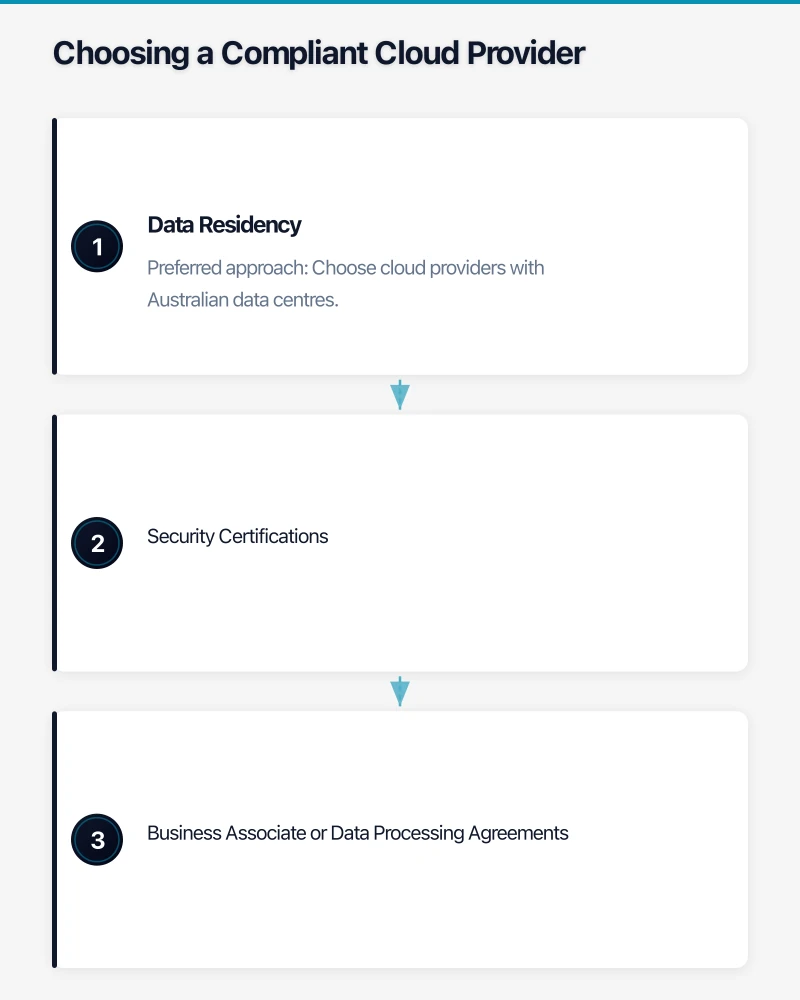
Data Residency
Your first question should always be: where will my data physically reside?
Preferred approach: Choose cloud providers with Australian data centres. Microsoft Azure (Sydney and Melbourne), Amazon Web Services (Sydney), and Google Cloud (Sydney and Melbourne) all offer Australian regions.
Why this matters: Storing data in Australia simplifies your APP 8 obligations. If data crosses borders, you must either ensure the overseas recipient is bound by substantially similar privacy protections, obtain patient consent, or take other steps outlined in APP 8.
Security Certifications
Look for cloud providers that hold relevant certifications:
- ISO 27001: Information security management
- SOC 2 Type II: Controls relevant to security, availability, processing integrity, confidentiality, and privacy
- IRAP (Information Security Registered Assessors Program): Australian Government certification for cloud services handling sensitive data
Microsoft, AWS, and Google Cloud have all achieved IRAP assessment for their Australian regions.
Business Associate or Data Processing Agreements
Ensure your cloud provider offers a formal agreement that outlines their responsibilities regarding data handling. In the Australian context, this is typically a data processing agreement or privacy-specific terms of service. Review these carefully or have your legal advisor examine them.
Practical Cloud Security Measures
Compliance is not just about choosing the right provider. Your own security practices matter just as much.
Access Controls
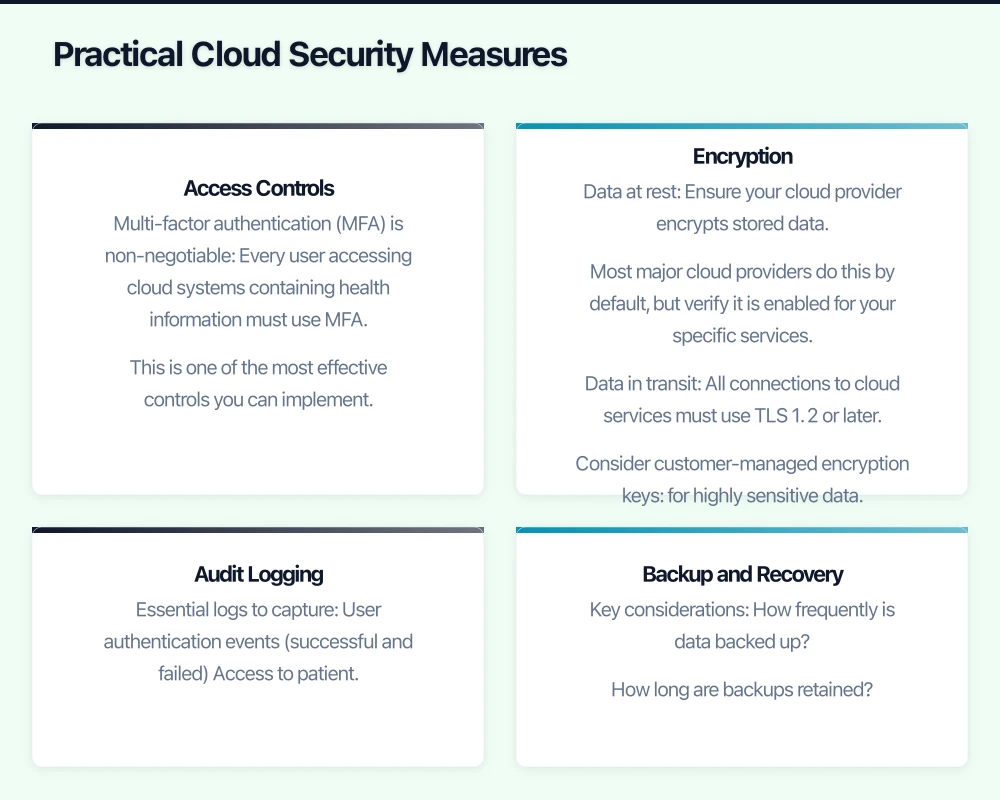
Multi-factor authentication (MFA) is non-negotiable. Every user accessing cloud systems containing health information must use MFA. This is one of the most effective controls you can implement.
Implement role-based access control (RBAC):
- Reception staff: Access to scheduling and basic patient demographics
- Clinical staff: Access to clinical records relevant to their role
- Practice managers: Administrative access including billing and reporting
- IT administrators: System configuration and audit logs
Review access regularly. When staff leave your practice or change roles, update their access immediately. Conduct a full access review at least quarterly.
Encryption
Data at rest: Ensure your cloud provider encrypts stored data. Most major cloud providers do this by default, but verify it is enabled for your specific services.
Data in transit: All connections to cloud services must use TLS 1.2 or later. This is standard for modern cloud platforms but verify that older systems in your practice (such as legacy practice management software) are not using outdated encryption protocols.
Consider customer-managed encryption keys for highly sensitive data. This gives you control over who can decrypt your data, even if the cloud provider’s systems are compromised. This is an advanced configuration and may not be necessary for all practices.
Audit Logging
Maintain comprehensive audit logs of who accessed what data and when. This is both a compliance requirement and a practical security measure.
Essential logs to capture:
- User authentication events (successful and failed)
- Access to patient records
- Changes to system configuration
- Data exports and downloads
- Administrative actions
Retain logs for a minimum of seven years to align with healthcare record retention requirements. Cloud platforms like Microsoft 365 and AWS CloudTrail can be configured to retain logs for this period.
Backup and Recovery
Cloud does not automatically mean your data is backed up. Understand your cloud provider’s backup capabilities and supplement them if necessary.
Key considerations:
- How frequently is data backed up?
- How long are backups retained?
- Can you restore individual records, or only entire databases?
- Where are backups stored? (Same data residency considerations apply)
- How quickly can you restore operations after a data loss event?
Test your recovery process at least annually. A backup you have never tested is a backup you cannot rely on.
Practice Management Software in the Cloud
Many Australian healthcare practices use cloud-based practice management software (PMS) such as Best Practice, Medical Director, or Cliniko. When using these platforms, consider the following:
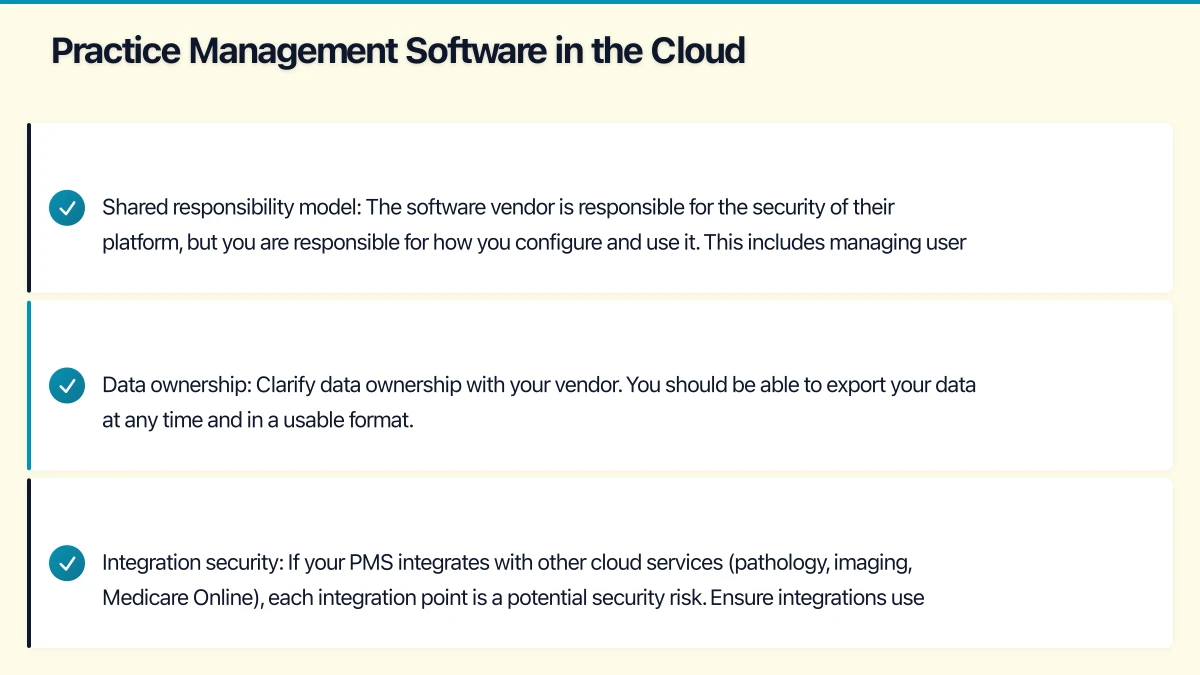
Shared responsibility model: The software vendor is responsible for the security of their platform, but you are responsible for how you configure and use it. This includes managing user accounts, setting appropriate access levels, and ensuring staff follow security procedures.
Data ownership: Clarify data ownership with your vendor. You should be able to export your data at any time and in a usable format. Vendor lock-in is a real risk if you cannot extract your data when changing platforms.
Integration security: If your PMS integrates with other cloud services (pathology, imaging, Medicare Online), each integration point is a potential security risk. Ensure integrations use secure methods and that you understand what data flows between systems.
Staff Training and Policies
Technical controls alone are insufficient. Your staff are both your greatest asset and your greatest vulnerability when it comes to health data security.
Essential Training Topics
- Recognising phishing emails and social engineering attacks
- Proper use of cloud platforms (especially sharing features)
- Password hygiene and MFA procedures
- Handling patient data requests and privacy complaints
- Incident reporting procedures
Policies to Document
- Acceptable use policy: How staff may use cloud systems
- Data breach response plan: Steps to follow if a breach is suspected
- BYOD policy: If staff use personal devices to access cloud systems
- Data retention and disposal policy: How long data is kept and how it is securely deleted
Under the Notifiable Data Breaches (NDB) scheme, you are required to notify the Office of the Australian Information Commissioner (OAIC) and affected individuals if a data breach is likely to result in serious harm. Having a documented response plan ensures you can meet the 30-day assessment period.
Telehealth Considerations
The expansion of telehealth services during and after the pandemic has added another dimension to cloud compliance for healthcare practices.
If you offer telehealth consultations:
- Use platforms that provide end-to-end encryption for video consultations
- Ensure telehealth recordings (if made) are stored in compliance with your data residency and retention requirements
- Obtain appropriate consent before recording telehealth sessions
- Verify that your telehealth platform stores data in Australia or meets cross-border disclosure requirements
Medicare-eligible telehealth services require specific documentation, so ensure your cloud systems support the necessary record-keeping.
Conducting a Cloud Security Assessment
If your healthcare practice is already using cloud services, conduct a security assessment to identify gaps.
Assessment checklist:
- List all cloud services in use (including shadow IT — services staff use without IT approval)
- For each service, document where data is stored and what data is processed
- Verify MFA is enabled on all accounts
- Review and update access permissions
- Confirm encryption is enabled for data at rest and in transit
- Check that audit logging is configured and logs are being retained
- Verify backup procedures and test a restore
- Review vendor agreements and data processing terms
- Ensure staff training is current
- Update your privacy policy to reflect cloud service usage
Cost of Compliance
Compliance does not have to be expensive. For a typical small healthcare practice (under 20 staff), the key investments are:
- Microsoft 365 Business Premium: Approximately $30 per user per month, which includes MFA, device management, and advanced security features
- Cloud backup solution: $5 to $15 per user per month for a third-party backup
- Security awareness training: $3 to $8 per user per month for platforms like KnowBe4
- Annual security assessment: $3,000 to $8,000 from a qualified IT provider
These are manageable costs that are far less than the financial and reputational damage of a data breach or compliance failure.
Moving Forward
Cloud security compliance for Australian healthcare businesses is not about achieving perfection. It is about demonstrating that you have taken reasonable steps to protect patient information. The OAIC has consistently emphasised that “reasonable steps” are assessed in context — what is reasonable for a large hospital is different from what is reasonable for a small GP practice.
Start with the fundamentals: Australian data residency, MFA, access controls, encryption, logging, and staff training. Build from there as your practice grows and your cloud usage matures.
If you are unsure about your current compliance posture, engage an IT provider with healthcare experience. The Australian Digital Health Agency also provides useful resources for healthcare providers navigating digital transformation.
The regulatory landscape will continue to evolve, but getting the foundations right now will make future compliance requirements much easier to meet.
If your business also needs a web portal or customer-facing dashboard, Cosmos Web Tech builds custom web applications tailored to Australian SMBs.
Ashish Ganda is the founder of Ganda Tech Services, a Sydney-based technology consultancy helping Australian businesses grow through cloud, web, and mobile solutions.