
Cloud Networking for Australian SMBs: Is SD-WAN Worth the Investment?

Introduction
If your business operates from multiple locations—branch offices, retail stores, warehouses, remote workers—you’ve likely struggled with network connectivity. The traditional approach of expensive MPLS circuits from Telstra or Optus provides reliability but at costs that make CFOs wince. Meanwhile, standard internet connections are cheaper but don’t deliver the reliability cloud-dependent businesses need.
SD-WAN (Software-Defined Wide Area Network) emerged as a solution to this dilemma, promising to combine the reliability of MPLS with the economics of internet connectivity. But like many technology solutions, the reality is more nuanced than the marketing.
For Australian SMBs evaluating network infrastructure investments, this guide provides a practical assessment of SD-WAN—when it delivers value, when it doesn’t, and what alternatives exist.
What SD-WAN Actually Does
Let’s cut through the jargon.
Traditional WAN vs SD-WAN
Traditional WAN (MPLS) Your sites connect via dedicated circuits from a carrier (Telstra, Optus, TPG). Traffic between sites travels over these private circuits with guaranteed bandwidth and quality. Expensive, reliable, inflexible.
Internet-Based WAN Your sites each have internet connections and use VPNs to connect. Cheaper, but performance varies with internet conditions. No traffic prioritisation—video calls compete with backup traffic.
SD-WAN Software intelligently manages traffic across multiple connections (internet, MPLS, 4G/5G). It can:
- Route critical traffic over the best available path
- Fail over automatically when a connection drops
- Prioritise business-critical applications
- Provide visibility into application performance
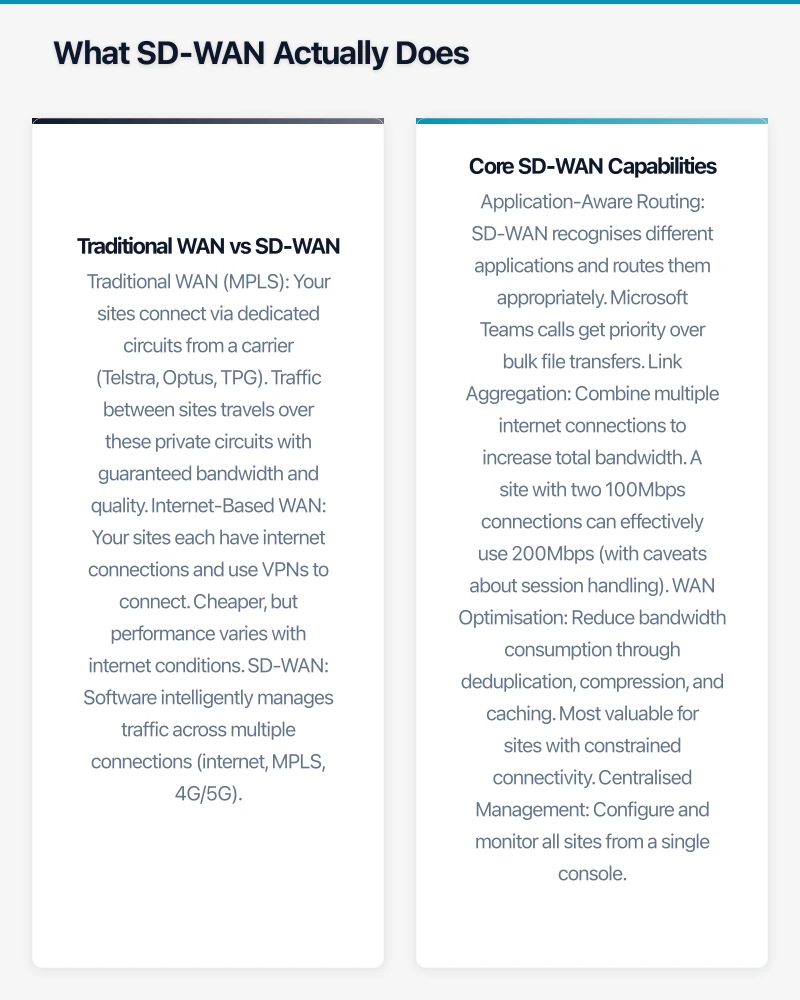
Core SD-WAN Capabilities
Application-Aware Routing SD-WAN recognises different applications and routes them appropriately. Microsoft Teams calls get priority over bulk file transfers. If the primary path degrades, critical traffic shifts to the backup automatically.
Link Aggregation Combine multiple internet connections to increase total bandwidth. A site with two 100Mbps connections can effectively use 200Mbps (with caveats about session handling).
WAN Optimisation Reduce bandwidth consumption through deduplication, compression, and caching. Most valuable for sites with constrained connectivity.
Centralised Management Configure and monitor all sites from a single console. Deploy policy changes across the entire network without visiting each location.
Cloud Connectivity Direct breakout to cloud services (Microsoft 365, AWS, Azure) rather than backhauling through a central site. Reduces latency and improves cloud application performance.
When SD-WAN Makes Sense for Australian SMBs
SD-WAN isn’t for everyone. Here’s where it delivers clear value.
Scenario 1: Multi-Site Retail or Hospitality
The Situation: 15 retail stores across NSW and Victoria. Each site needs reliable connectivity for POS systems, inventory management, and occasionally video calls with head office. Current setup: basic NBN at each site with VPN to head office.
The Problem: When NBN drops at a store (which happens regularly), POS goes offline. Lost sales, frustrated customers. No visibility into which sites have connectivity issues until staff call.
SD-WAN Value:
- Add 4G/5G backup at each site for automatic failover
- Prioritise POS traffic over background updates
- Central dashboard showing connectivity status across all stores
- Alert when primary connection degrades before it fails completely
Expected Outcome: Near-zero POS downtime, proactive problem identification, happier store managers.
Typical Cost: A$200-400 per site per month (SD-WAN service + backup connectivity)
Scenario 2: Professional Services with Distributed Workforce
The Situation: 50-person accounting firm with main office, two branch offices, and 20 staff working remotely. Heavy use of cloud applications (Xero, Microsoft 365, practice management software). Video conferencing is critical during peak periods.
The Problem: Video call quality varies wildly. Cloud applications feel sluggish at branch offices where traffic backhauled through head office. Remote workers on home NBN have inconsistent experience.
SD-WAN Value:
- Direct cloud breakout at each location (no backhaul delay)
- QoS prioritising Teams and critical applications
- Better utilisation of existing bandwidth
- Consistent policy for remote workers
Expected Outcome: Reliable video calls, faster cloud application access, consistent experience regardless of location.
Typical Cost: A$150-300 per site/user per month
Scenario 3: Manufacturing with Remote Sites
The Situation: Manufacturing business with head office in Sydney, factory in regional NSW, and distribution centre in Melbourne. Critical systems (ERP, WMS) hosted in Azure. Factory has limited connectivity options.
The Problem: The regional factory site has only one viable ISP. Outages cause production visibility issues and delayed order processing. The single connection is a business continuity risk.
SD-WAN Value:
- Combine available internet with 4G/5G for redundancy
- WAN optimisation to make the most of limited bandwidth
- Prioritise ERP traffic over less critical applications
- Central visibility into site connectivity
Expected Outcome: Reduced production disruption from connectivity issues, better utilisation of available bandwidth.
Typical Cost: A$300-500 per site per month for regional sites with optimisation requirements
When SD-WAN Doesn’t Make Sense
SD-WAN isn’t the answer for every connectivity challenge.
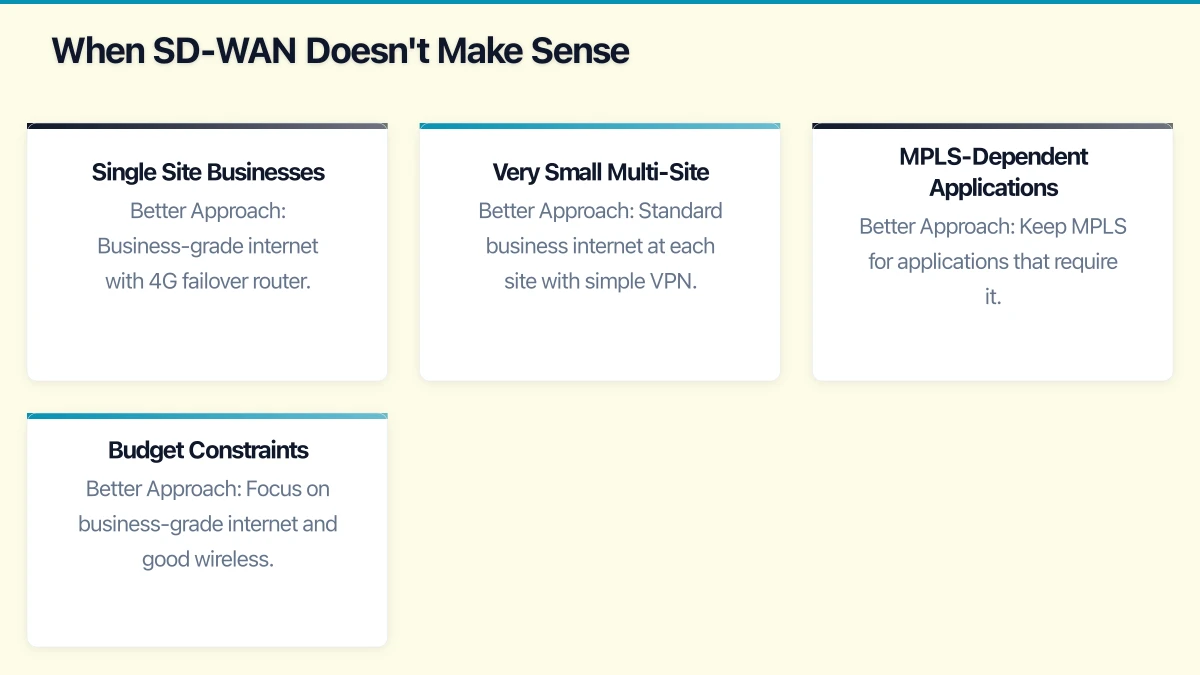
Single Site Businesses
If you operate from one location, SD-WAN is overkill. You need reliable internet (business-grade NBN or fibre) and possibly a 4G backup. The WAN management capabilities are wasted.
Better Approach: Business-grade internet with 4G failover router. A$150-250/month total.
Very Small Multi-Site
Two or three sites with simple connectivity needs (email, basic cloud apps, no video conferencing) don’t justify SD-WAN complexity.
Better Approach: Standard business internet at each site with simple VPN. A$100-150 per site per month.
MPLS-Dependent Applications
Some legacy applications require the guaranteed latency and jitter characteristics of MPLS. SD-WAN can improve internet-based connectivity but can’t make it behave exactly like MPLS.
Better Approach: Keep MPLS for applications that require it, potentially use SD-WAN to reduce MPLS bandwidth requirements.
Budget Constraints
SD-WAN adds cost—typically A$150-400 per site per month beyond basic connectivity. If connectivity isn’t causing business problems, this spending may not be justified.
Better Approach: Focus on business-grade internet and good wireless infrastructure before adding SD-WAN complexity.
Australian SD-WAN Options
The Australian market has several viable SD-WAN providers.
Carrier-Provided SD-WAN
Telstra SD-WAN
- Based on Cisco Viptela or Versa platforms
- Fully managed service
- Good for businesses already with Telstra infrastructure
- Typical cost: A$300-600 per site per month (managed service)
Optus SD-WAN
- VMware VeloCloud based
- Strong cloud connectivity options
- Competitive for mid-market
- Typical cost: A$250-500 per site per month
TPG/iiNet Business
- Fortinet-based SD-WAN offerings
- Good value for price-sensitive deployments
- Typical cost: A$200-400 per site per month
Managed Service Providers
Macquarie Telecom
- Australian-owned, strong enterprise focus
- Multiple platform options
- Good integration with their cloud and security services
Over the Wire
- Business-focused connectivity specialist
- SD-WAN as part of managed connectivity services
- Good mid-market option
Superloop
- Strong network infrastructure
- Growing SD-WAN capabilities
- Competitive pricing
DIY Options
For businesses with IT capability, self-managed SD-WAN is possible:
Cisco Meraki MX
- Cloud-managed, relatively simple
- Good for businesses with Meraki wireless/switching
- Hardware: A$1,500-5,000 per site
- Licensing: A$100-250 per site per month
Fortinet SD-WAN
- Integrated with FortiGate firewalls
- Good value, strong security integration
- Hardware: A$1,000-4,000 per site
- Licensing: A$50-150 per site per month
VeloCloud (VMware)
- Strong cloud integration
- Widely deployed, mature platform
- Requires partner for Australian deployment
Cost Analysis
Understanding the full cost picture helps make informed decisions.
Component Costs
| Component | Typical Range | Notes |
|---|---|---|
| SD-WAN hardware/virtual appliance | A$1,000-5,000 per site | One-time or included in managed service |
| SD-WAN licensing | A$50-200 per site/month | Features vary significantly by tier |
| Managed service overlay | A$100-300 per site/month | If using managed provider |
| Primary connectivity | A$100-500 per site/month | Business-grade NBN/fibre |
| Backup connectivity | A$50-150 per site/month | 4G/5G service |
Total Cost of Ownership Example
10-site retail network, managed SD-WAN:
- SD-WAN managed service: 10 × A$300 = A$3,000/month
- Primary connectivity: 10 × A$200 = A$2,000/month
- 4G backup: 10 × A$80 = A$800/month
- Total: A$5,800/month or A$69,600/year
Compare to previous MPLS solution at A$800/site = A$8,000/month or A$96,000/year.
Savings: A$26,400/year with better redundancy and cloud performance
Hidden Costs
Don’t forget:
- Implementation and migration (A$500-2,000 per site)
- Staff training
- Potential hardware refresh at sites (routers, switches)
- Ongoing management time (even with managed service)
Implementation Considerations
Successful SD-WAN deployment requires attention to several factors.
Connectivity Prerequisites
SD-WAN works best with:
- At least two connections per site (primary + backup)
- Adequate bandwidth for application requirements
- Reasonable latency to cloud services
In some regional Australian locations, limited connectivity options reduce SD-WAN value.
Application Assessment
Before implementing, understand:
- What applications are used at each site
- Bandwidth and latency requirements for critical applications
- Current pain points (what’s driving the SD-WAN consideration)
This information drives QoS policy configuration.
Security Integration
SD-WAN changes traffic patterns—direct cloud breakout means traffic no longer flows through your central firewall. Ensure:
- SD-WAN solution includes adequate security features (or integrate with cloud security)
- DNS security and web filtering at each site
- Consistent security policy across all paths
Change Management
SD-WAN changes how your network operates:
- Staff need to understand the new architecture
- Support processes need updating
- Monitoring and alerting need reconfiguration
Plan for training and documentation alongside technical implementation.
Alternatives to Full SD-WAN
Sometimes simpler solutions address the actual problem.
Enhanced Internet with Failover
If reliability is the main concern, 4G failover routers (Cradlepoint, Peplink) provide automatic failover without full SD-WAN complexity.
Cost: A$50-100/month per site above basic connectivity Best for: Sites needing reliability without QoS or optimisation
Direct Cloud Connect
If cloud performance is the issue, direct connections to cloud providers (AWS Direct Connect, Azure ExpressRoute, Google Cloud Interconnect) might be more effective than SD-WAN.
Cost: A$500-2,000/month for direct connect Best for: Heavy cloud users where backhaul is the bottleneck
Quality Internet Upgrade
Sometimes the answer is just better primary connectivity—upgrade from NBN 50 to NBN 250, or move to business fibre.
Cost: Additional A$100-300/month per site Best for: Sites where bandwidth is the constraint
Optimise What You Have
QoS configuration on existing routers, better wireless infrastructure, and application optimisation can address many issues without network redesign.
Cost: One-time optimisation effort Best for: Problems that aren’t actually connectivity-related
Making the Decision
A practical framework for evaluating SD-WAN:
Strong Candidate for SD-WAN
- 5+ sites with meaningful traffic between them
- Cloud-heavy workloads with performance concerns
- Reliability problems causing business impact
- Paying for MPLS and looking to reduce costs
- Planning to add sites and need scalable solution
Weak Candidate for SD-WAN
- Single site or very small number of locations
- Simple connectivity needs (email, web browsing)
- No current reliability or performance problems
- Tight budget without clear connectivity ROI
- Lack of IT capability for even managed SD-WAN oversight
Questions to Answer Before Committing
- What specific problems are we trying to solve?
- What is the business impact of current connectivity issues?
- Do we have adequate IT capability to manage or oversee SD-WAN?
- Have we explored simpler alternatives?
- What’s our 3-year connectivity cost with and without SD-WAN?
The Bottom Line
SD-WAN delivers genuine value for the right use cases—multi-site businesses with cloud-heavy workloads and reliability requirements that basic internet can’t meet. For these businesses, SD-WAN offers a compelling combination of improved performance, better reliability, and often reduced costs compared to traditional MPLS.
But SD-WAN isn’t magic, and it’s not free. Implementation requires planning, the ongoing management isn’t zero, and for simpler scenarios, it’s overkill.
The winning approach is to start with the business problem, evaluate all options (including doing nothing), and choose the solution that addresses actual needs at appropriate cost. Sometimes that’s SD-WAN; sometimes it’s a 4G backup router; sometimes it’s just better primary connectivity.
Don’t let vendor marketing drive your network strategy. Let your business requirements drive it instead.
Evaluating SD-WAN or other network infrastructure options? CloudGeeks provides independent network assessments for Australian businesses. Contact us for a practical evaluation of your connectivity needs.
A reliable cloud backend deserves a polished frontend. Our web development team at Cosmos Web Tech creates websites optimised for speed, SEO, and conversions.
This article is brought to you by Ganda Tech Services — Sydney’s complete digital solutions provider covering cloud, web, and mobile.