
Cloud Migration Mistakes: 10 Costly Errors Australian Businesses Must Avoid
Introduction
Australian businesses are migrating to the cloud at an accelerating pace. The pandemic pushed many organisations to fast-track cloud adoption, and that momentum continues into 2022. But speed often comes at a cost—and the stories of cloud migrations gone wrong are becoming increasingly common.
After working with dozens of Australian SMBs through their cloud journeys, patterns emerge. The same mistakes appear repeatedly, costing businesses thousands of dollars and months of delays. The frustrating part? Most are entirely avoidable with proper planning.
This article examines the ten most costly cloud migration mistakes we see Australian businesses make, along with practical guidance on avoiding each one.
Mistake 1: Lift-and-Shift Without Assessment
The most common migration approach is also the riskiest: take what you have on-premises and move it directly to cloud virtual machines. This “lift-and-shift” method seems straightforward, but it rarely delivers expected benefits.
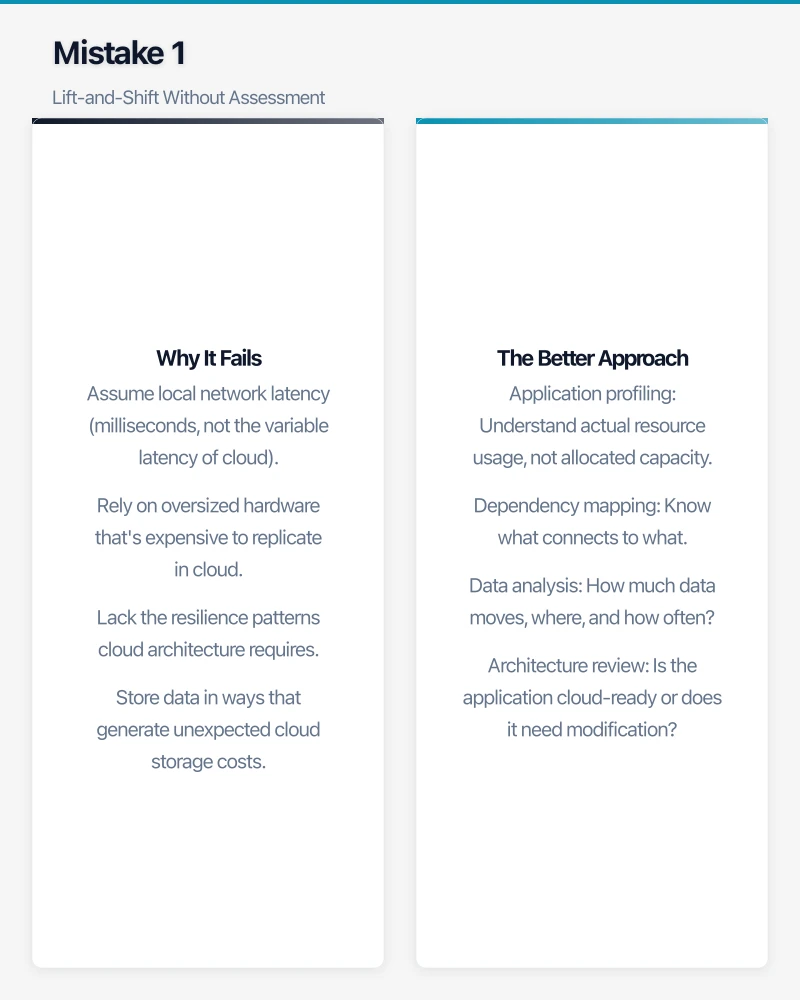
Why It Fails
On-premises applications were designed for on-premises infrastructure. They often:
- Assume local network latency (milliseconds, not the variable latency of cloud)
- Rely on oversized hardware that’s expensive to replicate in cloud
- Lack the resilience patterns cloud architecture requires
- Store data in ways that generate unexpected cloud storage costs
One Melbourne manufacturing company lifted their ERP system to Azure without modification. Their monthly costs came in at three times the estimate—the application’s database design generated far more storage I/O than anticipated, and Azure charges by the operation.
The Better Approach
Before migrating any workload, assess it properly:
- Application profiling: Understand actual resource usage, not allocated capacity
- Dependency mapping: Know what connects to what
- Data analysis: How much data moves, where, and how often?
- Architecture review: Is the application cloud-ready or does it need modification?
Not everything should move to the cloud, and what does move often needs modification. Assessment upfront saves expensive surprises later.
Mistake 2: Underestimating Data Transfer Costs
Cloud providers make it cheap to move data in but expensive to move it out. Australian businesses routinely underestimate these egress charges, sometimes by an order of magnitude.
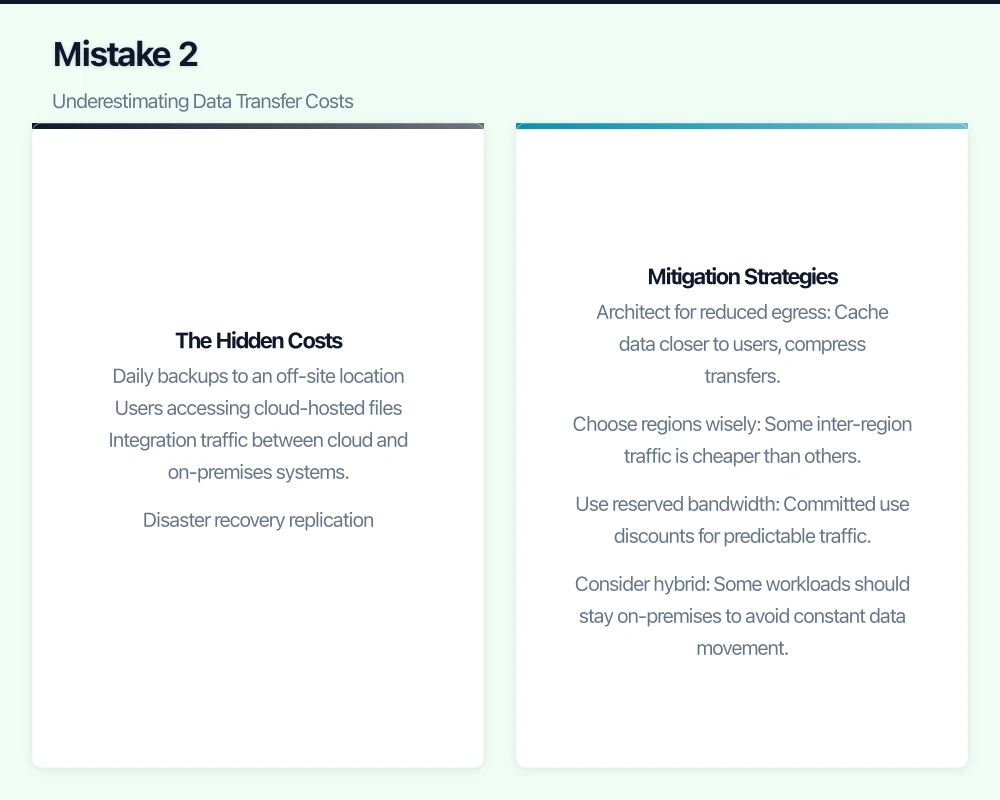
The Hidden Costs
Data egress from AWS Sydney region costs approximately $0.114 per GB for the first 10TB monthly. This sounds small until you calculate actual usage:
- Daily backups to an off-site location
- Users accessing cloud-hosted files
- Integration traffic between cloud and on-premises systems
- Disaster recovery replication
A professional services firm we worked with budgeted $500/month for their Azure deployment. Actual egress charges alone exceeded $2,000 because their document management system synchronised far more data than expected.
Mitigation Strategies
- Architect for reduced egress: Cache data closer to users, compress transfers
- Choose regions wisely: Some inter-region traffic is cheaper than others
- Use reserved bandwidth: Committed use discounts for predictable traffic
- Consider hybrid: Some workloads should stay on-premises to avoid constant data movement
Model data flows carefully before migration. The calculator tools provided by AWS, Azure, and GCP help, but only if you provide accurate input.
Mistake 3: Ignoring the Skills Gap
Cloud platforms are fundamentally different from on-premises infrastructure. Your existing IT team’s skills don’t automatically transfer, and the learning curve is steeper than most organisations expect.
The Reality Check
An experienced Windows Server administrator isn’t automatically an Azure expert. Cloud platforms require understanding of:
- New billing models and cost optimisation
- Cloud-native security approaches
- Infrastructure-as-code and automation
- Different operational patterns and monitoring
One Sydney business moved to AWS while assuming their IT contractor could manage the new environment. Six months later, they’d accumulated significant technical debt—resources provisioned incorrectly, security gaps, and costs far exceeding projections.
Building Capability
- Invest in training: AWS, Azure, and GCP all offer certification paths. Budget for this.
- Start with managed services: Use platforms that reduce operational complexity
- Consider partner support: An MSP with cloud expertise can bridge the gap
- Learn by doing: Pilot projects build skills before production migrations
Don’t assume existing staff will figure it out. Cloud skills require deliberate investment.
Mistake 4: Neglecting Security Architecture
On-premises security relies heavily on perimeter defence—firewalls protecting the internal network. Cloud requires a fundamentally different approach, and organisations that apply old models to new environments create significant vulnerabilities.
Cloud Security Differences
- Shared responsibility: The provider secures infrastructure; you secure configuration and access
- Identity-centric: Authentication and authorisation matter more than network perimeter
- API-driven: Everything is programmable, including attack surfaces
- Visibility challenges: Traditional network monitoring doesn’t work the same way
We’ve seen Australian businesses leave S3 buckets publicly accessible, misconfigure security groups allowing unrestricted access, and fail to enable basic logging. These aren’t sophisticated attacks—they’re configuration errors.
Security Essentials
- Enable cloud-native security tools: AWS GuardDuty, Azure Security Center, GCP Security Command Center
- Implement identity governance: Strong authentication, least privilege access
- Encrypt everything: Data at rest and in transit
- Configure logging: You can’t investigate what you didn’t record
- Regular audits: Automated compliance checking against security baselines
Security architecture should be designed before migration, not bolted on afterward.
Mistake 5: Poor Cost Governance
Cloud’s pay-per-use model is a double-edged sword. You avoid upfront capital expenditure, but without governance, costs can spiral rapidly. Australian businesses consistently underestimate the discipline required to manage cloud spending.
How Costs Escape
- Orphaned resources: Test environments that nobody remembers to delete
- Oversized instances: Machines far larger than workloads require
- Wrong pricing model: Paying on-demand rates for predictable workloads
- Storage accumulation: Data that grows without review or lifecycle management
- Lack of visibility: Nobody knows who’s spending what until the bill arrives
One retail business discovered they’d been running development servers 24/7 for months after a project ended. Cost: $8,000. The root cause wasn’t malicious—just nobody was responsible for monitoring.
Cost Control Measures
- Tagging strategy: Every resource tagged with owner, environment, cost centre
- Budgets and alerts: Set spending thresholds with automatic notifications
- Regular reviews: Monthly cost analysis identifying anomalies
- Right-sizing: Continuously match resource allocation to actual usage
- Reserved capacity: Commit to predictable workloads for significant discounts
- Automation: Stop development environments outside business hours
Cloud providers offer sophisticated cost management tools. Use them from day one.
Mistake 6: Inadequate Backup and Disaster Recovery
Cloud infrastructure is resilient, but it’s not magic. Australian businesses sometimes assume cloud providers handle backup and disaster recovery automatically. They don’t—at least not in the way organisations expect.
Common Misconceptions
- “The cloud is redundant”: Regional outages happen. Single-region deployments remain vulnerable.
- “Providers back up my data”: They protect their infrastructure, not your application data.
- “We can recover quickly”: Without tested procedures, recovery is improvised.
A Brisbane professional services firm experienced a ransomware infection that encrypted their Azure-hosted file server. Their assumption: Azure would have backups. Reality: they’d never configured Azure Backup. A week of client data was lost.
Proper Protection
- Explicitly configure backups: Cloud backup isn’t automatic—you must enable and configure it
- Test recovery procedures: A backup you can’t restore is worthless
- Consider multi-region: Critical workloads should survive regional outages
- Document RTOs and RPOs: Know your recovery time and data loss tolerance
- Include cloud in DR planning: Your disaster recovery plan needs updating for cloud
The shared responsibility model means you’re responsible for data protection. Act accordingly.
Mistake 7: Migrating Everything at Once
Ambitious timelines and “big bang” migrations appeal to business stakeholders wanting quick results. They also dramatically increase risk and often end badly.
Why Phased Approaches Win
- Limited blast radius: Problems affect one system, not everything
- Learning opportunity: Early migrations teach lessons for later ones
- Resource management: Team can focus attention appropriately
- Rollback simplicity: Easier to reverse course on individual systems
- Proof points: Successful early migrations build confidence and support
A Melbourne organisation attempted to migrate 40 applications in a single weekend. Predictably, issues cascaded. Monday morning brought system outages, data inconsistencies, and panicked staff. Recovery took weeks.
Phased Migration Strategy
- Pilot: Start with a non-critical system to prove the approach
- Quick wins: Migrate cloud-ready applications that demonstrate value
- Complex systems: Tackle applications requiring modification
- Dependencies: Move interdependent systems together, but not everything at once
- Final cleanup: Decommission on-premises infrastructure only after validation
Plan for months, not weeks. Migration marathons create technical debt.
Mistake 8: Forgetting About Network Architecture
Cloud changes networking fundamentally. On-premises networks are flat and fast; cloud networks introduce latency, different security models, and connectivity requirements that trip up unprepared organisations.
Networking Surprises
- Latency: Cloud introduces milliseconds of latency that chatty applications notice
- Hybrid connectivity: Connecting cloud to on-premises requires planning and expense
- IP addressing: Address ranges must not conflict between environments
- DNS complexity: Name resolution across hybrid environments causes confusion
- Security models: Network security groups work differently than on-premises firewalls
An Adelaide business migrated their database to Azure while keeping applications on-premises. They hadn’t accounted for the volume of traffic between environments. Performance degraded dramatically, and ExpressRoute costs to solve it weren’t in the budget.
Network Planning Essentials
- Bandwidth assessment: Understand traffic patterns before migration
- Hybrid connectivity options: VPN for small traffic, ExpressRoute/Direct Connect for volume
- Address planning: Non-overlapping IP ranges across environments
- DNS strategy: How will names resolve across cloud and on-premises?
- Performance testing: Validate application behaviour over cloud networks
Network architecture deserves as much attention as compute and storage decisions.
Mistake 9: No Application Rationalisation
Migration projects often reveal just how many applications organisations actually run—and how many could be retired, replaced, or consolidated. Migrating everything wastes money and perpetuates technical debt.
The Rationalisation Opportunity
Before moving applications, ask:
- Is this still used? Shadow IT and abandoned projects accumulate
- Should this be SaaS? Cloud-native alternatives might be better than migrated legacy
- Can we consolidate? Multiple systems doing similar things
- Does this need to exist? Business process changes might eliminate need
One organisation discovered they were running three different project management systems, two CRMs, and several “temporary” databases that had become permanent. Migration was the opportunity to clean house.
The Five Rs Framework
Gartner’s migration framework provides useful categories:
- Rehost: Lift and shift (appropriate for some workloads)
- Refactor: Modify for cloud (often necessary for benefits)
- Revise: Significant changes to leverage cloud
- Rebuild: Rewrite from scratch (when legacy is unmaintainable)
- Replace: Substitute with SaaS (often the best choice)
Not every application should migrate. Some should die. Some should become SaaS subscriptions. Rationalise before you migrate.
Mistake 10: Insufficient Testing and Validation
Under pressure to complete migrations, organisations often shortcut testing. This creates problems that emerge in production—the worst possible time.
Testing Requirements
- Functional testing: Does the application work correctly after migration?
- Performance testing: Does it perform acceptably under load?
- Integration testing: Do connections to other systems work?
- Security testing: Are configurations secure?
- User acceptance: Can staff actually use the migrated systems?
- Failover testing: Do backup and recovery procedures work?
A financial services firm migrated their reporting system over a weekend. Monday’s month-end reports failed—a database connection string referenced on-premises infrastructure. The testing checklist existed but wasn’t followed.
Validation Best Practices
- Parallel running: Old and new systems operating simultaneously
- Staged cutover: Migrate users gradually, not all at once
- Rollback procedures: Documented and tested ability to reverse course
- Monitoring in place: Enhanced monitoring during and after migration
- Go/no-go criteria: Clear metrics that must be met before proceeding
Never skip testing. The pressure to “just go live” creates incidents that cost far more than proper validation.
Planning for Success
Avoiding these mistakes requires discipline and realistic planning:
- Allow adequate time: Cloud migrations take longer than expected. Plan for that.
- Budget appropriately: Include training, contingency, and ongoing optimisation costs
- Get expertise: Whether internal development or external partners, ensure adequate skills
- Communicate clearly: Stakeholders should understand timelines, risks, and benefits
- Document everything: Decisions, configurations, and lessons learned
Cloud migration done well transforms business capability. Done poorly, it creates expensive problems and organisational frustration. The difference is almost entirely in the planning.
Moving Forward
If you’re planning a cloud migration:
- Conduct thorough assessment before committing to approach
- Build skills before beginning production migrations
- Start small with pilot projects that teach and prove value
- Plan for governance from day one
- Test extensively before production cutover
The cloud delivers genuine benefits for Australian businesses. But those benefits only materialise with thoughtful execution. Learn from others’ expensive mistakes rather than making your own.
Cloud Geeks has guided dozens of Australian SMBs through successful cloud migrations. Contact us for a free migration readiness assessment.
Mobile apps thrive on solid cloud foundations. Awesome Apps can build a companion app that leverages your existing cloud setup.
Ashish Ganda is the founder of Ganda Tech Services, a Sydney-based technology consultancy helping Australian businesses grow through cloud, web, and mobile solutions.