
Cloud Database Options for Australian SMB Applications
Cloud Database Options for Australian SMB Applications
Databases underpin almost every business application — from your CRM and accounting system to custom applications and reporting tools. Traditionally, SMBs ran databases on on-premises servers, managing installation, patching, backups, and performance tuning themselves (or through their IT provider). Cloud-managed databases shift much of that operational burden to the cloud provider, freeing your team to focus on using data rather than managing infrastructure.
For Australian SMBs evaluating cloud database options, the choices can be overwhelming. This guide cuts through the complexity to explain your options in practical terms.
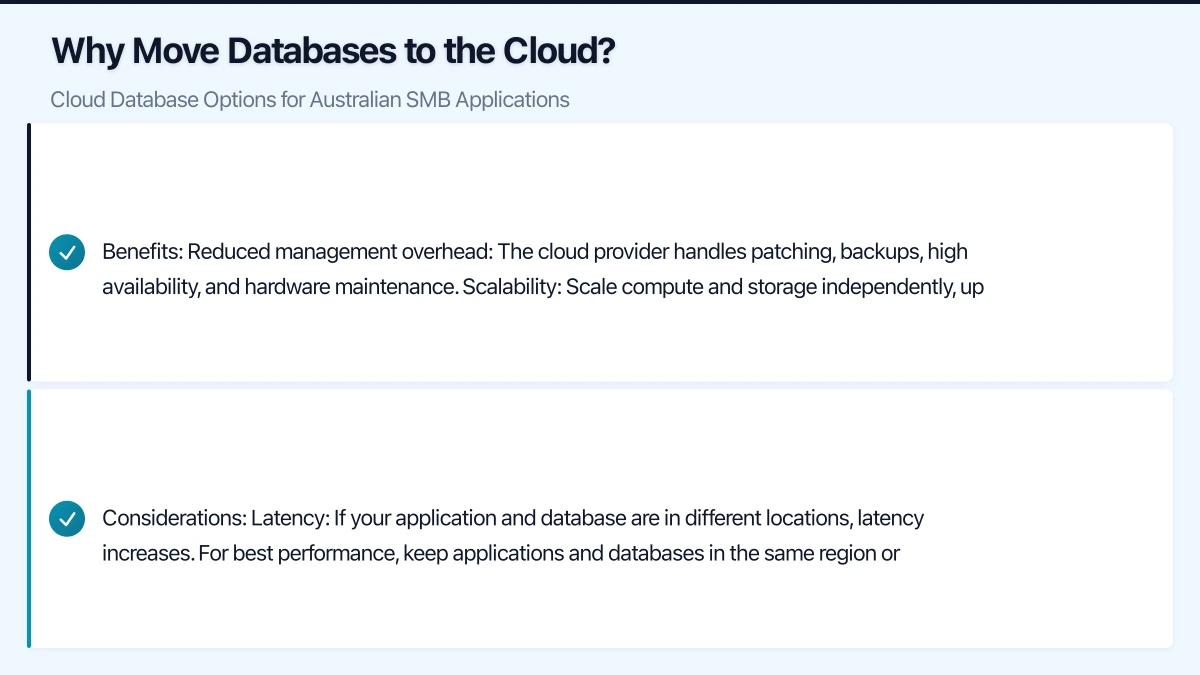
Why Move Databases to the Cloud?
Before comparing products, consider whether cloud databases are right for your business:
Benefits:
- Reduced management overhead: The cloud provider handles patching, backups, high availability, and hardware maintenance.
- Scalability: Scale compute and storage independently, up or down, based on actual needs.
- High availability: Built-in replication and failover options that would be costly to replicate on-premises.
- Pay-as-you-go: No upfront hardware investment. Pay for what you use.
- Australian data centres: Both Azure and AWS operate Australian regions, keeping your data onshore.
- Disaster recovery: Geo-replication to a secondary region is straightforward to configure.
Considerations:
- Latency: If your application and database are in different locations, latency increases. For best performance, keep applications and databases in the same region or connected via a high-speed link.
- Cost: For small, simple databases, cloud pricing is competitive. For large, always-on databases, costs can exceed on-premises over time.
- Vendor lock-in: Some managed services use proprietary features that make migration difficult.
- Internet dependency: Your database is only accessible when your internet connection is up.
Relational Database Options
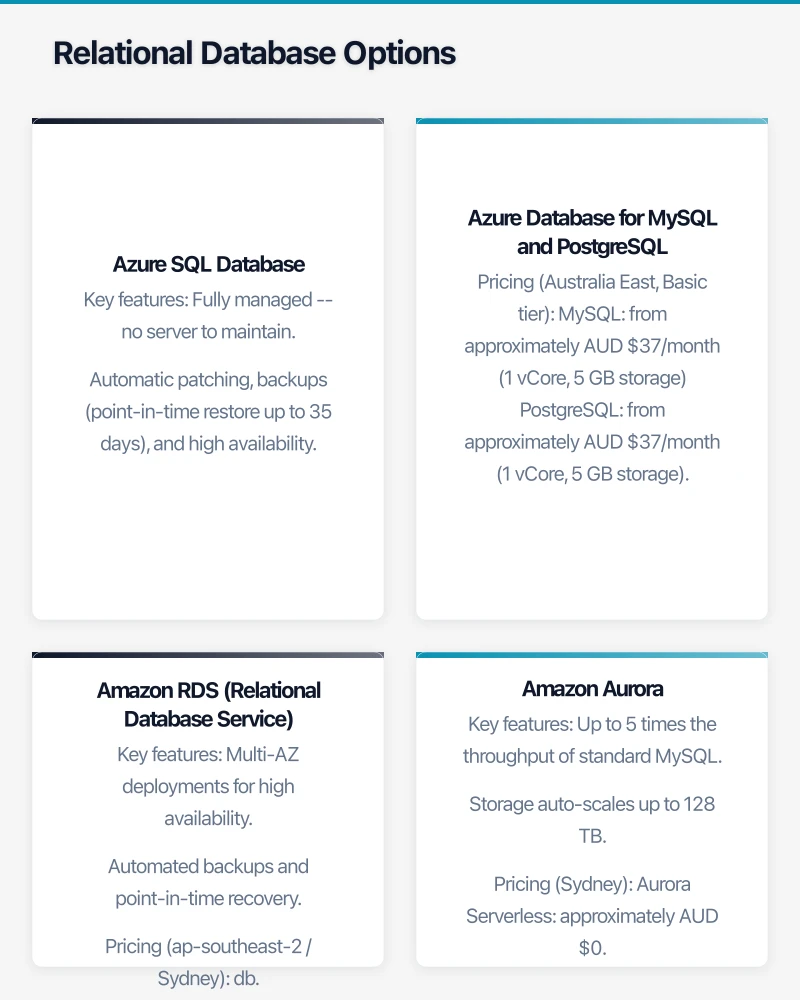
Azure SQL Database
Microsoft’s fully managed relational database service, based on SQL Server.
Key features:
- Fully managed — no server to maintain.
- Automatic patching, backups (point-in-time restore up to 35 days), and high availability.
- Intelligent performance tuning.
- Built-in advanced security (threat detection, auditing, encryption).
- Elastic pools for multiple databases sharing resources.
Pricing (Australia East region):
- Basic: approximately AUD $7/month (5 DTUs, 2 GB storage)
- Standard S0: approximately AUD $22/month (10 DTUs, 250 GB storage)
- Standard S1: approximately AUD $44/month (20 DTUs, 250 GB storage)
- Standard S2: approximately AUD $88/month (50 DTUs, 250 GB storage)
DTU (Database Transaction Unit) is a blended measure of CPU, memory, and I/O. For simple applications with light database usage, S0 or S1 is often sufficient.
Azure SQL also offers a vCore purchasing model that provides more granular control over compute resources, starting at approximately AUD $200/month for general-purpose 2 vCores.
Best for: Businesses already using SQL Server. Migration from on-premises SQL Server is straightforward, and existing T-SQL code, stored procedures, and queries work with minimal changes.
Azure Database for MySQL and PostgreSQL
Fully managed versions of MySQL and PostgreSQL on Azure.
Pricing (Australia East, Basic tier):
- MySQL: from approximately AUD $37/month (1 vCore, 5 GB storage)
- PostgreSQL: from approximately AUD $37/month (1 vCore, 5 GB storage)
Best for: Applications built on MySQL or PostgreSQL that need a managed cloud database without changing the database engine.
Amazon RDS (Relational Database Service)
AWS’s managed relational database service, supporting MySQL, PostgreSQL, MariaDB, Oracle, and SQL Server.
Key features:
- Multi-AZ deployments for high availability.
- Automated backups and point-in-time recovery.
- Read replicas for scaling read-heavy workloads.
- Performance Insights for monitoring.
Pricing (ap-southeast-2 / Sydney):
- db.t3.micro (2 vCPUs, 1 GB RAM): approximately AUD $24/month
- db.t3.small (2 vCPUs, 2 GB RAM): approximately AUD $48/month
- db.t3.medium (2 vCPUs, 4 GB RAM): approximately AUD $96/month
Storage: approximately AUD $0.16/GB/month for General Purpose SSD.
Best for: Businesses with AWS experience or applications running on AWS. The flexibility to choose from multiple database engines is useful for diverse application environments.
Amazon Aurora
AWS’s cloud-native relational database, compatible with MySQL and PostgreSQL but with significantly better performance and availability.
Key features:
- Up to 5 times the throughput of standard MySQL.
- Storage auto-scales up to 128 TB.
- Six-way replication across three Availability Zones.
- Serverless option available (Aurora Serverless) — scales automatically based on demand.
Pricing (Sydney):
- Aurora Serverless: approximately AUD $0.10 per ACU-hour (scales from 0.5 to 256 ACUs)
- Aurora provisioned: from approximately AUD $115/month (db.r5.large)
Best for: Applications that need high performance and availability from a MySQL or PostgreSQL-compatible database. The serverless option is excellent for workloads with variable demand.
NoSQL Database Options
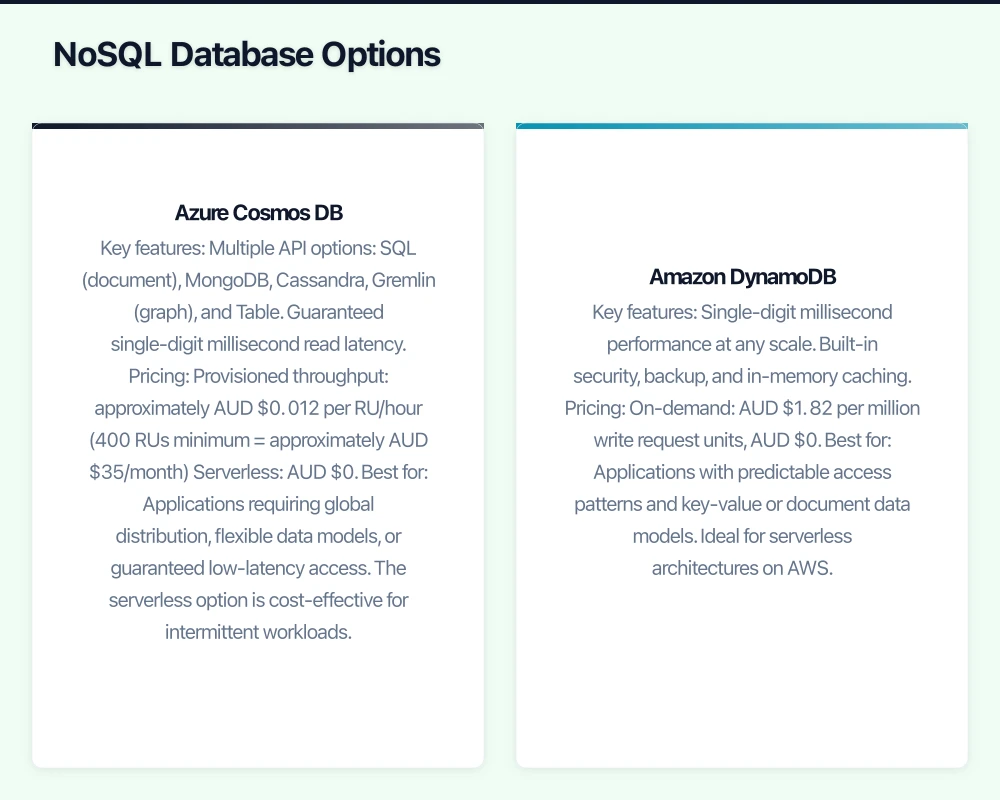
Azure Cosmos DB
Microsoft’s globally distributed, multi-model NoSQL database.
Key features:
- Multiple API options: SQL (document), MongoDB, Cassandra, Gremlin (graph), and Table.
- Guaranteed single-digit millisecond read latency.
- Global distribution with multi-region writes.
- Automatic and instant scalability.
Pricing:
- Provisioned throughput: approximately AUD $0.012 per RU/hour (400 RUs minimum = approximately AUD $35/month)
- Serverless: AUD $0.35 per million RUs consumed
- Storage: AUD $0.35 per GB/month
Best for: Applications requiring global distribution, flexible data models, or guaranteed low-latency access. The serverless option is cost-effective for intermittent workloads.
Amazon DynamoDB
AWS’s fully managed NoSQL database.
Key features:
- Single-digit millisecond performance at any scale.
- Built-in security, backup, and in-memory caching.
- Event-driven programming with DynamoDB Streams.
- On-demand or provisioned capacity modes.
Pricing:
- On-demand: AUD $1.82 per million write request units, AUD $0.364 per million read request units
- Provisioned: approximately AUD $0.73 per write capacity unit/month
- Storage: AUD $0.364 per GB/month
Best for: Applications with predictable access patterns and key-value or document data models. Ideal for serverless architectures on AWS.
Serverless Database Options
Serverless databases automatically scale based on demand and charge only for actual usage, making them cost-effective for workloads with variable or unpredictable patterns.
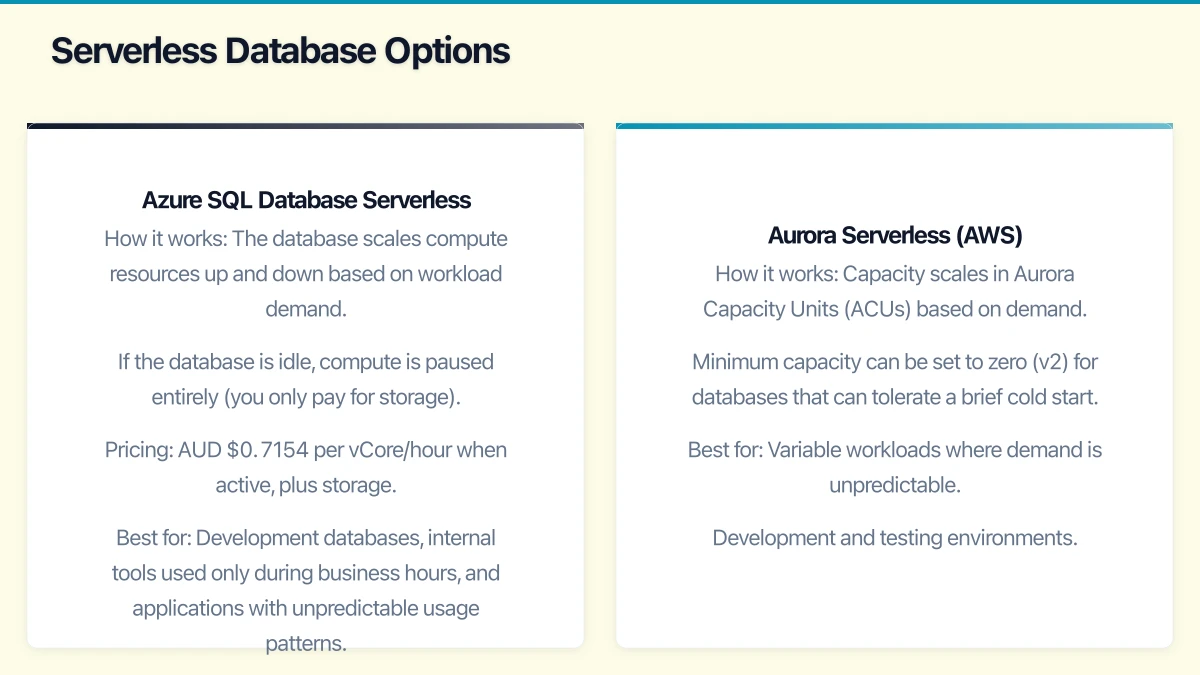
Azure SQL Database Serverless
A compute tier of Azure SQL that automatically scales and pauses during inactive periods.
How it works: The database scales compute resources up and down based on workload demand. If the database is idle, compute is paused entirely (you only pay for storage). It auto-resumes when the next query arrives.
Pricing: AUD $0.7154 per vCore/hour when active, plus storage. For a database that is active 8 hours per day with 2 vCores, expect approximately AUD $175/month.
Best for: Development databases, internal tools used only during business hours, and applications with unpredictable usage patterns.
Aurora Serverless (AWS)
The serverless version of Amazon Aurora, compatible with MySQL and PostgreSQL.
How it works: Capacity scales in Aurora Capacity Units (ACUs) based on demand. Minimum capacity can be set to zero (v2) for databases that can tolerate a brief cold start.
Best for: Variable workloads where demand is unpredictable. Development and testing environments. Applications that need relational database capabilities without capacity planning.
Choosing the Right Option
For Microsoft-Centric Businesses
If your applications use SQL Server and your business runs on Microsoft 365 and Azure:
- Primary recommendation: Azure SQL Database. Familiar SQL Server technology, straightforward migration, and tight integration with the Azure ecosystem.
- For cost-sensitive workloads: Azure SQL Database Serverless for databases with intermittent usage.
For AWS-Centric Businesses
If your applications run on AWS or use open-source databases:
- MySQL/PostgreSQL workloads: Amazon RDS or Aurora.
- High-performance needs: Aurora (provisioned) for consistent workloads; Aurora Serverless for variable workloads.
- NoSQL needs: DynamoDB for key-value and document workloads.
For New Applications
If you are building a new application and have flexibility:
- Relational data: Azure SQL Database (if Microsoft-centric) or Aurora (if AWS-centric).
- Document data: Cosmos DB (Azure) or DynamoDB (AWS).
- Variable workloads: Serverless options on either platform.
Migration Considerations
From On-Premises SQL Server to Azure SQL Database
Microsoft provides several migration tools:
- Azure Database Migration Service: Managed service for migrating on-premises databases to Azure with minimal downtime.
- Data Migration Assistant: Assesses compatibility and identifies potential migration issues before you start.
- SQL Server Management Studio: Can export databases for import into Azure SQL.
Key considerations:
- Not all SQL Server features are available in Azure SQL Database. Run the Data Migration Assistant to identify compatibility issues.
- Azure SQL Managed Instance provides nearly 100% compatibility with on-premises SQL Server if Azure SQL Database has limitations for your workload.
From On-Premises to AWS RDS
AWS provides:
- Database Migration Service (DMS): Supports homogeneous (SQL Server to SQL Server) and heterogeneous (SQL Server to MySQL) migrations.
- Schema Conversion Tool: Converts database schemas between different engines.
Cost Management Tips
- Start small: Begin with the smallest tier that meets your needs. You can always scale up.
- Use reserved capacity: Both Azure and AWS offer reserved pricing (1 or 3 years) for significant savings on predictable workloads.
- Monitor usage: Review database performance metrics to identify oversized instances.
- Consider serverless: For databases that are not used 24/7, serverless pricing can save 50% or more.
- Clean up: Remove development and test databases that are no longer needed.
Getting Started
If you are considering moving databases to the cloud:
- Inventory your databases: List every database, its engine (SQL Server, MySQL, etc.), size, and usage patterns.
- Assess compatibility: Run migration assessment tools to identify potential issues.
- Start with a non-critical database: Migrate a low-risk database first to learn the process and validate performance.
- Plan for connectivity: Ensure your application servers can connect to the cloud database with acceptable latency.
- Test thoroughly: Performance test with realistic workloads before migrating production databases.
Cloud databases offer Australian SMBs a way to reduce management overhead, improve availability, and access capabilities that were previously only available to large enterprises. The key is choosing the right service for your workload and managing costs deliberately.
Considering an online store backed by your cloud infrastructure? Cosmos Web Tech creates Shopify and WooCommerce stores optimised for the Australian market.
Ashish Ganda is the founder of Ganda Tech Services, a Sydney-based technology consultancy helping Australian businesses grow through cloud, web, and mobile solutions.