
Cloud-Based Accounting Integration for Australian Business

Cloud-Based Accounting Integration for Australian Business
If your business still involves someone manually entering data from one system into your accounting software, you are wasting time and introducing errors. Cloud-based accounting platforms like Xero, MYOB, and QuickBooks Online are designed to connect with other business systems, automating data flow and reducing manual handling.
This guide covers practical integration strategies for Australian small businesses, focusing on the platforms and tools most commonly used in the Australian market.
The Australian Cloud Accounting Landscape
Australia has enthusiastically adopted cloud accounting. The three dominant platforms are:
Xero: The market leader in Australian small business accounting. Founded in New Zealand, Xero has the largest ecosystem of integrations and add-ons. Strong in the sub-50-employee market.
MYOB: A long-established Australian accounting brand that has transitioned to cloud with MYOB Business and AccountRight Live. Strong loyalty base, particularly among accountants and bookkeepers who have used MYOB for decades.
QuickBooks Online (QBO): Intuit’s cloud platform, growing in Australia but with a smaller ecosystem than Xero. Competitive pricing and good inventory management features.
For this guide, we will focus primarily on Xero integrations due to its market dominance in Australia, with notes on MYOB and QBO where relevant.
Integration Categories
Cloud accounting integrations fall into several categories:
Payment Processing
Connecting your payment gateway to your accounting software ensures sales are recorded automatically.
Common integrations:
- Stripe to Xero: Stripe payments automatically create invoices or reconcile against existing invoices. Use Stripe’s native Xero integration or a connector like Amaka.
- Square to Xero/MYOB: Square POS transactions sync to your accounting platform for automatic reconciliation.
- PayPal to Xero: PayPal transactions appear as a bank feed in Xero, with automatic matching to invoices.
- Tyro to Xero/MYOB: Tyro EFTPOS terminals feed transaction data directly. Popular with Australian retail and hospitality businesses.
What to configure:
- Map payment types to the correct accounts in your chart of accounts
- Set up automatic reconciliation rules for recurring payment patterns
- Configure how surcharges and fees are recorded (separate expense account recommended)
Point of Sale (POS)
If your business has a physical retail presence, POS integration eliminates manual sales entry.
Popular POS integrations for Australian businesses:
- Vend (Lightspeed) to Xero: End-of-day sales summaries posted to Xero. Product-level detail available.
- Kounta (Lightspeed Hospitality) to Xero: Hospitality-focused POS with Xero integration for daily sales and cost-of-goods tracking.
- Shopify to Xero: Online store sales automatically recorded. Use the native integration or a connector like A2X for more detailed reporting.
Integration decisions:
- Summary vs. detailed posting: Most POS integrations offer a choice between posting a daily summary (one journal entry per day) or individual transactions. For most SMBs, daily summaries keep your accounting clean and performant. Individual transactions are only needed if you require transaction-level detail in your accounting system.
- Inventory sync: Decide whether your POS or your accounting software is the master for inventory. Dual management leads to discrepancies.
CRM and Sales
Connecting your CRM to accounting automates invoice creation and provides a complete customer view.
Common integrations:
- HubSpot to Xero: Create Xero invoices from HubSpot deals. Sync customer contacts bidirectionally.
- Salesforce to Xero: More complex integration, typically requiring a connector like Breadwinner or a custom integration.
- Pipedrive to Xero: Sync deals and contacts, create invoices from won deals.
What to plan:
- Define which system is the master for customer data (usually the CRM)
- Map CRM deal stages to accounting actions (for example, “Closed Won” triggers invoice creation)
- Decide how to handle partial payments, deposits, and progress invoicing
Payroll
Australian payroll has specific requirements (superannuation, STP reporting, leave accruals) that make local payroll solutions essential.
Payroll options and their accounting integration:
- Xero Payroll (built-in): Included with Xero subscription. Handles Australian payroll including STP, super, and leave. No integration needed as it is part of Xero.
- KeyPay: Standalone payroll that integrates with Xero, MYOB, and QBO. Good for businesses needing advanced rostering and award interpretation. Approximately $4 per employee per month.
- MYOB Payroll (built-in): Included with MYOB Business plans.
- Employment Hero: HR and payroll platform with Xero and MYOB integration. Approximately $6 per employee per month for payroll.
Key configuration points:
- Map payroll categories to the correct expense accounts
- Configure superannuation liability and clearing accounts
- Set up automatic posting of payroll journals
- Verify STP (Single Touch Payroll) reporting is configured correctly
Expense Management
Automating expense capture and approval reduces paperwork and speeds up reimbursement.
Popular options:
- Dext (formerly Receipt Bank): Staff photograph receipts, Dext extracts the data and pushes it to Xero or MYOB as bills or expenses. Approximately $25 to $55 per month depending on volume.
- Hubdoc: Now owned by Xero and included free with Xero subscriptions. Automatically fetches bills from supplier portals and publishes them to Xero.
- Expensify: Expense reporting tool with Xero integration. Good for businesses with staff who travel or incur regular expenses.
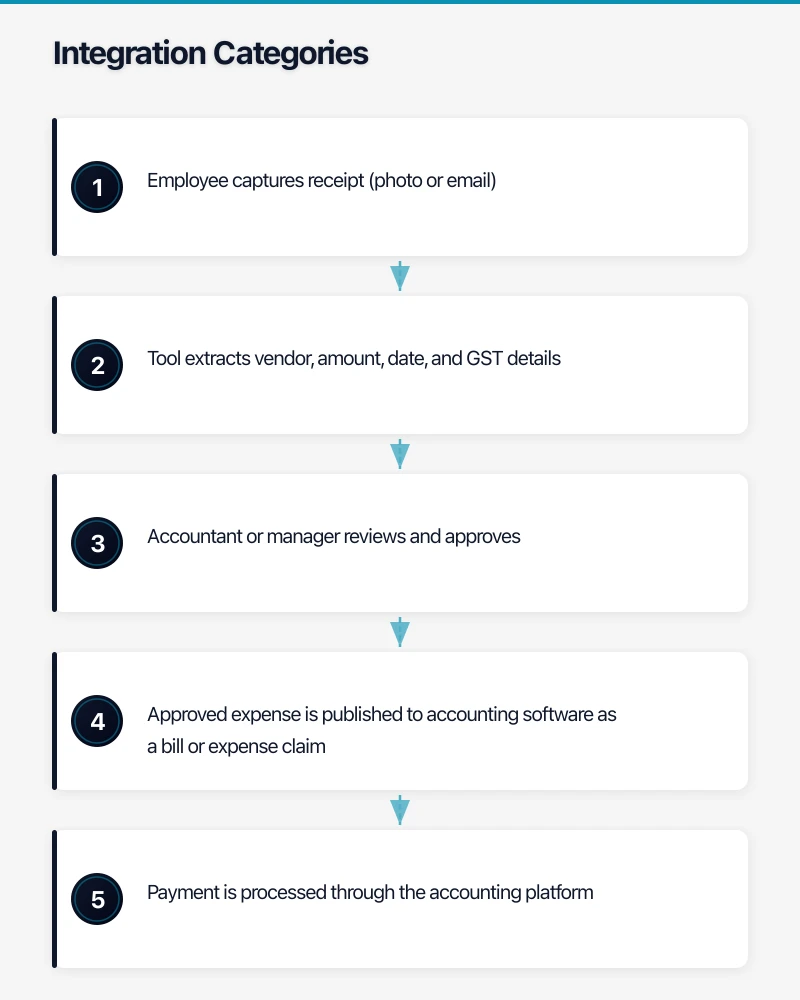
Workflow:
- Employee captures receipt (photo or email)
- Tool extracts vendor, amount, date, and GST details
- Accountant or manager reviews and approves
- Approved expense is published to accounting software as a bill or expense claim
- Payment is processed through the accounting platform
E-commerce
For Australian businesses selling online, e-commerce integration prevents the nightmare of manually entering every order.
Integrations:
- Shopify to Xero: A2X is the gold standard connector for Shopify-to-Xero integration. It creates accurate, summarised accounting entries from Shopify payouts, correctly handling GST, shipping, refunds, and gateway fees. Approximately $25 per month.
- WooCommerce to Xero: Use WooCommerce Xero integration plugin or a connector like Amaka.
- Amazon to Xero: A2X also supports Amazon seller integration.
Important for Australian e-commerce:
- Ensure GST is correctly calculated and mapped
- Configure how shipping revenue and costs are recorded
- Handle refunds and chargebacks in the accounting workflow
- Set up automatic reconciliation of marketplace payouts
Project Management and Time Tracking
For professional services businesses, connecting project and time data to accounting enables accurate invoicing.
Integrations:
- WorkflowMax to Xero: Same company (Xero). Seamless integration for time tracking, quoting, and invoicing.
- Harvest to Xero: Time tracking tool with Xero integration for invoicing billable time.
- Monday.com or Asana: These project management tools do not directly integrate with accounting but can trigger workflows through Zapier or Make (formerly Integromat).
Integration Methods
Native Integrations
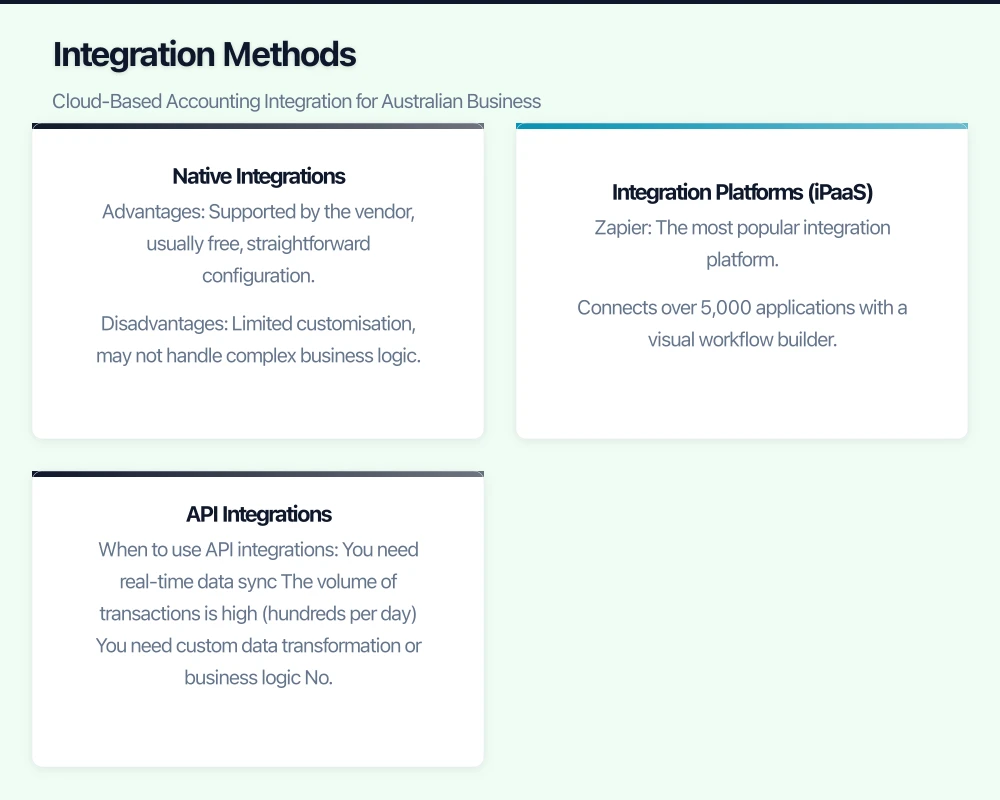
Most cloud platforms offer native integrations — built-in connections that work without third-party tools. These are typically the simplest to set up and maintain.
Advantages: Supported by the vendor, usually free, straightforward configuration. Disadvantages: Limited customisation, may not handle complex business logic.
Integration Platforms (iPaaS)
When native integrations are not available or too limited, integration platforms fill the gap.
Zapier: The most popular integration platform. Connects over 5,000 applications with a visual workflow builder. Free for up to 100 tasks per month, paid plans from $29 per month. Good for simple, trigger-action integrations.
Make (formerly Integromat): More powerful and flexible than Zapier, with better handling of complex logic and data transformation. Free for 1,000 operations per month, paid plans from $12 per month.
Example Zapier workflow:
- Trigger: New invoice paid in Xero
- Action: Update CRM deal to “Paid”
- Action: Send a thank-you email to the customer
API Integrations
For complex or high-volume integrations, direct API connections provide the most control.
When to use API integrations:
- You need real-time data sync
- The volume of transactions is high (hundreds per day)
- You need custom data transformation or business logic
- No native integration or iPaaS connector exists
Considerations:
- Requires development expertise (or an MSP/developer)
- Xero API has rate limits (60 calls per minute per app)
- You need to handle error cases, retries, and logging
- Ongoing maintenance is required as APIs evolve
For most Australian SMBs, native integrations and Zapier/Make cover the vast majority of needs without custom development.
GST and BAS Considerations
Australian accounting integrations must correctly handle GST.
Ensure every integration:
- Applies the correct GST code (GST, GST Free, Input Taxed, BAS Excluded)
- Records the GST component separately for accurate BAS reporting
- Handles mixed GST scenarios (for example, a transaction with both GST-inclusive and GST-free items)
- Correctly maps foreign currency transactions for businesses dealing with overseas suppliers
Test GST handling before going live. Create a few test transactions through the integration and verify they appear correctly in your accounting software with the right GST treatment.
Security and Access
Integrations create connections between systems, each of which needs appropriate security.
- Use OAuth authentication where possible (the integration accesses your accounting data without storing your password)
- Grant minimum required permissions. If an integration only needs to create invoices, do not give it access to bank transactions.
- Audit connected apps regularly. In Xero, go to Settings then Connected Apps to review all applications with access to your data.
- Remove unused integrations. If you stop using a tool, revoke its access to your accounting platform immediately.
Getting Started
-
Map your current data flows. Draw a simple diagram showing how data currently moves between your business systems and accounting. Identify manual steps.
-
Prioritise by impact. Which manual process consumes the most time or creates the most errors? Start there.
-
Check native integrations first. Before looking at third-party tools, check if your existing platforms offer a built-in connection.
-
Test thoroughly. Run every new integration in parallel with your existing manual process for at least one month. Compare results.
-
Document the integration. Record what systems are connected, how data flows, who manages it, and what to do if it breaks.
Cloud accounting integration is one of the highest-return IT investments an Australian small business can make. Every hour spent on manual data entry is an hour that could be spent on growing your business. Start with one integration, prove the value, and expand from there.
Need mobile access to your cloud systems? Our app development team at Awesome Apps builds iOS and Android apps for Australian businesses.
Ashish Ganda is the founder of Ganda Tech Services, a Sydney-based technology consultancy helping Australian businesses grow through cloud, web, and mobile solutions.