
Cloud Backup Solutions Compared: Pricing for Australian Business
Cloud Backup Solutions Compared: Pricing for Australian Business
Every Australian business needs reliable backups. Whether it is a ransomware attack, hardware failure, accidental deletion, or natural disaster, the ability to recover your data quickly can save your business. Cloud backup has become the standard approach for SMBs because it provides offsite protection without the hassle of managing tapes or external drives.
But with dozens of cloud backup solutions on the market, choosing the right one can be overwhelming. This comparison focuses on the options most relevant to Australian SMBs, with real pricing and practical considerations.
What to Look for in a Cloud Backup Solution
Before comparing products, understand what matters:
Data Residency
For many Australian businesses, keeping backup data within Australia is a compliance requirement or a strong preference. Check whether the provider has Australian data centres. Storing data overseas introduces latency, potential legal complexities, and data sovereignty concerns.
Recovery Speed
Backing up is only half the equation. How quickly can you restore? Key factors include:
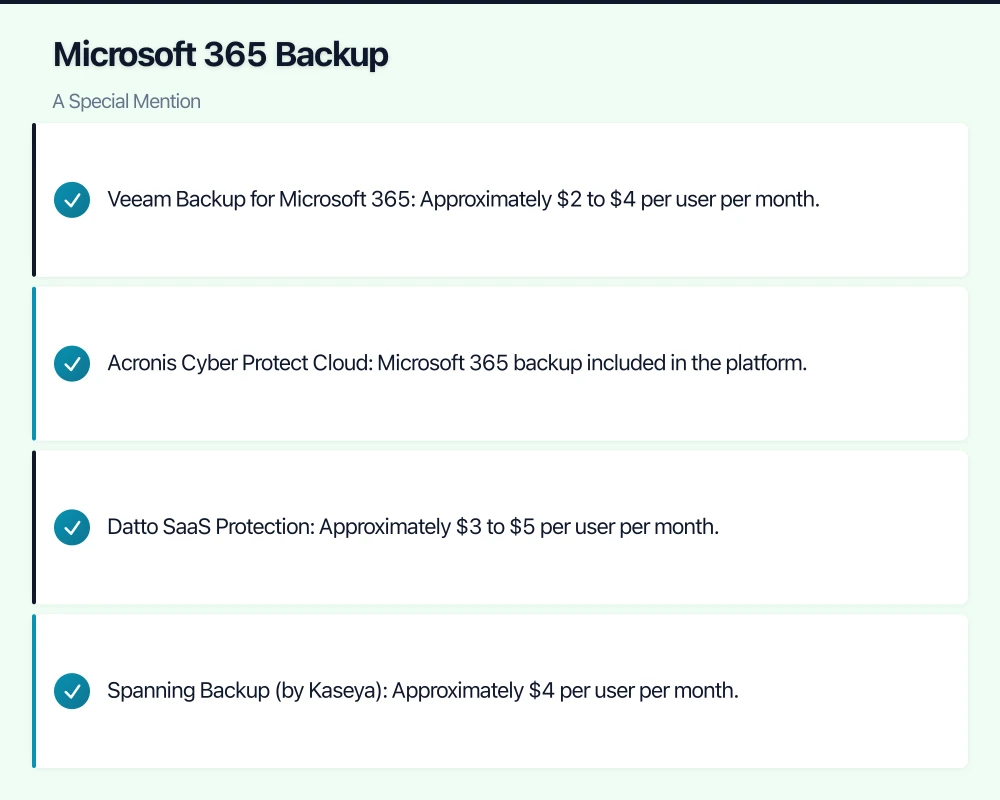
- Restore options: Can you restore individual files, entire folders, full system images, or bare-metal recoveries?
- Download speed: How fast can you pull data from the cloud? This depends on both the provider’s infrastructure and your internet connection.
- Local cache: Some solutions keep a local copy for faster restores, using the cloud as a secondary offsite backup.
Security
Your backups contain your most valuable data. Ensure:
- Data is encrypted in transit (TLS) and at rest (AES-256)
- You control the encryption keys (or at least understand who does)
- Multi-factor authentication is available for administrative access
- The provider has relevant security certifications
Retention Policies
How long are backups retained? Can you set custom retention periods? Some businesses need to keep backups for years due to regulatory requirements. Understand how retention affects storage costs.
Management and Monitoring
For SMBs without dedicated IT staff, ease of management matters:
- Is there a centralised dashboard?
- Are backup success and failure alerts sent automatically?
- Can your MSP manage it on your behalf?
- How easy is it to add new devices or servers?
Solution Comparison
Here are the leading cloud backup solutions for Australian SMBs as of early 2021:
Acronis Cyber Protect Cloud
Acronis combines backup with cybersecurity features including anti-malware and vulnerability assessments.
Key features:
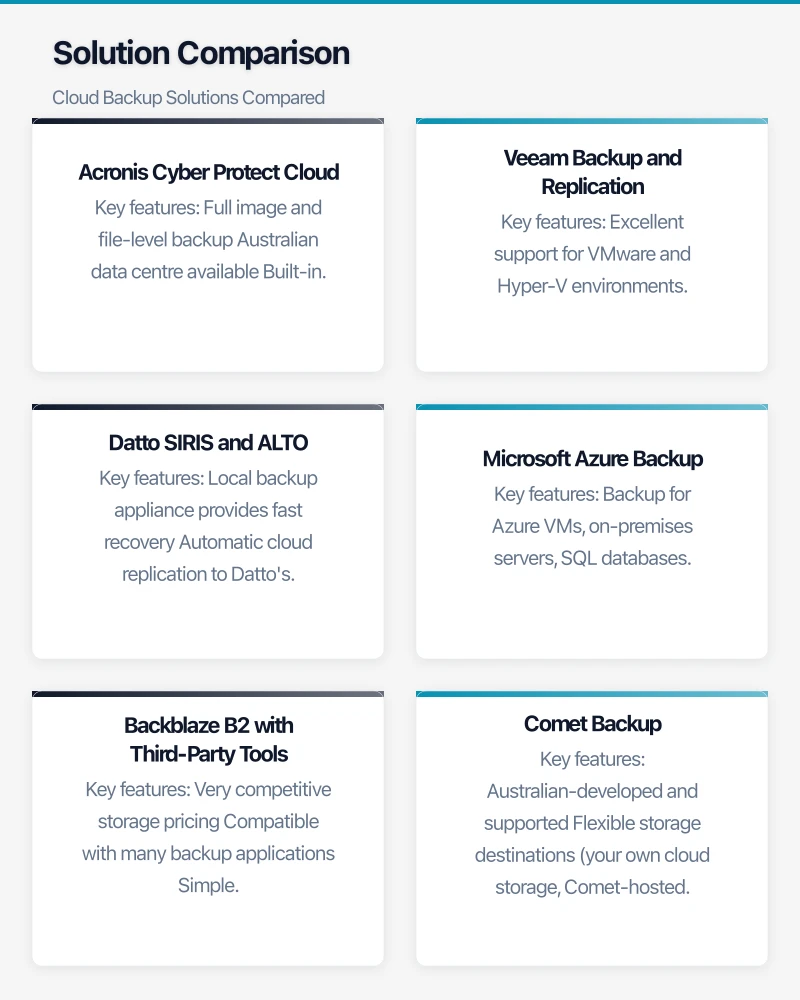
- Full image and file-level backup
- Australian data centre available
- Built-in anti-malware and anti-ransomware
- Microsoft 365 and Google Workspace backup
- Bare-metal recovery
Pricing: Acronis uses a per-workload model. Expect approximately $3 to $5 per workstation per month and $15 to $30 per server per month through an MSP. Microsoft 365 mailbox backup adds $2 to $4 per mailbox per month. Storage is additional, typically $0.15 to $0.25 per GB per month for Australian-hosted storage.
Best for: Businesses wanting an all-in-one backup and security solution managed through an MSP.
Veeam Backup and Replication
Veeam is a market leader in backup for virtualised and cloud environments.
Key features:
- Excellent support for VMware and Hyper-V environments
- Cloud-connected backup to Azure, AWS, or Veeam Cloud Connect partners
- Granular recovery options (individual files, application items, entire VMs)
- Australian data centres available through Cloud Connect partners
- Strong reporting and monitoring
Pricing: Veeam’s licensing is per-workload. For SMBs, expect $30 to $60 per server per month through a managed backup provider. Workstation backup is less common with Veeam but available. Cloud storage costs depend on the chosen repository.
Best for: Businesses with virtualised server environments (VMware, Hyper-V) that need robust, granular recovery capabilities.
Datto SIRIS and ALTO
Datto combines on-premises backup appliances with cloud replication, offering fast local recovery with offsite protection.
Key features:
- Local backup appliance provides fast recovery
- Automatic cloud replication to Datto’s data centres
- Instant virtualisation (boot a failed server as a VM on the appliance or in the cloud)
- Screenshot-based backup verification
- Australian data centre for cloud replication
Pricing: Datto is exclusively sold through MSPs. Pricing varies significantly, but expect $200 to $600 per month for an ALTO appliance covering a small server environment, inclusive of cloud storage. Pricing is based on the appliance model and data retention requirements.
Best for: Businesses needing the fastest possible recovery times and the ability to instantly virtualise failed servers.
Microsoft Azure Backup
Azure Backup is Microsoft’s native cloud backup service, tightly integrated with the Azure ecosystem.
Key features:
- Backup for Azure VMs, on-premises servers, SQL databases, and files
- Australian data centres (Sydney and Melbourne)
- No charge for data transfer into Azure
- Long-term retention options
- Integration with Azure Security Centre
Pricing: Azure Backup charges for protected instances plus storage consumed. A standard server instance costs approximately $15 per month. Storage in Australia East is approximately $0.065 per GB per month for locally redundant storage. For a small business with 500 GB of server data, expect $45 to $65 per month.
Best for: Businesses already using Microsoft Azure or considering a broader Azure adoption.
Backblaze B2 with Third-Party Tools
Backblaze B2 is a low-cost cloud storage provider that works with various backup tools (MSP360, Duplicati, Rclone).
Key features:
- Very competitive storage pricing
- Compatible with many backup applications
- Simple pricing model with no minimum storage requirements
- S3-compatible API
Pricing: $0.005 per GB per month for storage (approximately $5 per TB per month). Download (restore) is $0.01 per GB. Note that Backblaze does not have Australian data centres — data is stored in the US or EU.
Best for: Budget-conscious businesses with less stringent data residency requirements and the technical ability (or MSP support) to manage a third-party backup tool.
Comet Backup
Comet is an Australian-developed backup platform popular with MSPs.
Key features:
- Australian-developed and supported
- Flexible storage destinations (your own cloud storage, Comet-hosted, or any S3-compatible target)
- File, disk image, Microsoft 365, and database backup
- Self-hosted server option for MSPs
- Competitive pricing
Pricing: Comet charges per device: approximately $4 per desktop per month and $10 per server per month, plus the cost of your chosen storage destination. If using Australian-hosted storage, expect to add $0.03 to $0.10 per GB per month depending on the provider.
Best for: MSPs and businesses wanting flexibility in choosing their storage provider, with the benefit of an Australian-developed product.
Microsoft 365 Backup: A Special Mention
Many businesses assume Microsoft backs up their 365 data (email, OneDrive, SharePoint). While Microsoft provides infrastructure redundancy, they do not protect against accidental deletion, malicious deletion, or retention policy gaps. A third-party Microsoft 365 backup is strongly recommended.
Dedicated Microsoft 365 backup solutions include:
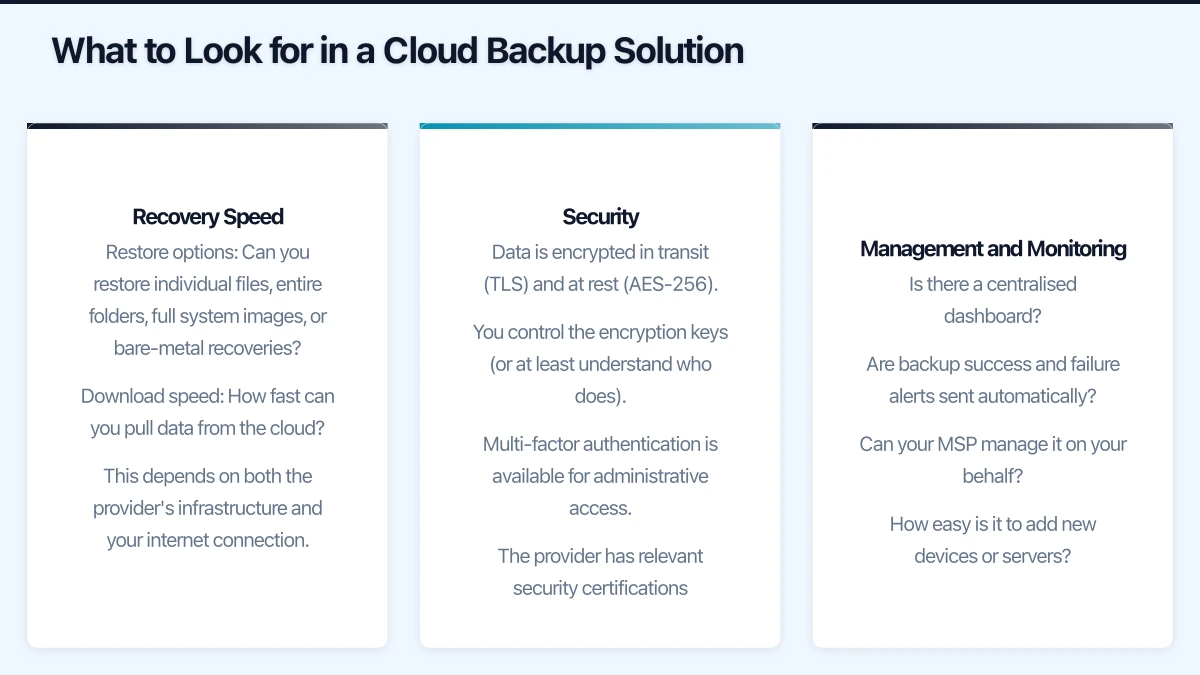
- Veeam Backup for Microsoft 365: Approximately $2 to $4 per user per month.
- Acronis Cyber Protect Cloud: Microsoft 365 backup included in the platform.
- Datto SaaS Protection: Approximately $3 to $5 per user per month.
- Spanning Backup (by Kaseya): Approximately $4 per user per month.
Cost Comparison Summary
For a typical Australian SMB with 2 servers and 20 workstations, with approximately 1 TB of total backup data:
| Solution | Estimated Monthly Cost | Australian Data Centre |
|---|---|---|
| Acronis Cyber Protect Cloud | $150 - $250 | Yes |
| Veeam (via Cloud Connect partner) | $100 - $200 | Yes (via partner) |
| Datto ALTO | $300 - $600 | Yes |
| Azure Backup | $80 - $130 | Yes |
| Backblaze B2 + MSP360 | $50 - $80 | No |
| Comet Backup | $80 - $150 | Depends on storage choice |
These are indicative ranges. Actual pricing depends on data volumes, retention requirements, and the specific MSP or reseller.
Our Recommendations
For businesses prioritising fast recovery: Datto’s local appliance with cloud replication offers the fastest recovery times. The instant virtualisation feature is particularly valuable if server downtime directly impacts revenue.
For businesses wanting all-in-one protection: Acronis Cyber Protect Cloud combines backup and cybersecurity in a single platform, simplifying management.
For businesses with virtualised servers: Veeam remains the gold standard for VM backup and recovery.
For budget-conscious businesses: Azure Backup offers solid protection at competitive pricing, particularly if you are already using Azure services.
For all businesses: Add a dedicated Microsoft 365 backup solution. It is inexpensive insurance against data loss in your email and cloud files.
Making Your Decision
When evaluating cloud backup solutions, consider:
- What are you backing up? Servers, workstations, Microsoft 365, databases — the answer shapes your options.
- How fast do you need to recover? If hours of downtime cost thousands of dollars, invest in faster recovery options.
- Where must your data reside? If Australian data residency is required, eliminate options without local data centres.
- Who will manage it? If you have an MSP, ask what they recommend and support. If you are managing it yourself, prioritise ease of use.
- What is your budget? Cloud backup ranges from $50 to $600+ per month for a typical SMB. More expensive solutions generally offer faster recovery and more features.
Test your chosen solution thoroughly before relying on it. Perform a full restore to verify that backups are complete and the recovery process works as expected. A backup you have never tested is a backup you cannot trust.
Need a web presence to complement your cloud setup? Our web team at Cosmos Web Tech designs fast, secure websites for Australian businesses.
Cloud Geeks is the IT infrastructure division of Ganda Tech Services, providing managed cloud and cybersecurity solutions to Australian businesses.