
Choosing Business Software: CRM and ERP for Australian SMBs
Choosing Business Software: CRM and ERP for Australian SMBs
Customer Relationship Management (CRM) and Enterprise Resource Planning (ERP) systems are the operational backbone of a growing business. A CRM manages your customer interactions, sales pipeline, and marketing activities. An ERP integrates your financial, operational, and resource management processes into a single platform.
For Australian SMBs, the challenge is not a lack of options — it is an overwhelming number of them. The market ranges from free tools to enterprise platforms costing hundreds of thousands of dollars. This guide focuses on the practical middle ground: platforms that are powerful enough for a growing Australian business but manageable enough for teams without dedicated IT departments.
Understanding CRM
What a CRM Does
At its core, a CRM helps you manage relationships with customers and prospects:
- Contact management: A central database of every customer, prospect, and business contact.
- Sales pipeline: Track deals from initial inquiry through to close. See where each opportunity stands.
- Activity tracking: Log calls, emails, meetings, and notes against each contact.
- Reporting and dashboards: Understand sales performance, pipeline health, and team activity.
- Marketing automation: Send targeted emails, track campaign performance, and nurture leads.
- Task and workflow management: Automate follow-ups, assign tasks, and standardise sales processes.
Signs You Need a CRM
- Customer information is scattered across spreadsheets, email inboxes, and sticky notes.
- You cannot easily see the status of your sales pipeline.
- Follow-ups are missed because there is no system to track them.
- You do not know which marketing activities generate the most leads.
- Onboarding a new salesperson requires them to start from scratch.
CRM Options for Australian SMBs
HubSpot CRM
HubSpot offers a CRM with a generous free tier and paid upgrades for marketing, sales, and service functions. If you are weighing HubSpot against more affordable all-in-one options, our detailed comparison of EngageBay vs Salesforce, Mautic, SendFox, Salesflare and Twenty CRM for Australian small business breaks down pricing and features tool by tool.
Free CRM includes:
- Contact management (up to 1,000,000 contacts)
- Deal pipeline
- Email tracking and notifications
- Meeting scheduling
- Basic reporting
Paid plans:
- Starter: from approximately $68/month (AUD) for 2 users
- Professional: from approximately $645/month (includes marketing automation, sales automation, and custom reporting)
Strengths: Generous free tier. Intuitive interface. Excellent for businesses new to CRM. Strong marketing tools at higher tiers. Good integrations with Microsoft 365, Google Workspace, and many third-party tools.
Considerations: Costs escalate significantly at the Professional tier. Some features that competitors include in base plans are add-ons in HubSpot.
Salesforce Essentials
Salesforce is the market leader in CRM. Essentials is their SMB offering.
Pricing: approximately $35/user/month (AUD)
Features:
- Contact and account management
- Opportunity tracking
- Customisable sales processes
- Email integration
- Reports and dashboards
- Mobile app
Strengths: The most established CRM platform. Vast ecosystem of integrations and add-ons. Highly customisable. Strong Australian presence with local support and partners.
Considerations: Can feel complex for very small teams. Full power of Salesforce is on higher-tier plans. Customisation often requires specialist knowledge.
Zoho CRM
Zoho offers a comprehensive CRM as part of its broader business application suite.
Pricing:
- Free: up to 3 users
- Standard: approximately $20/user/month
- Professional: approximately $35/user/month
- Enterprise: approximately $50/user/month
Features:
- Contact, deal, and pipeline management
- Email integration
- Workflow automation
- AI-powered predictions (higher tiers)
- Social media integration
- Reporting and analytics
Strengths: Excellent value for money. Part of the broader Zoho ecosystem (Zoho Books, Zoho Desk, Zoho Projects). Free tier for very small teams. Strong customisation options.
Considerations: Interface is less polished than HubSpot. The breadth of Zoho products can be overwhelming. Australian-specific features and integrations are more limited.
Microsoft Dynamics 365 Sales
Microsoft’s CRM offering, tightly integrated with the Microsoft 365 ecosystem.
Pricing:
- Professional: approximately $90/user/month
- Enterprise: approximately $130/user/month
Features:
- Full CRM capabilities
- Deep integration with Outlook, Teams, and other Microsoft 365 tools
- LinkedIn Sales Navigator integration
- AI-driven insights
- Power BI integration for analytics
Strengths: Seamless integration with Microsoft 365. Powerful for businesses deeply invested in the Microsoft ecosystem. Scales from SMB to enterprise.
Considerations: Higher price point than alternatives. Can be complex to set up and customise. Best suited for businesses with 20 or more sales staff.
Freshsales (by Freshworks)
A modern, user-friendly CRM designed for growing businesses.
Pricing:
- Free: Basic CRM features
- Growth: approximately $22/user/month
- Pro: approximately $47/user/month
Strengths: Clean, modern interface. Good email and phone integration. AI-based lead scoring. Affordable for growing teams.
Considerations: Smaller ecosystem compared to Salesforce or HubSpot. Fewer Australian-specific integrations.
Understanding ERP
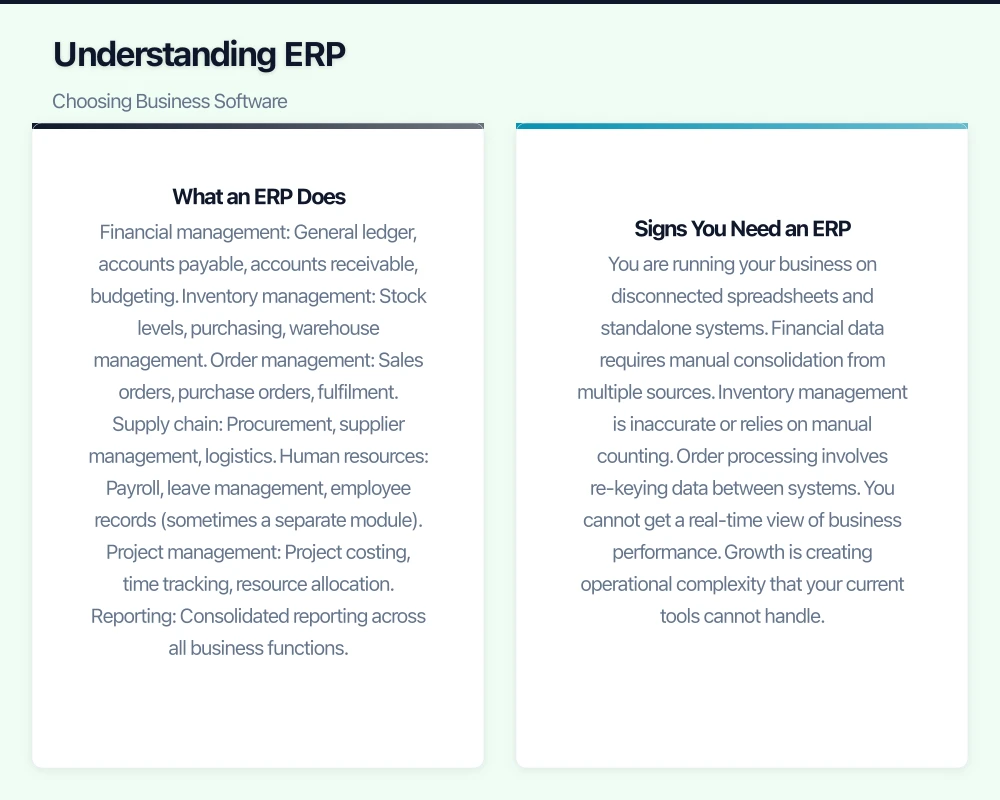
What an ERP Does
An ERP integrates core business processes into a single system:
- Financial management: General ledger, accounts payable, accounts receivable, budgeting.
- Inventory management: Stock levels, purchasing, warehouse management.
- Order management: Sales orders, purchase orders, fulfilment.
- Supply chain: Procurement, supplier management, logistics.
- Human resources: Payroll, leave management, employee records (sometimes a separate module).
- Project management: Project costing, time tracking, resource allocation.
- Reporting: Consolidated reporting across all business functions.
Signs You Need an ERP
- You are running your business on disconnected spreadsheets and standalone systems.
- Financial data requires manual consolidation from multiple sources.
- Inventory management is inaccurate or relies on manual counting.
- Order processing involves re-keying data between systems.
- You cannot get a real-time view of business performance.
- Growth is creating operational complexity that your current tools cannot handle.
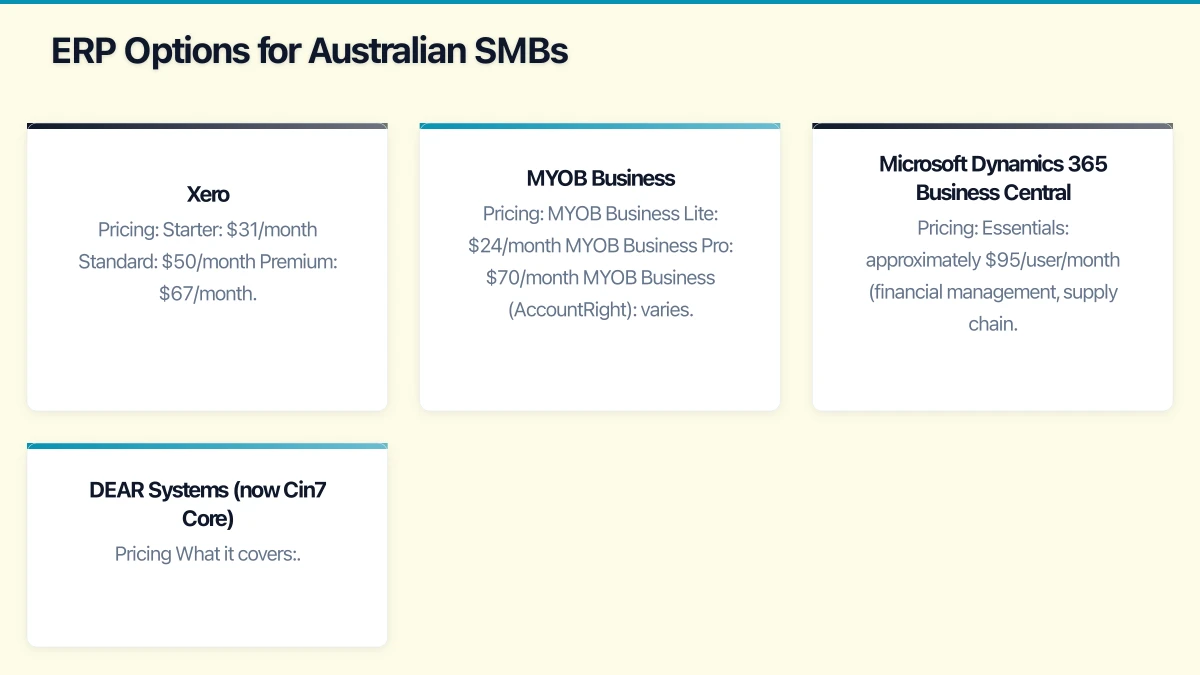
ERP Options for Australian SMBs
Xero
While primarily an accounting platform, Xero is often the de facto “ERP” for small Australian businesses, especially when extended with add-ons.
Pricing:
- Starter: $31/month
- Standard: $50/month
- Premium: $67/month
What Xero covers:
- Accounting and financial management
- Invoicing and quotes
- Bank reconciliation
- Payroll (included or add-on depending on plan)
- Expense management
- Purchase orders
- Basic inventory
Extended with add-ons:
- Inventory management: DEAR Systems, Cin7, TradeGecko
- Project management: WorkflowMax (Xero-owned)
- CRM: HubSpot, Salesforce (via integrations)
- HR: Employment Hero, KeyPay
Strengths: Dominant in Australia. Excellent accounting foundation. Huge ecosystem of add-ons. ATO integration (STP, BAS). User-friendly.
Considerations: Not a true ERP — requires multiple add-ons for full functionality. Integration between add-ons can be imperfect.
MYOB Business
MYOB has been a staple of Australian business accounting for decades and now offers cloud-based solutions.
Pricing:
- MYOB Business Lite: $24/month
- MYOB Business Pro: $70/month
- MYOB Business (AccountRight): varies
What MYOB covers:
- Accounting and financial management
- Invoicing
- Payroll
- Inventory management
- Job tracking
- BAS and STP compliance
Strengths: Strong Australian heritage. Good for businesses with inventory and job costing needs. ATO integration.
Considerations: The cloud transition is ongoing, and some features feel less modern than Xero. Market share among newer businesses is declining.
Microsoft Dynamics 365 Business Central
Microsoft’s cloud ERP for SMBs, integrated with the Microsoft 365 ecosystem.
Pricing:
- Essentials: approximately $95/user/month (financial management, supply chain, project management)
- Premium: approximately $135/user/month (adds manufacturing and service management)
What it covers:
- Financial management
- Sales and purchasing
- Inventory and warehouse management
- Project management
- Manufacturing (Premium)
- Service management (Premium)
Strengths: True cloud ERP with comprehensive functionality. Deep integration with Microsoft 365, Power BI, and Power Automate. Scales with business growth. Strong Australian partner network for implementation.
Considerations: Significant investment in implementation and training. Per-user pricing adds up for larger teams. Best suited for businesses that have outgrown Xero/MYOB and need integrated operations management.
DEAR Systems (now Cin7 Core)
An inventory and order management platform popular with Australian product businesses.
Pricing: From approximately $325/month
What it covers:
- Inventory management
- Order management (sales and purchase orders)
- Manufacturing
- Warehouse management
- Integrations with Xero, MYOB, and e-commerce platforms
Strengths: Strong inventory and manufacturing features. Good e-commerce integrations (Shopify, WooCommerce). Australian-based.
Considerations: Focused on inventory and operations — needs to be paired with an accounting platform. The pricing model can be complex.
Choosing the Right Platform
CRM Selection Criteria
- Team size and budget: For teams under 5, start with HubSpot Free or Zoho Free. For teams of 5 to 20, evaluate HubSpot Starter, Salesforce Essentials, or Zoho Professional.
- Sales process complexity: Simple pipelines work well in any CRM. Complex, multi-stage sales processes benefit from Salesforce’s customisation.
- Integration needs: Consider what other tools the CRM needs to work with (email, accounting, marketing platforms).
- Ease of use: If your team will not use it, the CRM is worthless. Choose the platform your team will actually adopt.
- Growth trajectory: Choose a platform that can grow with you. Migrating CRM data is painful and disruptive.
ERP Selection Criteria
- Current complexity: If you are a service business with simple operations, Xero with add-ons may be sufficient. If you manage inventory, manufacturing, or complex supply chains, a dedicated ERP becomes important.
- Integration: Does the ERP integrate with your CRM, e-commerce platform, and other tools?
- Australian compliance: Ensure the platform supports Single Touch Payroll (STP), BAS reporting, and Australian tax requirements.
- Implementation support: ERP implementations are complex. Assess the availability of local implementation partners.
- Total cost of ownership: Include implementation, training, customisation, and ongoing support in your cost assessment — not just the subscription fee.
Implementation Best Practices
Start with Clean Data
Do not migrate bad data into a new system. Before implementation:
- Cleanse your contact database (remove duplicates, update outdated information).
- Standardise naming conventions.
- Archive historical data that is no longer operationally relevant.
Define Your Processes First
Do not configure the software to match your current (possibly broken) processes. Instead:
- Document your ideal workflows.
- Configure the system to support those workflows.
- Be willing to adapt your processes to leverage the platform’s strengths.
Plan for Adoption
The biggest risk in any CRM or ERP implementation is poor adoption:
- Executive sponsorship: Leadership must visibly use and champion the system.
- Training: Budget for comprehensive initial training and ongoing refreshers.
- Quick wins: Identify early benefits that demonstrate value to the team.
- Mandatory use: Make the system the single source of truth. If staff can bypass it, they will.
Phased Rollout
Do not try to implement everything at once:
- Start with core functionality (contact management, basic pipeline for CRM; accounting and invoicing for ERP).
- Get the team comfortable and competent.
- Add advanced features (automation, reporting, integrations) in phases.
Budget Realistically
Beyond the subscription cost, budget for:
- Implementation consulting: $2,000 to $20,000 depending on complexity.
- Data migration: $1,000 to $5,000 depending on volume and quality.
- Training: $1,000 to $3,000.
- Customisation: Variable — scope carefully.
- Ongoing support and optimisation: Budget for at least 3 to 6 months of post-implementation support.
Our Recommendations
For small Australian businesses (under 10 staff):
- CRM: HubSpot Free or Zoho Free to start. Upgrade as you grow.
- ERP: Xero Standard or Premium with relevant add-ons.
For growing Australian businesses (10 to 50 staff):
- CRM: HubSpot Professional, Salesforce Essentials, or Zoho Professional.
- ERP: Xero with integrated add-ons (DEAR/Cin7 for inventory businesses) or explore Dynamics 365 Business Central if operational complexity warrants it.
For the Microsoft-centric business:
- CRM: Dynamics 365 Sales, leveraging integration with Outlook and Teams.
- ERP: Dynamics 365 Business Central, for a unified Microsoft platform.
Getting Started
Choosing business software is a significant decision that affects your team’s daily work for years to come. Invest the time to evaluate properly:
- Define your requirements — what problems are you solving?
- Shortlist two to three platforms.
- Request demos and free trials.
- Involve end users in the evaluation — their buy-in is critical.
- Check references from Australian businesses of a similar size.
- Plan for a realistic implementation timeline (allow 1 to 3 months).
The right CRM and ERP tools transform how your business operates — from reactive to proactive, from fragmented to integrated, from guesswork to data-driven decisions. Take the time to choose well, implement deliberately, and you will build a technology foundation that supports your business growth for years to come.
Your cloud setup handles the heavy lifting — now make sure your website delivers. Cosmos Web Tech provides web design and SEO services for businesses across Sydney and Western Sydney.
Cloud Geeks operates under the Ganda Tech Services umbrella, delivering end-to-end technology solutions for Australian businesses.