
Business Laptop Selection Guide for Australian Companies
Business Laptop Selection Guide for Australian Companies
Laptops are the most visible IT investment your business makes. Every employee interacts with their laptop every working day. A poor choice affects productivity, support costs, employee satisfaction, and security. A good choice enables your team to work efficiently from any location.
For Australian companies purchasing business laptops in late 2023, the market offers strong options across every price point. This guide helps you navigate the choices and select the right devices for your team.
Business-Grade vs Consumer-Grade
The most important decision is choosing business-grade laptops over consumer models. The price difference (typically AUD 200 to 500 more for business-grade) is justified by:
Build Quality and Durability
Business laptops (Dell Latitude, Lenovo ThinkPad, HP EliteBook) are built to withstand daily professional use. Many are tested against MIL-STD-810H standards for drops, vibration, temperature extremes, and humidity. Consumer laptops are designed to look good on a store shelf and be affordable, not to survive being carried between offices, dropped by a rushing employee, or used in Australian summer heat.
Warranty and Support
Consumer laptops typically come with a 1-year return-to-base warranty. Send the laptop away and wait. Business laptops offer:
- 3-year next-business-day on-site warranty: A technician comes to your office the next business day to repair the device
- Accidental damage protection: Coverage for drops, spills, and other accidents (add-on)
- Priority phone support: Dedicated business support lines with shorter wait times
- Parts availability: Business models have replacement parts stocked for several years after release
For an Australian business, a week without a laptop means a week of reduced productivity. Next-business-day on-site support is well worth the premium.
Security Features
Business laptops include security features absent from consumer models:
- TPM 2.0 chip: Required for BitLocker encryption and Windows 11. Standard on business laptops.
- Fingerprint reader: Integrated biometric authentication for fast, secure login
- Smart card reader: For organisations using certificate-based authentication
- Intel vPro (select models): Remote management capabilities for IT administrators, including out-of-band management when the device is powered off
- BIOS-level security: Password protection and configuration locking at the BIOS level
- Privacy shutter on webcam: Physical camera cover for privacy
Manageability
Business laptops are designed to be managed at scale:
- Consistent driver packages for simplified deployment
- BIOS configuration via scripting for standardised setup
- Integration with Microsoft Intune, SCCM, and other management tools
- Longer model availability (12 to 18 months vs 3 to 6 months for consumer)
Recommended Specifications for 2023
General Business Users
Staff performing standard office work: email, Microsoft 365 applications, web browsing, video conferencing, basic spreadsheets.
| Component | Recommendation |
|---|---|
| Processor | Intel Core i5-1340P/1345vPro (13th Gen) or AMD Ryzen 5 7530U |
| RAM | 16 GB (DDR5 preferred) |
| Storage | 256 GB NVMe SSD (minimum); 512 GB recommended |
| Display | 14-inch, 1920x1200, IPS, anti-glare |
| Battery | 50 Wh or greater (target 8 or more hours) |
| Connectivity | WiFi 6E, Bluetooth 5.2, USB-C with Thunderbolt |
| OS | Windows 11 Pro |
| Weight | Under 1.5 kg for mobile workers |
Budget: AUD 1,400 to 1,800 per unit with 3-year NBD warranty.
Power Users
Staff running large spreadsheets, data analysis, software development, or project management applications.
| Component | Recommendation |
|---|---|
| Processor | Intel Core i7-1370P/1375vPro (13th Gen) or AMD Ryzen 7 7730U |
| RAM | 32 GB (DDR5) |
| Storage | 512 GB NVMe SSD |
| Display | 14 or 15.6-inch, 1920x1200, IPS |
| Battery | 60 Wh or greater |
| Connectivity | WiFi 6E, Bluetooth 5.2, Thunderbolt 4 |
| OS | Windows 11 Pro |
Budget: AUD 2,000 to 2,800 per unit with 3-year NBD warranty.
Creative and Design Users
Staff working with graphic design, video editing, CAD, or other graphically intensive applications.
| Component | Recommendation |
|---|---|
| Processor | Intel Core i7-13700H or AMD Ryzen 7 7840HS |
| RAM | 32 GB (DDR5) |
| Storage | 1 TB NVMe SSD |
| Display | 15.6 or 16-inch, 2560x1600, colour-accurate (100% sRGB) |
| Graphics | NVIDIA RTX A1000 or GeForce RTX 4060 (mobile) |
| Battery | 80 Wh or greater |
| OS | Windows 11 Pro |
Budget: AUD 3,000 to 4,500 per unit with 3-year NBD warranty.
Comparing Business Laptop Vendors
Dell Latitude Series
Strengths: Excellent build quality, comprehensive business features, strong Australian support infrastructure (Dell has a significant presence in Sydney). Wide range of models from ultralight to full-featured. ProSupport warranty is reliable.
Recommended models:
- Dell Latitude 5440: Solid all-rounder for general business use
- Dell Latitude 7440: Premium ultrabook for executives and mobile workers
- Dell Latitude 5540: 15.6-inch for users who prefer a larger screen
Lenovo ThinkPad Series
Strengths: The ThinkPad is legendary for keyboard quality, durability, and reliability. Strong Australian channel presence through authorised resellers. Excellent trackpoint and keyboard for productivity-focused users.
Recommended models:
- Lenovo ThinkPad T14 Gen 4: Mainstream business workhorse
- Lenovo ThinkPad X1 Carbon Gen 11: Premium ultrabook, exceptional portability
- Lenovo ThinkPad T16 Gen 2: Large-screen option for desk-centric users
HP EliteBook Series
Strengths: Premium build quality, strong security features (HP Wolf Security), good display options. HP has strong Australian enterprise support.
Recommended models:
- HP EliteBook 640 G10: Cost-effective business laptop
- HP EliteBook 840 G10: Mid-range all-rounder
- HP EliteBook 860 G10: Large-screen business laptop
Apple MacBook (for Mac Environments)
Strengths: Excellent build quality, outstanding battery life with Apple Silicon, strong ecosystem if your business uses other Apple products.
Recommended models:
- MacBook Air M2: For general business use (AUD 1,899 starting)
- MacBook Pro 14-inch M2 Pro: For power users and creative professionals
Considerations: Mac management requires different tools (Jamf, Mosyle) than Windows (Intune, SCCM). If most of your business runs on Windows and Microsoft 365, introducing Macs adds management complexity. Microsoft 365 apps run well on Mac, but some Australian business applications may be Windows-only.
Accessories and Peripherals
Docking Stations
For laptop users with desk setups, a docking station provides single-cable connectivity:
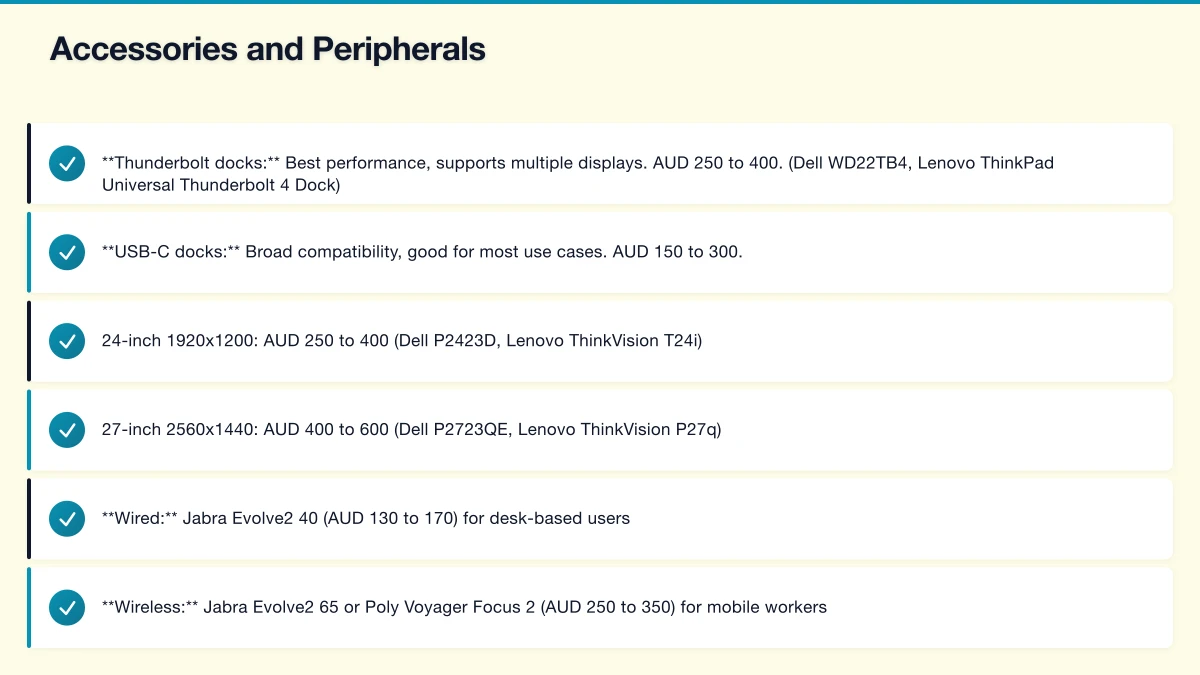
- Thunderbolt docks: Best performance, supports multiple displays. AUD 250 to 400. (Dell WD22TB4, Lenovo ThinkPad Universal Thunderbolt 4 Dock)
- USB-C docks: Broad compatibility, good for most use cases. AUD 150 to 300.
Standardise on one docking station model across your business for interchangeability.
Monitors
- 24-inch 1920x1200: AUD 250 to 400 (Dell P2423D, Lenovo ThinkVision T24i)
- 27-inch 2560x1440: AUD 400 to 600 (Dell P2723QE, Lenovo ThinkVision P27q)
Dual monitors significantly improve productivity for knowledge workers. Budget for at least one external monitor per desk-based laptop user.
Headsets
Essential for Microsoft Teams and video conferencing:
- Wired: Jabra Evolve2 40 (AUD 130 to 170) for desk-based users
- Wireless: Jabra Evolve2 65 or Poly Voyager Focus 2 (AUD 250 to 350) for mobile workers
- Premium: Jabra Evolve2 75 (AUD 400 to 500) for heavy conference call users
Lifecycle Management
Recommended Lifecycle
For Australian businesses, a 4-year laptop lifecycle provides the best balance of cost and performance:
- Year 1-3: Covered by warranty. Minimal issues expected with business-grade devices.
- Year 4: Out of warranty but still functional. Performance may start to degrade for demanding workloads.
- Year 5 and beyond: Security risk increases as devices age out of driver and firmware support. Replace.
Some businesses extend to 5 years for cost savings. This works for light users but is not recommended for power users or employees handling sensitive data (older devices may lack current security features).
Refresh Planning
Instead of replacing all laptops at once:
- Staggered refresh: Replace 25 percent of your fleet each year. This spreads the cost and avoids a single large expenditure.
- Prioritised refresh: Replace devices based on age, condition, and user need. A laptop that is struggling under heavy use should be replaced before one that is lightly used.
End-of-Life Process
When decommissioning laptops:
- Back up any local data to cloud storage
- Remove the device from management systems (Intune, Azure AD)
- Securely wipe the device (full disk wipe, not just a factory reset)
- If the device has value, trade it in or donate it (after wiping)
- If the device is beyond use, dispose through a certified e-waste recycler
- Update your asset register
Australian businesses should dispose of e-waste responsibly. The National Computer Recycling Scheme and various state programmes provide recycling options.
Ordering and Deployment
Pre-Configuration
Order laptops pre-configured from your vendor or IT provider:
- Windows 11 Pro installed with your company image
- Microsoft 365 apps pre-installed
- Company policies applied via Intune or similar MDM
- BitLocker encryption enabled
- User account pre-provisioned
This means a new laptop arrives ready to use. The employee signs in and their applications, settings, and files are available within minutes.
Deployment with Autopilot
If you use Microsoft Intune, Windows Autopilot streamlines deployment:
- Order laptops with your Autopilot hardware hash pre-registered
- Ship the laptop directly to the employee (even their home)
- The employee opens the laptop, connects to the internet, and signs in
- Autopilot automatically configures the device with your policies, applications, and settings
No IT staff need to touch the device. This is particularly valuable for Australian businesses with distributed or remote teams.
Total Cost of Ownership
For a 4-year lifecycle:
| Cost Component | Per Device Estimate |
|---|---|
| Laptop hardware (with 3-year NBD warranty) | AUD 1,600 |
| Docking station | AUD 300 |
| External monitor | AUD 350 |
| Headset | AUD 200 |
| Accessories (mouse, keyboard, bag) | AUD 150 |
| Year 4 extended warranty (optional) | AUD 200 |
| Total per user | AUD 2,800 |
Spread over 4 years: approximately AUD 700 per user per year, or AUD 58 per user per month.
This is a modest investment that directly impacts every employee’s daily productivity. Investing in quality business laptops is one of the highest-return IT decisions an Australian company can make.
Next Steps
- Audit your current laptop fleet (age, model, condition, warranty status)
- Define standard specifications for each user category
- Select one or two laptop models to standardise on
- Plan your refresh cycle (staggered annual replacement recommended)
- Configure your deployment pipeline (Intune and Autopilot for the best experience)
- Budget for the full ecosystem (laptop, dock, monitor, headset) rather than just the laptop
The right laptop, properly configured and supported, is the foundation of a productive, secure, and satisfied workforce. Take the time to select well and your Australian business will benefit for years to come.
Your clients expect mobile access. Awesome Apps specialises in building customer-facing mobile apps backed by reliable cloud infrastructure.
Cloud Geeks is the IT infrastructure division of Ganda Tech Services, providing managed cloud and cybersecurity solutions to Australian businesses.