
Azure vs AWS for Australian Small Business Workloads

Azure vs AWS for Australian Small Business Workloads
When Australian small businesses look beyond SaaS applications and need cloud infrastructure — virtual machines, databases, storage, or application hosting — the two dominant platforms are Microsoft Azure and Amazon Web Services (AWS). Both are excellent, both have Australian data centres, and both can serve SMB workloads well.
But they are not identical, and the right choice depends on your existing technology stack, your team’s skills, and the specific workloads you plan to run. This comparison is designed for Australian SMB decision-makers, cutting through the marketing to focus on what actually matters for smaller businesses.
Australian Infrastructure
Azure in Australia
Microsoft operates two Azure regions in Australia:
- Australia East (Sydney): The primary region, offering the full range of Azure services.
- Australia Southeast (Melbourne): A secondary region, useful for disaster recovery and geo-redundancy.
Azure also has an edge presence in Perth and Canberra for specific workloads, including Azure Government for public sector clients.
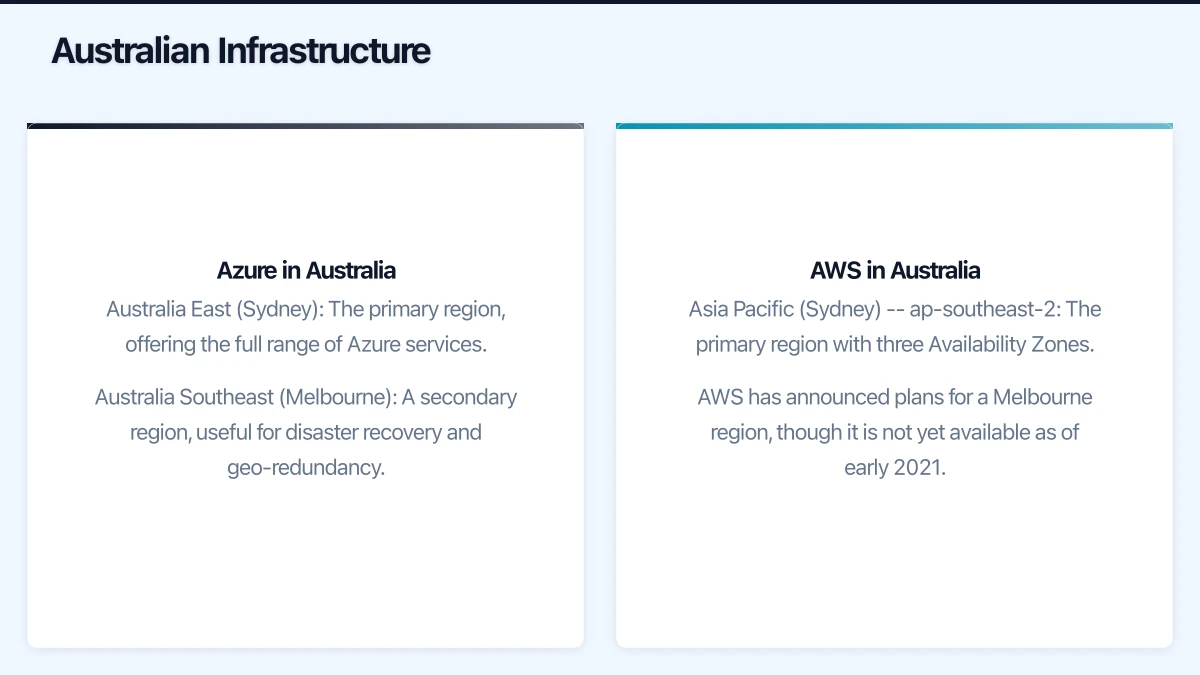
AWS in Australia
Amazon operates two regions in Australia:
- Asia Pacific (Sydney) — ap-southeast-2: The primary region with three Availability Zones.
- AWS has announced plans for a Melbourne region, though it is not yet available as of early 2021.
Both platforms offer low-latency access for Australian users, with data residing on Australian soil.
Key Services Compared
Virtual Machines
Both platforms offer a comprehensive range of virtual machine sizes and configurations.
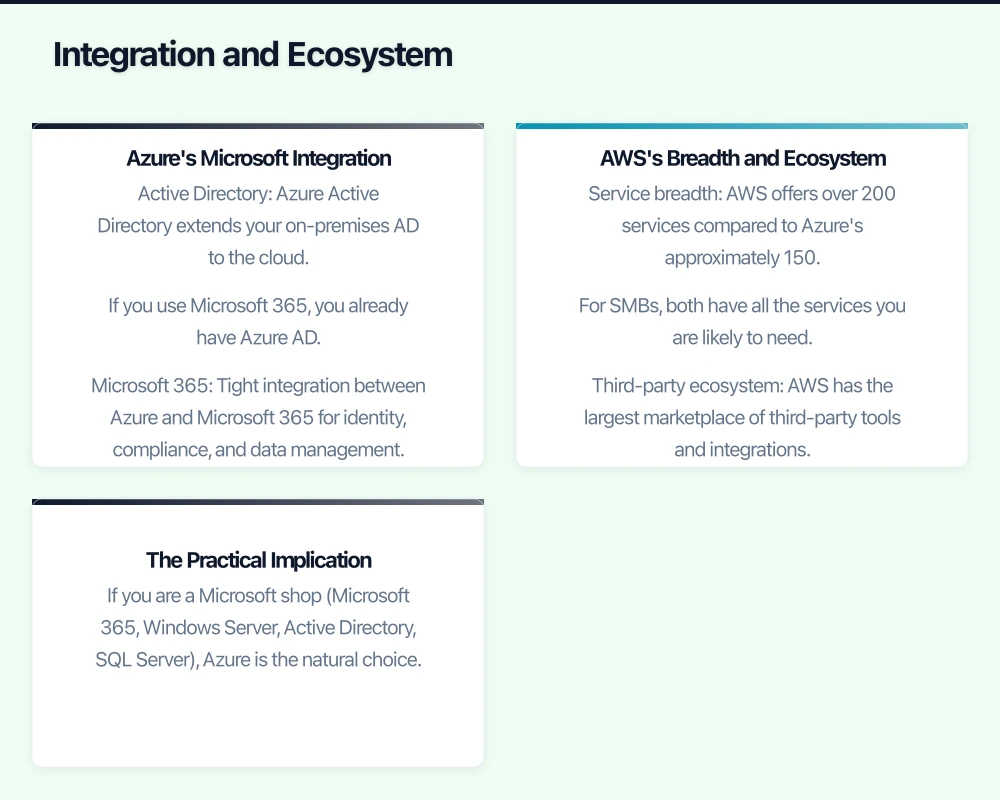
Azure Virtual Machines: Azure offers B-series VMs for burstable workloads (ideal for development, small databases, and web servers that do not need constant full power). Pricing for a B2s (2 vCPUs, 4 GB RAM) starts at approximately AUD $55 per month.
AWS EC2: AWS offers T3 instances for similar burstable workloads. A t3.medium (2 vCPUs, 4 GB RAM) starts at approximately AUD $50 per month.
Pricing is broadly comparable. Both offer significant discounts for reserved instances (committing to 1 or 3 years of use), which can reduce costs by 30% to 60%.
Database Services
Azure SQL Database: A fully managed relational database service. The Basic tier starts at approximately AUD $7 per month. Azure also offers Cosmos DB for NoSQL workloads and Database for MySQL/PostgreSQL.
AWS RDS: Relational Database Service supports MySQL, PostgreSQL, SQL Server, Oracle, and MariaDB. A db.t3.micro (the smallest instance) starts at approximately AUD $20 per month. AWS also offers DynamoDB for NoSQL.
For SMBs running SQL Server workloads, Azure often has a cost advantage due to the Azure Hybrid Benefit (which allows you to use existing SQL Server licences in Azure).
Storage
Azure Blob Storage: Hot tier pricing in Australia East is approximately AUD $0.028 per GB per month. Cool tier is approximately AUD $0.014 per GB per month.
AWS S3: Standard storage in ap-southeast-2 is approximately AUD $0.025 per GB per month. Infrequent Access is approximately AUD $0.016 per GB per month.
Storage pricing is very similar. Both platforms offer multiple tiers for different access patterns, and both charge for data retrieval and egress (data leaving the cloud).
Networking and Data Transfer
Data transfer costs can be a significant hidden expense. Both platforms charge for data leaving their network (egress), and both offer free or low-cost ingress (data going in).
Azure: Egress from Australia East starts at approximately AUD $0.114 per GB for the first 5 TB per month.
AWS: Egress from ap-southeast-2 starts at approximately AUD $0.114 per GB for the first 10 TB per month.
For SMBs with modest data transfer requirements, these costs are manageable. But if your workload involves serving large files to users, data transfer costs deserve careful modelling.
Integration and Ecosystem
This is where the platforms diverge most significantly for SMBs.
Azure’s Microsoft Integration
If your business runs on Microsoft technologies, Azure’s integration advantage is substantial:
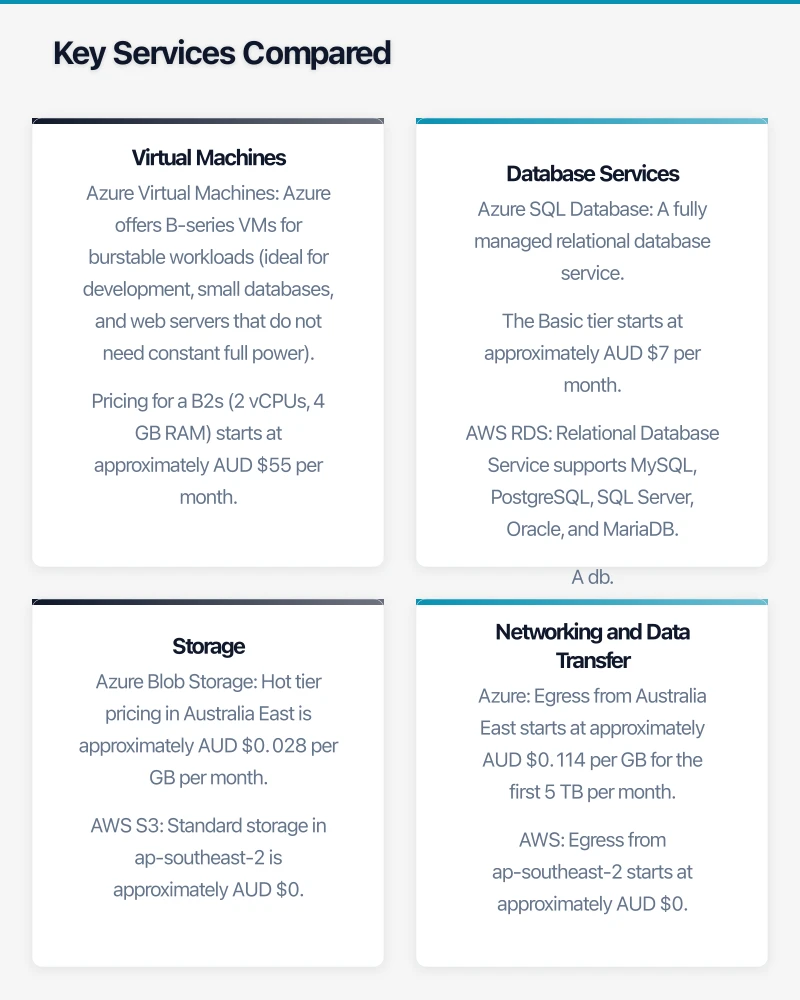
- Active Directory: Azure Active Directory extends your on-premises AD to the cloud. If you use Microsoft 365, you already have Azure AD.
- Microsoft 365: Tight integration between Azure and Microsoft 365 for identity, compliance, and data management.
- Windows Server: Azure offers the Azure Hybrid Benefit, allowing you to use existing Windows Server licences, significantly reducing VM costs.
- SQL Server: Similarly, existing SQL Server licences can be applied in Azure.
- Visual Studio: Azure credits are included with Visual Studio subscriptions.
- System Centre and management tools: Azure integrates natively with Microsoft management tools.
AWS’s Breadth and Ecosystem
AWS has been in the cloud market longer than Azure and offers the broadest range of services:
- Service breadth: AWS offers over 200 services compared to Azure’s approximately 150. For SMBs, both have all the services you are likely to need.
- Third-party ecosystem: AWS has the largest marketplace of third-party tools and integrations.
- Linux workloads: AWS has traditionally been stronger for Linux-based workloads, though Azure’s Linux support is now excellent.
- Developer tools: AWS offers extensive developer-focused services (Lambda, API Gateway, DynamoDB) that are popular with application developers.
The Practical Implication
For the typical Australian SMB:
- If you are a Microsoft shop (Microsoft 365, Windows Server, Active Directory, SQL Server), Azure is the natural choice. The integration benefits and licence portability create genuine cost and management advantages.
- If you are running Linux-based applications, open-source databases, or custom web applications, AWS may offer a slight edge in tools and community resources.
- If you are starting fresh with no legacy, either platform works well. Choose based on what your team (or MSP) knows best.
Management and Support
Azure Management
Azure Portal provides a web-based management interface. It is comprehensive but can feel complex for newcomers. Azure also offers:
- Azure Advisor for cost and performance recommendations
- Azure Cost Management for spending analysis
- Azure Monitor for performance monitoring
- Integration with familiar Microsoft management tools
AWS Management
AWS Management Console is similarly comprehensive. AWS offers:
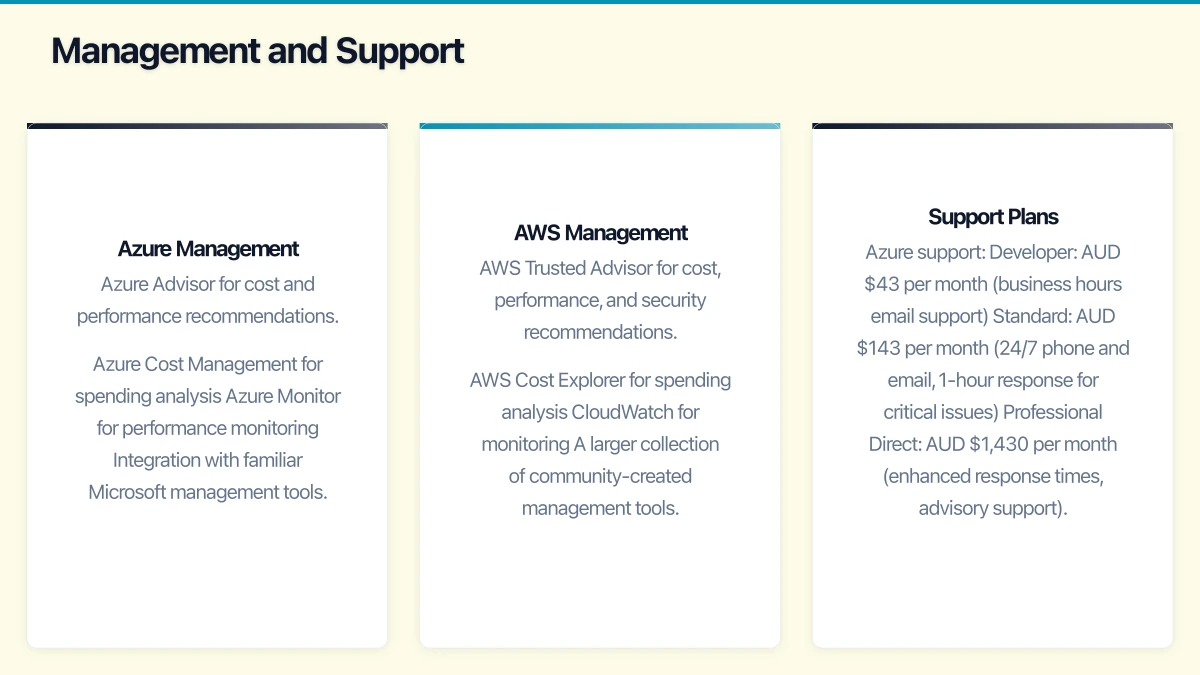
- AWS Trusted Advisor for cost, performance, and security recommendations
- AWS Cost Explorer for spending analysis
- CloudWatch for monitoring
- A larger collection of community-created management tools
Support Plans
Azure support:
- Developer: AUD $43 per month (business hours email support)
- Standard: AUD $143 per month (24/7 phone and email, 1-hour response for critical issues)
- Professional Direct: AUD $1,430 per month (enhanced response times, advisory support)
AWS support:
- Developer: AUD $43 per month or 3% of monthly usage (business hours email)
- Business: AUD $143 per month or 10% of usage to $10K (24/7 phone, 1-hour critical response)
- Enterprise: AUD $21,450 per month (dedicated technical account manager)
For most SMBs, the developer or basic business support tier is sufficient, particularly if you have an MSP managing your cloud environment.
Cost Management
Cloud costs can escalate quickly if not managed. Both platforms offer tools and strategies to control spending:
Common Cost Optimisation Strategies
- Right-sizing: Start small and scale up based on actual usage data.
- Reserved instances: If a workload will run continuously, commit to 1 or 3 years for significant savings.
- Auto-scaling: Scale resources up during peak periods and down during quiet times.
- Spot/Low-Priority instances: For workloads that can tolerate interruption, spot instances offer savings of 60% to 90%.
- Tagging: Tag all resources so you can track spending by project, department, or purpose.
- Budget alerts: Set spending alerts so you are notified before costs exceed expectations.
Hidden Costs to Watch
- Data transfer (egress): Charges for data leaving the cloud.
- Support plans: Basic support is limited; paid plans add to the monthly bill.
- Unused resources: Stopped VMs still incur storage charges. Unused IP addresses and storage accounts accumulate costs.
- Oversized resources: A VM running at 10% CPU utilisation is wasting money.
Making Your Decision
For most Australian SMBs, the decision comes down to three factors:
1. Your Existing Stack
If you already use Microsoft technologies extensively, Azure is almost always the better choice. The integration with Active Directory, Microsoft 365, and licence portability creates tangible advantages.
If you run primarily open-source technologies or custom web applications, evaluate both platforms on their merits for your specific workloads.
2. Your Team’s Skills
Cloud management requires skills. If your team (or MSP) has deep expertise in one platform, that expertise has real value. Learning a new cloud platform takes time and introduces risk.
Ask your MSP which platforms they support. Many Australian MSPs have stronger Azure expertise due to the dominance of Microsoft technologies in the local SMB market.
3. Your Specific Workloads
Run a proof of concept. Both Azure and AWS offer free tiers that let you test workloads without commitment:
- Azure free tier: 12 months of free services plus a $300 credit for the first 30 days.
- AWS free tier: 12 months of free services across many products.
Deploy your workload on both platforms, compare performance and cost, and make an informed decision.
Our Recommendation
For the majority of Australian SMBs — those running Microsoft 365, Windows-based workloads, and SQL Server databases — Azure offers the most practical and cost-effective cloud platform. The integration with your existing Microsoft investments, the Azure Hybrid Benefit for licensing, and the strength of the Australian Microsoft partner ecosystem make it the natural choice.
That said, AWS is an excellent platform. If your workloads are better suited to AWS, or if your team has deep AWS expertise, it will serve you well. The worst choice is no choice at all — avoiding the cloud because you cannot decide between the platforms.
Start with a small, well-defined workload. Learn the platform. Build from there. Cloud adoption is a journey, not a single decision, and you will gain clarity with each step.
Mobile apps thrive on solid cloud foundations. Awesome Apps can build a companion app that leverages your existing cloud setup.
Ganda Tech Services brings together cloud infrastructure, web development, and mobile app expertise to help Australian businesses thrive in the digital economy.