
Azure Migration Guide: Moving Your Australian SMB to the Cloud

Moving your Australian small business to the cloud isn’t just about following trends—it’s about building a foundation for growth, security, and flexibility. If you’re considering Azure migration, you’re making a smart choice for several reasons: Microsoft’s strong presence in Australia, comprehensive data residency options, and tight integration with tools you’re likely already using like Microsoft 365 and Teams.
But let’s be honest: cloud migration can feel overwhelming. Where do you start? How much will it actually cost? What happens to your data? Will your team be able to handle the transition? This guide walks you through the entire Azure migration process specifically for Australian SMBs, with practical advice, realistic timelines, and Australian-specific considerations.
Why Azure Makes Sense for Australian SMBs
Before diving into the how, let’s quickly cover the why. Azure offers several advantages that matter specifically to Australian businesses:
Australian data centres: Azure has four regions in Australia (East, Southeast, Central, and Central 2), meaning your data can stay on Australian soil. This matters for both performance (lower latency) and compliance with Australian privacy laws.
Microsoft 365 integration: If you’re already using Microsoft 365, Teams, or Dynamics 365, Azure integrates seamlessly. Single sign-on, unified management, and familiar tools make adoption easier for your team.
Hybrid flexibility: Azure’s hybrid capabilities let you keep some systems on-premises while moving others to the cloud—perfect for SMBs that can’t migrate everything at once.
Competitive pricing for SMBs: While AWS leads in market share, Azure often provides better pricing for small workloads, especially with reserved instances and hybrid benefits. For a business running 5-10 virtual machines, Azure can be 15-25% cheaper than comparable AWS configurations.
Local support ecosystem: Microsoft has a strong partner network across Australia, making it easier to find qualified local help in Sydney, Melbourne, Brisbane, and other capital cities.
Phase 1: Discovery and Assessment
The biggest mistake SMBs make in cloud migration is jumping in without proper assessment. You need to know exactly what you’re moving before you can plan how to move it.
Inventory Your Current Infrastructure
Start by documenting everything:
- Servers and applications: What systems are you running? Which are physical, which are virtual? What operating systems and versions?
- Storage requirements: How much data do you have? What’s growing, what’s static?
- Network dependencies: Which systems talk to each other? What are the latency requirements?
- Compliance requirements: Do you handle health data (My Health Records Act)? Financial information (APRA)? Customer data (Privacy Act 1988)?
Practical tool: Azure Migrate is free and makes this process much easier. Download the Azure Migrate appliance (a lightweight virtual machine), deploy it on your network, and it will automatically discover your servers, applications, dependencies, and performance metrics over a period of time.
Assess Migration Readiness
Not everything needs to—or should—move to Azure. For each system, ask:
- Is it still needed? This is your chance to eliminate legacy systems no one actually uses.
- Is it cloud-ready? Applications that rely on specific hardware or have hard-coded IP addresses may need refactoring.
- What’s the business criticality? High-priority systems might justify more expensive migration approaches.
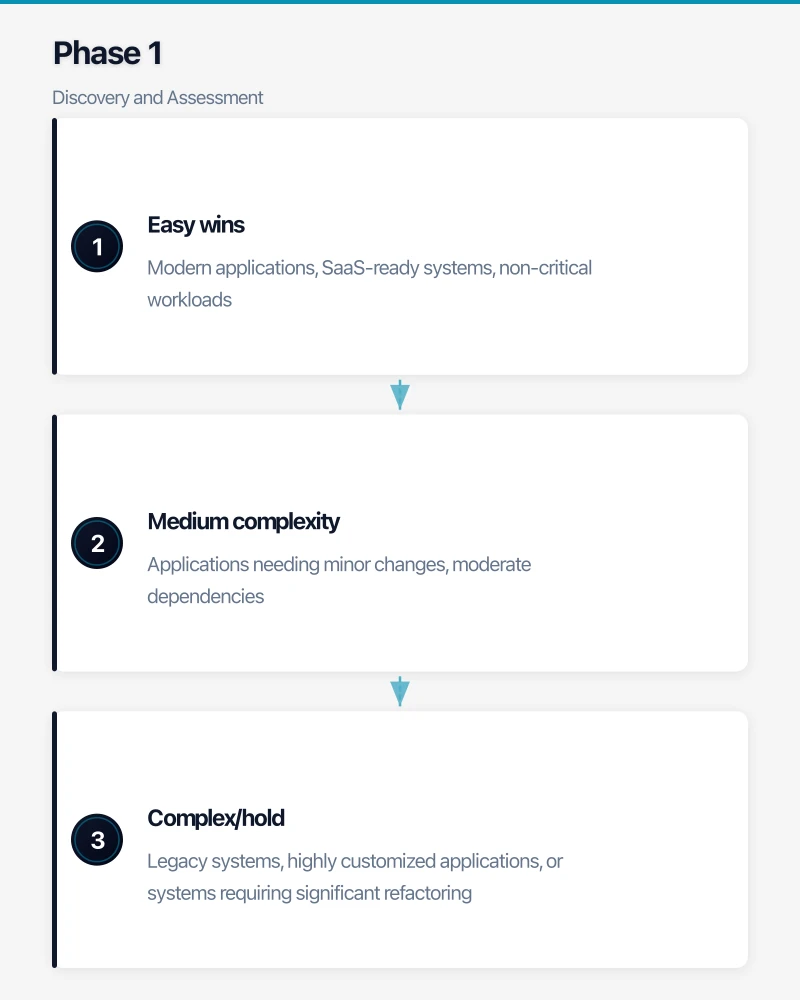
Create a simple spreadsheet with three categories:
- Easy wins: Modern applications, SaaS-ready systems, non-critical workloads
- Medium complexity: Applications needing minor changes, moderate dependencies
- Complex/hold: Legacy systems, highly customized applications, or systems requiring significant refactoring
Estimate Costs
Azure pricing can seem complex, but for SMBs, focus on these core components:
Virtual machines: The equivalent of your physical servers. For a typical SMB running Windows Server:
- Small VM (2 vCPU, 8GB RAM): ~AUD $150-200/month (pay-as-you-go)
- Medium VM (4 vCPU, 16GB RAM): ~AUD $300-400/month
- Large VM (8 vCPU, 32GB RAM): ~AUD $600-800/month
Storage: Much cheaper than on-premises storage:
- Standard HDD: ~AUD $0.03/GB/month
- Standard SSD: ~AUD $0.08/GB/month
- Premium SSD: ~AUD $0.20/GB/month
Networking: Inbound traffic to Azure is free. Outbound data transfer costs ~AUD $0.138/GB after the first 100GB/month.
Backup and recovery: Azure Backup starts at ~AUD $15/month per server for basic protection.
Use the Azure Pricing Calculator to get specific estimates for your workload. For most SMBs with 5-10 servers and standard workloads, expect monthly Azure costs between AUD $2,000-5,000, compared to the ongoing costs of maintaining physical infrastructure (power, cooling, hardware refresh, maintenance).
Create a Migration Timeline
For a typical Australian SMB:
- Small migration (3-5 servers, simple applications): 6-12 weeks
- Medium migration (6-15 servers, moderate complexity): 3-6 months
- Complex migration (15+ servers, custom applications): 6-12 months
Build in buffer time. Most SMBs underestimate how long testing and validation take.
Phase 2: Planning Your Azure Architecture
Once you know what you’re migrating, plan your Azure environment. Even if you’re starting small, designing proper foundations now saves major headaches later.
Choose Your Azure Regions
For Australian businesses, this is straightforward: use Australia East (Sydney) as your primary region. It’s Microsoft’s flagship Australian datacenter with the full range of services.
Consider adding Australia Southeast (Melbourne) if:
- You need disaster recovery in a separate geographic location
- You have significant operations in Melbourne and want lower latency
- Your compliance requirements mandate multi-region deployment
Design Your Network Architecture
Azure Virtual Networks (VNets) are the foundation of your cloud infrastructure. Here’s a simple, scalable design for SMBs:
Hub-and-spoke model: Create one central “hub” VNet for shared services (like VPN gateway, firewall, domain controllers) and separate “spoke” VNets for different workload types (production, development, testing). This keeps things organized and secure as you grow.
IP addressing: Plan your IP address ranges carefully. Use private IP ranges (10.x.x.x, 172.16-31.x.x, or 192.168.x.x) that don’t conflict with your on-premises network. For an SMB, a /16 range (65,536 addresses) in the 10.0.0.0-10.0.255.255 space is more than sufficient.
Connectivity to on-premises: You have three options:
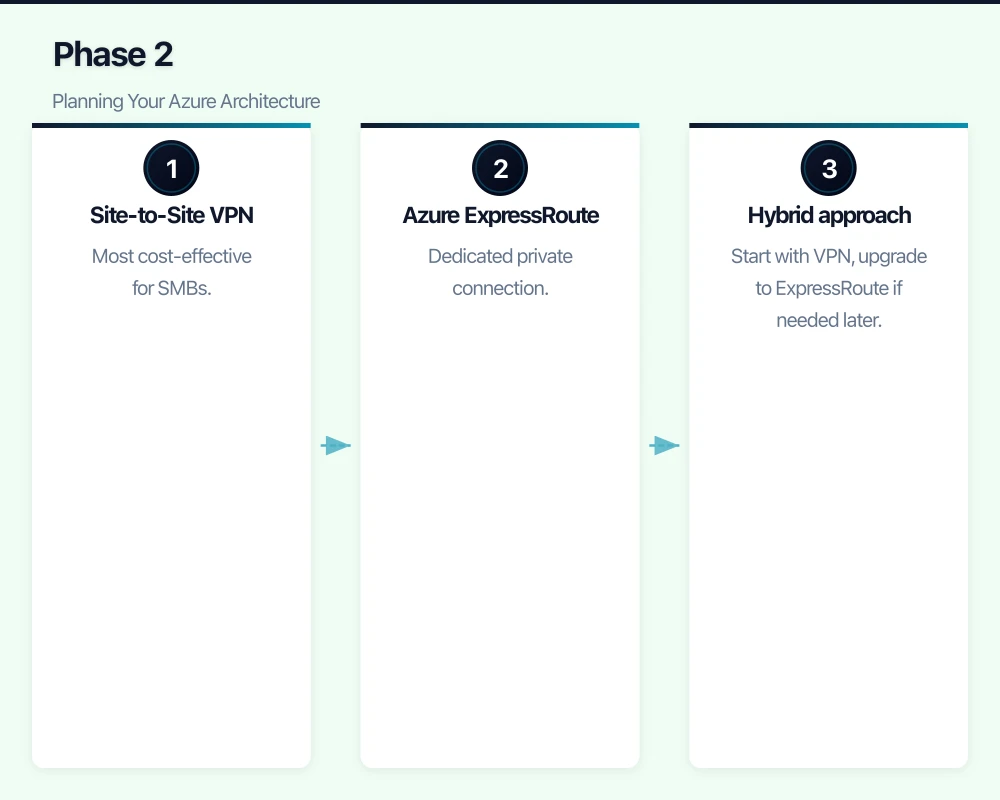
- Site-to-Site VPN: Most cost-effective for SMBs. AUD $150-200/month for a basic VPN gateway. Provides secure connection over the internet with speeds up to 1.25 Gbps.
- Azure ExpressRoute: Dedicated private connection. Much more expensive (AUD $800+ per month) but offers better performance and reliability. Usually overkill for SMBs unless you have very large data transfer needs.
- Hybrid approach: Start with VPN, upgrade to ExpressRoute if needed later.
Plan Identity and Access Management
Most Azure migrations for SMBs involve extending your existing Active Directory to Azure:
Azure AD Connect: Synchronizes your on-premises Active Directory with Azure Active Directory (now called Microsoft Entra ID). This means users sign in with the same credentials they use now, and you manage permissions centrally.
Hybrid identity approach: Keep your domain controllers on-premises initially, sync identities to Azure. This minimizes disruption during migration. You can move domain controllers to Azure later if desired.
Multi-factor authentication (MFA): Azure AD includes free MFA. Enable it. Seriously. Cyberattacks targeting Australian SMBs increased 23% in 2023, and compromised credentials are the leading cause.
Design for Security and Compliance
Australian businesses need to consider:
Data residency: Configure your resources to use only Australian regions. Azure resource policies can enforce this automatically.
Encryption: Enable Azure Disk Encryption for all virtual machines. Use Azure Storage Service Encryption for stored data (it’s on by default). This helps meet Privacy Act requirements for protecting personal information.
Network security: Implement Network Security Groups (NSGs) to control traffic flow. Start with “deny all” and only open specific ports as needed. Use Azure Firewall or third-party network virtual appliances for additional protection.
Backup and disaster recovery: Use Azure Backup with geo-redundant storage to keep backup copies in a secondary Australian region. Set retention policies based on your business requirements and any regulatory obligations.
Essential Eight alignment: The Australian Cyber Security Centre’s Essential Eight framework should guide your security controls. Azure provides built-in capabilities for application control, patch management, MFA, and other Essential Eight requirements.
Phase 3: Migration Execution
Now comes the actual move. Azure provides several migration methods, and the right choice depends on what you’re migrating.
Migration Strategy Options
Rehost (Lift and Shift): Move servers to Azure with minimal changes. Fastest approach, lowest risk, but doesn’t fully leverage cloud benefits. Best for: existing Windows or Linux servers that work fine as-is.
Replatform: Make minor optimizations during migration. For example, migrating a SQL Server database to Azure SQL Database instead of running SQL Server on a VM. Balances speed with cloud benefits. Best for: databases, web applications, and common workloads with Azure PaaS alternatives.
Refactor: Redesign applications to be cloud-native. Most time-consuming but provides maximum cloud benefits. Best for: strategic applications where you want to leverage serverless, containers, or microservices. Usually not the first priority for SMB migrations.
Retire or Replace: Eliminate systems or move to SaaS alternatives. Best for: legacy applications, outdated systems, or functions where good SaaS options exist (like moving to Microsoft 365 instead of hosting Exchange).
For most Australian SMBs, a hybrid approach works best: rehost most things to get into the cloud quickly, then replatform or refactor specific systems over time.
Using Azure Migrate for Server Migration
Azure Migrate is your primary tool for moving servers:
-
Set up replication: After assessment, configure replication for each server. Azure Migrate creates replica VMs in Azure and continuously syncs changes. This can run for days or weeks while you test.
-
Test migration: Perform test migrations (creating isolated copies in Azure) to validate everything works. Test thoroughly—check application functionality, performance, network connectivity, and integrations with other systems.
-
Schedule the cutover: Plan your final migration during low-usage periods. For each server:
- Stop the on-premises VM
- Perform final sync (usually takes minutes)
- Start the Azure VM
- Update DNS records
- Validate functionality
- Decommission on-premises VM once you’re confident
Practical tip: Migrate in waves. Start with non-critical systems to build confidence and refine your process. Then move to production workloads. A typical phased approach:
- Wave 1: Development and test systems (2-3 weeks)
- Wave 2: Non-critical production systems (3-4 weeks)
- Wave 3: Critical production systems (4-6 weeks)
Database Migration
Databases need special attention. Azure offers specific tools:
Azure Database Migration Service: Free service for migrating SQL Server, MySQL, or PostgreSQL databases with minimal downtime. It supports online migration where the database stays operational during most of the process.
Migration approaches:
- For SQL Server: Consider Azure SQL Database (fully managed PaaS) instead of SQL Server on VMs. You’ll save on maintenance and get automatic updates, but it requires application compatibility testing.
- For MySQL/PostgreSQL: Azure Database for MySQL/PostgreSQL provides fully managed versions with automatic backups and high availability.
- For large databases: Use offline migration during a maintenance window if possible. Online migration is more complex and has some limitations.
File Server Migration
Moving file shares is straightforward with Azure File Sync:
- Deploy Azure File Sync agent on your existing file server
- Set up sync to Azure Files (SMB file shares in the cloud)
- Data tiers to the cloud while keeping frequently accessed files cached locally
- Eventually cut over entirely to Azure Files or keep the hybrid model
For SMBs, Azure Files provides 5TB-100TB of file storage with automatic backups. Cost is ~AUD $0.24/GB/month for standard storage, which is competitive with on-premises storage when you factor in hardware, power, and management.
Phase 4: Optimization and Governance
Migration isn’t finished when servers are running in Azure. The next phase is optimizing your cloud environment.
Cost Management
Cloud costs can surprise you if you’re not careful. Implement these practices immediately:
Right-size your VMs: Azure Advisor provides recommendations for underutilized resources. If a VM consistently uses only 20% CPU, downsize it. This alone can reduce costs by 30-50% for typical SMB workloads.
Use reserved instances: Commit to one or three years for predictable workloads and save 40-65% compared to pay-as-you-go. For an SMB running 5 always-on VMs, this could save AUD $1,000-2,000 per month.
Implement auto-shutdown: For development and test VMs, configure automatic shutdown outside business hours. This can cut costs by 65% for non-production resources.
Monitor and set budgets: Use Azure Cost Management to set budgets and alerts. Get notified if spending exceeds thresholds.
Security Hardening
Now that you’re in the cloud, implement ongoing security practices:
Enable Azure Security Center (now part of Microsoft Defender for Cloud): Provides security recommendations, threat detection, and compliance tracking. The free tier gives basic security hygiene; the paid tier (AUD $15-20 per server/month) adds advanced threat protection.
Implement Azure Backup: Configure backup policies for all VMs and critical data. Weekly full backups with daily incrementals is a good baseline for most SMBs. Test restores regularly—a backup is useless if you can’t restore from it.
Regular updates and patching: Use Azure Update Management to schedule and track patching across your Azure and on-premises servers. Automate where possible, test in development first, then roll out to production.
Review access regularly: Implement role-based access control (RBAC) following the principle of least privilege. Review permissions quarterly and remove access that’s no longer needed.
Governance and Compliance
As your Azure environment grows, governance becomes critical:
Azure Policy: Define rules to enforce organizational standards. For example:
- Require all resources to be in Australian regions
- Mandate specific tags for cost tracking
- Enforce encryption for storage accounts
- Require diagnostic logs for all resources
Resource tagging: Implement a tagging strategy (e.g., Environment, CostCenter, Owner, Project). This makes cost allocation and management much easier as you scale.
Management groups and subscriptions: If you’re growing, structure your Azure environment properly. Use separate subscriptions for production vs. non-production, with policies inherited from management groups.
Australian-Specific Considerations
Data Residency and Sovereignty
The Privacy Act 1988 doesn’t explicitly require data to stay in Australia, but many businesses prefer it for several reasons:
Performance: Hosting in Australian regions reduces latency for Australian users. The difference between Sydney and Singapore can be 100-150ms, which matters for interactive applications.
Regulatory compliance: Some industries (government, health, finance) have specific requirements. Always check your industry regulations.
Customer expectations: Many Australian businesses and consumers prefer their data to stay local. It’s a competitive advantage you can highlight.
Configuring data residency: In Azure, this means:
- Selecting Australia East or Australia Southeast for all resources
- Configuring backup to use geo-redundant storage within Australia
- Checking service-specific data residency (some Azure services store metadata globally)
Australian Privacy and Security Requirements
Privacy Act compliance: If you handle personal information, you need reasonable steps to protect it from misuse, interference, loss, and unauthorized access. Azure’s encryption, access controls, and audit logging help meet these requirements, but you’re still responsible for configuration and policies.
Notifiable Data Breaches (NDB) scheme: If you suffer a data breach likely to cause serious harm, you must notify affected individuals and the Office of the Australian Information Commissioner (OAIC). Azure Security Center’s threat detection and audit logs help you detect and investigate breaches.
Essential Eight: While not mandatory for most businesses, the ASD’s Essential Eight provides excellent security guidance. Azure maps well to Essential Eight requirements:
- Application control: Use Azure Policy
- Patch management: Azure Update Management
- MFA: Azure AD Multi-Factor Authentication
- User application hardening: Azure Bastion, Just-In-Time VM access
- Restrict admin privileges: Azure RBAC
- Patch operating systems: Azure Update Management
- Regular backups: Azure Backup
Australian Support and Partners
Microsoft support in Australia: Microsoft has support centers in Sydney and Melbourne. Choose a support plan based on your criticality:
- Developer: Business hours, web-only (AUD $35/month) - fine for test environments
- Standard: 24/7, phone support (AUD $350/month) - good for SMBs
- Professional Direct: Faster response times (AUD $1,200/month) - for critical workloads
Australian Microsoft partners: Consider working with a local Azure partner for migration assistance. Partners like Data#3, Empired, Telstra Purple, and Mantel Group have deep Azure expertise and Australian market knowledge. Typical engagement costs for SMB migrations range from AUD $15,000-50,000 depending on complexity.
Cloud Solution Providers (CSP): Purchasing Azure through an Australian CSP can provide better support and bundled services compared to direct purchase. Many Australian MSPs offer CSP arrangements with local support included.
Common Migration Challenges and Solutions
Challenge: Application Dependencies
Problem: You migrate one server, but it breaks because it depends on systems still on-premises.
Solution: Use Azure Migrate’s dependency analysis feature to map connections before migration. Migrate dependent systems together in the same wave, or ensure network connectivity between Azure and on-premises is solid.
Challenge: Network Performance
Problem: Applications are slow after migration, particularly for users still on-premises.
Solution: Implement Azure ExpressRoute if VPN bandwidth is insufficient, or optimize your VPN configuration. Use Azure Content Delivery Network (CDN) for static content served to end users.
Challenge: Skill Gaps
Problem: Your IT team doesn’t have Azure expertise.
Solution: Invest in training before migration. Microsoft Learn provides free courses and certification paths. Consider Azure mentorship from a local partner during migration. Build knowledge gradually—you don’t need to become Azure experts overnight.
Challenge: Licensing Confusion
Problem: Unclear whether you need new licenses or can reuse existing ones.
Solution: Leverage Azure Hybrid Benefit for Windows Server and SQL Server. If you have Software Assurance, you can reuse your licenses in Azure and save up to 40% on compute costs. Review licensing with a Microsoft partner or licensing specialist.
Next Steps: Getting Started
If you’re ready to begin your Azure migration journey:
- Create an Azure account: Start with a free trial (AUD $260 credit for 30 days) to explore and test
- Run Azure Migrate assessment: Deploy the assessment appliance and let it discover your environment for at least a week
- Build a business case: Use the assessment data to estimate costs and benefits
- Get stakeholder buy-in: Present the business case to leadership, emphasizing benefits like reduced capital expenditure, improved disaster recovery, and business flexibility
- Engage a partner (optional): If your team lacks Azure expertise, work with an Australian Microsoft partner for the first migration
- Start with a pilot: Choose 1-2 non-critical systems for initial migration to build confidence
Moving to Azure is a significant step for any Australian SMB, but it’s increasingly necessary to remain competitive and secure. By following a structured approach—assess thoroughly, plan carefully, migrate in phases, and optimize continuously—you’ll set your business up for success in the cloud.
The key is to start. The sooner you begin the assessment process, the sooner you’ll understand your options and can make informed decisions about your cloud journey. Australian businesses that migrate to Azure typically see benefits within the first year: improved reliability, better disaster recovery, reduced IT overhead, and the foundation for future digital innovation.
Need help with your Azure migration? CloudGeeks specializes in cloud migrations for Australian SMBs, with expertise in Azure architecture, security, and cost optimization. Contact us for a complimentary migration assessment.
For insights on building a technology roadmap that ties cloud, web, and mobile together, visit Ash Ganda’s blog.
This article is brought to you by Ganda Tech Services — Sydney’s complete digital solutions provider covering cloud, web, and mobile.