
AWS Cost Optimization: Practical Strategies for Australian SMBs
For Australian SMBs running workloads on AWS, cloud costs can quickly spiral out of control. What starts as a manageable AUD $2,000 monthly bill can balloon to $8,000 or more without proper cost management strategies in place. The good news? Most Australian businesses are overspending by 30-50% on AWS infrastructure, and there are proven strategies to bring those costs under control without sacrificing performance or reliability.
The challenge for Australian SMBs is unique. Unlike enterprise organizations with dedicated FinOps teams, smaller businesses need cost optimization approaches that are practical, don’t require extensive technical expertise, and deliver measurable savings quickly. Many of our clients come to us after experiencing bill shock, wondering where their AWS spending went wrong and how to fix it without disrupting their operations.
Understanding Where Your AWS Costs Are Coming From
Before you can optimize AWS costs, you need visibility into where your money is actually going. Most Australian SMBs we work with are surprised to learn that their largest cost drivers aren’t always where they expect.
The typical breakdown for SMB AWS spending looks like this: compute (EC2 instances) accounts for 40-50% of costs, storage (EBS volumes and S3) represents 15-25%, data transfer charges make up 10-15%, and database services (RDS) contribute 15-20%. However, the hidden costs are often in underutilized resources - that development server running 24/7, the oversized production instances, or the old EBS snapshots nobody deleted.
Start by enabling AWS Cost Explorer in your account. This free tool provides visual breakdowns of your spending by service, region, and usage type. For Australian businesses, pay particular attention to the Asia Pacific (Sydney) region costs, as this is typically where you’ll run workloads to keep latency low for local customers. The Sydney region pricing is generally 10-15% higher than US regions, but the performance benefits for Australian users are worth it.
Set up Cost and Usage Reports (CUR) to get granular data about your spending. While the reports can be technical, they provide the foundation for identifying optimization opportunities. One Brisbane-based e-commerce client discovered they were spending AUD $1,200 monthly on a misconfigured Auto Scaling group that was launching unnecessary instances during off-peak hours - a problem only visible through detailed usage reports.
Tag your resources consistently from day one. Use tags like Environment (production, staging, development), Owner (team or department), and Project to track costs by business unit. This discipline pays dividends when you need to justify cloud spending or allocate costs internally. Australian businesses subject to tax reporting requirements will find proper tagging essential for demonstrating business expenses.
Reserved Instances and Savings Plans: Commitment-Based Savings
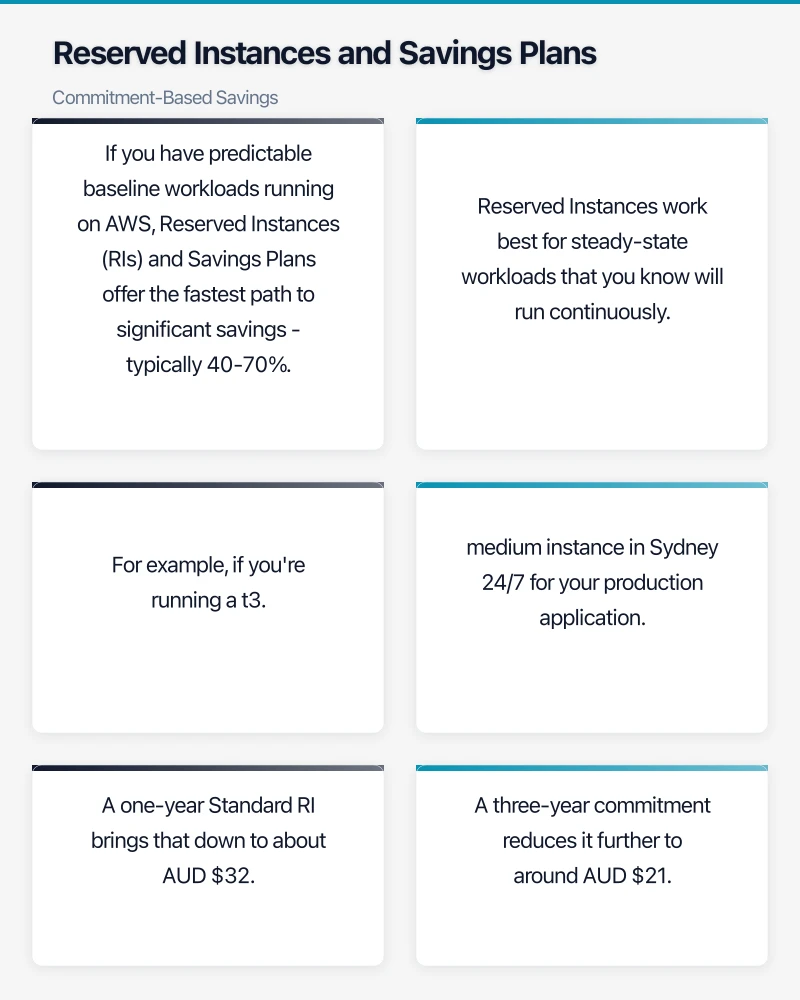
If you have predictable baseline workloads running on AWS, Reserved Instances (RIs) and Savings Plans offer the fastest path to significant savings - typically 40-70% compared to On-Demand pricing for committed usage.
Reserved Instances work best for steady-state workloads that you know will run continuously. For example, if you’re running a t3.medium instance in Sydney 24/7 for your production application, you’re paying approximately AUD $53 per month On-Demand (based on current May 2024 pricing). A one-year Standard RI brings that down to about AUD $32 monthly - a 40% saving. A three-year commitment reduces it further to around AUD $21 monthly, saving 60%.
However, RIs come with a critical caveat: they’re service-specific and inflexible. If you commit to EC2 RIs for t3.medium instances and later need to change instance types or move to containers, you’re stuck paying for capacity you’re not using. This is where Savings Plans offer more flexibility for Australian SMBs.
Compute Savings Plans provide similar discounts (up to 66% off On-Demand) but allow you to change instance families, sizes, operating systems, and even move between EC2, Fargate, and Lambda without losing your commitment discount. For a Melbourne software company we worked with, this flexibility was crucial when they migrated from EC2 to containerized workloads mid-contract.
Start conservative with your commitments. Analyze 3-6 months of usage data to identify your true baseline. If your minimum daily compute usage across all instances is consistently 500 hours, commit to covering maybe 70% of that (350 hours) with Savings Plans. This protects you against business changes while still capturing substantial savings. You can always add more commitments later as patterns stabilize.
For Australian businesses, the payment options matter. While All Upfront provides maximum savings, it requires capital outlay. No Upfront spreads costs monthly but reduces your discount slightly. Most SMBs find Partial Upfront strikes the right balance - you pay roughly 50% upfront and get most of the discount benefit while preserving cash flow.
One critical consideration: AWS bills Reserved Instances and Savings Plans in USD, but your bank converts the charges to AUD. Currency fluctuations can impact your actual costs by 5-10%. Factor this variability into your ROI calculations and consider whether locking in multi-year commitments makes sense given exchange rate volatility.
Rightsizing: Matching Resources to Actual Needs
Rightsizing is the practice of matching your AWS instance types and sizes to your actual performance requirements. It’s often the quickest path to cost reduction because it requires no long-term commitments and can be implemented immediately.
Most Australian SMBs significantly over-provision their infrastructure. The typical pattern: developers provision a large instance “just to be safe” for a new application, the app launches successfully, and the oversized instance runs indefinitely because nobody wants to touch working infrastructure. We regularly find production workloads running on m5.2xlarge instances (8 vCPUs, 32 GB RAM) when their actual usage peaks at 15% CPU and 8 GB memory.
AWS Compute Optimizer analyzes your CloudWatch metrics and provides rightsizing recommendations based on actual usage patterns. For free, it will tell you when instances are over-provisioned and suggest smaller alternatives. A Sydney marketing agency reduced their monthly bill from AUD $4,200 to AUD $2,800 simply by implementing Compute Optimizer recommendations - no architecture changes required.
However, don’t blindly follow every recommendation. Understand your workload patterns before downsizing. An instance that runs at 10% CPU most of the time but spikes to 80% during business hours might be sized correctly. Look for consistent underutilization over weeks, not just daily averages.
Consider burstable instances (T3/T4g family) for variable workloads. These instances provide a baseline level of CPU performance with the ability to burst above baseline when needed, at a fraction of the cost of standard instances. A t3.medium provides similar baseline performance to an m5.large but costs 40% less. For workloads like internal applications, development environments, or small websites, burstable instances are often ideal.
Storage rightsizing matters too. EBS volumes often remain the size they were initially provisioned, even as data needs change. Review your volumes monthly and shrink those with consistently low utilization. One Perth-based SaaS company found 200 GB of provisioned EBS storage that was only 30% utilized, reducing volume sizes saved AUD $180 monthly.
Don’t forget about old snapshots and AMIs. These accumulate over time and cost AUD $0.065 per GB-month in Sydney. Implement a retention policy - keep weekly snapshots for 4 weeks, monthly for 3 months, then delete. For a business with 500 GB of obsolete snapshots, that’s AUD $32.50 monthly in waste.
Leveraging Spot Instances for Non-Critical Workloads
Spot Instances let you use spare AWS capacity at discounts of 50-90% compared to On-Demand pricing. While they can be interrupted with only a two-minute warning, they’re perfect for fault-tolerant, flexible workloads.
For Australian SMBs, Spot Instances work well for development and testing environments. Your developers don’t need 24/7 uptime for dev servers, and interruptions are merely an inconvenience, not a crisis. Configure your development Auto Scaling groups to use 100% Spot capacity and save thousands monthly.
Batch processing and data analytics are ideal Spot use cases. If you’re running ETL jobs, rendering, or data processing that can be paused and resumed, Spot Instances dramatically reduce costs. A Brisbane data analytics firm runs their nightly data processing jobs on Spot, reducing their compute costs from AUD $1,800 to AUD $350 monthly for these workloads.
Stateless web applications can also leverage Spot effectively through mixed capacity Auto Scaling groups. Configure your ASG to maintain a baseline of On-Demand or Reserved Instances for stability, then add Spot capacity for scaling. During traffic peaks, you scale with cheap Spot capacity. If Spot instances are interrupted, Auto Scaling automatically replaces them with On-Demand temporarily.
The key to Spot success is diversification. Don’t rely on a single instance type or Availability Zone. Configure your Spot requests to use multiple instance types (m5.large, m5a.large, m4.large) across multiple AZs. This increases availability because AWS interrupts Spot capacity at different rates across instance families and zones.
For Australian businesses in the Sydney region, Spot pricing varies by time of day and overall AWS demand. Monitor Spot pricing trends in your preferred instance types through the AWS console. You’ll notice patterns - certain instance families have more stable pricing than others in the Sydney region.
Implementing Cost Monitoring and Alerting
Reactive cost management doesn’t work. By the time you notice your bill has doubled, you’ve already overspent. Proactive monitoring catches problems before they become expensive mistakes.
Set up AWS Budgets to alert you when spending exceeds thresholds. Create at least three budgets: a monthly total spend budget, a service-specific budget for your largest cost driver (usually EC2), and a forecasted budget that alerts you when AWS predicts you’ll exceed your monthly target. Configure alerts at 50%, 75%, and 90% of budget to give yourself time to investigate.
For a Melbourne professional services firm, budget alerts caught a configuration error where a Lambda function was stuck in an infinite loop, making millions of requests. The alert triggered at 75% of monthly budget (three weeks into the month), allowing them to fix the issue before it caused serious financial damage. Without monitoring, they would have discovered the problem only after receiving a bill for AUD $15,000 instead of their usual AUD $3,500.
AWS Cost Anomaly Detection uses machine learning to identify unusual spending patterns and alert you automatically. It’s particularly useful for catching one-off mistakes like leaving a large instance running in a region you don’t normally use, or unexpected data transfer charges.
Set up CloudWatch billing alarms as a backup to AWS Budgets. While Budgets offers more sophisticated alerting, CloudWatch alarms are simple and reliable. Configure an alarm that triggers when your estimated monthly charges exceed your comfortable threshold.
For Australian businesses, consider third-party cost management tools like CloudHealth or Spot.io if your AWS spending exceeds AUD $10,000 monthly. These platforms provide deeper analytics, optimization recommendations, and automated actions that go beyond native AWS tools. The platform fees (typically 2-3% of managed spend) are offset by the additional savings they identify.
Storage Optimization: S3 and EBS Cost Reduction
Storage costs creep up slowly but can represent a quarter of your AWS bill if left unmanaged. Fortunately, storage optimization is straightforward and carries minimal risk.
For S3 buckets, implement lifecycle policies to automatically transition objects to cheaper storage classes as they age. New objects start in S3 Standard (AUD $0.025 per GB in Sydney), transition to S3 Infrequent Access after 30 days (AUD $0.0152 per GB), then to Glacier after 90 days (AUD $0.005 per GB). For data that’s rarely accessed, like old backups or archived documents, this cuts storage costs by 80%.
S3 Intelligent-Tiering automatically moves objects between access tiers based on usage patterns, perfect if you don’t have predictable access patterns. It costs a small monitoring fee (AUD $0.0033 per 1,000 objects) but saves the effort of designing lifecycle policies.
Enable S3 Storage Lens to get organization-wide visibility into storage usage and optimization opportunities. One Sydney e-commerce business discovered they had 2.4 TB of data in S3 that hadn’t been accessed in over a year. Moving it to Glacier saved them AUD $48 monthly.
For EBS volumes, use GP3 instead of GP2 for new volumes. GP3 costs 20% less than GP2 (AUD $0.104 vs AUD $0.132 per GB-month in Sydney) and provides better baseline performance. You can also independently scale IOPS and throughput on GP3, avoiding the need to over-provision storage to get required performance.
Right-size your EBS volumes regularly. Many volumes are provisioned large for initial data loads but never fill up. A volume provisioned at 500 GB but only using 150 GB is wasting AUD $36 monthly. Shrinking it to 200 GB (allowing for growth) saves AUD $26 monthly.
Delete unattached EBS volumes. These are volumes that were detached from terminated instances but never deleted - pure waste. Use AWS Trusted Advisor or a simple Lambda function to identify and delete unattached volumes automatically. For Australian businesses, this often recovers AUD $200-500 monthly in forgotten resources.
Optimize snapshot retention. Snapshots are incremental, but keeping too many old snapshots adds up. Implement a retention policy using AWS Data Lifecycle Manager to automatically delete snapshots older than your compliance requirements. For most SMBs, 30-90 day retention is sufficient.
Data Transfer Cost Management
Data transfer charges are often overlooked but can significantly impact Australian businesses due to our geographic distance from major AWS regions.
Traffic within the same Availability Zone is free. Traffic between AZs in the same region costs AUD $0.01 per GB in each direction. For multi-AZ architectures (which you should use for production), this is unavoidable, but be aware that inter-AZ traffic from a busy application can add AUD $100-300 monthly.
Outbound data transfer to the internet is where costs escalate. The first 100 GB per month is free, then it’s AUD $0.138 per GB for the next 10 TB in Sydney. For a business serving 2 TB of content monthly to Australian users, that’s approximately AUD $265 in data transfer costs alone.
Use CloudFront to reduce data transfer costs for content delivery. CloudFront has better data transfer pricing than raw S3/EC2 (AUD $0.136 per GB for the first 10 TB to Australia, and it includes edge caching). More importantly, CloudFront caching can reduce your origin data transfer by 60-80%. That 2 TB of origin content might result in only 400 GB of actual S3 data transfer once CloudFront caching is factored in.
For Australian businesses serving primarily local users, ensure your CloudFront distribution uses the Sydney edge location extensively. Monitor your CloudFront statistics to verify that most requests are served from Australian edge locations rather than bouncing to overseas origins.
If you’re transferring large amounts of data between AWS and on-premises infrastructure, consider AWS Direct Connect for predictable, high-volume transfers. While Direct Connect has a monthly port fee (starting at AUD $0.45 per hour for a 1 Gbps port), the data transfer pricing (AUD $0.03 per GB outbound) is much lower than internet transfer for volumes over 5 TB monthly.
For businesses using multiple AWS services, keep traffic within AWS whenever possible. Traffic from EC2 to S3 in the same region is free. Traffic from Lambda to DynamoDB is free. Architect your solutions to minimize cross-region and outbound internet transfers.
Practical Implementation Roadmap for Australian SMBs
Implementing cost optimization shouldn’t be overwhelming. Here’s a practical 90-day roadmap for Australian SMBs to reduce AWS costs by 30-40%:
Week 1-2: Establish visibility
- Enable AWS Cost Explorer and analyze 3 months of spending
- Implement comprehensive tagging (Environment, Owner, Project)
- Set up AWS Budgets with alerts at 75% and 90% of monthly spend
- Enable AWS Cost Anomaly Detection
- Review Cost Explorer to identify your top 5 cost drivers
Week 3-4: Quick wins
- Delete unattached EBS volumes and old snapshots
- Identify and downsize obviously over-provisioned instances (>90% idle)
- Stop non-production resources outside business hours
- Implement S3 lifecycle policies for infrequently accessed data
- Switch new EBS volumes from GP2 to GP3
Week 5-8: Rightsizing campaign
- Review AWS Compute Optimizer recommendations
- Test recommended instance downsizes in development first
- Implement rightsizing for development and staging environments
- Carefully rightsize production instances (monitor for 2 weeks after changes)
- Document all changes and savings achieved
Week 9-10: Commitment analysis
- Analyze 6 months of compute usage to identify steady baseline
- Calculate ROI for Reserved Instances vs Savings Plans
- Start with conservative commitments (60-70% of baseline usage)
- Choose 1-year terms initially for flexibility
- Implement commitments and monitor utilization
Week 11-12: Advanced optimization
- Implement Spot Instances for dev/test environments
- Configure mixed capacity Auto Scaling for appropriate workloads
- Review data transfer patterns and implement CloudFront where beneficial
- Set up automated cost reporting for monthly review
- Plan next quarter optimization initiatives
This roadmap prioritizes quick wins that build momentum and deliver visible savings within the first month, making it easier to justify continued optimization efforts to management.
Common Pitfalls to Avoid
Australian SMBs often make predictable mistakes when optimizing AWS costs. Avoid these common pitfalls:
Over-optimizing at the expense of reliability. Don’t eliminate all redundancy to save costs. Multi-AZ deployments cost more than single-AZ but protect you from outages. The data transfer costs between AZs are insurance against downtime that could cost far more than the savings.
Ignoring currency fluctuation. AWS bills in USD. When the Australian dollar weakens against USD (as it has in recent months), your AWS bills increase even if your usage stays constant. Build a 5-10% buffer into your budgets for currency volatility.
Committing too aggressively to Reserved Instances. Don’t commit to 3-year RIs for 100% of your usage unless your business is extremely stable. Start with 1-year commitments for 60-70% of baseline usage. You can always add more commitments; you can’t easily undo them.
Forgetting about the human cost of optimization. If optimizing AWS costs requires your senior developers to spend 10 hours monthly managing Spot instances for workloads that cost AUD $200 to run, the juice isn’t worth the squeeze. Focus optimization efforts where the savings justify the time investment.
Neglecting compliance and data sovereignty. Some Australian businesses must keep data within Australia for regulatory reasons. Using cheaper US regions might violate these requirements. Always prioritize compliance over cost savings.
Long-Term Cost Management Culture
Cost optimization isn’t a one-time project; it’s an ongoing practice. Australian SMBs that successfully control AWS spending build cost awareness into their engineering culture.
Make cost visibility transparent. Share monthly AWS costs with your engineering team. When developers see the actual cost impact of their decisions - that oversized instance costs AUD $450 monthly - they make better choices going forward.
Include cost requirements in your deployment checklist. Before launching new infrastructure, require engineers to document expected monthly costs, justify instance sizes, and confirm that appropriate cost controls (budgets, tagging) are in place.
Review costs monthly as a team. Spend 30 minutes in your monthly team meeting reviewing the Cost Explorer dashboard. Celebrate savings achieved and identify new optimization opportunities. This ritual keeps cost management front of mind.
Build automation for cost hygiene. Create Lambda functions that automatically delete old snapshots, stop non-production instances on weekends, and alert on untagged resources. These small automations compound over time into significant savings.
For Australian businesses planning growth, build cost modeling into your capacity planning. When you’re projecting that your user base will double next year, model the AWS costs of that growth under different scenarios (all On-Demand vs optimized with RIs/Savings Plans). This prevents budget surprises and helps secure appropriate funding.
Taking Control of Your AWS Spending
AWS cost optimization for Australian SMBs isn’t about sacrificing performance or reliability - it’s about paying for what you actually need rather than what you initially provisioned. The strategies outlined here - rightsizing, commitment-based discounts, Spot instances, storage optimization, and proactive monitoring - can reduce your AWS bill by 30-50% without compromising your applications.
Start with the quick wins: delete unused resources, implement basic monitoring, and rightsize obviously over-provisioned instances. These actions require minimal risk and deliver visible savings within weeks. Once you’ve built momentum and proven ROI, expand to commitment-based pricing and more sophisticated optimizations.
The Australian SMB clients we work with who successfully optimize AWS costs share a common trait: they treat cost management as an ongoing practice, not a one-time cleanup. Build cost awareness into your engineering culture, review spending monthly, and continuously refine your approach as your usage patterns evolve.
Your AWS bill doesn’t have to be a source of anxiety. With the right strategies and consistent attention, you can predictably manage cloud costs while maintaining the performance and reliability your business depends on. The savings you capture can be reinvested into innovation, growth, or simply improving your bottom line.
Need help optimizing your AWS costs? Contact our team for a free consultation and cost audit tailored to Australian businesses.
For executive-level thinking on technology investment and digital strategy, explore Ash Ganda’s blog on enterprise innovation.
This article is brought to you by Ganda Tech Services — Sydney’s complete digital solutions provider covering cloud, web, and mobile.