
Australian Small Business Guide to Website Hosting

Australian Small Business Guide to Website Hosting
Your website is often the first interaction a potential customer has with your business. If it loads slowly, goes down during business hours, or feels unreliable, that customer goes to your competitor. Yet many Australian small businesses treat hosting as an afterthought, choosing the cheapest option without understanding the trade-offs.
Website hosting has evolved significantly. The days of one-size-fits-all shared hosting are giving way to a spectrum of options, from managed WordPress platforms to cloud-native infrastructure. This guide helps Australian small business owners and IT managers choose the right hosting for their needs.
Types of Website Hosting
Shared Hosting
What it is: Your website shares a server with dozens or hundreds of other websites. Resources (CPU, RAM, storage) are shared among all sites.
Pros: Lowest cost. Simple to set up. Managed by the hosting provider.
Cons: Performance affected by other sites on the server (“noisy neighbour” problem). Limited resources. Less control over server configuration. Security risk from other sites on the same server.
Price range: AUD 5 to 20 per month.
Best for: Simple brochure websites with low traffic (under 10,000 visits per month). Not recommended for business-critical websites or ecommerce.
VPS (Virtual Private Server) Hosting
What it is: A virtual server with dedicated resources (CPU, RAM, storage) carved from a physical server. You have more control and guaranteed resources.
Pros: Dedicated resources. More control over server configuration. Better performance than shared hosting. Scalable.
Cons: More expensive than shared hosting. May require technical knowledge to manage (unless managed VPS).
Price range: AUD 20 to 100 per month.
Best for: Growing businesses with moderate traffic, custom applications, or specific server configuration needs.
Cloud Hosting
What it is: Your website runs on cloud infrastructure (AWS, Azure, Google Cloud) that can scale dynamically based on demand.
Pros: Scales automatically with traffic. Pay for what you use. High availability and redundancy. Enterprise-grade infrastructure.
Cons: Can be complex to set up and manage. Costs can be unpredictable if traffic spikes. Requires technical expertise or a managed service.
Price range: AUD 30 to 300 per month depending on usage and management level.
Best for: Businesses with variable traffic, ecommerce sites, or those needing high availability.
Managed WordPress Hosting
What it is: Hosting specifically optimised for WordPress, with the provider handling updates, security, backups, and performance optimisation.
Pros: WordPress-optimised performance. Automatic updates and security patches. Daily backups. Expert WordPress support. Staging environments for testing changes.
Cons: Only works with WordPress. More expensive than basic shared hosting. Some providers restrict certain plugins.
Price range: AUD 20 to 100 per month.
Best for: Businesses running WordPress (which is approximately 40 percent of all websites) that want someone else to handle the technical management.
Dedicated Server Hosting
What it is: An entire physical server dedicated to your website. Full control over hardware and configuration.
Pros: Maximum performance and control. No resource sharing. Full customisation.
Cons: Most expensive option. Requires significant technical expertise. You are responsible for management and security.
Price range: AUD 200 to 1,000 per month.
Best for: Large businesses with high traffic, complex applications, or strict security requirements. Rarely needed for small businesses.
Key Selection Criteria for Australian Businesses
Server Location
Where your hosting server is located affects website speed for Australian visitors. A server in Sydney delivers content to a Melbourne visitor in approximately 10 milliseconds. A server in the United States adds 200 to 300 milliseconds of latency.
Recommendation: Choose hosting with Australian data centres (Sydney or Melbourne). If your primary audience is in Australia, local hosting is essential for performance. If you serve a global audience, consider a CDN (Content Delivery Network) to complement your hosting.
Uptime Guarantee
Uptime is the percentage of time your website is accessible. Look for:
- 99.9% uptime: Approximately 8.7 hours of downtime per year. Standard for quality hosting.
- 99.95% uptime: Approximately 4.4 hours per year. Better.
- 99.99% uptime: Approximately 52 minutes per year. Premium.
Anything below 99.9 percent is not acceptable for a business website. Check what the provider’s uptime guarantee covers and what compensation is offered if they miss their SLA.
Performance
Website speed affects user experience and search engine rankings. Google uses page speed as a ranking factor. Key performance factors:
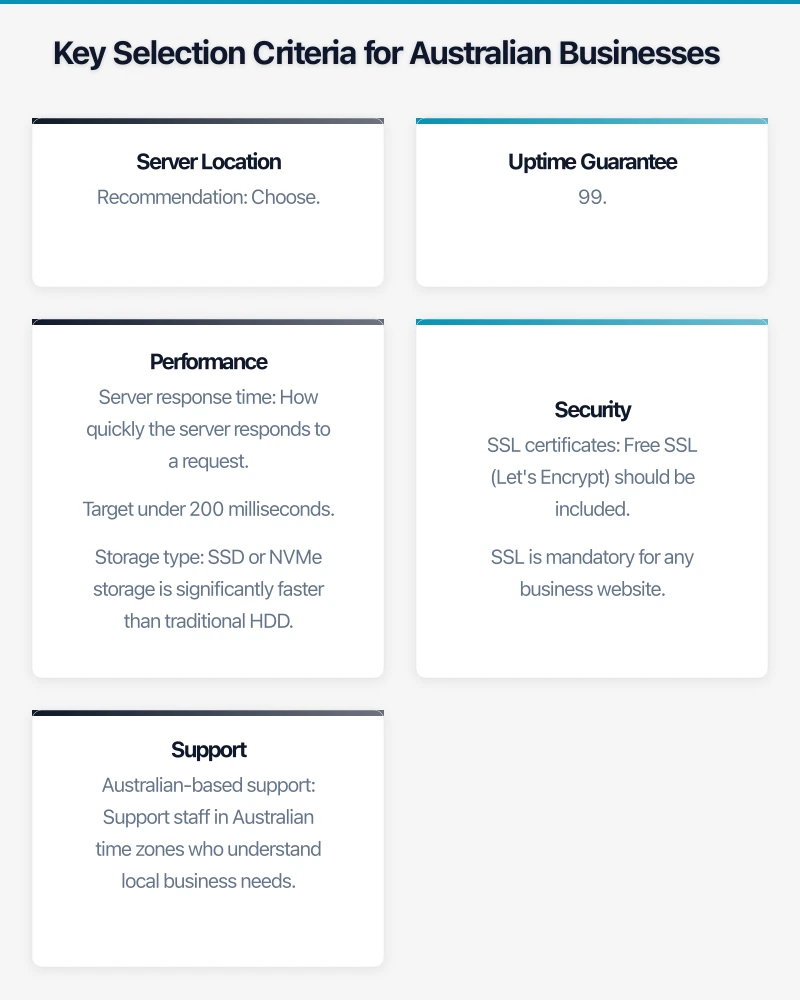
- Server response time: How quickly the server responds to a request. Target under 200 milliseconds.
- Storage type: SSD or NVMe storage is significantly faster than traditional HDD. Ensure your hosting uses SSD.
- HTTP/2 or HTTP/3 support: Modern protocols that speed up page loading.
- PHP version: If using WordPress or PHP-based sites, ensure the latest PHP version is supported (PHP 8.1 or 8.2 in 2023).
- Caching: Server-level caching (Redis, Memcached, or built-in page caching) dramatically improves performance.
Security
Your hosting provider plays a critical role in website security:
- SSL certificates: Free SSL (Let’s Encrypt) should be included. SSL is mandatory for any business website.
- Web Application Firewall (WAF): Protects against common web attacks (SQL injection, cross-site scripting).
- DDoS protection: Mitigates distributed denial of service attacks that can take your site offline.
- Malware scanning: Regular scanning for malicious code.
- Backup and restore: Daily automated backups with easy restoration.
- Server patching: The hosting provider keeps the server operating system and software updated.
Support
When your website goes down at 9 AM on a Monday, you need support that responds quickly:
- Australian-based support: Support staff in Australian time zones who understand local business needs.
- Response time: Under 1 hour for critical issues. Under 4 hours for standard requests.
- Channels: Phone, email, and live chat. Phone support for critical issues is essential.
- Expertise: Support staff who understand the platform you are using (WordPress, WooCommerce, etc.).
Australian Hosting Providers
VentraIP
Overview: One of Australia’s largest independently owned hosting companies, based in Melbourne.
Plans: Shared hosting from AUD 7.95/month. VPS from AUD 20/month. WordPress hosting available.
Strengths: Australian-owned and operated. Data centres in Sydney and Melbourne. Australian-based support. cPanel hosting with good feature set.
Best for: Australian businesses wanting a local provider with competitive pricing and Australian support.
Panthur (now part of Webcentral)
Overview: Australian hosting provider offering a range of hosting solutions.
Strengths: Local data centres, Australian support.
Zuver
Overview: Australian cloud hosting provider focused on WordPress and business hosting.
Strengths: Australian data centres, WordPress-optimised hosting, local support.
Digital Pacific
Overview: Australian hosting company offering shared, VPS, and dedicated hosting from Sydney data centres.
Strengths: Australian-owned, Sydney data centre, strong track record.
International Providers with Australian Data Centres
AWS (Amazon Web Services): Sydney region. Offers the most flexibility but requires technical expertise. Suitable for businesses with IT teams or managed service providers. Pricing varies.
Microsoft Azure: Sydney and Melbourne regions. Good integration with Microsoft 365 environments. Azure App Service provides managed web hosting.
Cloudways: Managed cloud hosting built on AWS, Google Cloud, or DigitalOcean. Australian server options available. From approximately AUD 15/month.
WP Engine: Premium managed WordPress hosting. Australian data centre option (via AWS Sydney). From approximately AUD 30/month.
Kinsta: Premium managed WordPress hosting on Google Cloud. Sydney data centre available. From approximately AUD 50/month.
WordPress Hosting Considerations
Given that WordPress powers a large percentage of Australian business websites, specific considerations apply:
Performance Optimisation
- Server-level caching (object cache with Redis or Memcached)
- Page caching for static content
- CDN integration for media files
- PHP workers for concurrent request handling
- Latest PHP version support
Security
- Automatic WordPress core updates
- Plugin vulnerability monitoring
- Web application firewall tuned for WordPress
- Login protection (brute-force prevention)
- File change monitoring
Management
- Staging environment for testing changes before they go live
- Automatic daily backups with one-click restore
- Easy SSL certificate installation
- PHP version management
- Git integration for development workflows
Recommended WordPress Hosting
For Australian SMBs:
- Budget (under AUD 20/month): VentraIP WordPress hosting or Cloudways (DigitalOcean)
- Mid-range (AUD 20 to 50/month): Cloudways (AWS Sydney) or WP Engine
- Premium (AUD 50 or more per month): Kinsta or WP Engine Professional
CDN (Content Delivery Network)
A CDN caches your website content on servers around the world, delivering it from the location closest to each visitor. For Australian businesses:
- Cloudflare: Free tier available. Provides CDN, DDoS protection, SSL, and WAF. Australian edge servers. The most popular option for SMBs.
- AWS CloudFront: Pay-per-use CDN with Australian edge locations. More complex to set up but integrates well with AWS hosting.
- Bunny CDN: Cost-effective CDN with Australian points of presence. From USD 0.01 per GB.
Even with Australian hosting, a CDN improves performance by caching static assets (images, CSS, JavaScript) and providing an additional security layer.
Migration Considerations
If you are moving from one hosting provider to another:
- Back up everything before starting the migration
- Test the new hosting with a temporary domain or staging URL before switching DNS
- Update DNS records with your domain registrar to point to the new hosting
- Lower DNS TTL to 300 seconds before migration to speed up propagation
- Monitor closely for 48 hours after migration for any issues
- Keep the old hosting active for at least one week after migration as a fallback
For WordPress migrations, plugins like All-in-One WP Migration or Duplicator simplify the process. Many managed WordPress hosts offer free migration assistance.
Making the Decision
For most Australian small businesses:
- Simple brochure website: Managed WordPress hosting from an Australian provider (AUD 15 to 30/month) plus Cloudflare free tier
- Ecommerce website: Cloud hosting or managed WooCommerce hosting (AUD 30 to 100/month) with CDN and WAF
- Custom web application: VPS or cloud hosting (AUD 50 to 200/month) with appropriate management
Invest in hosting that matches the importance of your website to your business. If your website generates leads, sells products, or represents your brand to potential customers, it deserves reliable, performant hosting with proper support. The difference between a AUD 10/month shared host and a AUD 30/month managed host is negligible in the context of your overall business costs but significant in terms of performance, security, and peace of mind.
Cloud is one piece of the digital puzzle. Ash Ganda writes about enterprise technology strategy and how to align IT investments with business growth.
This article is brought to you by Ganda Tech Services — Sydney’s complete digital solutions provider covering cloud, web, and mobile.