
Australian Data Sovereignty: Where Your Business Data Lives

Australian Data Sovereignty: Where Your Business Data Lives
If someone asked you right now where your business data physically resides, could you answer with confidence? For most Australian small businesses using cloud services, the honest answer is “somewhere in the cloud” — which is not good enough.
Data sovereignty — the concept that data is subject to the laws of the country where it is stored — has become increasingly important for Australian businesses. This guide explains what data sovereignty means in practice, where major cloud providers store Australian business data, and what steps you need to take to ensure compliance.
Why Data Sovereignty Matters
Legal Obligations
The Australian Privacy Act 1988, specifically Australian Privacy Principle 8 (APP 8), regulates cross-border disclosure of personal information. If you transfer personal information to an overseas recipient, you are generally responsible for ensuring the recipient handles the information in accordance with the APPs.
This means if you store customer data on a server in the United States and that data is breached, you may still be liable under Australian law — even though the breach occurred offshore.
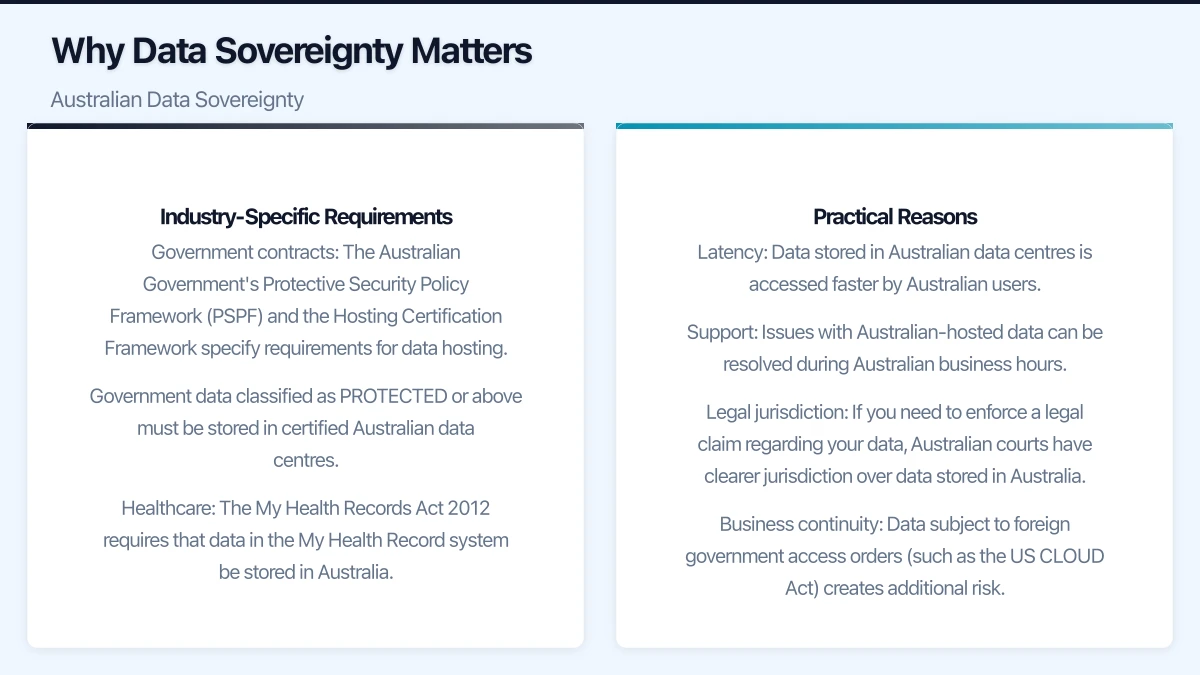
Industry-Specific Requirements
Some Australian industries have additional data residency requirements:
- Government contracts: The Australian Government’s Protective Security Policy Framework (PSPF) and the Hosting Certification Framework specify requirements for data hosting. Government data classified as PROTECTED or above must be stored in certified Australian data centres.
- Healthcare: The My Health Records Act 2012 requires that data in the My Health Record system be stored in Australia.
- Financial services: APRA CPS 234 requires entities to maintain information security capability, with data sovereignty considerations forming part of the risk assessment for offshore arrangements.
- Legal profession: Law societies in several states have guidelines about the storage of client information, with recommendations to keep data in Australian jurisdictions.
Practical Reasons
Beyond legal obligations, there are practical reasons to prefer Australian data storage:
- Latency: Data stored in Australian data centres is accessed faster by Australian users
- Support: Issues with Australian-hosted data can be resolved during Australian business hours
- Legal jurisdiction: If you need to enforce a legal claim regarding your data, Australian courts have clearer jurisdiction over data stored in Australia
- Business continuity: Data subject to foreign government access orders (such as the US CLOUD Act) creates additional risk
Where Major Cloud Providers Store Australian Data
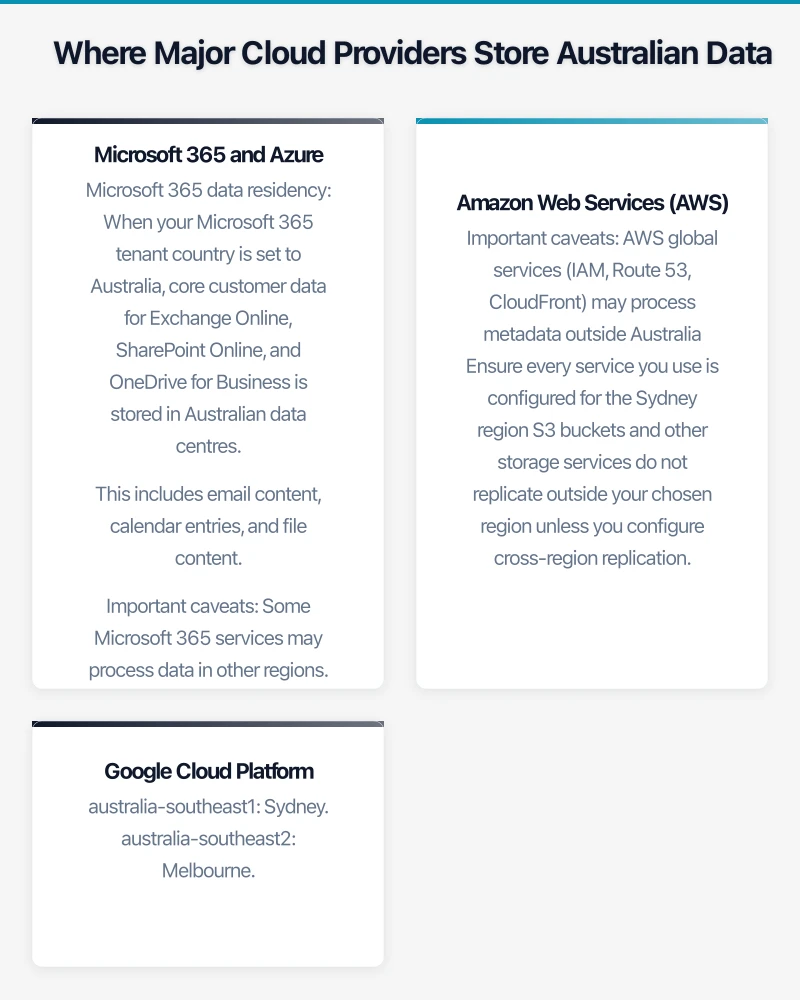
Microsoft 365 and Azure
Microsoft operates data centres in two Australian regions:
- Australia East (New South Wales): Located in Sydney
- Australia Southeast (Victoria): Located in Melbourne
Microsoft 365 data residency: When your Microsoft 365 tenant country is set to Australia, core customer data for Exchange Online, SharePoint Online, and OneDrive for Business is stored in Australian data centres. This includes email content, calendar entries, and file content.
Important caveats:
- Some Microsoft 365 services may process data in other regions. The Microsoft 365 admin centre provides a “Data Location” section where you can verify where each service stores your data.
- Azure Active Directory data is stored globally across Microsoft’s data centres, not exclusively in Australia
- Microsoft Teams meeting recordings stored in Stream may not be in Australian data centres (this is changing, but verify current behaviour)
Azure infrastructure: You choose the region for each Azure resource you create. Always select “Australia East” or “Australia Southeast” to keep data in Australia.
Amazon Web Services (AWS)
AWS operates one Australian region:
- Asia Pacific (Sydney): ap-southeast-2
When you create AWS resources in the Sydney region, data is stored in Australian data centres. AWS also offers the “AWS Outposts” service for customers who need AWS infrastructure on their own premises.
Important caveats:
- AWS global services (IAM, Route 53, CloudFront) may process metadata outside Australia
- Ensure every service you use is configured for the Sydney region
- S3 buckets and other storage services do not replicate outside your chosen region unless you configure cross-region replication
Google Cloud Platform
Google operates two Australian regions:
- australia-southeast1: Sydney
- australia-southeast2: Melbourne
Google Workspace (Gmail, Drive, Docs) offers data region policies for Business Standard and above, allowing you to restrict data storage to a specific region including Australia.
Other Common Business Services
Not all business software stores data in Australia. Here is the status for common tools used by Australian SMBs:
| Service | Australian Data Centre | Notes |
|---|---|---|
| Xero | Yes (AWS Sydney) | Financial data stored in Australia |
| MYOB | Yes | Australian-hosted |
| Salesforce | Yes (Sydney) | Must select AU instance during setup |
| HubSpot | No (US-based) | Data stored in US and EU |
| Slack | No (US-based) | Data stored in US (Enterprise Grid offers data residency options) |
| Zoom | Partial | Can configure data routing through Australian data centres, but some data stored in US |
| Canva | Yes (Australian company) | Headquartered in Sydney |
| Atlassian | Yes (AWS Sydney) | Cloud products can be hosted in Australia |
| Dropbox | No (US-based) | Data stored in US |
How to Audit Your Data Locations
Step 1: List All Cloud Services
Create a comprehensive list of every cloud service your business uses. Include:
- Productivity suites (Microsoft 365, Google Workspace)
- CRM and sales tools
- Accounting and finance tools
- HR and payroll systems
- Project management tools
- Communication platforms
- File storage and sharing
- Industry-specific software
- Marketing and social media tools
Do not forget “shadow IT” — services that staff may have signed up for without IT approval.
Step 2: Determine Data Location for Each Service
For each service:
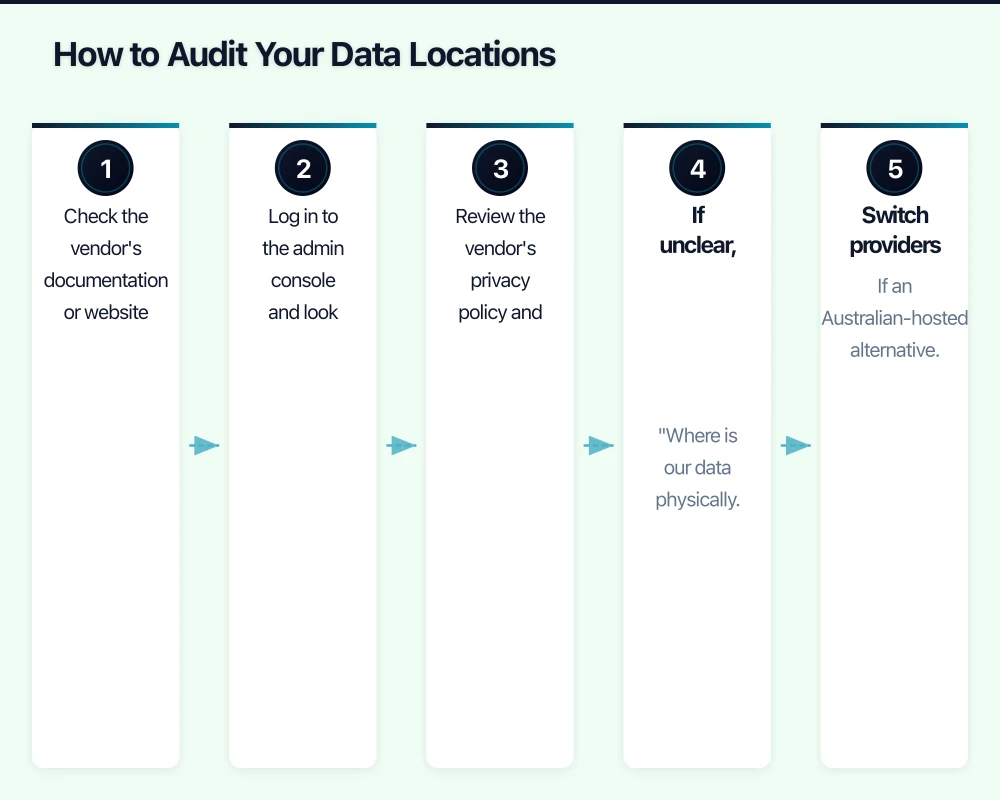
- Check the vendor’s documentation or website for data centre locations
- Log in to the admin console and look for data location settings
- Review the vendor’s privacy policy and terms of service for data residency information
- If unclear, contact the vendor directly and ask: “Where is our data physically stored?”
Step 3: Assess the Data Sensitivity
Not all data requires Australian data residency. Categorise your data:
Must be in Australia:
- Personal information subject to the Privacy Act (customer records, employee records)
- Health information
- Financial records subject to APRA or industry requirements
- Data subject to government or contractual data residency requirements
Should be in Australia (best practice):
- Business-critical documents and files
- Intellectual property
- Communications containing sensitive information
Lower risk if offshore:
- Marketing materials and public content
- Non-sensitive operational data
- Tools that do not store Australian personal information
Step 4: Address Gaps
For services storing sensitive data outside Australia:
- Switch providers: If an Australian-hosted alternative exists and is practical
- Configure data residency: Some providers offer data residency options that may require a plan upgrade
- Implement contractual protections: Ensure your agreement with the vendor includes data processing terms that comply with the APPs
- Accept the risk with mitigation: If no Australian alternative exists, document the risk and implement additional security controls (encryption, access restrictions)
Contractual Protections
When your data must be stored offshore, contractual protections become important.
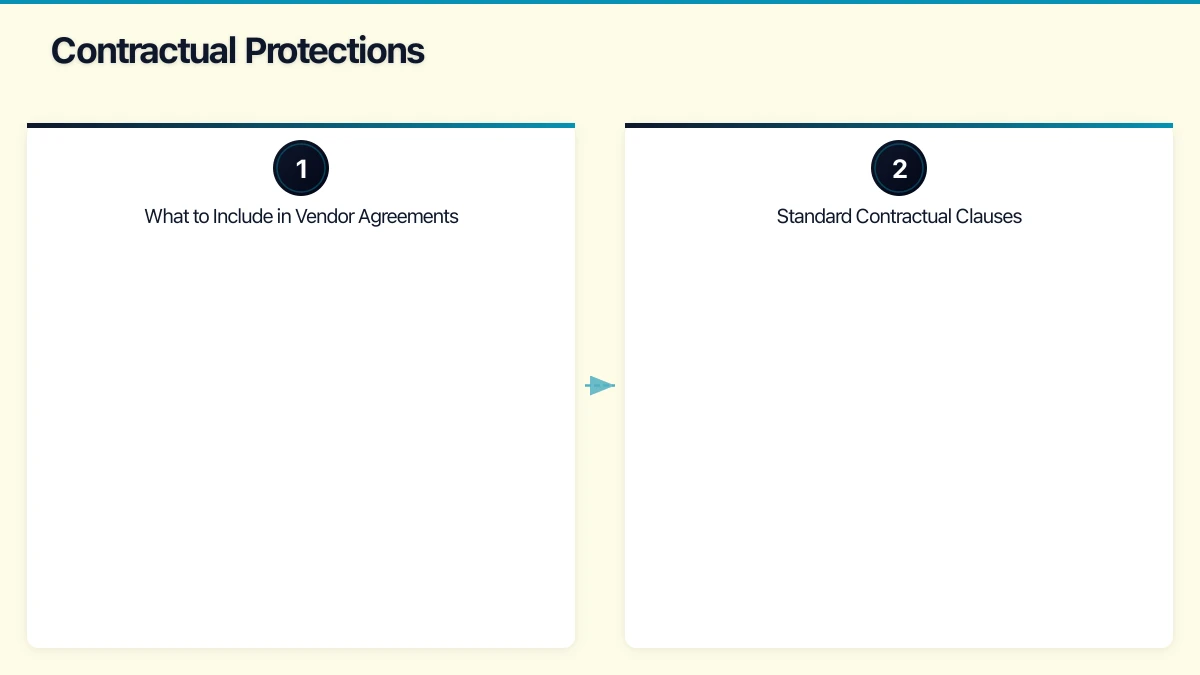
What to Include in Vendor Agreements
- Data processing agreement: Specifies how the vendor will handle your data, including security measures and breach notification obligations
- Data residency commitment: Where the vendor commits to storing data in specified locations
- Subprocessor disclosure: The vendor must disclose any third parties who process your data and their locations
- Audit rights: Your right to audit or request audit reports of the vendor’s security practices
- Data return and deletion: The vendor’s obligations when the contract ends, including returning your data and securely deleting their copies
Standard Contractual Clauses
For data transfers to countries without adequacy determinations under Australian law, consider whether the vendor offers standard contractual clauses or binding corporate rules that provide equivalent protection to the APPs.
The Office of the Australian Information Commissioner (OAIC) provides guidance on cross-border disclosure, including the “reasonable steps” an organisation should take when disclosing personal information overseas.
Encryption as a Mitigation
If your data must be stored offshore, encryption provides an additional layer of protection.
Encryption at rest: Ensure data is encrypted when stored. Most major cloud providers offer this by default, but verify it is enabled.
Encryption in transit: All data transferred between your business and cloud services should use TLS 1.2 or later.
Customer-managed encryption keys: Some providers allow you to manage your own encryption keys. This means that even if the provider or a foreign government accesses the encrypted data, they cannot read it without your key. This is available in Azure (Key Vault), AWS (KMS), and Google Cloud (Cloud KMS).
Customer-managed keys add complexity but provide the strongest protection for sensitive data stored offshore.
Practical Steps for Australian SMBs
-
Default to Australian regions. When setting up any new cloud service, choose Australian data centres where available. This is the simplest and most effective approach.
-
Audit annually. Conduct a data location audit at least once per year. Services change their infrastructure, and your team may adopt new tools throughout the year.
-
Update your privacy policy. Your privacy policy should accurately describe where you store personal information and how you protect cross-border data transfers. If you state that data is stored in Australia, make sure that is actually true.
-
Educate your team. Staff who sign up for new SaaS tools should understand the importance of choosing Australian-hosted options when available. Include data sovereignty in your IT procurement process.
-
Document your decisions. For each cloud service, document where data is stored, why that location was chosen, and what protections are in place. This demonstrates “reasonable steps” under APP 8 if you are ever questioned by the OAIC.
-
Monitor regulatory changes. The Australian Government continues to evolve its approach to data sovereignty. The Critical Infrastructure Act 2018 (amended in 2021) expanded the definition of critical infrastructure, and further changes may affect data sovereignty requirements for additional industries.
Looking Ahead
Data sovereignty is not a problem you solve once. As your business adopts new cloud services, as regulations evolve, and as geopolitical factors influence data governance, your data sovereignty posture needs regular review.
The good news for Australian businesses is that most major cloud providers now have Australian data centres, and the trend is toward more local hosting options, not fewer. By making informed decisions about where your data lives today, you position your business to meet both current and future compliance requirements.
Start with the audit. Know where your data is. Then make deliberate, documented decisions about where it should be. That is the foundation of data sovereignty for Australian businesses.
Pairing cloud infrastructure with a professional website amplifies your online presence. Cosmos Web Tech builds high-performance sites that make the most of solid hosting foundations.
Cloud Geeks operates under the Ganda Tech Services umbrella, delivering end-to-end technology solutions for Australian businesses.